In this instance it really does show the weakness of the Huawei P9 camera.
This was burst mode. The resolution drops from 12mp to 8mp.
The below 2 photos are the best from the burst. As a comparison if this had been the S7 there would have been 70 perfect shots. The G5 would have produced about 23 perfect shots. The P9 could not produce a single one.
Whilst this is disappointing in other areas the camera is excellent.
Yesterday I provided a few shots from the Huawei P9 camera. Today I have included a few more, this time using some of the more specialised modes from the P9 camera. For each photo, to view full size, click on it and select original or full size.
Below is a shot of my local church. This is taken as a base mark to compare the quality with all the other phones I have tested, as each phone always has to capture this landmark.
And now the same church but just using the monochrome lens.
The standout points from the church photos is the realistic translation of colours. Monochrome looks superb too. The level of detail is excellent. However, the monochrome version is too dark for my liking.
Shot of an exposed roots from a tree. Colour accuracy was excellent.
Below another example of colour versus using the monochrome lens.
In this example I don’t think the monochrome lens adds anything special to the shot.
Special mode – Silky water. Stunning ability to create silky water. I used a 1 min exposure for this one. But this was snapped using the special silky water mode, so no skill is required. Mount on a tripod and wait.
The P9 also allows you to refocus after the shot and below is an example.
And another refocus shot. Just look at the bokeh.
But I bet you’re wondering how the Huawei P9 compares to the LG G5 and Samsung Galaxy S7. Well that will be my next article amongst many others coming soon, along with new device reviews. So stay tuned.
But before we go, I could really do with your help. So should you need to buy anything on Amazon, head over by using the respective links below. This helps by contributing towards the running costs of Gavin’s Gadgets.
The best part is that it also costs you nothing extra!
So I have the Huawei P9 in the house and have started to test the camera. What I have seen so far is impressive whilst snapping photos.
The colour accuracy is excellent and the monochrome lens take some cracking photos. I will push the boundaries of this dual lens Leica branded setup and have some more posts. The church shot came out really well. This was plain auto mode.
Inside Domino’s Pizza and they have stools to sit while you wait for your food. This is taken using the monochrome lens.
cof
Above is the pizza menu to illustrate the colours snapped by the Huawei P9.
Welcome to my review of the LG Tone Platinum HBS-1100 Bluetooth Headset. This is the world’s first pair of headphones/headset that comes with the new APT-X High Definition Codec.
This means you can listen to 24 bit Hi-Fi / Hi-Res Sound with LG G5. At the moment the LG G5 is only only smartphone that comes enabled with the revolutionary Qualcomm® apt-X™ HD codec.The aptX™ HD Audio Codec delivers CD-like quality audio over Bluetooth that faithfully reproduces the full audio bandwidth and minimizes latency by significantly reducing the bit rate without affecting sound quality.
LG state that “now no wires are truly a thing of the past as you can bask in the sheer superiority of a 24 bit audiophile experience in total wireless comfort.”
Note that the APT-X HD codec comes as standard with the LG G5. You do not need the LG Hi-Fi Plus module.
Key Specifications
– Bluetooth Version 4.1
– Supported Bluetooth Profiles Headset (HSP), Hands-Free (HFP), Advanced Audio Distribution (A2DP),
Audio/Video Remote Control (AVRCP)
– Talk Time Up to 11 hours
– Music Play Time Up to 10 hours
– Standby Time Up to 17.3 days
– Charging Time Less than 2 hours
– Operating Range 33 ft.
– Dimensions 6.0″ x 7.04″ (H) x 0.5″ (D)
– Weight 2.05 oz.
– Call & Play/Pause Buttons Inline on side of headset
– Available Colours – Black, Silver, Gold
– Sound Profile Harman Kardon® Platinum Sound
– Tone & Talk™ Support – Support for Android and Apple® Devices
– Audio Speaker Optimization Technology Balanced Armature Speaker Technology
– Qualcomm® aptX compatibility Qualcomm aptX / Qualcomm aptX HD
– In the Box – LG TONE PLATINUM Bluetooth Stereo Headset (HBS-1100),Micro USB Charging Cable (AC Adapter Not Included), Extra Ear Gels (Small and Large), User Manual, Quick Start Guide, & Warranty Card
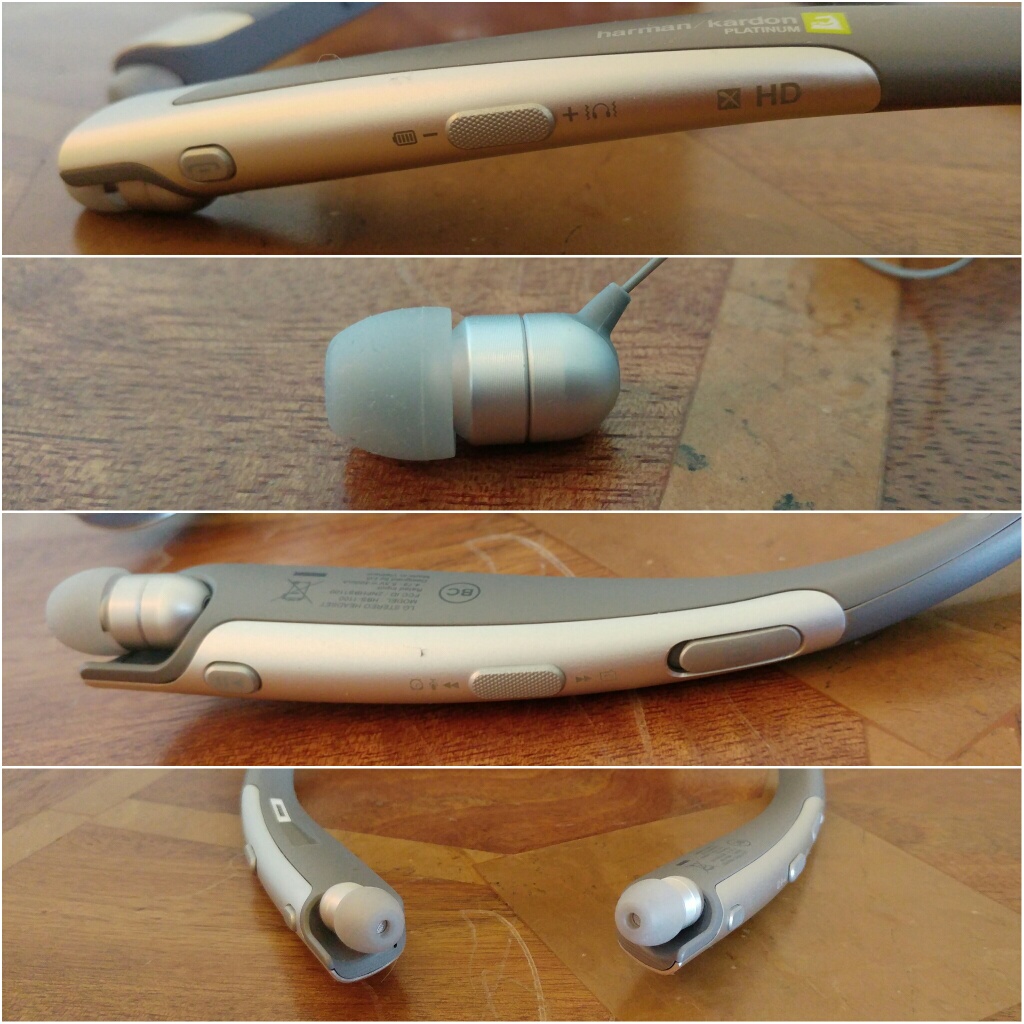
The LG Tone Platinum Bluetooth headset is fairly slim made with an anodized brushed aluminum alloy trim. LG has used a Balanced Armature design as the sound module to minimise distortion and reproduce the sound accurately. The headset also offers noise cancelling dual microphones for clearer calls even in the noisiest environments. In testing these worked really well. Calls were exceptionally clear. LG added Voice Command to handle incoming calls.
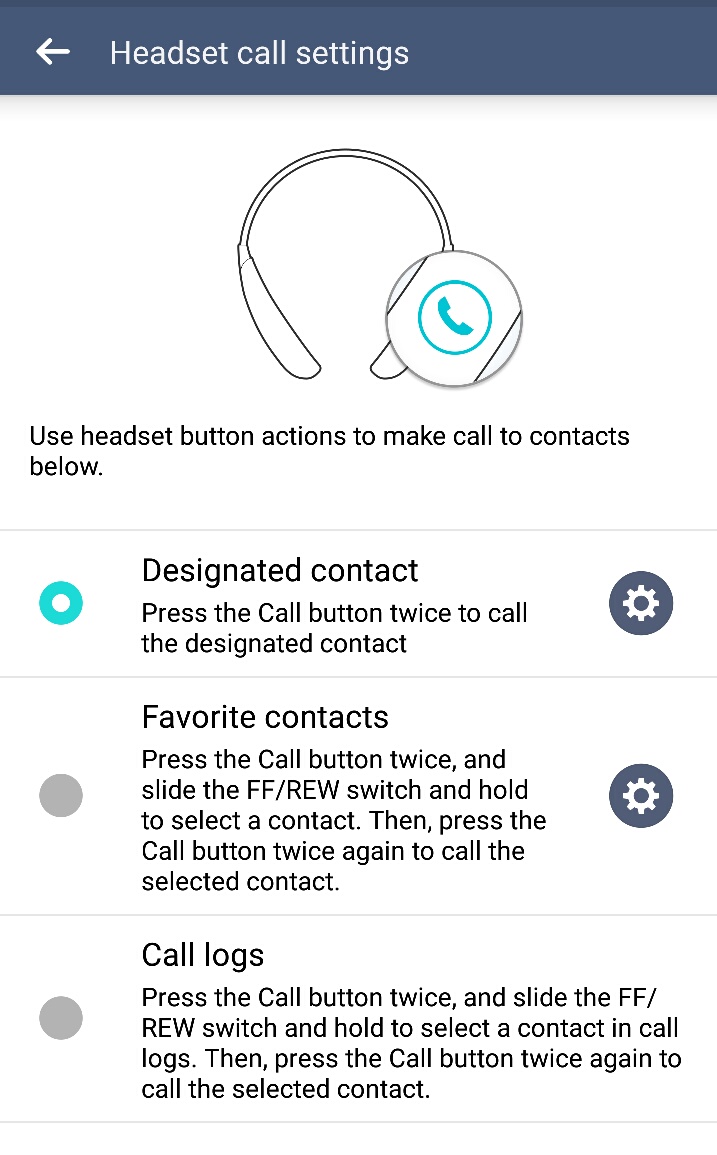
Tone & Talk app has been enhanced to support Voice Memo and Find Me via any Android smartphone (version 4.1 and higher). The LG Tone app adds a lot of extra functionality and makes this headset easier to use.
The other controls on the headset are everything you expect and more. Controls for music, calls, volume, cable retraction and more as shown in the photos.
The Sound Quality
This is the part that matters most. Does the new APT-X HD codec work? In my testing it really does work and really well. It also sounds better than Samsung’s proprietary UHQ codec found on the new Samsung Galaxy S7.
As this is created by Qualcomm more headphones are due later on this year featuring this new codec which will undoubtedly become the new audio wireless standard.
LG’s decision to use balanced armature over a dynamic driver is a statement in itself. Balanced armatures tend to reproduce sound fairly naturally with delicate mids and treble.
I have listened to loads of different genres and all were faithfully reproduced. It is hard to believe these are wireless headphones. The Tone Platinum are not bass heavy. But if the track has bass it digs deep too. Classical and vocals were wonderful. Playing flac songs and again the sound quality was excellent.
My current favourite Bluetooth headphones are Plantronics BackBeat Pro. These deliver huge amounts of bass and impact. A lot of people will listen to these are even prefer them on a quick listen. These are over ears and massive so have the ability to deliver such impact. However, over a longer listening period the LG Tone Platinum will triumph. Ear fatigue is non existent and the overall quality is way above the Plantronics.
Another bonus is that the in ear canals are comfortable even after lengthy usage.
Conclusion
Qualcomm’s APT-X HD is the real deal. The LG Tone Platinum are fantastic as a headset from a feature count, superb for phone calls and more and sound brilliant with your music.
Welcome to my review of the LG 360 Cam, one of the LG G5 Friends. The LG 360 Cam is available from Clove Technology and costs £199.
The Key Specification
– Bluetooth V4.1
– Wi-Fi 802.11 b/g/n
– USB Type 2.0 Type-C
– Battery 1200 mAh
– Optics 13 MP, 206° x 2 (Dual Fisheye Lens)
– Max. Video Res 2560 x 1280 (30fps)
– Max. Photo Res 5660 x 2830 (16M)
– Image / Video File Format Still Image : JPEG / Video : MP4 (MPEG-4 AVC/H.264, Audio : AAC 5.1Ch)
– Capturing Spherical / Half-spherical image & video
– Sound 3 Mics
– External SD Card Up to 2 TB
– Dimensions/Weight 40 mm x 97 mm x 25 mm / 76.7 g
The LG 360 Cam features compact spherical 13mp cameras that can shoot at a max of 206 degrees x 2 (dual fisheye lens)to create a 360 degree photo or video. 2K Video support and 5.1 channel audio is supported too. The LG 360 CAM is compatible with Youtube and Google Street View app. You can directly publish 360 video and photo taken by the LG 360 CAM to Youtube and Google Street View.
Hardware
The hardware is brilliant. The LG 360 Cam is charged via USB Type C. It takes micro SD cards up to 2 TB too. The protective case acts as a stand as shown. It also has a tripod screw mount built in. The hardware controls are simple too. Power on button is on the side. LED indicator for showing you which mode – 360 or 180 degrees. Press front button to take a photo, or press and hold for video. You can control it without the LG 360 Cam software or with it. With the cam manager software you get far more options and controls.
Software
The LG 360 cam manager software is superb. The main splash screen gives you access to the camera controls, gallery and settings.
The gallery shows you what is sitting on the 360 Cam micro sd card and what is on the LG G5. You can download and delete content from the 360 Cam with ease. The settings menu give you access to a range of useful information and the firmware updates.
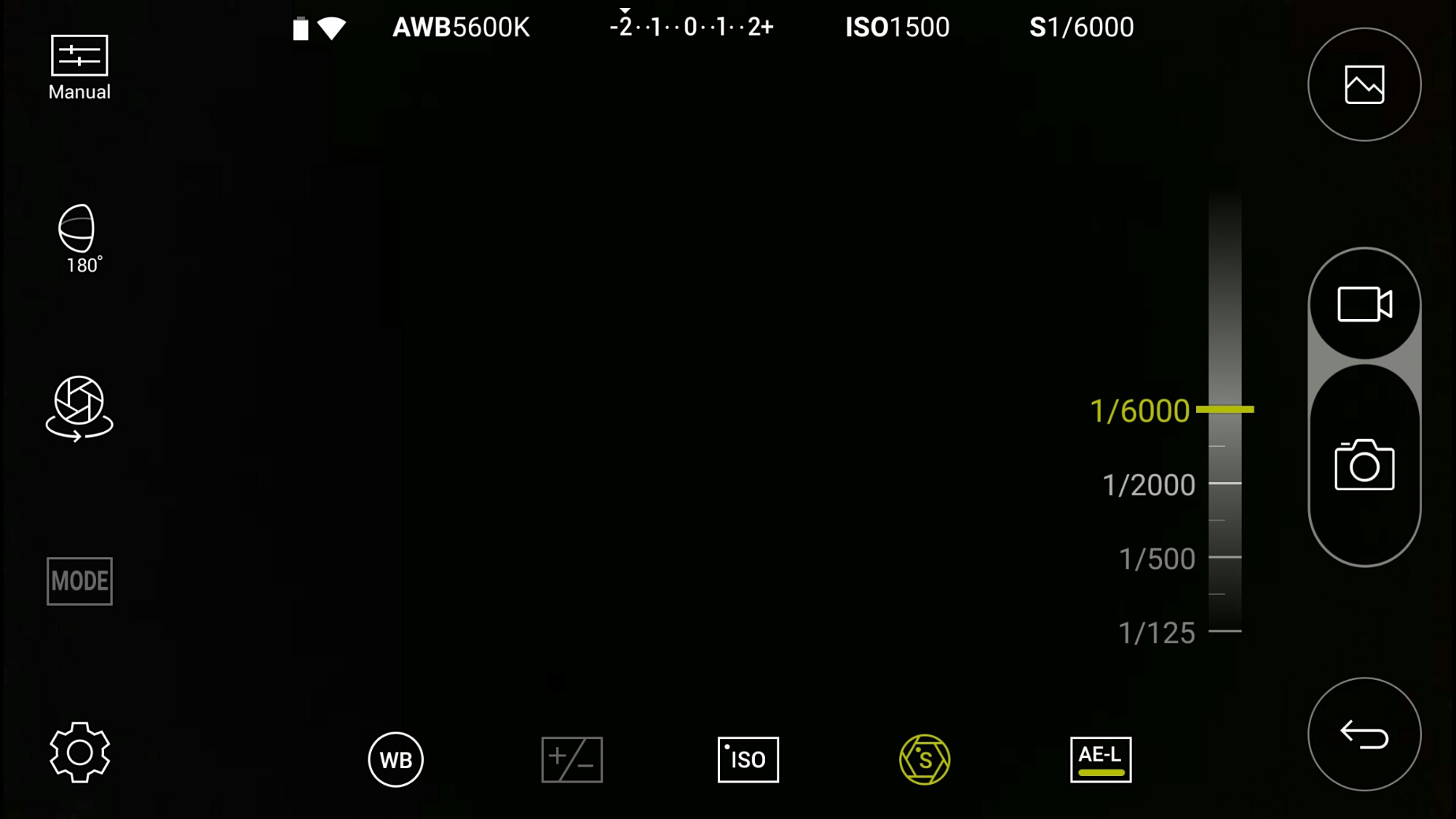
The LG 360 Cam has its own app which can also be accessed via the LG Friends Manager. Connection is via WiFi Direct and is really quick. The LG 360 Cam has a lot of options as shown below.
Look above. That’s right. This is manual mode. The LG 360 Cam has an excellent manual mode. Here you can see the faster shutter speed is 1/6000.
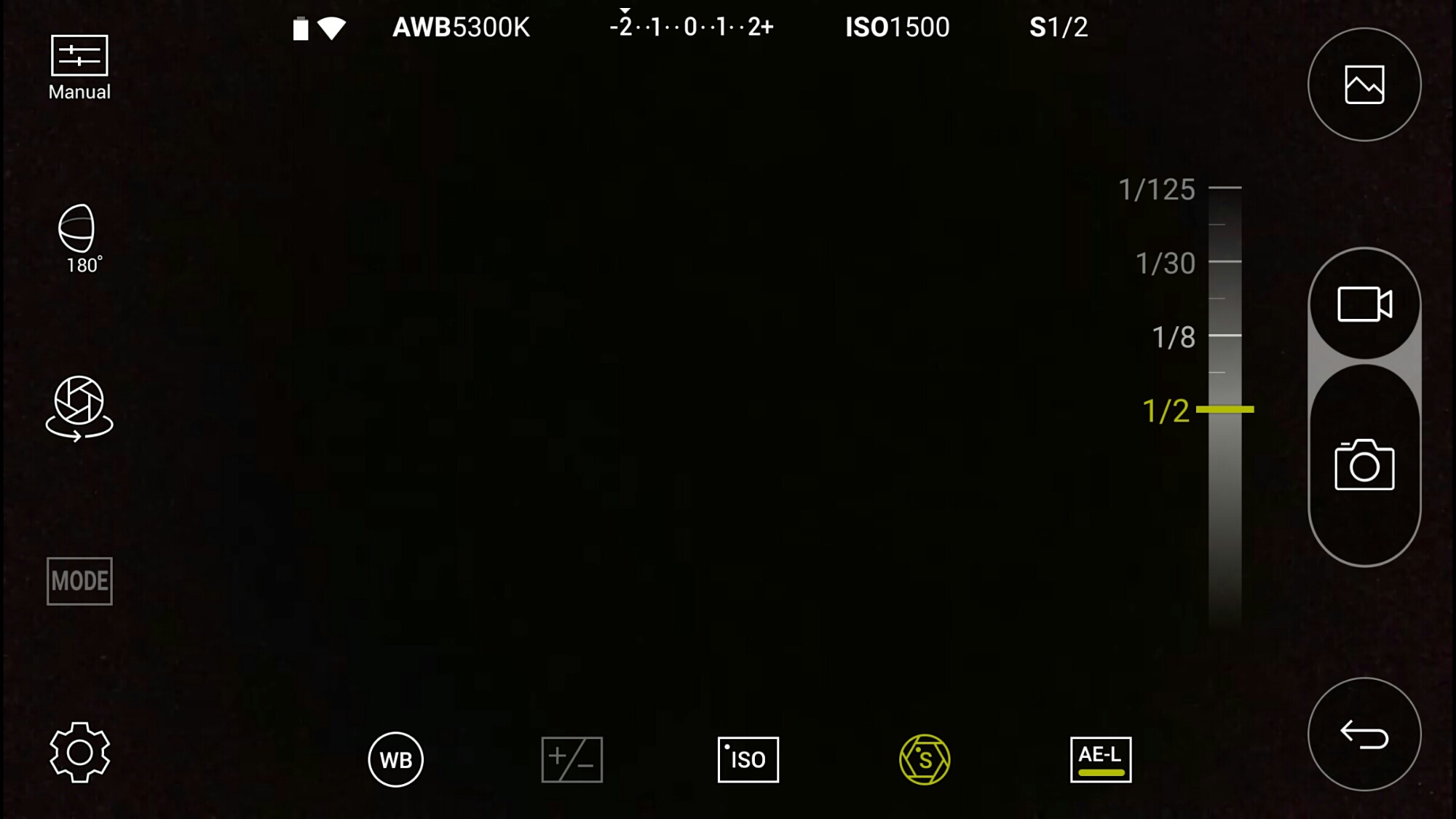
And the slowest shutter speed is 1/2 second. Other options include exposure, white balance and ISO.
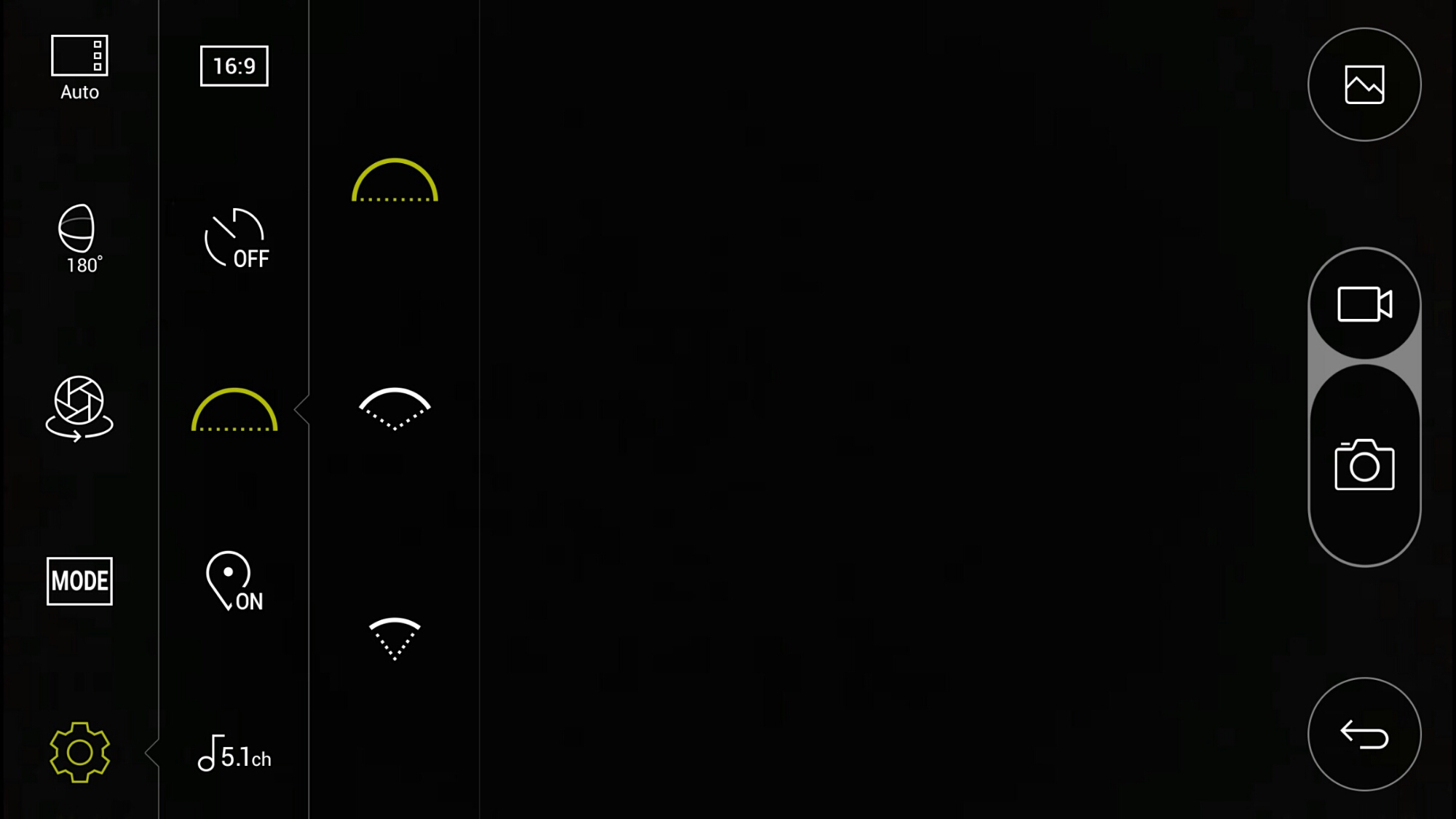
If taking photos at just 180 degrees instead of the full 360 degrees, you can alter the field of view angle. I have photo examples of the difference this makes below.
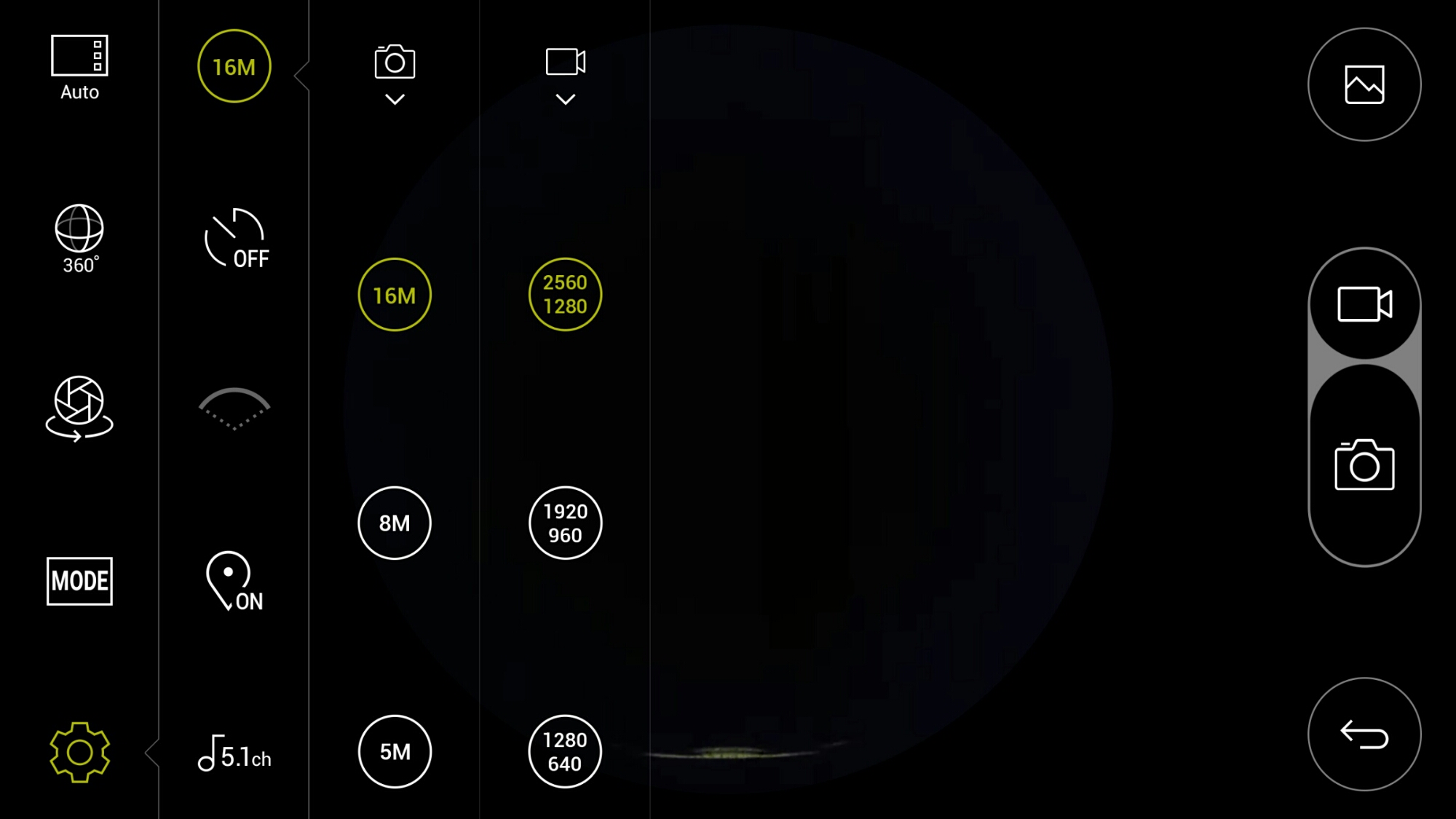
In terms of settings for video and photo quality, there are plenty of options. As standard it records in 5.1 Channel surround sound audio. You can change this to 2 channel stereo.
There are also a choice of scenes/modes as shown.
When using the 360 cam manager it is great being able to see what you are recording. If you are standing more than 50 feet approx away approx from the device or if your line of site is blocked, you may not be able to see what you are filming on the screen but you will still be able to control it. On the second video below, I hid behind a wall so I was not in the footage, but I could still operate it.
Playing the footage back on the LG G5, you can either view in 360 degrees or use the select split screen mode. This shows video from each side of the cameras split 50/50 on screen. Rather cool. You can also connect the LG 360 VR glasses and see the footage in a whole new way!
Example Footage
First up is a 360 video of my village, Princetown, Dartmoor.
Another example down by the river.
Below are photos from the LG 360 Cam in 360 degrees and lower using the options in the camera app.
Next using the 360 cam in 180 degrees you have 3 different wide settings. Below are 3 shots starting with the widest field of view down to the narrowest.
Conclusion
The LG 360 Cam is a decent product and well thought out and consequently is recommended. Using this with the LG 360 VR glasses creates a whole new world.
If you are interested in the LG 360 Cam this is now available fromClove Technology.
Welcome to my review of the LG Cam Plus. This is my first review of one of the modules/friends for the LG G5. The LG Cam Plus costs £69.00 and is available from Clove Technology.
The Key Specifications / Features
– Comfortable Shooting Grip
– Traditional camera experience
– Physical keys: intuitive camera on/off, zoom, shutter, and record keys; autofocus with a half-press of the shutter key
– Burst Mode will become available with later firmware update
– USB USB 2.0 Type-C
– Battery Li-ion 1,200 mAh
– Charging time less than 200 minutes
– Voltage 5 V ±10%, 9 V ±10%
– Current Consumption 25 mA (no Charging), 1 mA (Power Off)
– Charging Consumption 500 mA
– Output Consumption 500 mA
– Audio Speaker and digital MIC
– Sound Pressure 1 m sound pressure 60 dB ↑ (100%) *based on a full charge
– Antenna GSM/CDMA, WCDMA, LTE™
– LED Battery indicator
– Operating Temperature -20 °C – 40 °C
– Dimensions/Weight 73.9 mm X 61.4 mm X 15.9 mm / 55.4 g
What is it like to use?
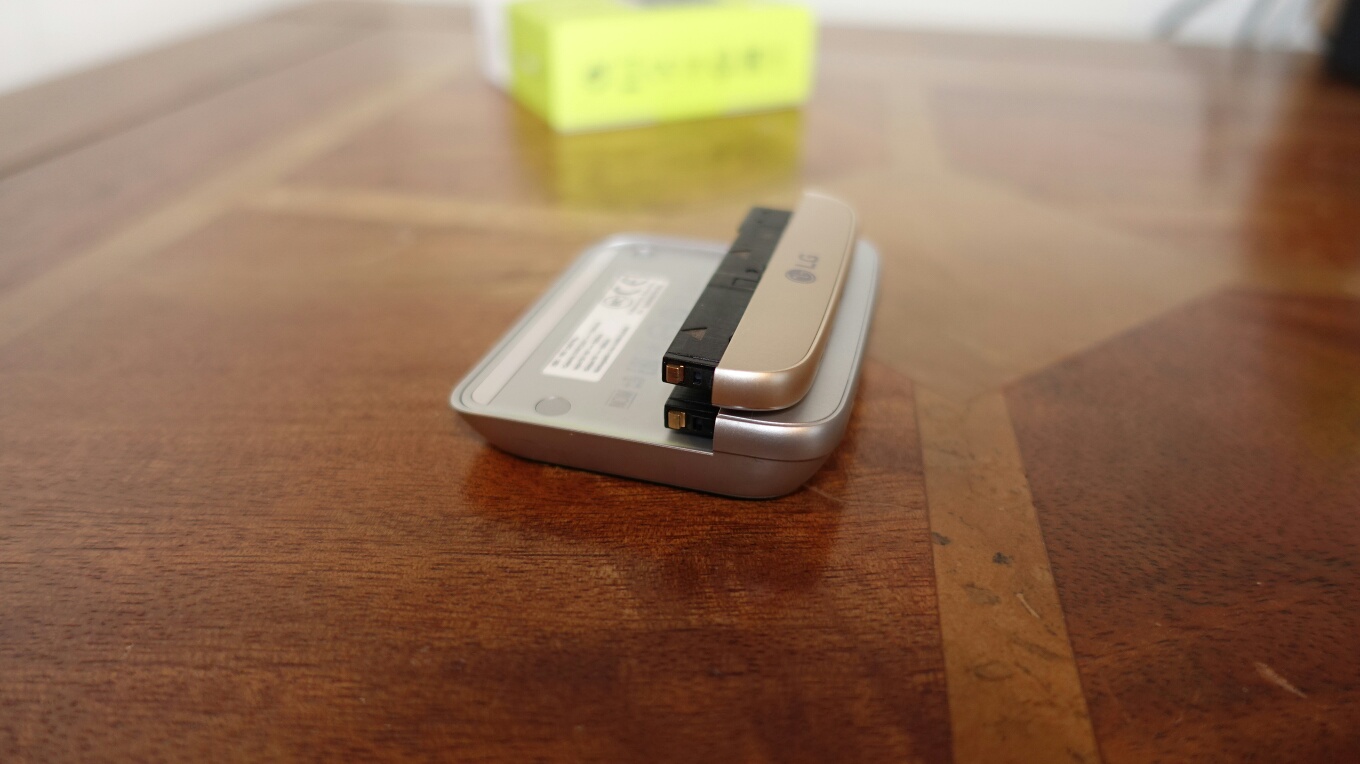
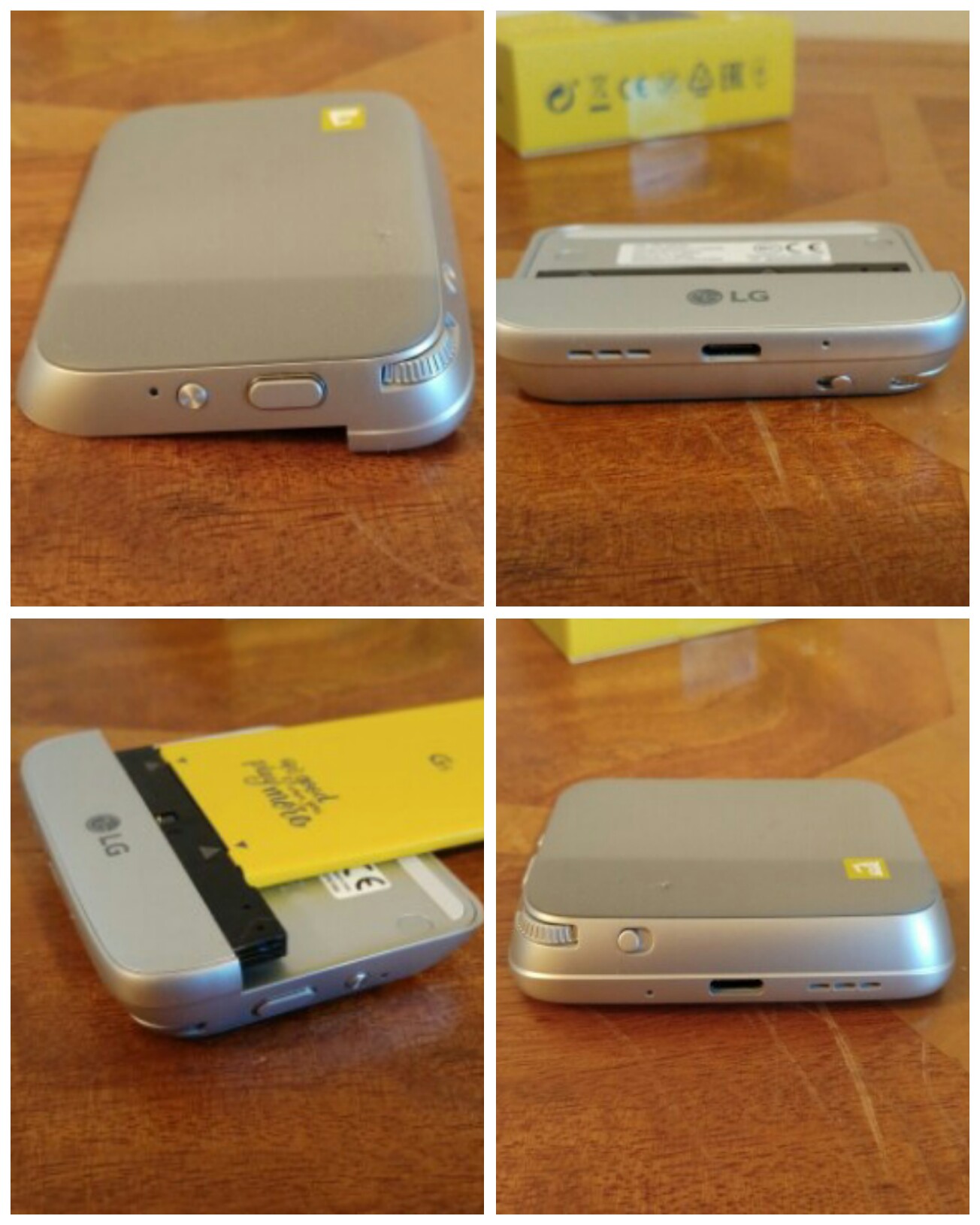
The LG Cam Plus replaces the bottom chin of the LG G5. It is slightly longer as you can see from the photos and it is also only available in silver. It also means the G5 is no longer flat and if you have a case for your phone it won’t fit now. I don’t use a case for my G5. The design seems tough and durable so far and it doesn’t show any fingerprints.
My LG G5 is gold. In all honesty the different colour finishes do not matter but it would have been nicer if it had been available in matching colours. The LG B & O HiFi Plus module is black.
The LG Cam Plus contains a 1,200mAh battery, the antenna for GSM/CDMA,WCDMA and LTE, audio speaker and digital mic. It is recharged using your LG G5 USB Type C cable. LG claim it takes less than 200 mins to recharge the battery. From flat I found it took about 2 hours. There is a LED light than is red while recharging and turns green when fully charged. The LED is also there to notify you when the battery is under 10%. Connecting the USB Type C cable to the Cam Plus first fast charges the G5 and then the module. Whilst the power lead is connected to the Cam Plus you cannot use the keys on it.
So how does it all work. Simply remove the bottom off your G5 by pressing the button. Take the battery off. Removing the bottom chin and the battery are so simple BUT make sure you have read the manual that explains the technique. Connect the battery to the Cam Plus and connect the module to the LG G5. Power on your G5. I wish the G5 didn’t have to power off each time you swap module. However, it does this as each module has its own firmware which will receive updates to improve it. With the Cam Plus connected the weight increases by about 50g. The firmware is controlled via the LG Friends Manager and Cam Plus app.
Here’s the crazy part. The Cam Plus contains the cellular antenna, mic and loudspeaker. These improve upon the G5. The larger enclosure of the module helps the loudspeaker sound. I have done several Skype calls with and without the module. With the module fitted the calls were clearer. Plus you can use the 1,200mAh battery to keep the G5 charging while on a long Skype call. Video recordings using the mic also highlighted the improved audio.
So what is the grip section like to use as a camera. It is not the most natural grip to hold. I have no idea how the LG videos show it being used one handed. It is possible but I do recommend 2 hands. However, with 2 hands in action it is a lot better to use. There is a button that you slide to instantly activate the camera and sliding it again reverts back to the G5 home screen. There is a 2 way shutter button that works very well and a button for video recording. You can take photos while video recording. There is a leaflet in the Cam Plus box stating that burst mode will come soon via a firmware update. So for the time being you have to use the on screen shutter button for burst mode. The other control is a zoom scroll wheel which zooms in and out of the shot effortlessly going between the 16mp and 8mp wide lens. The 1,200mAh battery only works when the camera is being used. It very slowly adds charge back into the G5. It stops charging after about 5 mins of not using the camera grip. However, it is very useful to have power slowly put back in the phone as the camera does like to drain the G5. I took a 20 min time-lapse and noticed the camera grip had turned off, probably after the 5 min mark and probably because it didn’t detect any movement on the grip keys. Hopefully a future firmware update will change this.
The small print. With the Cam Plus connected USB OTG and USB Audio does not function. Again will this might change with a firmware update.
Conclusion
I take a lot of photos. I have found the Cam Plus handy to have for this purpose. It is a breeze swapping off and on again. I also like the fact the battery level of the phone is being maintained despite snapping loads of photos.
Below are all the reviews I have written covering headphones, amps and DACs. Reviews due soon include the new Audioquest Dragonfly Red Headphone/DAC, LG Tone Platinum (the first bluetooth headphones with APT-X High Definition/Hi-Res) and the LG HiFi Plus B&O Headphone/DAC designed for the LG G5 but also works with anything else in its standalone mode.
If you are buying anything on Amazon, please use the link below. This will help support Gavin’s Gadgets with all the running costs and more and won’t be any different in cost. Thanks in advance.
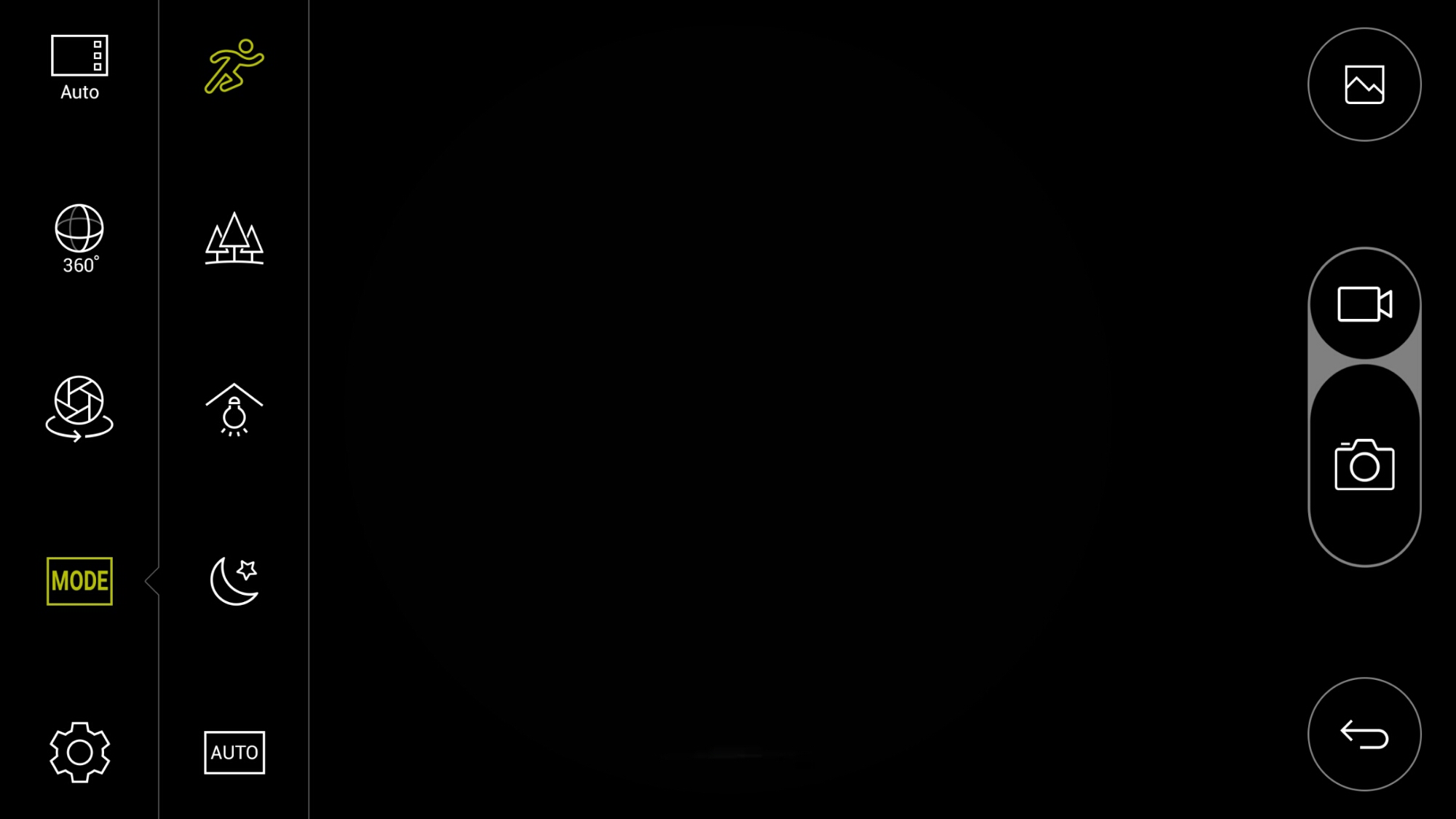
One of the features of the LG G5 camera app is the time lapse mode. Switching to the time lapse mode reveals options to select the time period between each photograph taken. You can also select on which lens to use, that is the wide or standard 16mp.
For this test, I reduced the standard 15 seconds down to 10 seconds and use the wide lens.
The time lapse video is 2 mins long and using the wide lens produces a max resolution of 1080p. Enjoy.
In addition, I recorded another 1 min video using the LG 360 Cam. This is in stock now at Clove Technology. I thought I would include this video as it gives a different perspective to the area that I was filming in with the time lapse as well. I also managed to remove myself from the footage 😉
I am now into my second week of the LG G5 and will start to put pen to paper to document my thoughts on the LG G5.
I want my review to include at least 4 of the LG G5 Friends so that I can provide a FULL experience. I also want to wait until the first firmware which is due very soon, to see if any of the small bugs are fixed and also what new features are added. (new features are coming).
The G5 uses USB Type C and that meant having to make sure I had enough cables and USB Type C adapters. Now that I have a wide selection and more devices using USB Type C, I just cannot look back at micro USB. It feels so primitive. It is the same feeling after using Apple’s lightning cable.
So it is at this point in time, if you have anything you want included in the review, please let me know. I already have been asked about GPS performance.
Welcome to my review of the LG G5 BCK-5100 Hybrid Battery Charger & Portable Battery.
The LG G5 BCK-5100 is available and in stock from Clove Technology. It costs £39.99.
So what do you get in the box and why is this a hybrid charger.
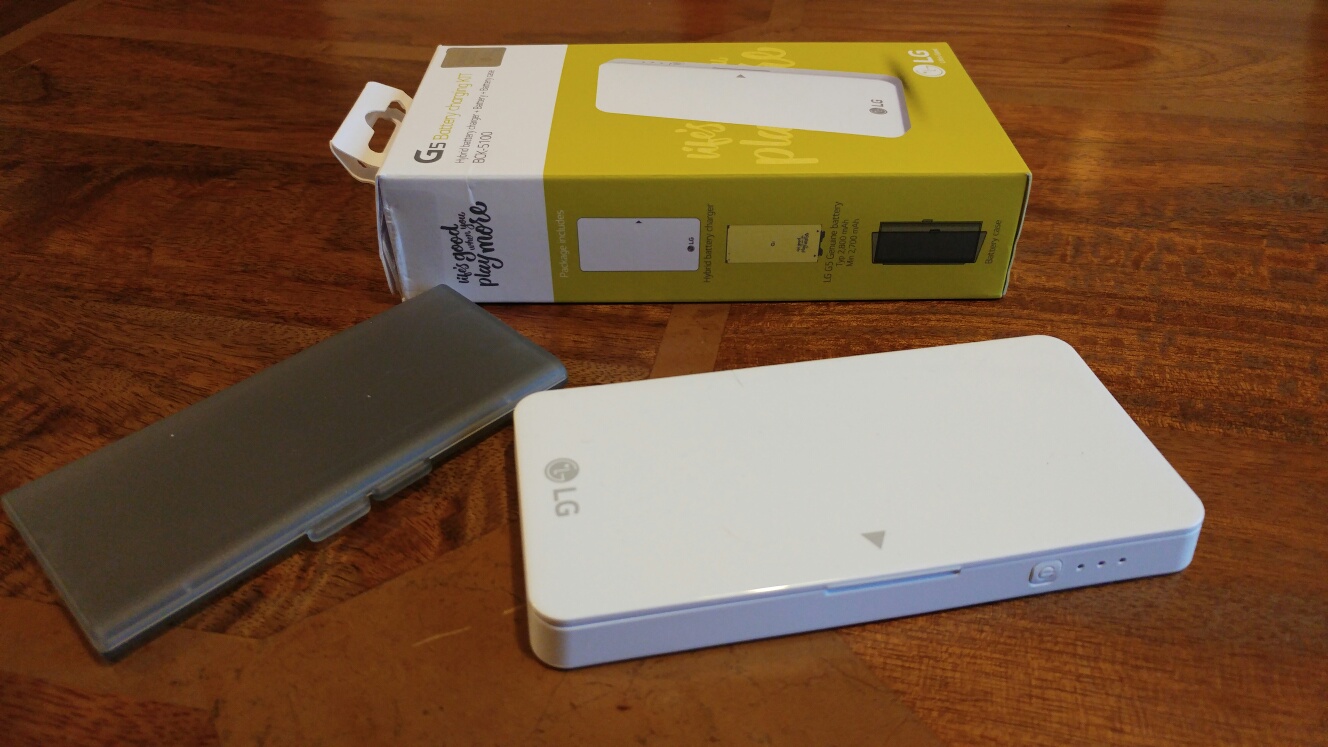
Apart from a few leaflets you get the charging dock, a LG G5 battery and a plastic protective case for the spare battery to transport it in.
So unlike most current flagship phones none offer a user swappable battery like the G5. So with this kit, you can change the G5’s battery with the spare recharged one. This means rejuicing from 0% to 100% in seconds. The fastest quick charge ever!
The dock connects using the usb type C cable that came with your G5. Its annoying that a cable isn’t included especially at the price being charged. You place the battery inside and the led lights flash until all of them turn solid indicating a full battery.
But this is a hybrid charger meaning you can connect any USB cable and recharge another device. So in essence it doubles up as a portable battery charger as well.
The specifications are –
– Input : 5V, 1.8A (USB C type)
– Output : 5V, 1A (USB A type)
If you have a LG G5 then this is a must have accessory. It is superb going from a flat battery to 100% in seconds and also having the ability to recharge another device.






 x 7.04″ (H) x 0.5″ (D)









 Gavin's Gadgets & Photography