Category Archives: Apple

Apple TV has arrived – Which storage option to buy 32gb or 64gb? – Opinion

apple-tv-hero-select-201510

Just like that at around lunchtime in the UK, the new Apple TV became available to order. Two storage options are available – 32gb or 64gb. So which do you buy? Apple states –

“If you plan to use your Apple TV primarily to stream films, TV programmes and music, or to play a few apps and games, you’ll probably be fine with 32GB of storage. If you plan to download and use lots of apps and games, choose the 64GB configuration.1 Keep in mind when making your decision, that some apps, when in use, do require additional storage.”

Another factor is the price. £129 and £169 respectively. The 3rd generation is available for £59. In fact, if you have a 2nd generation it is worth more second hand than the 3rd generation as you can jailbreak it and extend its functionality.

£129 or £169 is rather pricey too. Also note there is no HDMI cable in the box. Make sure you get the latest type with HDMI v2.0. With this new box there is no optical out socket.

So what makes the Apple TV worth the extra. Its the first new Apple TV box for years. It has a new remote control, Siri integration and apps. Is it worth buying? Hard to say at the moment as apps have not appeared yet and Siri will need testing.

For me I still want to be able to login to my iTunes US account, stream without buffering and see how good the new apps and games. I will pass some feedback in due course on my experience.

What are your thoughts?

Apple iCloud – Some Extra Balance

Yesterday, I posted an article cursing iCloud Photos and iTunes Match. I thought it only fair to add some balance of my views, covering the rest of Apple’s iCloud services plus to offer some feedback from your own experiences.

Firstly, with regards to using iCloud for anything else, I have no qualms. It all works rather smoothly and that is a reassuring position. So that includes contacts, calendar, notes, reminders, pages and all the third party apps using iCloud.

Most of the feedback agreed with the previous paragraph. With regards to iCloud Photos the opinions varied from, “its a life saver and works really well for me” and “it seems for large libraries it can be problematic”. If it works for you, then it is one less service to worry about as iCloud is tightly integrated into iOS 9.

So despite one month of issues, I now have a smooth iPhone 6S Plus and really am enjoying using it.

FINALLY – Apple iCloud Photos & Photo Syncing – One Month later and Resolved

I had a plan, a master plan to use all Apple’s Cloud services with my new iPhone 6S Plus. It was an ill conceived plan as I realise now, but the light at the end of the tunnel finally arrived at 10pm last night.

Back tracking, my saga using iCloud Photos and iTunes Match has not been a fun affair and it most certainly just didn’t work. Since receiving my 6S Plus on 25th September I have had nothing but a nightmare experience with iCloud Photos and iTunes Match.

I have several Apple support incident numbers and have lost many an hour of my spare time with the support staff at Apple. Apple have remote accessed by MacBook Pro so many times too.

I had decided last week to permanently not use iCloud Photos sync, and a few weeks before that, unravelled the mess iTunes Match had created. Well actually Apple support resolved the chaos caused by iTunes Match. I do think part of the problem is my 0.5mbit upload speed being too slow for Apple’s servers but I can’t be the only person with a slowish upload speed in the world. Anyway, I still had My Photostream and iCloud Photo Sharing enabled but finally relented and turned these off after updating to iOS 9.1 on Wednesday.

Yesterday and Saturday, I took some photos. Cut a long story short, my iPhone 6S Plus would not import photos into the mac using a lightning cable. The Photos app would register the iPhone but show grey outline boxes instead of the pictures, and then the iPhone would disappear from Photos, yet remain showing as connected in iTunes. So 3 hours on the phone to a senior Apple support person, various tests done to eliminate what was causing the problem, and it turns out it was my iPhone that was the culprit. So I wisely insisted to the Apple support guy that I did a manual back up of my iPhone to iTunes on my MacBook. Note if you use homekit and the health app, YOU MUST ENCRYPT your backup to save this data. In fact, even though I use iCloud Backup, it is worth doing a manual backup to iTunes on your mac once a week as the backup to your mac is more comprehensive and can save the health and home kit data, whereas iCloud Backup doesn’t save the health and home kit data. (the backup most be encrypted to save this data).

The phone was put in to recovery mode, a new firmware was downloaded and installed. The phone was then restored as a new phone, a few camera shots taken, then tested to see if sync worked, and it did. Good news. Hard reset phone and started again, this time restoring from the backup on my MacBook. This took 12 hours to complete. BUT the iTunes restore is pure genius. Everything is reinstated, including app data in full with just a few passwords in some apps and Viewranger GPS needed the maps redownloaded. Other than that it was restored perfectly.

So after 12 hours restoring, a quick test taking some photos, tried a sync with the cable, and it didn’t work. Grrrrrrr.

Then I had a thought. I noticed there were photos in the camera roll and this would have been different to the iPhone setup as a new iPhone, and maybe something had corrupted the camera roll, so I deleted all these 60 photos. Took a new shot, tried to sync and voila it worked. And repeated the test and it continued to work. So what this meant was the wiping my phone, spending 12 hours restoring was not necessary. All I had needed to do was to have deleted the photos in the camera roll. I put this corruption down to iCloud Photos and My Photostream doing something it shouldn’t.

Oh well, it now just works now!

If I do get any more issues, I will either just use Photosync app to wirelessly transfer photos or ask Apple to look at replacing my iPhone for another. I don’t wont to spoil the enjoyment of the iPhone any more with support calls etc, as it really is superb to use. My advice, just don’t use iCloud Photos. For my sanity, I am now using Google Photos as a backup solution.

Apple iPhone 6S Plus – Panoramic and Sun Shots

Yesterday around 5.30pm and slightly onwards I took a few photos with my iPhone 6S Plus, one of which was shot directly into the sun.

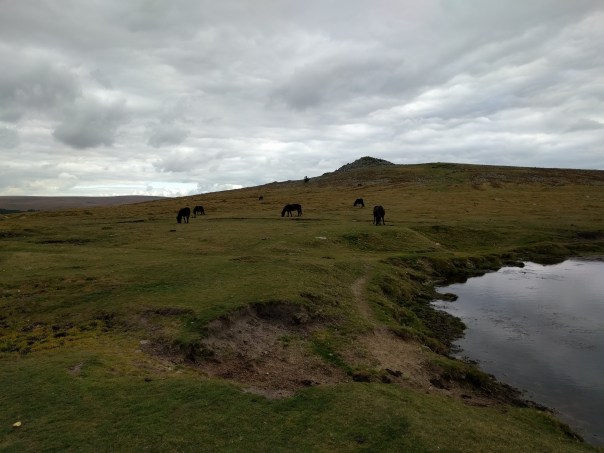
First up in a panoramic shot which is one of the iPhone’s strengths. Hard to believe but nearly all day it was heavy rain and thick fog. And then around 4pm it all cleared to reveal below. Mind you it was cold with a north west bitter wind too. To reveal the full size version, click on photo and select original.

Beautiful but cold - Dartmoor at 6pm Today

And now for the sun shot.

Beautiful sunset on Dartmoor tonight

Apple News and Gavin’s Gadgets

Apple News went live with iOS 9.1 in the UK and Australia. I took this opportunity to get the website approved for Apple News. Now you can find gavinsgadgets.com in Apple News.

Warning. In my own testing to see how it performed, Apple News did not seem to retrieve the newest posts, so to be honest I would stick to your favourite method of reading my website.

Click on this link to add Gavin’s Gadgets straight into Apple News – https://apple.news/Tu9tdW_qTR9eB1NYhdNQ65g

Note – from what I can tell, Apple News is about 12 hours behind minimum any posts that are published. That’s not ideal at all. 

Apple updates nearly everything – Adds Features and Advices of Price Increases

Last night the internet ground to a crawl as Apple released software updates for nearly all its hardware in one go at the same time. Isn’t it amazing that Apple can pull off this feat.

This included Macs, iPhones, iPads and Apple Watch. Apple TV to follow too.

There were lots of new features/bug fixes –

– News app came to the UK – first thoughts is that it is super slow
– Find my Friends now appears on http://www.icloud.com
– Apple Watch was all about bug fixes and longer battery life
– New emojis across everything
– Update for Live Photos, which now senses when the iPhone is raised or lowered to refrain from recording unnecessary movements eg shoes
– EL Capitan bug fixes

But there was also a few new pain points –

– iTunes Terms of Service changed due to increased cost with in app purchases.
– Game Center and nearly everything Apple does had a new legal agreement which you had to agree to. How many of you read it?
– This updates kills the new jailbreak although I cannot see any reason to jailbreak anymore

So did you notice anything new?

Apple iPhone 6S Plus – Extreme Low Light – Photography Special Part 2

Welcome to part 2 of my iPhone 6S Plus Photography special. To recap on Part 1 click here – https://gavinsgadgets.com/2015/10/12/apple-iphone-6s-plus-photography-special-video-and-photos-part-1/

Over the last few weeks I have been exploring several camera apps that all claim to help or add something to the photography experience when taking photos. The apps I tested were the default Apple camera app, Slow Shutter, Camera+, Camera Vortex and Nightcap Pro. The 6S Plus was on a tripod for all these night shots. Camera Vortex and Slow Shutter did a terrible job, so I have omitted their photos.

The setting was my local church which has been photographed by most of my smartphones and if you want to see loads of photos of the church was a multitude of angles head over to my flickr – http://www.flickr.com/photos/gavinfabl100 . The Church is called the Church of St Michaels and All Angels. The time of day was passed dusk and the last shots were taken inside the graveyard in near pitch black. I will add commentary on each shot and also at the end I have linked to low light shots from the LG G4 and Honor 6+ that I took.

The developer of Nightcap Pro, Chris Wood, has been extremely helpful trying to help me extract the best from his app. He also gave some interesting insight into the new iPhones –

“The iPhone​ 6s / 6s Plus cameras are a solid upgrade except in very low light where they perform slightly worse than the 6 / 6 Plus and even the older 5s. The smaller pixels mean higher resolution but since they’re smaller, there’s less area for light to hit which means it doesn’t receive as much light. Apple have done a great job in compensating for that with better technology, though. However, the camera is also limited to just 1/3 second exposures, which is 50% less than the 6 / 6 Plus which go to 1/2 second, so the end result is slightly worse performance.”

You'll see why I got in touch with the developer of Nightcap Pro as his app was the best by far for creating a usable low night shot of the church.

First let's take a look at what the default camera app can achieve.

Flash first. Shutter was 1/17, with ISO 2000.

iPhone 6S Plus Low Light camera test - full review at http://gavinsgadgets.com

HDR on, no flash, shutter 1/17 , ISO 2000.

iPhone 6S Plus Low Light camera test - full review at http://gavinsgadgets.com

Auto mode, no HDR, no flash, shutter 1/4, ISO 640. A less noisy shot and the best of the 3 from the Apple default camera app.

iPhone 6S Plus Low Light camera test - full review at http://gavinsgadgets.com

Using Nightcap Pro, the shot below was taken in pitch black conditions. Using long exposure mode for around 20 seconds. ISO is showing as 3,200, but you wouldn’t know it.

iPhone 6S Plus Low Light Camera Test - Pitch Dark - Nightcap Pro - Long Exposure

So with Camera+ using full manual settings, this was the best shot possible at 1/4 second shutter speed and ISO 1250. A noisy shot.
iPhone 6S Plus Low Light camera test - full review at http://gavinsgadgets.com

So Nightcap Pro did a really good job. It also has other modes, so I was experimenting with some light trails as per the two shots below. Unfortunately, I live in a rural village, which means no traffic. After 3 hours only 2 cars drove through, hence why there is only 2 photos using this mode!

iPhone 6S Plus Low Light camera test - full review at http://gavinsgadgets.com

iPhone 6S Plus Low Light camera test - full review at http://gavinsgadgets.com

Nightcap Pro also has a mode to brighten up dark shots. Photo as below. There are many other features of Nightcap Pro, but the long and short of it, is that it takes brilliant night shots that are way better than the default camera app and many other third party iOS camera apps too.

iPhone 6S Plus Low Light camera test - full review at http://gavinsgadgets.com

To see how my LG G4 in manual mode coped with darkness at the same church click here – https://gavinsgadgets.com/2015/05/17/lg-g4-the-review/ . About half way down the review is shots taken at various shutter exposures.

As another point of reference is the super night mode from my Honor 6+. See here for shot of same church again using the super night mode – https://gavinsgadgets.com/2015/05/13/honor-6-the-review/

So in summary extreme low light is difficult on the iPhone 6S Plus unless you have Nightcap Pro ( https://itunes.apple.com/gb/app/nightcap-pro/id754105884?mt=8 ) . I can only hope that as the 12mp rear camera is new, Apple will release software update to improve its results.

What do you think?

FIGHT – Nexus 5X vs Apple iPhone 6S Plus – Camera Shootout

As the title says, take the new camera from the Nexus 5X and pit it against the best Apple has to offer with the iPhone 6S Plus. The iPhone 6S Plus has optical image stabilisation and the Nexus 5X omits this for super large 1.55 micron pixels. To see full size, click on photos. Photos cannot be reproduced or shared without my permission.

Round 1

The iPhone 6S Plus goes first on then the Nexus 5X. This is for all of the shots. The iPhone 6S shoots at f/2.2 ISO25, and a shutter speed of 1/110. The colours are very natural in this shot.

IMG_0079

The Nexus 5X takes a good shot but the grass is a different colour.

IMG_20151019_141742

The next shot by the iPhone 6S Plus is with the sun on top of the church roof in the clouds. f/2.2, ISO25, Shutter 1/2849

IMG_0086

So let’s look at the Nexus 5X. Hard to believe the difference here. f/2.0. ISO 61 f/2236.

IMG_20151019_145540

So iPhone 6S Plus again. The colours and exposure are more accurate than the Nexus 5X. The clouds aren’t over exposed by the iPhone either. ISO 25 and shutter 1/1832.

IMG_0087

So next up the Nexus 5X. Even though it over exposed the sky and is more saturated, its a good shot.

IMG_20151019_145520

iPhone 6S Plus again.

IMG_0082

Next the Nexus 5X. The colours are not as natural as the iPhone. Same thoughts on exposure too.

IMG_20151019_144402

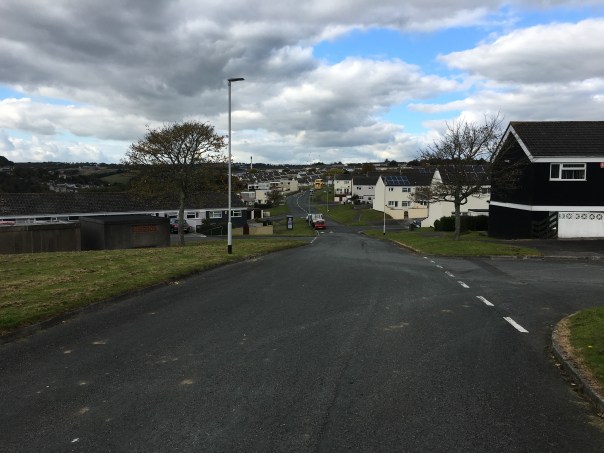
Lastly, a street scene. iPhone 6S first. Notice the different field of view between the phones.

IMG_0081

And now the Nexus 5X.

IMG_20151019_142008

Obviously there is more to test, from the front cameras to video. But the above gives you a taste of how the Nexus 5X performs.

So what do you all think?

Recent Phone, Bluetooth Headphones and Audio Equipment reviews

There have been several reviews over the last few weeks. Below are the links. Over the next few weeks there will be more reviews covering new smartphones and the brand new Chord Mojo which has taken the audio world by storm.

Apple iPhone 6S Plus incl Apple Watch review (continuously updated) – Now 14 Parts

Apple iPhone 6S Plus – The Review

August SE20 Mini Radio and Portable Bluetooth Stereo System Review

August SE20 Portable Mini FM Radio and Bluetooth Stereo System – review

August EP650 Bluetooth Stereo Headphones Review

August EP650 Bluetooth Stereo Headphones – review

August EP610 In Ear Bluetooth Stereo Sports Headphones review

August EP610 In-Ear Bluetooth Stereo Sports Headphones – review

August EP636 Bluetooth Stereo Headphones review

August EP636 Bluetooth Stereo Headphones with NFC and Mic – Review

Honor 7 Smartphone review

Honor 7 Smartphone – my review

Suaoki 40W 8A 5 Port Compact USB Charger

Suaoki Compact 40W 8A 5 Port High USB Charger – review

Motorola Moto X Play

Motorola Moto X Play – review 

LG G4 – 4 month review

LG G4 – 4 Month Review – The Ultimate Package and its last hurrah

LG G4 – main review

LG G4 – The Review – All 26 Parts

Sony Xperia Z5 Compact 23mp Camera Test

Sony Xperia Z5 Compact – Just how good is the new 23mp camera – See for yourself!

Huawei Watch review

Huawei Watch – my review

Samsung Note 5 Dual Sim review

Samsung Note 5 – Dual Sim – First Impressions