Category Archives: Apple

Review Catalogue updates plus new section – updates on Gavin’s Gadgets

Every day  several articles or review go live. The back catalogue of reviews and information is extensive. If you want to find if there is information on a particular topic use the search option (magnifying glass icon) near the top right. 

  
Now if you’re browsing on your PC, Mac, iPad or tablet you should see the above screen layout. Tapping on Menu, Reviews will open up the review menu structure. 

Now if you’re using a mobile device like an iPhone , the mobile version is as below. 


 As you will see there are now 8 review sections. These have been updated to include all the latest published reviews. A new category has been started called “Photography”. 

In the Photography section will be reviews covering mobile photography accessories and or related camera attachments. There are several reviews in this section already. 

The Audio section covers Bluetooth headphones and systems, headphones of all types, amps, DACs and other cool audio gear. As there are over 30 plus reviews I have reorganised this page to make it easier to find exactly what you need. 

The Phones section covering mobile phone reviews across every operating systems , tablets, laptops and more now has over 80 reviews. 

Smart wearables section is expanding and again there are reviews across a number of different platforms. So far there are over 15 reviews. 

Internet of Things is an expanding review section too. 

Accessories is self explanatory. 

The HTC One M7 and M8 section is a dedicated section which is for all the fans who keep reading this content. 

And if you fancy some nostalgic reviews from the post, take a look at the historical reviews. Some real gems in there. 

Going forward in 2016 there will be plenty more reviews too. 

Thank you all for visiting Gavin’s Gadgets. 
HTC Re Camera – The Photos and Video plus initial thoughts – Updated with new Footage

  
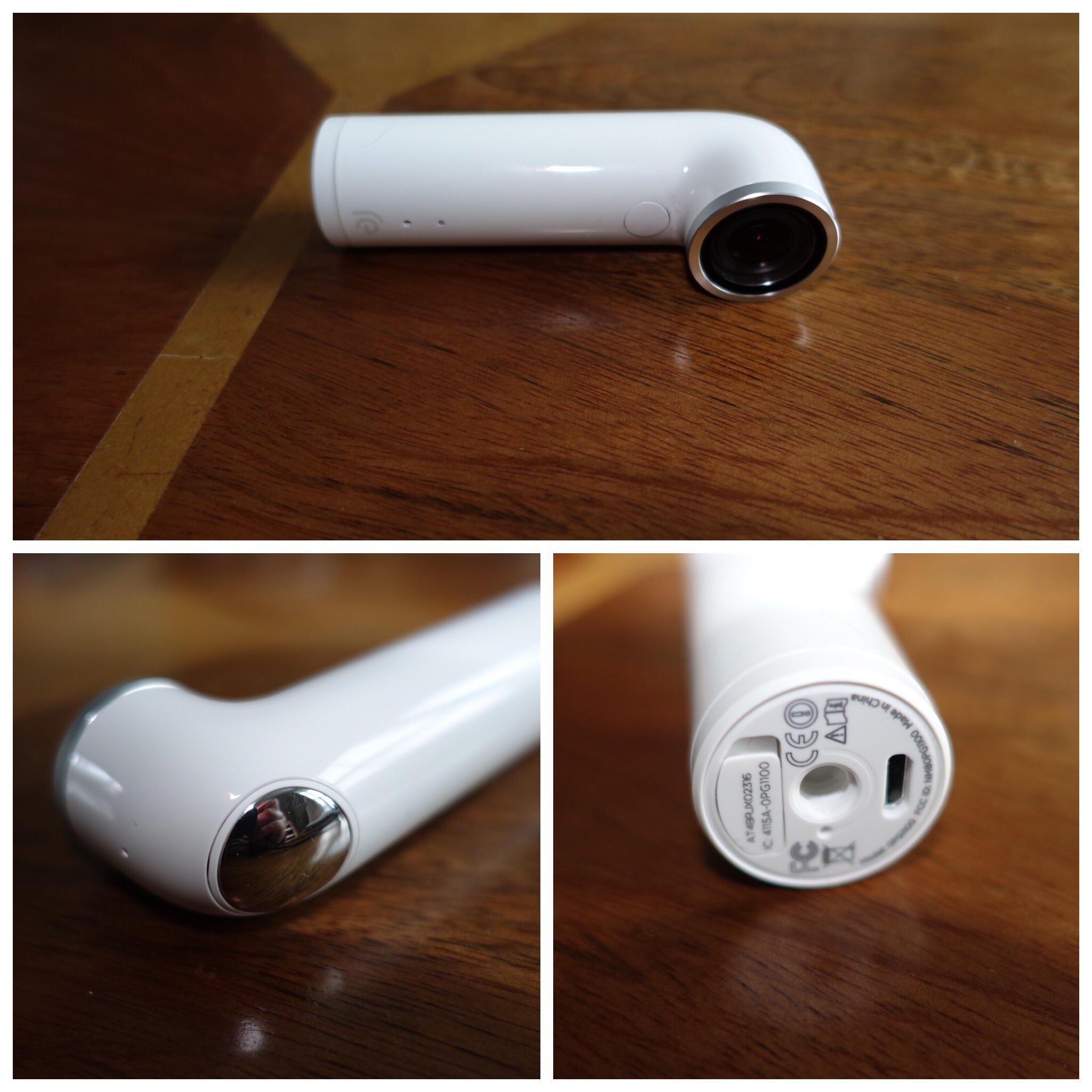
I’ve always wanted to try the HTC Re camera but it was initially too expensive. Recently it was available at a price to good to ignore. 

The concept is simple. Grip sensor turns on camera when you pick it up. One handed operation for photos, video and slow motion. Time lapse is possible using the app. The app available on iOS and android allows you to view what you are capturing and act as a remote shutter button. Storage is via a micro sd card. 8gb card included. Waterproof up to 1 metre. However must footage is shot without seeing what you are filming. All the below media is my first attempt. 

There are camera settings in the app. With all the media below I took this with the ultra wide option enabled. This creates a fish eye effect. Personally, I would now keep this option off as it’s fairly aggressive. 

Anyway, enjoy the footage below. I absolutely love using the Re. It doesn’t get in the way of anything and I snapped some superb moments. 

The YouTube video includes all the footage good and bad. I also added some photos from the iPhone 6S Plus to give you a comparison which I added at the end. Also remember all the footage from the Re was taken without a viewfinder. 


The above shot was straightened and cropped. 
  
The above shot shows how fish eye the ultra wide setting can be. If I had held the Re Camera more level this photo would not look so fish eyed. 


Now enjoy all the video, slow mo and photos with some from the iPhone 6S Plus as a comparison. Total time is only 1 min 45 seconds. 

Right I have had more practise with the Re. Below is another video with just photo and video only from the Re. This time I had ultra wide mode turned off. Once again I had no idea of what I was filming. 

Apple iPad Pro, Smart Keyboard and Pencil – My Review

FullSizeRender 2

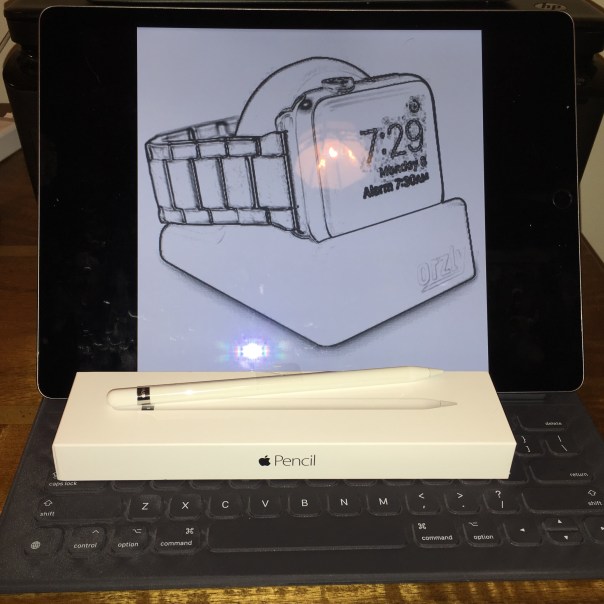
This post is the review master post covering all parts of my iPad Pro, Apple Keyboard and Pencil reviews with guest posts from Mike. The link to this post will now also appear in the main review sections which can be found using the menu above.

Decisions around whether I should consider the iPad Pro

Apple iPad Pro – First Thoughts on this Crazy iPad

Apple iPad Pro – First Impressions

Apple iPad Pro 5 Days Later – Now the Honeymoon Period is Over!

Apple Pencil First Impressions and More iPad Pro views

Is the iPad Pro an unfinished product is is there another problem?

What Makes the iPad Pro really special and worth £1,000

Apple iPad Pro – Camera Tests in Low Light

The iPad Pro shrunk to an iPad Mini 4 – The End and Why

Apple iPad Pro – First Thoughts from Mike

One Week Later – Mike airs his views

Taking the iPad Pro to Europe and Back – Another Viewpoint

What does a Roast Turkey Dinner and Apple iOS Reachability have in common?

  
This is my plate of roast turkey with lots of trimmings from last night. 

The latest version of iOS features Reachability.  For those unfamiliar with Reachability, it is a feature on the latest version of iOS which allows you to lower the screen down by 50% simply by double tapping (not pushing) the home button. This makes one handed use a breeze for reaching the far corners etc.

So what does Roast Turkey dinner and iOS Reachability have in common? Is it –

a) A method of magically moving the roast turkey into your mouth

or

b) Something else.

Well its obviously something else. The connection is that I was enjoying a festive Christmas meal when another colleague was showing his new iPhone 6S. I showed him my iPhone 6S Plus and double tapped the home button to lower the screen so I could reach an app. My colleague turns round and says “Ah, so you have that annoying bug too where the screen keeps lowering. Apple really need to fix it.” I pointed out it was actually a feature. Confused my colleague asked “how is that a feature”. So I demonstrated what you could do without stretching your fingers etc..

The surprise on my colleagues face was fantastic.

It does make you wonder how many other features on smartphones that most people don’t have a clue exists and or how to use them!

The Apple App Store and freemium apps – Editorial 

There is a game in the Apple App Store called My Horse. It has lots of positive reviews. So my wife decided to try this game. 

It is a freemium game which are generally unpleasant games to play due to greedy developers. However, this game seems even more spurious due to the fact it requires the following –

1) Watch a video to earn some gems. Gems are needed to progress otherwise nothing much happens. The video option is a rarity and not so onerous. 

2) Earn gems by downloading and playing a different game, but you need to  sign in to your Facebook account. So is My Horse really a game to sell other games?

3) Earn gems by buying stuff outside of the game. Does Apple realise this?

4) Earn gems by taking a survey and revealing information about yourself. Warning signs on this one. 

But it gets worse. The app expands in file size every time you play it. At last count it was 14gb. 14gb !!!

 Anyway, my wife realised her iPad was full after getting low warning memory messages. After I checked what was using all the storage I was stunned by how big this game has become and how much it grows each time you play it. Add insult to injury the £10 in app purchases that had just been bought couldn’t now be used as the iPad was full. 

So I emailed Apple, who refunded the £10 without any fuss and rather quickly too. 

There are several issues here. Is it time for Apple to lay down some rules on what is  acceptable and not acceptable with regards to offering in app purchases. And will Apple really want to curb in app purchases when they get a 30% cut of the in app purchase revenue! 

Important! Have you updated your Apple devices to iOS 9.2 yet? – Editorial

Last week Apple released iOS 9.2. I posted details of all the 40 plus changes HERE.

Like all firmware updates, bug fixes are often included and iOS 9.2 included many of those. What is never declared is the critical nature of some of these bug fixes or how many users got impacted by the issues.

One area that effected a very significant amount of people was Apple’s iCloud, including myself. The range of iCloud issues was extensive, but let’s just say it wasn’t fun for me and many others.

However, the good news is iOS 9.2 fixes the iCloud problems so make sure you update when you can if you haven’t already. BUT. You may still get some issues so what you need to do on your iOS devices is sign out of iCloud, sign into your Apple ID on your device under the iTunes and App Store, view your account, accept any new agreement notices (if any) then make sure you sign out of the iTunes and App Store. What you are actually doing is refreshing your iCloud status with Apple’s servers. Now sign back in to everything again and you should be ok.

If you have been receiving popup screens to enter your Apple ID password daily, the above sequence should fix that as well.

BBC iPlayer arrives on the new Apple TV

It has not taken long but now the official BBC iPlayer app for the new Apple TV is available for UK viewers.

Let’s hope all the other channels follow the BBC along with Amazon too and then it will be a full house.

Following all the firmware updates to iOS 9.2, tvOS and for the Apple Watch, you can now control the new Apple TV via your Apple Watch. Works really well too. To control your Apple TV you use the remote app on the watch.

Apple iPhone 6S – How 3D Touch has changed the landscape – Editorial

I don’t dislike any mobile operating system and have 3 on the go everyday. However, since September my main sim has been in an iPhone 6S Plus. One of the touted features of iOS 9 is 3D Touch.

Initially I was unsure how useful this feature would be and whether developers would embrace this new technology. Over the last 3 months developers have been very active with 3D Touch to the point now that once again iOS has the edge over apps and their overall content, style and effectiveness. 12 months ago I would have said android was fairly level pegging with iOS except in the gaming department. But now Apple has taken the lead again with apps. One other area iOS apps have the edge is in niche areas.

When it comes to apps, I now firmly believe Apple has the edge with apps not just apps on the iPhone, but also the Apple Watch, iPad and Apple TV. Of course, if you can manage in a world without apps, then the app advantage is irrelevant.

Back to 3D Touch and they way it transforms the iPhone experience. Below are a selection of apps that use 3D Touch –

App Store, Starbucks, Wallet, Apple Store, Shopsavvy, Amazon Shopping, Contacts, Reminders, Numbers, Safari, Tweetbot, Google Drive, Dropbox, Pcalc, Pages, Keynote, Calendar, Voice Memos, Game Centre, Clock, Find Friends, Wunderground, MyFitnessPal, Maps, Flightradar, VSCO Cam, Snapseed, Flickr, Camera+, iMovie, Photos, Google Search, Apple News, Chrome, iTunes Store, Amazon Music, iBooks, Apple Music, Notes, Camera, Phone, Mail, Messages, FaceTime, Twitter, FaceBook Messenger, WhatsApp, FaceBook, Instagram, Linkedin, Skype and Badlands.

The above list comes to 52 apps and 1 game that are active on my device. All the above apps have 3D Touch shortcut menu items from the app icon on the home screen. After opening the app 3D Touch is available dependant on the app. I’ll be honest in that it took at least a month before I started using 3D Touch. But now it is as common as anything and really speeds up the process of most tasks.

I have noticed Force Touch is available and coming to other phones on android, but the number of apps developed will be significantly behind iOS for quite a while.

3D Touch is just one area where developers have improved their iOS apps. The Touch ID and Apple Pay are two other areas where iOS score above their equivalent rivals on alternative platforms.

So for the foreseeable future iOS and 3D Touch have become a new way of interacting with a phone and its still really early days. I do look forward to future developments across all operating systems too.

Is Apple on track to sell 21 million Apple Watches – The Evidence

Cultofmac had an article discussing the real possibility that Apple could sell around 21 million Apple Watches in its first year of sale. 

If that is the case then that is truly incredible. So where did this info come from?

The projections come from Asymco analyst Horace Dediu, who presented his findings at the Glance conference in San Francisco. The conference is headlined by a number of speakers, Dediu included, with observations on the impact of the Apple Watch. 

According to Cultofmac, Dediu should be correct about Apple moving 20 million units in its first year (and he usually is), this would further cement Apple as the king of the fast-growing smartwatch segment. Only 6.8 million smartwatches were sold in 2014 by 89 companies, according to a report by Smartwatch Group, with Samsung leading the pack last year.

If these predictions run true this will be another sector Apple has entered into and taking control at the top of the ladder. It also helps that Apple is selling the watch in many third party retailers as well as their own stores. However, can it last? Whilst I own an Apple Watch, I am still not convinced it is needed. For years I stopped wearing a watch and used my phone for the time instead. For Apple to continue this level of growth will be a challenge as I cannot see people changing their Apple Watch that often.