Can you help Gavin’s Gadgets? Actually you can. If you decide to buy anything on Amazon, please use the special link below to visit Amazon UK. By using this link, you will help support Gavin’s Gadgets with all the running costs and more, and yet it won’t cost you anything when you shop on Amazon UK. That’s right the price you pay at Amazon is the same whether you use the link below or not.
All posts by Gavin Fabiani-Laymond


LG G4 – Why you need a phone with a removable battery
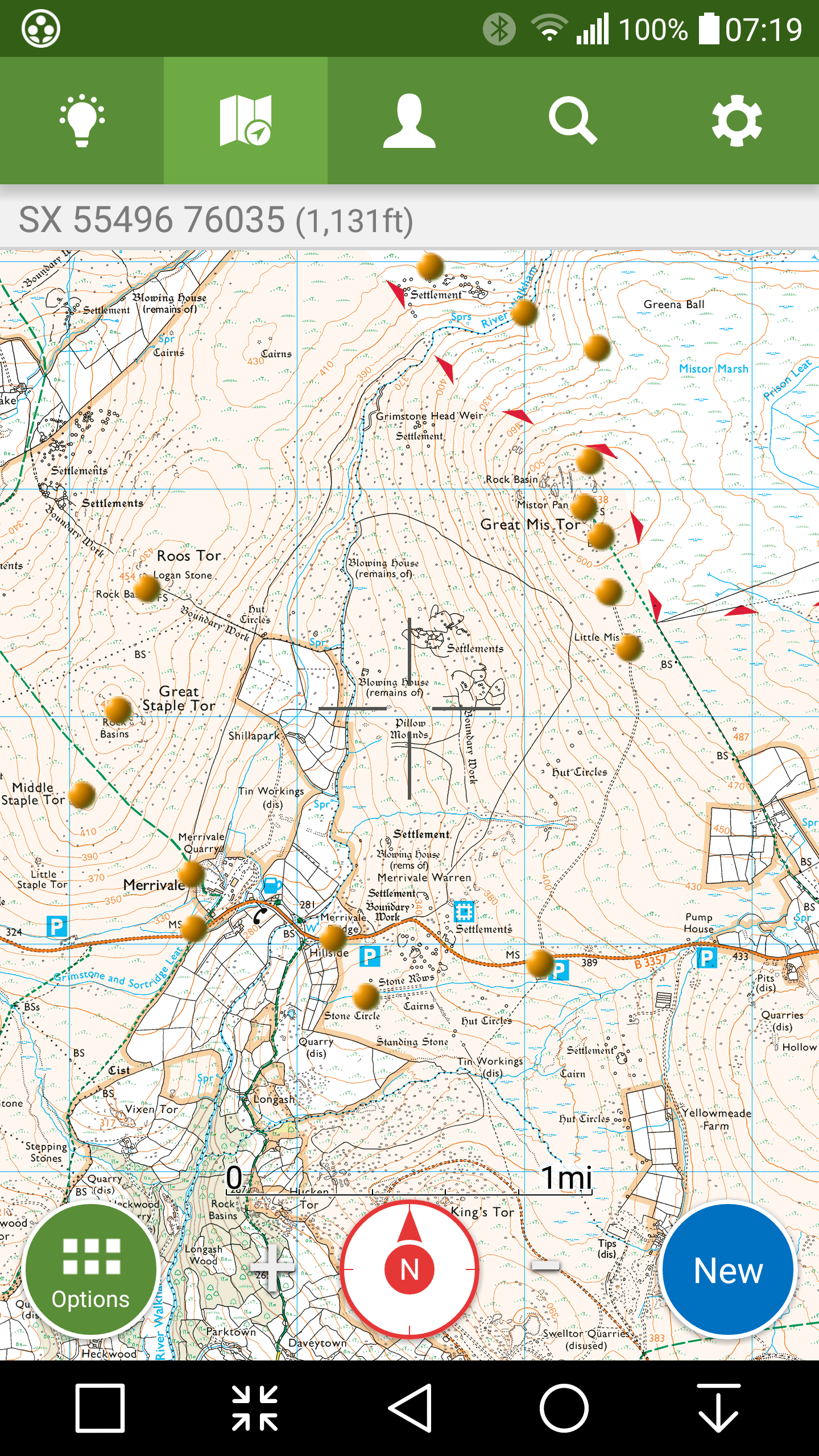
The above screen shot is from my ViewRangerGPS app. The gold circles were my POIs that I walked yesterday early morning.
About 8 miles in total across some very steep gradients and high altitudes.
I then decided to walk another route across Dartmoor, taking 5 more hours.
When my LG G4 battery started to drop to 5%, I removed the back cover and slipped in my spare battery. And voila back to 100%. That’s faster than any Quick Charging 2 technology as well!
Integrated batteries are ok, but sometimes you can’t beat having a spare in your wallet. Also negates the need to carry power banks that are normally a lot larger than a spare battery!
LG G4 – The Default Launcher is actually better than you thought
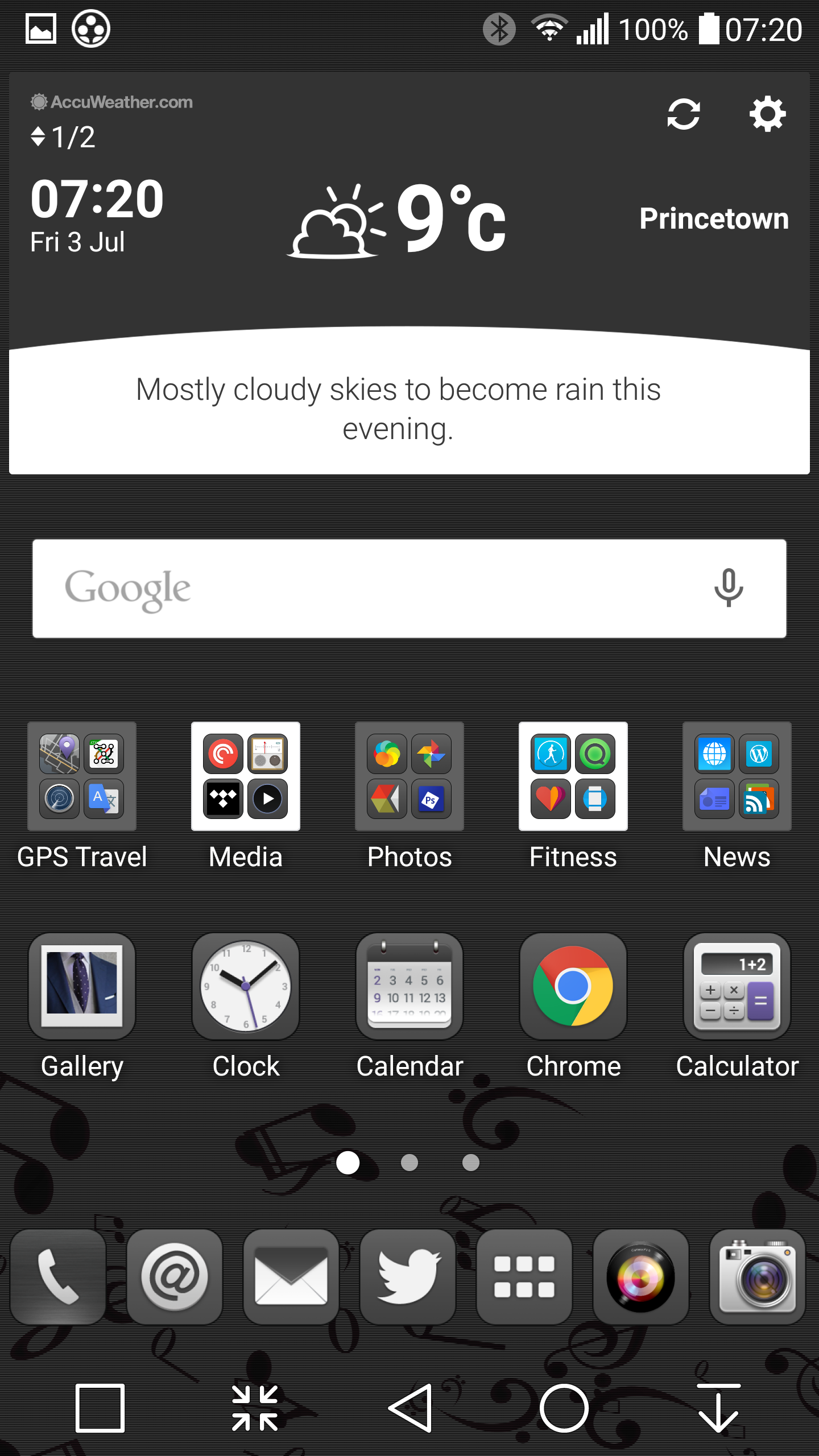
This is the LG launcher screen shot from my G4.
The free theme from the LG store is called Suits which improves the look dramatically.
The next item I discovered yesterday is the dock allows 7 icons and resizes them smaller the more you add.
A call that a result!
60 Reviews covering Smartphones from all Platforms, Tablets, Laptops and Chromebooks
The reviews pages often get unnoticed, but this is where you will find my reviews on smartphones, tablets, laptops, wearables, internet of things, accessories, headphones, DAC’s and power amps. There are also historical reviews covering some popular classic smartphones. Whatever device you’re browsing on, just click menu, reviews, or if on a PC web browser, reviews and then choose the sub category.
Tablets/Laptops/Chromebooks
Nexus 9 – First Impressions
Nexus 9 Tablet review
Samsung Galaxy Tab S 10.5 Tablet review
Samsung Galaxy NotePro 12.2 – 9 Part Review
Sony Xperia Z Tablet – 12 Part Review
Nvidia Shield Tablet – 7 Part review
Acer V15 Nitro Windows 8.1 laptop review
Acer C720 Chromebook review
Acer Aspire Switch 11 review
Acer Iconia 8 Android Tablet review
Amazon Devices
Amazon Fire Phone – 2 Part review
Apple Phones
Apple iPhone 6 Plus – 24 Part Review
BlackBerry Phones
BlackBerry Passport 10 Part Mammoth review
Android Phones
Xiaomi Mi 4i – First Impressions
3 Way Camera Shootout – Xiaomi Mi 4i vs LG G4 vs Huawei P8 – https://gavinsgadgets.com/2015/06/30/3-way-camera-shootout-lg-g4-vs-huawei-p8-vs-xiaomi-mi4i/
Xiaomi Mi Note Pro (Xiaomi’s Flagship Phone) – Main review coming soon. In the meantime, 19 camera shots – https://gavinsgadgets.com/2015/07/02/xiaomi-mi-note-pro-camera-shots/ and First Impressions https://gavinsgadgets.com/2015/06/29/xiaomi-mi-note-pro-first-impressions-and-photos-the-flagship-from-xiaomi/
Samsung Galaxy S6 and S6 Edge review
Samsung Galaxy S6 and S6 Edge – Hands On
Samsung Galaxy A5 review
Samsung Note Edge – 14 Part Review
Samsung Note 4 – lollipop review
Samsung Note 4 – 17 Part Review
Samsung Galaxy Alpha – 2 Part review
Samsung Galaxy K Zoom – 26 Part Review
Samsung Galaxy S5 – 17 Part Review
Samsung Note 3 – 16 Part review
Samsung Galaxy S4 Zoom – 18 Part Review
Samsung Note 2 – 8 Part review
LG G4 – Full Review plus all 26 additional posts
LG G4 – Hands on and First Impressions
LG G3 review – 31 Part Review
LG G Flex – 3 Part Review
HTC One M9 review
HTC Desire 820 review
HTC Desire Eye – 13 Part Review
HTC One M8 – 11 Part review
HTC One M7 – 20 Part Review
Acer S55 review – 6 Part Review
Huawei P8 review
Huawei P8 – First Impressions and Camera Shots
Honor 4X review
Honor 6+ – My Review
Honor Holly – 4 Part review
Honor 6 – 12 Part Review
Huawei Ascend P6 Review
Sony Xperia Z3 Compact Lollipop Impressions
Sony Xperia Z1 Compact review
Sony Z Ultra views and Camera Samples
Sony Xperia Z1 – 10 Part Review
Motorola Moto X – 4 Part review
Motorola Moto G – 8 Part review
Windows Phone
Nokia Lumia 830 vs Samsung Note 4 camera
Nokia Lumia 830 – First Impressions / What App Shortages?
Microsoft Lumia 535 review
Nokia Lumia 1520 – 6 Part review
Nokia Lumia 820 – 5 Part review
Nokia Lumia 1020 – 10 Part review
Nokia Lumia 925 – 9 Part review
Nokia Lumia 620 – 7 Part review
Other
If you are buying anything on Amazon, please use the link below. This will help support Gavin’s Gadgets with all the running costs and more and won’t be any different in cost. Without your support it will be difficult to continue. Thanks in advance.
Xiaomi Mi Note Pro – Camera Shots
The Xiaomi Mi Note Pro is similar to the Mi 4i that I currently own. The camera app follows a similar path except it has HDR Auto mode and a few other tricks. Below are some camera shots from the Mi Note Pro.
I noticed that panoramic shots are rather small in file size. Overall, the photos look fairly reasonable. However, the camera performance in my opinion not in the same league as the LG G4.But what do you think?
I will cover off more aspects of the Mi Note Pro when I post my full review as it does have some true flagship winning aspects.


Warning – iCloud Music Library and Apple Music – details to be aware of – Updated
“There are lots of people frustrated with iCloud Music Library due to it deleting music or messing up iTunes libraries. Now the new and updated service which is almost identical to iTunes Match introduces DRM. Turned on, iCloud Music Library is taking your music that you supposedly rightfully own and place in your iTunes library, the automatically adding DRM protection to it. In essence, it’s placing a lock on music that’s already yours.
Previously if you ripped an album and added it to your iTunes library, the service would search through the iTunes database, match the songs, and save them for access on all devices. You could also get DRM-free download. iCloud Music Library, included with an Apple Music subscription locks your music with DRM, even the tracks you put there in the first place from the CD you possessed.
Additionally, if you cancel your Apple Music subscription, you lose access to all of your music whether you ripped it and added it yourself or not. If you’re planning on ripping music from albums, adding it to iTunes, then throwing the CD out, don’t do it. If you ever lose your data or cancel your subscription, iCloud Music Library gets to keep the songs and you’re without the music you bought.
In addition, iOS 8.4 has removed home sharing support for Apple Music.”
I wonder how many people read the updated legal agreement that came with iOS 8.4? Perhaps everyone should have! This does not sound like a great move by Apple. If they had to add DRM, then this should have been made clearer. Seems like a right mess at the moment.
Sources – 9to5mac.com / cultofmac.com
Update – Nick @Ratkat mentioned there is more to this. Basically your existing library on your Mac or PC remains unchanged, that is the originals are still there. Unless your physically delete every song in your library, and then re download them again using the Apple Music. Thanks Nick.
Huawei P8 – Review
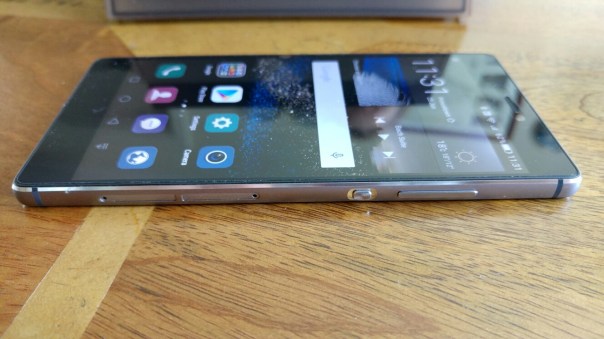

Welcome to my review of the Huawei P8.


Phone Basics
The official specifications are –
– Display 5.2-inch (1920 x 1080); 424ppi
– Processor Hisilicon Kirin 930; 8-core 64-bit; 2.0 GHz
– Operating system Android 5.0 Lollipop
– Storage 16GB on-board
– RAM 3GB
– Network GRA_L09: TDD LTE: B40 FDD LTE: B1/B2/B3/B4/B5/B7/B8/B12/B17/B18/B19/B20/B25/B26/B28 UMTS: 800(B6,Japan)/800(B19,Japan)/850/900/1700/1900/2100MHz GSM 850/900/1800/1900MHz
GRA_UL00: TDD LTE: B38/B39/B40/B41 (2555MHz~2655MHz) FDD LTE:B1/B3/B4/B7 UMTS: 850/900/1700/1900/2100MHz(B8/B5/B4/B2/B1) GSM : Main card: 850/900/1800/1900MHz; Second card: 850/900/1800/1900MHz
– Rear camera 13MP with OIS, 1080p video, 4-color RGBW sensor
– Front camera 8MP
– Dimensions 144.9mm x 72.1mm x 6.4mm
– Weight 144g
– Colours Mystic Champagne, Titanium Grey, Gold, Carbon Black
– GPS GPS/A-GPS/Glonass/BDS(BeiDou Navigation Satellite System)
– Connectivity 802.11n, Bluetooth 4.1 LE, microUSB
– Sensors G-sensor; Gyroscope sensor; Ambient Light sensor; Proximity sensor; Compass, Accelerometer
– UI EMUI 3.1
– Battery 2680 mAh
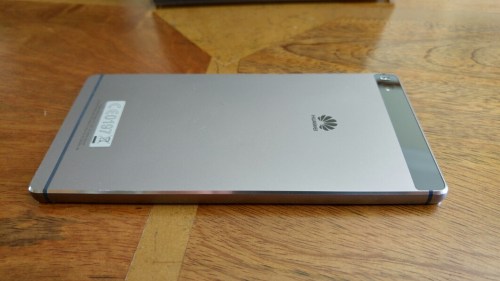
The Huawei P8 is a gorgeous steel unibody designed phone. It oozes premium and quality. It is slim, easy to hold and fairly lightweight. In my tests so far the camera has performed admirably and so has the battery easily lasting a day.
The P8 comes with a tray for your nano sim and another for a micro SD card.
After you have completed the first setup of the Huawei P8, you are graced with the home screens as below. The P8 is running Android 5.0 with Emotion 3.1. In terms of storage space, 8gb was available out of the 16gb expandable with a micro SD card.

These screen shots give you a feel of what you get with your new P8.
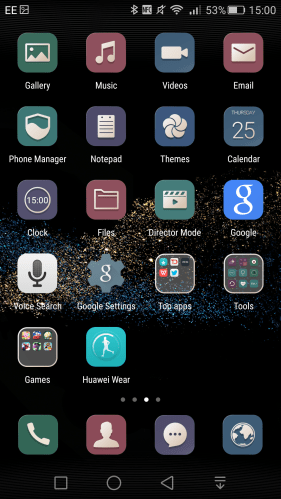

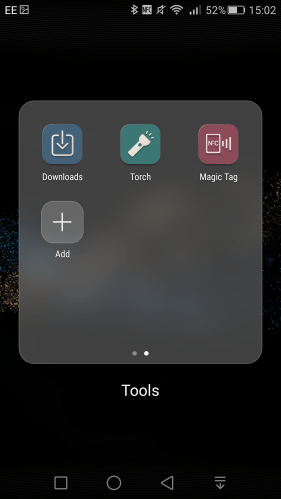
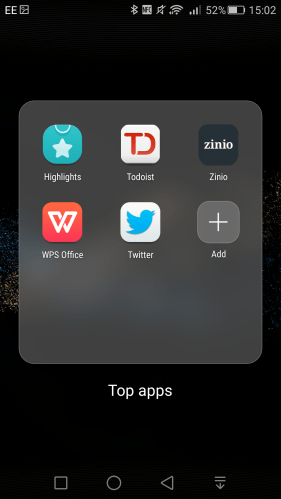
Top Apps and Games Folders. You might decide to delete some of these and if you do you will free up some of your internal storage. I would recommend deleting all the games as they are trials and have notifications access permissions once opened.

Like other phones from Huawei when it comes to the phone basics the P8 shines. Strong wireless radios (WiFi, Bluetooth, NFC) and cell signal. However on the WiFi front there is no 5Ghz support or AC. It has a feature called Signal+ that uses both software and hardware to maintain cellular signal, even when travelling at speeds. The P8 I have supports 16 bands of LTE. My model number is GRA-L-09.
Now to some bugs that I have discovered. Android Wear support is broken. Lock screen notifications for Gmail and Hangouts are not appearing. The status bar cannot handle multiple Gmail notifications and are difficult to read with the default theme and wallpaper. Hopefully, a firmware update will address these issues especially as Huawei has an android wear watch going on sale!
The 5.2 inch screen is a lovely 1080p panel with decent viewing angles. In sunlight the P8 adjusts its brightness to improve readability.
Performance. Huawei manufacture their own processor, a Kirin 930, 8-core 64-bit running at 2.0 GHz. Long and short is it performs really well and is excellent at battery management too. AnTuTu kicked in at a respectable 51,500.
Audio
USB Audio is not supported. FM Radio is included. Bluetooth APT-X is included and music played via my Plantronics BackBeat Pro Bluetooth headphones was exceptionally good. The loudspeaker is on the bottom edge and although there are 2 speaker grills, there is only one speaker. This had lots of bass and volume and as good as the HTC One M9 Boomsound. It maxed out at 90db which is impressive.
Camera Interface
The rear camera is a 13-megapixel camera with OIS and two-tone flash. It includes a new RGBW sensor from Sony, which adds an additional white pixel to the red, green and blue found in regular image sensors. The OIS can also be toggled off in the camera settings. The new sensor reduces chroma noise and produces a brighter image in high-contrast situations. Add to the fact the rear camera is a f/2.0 lens and the end result is quality photos. But there is more.

The P8’s camera app has many shooting modes including HDR, panorama All-focus (for changing the focus point), Watermark, Super Night (to capture images at a range of different shutter speeds and combines them to form a finalised image), Light painting and Time Lapse. Light Painting has 4 sub modes from Car light trails, light graffiti, silky water and star track. Video records at a max of 1080p. Within the settings you can adjust so many different options, as shown below. There is even object tracking. However, there is no option for grid lines which is surprising.


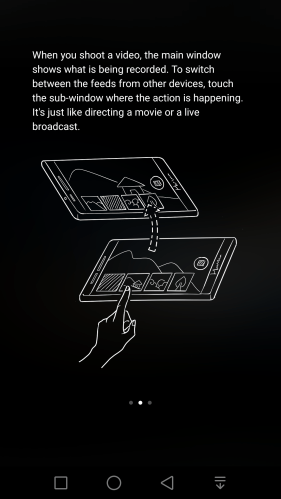
When it comes to video recording the P8 can allow up to 4 other P8’s to connect and record video using Director Mode. See screen shots below.


Huawei P8 Camera Shots


Wistman’s Wood, Dartmoor

George and Tiggy – note the difficult shadow and sun conditions

Tiggy looking happy

Littaford Tor, Wistman’s Wood, Dartmoor

The Ancient Trees of Wistman’s Wood, Dartmoor – the lighting was near impossible to capture with darkness and mega bright sunlight pouring in

From Wistman’s Wood looking towards Princetown, Dartmoor

The Girls – Tiggy and Fury having fun

George having fun

Another shot of Wistman’s Wood

Camera Shootout – Huawei P8 vs LG G4 vs Xiaomi Mi4i – https://gavinsgadgets.com/2015/06/30/3-way-camera-shootout-lg-g4-vs-huawei-p8-vs-xiaomi-mi4i/
System UI
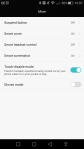
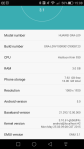
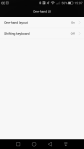
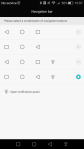
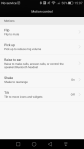
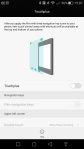
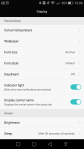
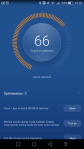
Below are screen shots from the Emotion UI 3.1 highlighting some of the key features. If you click on a photo it will open up the gallery.
Some of the noteworthy features included are –
Motion controls, glove mode, one handed mode, navigation menu bar layout is adjustable and can have up to 4 menu items (I have 4 as in screen shots), TouchPlus (a clever protector that adds extra controls), several power saving modes, screen colour display adjustments, themes and lock screen options.
To see each screen shot as a gallery, just tap on one of the photos below.







Conclusion
The Huawei P8 is a well built steel unibody phone. As Huawei take control of the software and hardware, on the whole the processor, software and hardware work well together. Phone radio essentials work effectively, the only issue is android wear and some Google apps are not working correctly Hopefully, the software updates will be fixed in a future firmware update.
Huawei offer a compelling product at around £400 but also face some stiff competition.
3 Way Camera Shootout – LG G4 vs Huawei P8 vs Xiaomi Mi4i
It doesn’t get simpler than this. Take the LG G4 which has one of the best cameras on a smartphone, pit it against the Huawei P8 and Xiaomi Mi4i.
The first sequence of shots were taken on a tripod. Click on each photo to access the full size version if you require.
First up, LG G4. The shot below is taken in auto mode, using HDR.

LG G4 again, but without HDR.

Next up is the Xiaomi Mi4i, using HDR. The Mi4i has 2 HDR modes, this is HDR Live mode.

Xiaomi Mi4i – HDR Enhanced mode. I really like this shot.

Below is the Xiaomi Mi4i but is normal mode.

Time to see what the Huawei P8 can accomplish. So shot below is using HDR. A bit dark in places.

Huawei P8 in normal mode. Not so keen on this shot.

Now for a bit of fun. Google Photos made a GIF of the photos above. This proves each phone was on the tripod in pretty much the same place. It also highlights how similar each phone performs in good light.

Huawei P8 HDR and handheld. All of the shots below are handheld. I like the result of this one from the P8.

Huawei P8, normal mode and handheld again.

LG G4, HDR mode and not so impressed with this shot myself.

LG G4, normal mode, and again not so pleased with the outcome of this shot.

Xiaomi Mi4i – HDR Live mode and over exposed.

Xiaomi Mi4i – HDR Enhanced mode and the outcome is much better.

Xiaomi Mi4i – normal mode.

So what do you think? Which is your winner from each of the 2 angles snapped on my local church?
Huawei P8 – More Camera Shots and Google Photos
I was out taking a few random photos with the Huawei P8 and took the following 3 photos.
First up was a macro shot.
Next two photos in Princetown, both in HDR.

These got uploaded automatically to Google Photos, which created this auto awesome panoramic shot.

Rather impressive and so are the other photos from the P8.
Xiaomi Mi Note Pro – First Impressions and Photos – The Flagship from Xiaomi
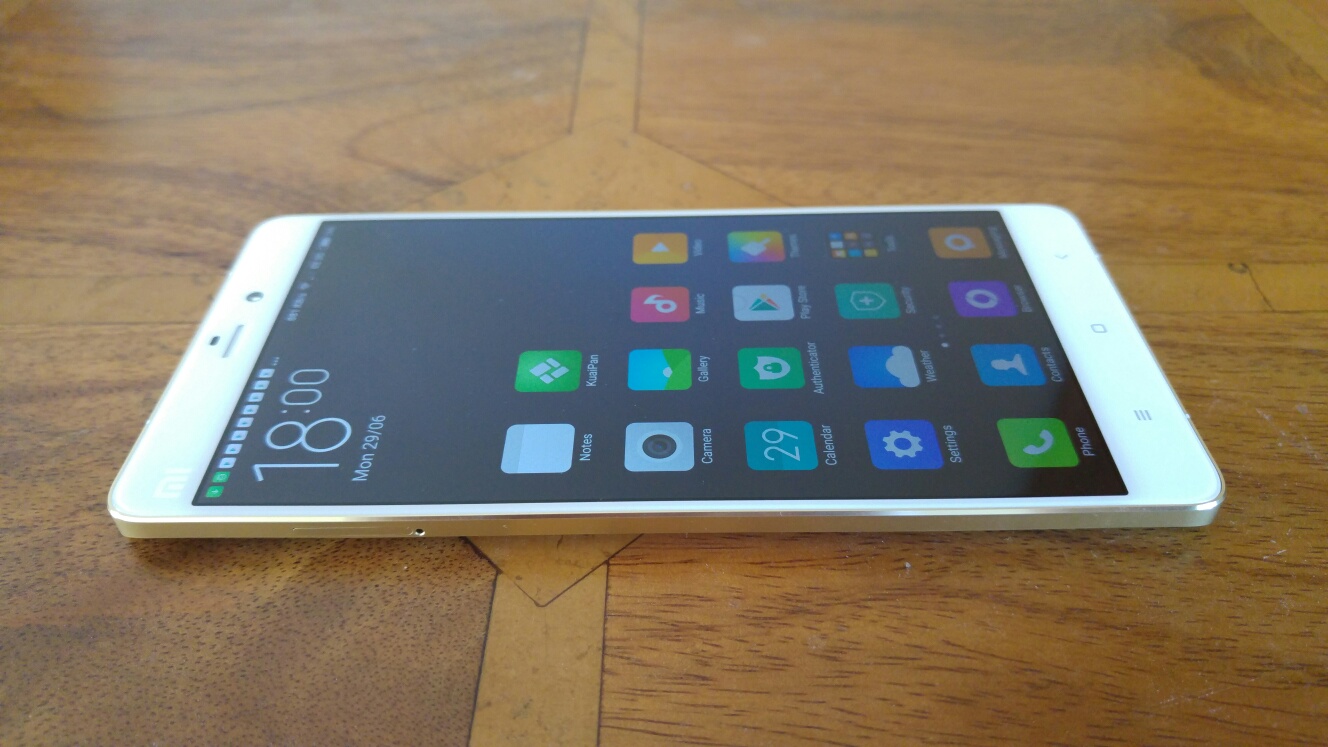
The Xiaomi Mi Note Pro has only just arrived.
This phone is carved like a precious stone and looks stunning. The photos just don’t portray its class and looks fully
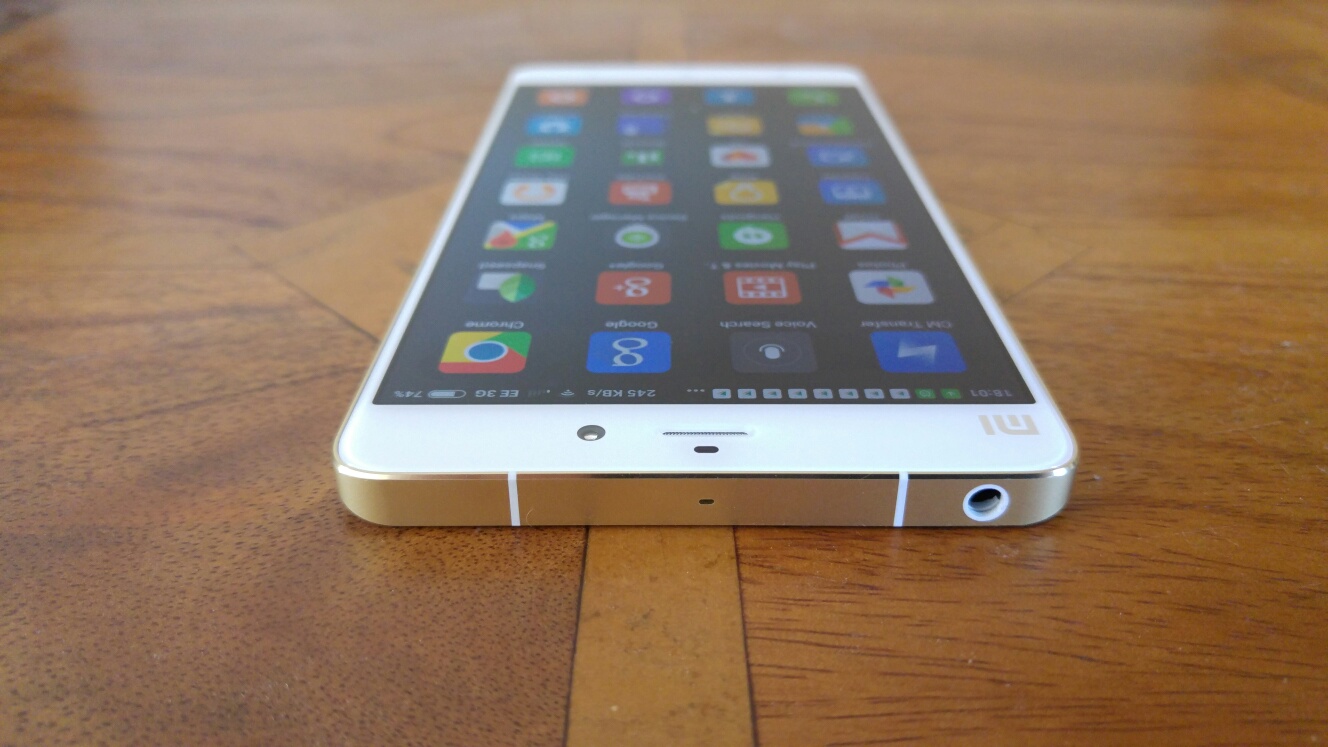


Google services are all installed. The loudspeaker is loud and clear. Headphone audio is excellent really excellent.
I have a lot to plough through along with a few other phones.
So if you have any questions please let me know.
 Gavin's Gadgets & Photography