Category Archives: Reviews

Motorola Moto X – Review – 4 Part Review

Below are all the review posts I have written on the Moto X.

Part 1 – https://gavinsgadgets.com/2014/05/10/moto-x-quick-impressions/

Part 2 – https://gavinsgadgets.com/2014/05/12/motorola-moto-x-audio-and-other-quirks/

Part 3 – https://gavinsgadgets.com/2014/05/11/moto-x-vs-samsung-s5-camera-low-light/

Part 4 – https://gavinsgadgets.com/2014/05/11/part-2-moto-x-camera-samples-vs-samsung-s5/

LG G Flex – Review – 3 Part Review

Below are all the review posts I have written on the LG G Flex.

First Impressions – https://gavinsgadgets.com/2014/05/06/lg-g-flex-first-impressions/

Part 2 – https://gavinsgadgets.com/2014/05/07/lg-g-flex-second-day-impressions/

Part 3 – https://gavinsgadgets.com/2014/05/08/lg-g-flex-camera-thoughts-and-samples/

Samsung Note 3 – Review – 16 Part Review

Below are all the review posts I have written on the Samsung Note 3. As a recap, I looked at the Note 3 and was not happy with it when it first got released. 3 months later I had another shot and loved it.

Part a – https://gavinsgadgets.com/2014/02/12/samsung-galaxy-note-3-thoughts/

Part 1 – https://gavinsgadgets.com/2013/09/28/samsung-galaxy-note-3-impressions-2/

Part 2 – https://gavinsgadgets.com/2014/01/01/samsung-note-3-3-months-later-impressions/

Part 3 – https://gavinsgadgets.com/2014/01/02/samsung-note-3-3-months-later-day-2-review/

Part 4 – https://gavinsgadgets.com/2014/01/03/samsung-note-3-3-months-later-review-day-3/

Photo Samples – https://gavinsgadgets.com/2014/01/04/photo-samples-from-the-samsung-note-3/

Part 5 – https://gavinsgadgets.com/2014/01/06/samsung-note-3-3-months-later-review-day-5/

One Handed Use – https://gavinsgadgets.com/2014/01/10/samsung-note-3-one-handed-use/

Part 6 – https://gavinsgadgets.com/2014/01/14/samsung-note-3-review-3-months-later-day-14/

Camera shootout – Note 3 vs iPhone 5S – https://gavinsgadgets.com/2014/01/15/camera-shootout-samsung-note-3-vs-iphone-5s/

Part 7 – https://gavinsgadgets.com/2014/03/19/samsung-galaxy-note-3-lifetime-3-monthly-update/

USB Audio – https://gavinsgadgets.com/2014/02/05/samsung-note-3-galaxy-gear-and-fiio-e18-portable-usb-dacamp-home-entertainment/

Video Tips and Tricks – https://gavinsgadgets.com/2014/02/26/own-the-samsung-note-3-watch-tips-and-tricks/

Loudspeaker Comparison Test – https://gavinsgadgets.com/2014/03/08/sony-z1-compact-vs-iphone-5s-vs-samsung-note-3-loudspeaker-tests/

Firmware update details – https://gavinsgadgets.com/2014/07/01/samsung-note-3-new-software-update-details-of-new-features-added/

And.

What’s new with the Samsung Note 3 UK BTU Kitkat update

LG G Watch – Ultimate Review – 9 Part Review

Below are all the 9 review posts written about the LG G Watch. Happy reading.

First Impressions – https://gavinsgadgets.com/2014/07/08/lg-g-watch-immediate-first-impressions/

Part 1 – https://gavinsgadgets.com/2014/07/09/lg-g-watch-update/

Part 2 – https://gavinsgadgets.com/2014/07/10/lg-g-watch-update-2/

Part 3 – https://gavinsgadgets.com/2014/07/14/lg-g-watch-update-after-a-few-days/

Part 4 – https://gavinsgadgets.com/2014/07/17/lg-g-watch-just-over-a-week-later/

Part 5 – https://gavinsgadgets.com/2014/07/31/lg-g-watch-review-update-design-disaster/

Part 6 – https://gavinsgadgets.com/2014/08/04/lg-g-watch-corrosion-update/

Corrosion update – https://gavinsgadgets.com/2014/08/07/lg-g-watch-corrosion-update-review/

Conclusion – https://gavinsgadgets.com/2014/08/09/lg-g-watch-corrosion-conclusion-review-the-unanswered-questions/

Honor 6 – 12 part review

wpid-20150124_141151.jpg

Below are all 12 parts of my Honor 6 review.

Honor 6 – review – part 1

Honor 6 – camera samples

Honor 6 – review – part 2

Honor 6 – review – camera samples

Honor 6 – review – part 3 – camera

Honor 6 – review – audio and more

Honor 6 – review – conclusion

Extra review sections.

3 Way Camera shootout – https://gavinsgadgets.com/2015/01/28/camera-shootout-htc-desire-eye-vs-samsung-note-4-vs-honor-6/

My Flickr Honor 6 album – https://www.flickr.com/photos/gavinfabl100/sets/72157650041826847/

Following a major firmware update the Emotion UI got updated to v3. Below are the posts with the new screen shots –

Audio – https://gavinsgadgets.com/2015/02/05/honor-6-review-part-4a/

Camera – https://gavinsgadgets.com/2015/02/04/honor-6-review-part-3a/

Main sections – https://gavinsgadgets.com/2015/02/03/honor-6-review-part-2a/

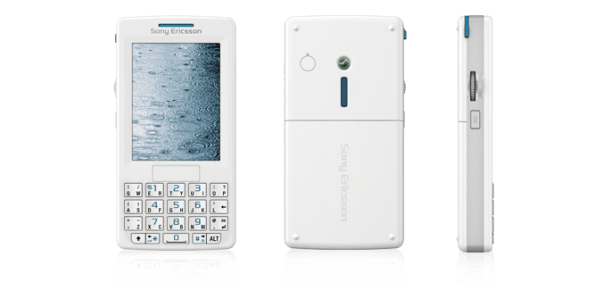
Blast from the Past – Sony Ericsson M600i First Impressions

M600i_white

Sony Ericsson M600i – First Impressions written on 18th July 2007.

Below is a piece of editorial I wrote 8 years ago, and it shows how times have changed or not so.

“Yesterday afternoon I collected the M600i in beautiful ipod white. In fact it looks like an ipod so much so that I was asked whether I had the new Apple Mobile 3 times whilst commuting home.

The first thing that struck me is how small the device is and how wonderful the screen looks. I first uninstalled all my activesync software which ironically I could not get my Mini S to sync for the last time. It knew it was being fired. Then I had to install the Sony PC Management Suite and Update Service. The most up to date software is from Sony’s website. Next I had to reflash the firmware with the latest software. Well that’s all I had time to do last night. This morning I was able to sync all my contacts, calendar, tasks and notes to my M600i in about 3 minutes.

I have started to play around with the features and functions of the phone which are extensive. 3D Gaming, the graphics are simply stunning. Opera web browser and more. I have not been able yet to get activesync on the M600i working. I am not too worried as I currently have an o2 sim card which today will be replaced with a T-Mobile. The web browsing is excellent using Opera. I have had trouble entering passwords where the letter p was not allowed to be entered. I will reboot phone and try again, but only once I have the internet settings for T-Mobile. There is a superb music and video player. Album art is also displayed. I now need a Memory Stick Micro 1gb card. I cannot believe how small these memory cards are. Today I will investigate some of the try and buy software on the memory card and the included RSS Reader.

And finally test input via the qwerty keyboard, whereby each key does 2 letters is simply marvellous. Less space is used and one handed use is excellent. It also has handwriting recognition and on-screen keyboard. My task for today will be to read the manual and try to get what I need working. More soon.”

So this was July 2007 when I wrote this. A 1gb micro sd card was a highlight as was the keyboard and handwriting recognition. Samsung did not invent the S-Pen/Stylus 🙂

Honor 6 – review – conclusion

wpid-20150124_141151.jpg

So what do I think about this pocket rocket of a phone. Marvellous. If I did not have my Note 4, I would go for one of these. It is super nimble and has not shown me any issues.

The magazine style lock screen that changes the picture every time with lock screen controls is a neat touch. The settings and options are endless but in turn cater for everything I needed. All my specialist apps worked just fine.

The camera punched higher than I expected and I have taken some great photos. I also like some of the versatility and fun parts of the camera.

The android skin does not bother me whatsoever. I enjoy change and now I have seen the next version of the Emotion UI v3 and it is a much flatter improved design and look.

Using the Honor 6 has also made me wonder if a smaller size phone is a better option. I say this because my Note 4 dwarfs over in size and yet it is so much easier to use the Honor 6.

If you have any questions for me, please let me know. And if you want to know more head over to Amazon.

Amazon UK – Honor 6 deal

Honor 6 – review – audio and more

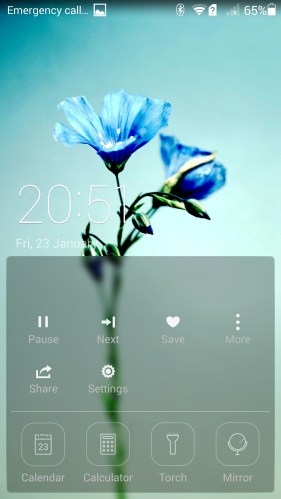
Before I get to the sound and audio quality, lets look at the lock screen shortcuts. Half pull up or full up to see all of the options.

Screenshot_2015-01-23-20-51-15 (1)

Screenshot_2015-01-23-20-51-30

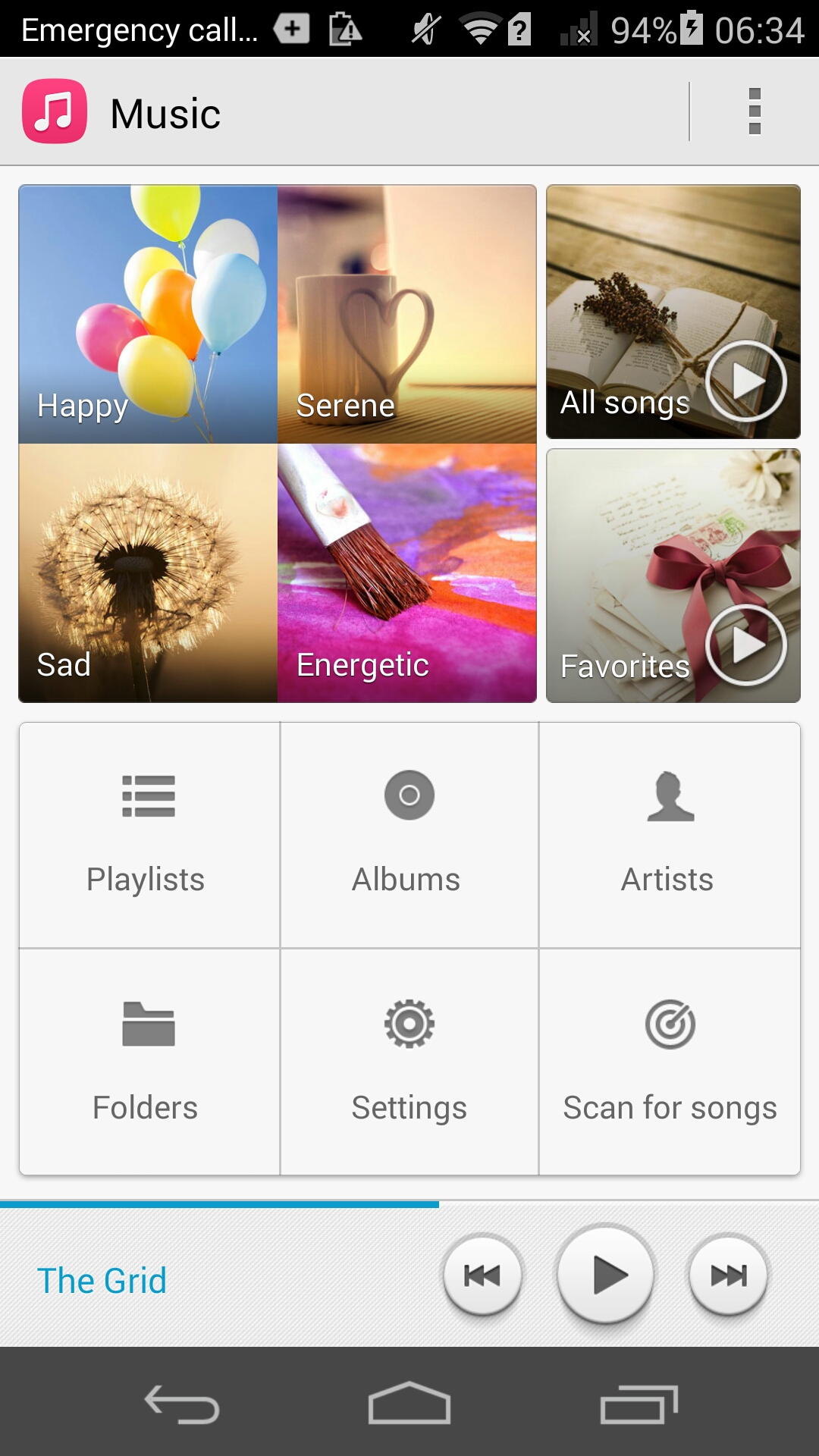
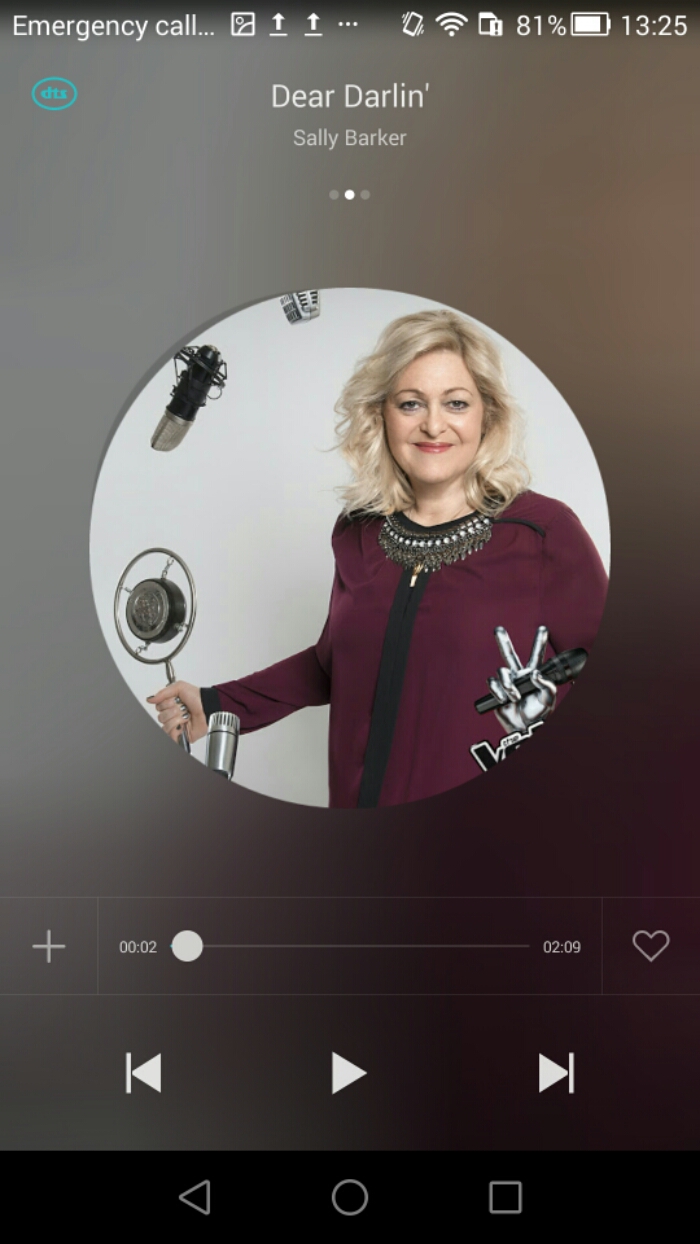
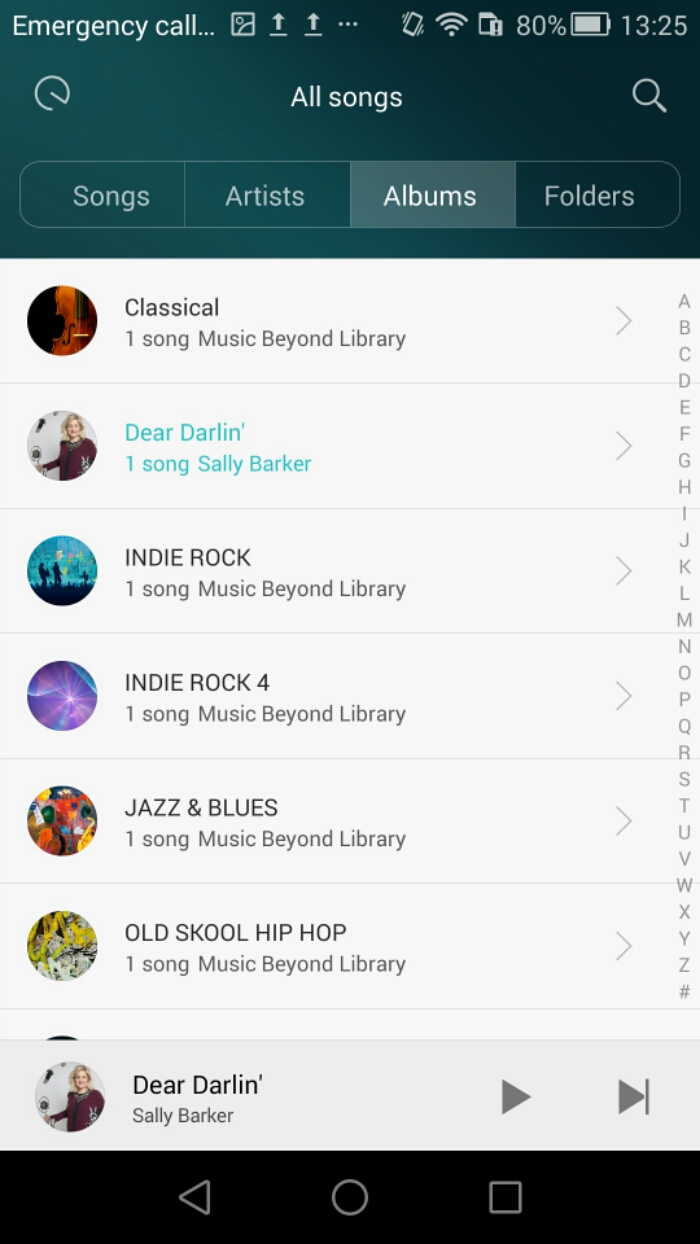
So far I have covered off various aspects of the phone. Now lets look at the music app. If you wanted to use Google Play Music, this app is available naturally and installed along with all the other core Google apps.
image

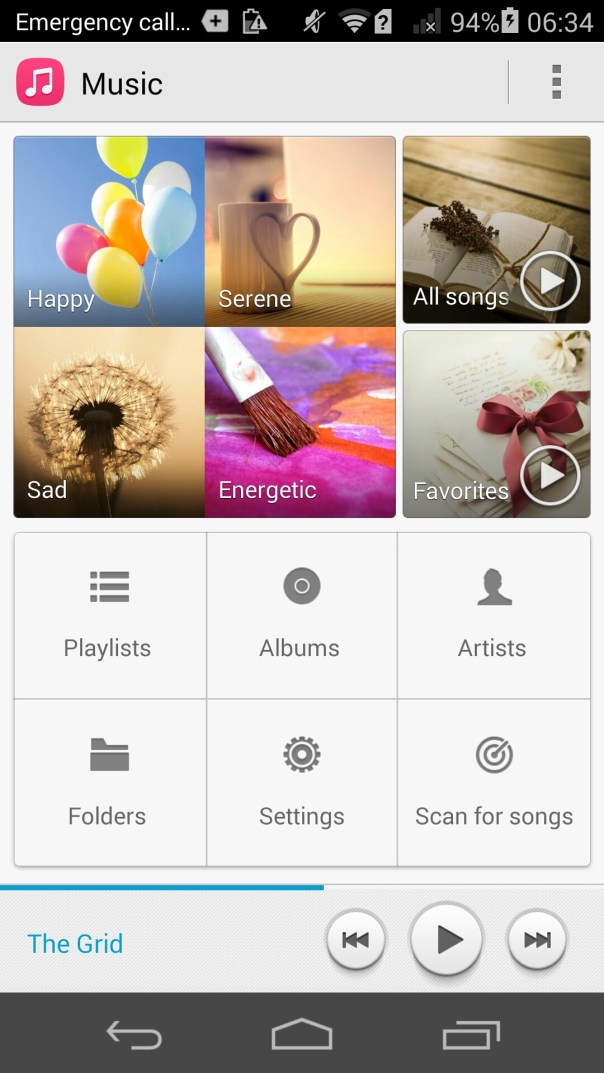
The music app is fairly simple. It allows you to see your music split into various ways, as well as moods.
image

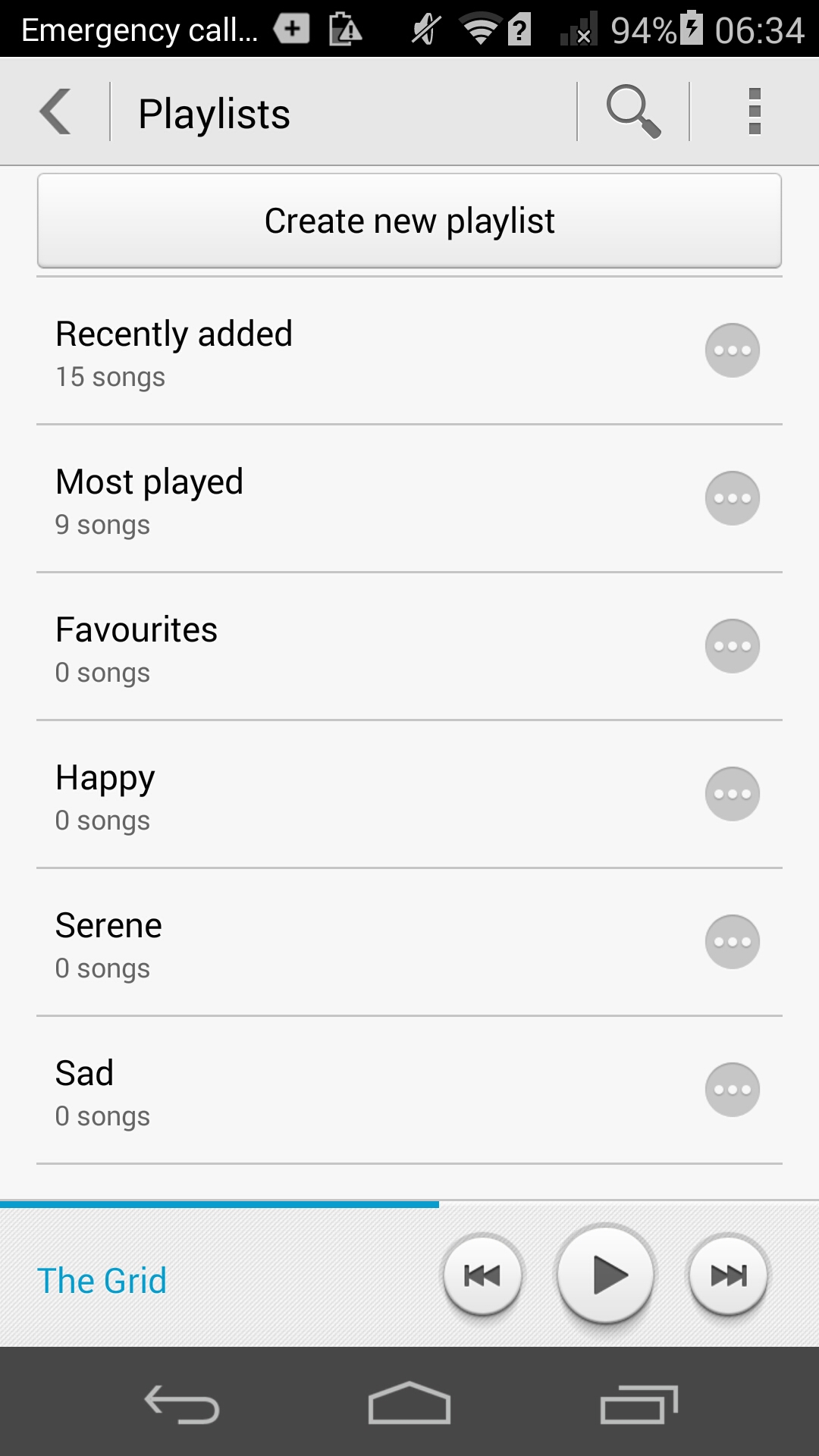
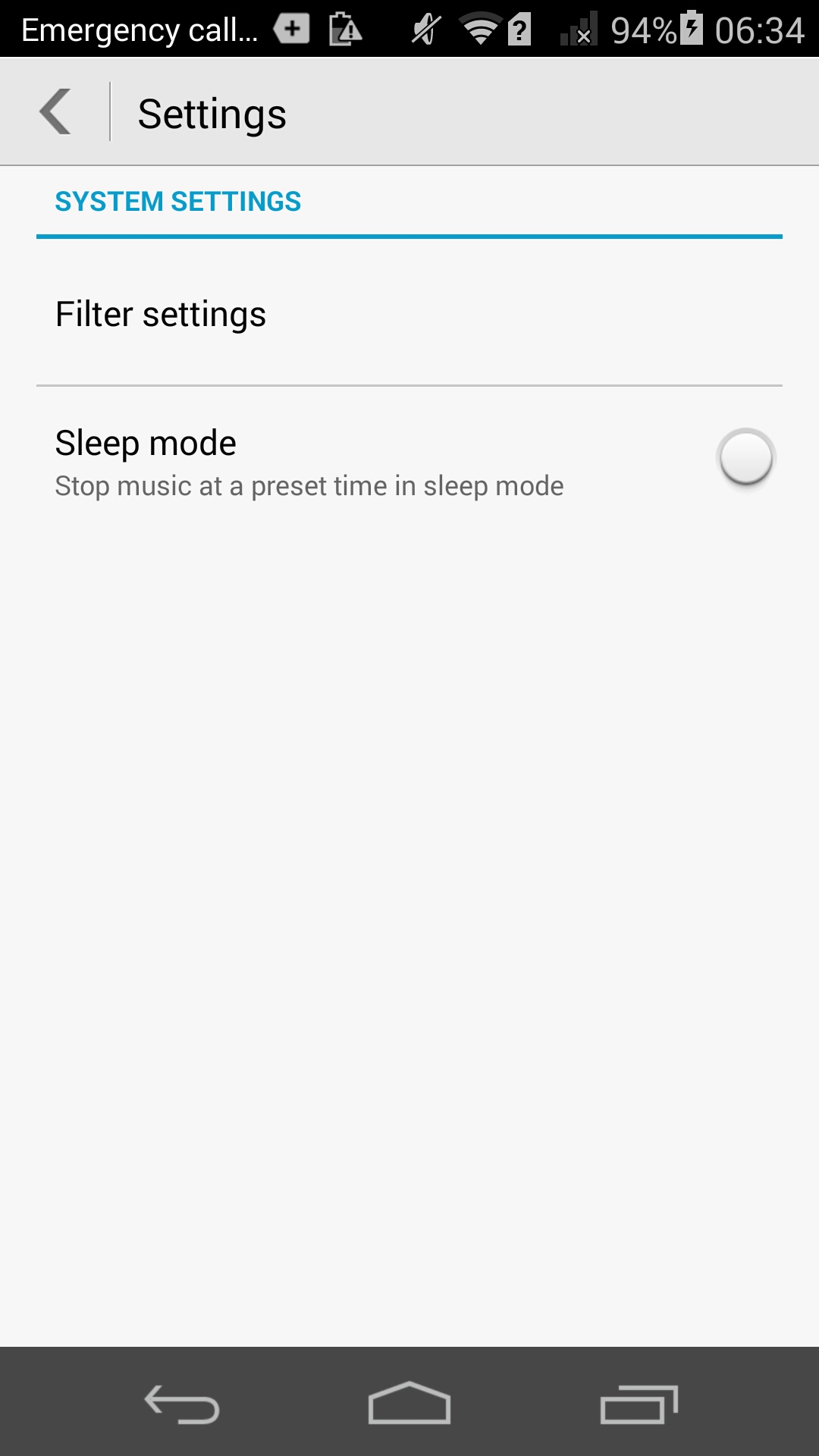
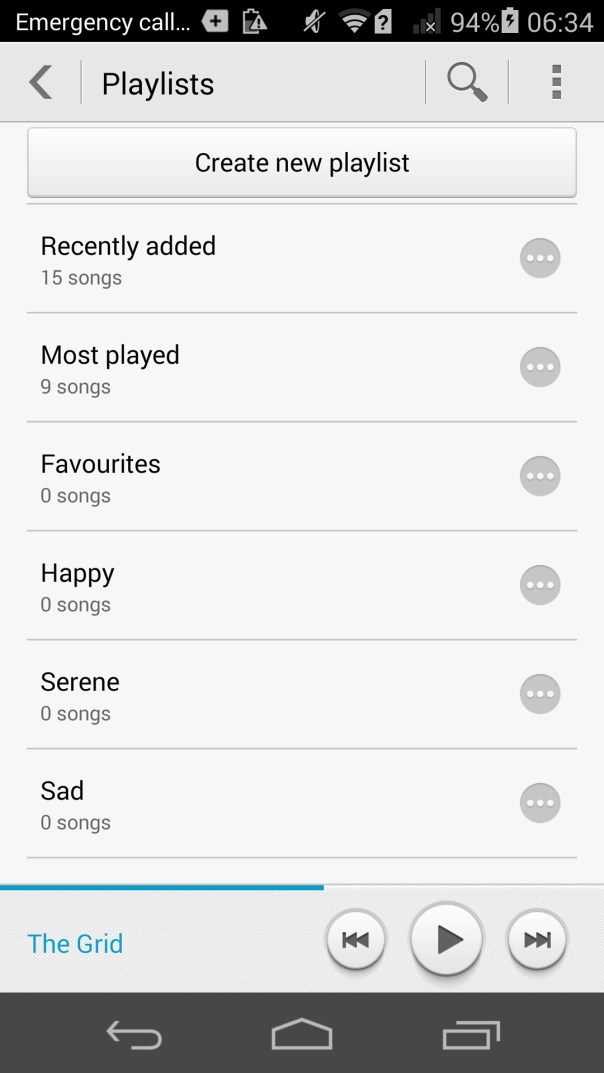
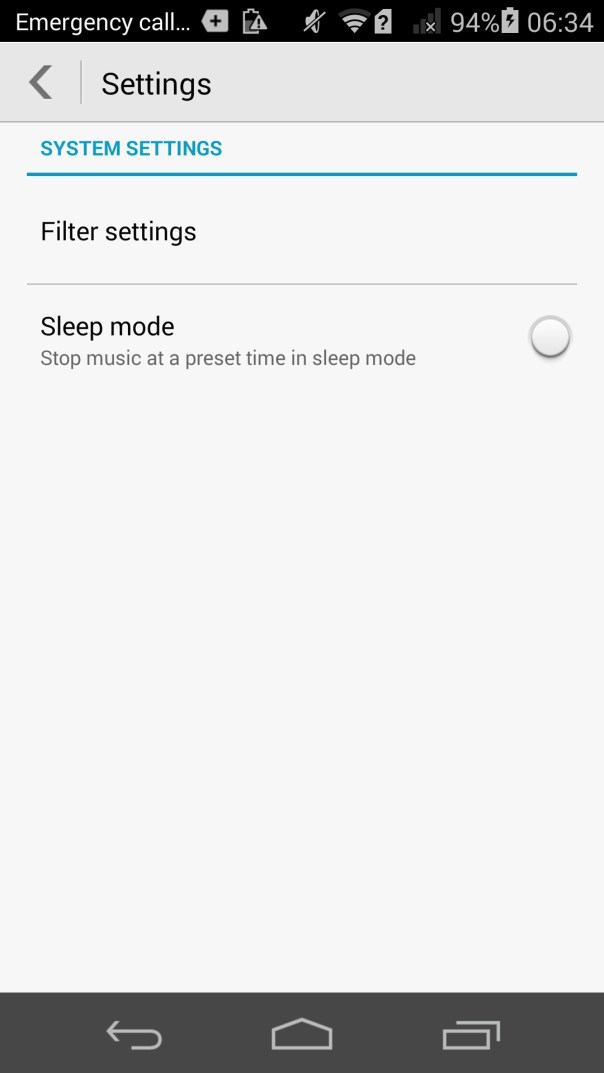
The music app also allows you to create playlists and has a few settings. Otherwise it’s a simple affair.
image

So how good is the inbuilt headphone amp. The sound through the headphones is good and better than I had expected. It is remarkable that the phone costs around £250. In the system sound settings there is a toggle for DTS. It is best to leave this on as it adds some extra oomph, bass and depth but without being overkill whatsoever. I tried the following headphones with the Honor 6. The V-Moda Crossfade M-100s were driven loudly and accurately. I then tried Sennheiser HD518. The Sennheisers needed more headphone amp volume so did not go to a loud level.

Next I connected my USB DAC (Sabre USB Android DAC and Cayin C5 headphone amp). I used an app called USB Audio Player PRO to control everything. This works brilliantly, so USB Audio is supported in this setup. I then connected via Bluetooth and used a pair of Plantronics BackBeat Pro cans. Apt-x bluetooth codec is present and makes a difference too as the sound coming from these was excellent.

Talking of wireless, Chromecast is supported along with cast screen. The Honor 6 has an infra red blaster that is not documented nor does it come with any software installed for it. Yet a quick search on XDA Developers revealed a bespoke app made by Huawei that works a treat. I had tried a few other Infra Red remote apps but none of them worked apart from Huawei’s own app.

The loudspeaker is average, and perhaps the weakest link of the whole package. A bit tiny and does not go that too loud. Acceptable.

Tomorrow I will pen my conclusion.