All posts by Gavin Fabiani-Laymond

Unknown's avatar

About Gavin Fabiani-Laymond

President, CEO & Editor of https://gavinsgadgets.com Reviews & News of Technology

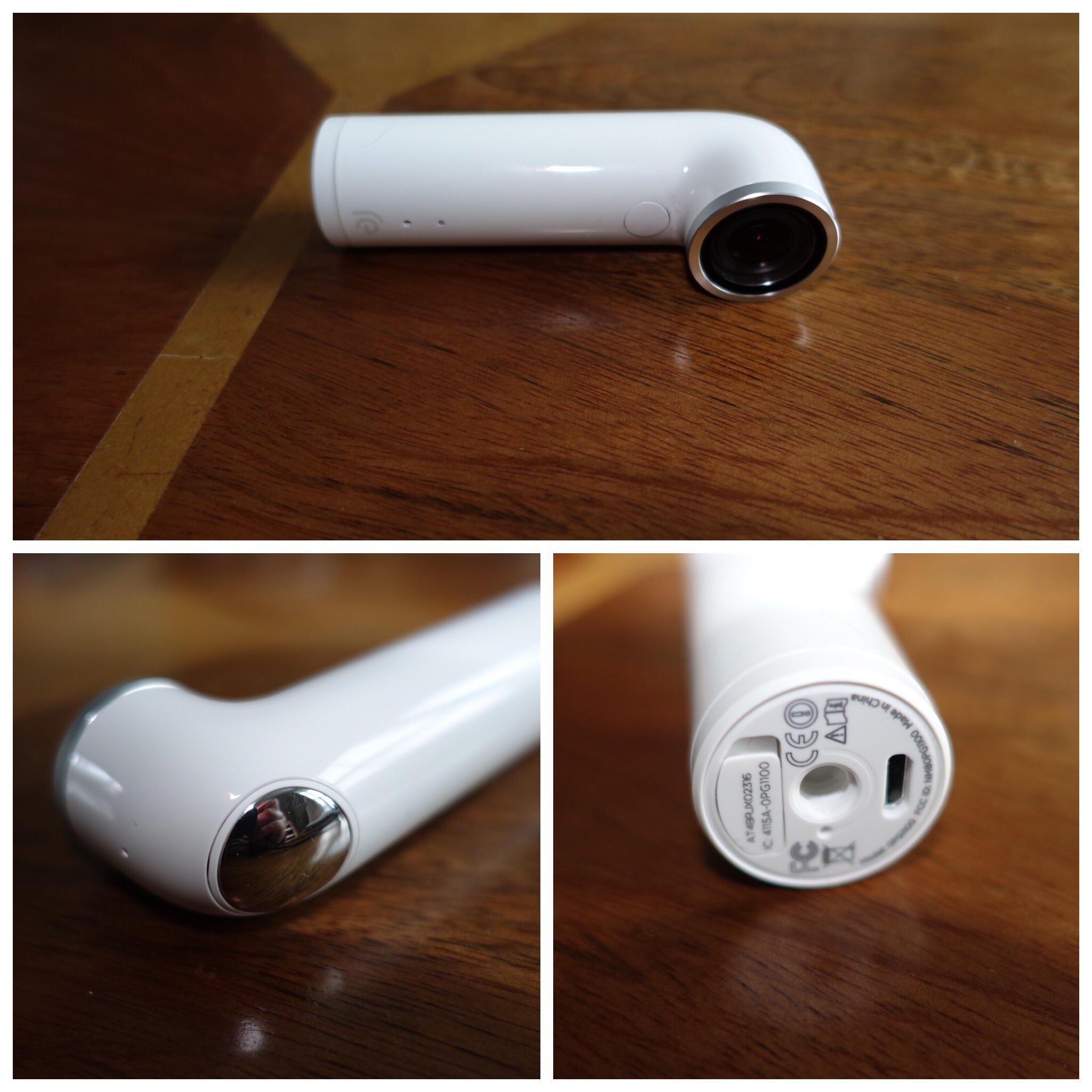
HTC Re Camera – The Photos and Video plus initial thoughts – Updated with new Footage

  
I’ve always wanted to try the HTC Re camera but it was initially too expensive. Recently it was available at a price to good to ignore. 

The concept is simple. Grip sensor turns on camera when you pick it up. One handed operation for photos, video and slow motion. Time lapse is possible using the app. The app available on iOS and android allows you to view what you are capturing and act as a remote shutter button. Storage is via a micro sd card. 8gb card included. Waterproof up to 1 metre. However must footage is shot without seeing what you are filming. All the below media is my first attempt. 

There are camera settings in the app. With all the media below I took this with the ultra wide option enabled. This creates a fish eye effect. Personally, I would now keep this option off as it’s fairly aggressive. 

Anyway, enjoy the footage below. I absolutely love using the Re. It doesn’t get in the way of anything and I snapped some superb moments. 

The YouTube video includes all the footage good and bad. I also added some photos from the iPhone 6S Plus to give you a comparison which I added at the end. Also remember all the footage from the Re was taken without a viewfinder. 


The above shot was straightened and cropped. 
  
The above shot shows how fish eye the ultra wide setting can be. If I had held the Re Camera more level this photo would not look so fish eyed. 

  

Now enjoy all the video, slow mo and photos with some from the iPhone 6S Plus as a comparison. Total time is only 1 min 45 seconds. 

Right I have had more practise with the Re. Below is another video with just photo and video only from the Re. This time I had ultra wide mode turned off. Once again I had no idea of what I was filming. 
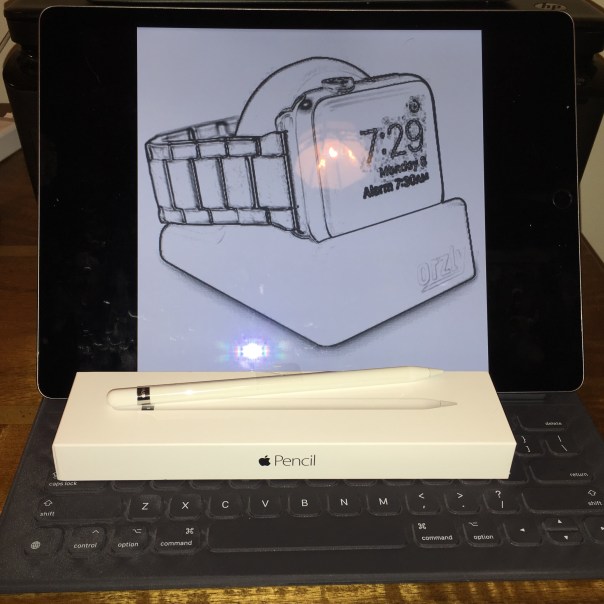
Apple iPad Pro, Smart Keyboard and Pencil – My Review

FullSizeRender 2

This post is the review master post covering all parts of my iPad Pro, Apple Keyboard and Pencil reviews with guest posts from Mike. The link to this post will now also appear in the main review sections which can be found using the menu above.

Decisions around whether I should consider the iPad Pro

Apple iPad Pro – First Thoughts on this Crazy iPad

Apple iPad Pro – First Impressions

Apple iPad Pro 5 Days Later – Now the Honeymoon Period is Over!

Apple Pencil First Impressions and More iPad Pro views

Is the iPad Pro an unfinished product is is there another problem?

What Makes the iPad Pro really special and worth £1,000

Apple iPad Pro – Camera Tests in Low Light

The iPad Pro shrunk to an iPad Mini 4 – The End and Why

Apple iPad Pro – First Thoughts from Mike

One Week Later – Mike airs his views

Taking the iPad Pro to Europe and Back – Another Viewpoint

Smartphone Awards 2015 and New Reviews

So what did MKBHD decide were his awards for the smartphones of 2015?

The below video from MKHBD runs through all his highlights and categories.

Just after Christmas I will be releasing my top 10 phones of 2015 along with some more reviews in between Christmas and New Year. There will be some more reviews up next week as well one of which will be something very different.

HTC Re versus Apple iPhone 6S Plus camera

Just a quick comparison of the camera between the fun HTC Re and the iPhone 6S Plus. 

The shots are taken minutes apart. 

With the HTC Re you have no viewfinder. It’s video, slow motion, time lapse and stills all without a viewfinder. You can also live broadcast to YouTube. My full review will cover more. 

The shot below is from the HTC Re. 

  
This is 12mp at 16:9. It can shoot 16mp at 4:3. 

And now the iPhone 6S Plus. 

  
Which do you prefer? Note there was some mist/fog. 

What does a Roast Turkey Dinner and Apple iOS Reachability have in common?

  
This is my plate of roast turkey with lots of trimmings from last night. 

The latest version of iOS features Reachability.  For those unfamiliar with Reachability, it is a feature on the latest version of iOS which allows you to lower the screen down by 50% simply by double tapping (not pushing) the home button. This makes one handed use a breeze for reaching the far corners etc.

So what does Roast Turkey dinner and iOS Reachability have in common? Is it –

a) A method of magically moving the roast turkey into your mouth

or

b) Something else.

Well its obviously something else. The connection is that I was enjoying a festive Christmas meal when another colleague was showing his new iPhone 6S. I showed him my iPhone 6S Plus and double tapped the home button to lower the screen so I could reach an app. My colleague turns round and says “Ah, so you have that annoying bug too where the screen keeps lowering. Apple really need to fix it.” I pointed out it was actually a feature. Confused my colleague asked “how is that a feature”. So I demonstrated what you could do without stretching your fingers etc..

The surprise on my colleagues face was fantastic.

It does make you wonder how many other features on smartphones that most people don’t have a clue exists and or how to use them!

Has Samsung got an exclusive deal on the Snapdragon 820 Processor until 1st April 2016?

Word is coming out that Samsung will have the exclusive rights to the new Snapdragon 820 processor until at least the 1st April 2016. This will mean it will be able to get its Samsung Galaxy S7 flagship manufactured way ahead of other companies.

But why is this even possible? Well the Snapdragon 820 is manufactured by Samsung in its own facilities using 14nm FinFET nodes. Samsung was also the first OEM to test the Snapdragon 820 extensively in its labs, in order to ensure that the overheating issues plaguing the initial Snapdragon 810 batches will not make a comeback in the sequel.

So with Samsung controlling the manufacture it doesn’t surprise me if this exclusivity deal remains in place of the early part of 2016.

Source Pocketnow

The free EE Power Bar is now costing EE a bomb – The Financial Impact – Editorial

EE had a great idea. Offer its customers a free lipstick size battery power pack to all its customers so they could recharge their phones.

However, this has all gone terribly wrong for EE.

Updated 16 December 2015

We’re recalling all EE Power Bars. This is just a precaution, but we want to make sure all our customers are safe. If you have a Power Bar, you should stop using it straight away and hand it in to one of our stores.

We are taking this action because we are aware of a very small number of further incidents where Power Bars have overheated in circumstances that could cause a fire safety risk. Keeping our customers safe is extremely important to us, and that’s why we’re taking this voluntary and precautionary action.

We’ve identified a very small number of incidents where Power Bars have overheated.
What should I do? We’re asking everybody to stop using Power Bars and unplug them from their phones or tablets, and the mains. You should return the Power Bar to an EE store as soon as you can.
How do I get my £20 voucher?

When you return your Power Bar to an EE Store you will be given a £20 voucher if you are an eligible EE customer. One of the team there will give you instructions about how to claim your voucher. You’ll be able to redeem your voucher at accessories.ee.co.uk.
Where is my nearest store?

At the moment we are fully focused on the recall and we will make further announcements soon.

So this free gift now will cost EE a bomb. First of all there are all the notification costs in making sure all customers are contacted. There is then the PR costs of ensuring EE brand name does not get impacted. There is the actual financial cost of receiving and processing the faulty power bars. Next there is the cost of offering customers £20 vouchers. And with around a million customers impacted this is no laughing matter. And finally there is the product liability claims from customers that suffered injury and damage to their property.

The Apple App Store and freemium apps – Editorial 

There is a game in the Apple App Store called My Horse. It has lots of positive reviews. So my wife decided to try this game. 

It is a freemium game which are generally unpleasant games to play due to greedy developers. However, this game seems even more spurious due to the fact it requires the following –

1) Watch a video to earn some gems. Gems are needed to progress otherwise nothing much happens. The video option is a rarity and not so onerous. 

2) Earn gems by downloading and playing a different game, but you need to  sign in to your Facebook account. So is My Horse really a game to sell other games?

3) Earn gems by buying stuff outside of the game. Does Apple realise this?

4) Earn gems by taking a survey and revealing information about yourself. Warning signs on this one. 

But it gets worse. The app expands in file size every time you play it. At last count it was 14gb. 14gb !!!

 Anyway, my wife realised her iPad was full after getting low warning memory messages. After I checked what was using all the storage I was stunned by how big this game has become and how much it grows each time you play it. Add insult to injury the £10 in app purchases that had just been bought couldn’t now be used as the iPad was full. 

So I emailed Apple, who refunded the £10 without any fuss and rather quickly too. 

There are several issues here. Is it time for Apple to lay down some rules on what is  acceptable and not acceptable with regards to offering in app purchases. And will Apple really want to curb in app purchases when they get a 30% cut of the in app purchase revenue!