Plantronics BackBeat Pro Bluetooth Headphone Review

image

First lets check out the specifications. It is worth reading these in detail as these headphones are smart –

– Wireless Range – Up to 100 meters/330 feet from phone or tablet with Class 1 Bluetooth
– Multi-Point – Simultaneously connect two Bluetooth devices (2H2S)
– In the box – BackBeat PRO headphones, 3.5mm audio cable (Apple), USB charge cable, travel sleeve
– Bluetooth Profiles – Bluetooth v4.0 + EDR – A2DP for audio streaming, AVRCP for music controls, Hands-free v1.6 for wideband, and Headset v1.2
– Battery Power – Up to 24 hours of listening time from rechargeable battery | Up to 21 days standby time | Up to 180 days in DeepSleep mode
– Battery Type- Rechargeable, non-replaceable lithium-ion
– Charge Time -Up to 3 hours
– Weight – 340 grams
– Noise-cancellation Controllable Active Noise Cancelling (ANC) plus Digital Signal Processing (DSP) and dual microphones
– Voice Alerts – Spoken alerts in 14 language options, which vary by region (US and UK English, Cantonese, Danish, EU-French, German, Italian, Japanese, Korean, Mandarin, Norwegian, Russian, EU-Spanish and Swedish)
– OpenMic™ feature lets you hear your surroundings
– Automatic music play/pause when headphones are put on/removed

image

image

image

These are my reference bluetooth headphones for a number of reasons. First they sound freaking awesome with APT-X support too. These are bass monsters, deep sub level bass but surprisingly they don’t ruin the mid or trebles too much. . They are great fun to use and listen too and make most music entertaining to listen too. BUT they are not for audio purists. I believe it’s always good to have a fun pair of headphones. Despite their exaggerated bass, the still command speed, attack and an overall decent presentation.

They are very comfortable to wear and if you can manage 24 hours of non stop music then these are just the ticket. Since owning these I have updated the firmware and changed the language from US to UK English. When connected to your PC you also have the options to turn off some of the voice actions. When you place these over your ears, the female voice confirms when phone 1 and phone 2 is connected and the level of the battery. Plantronics have an app you can download that amongst some of its features also confirms how many hours are left in the headphones battery. Remember, 24 hours playback with only 3 hours to recharge. Switching between connected devices works effortlessly.

Then there is the auto off and on feature. Take the headphones off your head. The music is paused. Place them back on your head, and the music starts again.

From the headphones itself, you can take calls etc, play/pause music, skip forward or backwards and adjust the volume. The headphones also feature noise reduction to eliminate outside noise. This can be turned on or off. There is also a mic button on the headphones. If somebody starts talking to you, you will not be able to hear them. But pressing the mic button, pushes the sound to the rear and you can now hear properly and conduct a conversation. The headphones comes with a black soft cushion sleeve and a wired cable for times when the batteries run dry. But with 24 hours playback that’s unlikely to happen! Plus 3 hours to recharge them only.

Seriously Plantronics have thought of everything with these bluetooth headphones. So long as you don’t mind the extra bass then these are recommended. As I mentioned at the start, these are my reference bluetooth headphones. Cutting the chord has never been so much fun.

Link to Plantronics BackBeat Pro at Amazon

One off Editorials

Below are editorials specials written over the 2 years gathered in one page for your perusal. Some are light hearted.

The Myths of High End Audio Blown Apart – Plus Photos of a £100,000 system

The Free 50gb Dropbox bonus space on the Samsung Galaxy S5 –  no chance

Should we share are personal health and fitness data?

I have sold my soul to Google

The battle for cloud storage

Using black and white photography on the Samsung Note 4

USB Audio Player Pro app review

Gavin’s Gadgets Annual Report 2014

The new Consumer Contracts Regulations

Install the Mont Blanc content for free on the Samsung Note 4

Bring back HTC Blinkfeed using Nova or Apex Launcher

The most important story of the year

Viewranger review

It just doesn’t work –  Apple

This is why you buy Apple

Photosync app review

Gaming without in app purchases

Fight –  HTC One M8 vs Nokia Lumia 1020

Why are we beta testing £500 flagship phones?

Fight – iPhone vs Samsung Galaxy vs Samsung Note vs Nokia Lumia

Fight – Acer C720 Chromebook vs Acer V15 Nitro Windows 8.1 laptop vs MacBook Pro

This post is to summarise my experiences of reviewing to different types of laptops that I would not have normally have chosen. The reason for this task, is that my 2010 MacBook Pro is too damn slow at anything and constantly runs out of steam. I am sure this is ploy by Apple with each update.

So I asked several of you for recommendations. The Acer C720 Chromebook was the number one choice. So I spoke to Acer and they agreed to send the C720 for review, but also said would I like to try their gaming performance laptop, the V15 Nitro. Whilst, the V15 Nitro is gaming ready, it is also a super powerful machine in every way with loads of storage too.

Following my time with the Acer devices, my MacBook is toast. It just cannot compete in any shape or form. Period. Some might say that a 5 year old laptop is a decent duration.

I have decided that I don’t want another MacBook. They are lovely machines, but I do not have any Apple devices, other than a work iPad. So consequently, I would not gain the full benefit of its functionality. Second, whilst the Acer V15 Nitro Windows 8.1 laptop would require a new learning curve for me, I realised that the sheer power of the processor, SSD, and graphics mean this is the machine for all my photo and video editing.

But for general day to day stuff, the Acer Chromebook would be my only choice. It has crazy good battery life and again is fast in everything it does. So maybe I need both Acer machines?? Or maybe a Chromebook/Android Tablet combined device. Wait, didn’t Google say these were coming this year…

But what would you choose if you were in my predicament?

Headphones, DACs and Amplifiers – All My Reviews

Below are all the reviews I have written covering headphones, amps and DACs. I have owned many more headphones not reviewed including Sony MDR-1R, JVC HA-FXZ200, Audio Technica ATH-AD900x, Bose AE2i, Sennheiser HD558, Beyerdynamic DT880 600 ohm, Denon AH-C751s, Sony MDR-EX91, Sennheiser HD415, Fischer Audio FA-011, REO, Sennheiser HD600, Fischer Audio FA-003, Sennheiser PX-200 IIi , Brainwavz B2 and Sennheiser HD202ii, so if you would like to know more about these please ask in the comments.

Previous Amps owned and not reviewed include Sony PHA-1, Fiio E7/E9/E17/E12, Fiio E5, Fiio E11 and Musical Fidelity V-DAC/V-PSU so again if you would like to know more about these please ask a question using the comments section below.

Coming in less than 7 days Sennheiser HD518, V-Mode Crossfade M100 and Plantronics BackBeat Pro

Headphones, Speakers and Amps/DACS

Philips Fidelio M1BT Headphone review
AKG K845 Bluetooth Headphone review
Sony SBH80 Bluetooth headphones review
Sony XBA-H1 Headphone Review
Logitech UE Headphones – 3 part Master review
Audio Technica ATH-AD900x Headphone review

Cayin C5 Portable Headphone amplifier review
Fiio E12 – master review
HiFiMeDIY Sabre Android USB DAC review
Little Dot MKIV  Tube Headphone Amplifier review

If you are buying anything on Amazon, please use the link below. This will help support Gavin’s Gadgets with all the running costs and more and won’t be any different in cost. Thanks in advance.

GavGadgets@Amazon

The Internet of Things reviews

As the Internet of Things takes off,  so will my reviews of these devices.  So far I have reviewed those listed below.

Belkin WeMo Smart light Bulb starter kit review

Mipow Playbulb Rainbow review
Mipow Playbulb review

Imperihome Pro review
Netatmo Urban Weather station – 5 Part review

Following my reviews of the above I still use every day the Belkin WeMo Smart light Bulb starter kit.  I have both bulbs in my lounge.  The Mipow Playbulb Rainbow is used instead of the original and this again is in my lounge in an uplight.  Sometimes changing the room colour is great for mood changing.

Both the Netatmo and Imperihone are used everyday too and have been for a year and a half. 

35 x Reviews of Smartphones & Tablets & Laptops – Please RT

Below are all the reviews I have written so far on smartphones, laptops and tablets.

Tablets/Laptops/Chromebooks

Samsung Galaxy NotePro 12.2 – 9 Part Review
Sony Xperia Z Tablet – 12 Part Review
Nvidia Shield Tablet – 7 Part review
Acer V15 Nitro Windows 8.1 laptop review
Acer C720 Chromebook review

Amazon Devices

Amazon Fire Phone – 2 Part review

Apple Phones

Apple iPhone 6 Plus – 24 Part Review

BlackBerry Phones

BlackBerry Passport 10 Part Mammoth review

Android Phones

Coming soon Honor Holly, LG G Flex 2, Samsung Galaxy S6, HTC One M9 and more.

Yotaphone 2 – 4 Part review

Samsung Note Edge – 14 Part Review
Samsung Note 4 – 17 Part Review
Samsung Galaxy K Zoom – 26 Part Review
Samsung Galaxy S5 – 17 Part Review
Samsung Note 3 – 16 Part review
Samsung Galaxy S4 Zoom – 18 Part Review
Samsung Note 2 – 8 Part review

LG G3 review – 31 Part Review
LG G Flex – 3 Part Review

HTC Desire Eye – 13 Part Review
HTC One M8 – 11 Part review
HTC One M7 – 20 Part Review

Acer S55 review – 6 Part Review

Honor 6 – 12 Part Review
Huawei Ascend P6 Review

Sony Xperia Z1 Compact review
Sony Z Ultra views and Camera Samples
Sony Xperia Z1 – 10 Part Review

Motorola Moto X – 4 Part review
Motorola Moto G – 8 Part review

Windows Phone

Nokia Lumia 1520 – 6 Part review
Nokia Lumia 820 – 5 Part review
Nokia Lumia 1020 – 10 Part review
Nokia Lumia 925 – 9 Part review
Nokia Lumia 620 – 7 Part review

Other

ZTE Open Review – Firefox OS

If you are buying anything on Amazon, please use the link below. This will help support Gavin’s Gadgets with all the running costs and more and won’t be any different in cost. Thanks in advance.

GavGadgets@Amazon

WOW – 30 Smartphone Cameras Shootout – Samsung, Apple, BlackBerry, Lumia, LG, Honor and More

Not sure about which phone or brand takes the best photos, then have a look at this super sized collection of photos from all the best and latest smartphones and some budget phones as a comparison.

Samsung Note 4 – https://www.flickr.com/photos/gavinfabl100/sets/72157648796796660/
Samsung Note Edge – https://www.flickr.com/photos/gavinfabl100/sets/72157647404207644/
Samsung S5 – https://www.flickr.com/photos/gavinfabl100/sets/72157643875623354/
Samsung Note 3 – https://www.flickr.com/photos/gavinfabl100/sets/72157644034132513/
Samsung Galaxy K Zoom – https://www.flickr.com/photos/gavinfabl100/sets/72157644532639249/
Samsung S4 Zoom – https://www.flickr.com/photos/gavinfabl100/sets/72157644039495565/

Apple iPhone 6 Plus – https://www.flickr.com/photos/gavinfabl100/sets/72157647679181549/
Apple iPhone 5S – https://www.flickr.com/photos/gavinfabl100/sets/72157644035336913/

BlackBerry Passport – https://www.flickr.com/photos/gavinfabl100/sets/72157648520943848/

LG G3 – https://www.flickr.com/photos/gavinfabl100/sets/72157645618979801/
LG G Flex – https://www.flickr.com/photos/gavinfabl100/sets/72157644114354349/

Honor 6 – https://www.flickr.com/photos/gavinfabl100/sets/72157650041826847/
Honor Holly – https://www.flickr.com/photos/gavinfabl100/sets/72157650823415601/
Huawei Ascend P6 – https://www.flickr.com/photos/gavinfabl100/sets/72157644028833151/

HTC Desire Eye – https://www.flickr.com/photos/gavinfabl100/sets/72157650368916456/
HTC One M8 – https://www.flickr.com/photos/gavinfabl100/sets/72157643265004874/
HTC One M7 – https://www.flickr.com/photos/gavinfabl100/sets/72157644039700054/

Yotaphone 2 – https://www.flickr.com/photos/gavinfabl100/sets/72157650816294865/

Acer Jade S55 – https://www.flickr.com/photos/gavinfabl100/sets/72157648344100003/

LG Nexus 4 – https://www.flickr.com/photos/gavinfabl100/sets/72157644039660933/

Amazon Fire Phone – https://www.flickr.com/photos/gavinfabl100/sets/72157648220945873/

Sony Z1 Compact Z1 – https://www.flickr.com/photos/gavinfabl100/sets/72157644028694521/
Sony Xperia Z1 – https://www.flickr.com/photos/gavinfabl100/sets/72157644039246935/
Sony Z Ultra – https://www.flickr.com/photos/gavinfabl100/sets/72157644083052095/

Sony QX100 – https://www.flickr.com/photos/gavinfabl100/sets/72157644035811453/
Sony QX10 – https://www.flickr.com/photos/gavinfabl100/sets/72157644035335185/

Nokia Lumia 1520 – https://www.flickr.com/photos/gavinfabl100/sets/72157644035105534/
Nokia Lumia 1020 – https://www.flickr.com/photos/gavinfabl100/sets/72157644035516523/
Nokia Lumia 925 – https://www.flickr.com/photos/gavinfabl100/sets/72157634991010769/
Nokia Lumia 620 – https://www.flickr.com/photos/gavinfabl100/sets/72157644083348093/

To see the sets in one indexed page click here – https://www.flickr.com/photos/gavinfabl100/sets/

So which phone is your winner?

Blast from the Past – i-mate 9502 review

Below is the review of the i-mate 9502 that I wrote in 2008.

image

Review of i-mate 9502  by Gavin Fabiani-Laymond

Date of Review – 24th April 2008


Available from – http://www.clove.co.uk


Price – £355.00 + VAT


Pros – Slide out keyboard, Excellent Touchscreen, Endless buttons, GPS integrated, TV out, Excellent ring volume, loud speakers, quick responding, compact, 3mp autofocus camera with flash


Cons – Weighs 200g, SDHC compatible, so 2gb microsd cards max


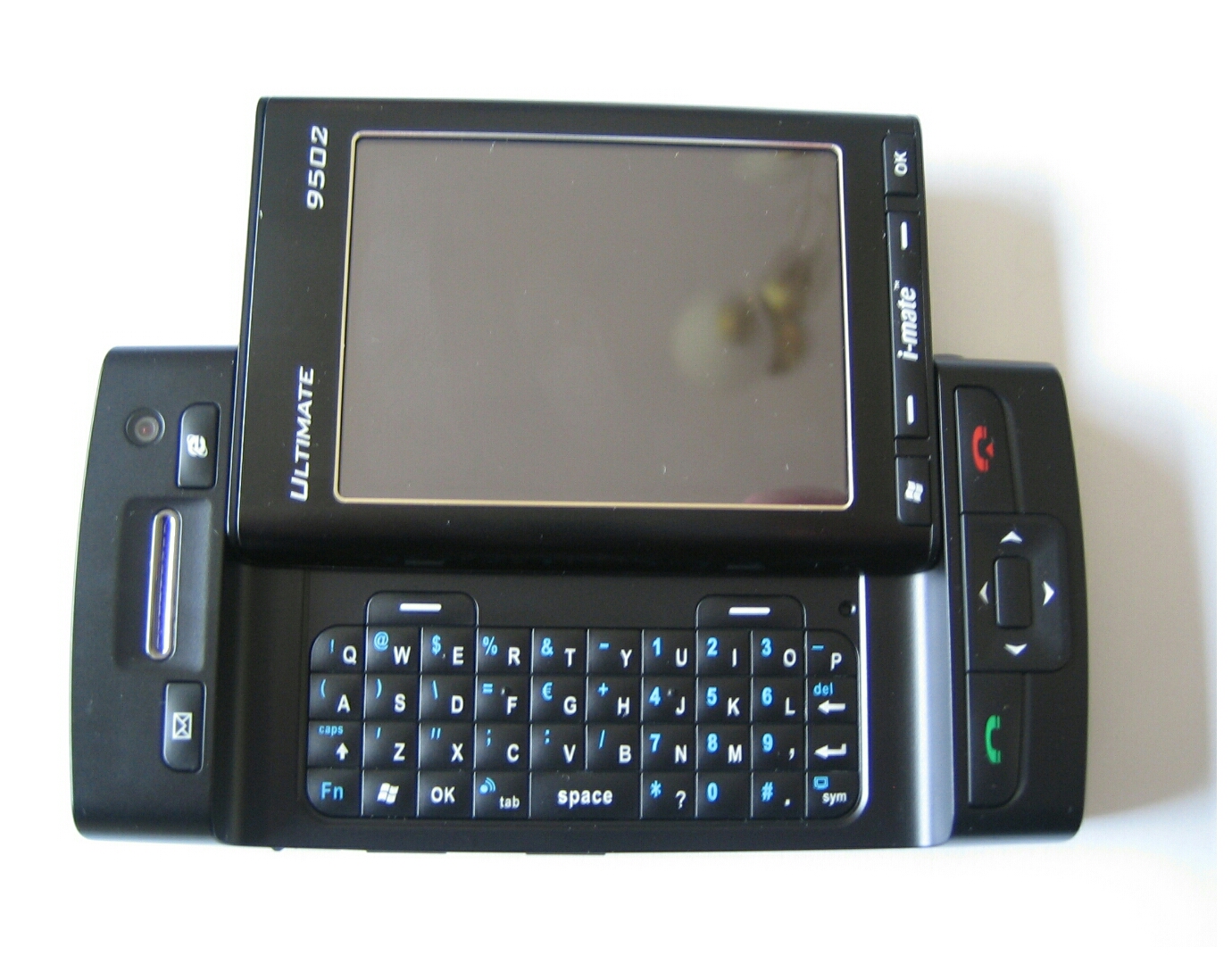
Recently, I  reviewed the i-mate 8502 which has a qwerty thumboard on the front of the device. The 8502 also comes with a 2mp camera and only a qvga screen. Well I now have the 9502, and this includes all the features and specifications of the 8502, but adds a 2.8 inch vga screen, a 3mp autofocus with flash camera, and a slide out keyboard, similar in concept to a Sidekick. There are also more buttons on this device.

image

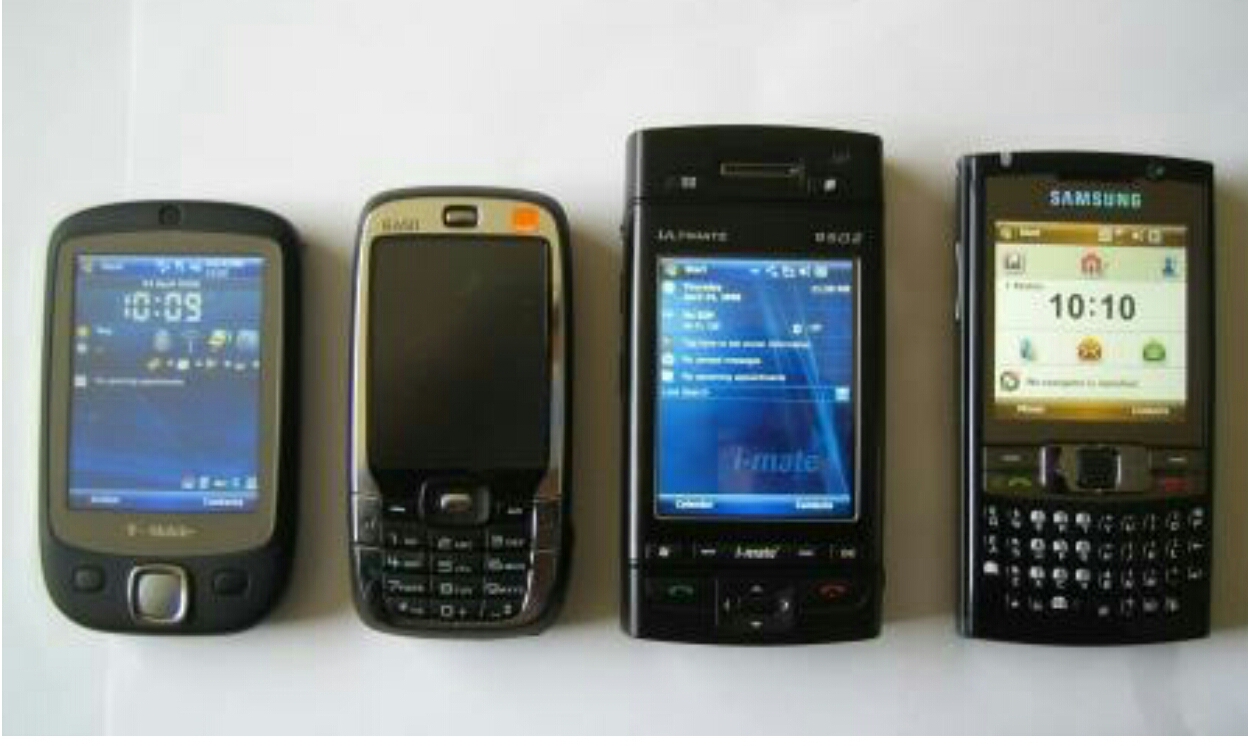
I have shown the 9502 with the new Samsung i780, HTC Touch & Vox for comparison. Ironically, the Samsung i780 even though it is about one third of the depth of the 9502, its nearly the size height and actually a few millimetres wider.

image

When you open the 9502 box, it is full of extras. These include i-mate Ultimate 9502 Pouch Case, TV Audio-out Cable, USB Sync Cable, Stereo Headset with microphone, AC Adapter with UK/US/EU, 2 x Stylus Pens, Battery, Getting Started CD, Getting Started Guide, User Manual.


The included bundle is excellent value. Also worth noting is that the 9502 uses mini usb so readily connectable with standard connectors.


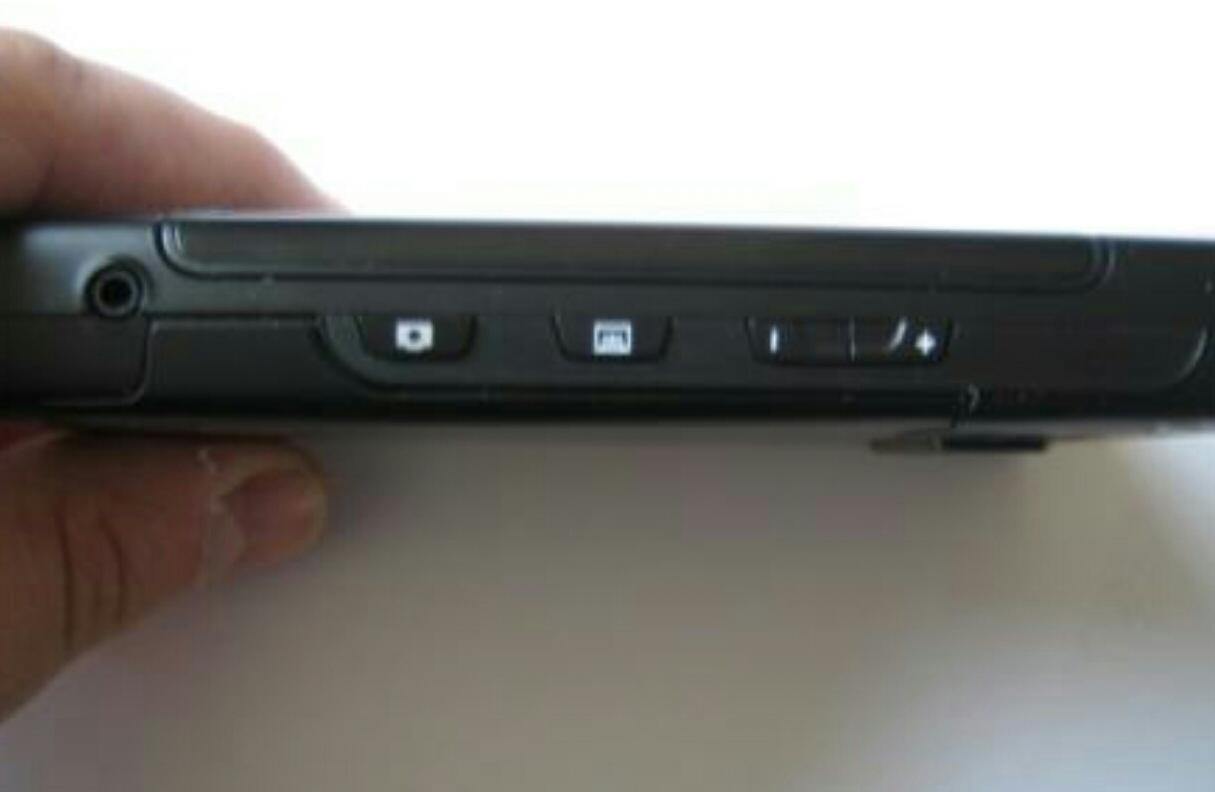
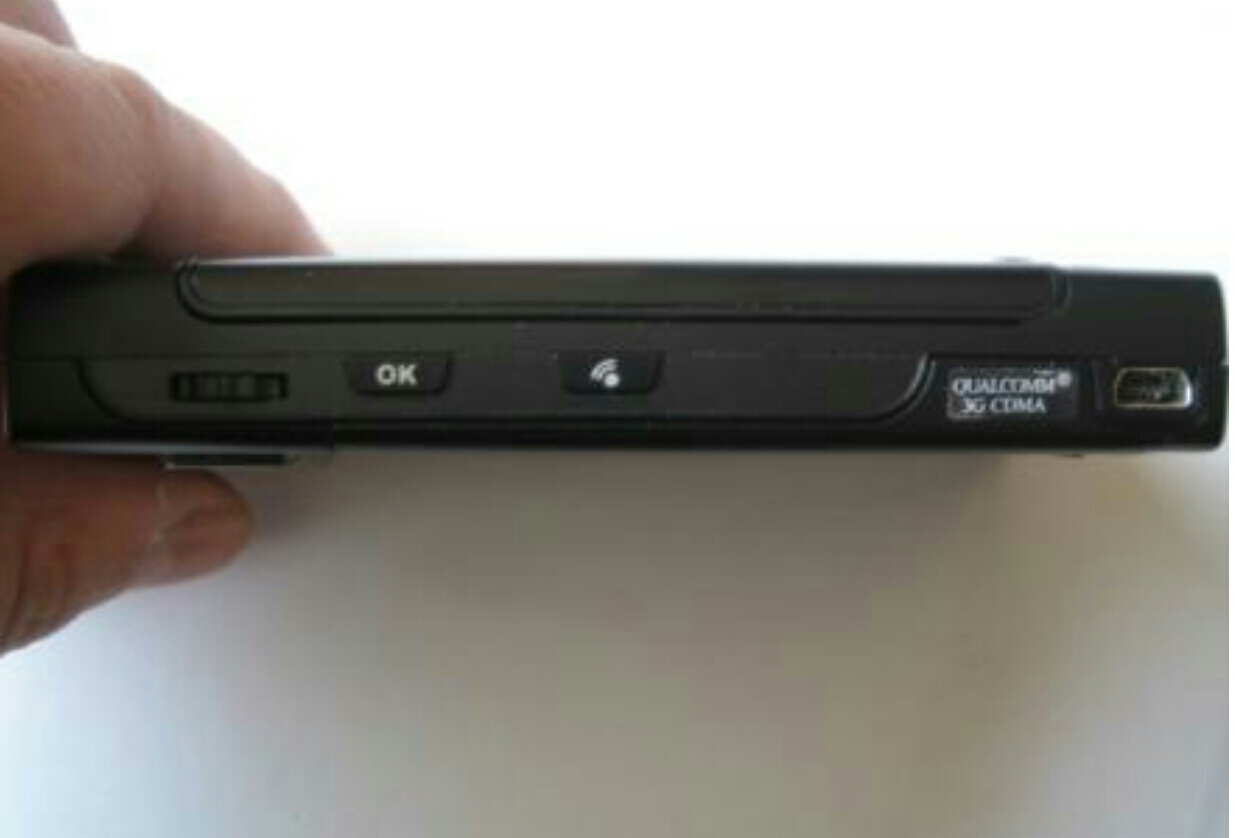
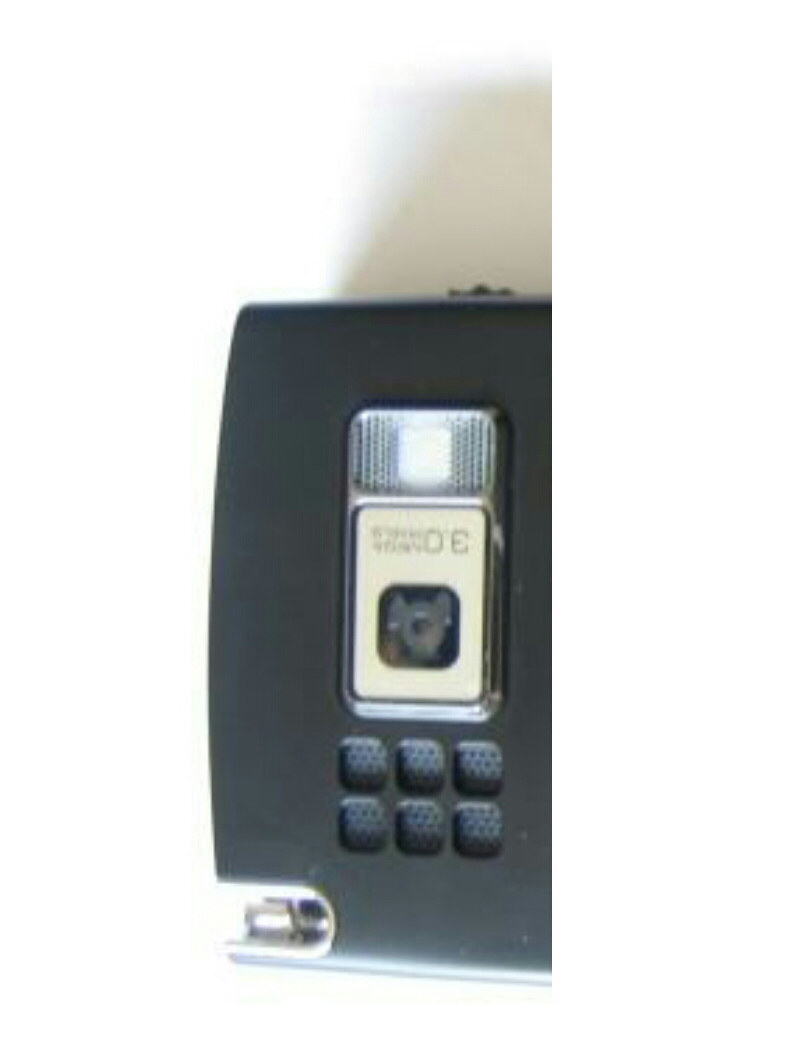
Some shots of the sides of the 9502.

image

image

image

Below is the specifications of the device. Worth noting that the 9502 has a large capacity battery, a magical VGA screen, integrated GPS, Bluetooth profiles includes printing and the HID profile for keyboards and TV out.


Technical of i-mate Ultimate 9502

Operating System –
Microsoft Windows Mobile 6.0 Professional

Processor/ Chipset –
400 MHz Qualcomm MSM 7200

Memory –
256 MB ROM
128 MB RAM

Display –
2.8” VGA (640×480) Touch-screen
262k color TFT with backlight

Operating Frequency –
Quad Band – GSM / GPRS / EDGE/ HSDPA / HSUPA

Keyboard/ Buttons –
Slider LCD exposes 39-key Qwerty keypad
Power button
Send and End buttons
Messaging and Internet buttons
Camera button
Volume up and down
Three (3) software programmable buttons
Two (2) soft-keys
Start and OK buttons
5-way navigation
360° Jog wheel and OK / Back
Soft reset

Camera –
3.0 Megapixel auto-focus camera – LED Compensation light
VGA camera for Video Calls

Connectivity –
WiFi 802.11 b/g
Bluetooth 2.0, A2DP (Advanced Audio Distribution profile)

GPS –
NMEA 0183

Interface –
Combo port for USB, TV Audio output, Charging
MicroSD card slot
Audio jack (2.5mm)
SIM card slot

Power –
Removable 1620mAH, Lithium ion-Polymer battery
Standby up to 180 hours (UMTS)
Talk Time up to 260 minutes (UMTS)

Dimensions –
116mm(L) x 60mm(W) x 17.8mm(T)

Weight –
200g with battery pack


If only the micro sd slot supported sdhc cards, this would make this device truly unbelievable. I-mate are rumoured to be working on an update to Windows Mobile 6.1 which might include support for sdhc cards.


You must charge the device for 8 hours. It is extremely tempting to turn the phone on, but I just about resisted. While you charge the device it is a good idea to register the device at http://www.clubimate.com and login and use the Custom iq service. This allows you to create a custom installation. You can setup all your email and activesync settings, and save up to 16mb of cab files for automatic installation. When you turn the device on for the first time it notes what mobile operator you have and configures the device for use. All the data, voicemail, sms and mms settings were installed automatically. The next options included registering the device as an enterprise one and whether I wanted to use the i-mate device customization. I entered my user name and password and next I get a message asking if I want to install over the air 10mb of files. Best use wifi if you don’t have a unlimited data plan. Wonderful touch. I-mate also offer a 2 year guarantee.


Memory. The 9502 has available after its first boot 98.92 mb and 36.12 mb of program memory. The program memory could be more, especially for a VGA device. I found I had to use a good task manager like Magic Button to close the programs. However, I did not run out of memory.


Using the keyboard. The screen slides up very quickly to reveal a lovely qwerty keyboard. The soft reset hole is top right of the keyboard. I found it simple to type using two fingers, one each side. The grip is great and having the VGA screen is lovely. The screen rotates from portrait to landscape instantly.


Camera. The 3mp camera was quick to fire up. It had a quick shutter speed for a pda phone, with auto focus and led flash. The quality of the camera was impressive.

image

Software. The 9502 comes with all the standard windows mobile software, including windows live. It also has all the i-mate device customisation and support options. In Pocket Internet Explorer there is an option to view web page in high definition. Lovely touch again.

image

GPS. There is no included GPS software. I installed Tom Tom 6 which worked beautifully and looked great on the VGA screen.


TV Out. Like the 8502, the 9502 has a TV out feature. The TV feature shows exactly what is on the 9502 screen in real time with no lags. As the 9502 is vga the resolution on the TV screen is excellent and idea for powerpoint presentations of picture shows.


The memory card slot is under the battery cover on the side of the device.


Camera shot. Notice how sharp all the objects are despite varying distances.

image

I would recommend the i-mate 9502 as the ultimate power horse. Available and with thanks to http://www.clove.co.uk for dispatching it so fast.