Category Archives: Wearables

Apple Watch app news – Hangouts, Netatmo Comfort and British Airways 

As the Apple Watch gains popularity slowly but surely the apps increase in both numbers and sophistication. 

British Airways – Features easy access to travel information, view flight number, route, departure time, flight status, destination weather and a countdown to the time left before the plane takes off. Coming soon will be the ability to scan boarding passes and print luggage tags. 

Google Hangouts – replying from the Apple Watch is now possible. You need to turn notifications on and notification centre on. 

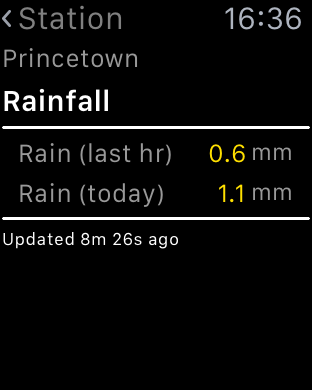
Netatmo Comfort – if you own the Netatmo Weather station this is one mega cool app. It runs on the phone along with several complications. It has now been updated to show data from the wind sensor. 

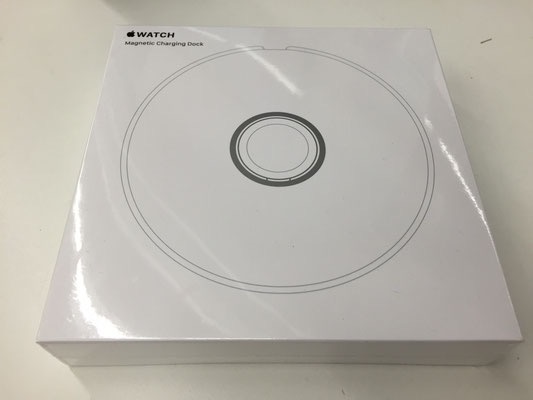
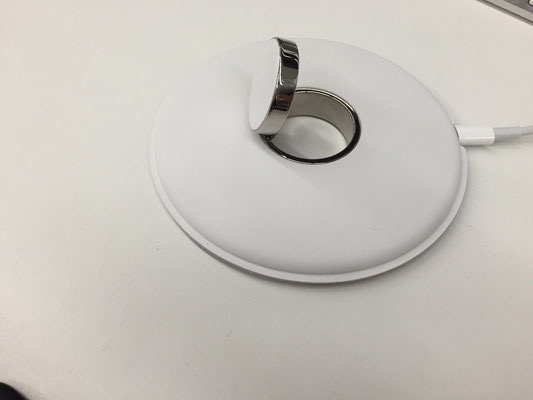
Apple to release its own Apple Watch Dock – Details – Plus buy this instead! – Updated 


According to Grobgeboggt.de Apple is soon to release its own branded Apple Watch dock, along with a high price tag. 

Update – it is already in Apple Stores selling for £65. 

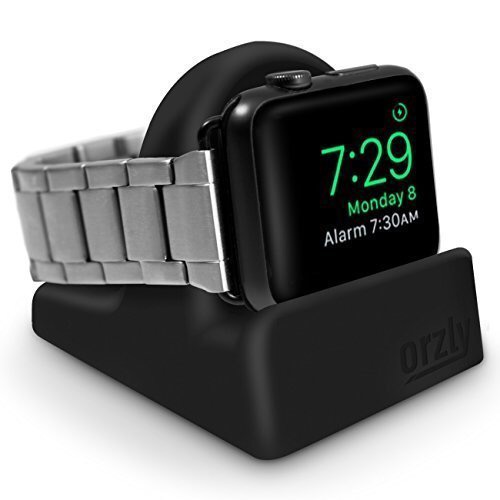
However, if you want a dock to charge your Apple Watch, I use a Orzly Apple Watch Night Stand (Amazon Link)
  
It uses the Apple Watch charging cable but is totally concealed and the ridge supports the watch when charging and prevents movement, which in turn prevents the watch coming off the charge point. It also works with both watch sizes and it has proven to be superb. Good value at £7.99 as well. It is available in 4 different colours. Personally I have the black finish. 

The Tag Heuer Connected – £1,100 Android Wear Watch

Yesterday, Tag Heuer annouced their new Tag Heuer Connected, a £1,100 android wear watch. Below are 2 videos, one detailing just the specs and the other an overview of the new watch.

The watch was developed in partnership between Intel and Google. It is made of titanium, conforms to IP67 and based off of the Carrera Calibre design. It has a 46mm face with a sapphire crystal touch screen.

After 2 years Tag Heuer is offering customers the ability to upgrade to a real watch ie non android wear, so really the £1,100 is future proofed. The Connected Watch does not have a heart rate sensor, so health tracking options are limited.

So would you buy one?

And a 360 degree product specification tour.

The Apple Watch – One Month Later – review 


I have had the Apple Watch since I received the new iPhone 6S Plus. I’ve not really dedicated a post covering the Apple Watch as I have had some teething problems with iCloud and iTunes Match. Fortunately, these all seemed resolved. So now I can spend some time talking about why I stayed using the iPhone and that has to do with the wider hardware and software Eco system. The hardware includes iPad, MacBook and the of course the Apple Watch. 

I think I was lucky to get the Apple Watch when watch OSv2 arrived, otherwise I reckon I would have been somewhat disappointed with the original firmware. I looked at the 3 Apple Watch models and choose the steel finish with the Milanese strap and a spare sports strap. I like the blue sports strap as its marginally more comfortable than the Milanese strap, but doesn’t look as posh. But now I never wear the blue sports strap. Should I wish to swap the band, Apple make this process so simple with the push to release mechanism. 

So what do I like about the Apple Watch. The attention to detail in the build. I like the look of it on my wrist. However, my wife and I were discussing the real need of the Apple Watch and we both agree it is not necessary to own. If you want to get fit, buy a Fitbit Charge HR for £100.

However, what I have found as the month has progressed is how I start to use it for small things and let it help me speed up some routines or processes that I would use my iPhone for. 

  
Some of the flash stuff I like using on my Apple Watch is taking phone calls usually when my hands are engaged and my iPhone is in a different room. There is a slight delay while it hands off the call to the watch. This is only a viable option in a quiet room as the volume is not very loud. However, background noise does seem to get partially removed which is a plus point. 


My weather station statistics can be displayed on my Apple Watch and even includes a complication. I can take measurements with Qardio Blood Pressure monitor, monitor my walks across Dartmoor using Viewranger GPS. Replying to notifications via voice is accurate. Sending heart beats to my wife or little hand drawings is silly but fun at the same time.  Using Hey Siri command, seems hit or miss.

  
The fitness aspect of the watch works as described and links nicely into the activity and health app. As apps develop with the new firmware I can see more clever stuff being possible on your wrist. However, less is more so it I don’t let all my notifications hit my wrist. The Taptic vibration is also a lovely aspect of the watch. 

  
But as I originally said,  it is not a must have item, just a cool and clever item to have. Maybe that’s why Apple are trying to steer its focus away from a tech need, and more a fashion need!

Regardless, I really like it for its style, apps and geek factor.

Recent Phone, Bluetooth Headphones and Audio Equipment reviews

There have been several reviews over the last few weeks. Below are the links. Over the next few weeks there will be more reviews covering new smartphones and the brand new Chord Mojo which has taken the audio world by storm.

Apple iPhone 6S Plus incl Apple Watch review (continuously updated) – Now 14 Parts

Apple iPhone 6S Plus – The Review

August SE20 Mini Radio and Portable Bluetooth Stereo System Review

August SE20 Portable Mini FM Radio and Bluetooth Stereo System – review

August EP650 Bluetooth Stereo Headphones Review

August EP650 Bluetooth Stereo Headphones – review

August EP610 In Ear Bluetooth Stereo Sports Headphones review

August EP610 In-Ear Bluetooth Stereo Sports Headphones – review

August EP636 Bluetooth Stereo Headphones review

August EP636 Bluetooth Stereo Headphones with NFC and Mic – Review

Honor 7 Smartphone review

Honor 7 Smartphone – my review

Suaoki 40W 8A 5 Port Compact USB Charger

Suaoki Compact 40W 8A 5 Port High USB Charger – review

Motorola Moto X Play

Motorola Moto X Play – review 

LG G4 – 4 month review

LG G4 – 4 Month Review – The Ultimate Package and its last hurrah

LG G4 – main review

LG G4 – The Review – All 26 Parts

Sony Xperia Z5 Compact 23mp Camera Test

Sony Xperia Z5 Compact – Just how good is the new 23mp camera – See for yourself!

Huawei Watch review

Huawei Watch – my review

Samsung Note 5 Dual Sim review

Samsung Note 5 – Dual Sim – First Impressions

That “Syncing” Feeling – Notifications between the iPhone and Apple Watch – SOLVED

Sometimes, you need a Genius from an Apple Store or just a light bulb moment. Or both.

So let’s quickly recap and makes some sense of the above statement. The iPhone 6S Plus was available to hold in your hands on the 25th September. The first 2 – 3 weeks for mew were taken up with an unpleasant experiment of using iCloud Photos and iTunes Match and the need to spend evenings trying to fix the mess. In the end I am not using either of those options from Apple.

iCloud Photos is flawed. It wants to sync your entire library on each device. You can have a save space option or full resolution. What you can’t do it select which albums to sync, which for large photo libraries would make sense. Also, if you go out and snap 300 photos, even if you delete 270 and delete them in the iPhone’s recently deleted folder, it appears it still uploads 300 photos taking up time and unnecessary bandwidth. iTunes Match offered me a lower quality bit rate recording then my original song. So whilst not a massive drop in bitrate it was enough. In addition, iTunes Match first sync was causing issues that I have already documented in previous posts.

So I am using iCloud though for everything else including iCloud Photostream. I have resorted to backing up to Google Photos in high resolution too.

Now that left me with one nagging issue. Notifications on the iPhone 6S Plus and Apple Watch. The default behaviour works as follows. Place the Apple Watch on your wrist and no notifications will sound on your iPhone. Your Apple Watch can vibrate (tap) or make a ping. It only has one sound for notifications whereas on your iPhone different apps can make different sounds. This became annoying as it I was working at my desk, it was potentially easier to decide whether to react to a notification purely based on its sound. Even if you don’t agree that makes sense, it would have had been great to have a toggle in the settings somewhere to give you that option.

This option seemed non existent. Nobody knew the answer, not even Apple support, but then during another conversation there was a eureka moment. Whilst wearing the Apple Watch, if you want to stop notifications on the watch, but hear them on your iPhone, go into the Apple Watch iPhone app, go to DO NOT DISTURB, switch mirror iPhone to OFF. Then on your Apple Watch, in settings or using the Glance Screen settings, tap DO NOT DISTURB. Remember to reverse this if you want your watch to notify you again. Mirroring DO NOT DISTURB on your iPhone is a good thing especially as it means both devices at the preset time will switch to this option.

A solution is a solution even if its a bit long winded.

Microsoft to the World – Editorial

Yesterday Microsoft held a press event for its Windows 10 devices. Announced were the new Microsoft Band, Lumia 950, 950 XL, Surface Pro 4, Lumia 550, Surface Book and Project X-Ray and a few accessories.  Take a look at the video above to see all the devices in action.

Firstly the event was a master class in how to present and create a buzz. If you watched the event you would have been left drooling for everything announced.  However, as good as it appeared the level of detail was absent at times too. For example, Microsoft kept telling us how good everything was but didn’t always show how. The Surface Book was touted as twice as fast as the MacBook Pro, so they showed a video of game play running on the Surface Book instead of actually playing the game. The new Lumia 950’s, no actual camera samples, just that the cameras were great.

If you breakdown the event what Microsoft actually did was create and demonstrate that they are still extremely relevant and have some of the best hardware and software too. In fact just like Apple , Microsoft now own their Eco system from a hardware and software point of view and consequently announced powerful and dominating products. 

Project X-Ray demo was freaking awesome. Virtual reality and holo lens combined. This was shown at the start of the live event to leave people wowed. The Surface Book’s claim as the most powerful laptop ever and twice as powerful as the MacBook Pro is a strong claim. And then the display separates from the keyboard to become a tablet. Of course what Microsoft didn’t tell you was the price for this top end configuration of their Surface Book. I will, it’s very expensive with configuration options totally $2,700. Well for that money it had better be bloody amazing. 

The new phone lineup with the Lumia 550, 950 and 950 XL was all about the flagships and not much about the 550. The new 950’s are fitted with top end specs but again the key standout feature was using the phone connected to a keyboard and display and the Window 10 apps automatically scaling up to be full size. So your phone can be your home computer. Very neat. The flagship phones should cost around £450 and £550 respectively. 

Microsoft also announced their new Microsoft Band. Curved and with more specs and features than the competition. More sensors than their competitors. They also demonstrated just how feature rich Microsoft Health has become and how it now integrates with many third party software services and apps. 

So now you can ditch your Google and Apple devices, and buy the latest phones, health band and laptop from Microsoft and have super top notch hardware. 

One missing point though. What about the apps? We all know the Microsoft store is way behind android and Google but maybe after impressing with its hardware third party developers will rush on board and develop apps that work on any Windows 10 device regardless as to whether it’s a phone, tablet or something else running Windows 10. 

It seems Microsoft has regrouped and come back looking to regain lost ground. Will it? Only time will answer that question. 

Pebble launches the Pebble Time Round – video and views

personalization-af7ea257570f65df8ca83d96f072ef53

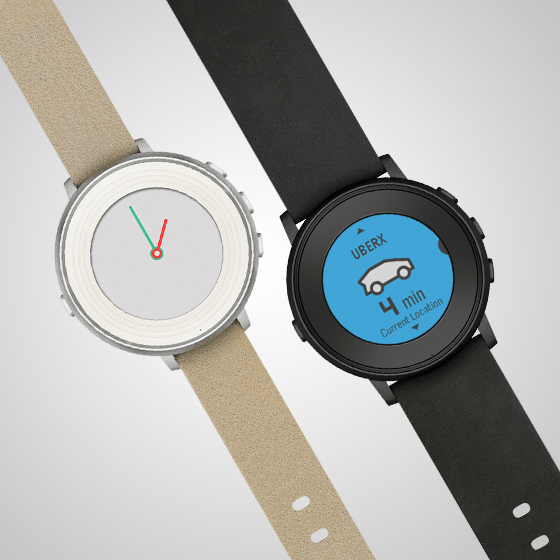
So Pebble announced last night a round smartwatch. It is much thinner than previous watches of theirs but compromises on battery life by only last 2 days instead of 10 days. The over aspect is it only takes 15 mins charge to provide 24 hours usage. It will come in three finishes, black, silver or rose gold, with a choice of 14mm or 20mm leather or stainless steel bands. It is 7.5mm thick and weighs 28g, which is very light.

So what do you think? Is it a gamble at $249. And if you just received your Pebble Time, how do you feel about this new watch so soon?

Huawei Watch – my review

wpid-wp-1441179997893.jpg

Welcome to my review of the Huawei Watch.

First let’s take a look at the official specifications –

Specifications –

– Size 42mm diameter, 11.3mm thick
– Colour – Silver, Black, Gold
– Display 1.4-inch full circle AMOLED display, 400×400 screen resolution, 286 ppi
– 10,000:1 high contrast ratio
– Material Cold-Forged 316L Stainless Steel, Glass Sapphire crystal
– Battery 300mAh
– Connectivity Bluetooth 4.1 BLE, WiFi
– Sensors 6-Axis motion sensor (Gyroscope + Accelerometer),Heart Rate Sensor (PPG),Barometer, Vibration Motor
– OS Compatibility Requirements Android 4.3+ / iOS 8.2+
– Cases Stainless Steel Case,Black-plated Stainless Steel Case,Rose gold-plated Stainless Steel Case
– Straps (Standard 18mm lug width), Stainless steel Mesh Strap,Stainless steel Link bracelet,Genuine leather strap
– Memory 512MB RAM + 4GB ROM
– Magnetic charging base

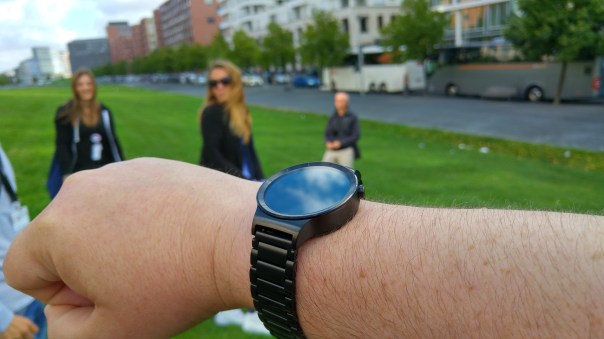
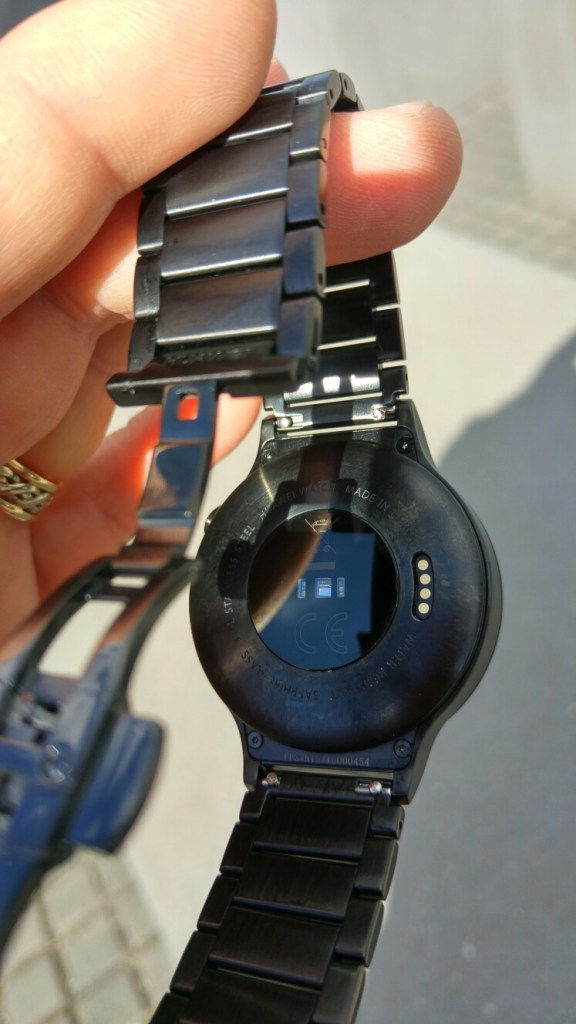
The first thing that strikes you about the Huawei Watch is that it is a full circular display with smallish bezels, and overall its size is more watch size. Compared say to my LG Watch Urbane, it is somewhat less bulky.
wpid-14411837014571.jpg

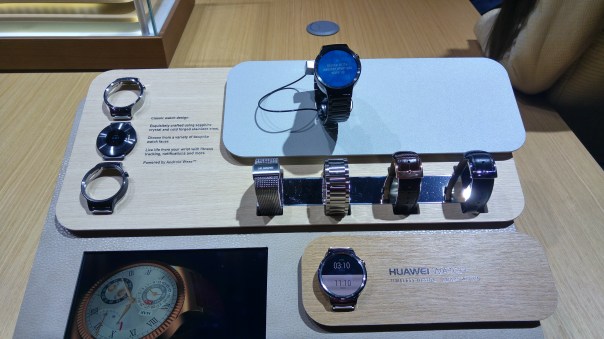
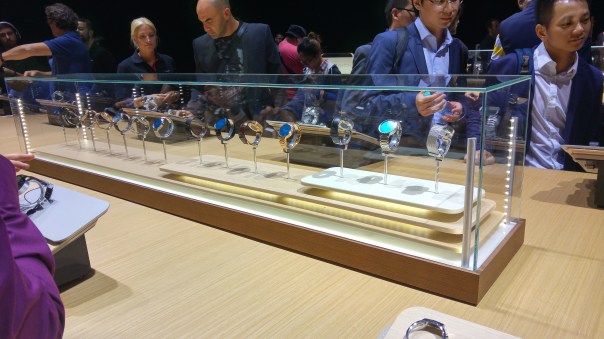
Huawei have gone to town to try and make their watch appear more like an expensive time piece with another of steel and leather straps on offer, as well as different steel coloured finishes. The screen is very clear, and this is aided by the sapphire coated screen. See below the range of finishes and casing. The straps have quick removal pins.
20150902_164941_HDR

20150902_164932_HDR

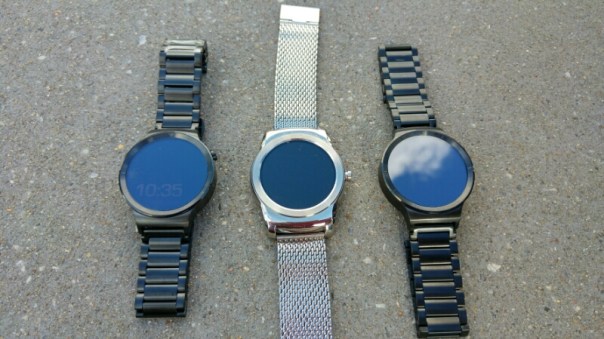
As a comparison, here are two Huawei Watches either side of the LG Watch Urbane.
wpid-wp-1441183029991.jpg

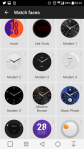
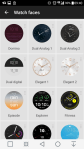
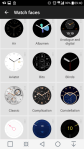
Huawei designed many top notch watch faces for the Huawei Watch. Tap on an image in the gallery to start viewing the options. Note there are some of my Watch faces included in this collection, but I really liked several of the Huawei designed faces.

However, at the heart of everything is Android Wear. Some people love Android Wear and its card based notifications, but compared to other watch operating systems it can feel left behind. Samsung introduced the Gear S2 based on Tizen. This is a slick watch operating system, probably with a deficit in third party apps. Apple Watch has all the apps, but not the range of watch faces available on android wear. Android Wear has all the watch faces but lacks the app integration of that provided by Apple. So there are pros and cons of each. The trick in my opinion is to have a smart watch look like a watch. And this is where Huawei succeed. In terms of battery life we are talking one to two days.

But what about pricing.
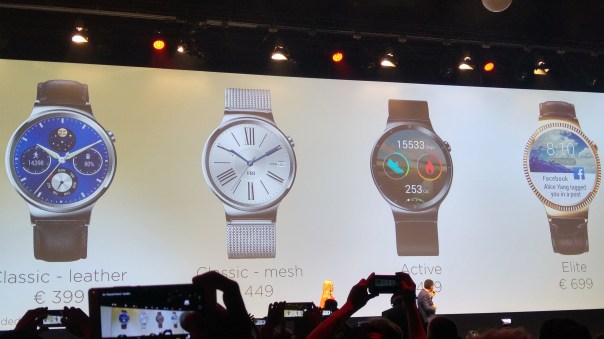
20150902_155456_HDR

As you can see from the slide photo above, Huawei is pricing the watches at the mid to higher end.

Conclusion

Huawei have gone to town to make a smart looking watch, that runs android wear. To keep up this expensive or premium feel, the Huawei Watch is boxed in a luxury watch box too. The final decision is whether you want to outlay such an expensive on a watch running android wear, but then the same could ve said for those spending £10,000+ on the Apple Watch Edition!
Apple – My verdict on all the new announcements – iPhone 6S, Apple TV, iPad Pro and new Apple Watch options

Yesterday, Apple carried out a near perfect 2 hour masterclass keynote speech, announcing a wide range of new products. Here are my initial thoughts on everything.

New iPhone 6S and 6S Plus

The new iPhone has a new 12mp camera that coupled with the new A9 processor and digital image processing chip allows for 4K video recording, live photo capture and a whole lot more. Apple made the point that by increasing the MP they did not sacrifice pixel quality. The tech specs show that the camera sensor has got smaller not larger with the iPhone 6S. Instead of 1.5 microns it is now only 1.22 microns. As a comparison , the LG G4 camera sensor is 2.6 microns in size with a f/1.8 aperture. The iPhone 6S is still only f/2.2. Despite these specs, the proof is in the pudding and time will tell.

3D Touch now comes to the iPhone (or Force Touch). The front camera is now 5mp. With all the other features and tight hardware and software integrations, the iPhone makes for a compelling package, albeit at a high price.

A new pink colour is now available too.

iPad Pro

The iPad Pro is a giant iPad with a 12.9 inch screen. It has the new A9X processor and has bespoke accessories from the new keyboard with speakers and the Apple Pencil. The Apple Pencil is a stylus for the iPad Pro. The iPad Pro looks excellent but at 713g for the WiFi only model and 723g for the WifI plus LTE it is just too heavy. Also, it pricing invades the MacBook Air or Macbook line up. Surely, it is better to buy one of these and run proper desktop apps? Beautiful product if you like that sort of thing.

Apple TV

The new Apple TV with TVos shows promise. A clean user interface, using siri and a new remote control that also adds as a game controller. Proper game controller can be used with the Apple TV too. Current limitations restrict apps to 200mb with the other app components needing to be held in the cloud. So probably more of a casual gaming option. Siri searched other TV streaming platforms which I thought was a neat feature. Overall, I really liked the new Apple TV.

Apple Watch

So just in time for the holiday season, Apple launches a whole range of new straps, watch finishes and special edition straps. This is surely going to be a popular Xmas stocking filler. Watch OS2 was shown off too and looked very promising.

Data Storage Costs

Finally, Apple reduced the size of their cloud data costs, making the service far more reasonable and competitive.

Final Thoughts

Personally, I thought Apple nailed it. Tight integration of engineering, software and hardware shone through. Whilst I remained optimistic, Apple’s share price has dropped 2.16 following the keynote speech.

So what are your thoughts on the Apple product announcements?