Can you help Gavin’s Gadgets? Actually you can. If you decide to buy anything on Amazon, please use the special link below to visit Amazon UK. By using this link, you will help support Gavin’s Gadgets with all the running costs and more, and yet it won’t cost you anything when you shop on Amazon UK. That’s right the price you pay at Amazon is the same whether you use the link below or not.
All posts by Gavin Fabiani-Laymond


All Latest Reviews from Gavin’s Gadgets – Phones, Headphones, Apps, Cameras and More
Below are all latest reviews that have published on Gavin’s Gadgets. There are plenty more reviews in the pipeline including the Samsung Galaxy S7, LG G5, new headphones, app reviews, Netatmo Welcome, Netatmo Wind Sensor, and much much more.
If you have a product that you would like me to review, please get in touch.
App Reviews
ProCamera + HDR for iOS – review
Note Tapper for Apple Watch – review
Audio / Personal HiFi / Headphone reviews
Pioneer XDP-100R – DAP – review
iBasso DX80 plus using with Chord Mojo – review
Lindy BNX-60 – Bluetooth Headphones review
Ted Baker Rockall Headphones – review
Sony MDR-1RNC – Noise Cancelling headphones – review
Tascam Trackpad US 2×2 – Review
Connected / Security devices- Reviews
miGuard A105 DIY Security System review
The Apple Watch – One Month Review
Smartphone / iPad Pro – reviews
Sony Xperia Z5 Compact – review
Apple iPad Pro, Smart Keyboard, Pencil – review
Revealed – The official Samsung Galaxy case
This is a case to a new Samsung Galaxy phone. It’s the official Samsung case.
Sound like a familiar story that circulating in the news at the moment? #LG.
I can hear you say yes it does sound familiar.
Well you’ll be pleased to learn I am going to try and avoid these stupid pesky news items and concentrate on diferent newsworthy items to publish.
With regards to the new flagships I do intend to put them thru their paces 🙂
Heartwatch 2 for iOS – My favourite Apple Watch just got a massive update – mini review
It was only about a week ago and I reviewed Heartwatch for iOS. Click HERE to recap on the mini review.
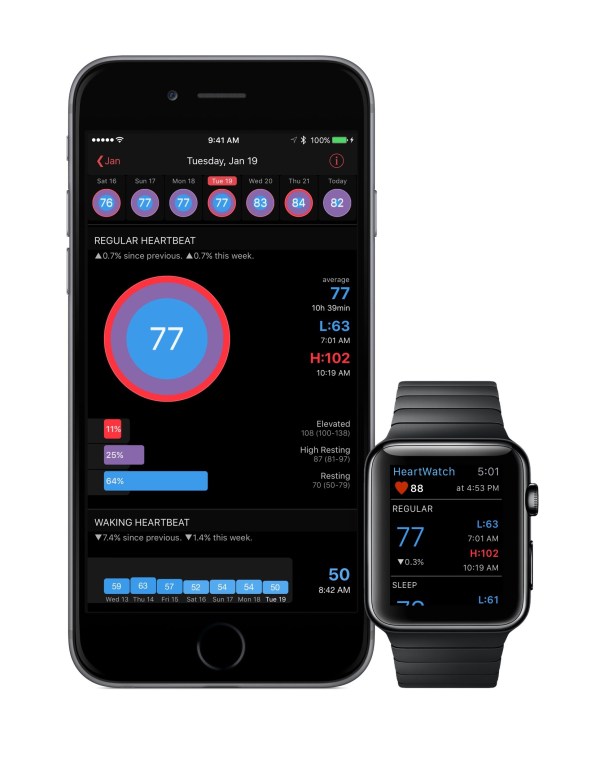
And just like that along comes Heartwatch 2 for iOS and what a huge update it is.
HeartWatch 2 introduces heart badges. These are a simple glanceable graphic that lets you quickly see how your heart is doing for different types of events. The colours represent time in zones overlayed with an average.
For regular heart rate readings, the ideal is to have a completely blue badge. The bigger the red ring around the badge, the more time spent with an elevated heart rate. Even though averages can appear to be similar, the badge shows a clear picture of how your heart has really been tracking and alerts you about excessively high or low readings.
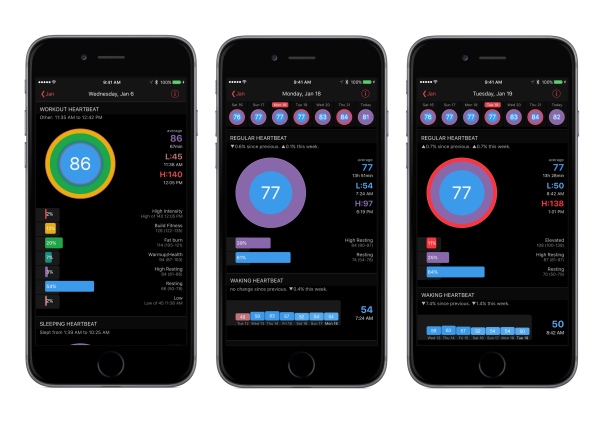
For workouts, you can easily see the zonal makeup of your workout at a glance.
If you own an Apple Watch there is now an intelligent complication. When your iPhone detects a new high heart rate, it displays it on your Watch face. This links in to the fast Watch app. No spinning cursor. No waiting. Press the complication and an instant background update has you seeing your latest heart rate and a summary of your day.
You can also capture key HealthKit measurements just by saying them, take notes about your day and track sleep. Even take your waking pulse.
The watch app changes how it looks when you are working out to help you stay in your training zone. Just start your workout as usual using your favourite app. Your readings are big & colour keyed by zone. Red is intense, yellow is fitness, green is fat burning, aqua is health etc. You’ll never see “Measuring…” again.
Whether you are looking for heart rate irregularities or checking on your workout progress, HeartWatch makes things very easy via a 12 week big picture.
If you aren’t too concerned about sleep cycles and phases, and just want an idea of how you slept, HeartWatch analyses restless vs basal energy captured by the Watch whilst asleep and shows your “battery charge” for last night and the trailing week. It even overlays this over your heart rate readings for easy cross reference.
Then of course there are all the features from version 1 along with notifications. This app really adds a lot of value if you own an Apple Watch.
To read more about Heartwatch 2 for iOS head over to the Apple App Store.
Samsung Pay is coming to the UK very soon – details
Apple Pay feels like it has been here for ages without any competition from Google and Samsung.
Well the tide is about to turn as Samsung is set to announce Samsung Pay is coming to the UK at the same time as announcing the new Samsung Galaxy S7 on 21st February 2016.
Nathalie Oestmann, Head of Samsung Pay Europe, revealed that Samsung Pay will be coming to both the UK and Spain very soon and that more details will be shared at Mobile World Congress. Since we’ll be expecting to see Samsung announce the company’s next flagship smartphone at around that time, it would seem as though two birds will indeed be taken out by a single stone.
Samsung Pay will be a significant competitor to Apple Pay and even Android Pay as Samsung’s system works with both contactless terminals and non contactless terminals. In other words it will work in every shop that takes credit cards.
This one feature could really help spur growth for its new flagship.
Source – Pocket-Lint
Shot on an Apple iPhone 6S Plus – Pushing the Camera to its Limits – Editorial
The Apple iPhone 6S Plus comes with a reasonable camera capable of consistent and reliable shots time after time. But what if you want to do more with the camera. Thankfully, the A9 processor is extremely powerful which means with the right third party app you can create photos that push the camera to its limits.
For this post I have used to apps. ProCamera+ and Nightcap Pro. These are apps I use all the time and have purchased from the Apple App Store. None of the photos below have been post processed or edited with any filters or any app. These are exactly what the respective apps produced. If you want to view the full size version, just click on the photo.
First up is a shot of Exeter High Street using ProCamera+ in HDR Auto 5 (5 bracketed photos). Just look how dramatic all the colours are in this photo.

Another shot using the ProCamera+ app in HDR Auto 5. This is Exeter Castle and Northenhay Gardens in Exeter.

Still using ProCamera+ app in HDR Auto 5. Exeter Cathedral Yard. Again fantastic colours.

Same as above for the next 2 shots. Some historic buildings in Exeter.


From what I can see, ProCamera+ works better with buildings than landscapes of fields, trees and plants.
Next up, ProCamera+ low light mode of Postbridge Bridge.

Now using Nightcap Pro long exposure mode. This was a long exposure of 30 seconds.

ProCamera+ Auto 5 HDR in Black/White HDR.

Now I realised after taking the above shots, that ProCamera+ had JPEG quality at 85% and not 100%. It also has the option of saving photos in raw format. Nightcap Pro has this option too. So with all the next shots in raw lets see what we can do.
Nightcap Pro – 30 second exposure in Long Exposure mode. Tripod used.

Now with ProCamera+ Low light mode. Tripod used.

And now with ProCamera+ Low Light HDR mode. Tripod used again.

Vast difference here.
Also remember with all the church shots it was near total darkness.
Nightcap Pro also is really excellent for photographing light trails, stars and the Space Station. It actually has specific modes for these items! Below is a quick shot with Nightcap Pro demonstrating light trails.
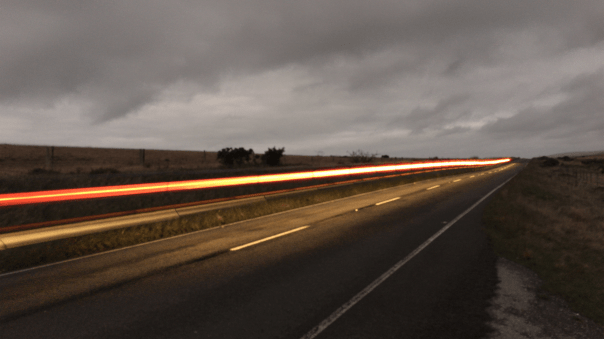
So there you have it. With the help of alternative apps you can easily push the boundaries of the Apple iPhone 6S Plus camera.
Control your lights using your Apple Watch – How to – Editorial
Back in January 2015, I reviewed the Belkin WeMo Smart Light Bulbs starter kit. If you never read this review, I really think its worth a read. Click HERE.
As a quick refresh Belkin advertise the features of the WeMo Smart Light Bulbs as
– WeMo LED Lighting Starter Set includes 2 x WeMo Smart LED Light Bulbs (B22) and 1 x WeMo Link
– Connect up to 50 WeMo Smart LED Light Bulbs and control them individually or as a group.
– The set works with the entire family of WeMo products.
– Modular system. You can add additional WeMo LED Light Bulbs easily, any time
– Turn lights on, off, dim or create custom schedules.
– Simply plug WeMo Link into a central outlet in your home, replace your old light bulb with a WeMo LED bulb, and download the free WeMo app to any smartphone or tablet
– WeMo keeps you connected to your home lighting anywhere you are over Wi-Fi, 3G, or 4G networks
– Bright, warm light similar to a 60W incandescent bulb. WeMo Smart LED Bulbs have a 23 year life expectancy
Well, I have had these WeMo bulbs in my lounge now for over a year. They are as superb as they day I got them. In fact, they have got better since there have been many firmware updates to help improve their reliability. At some point in time, Belkin has stated it will be supporting Apple’s HomeKit which will mean Siri integration. At the moment this is not possible so you have to use the official WeMo app to control the lights. However, this app does not have an Apple Watch application.
So how do you control the lights from your Apple Watch. Simply download 2 apps. IFTTT and Do Button by IFTTT. You then set up IFTTT and then Do Button by IFTTT. So download and install IFTTT app, and go and connect WeMo lighting as a channel in IFTTT. IFTTT gets permission from WeMo via the WeMo app. It is all a very simple process and you get clear on screen instructions from the respective apps. The whole process takes a minute or less. Then using the Do Button app create quick one button commands. In my case, I have grouped the 2 lights in the lounge, so I have 4 quick button commands. Turn lighting group on, turn lighting group off, dim to 10% and dim to 50%.
The Do Button app for IFTTT appears on your Apple Watch. You now can open its app, or have it as a Glance. Just press the big green button for the first 3 options you setup in Do Button for IFTTT. The Apple Watch app only displays your top 3 Do commands.
It really is super cool to dim your lights from your Apple Watch. When Belkin support HomeKit you will be able to ask Siri , “dim lights etc…”. At the moment only Philips Hue lights support HomeKit and Siri.
IFTTT is a very powerful application that links so many services and apps. I use it for a number of other connected devices and services. For example, when my Netatmo Weather station detects rain more than 0.1mm, it sends a tweet to the Princetown Weather Station Twitter feed, that rain has been detected.
IFTTT is a free app and cross platform so go give a try and see what more you can do with the current apps and services on your phone!
More information of the Belkin WeMo range – click HERE.
Twitter looks to alienate users with its new features – solution revealed within
Via the BBC News
Twitter is making two major changes to the way its users’ timelines appear. The app will show a selection of prioritised tweets, based on what it thinks users are “most likely to care about”, ahead of the normal list of posts shown in reverse chronological order. And a new First View feature will let marketers place a video ad high up in the feeds. The announcements came ahead of the company’s latest financial results. They are designed to make users more engaged with the platform and appeal to advertisers.
WTF is Twitter thinking. I despise the FaceBook videos in my timeline, but having video ads at the start when I open the app will be a disaster. Then change the order of tweets based on what twitter believes you will prefer is also a no no in my book. The solution is simple. Install a third party twitter app. I use Tweetbot on iOS and Tweetings on android. Tweetbot 4 is the best Twitter app ever made IMO.
LG G5 – The latest specs and features revealed today
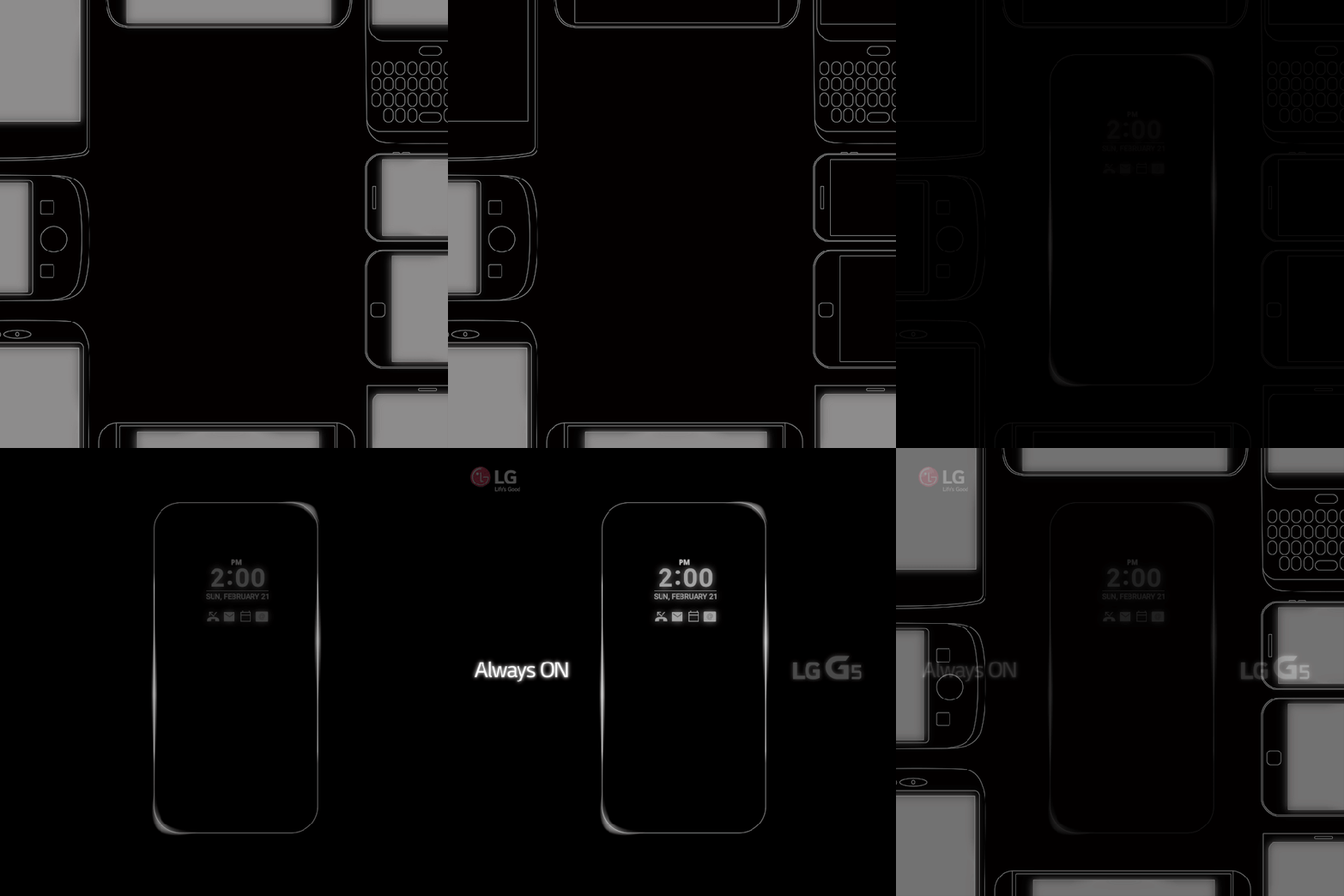
LG is only a few weeks away from revealing its new flagship and slowly but surely more and more information is getting released about the new G5. This time, it is LG that teased a bit more information.
Simply LG teased – Never go asleep while others do.
LG G5, Always ON.
So the LG G5 will have an always on display!
Source LG
Apple and Belkin launch official in Apple store screen protector fitting – video and full details
Belkin has launched its ScreenCare+ Application System for Apple retail stores. This system installs Belkin’s InvisiGlass and Anti-Glare screen protectors.
The system securely holds phones in place, to align the screen protectors 0.1mm tolerances.
The above video describes the process and efforts Belkin went to for this new service.
It is about time Apple offered this facility. Carphone Warehouse and Vodafone stores fit Zagg screen protectors which I hate with a vengeance as they look like the have some sort of orange peel effect. For some people, fitting a protector is essential. I personally don’t bother.
 Gavin's Gadgets & Photography