Tag Archives: Review

LG G Watch – update

It been a busy day again, and I’ve not really get a chance to tweak the G Watch. All I did do was actually use it. Replying via Google Voice in a number of apps worked really well including text messaging, hangouts and twitter.

The notifications were excellent but that is no surprise as its using Google Now. But battery life is one day. From 100% to 30%. Only good news is it’s a very quick recharge. But still just one day is poor. So I charged it to 100% before I went to bed, and this morning it was down to 87%. Part of the issue is that I have the LG G Watch display to always on, but it was disconnected overnight.

However, I like the G Watch a lot. As I said yesterday, it is comfortable to wear and I like the appearance. At the weekend, I will have some more time to explore it properly. There are even custom roms for it now!

LG G3 – First impressions

The LG G3 arrived yesterday. Going from the Samsung Galaxy K Zoom’s 720p screen to the G3’s Quad HD’s is light being punched in the face, such is the huge difference in the screen panels. The G3 is all about the screen. It is stunning.

The design of the G3 also means it is comfy to hold, and I am finding one handed use possible even though its 5.5 inch screen does make it a big device.

The other big difference over the K Zoom is storage (memory). The K Zoom came with 8gb (4.6gb user accessible) storage. My G3 is the 32gb/3gb ram model. It came with over 24gb user accessible. I left it downloading ALL my apps and ALL my games overnight. Well, nearly all. Some of my apps eg netatmo and the Amazon shopping app are not yet compatible for the high res screen resolution. This applied to a few games as well.

There is a lot to like about the G3 and an awful lot to take it as it has many many options. Simple it is not. Smart it is. More tomorrow.

20140709-070353-25433485.jpg

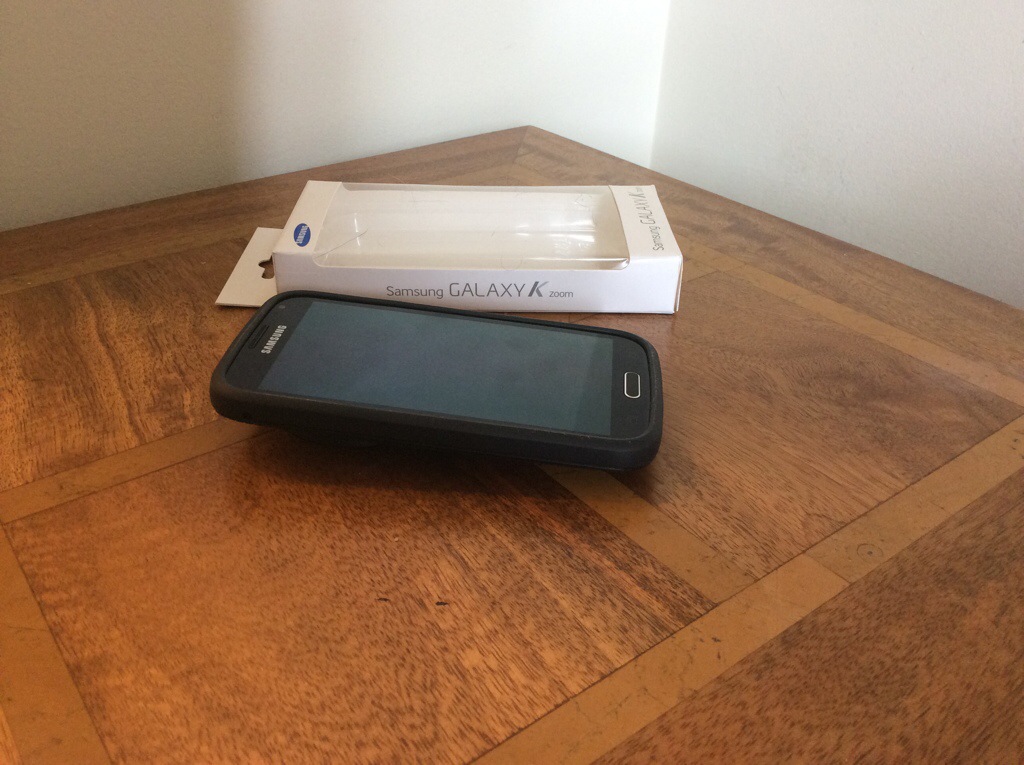
Samsung Galaxy K Zoom – official Samsung Protective case

20140707-184522-67522415.jpg

A few days ago, I showed you a few cases from eBay that I had for the K Zoom. Well finally, I have from Samsung their official protective cover case. It costs £20 so is not cheap but it is so much better than the previous 2 cases I had.

First up, the case seems to make the K Zoom seem slimmer. Not by much but every little bit helps. Second the edges are grippy rubber. The zoom lens is slightly protected by the case due to it covering the very edge of the mechanism. The same protection is offered for the screen. The power and volume buttons are covered, but the 2 way camera button is uncovered. All other cut outs for the other parts of the phone are exactly aligned.

20140707-185031-67831672.jpg

I will say this is the best case you can get for the K Zoom. Well, it is if the Samsung ever get more in stock!

LG G Watch – immediate first impressions

20140707-185437-68077340.jpg

It’s BIG but surprisingly comfortable. Compared to the Samsung Gear and Samsung Gear 2 smart watches I’ve owned already, I prefer the style of the LG G Watch. I am so pleased I didn’t choose black as that probably would have been too heavy looking. But you may disagree.

Setting up was a breeze. Download the Android Wear app from the Google Play store and install on your phone. Next charge the watch. It has a magnetic piece that aligns over the entire back of the watch. So it just snaps into place and is held together via magnets. Next with the supplied micro USB cable plug it in and charge away. You have to select your language on the watch and confirm pairing with your phone and that is it.

I’ve been very busy with my day job, so at the moment I’ve not had much time to configure it further. I do like the fact that it’s powered by OK Google commands which on the whole work so far well. I’m trying a few tricks out, like when I get within 10 metres of home, the hall light turns on.

It’s really early days so I will give it a week or so and update you further with my views.

Samsung Galaxy K Zoom – cases

photo 1
If you are lucky enough to have a Samsung Galaxy K Zoom, you are also unlucky in that accessories for this device are scarce at the moment.

You can buy a £2-3 wave silicone style case as shown quite easily but in my opinion it is ugly. There are now a few more styles, a yellow back style that provides less protection and when in stock Samsung have their fake leather looking case. The official fake leather Samsung case is in transit, and photos will follow shortly. There are other styles coming soon along and hopefully spare batteries which for a camera phone are needed.

photo 2
The yellow back case shown , is more stylish than the black silicone case but does offers less protection. The top and bottom of the case is open and the buttons are exposed as opposed to the black silicone wave style where everything is covered and offers a lot of protection. Also, this case is too slippery. So even though the black case looks ugly it provides better grip and protection.

One other style of case made by Araree is Autopop, where even the lens is covered on the K Zoom, and pops open when you activate the camera.

Hopefully, I will be able to get hold of a number of different styles and do a quick comparison between them.

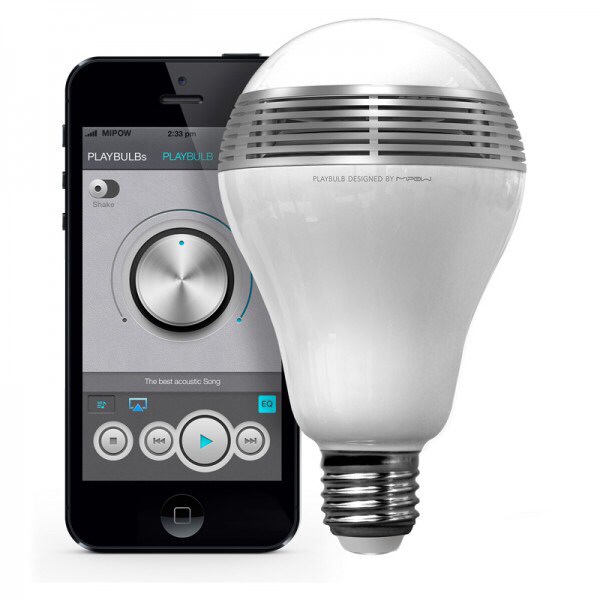
MiPow Playbulb Bluetooth LED Smart Loudspeaker Light review

20140701-080558-29158217.jpg

The Playbulb is available from Clove Technology and costs £49.99 inclusive of VAT.

The specifications of the Playbulb are –

-Voltage : 100-240V / 50-60Hz
-Power : 14Wrms (max) LED + audio
-Fits : E26 / E27 screw base light sockets
-LED power : 3W
-Speaker power : 3W RMS
-Frequency Response : 135Hz to 15KHz
-Bluetooth® version : 4.0 and Bluetooth® Smart, A2DP
-Wireless range : 10m (33ft)
-Available grill colors : white / silver
-Available LED Colors : Warm White, Cool White
-Apps : Additional functions such as LED control, EQ selection, operating -Modes etc. provided by PLAYBULBTM Apps available on iTunes and Playstore
-Apps Supported Devices : iPhone 4S, iPhone 5, iPhone 5C, iPhone 5S, iPod (5th generation), iPad (4th generation), iPad Air, iPad mini, Android Devices with Android 4.3 and above

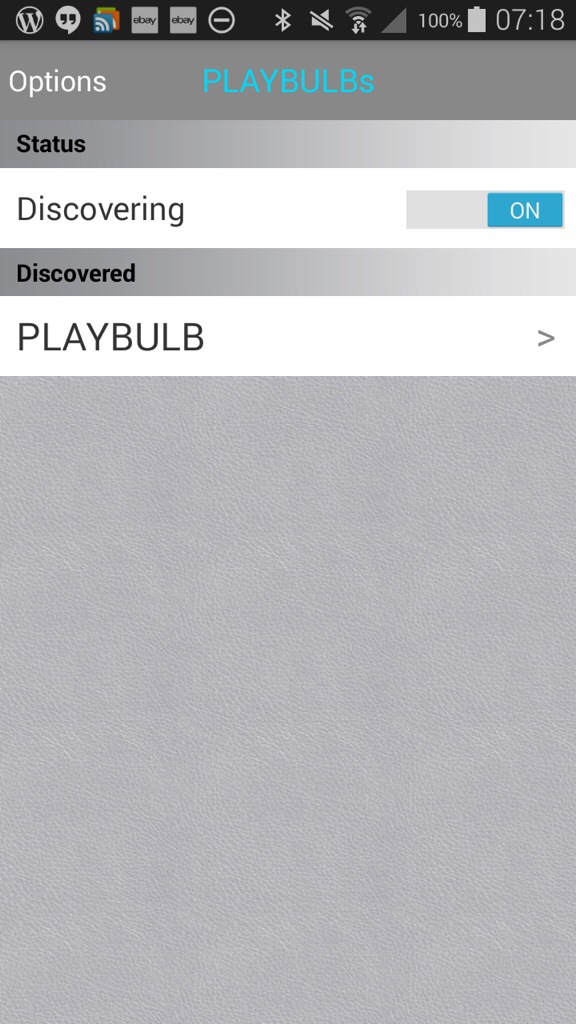
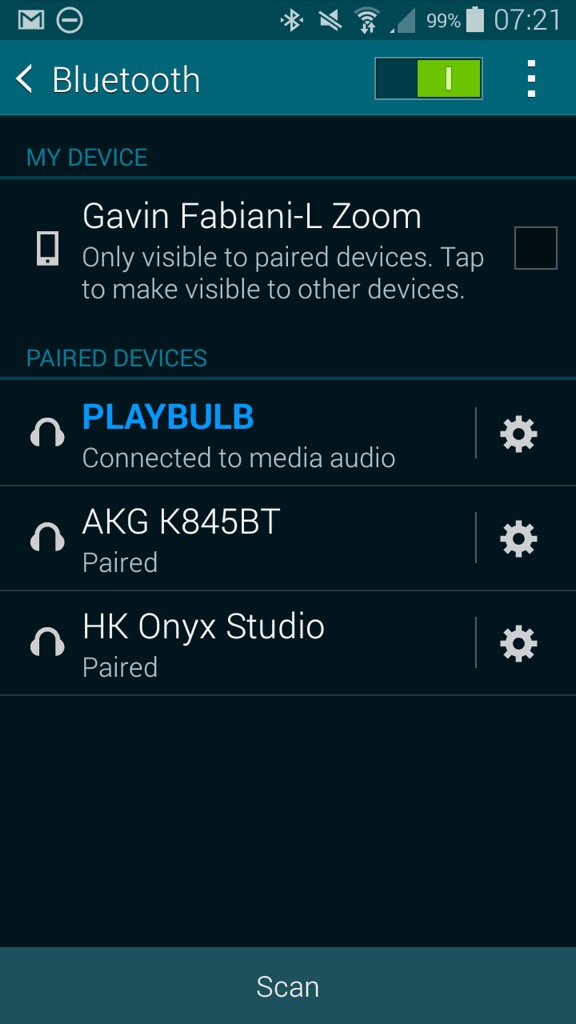
So to start off, screw bulb in to a light fitting. I used my clamp on fitting which gives versatility in placement. Next turn on your Bluetooth settings on pair the device. You should see it connected as a headset. See below.
20140701-081629-29789794.jpg

20140701-081629-29789656.jpg

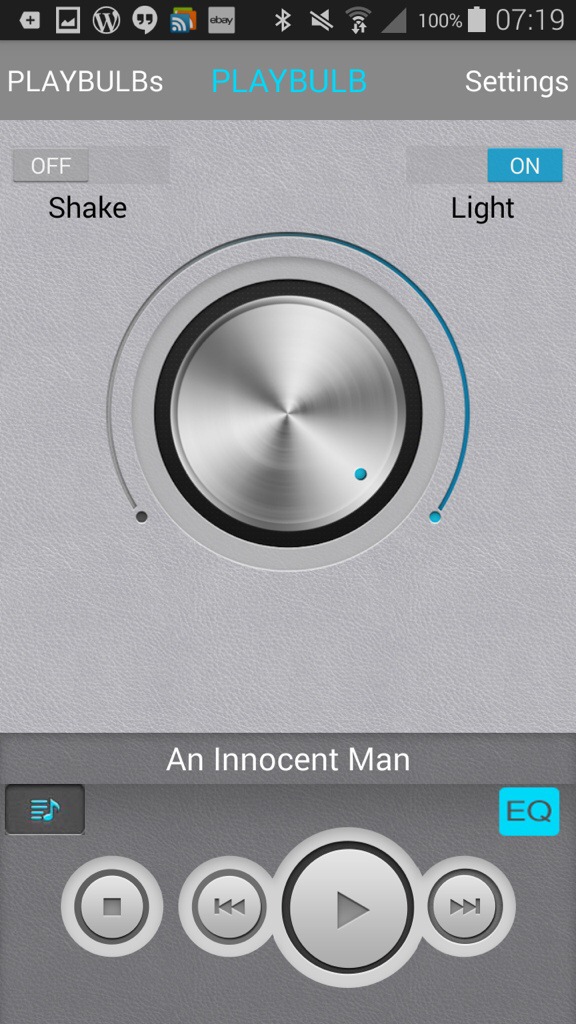
Next open up the app, and you will be faced with the screen shot above. Tap, Playbulb and move into the next screen.
20140701-081818-29898049.jpg

On this page you can use the slider to adjust the light strength, you shake to turn on or off, access music on the phone and tap in the settings.

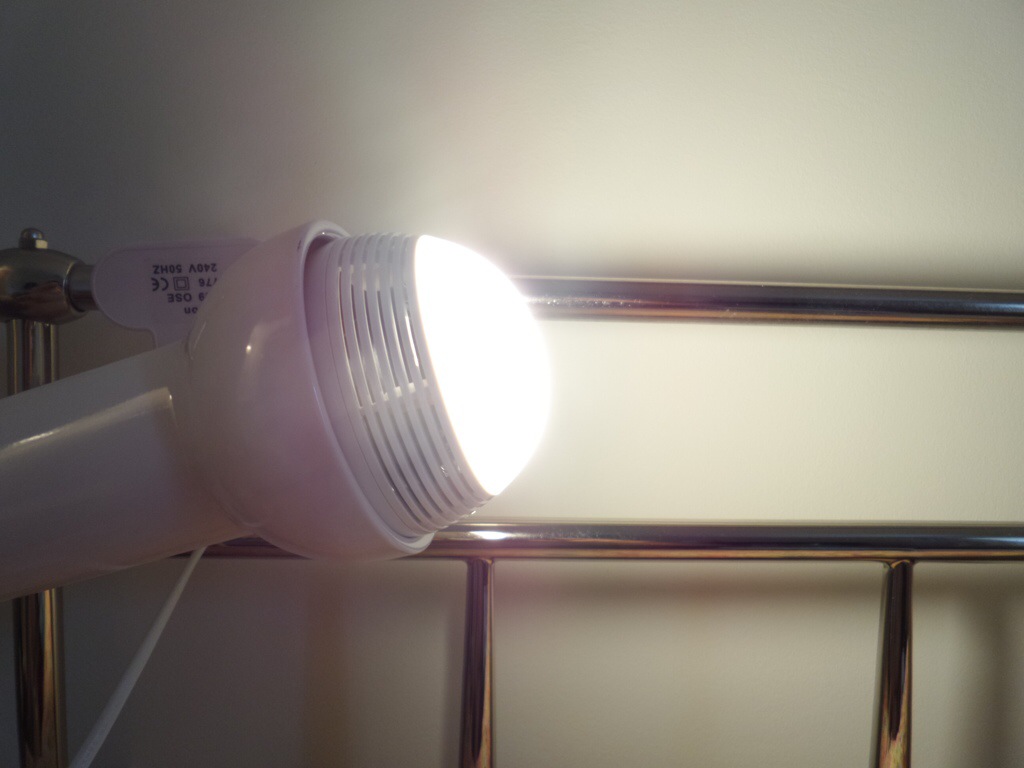
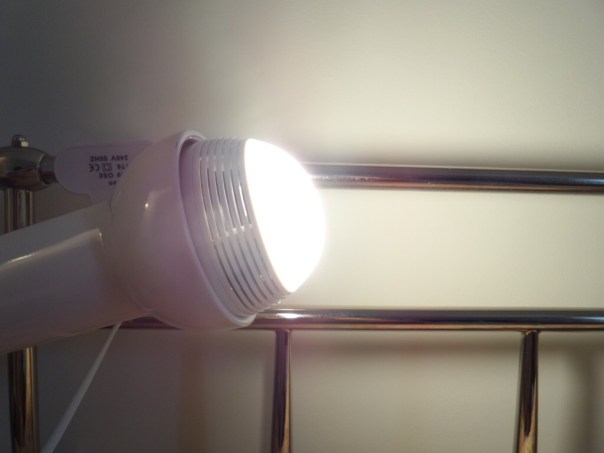
Just how bright is full brightness. See photo below.
20140701-082107-30067067.jpg

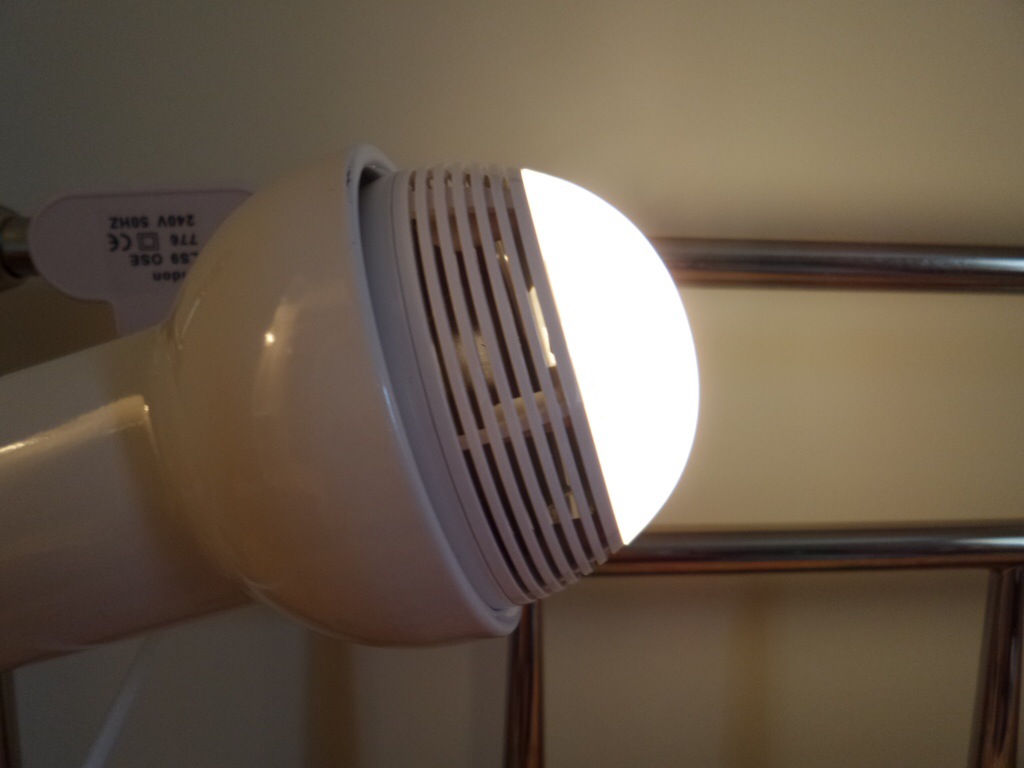
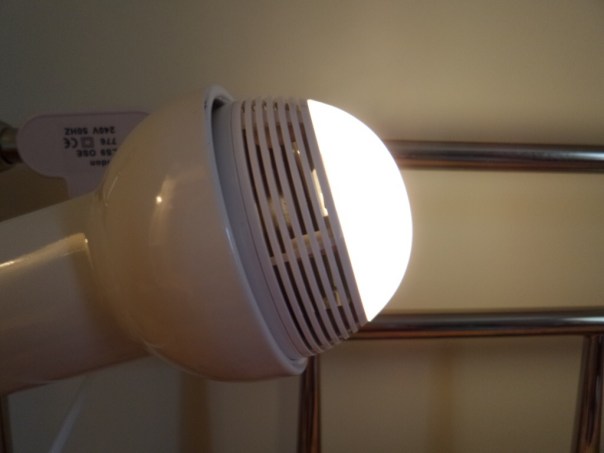
It’s really bright, but a quick adjustment on the slider and you can lower the light right down as far as you want until it’s off. Below a slightly lowered light setting.
20140701-082211-30131117.jpg

But then the app allows even more controls of the Playbulb from wake up, energy saver, night and sleep modes. The modes are self explanatory really, but as an example you get be woken up with the Playbulb turning the light on and playing some music.

So I guess the one unanswered question. How loud does it play. And what is the quality like? It goes surprisingly louder than I expected with a particularly clear sound. Bass was a little light but I can stress enough it is totally freaky when somebody realises the sound is coming from the light bulb!

I love my gadgets, and I really like the Playbulb. One concern I had is at £50 the LED lights had better last a long time. I was dutifully informed the lights are meant to last 10 years, and the speaker will continue to function after the LED lights have failed.

Available from Clove Technology.

Samsung Galaxy K Zoom – camera samples from yesterday

Just a few shots from yesterday. One is a macro, the others of my labradors, Fury and Tiggy, both girls. I have 3 in total, but George was resting from his earlier walk.

IMG_0189

IMG_0193

IMG_0194

IMG_0209

If you want to see the full resolution of these shots and more photos from yesterday, head over to my flickr account , http://www.flickr.com/photos/gavinfabl100

PhotoSync app – awesome app for wireless photo transfers – read on

PhotoSync is an app that really everyone should own. It is so well designed with so many features and works exactly as advertised.

20140622-093049-34249887.jpg

So what does it do? Depending on what devices you have you install the respective mobile app. So if you own an android phone or tablet, head over to the Google Play store. If you own an iPhone or iPad head over to the Apple App Store. The iOS version costs £1.99. The android version is free with in app purchase of £0.99 to remove the banner ad. There is even a version for Kindle. If you own a mac there is a free companion app on the Apple Mac App Store. The same applies if you have a Windows PC. So once you have installed the software on your respective machines it now is as simple as ABC.

20140622-093610-34570080.jpg

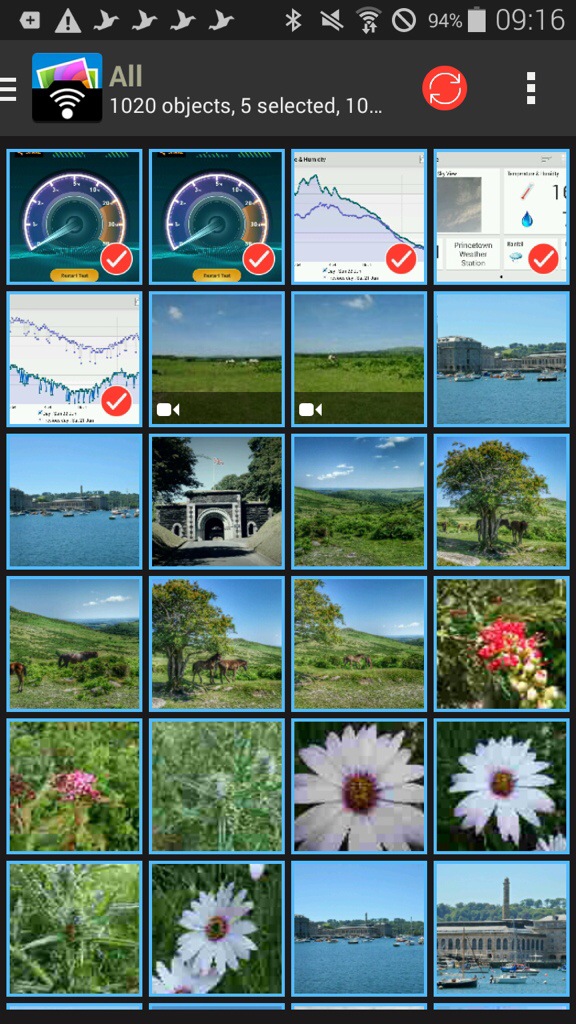
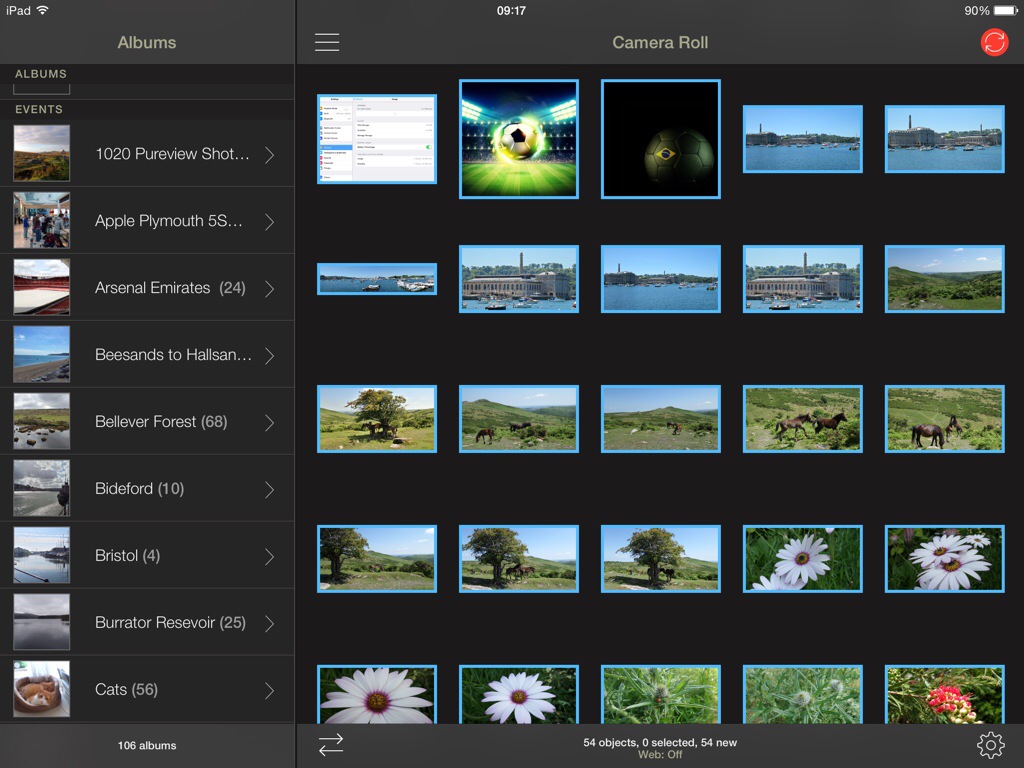
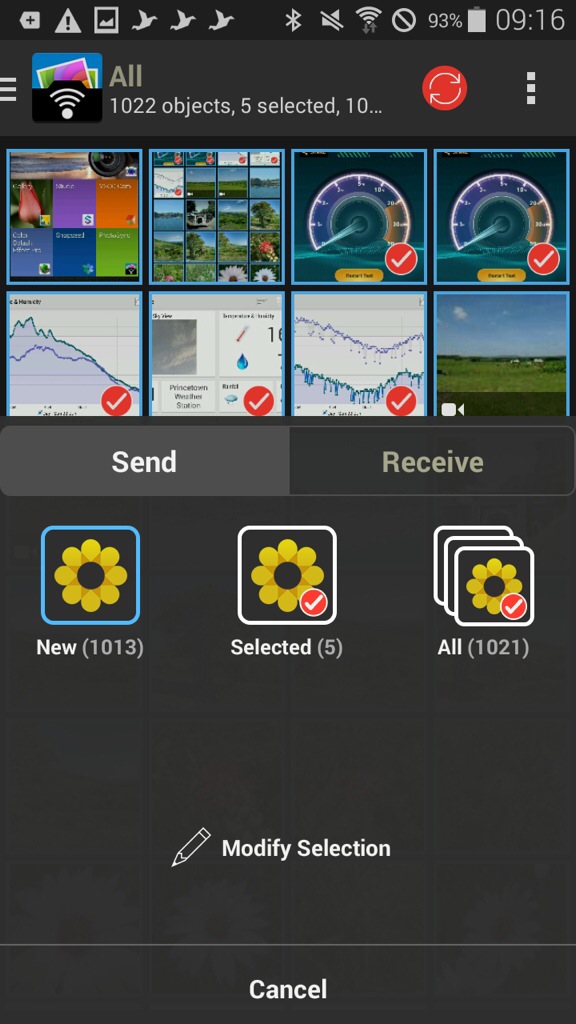
As an example, I have opened the app on my Samsung K Zoom and selected 4 photos. You can tap to select which ones you want to send, or press and hold to select a range. You can view your photos by all or albums on the K Zoom. Now open the iPad app.

20140622-093820-34700081.jpg

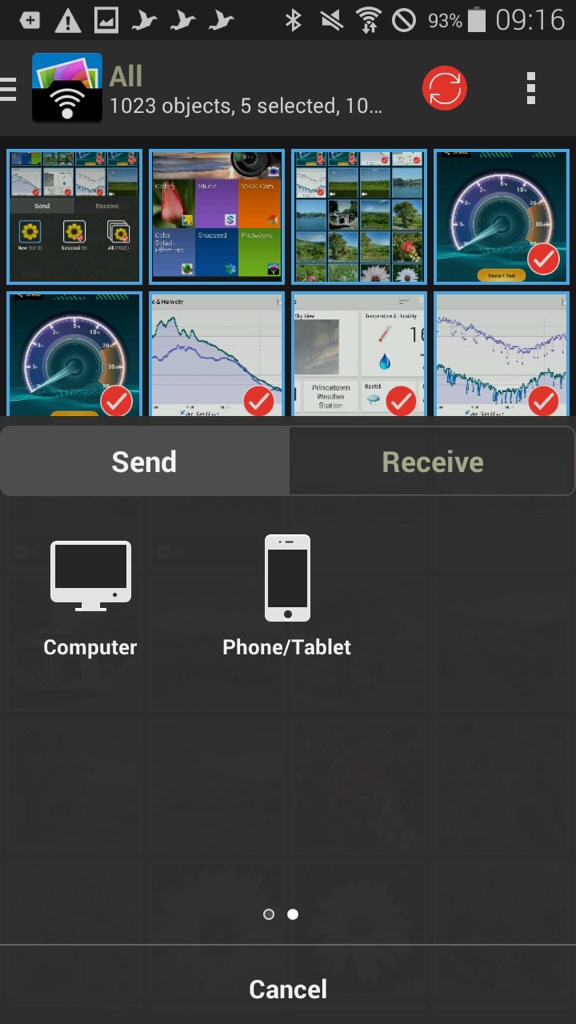
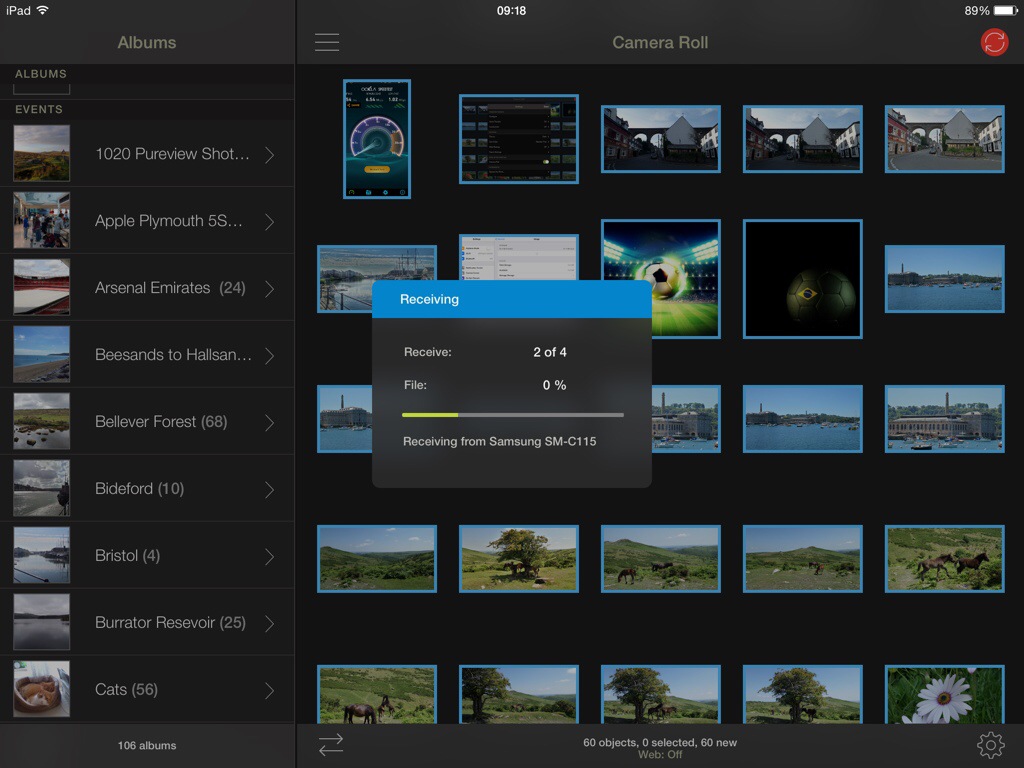
Now, tap the red sync icon top right on the K Zoom, confirm your selection and as quick as ABC the photos are sent on to the iPad.

20140622-094001-34801979.jpg

20140622-094002-34802395.jpg

20140622-094001-34801843.jpg

20140622-094002-34802125.jpg

So what the above screen shots show is the process of moving 4 photos I selected from my android phone to my iPad. The order is slightly wrong, but I’m sure you can fathom out the correct order of the screen shots 😉 But you could move the photos, or receive, between any combination. What is also clever is that you can send the photos from say my Samsung Galaxy K Zoom to my mac. The photos can either go to a folder chosen by yourself, or end up directly in iPhoto or Aperture. Neat touch. And because it’s using wifi you can be downstairs and send the photos to your mac which can be located in another room.

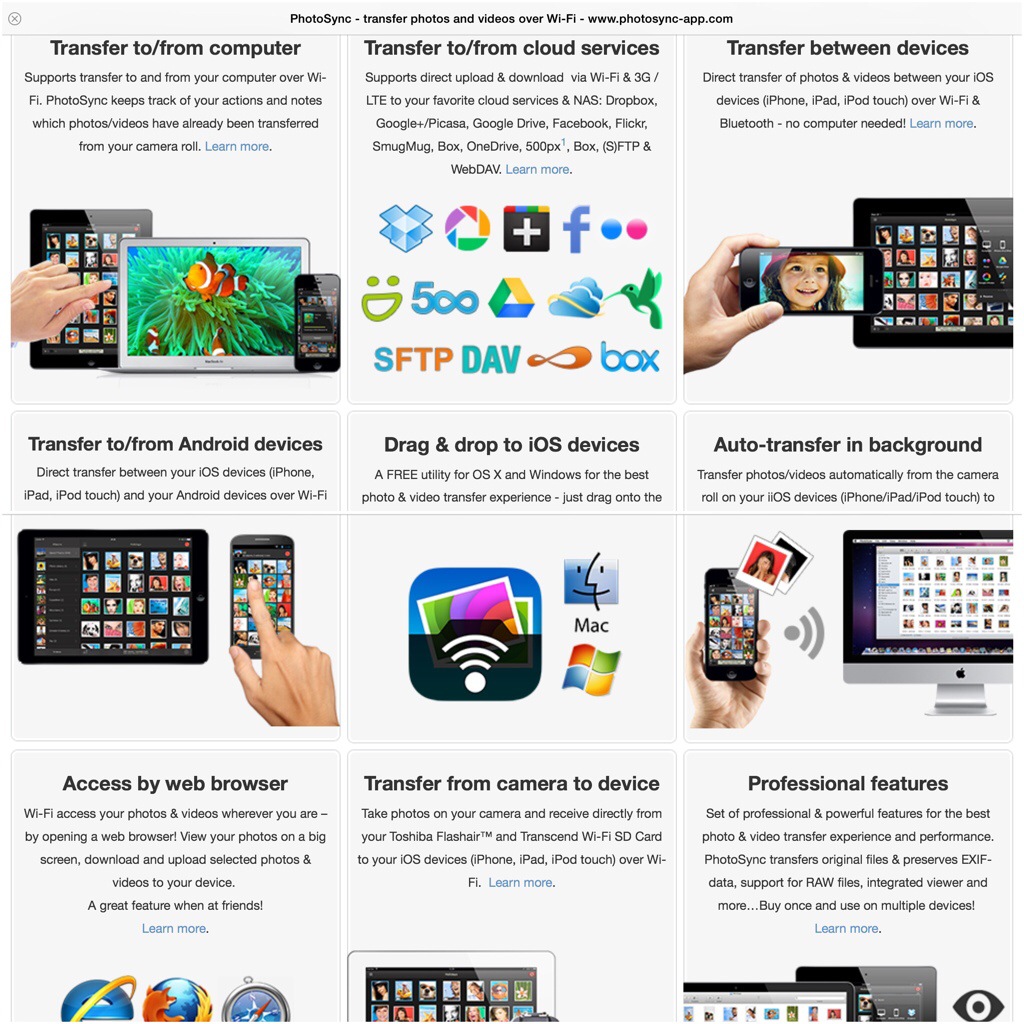
Within the app, the options and settings are extensive. You have the option of using a web browser, personal hotspot, drag and drop, creating new albums, the app remembers which photos have already been transferred, raw photos also supported as well as video , meta data left intact, size of photo left untouched, transfer speeds of up to 5mb/sec and much more.

The iOS app version has been around for longer so adds so extra functionality allowing transfer to and from cloud services like Dropbox, Flickr. Google+, Picasa, Facebook, SmugMug, Zenfolio, Box, 500px, OneDrive, Google Drive and Sugarsync. Backing up videos and photos over (S)FTP or WebDAV to NAS, mobile storage, or remote server. You can also use 3G or LTE. And even more features.

At the end of the day, the app just works really well and being cross platform is such a bonus. Highly recommended.

Gaming as it should be – an era without in app purchases – FSC N560 GPS/Windows

2014-06-21 09.20.43

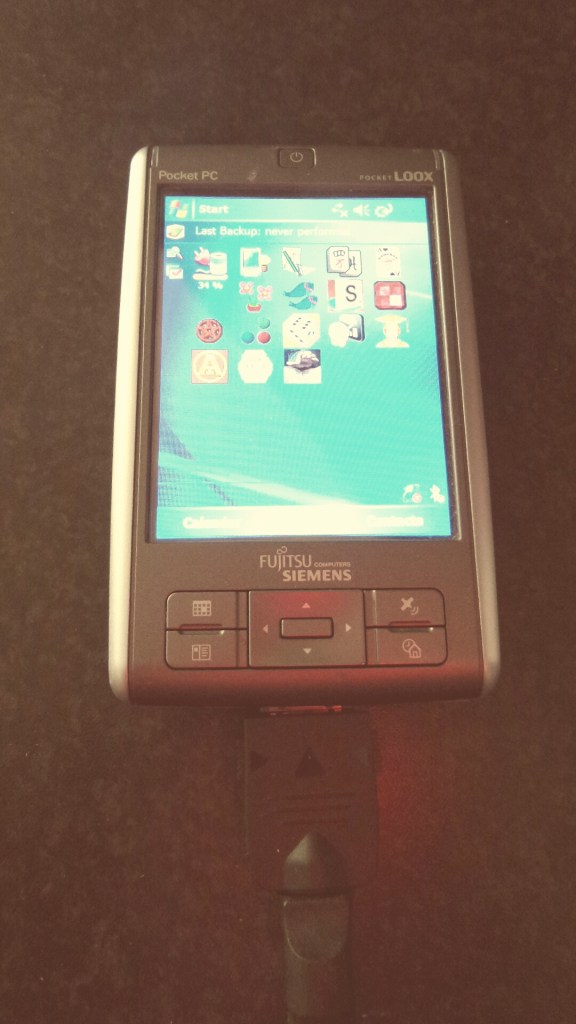
The Fujitsu Siemens Pocket Loox N560 GPS was a PDA ahead of its years in 2006-7. It is the only old device I have ever kept, and it still works as well as it did from the day I bought it.

The only change is I have an extended battery fitted, as the standard battery only had a run time of 3 hours.

So lets recap some of the critical specs. It runs Windows Mobile 5. Its screen is 3.5 inches at 640 x 480. Weighs 160g. Has GPS. USB Host. And has a micro sd card slot. But wait, the internal memory is a whopping 128mb, not gb, but mb. How did we survive back in 2006 with such low memory! It also has an infra red blaster, great for controlling TV’s and more.

So I counted and have circa 80 apps installed, most of which are games. Now whilst the graphics have shot forward in 8 years, there is one aspect I like about playing games on this device – I am not bombarded with coins, or extras to constantly buy, or upgrades needed to continue forward in the game. In fact, some of the games that are now available on iOS or android are actually miles better on this 8 year old PDA. An example is Plant Tycoon. Also games seem to have more depth than some of the modern equivalents. (I am omitting the fact that newer games of today will have much better graphics)

Plant Tycoon mentioned above is an example of an old classic ruined when it came to iOS as a freemium app. The developers are really greedy as well. Basically you have to pay to play. Each time you start a new game you lose everything bought and you have to pay to play again. In 2006, I bought Plant Tycoon. I’ve played it constantly on and off and never had to reach for my wallet. And 8 years later, I am still playing it.

Sometimes, technology advances are fantastic. Other times they are prohibited and obstructive.