Category Archives: Tech News

Apple Pay, Android Pay, Samsung Pay and ABC Pay – Are mobile payments going to get messy? – Editorial

Apple Pay made the first big splash into mobile payment acceptance as a mainstream option. Apple Pay offers a quick and easy way to use your compatible iPhone to make a purchase. When everything works, it is as simple as ABC. And it generally works every time.

It fails to work when the cashier hasn’t pressed a button on the till or the amount due is over £30. Lifting the limit for mobile payments over £30 really needs to happen immediately as its the biggest stumbling block for faster adoption. I don’t know the answer, but if you knew you were going to buy £50 in groceries, is it not possible to split the food into 2 transactions of £25 each, thereby getting around the £30 limit? If this is possible, why bother having the £30 limit in the first place.

The UK does not have Android or Samsung Pay yet. It is due to arrive this year and I am predicting for Samsung it will link up with the launch of the new Samsung Galaxy S7. Samsung Pay is available in the USA, and in my opinion offers a better solution as the compatible Samsung phones can use both contactless and magnetic terminals, thereby being further accepted at more places instantly. Android Pay is also not available yet in the UK, but it is in the USA, and works similar to the concept used by Apple.

The world needs android pay to take off as most phones work with this operating system. This will push forward conversion across the industry regardless of platform.

So all seems rosy in the world of mobile payments? Not really. LG have thrown their hat in the ring saying they are going to launch their own payments system. Walmart too. Plus there are other large companies looking to provide mobile payment solutions. This is going to get messy as companies fight it out for market share and dominance. What we need is simplification. If its an iPhone you use only Apple Pay. If its an android phone then it should be just android pay and so on.

The problem at the moment is contactless payments like Apple Pay need transactions to include loyalty cards and vouchers. This is where it gets messy. Why should retailers share sensitive data with Apple or Google or Samsung? So what happens, retailers launch their own system so you could end up trying to remember which app you need in which store!

Another complication is that sometimes using for example Apple Pay is not the best solution. Take Wagamamas. MasterCard have an app that Wagamamas use that allows you to order food and drinks from your app. You can order more food during the meal too. And when finished eating, use the app to pay. It gets even better. Lets say you’re a party of 10. All 10 use the MasterCard app to pay for just the items ordered. The process of splitting the food/bill is a breeze. Of course the other benefit is the speed. No more waiting to order your food and drinks. And no more waiting for the bill to arrive. The benefit to the restaurant is a faster turnaround. The MasterCard app can be used by other places too. With its location settings on, it can alert you to a place nearby that accepts the app. There are other options too.

So at the moment, the options for mobile payments is just taking off and is looking like it is going to get messy before its gets refined!

What have been your experiences so far with contactless payments? Have you used another system or app that you would recommend?
United States Antarctic Program – The Wonders of Technology 


At the end of the world sits Antarctica. It truly is a magnificent place. If you get a chance try and watch “Antarctica: A Year on Ice” directed by Anthony Powell. This is a fantastic film with some amazing filming and insights into what it is like to live and work on Antarctica. 

Can you imagine no sun for months on end ? What about surviving a winter lasting 6 months with no way out? Memory loss happens if you stay for winter too….

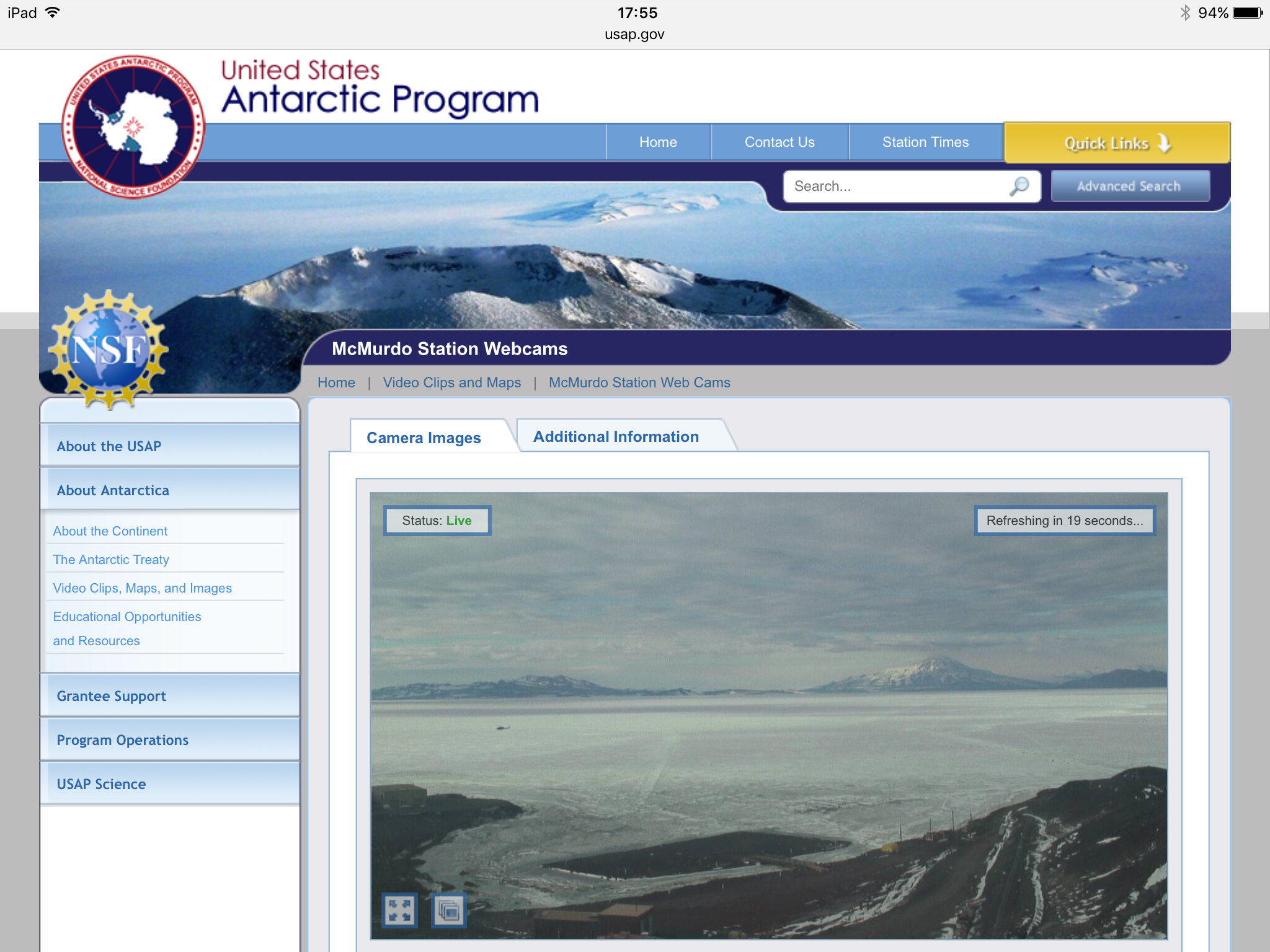
Well if you’re interested, The United States Antarctic Program uses superb webcam technology to provide 3 live views on the area 24 hours a day. To see for yourself click HERE.

Apple releases new betas for iOS, Apple Watch and Apple TV – The Best New Features are as follows

Apple released its next round of product betas covering all its hardware. Below is a summary of the best features from all the betas –

tvOS 9.2 beta 1

Support for app folders and bluetooth keyboards.

watch 2.2 beta

Multiple watches can be paired to one iPhone.

iOS 9.3 beta

Notes app – now possible to lock individual notes with a passcode and unlock via Touch ID

Night mode – based on your time and location, iOS will automatically make the colour temperature warmer on the display warmer to get rid distracting blues at night. Blue tones are replaced at night with more yellower tones. A dark theme option would have been good too but alas not yet. 

Quick 3D Actions – many more stock apps have had 3D Touch quick actions enabled – App Store, iTunes, Weather, Settings, Compass, and Health

iPad – multiple user mode is introduced albeit for use in education only at present.

Classroom app for education – this allows teachers to monitor all the pupils with an iPad, check which apps are being used and their progress with work flow in real time.

News app received some minor tweaks.

Health app now displays more information from your Apple Watch eg. move and stand data, plus recommends third-party apps in the various different categories e.g. weight, sleep, workouts.

Live Photos – you can now save a full resolution photo from a Live Photo. When using the Share Sheet, choosing “Duplicate” now gives an option to create a Still Photo duplicate of a Live Photo.

Apple iPhone 6S – Using Clip On lenses – The Results with and without

  
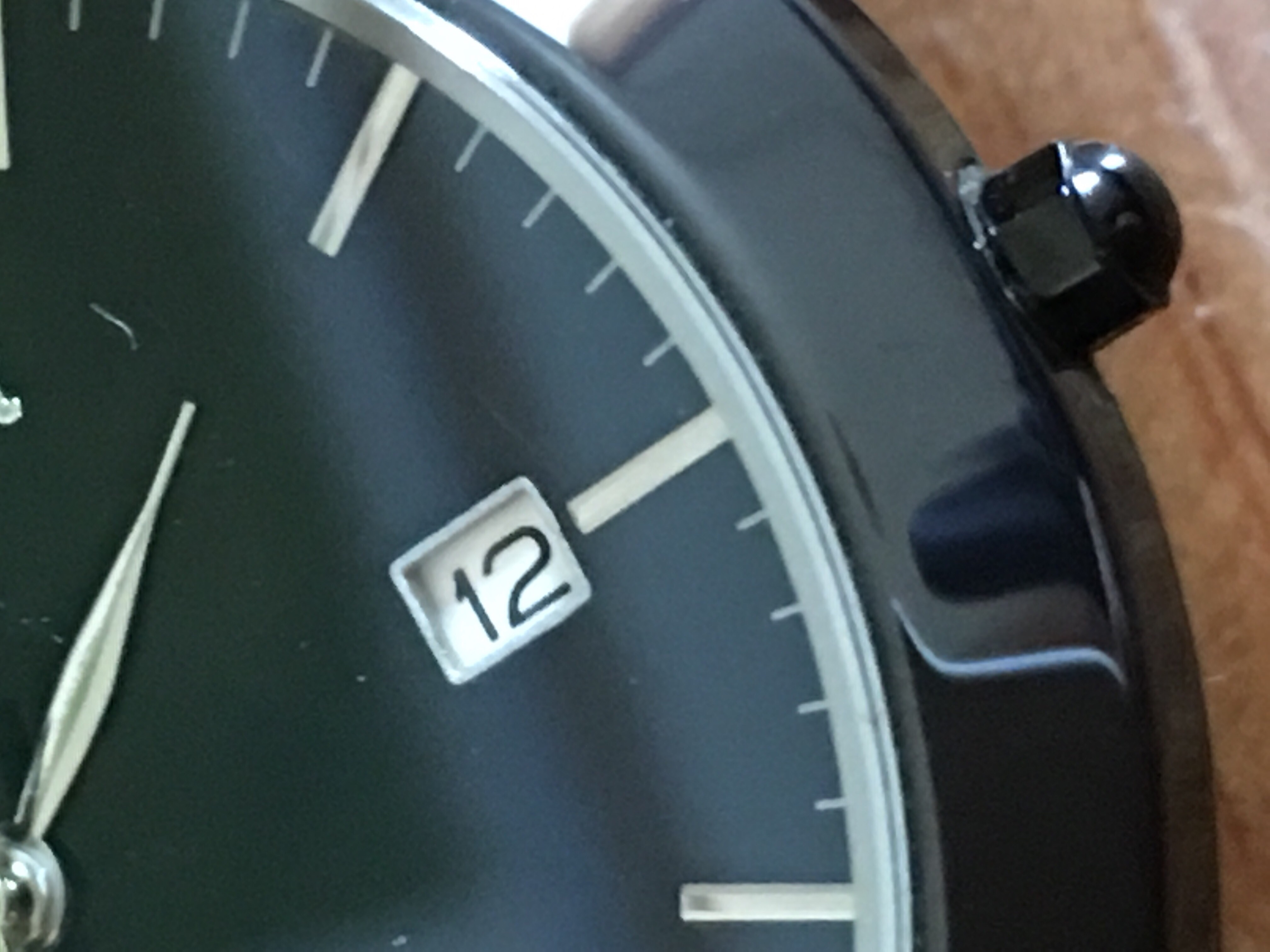
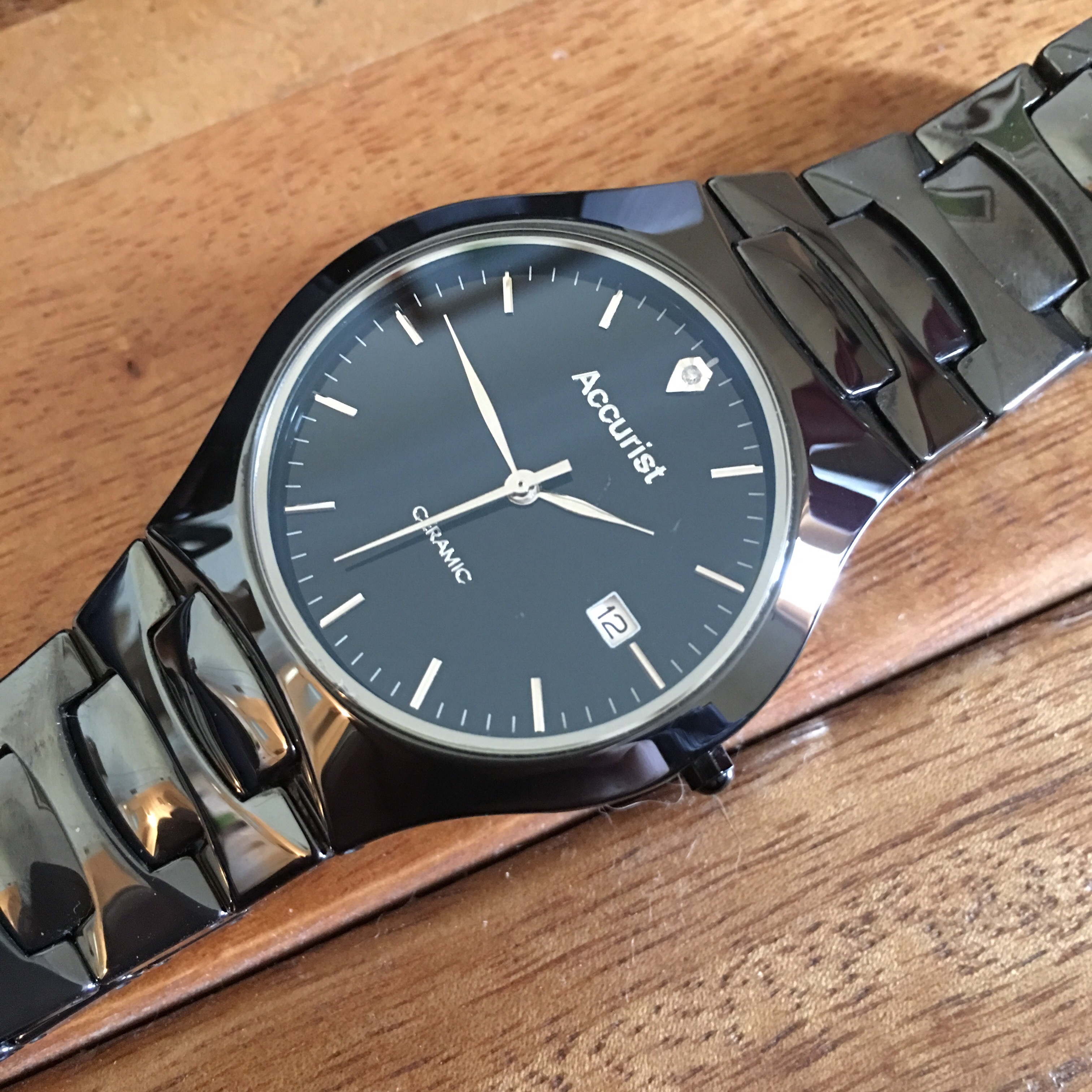
The above watch was used in a quick experiment to see how good the macro mode works on the Apple iPhone 6S Plus, and then taking the same shot using a macro and fisheye lens attachment that is meant to fit a number of iPhone models. 

So let’s look at what the iPhone can achieve using the full digital zoom too in macro mode.

  
The shot above is average at best. As expected digital noise is visible. 

So using a VicTsing Clip lens set that comes with 3 different lenses I tried to see what the 12 x macro lens could achieve. I only choose this brand as it was recently on a lightning deal on Amazon and wanted to see what £14.99 worth of lenses could achieve. 

  
The end shot is a lot sharper, although the colour balance is slightly different and would need a small tweak. However I was very happy with the improved photo. 

Looking at the fisheye lens that comes in the box you can achieve the following. First original photo from the iPhone. 

  
And now the fisheye version. 


So what do you think? Obviously in fisheye mode the entire hotel got captured but at the expense of focus in places and the bowl effect finish. 

The VicTsing also comes with a 24 x macro lens which is for extreme close ups and generally not needed in my testing. 

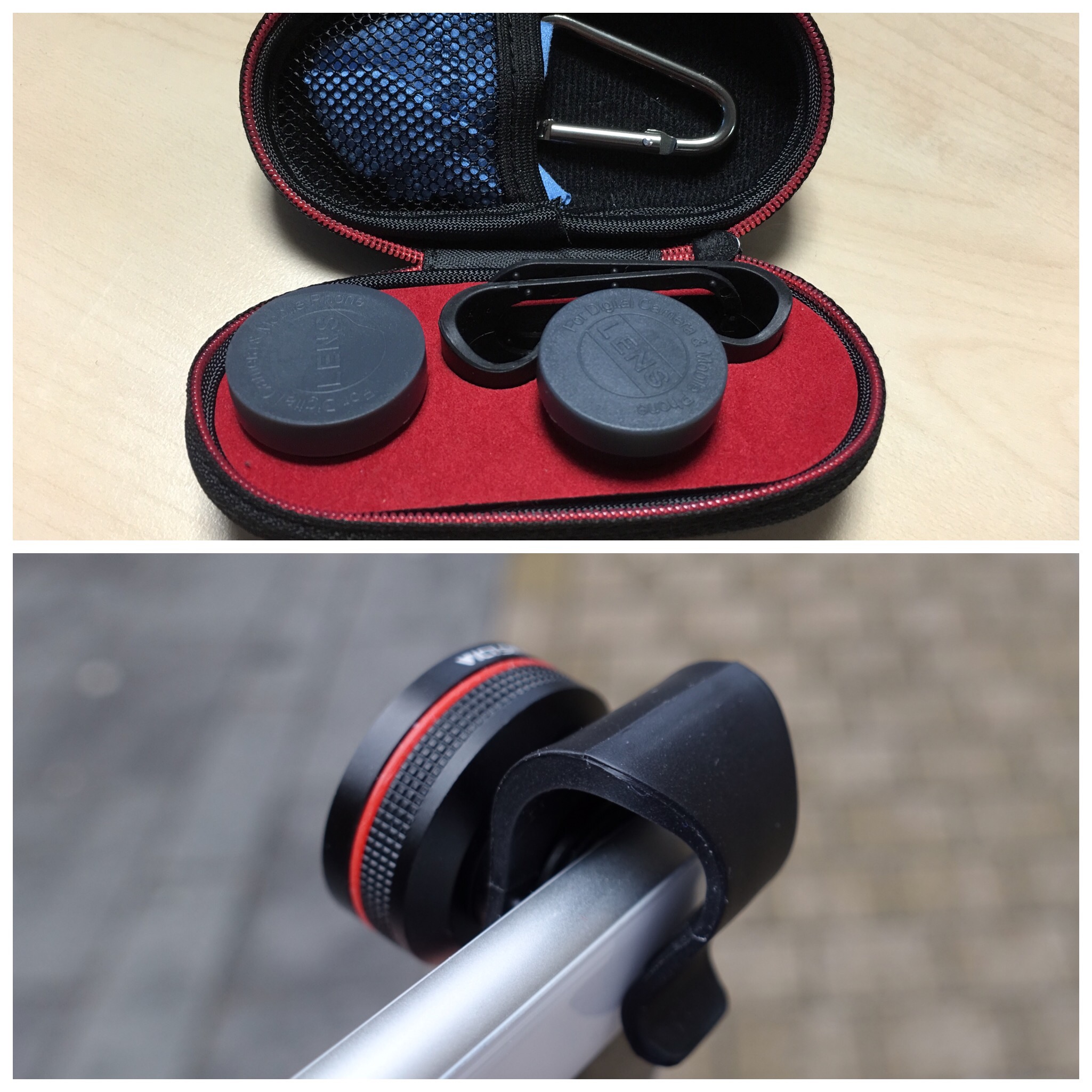
I have also tried Olloclip lenses but what I found really good about this kit is that it comes in a protective mini case, micro fibre cloth, 2 lens clips and caps so you can have both 2 lenses ready to rock and a hook to clip on to clothing or something else. Olloclip lenses generally cost around £80+. This little number is just £14.99 but it’s quality is average at best.  But then would you use this lens set often? If not then maybe £14.99 is enough. The Olloclip also suffered similar lens after effects. 

  
Now whether it’s worth the hassle of attaching and carrying the extra lenses is up to you. 
For more info on the VicTsing lenses and to see the latest deal on them, click HERE

iPhone 6S Plus vs Asus Zenfone Zoom vs LG V10 – 3 Way Camera Shootout

I am currently using an iPhone 6S Plus which has my main sim along with a Huawei G8 in backup. Well in about a week I should have the Asus Zenfone Zoom. Check out the video below to see what’s unique about this phone. 

  
Shortly after the Asus Zenfone Zoom arrives I will receive the LG V10. The good news is that I will have the phones all available to carry out a 3 way camera shootout with my iPhone 6S Plus. I will use a Sony RX100 as a measure to compare how much better or worse each of these 3 phones compare to a dedicated camera with a decent one inch sensor found in the Sony RX100. 


As the Asus Zenfone Zoom is likely to arrive first, I will start with some camera shots from it and then carry out some comparisons with the iPhone 6S Plus until the LG V10 arrives. I could include the Huawei G8 in some of the shots too. 

However, I wouldn’t mind knowing if there are any particular aspects of the Asus Zenfone Zoom or the European LG V10 that you would like mean to cover off in terms of the camera and hardware/software. Both phones will also have a full review written in due course. 

Apple iPhone 6S – That naked feeling – To case or not?

From day one I got a case for my iPhone 6S Plus. I also bought a screen protector and a tempered glass screen protector. 

After applying both screen protectors one after another I decided I hated the way both screen protectors ruined the view from the front, so removed them. Touch wood, I have no scratches on my front screen. 

Now to the subject of using a case. As I said I fitted a case from day one. I bought the Apple silicone and leather case to start off with. The silicone case in my opinion made the phone look cheap and I didn’t like the feel and dust collecting abilities of the silicone case. There are some benefits of using a silicone case in that if you have an Apple Watch you can buy matching sports straps. So I settled with the Apple leather case with provides extra grip and slightly more protection should you drop the phone. 

Move forward to a few days and I received some clip on macro and fish eye lenses for the iPhone. To use these you have to remove your case. And then I stepped back, looked at the iPhone and thought “wow”. The iPhone 6S Plus looks damn gorgeous without a case. 

And now I’m left with a dilemma. I don’t want to put the Apple leather case back on BUT the consequences of not having a case and being unfortunate and dropping the iPhone could be a costly affair. The chances of dropping it are higher without a case as the aluminium finish is slippery. 

So I have this emotional feeling to decide to whether to use my iPhone naked or cased? 

What do you do with your phone?

Response from MyFitnessPal regarding issues with the Apple Watch

I am currently experimenting using the Apple Watch and FitBit Charge HR with MyFitnessPal.

I was seeing a difference in steps taken on the MyFitnessPal app versus steps used and converted as extra calories for the day when using the Apple Watch. The FitBit Charge HR doesn’t have any problems.

So I emailed MyFitnessPal support and below is the response received.

Thank you for taking the time to contact us. We’re sorry for any inconvenience you’ve come across. When you connect your Apple Watch, the steps are recorded throughout the day on your homepage as you have observed. When our program updates your adjustment in your diary, we pull the data from your Homepage periodically. Therefore, as your steps increase over time, the steps in your diary will not reflect that unless they are updated. We are definitely working to improve this aspect of the program and appreciate your understanding.

Well I hope this is fixed as the variance can be as much as 200 steps adrift to 5,000 steps adrift. I am also trying an alternative app to MyFitnessPal called MyNetDiary. It is still early days with this app so don’t have any conclusions yet.

LG V10 – UK version enroute to the UK – details of changes 

IMG_1045

Some good news for UK people wanting the LG V10. It is definitely coming to the UK and Europe as model version LG V10 H960a. 

The bad news is it’s not 64gb storage but 32gb. However, it will work with all the UK network bands so that is more important. The other versions sold around the world don’t have all the UK LTE bands. 

Google and Lenovo get ready to launch the world’s first Project Tango Phone

1 tango

Today, at CES, Lenovo announced the development of the first consumer-ready smartphone with Project Tango. By adding a few extra sensors and some computer vision software, Project Tango transforms your smartphone into a magic lens that lets you place digital information on your physical world.

For some inspiration, Lowe’s is developing an app where you can point your Project Tango-enabled smartphone at your kitchen to see where a new refrigerator or dishwasher might fit virtually.

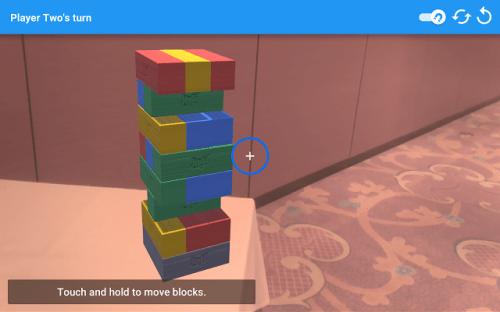
Elsewhere, developer Schell Games let’s you play virtual Jenga on any surface with friends. But this time, there is no cleanup involved when the blocks topple over.

1 tango 2

To support the continued growth of the ecosystem, we’re also inviting developers from around the world to submit their ideas for gaming and utility apps created using Project Tango. We’ll pick the best ideas and provide funding and engineering support to help bring them to life, as part of the app incubator. Even better, the finished apps will be featured on Lenovo’s upcoming device. The submission period closes on February 15, 2016.

This is really exciting news and it will be interesting to see what these phones can achieve.

Source – Google