Category Archives: Android

In pursuit of the perfect photo – Editorial

Snowy scenes from Princetown on Valentine's Day #iphone6splus #procamera+ #lowlighthdrmode

It snowed yesterday in my village, Princetown. Armed with just my Apple iPhone 6S Plus and Sony RX100, I went out in the snow blizzard to take a selection of photos to capture the scene. If you scroll back a few articles you will see all 17 photos snapped.

I decided that the RX100 was not going to get covered in the snowfall, so I used my iPhone 6S Plus. As it was still slightly dark, I knew the low light capability of the iPhone 6S Plus would not be fantastic. Fortunately, I have been using ProCamera+ for iOS and decided to use its low light HDR mode which combines 5 shots in to one. I used this app to ensure I got the perfect photo. And I succeeded nearly. I took 20 photos and discarded 3 which were repeats. It was tricky to see the screen sometimes due to snow but apart from 3 of the shots which weren’t in focus enough, I actually was happy with the results. The default iPhone camera app would not have achieved anything near as good in my opinion.

To capture that perfect photo, the iPhone will nail it in most scenarios accept where the lighting is lower or with moving things e.g. dogs or children. Low light moving targets is near impossible without blur. And that is where the LG V10 came up trumps. Any light, any conditions and it seemed to nail that perfect shot.

But I do wonder, is it worth changing a phone just for the camera, and all in pursuit of the perfect photo.

Look at Tim Cook at the Super Bowl. He uploaded a blurred photo shot on his iPhone. He was actually really happy with the photo and being honest, the moment was recorded and in some ways that is more important than the pursuit of the perfect photo.

I do suspect that following Tim Cook’s blurred photo, the next iPhone will take much better low light shots!

Samsung Galaxy S7 Edge – All 3 colours – Photos

With Samsung poised to announce the Galaxy S7 and S7 Edge on the 21st February 2016, it could end up that we know everything before the big reveal.

Well now you can even decide based on the photo below which colour S7 Edge you would like to order. Samsung is going to do an Apple this year, and have the phone ready to order on the 21st Feb, with delivery just a few weeks later.

s7 edge colours

Without a doubt, the S7 in the Edge variety will be the version I am most interested in. What about yourself?

Source – Evan Blass Twitter

All Latest Reviews from Gavin’s Gadgets – Phones, Headphones, Apps, Cameras and More

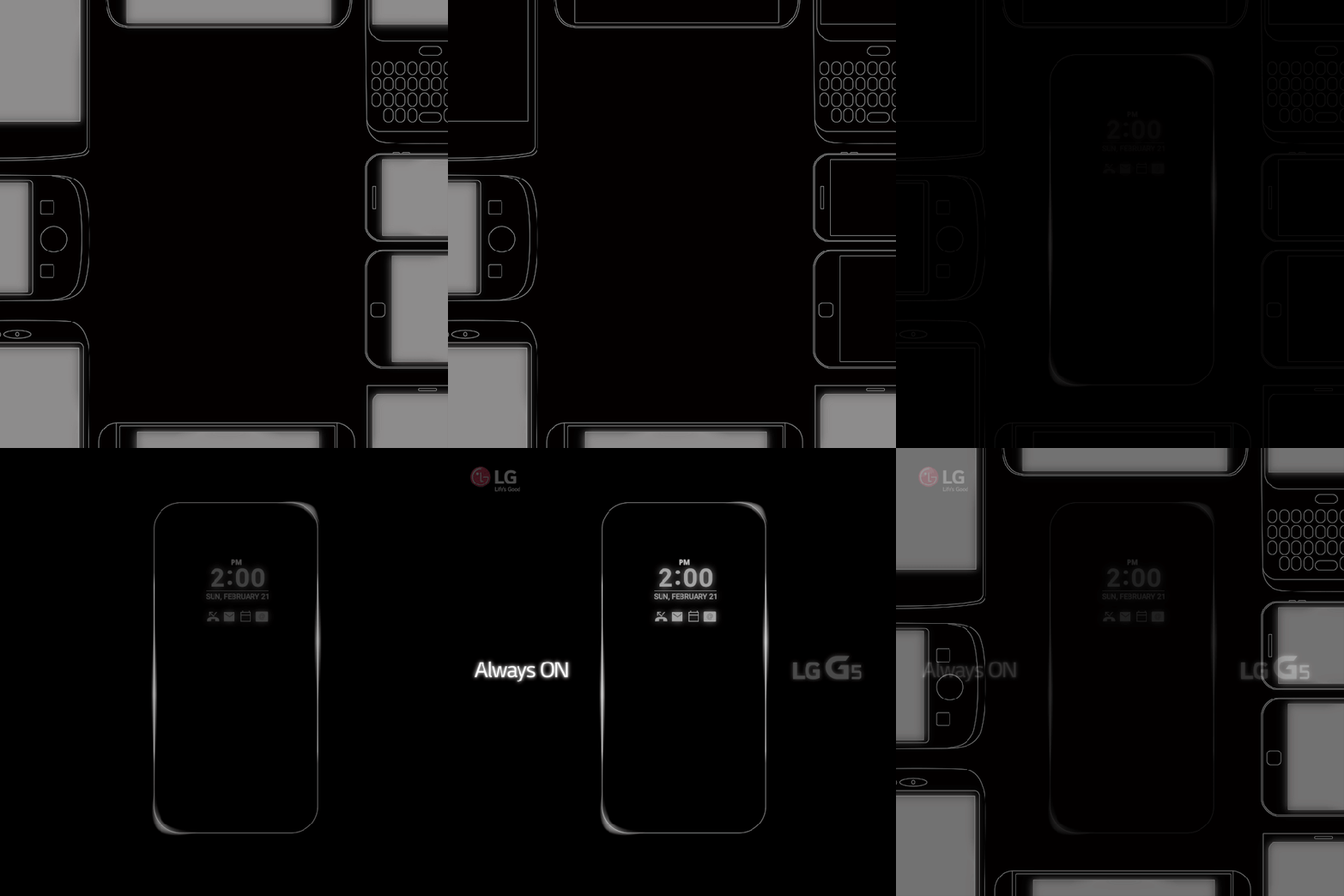
Below are all latest reviews that have published on Gavin’s Gadgets. There are plenty more reviews in the pipeline including the Samsung Galaxy S7, LG G5, new headphones, app reviews, Netatmo Welcome, Netatmo Wind Sensor, and much much more.

If you have a product that you would like me to review, please get in touch.

App Reviews

ProCamera + HDR for iOS – review

Note Tapper for Apple Watch – review

HeartWatch for iOS – review

HeartWatch 2 for iOS – review

Audio / Personal HiFi / Headphone reviews

Pioneer XDP-100R – DAP – review

iBasso DX80 plus using with Chord Mojo – review

Chord Mojo – review

Lindy BNX-60 – Bluetooth Headphones review

Ted Baker Rockall Headphones – review

Sony MDR-1RNC – Noise Cancelling headphones – review

Tascam Trackpad US 2×2 – Review

Connected / Security devices- Reviews

Fake TV – review

miGuard A105 DIY Security System review

The new Apple TV – review

The Apple Watch – One Month Review

Smartphone / iPad Pro – reviews

Asus Zenfone Zoom – review

LG V10 H960 – review

Sony Xperia Z5 Compact – review

Apple iPad Pro, Smart Keyboard, Pencil – review

Motorola Moto X Style – review

Huawei G8 – review

Samsung Pay is coming to the UK very soon – details

Apple Pay feels like it has been here for ages without any competition from Google and Samsung.

Well the tide is about to turn as Samsung is set to announce Samsung Pay is coming to the UK at the same time as announcing the new Samsung Galaxy S7 on 21st February 2016.

Nathalie Oestmann, Head of Samsung Pay Europe, revealed that Samsung Pay will be coming to both the UK and Spain very soon and that more details will be shared at Mobile World Congress. Since we’ll be expecting to see Samsung announce the company’s next flagship smartphone at around that time, it would seem as though two birds will indeed be taken out by a single stone.

Samsung Pay will be a significant competitor to Apple Pay and even Android Pay as Samsung’s system works with both contactless terminals and non contactless terminals. In other words it will work in every shop that takes credit cards.

This one feature could really help spur growth for its new flagship.

Source – Pocket-Lint

Control your lights using your Apple Watch – How to – Editorial

Back in January 2015, I reviewed the Belkin WeMo Smart Light Bulbs starter kit. If you never read this review, I really think its worth a read. Click HERE.

As a quick refresh Belkin advertise the features of the WeMo Smart Light Bulbs as

– WeMo LED Lighting Starter Set includes 2 x WeMo Smart LED Light Bulbs (B22) and 1 x WeMo Link
– Connect up to 50 WeMo Smart LED Light Bulbs and control them individually or as a group.
– The set works with the entire family of WeMo products.
– Modular system. You can add additional WeMo LED Light Bulbs easily, any time
– Turn lights on, off, dim or create custom schedules.
– Simply plug WeMo Link into a central outlet in your home, replace your old light bulb with a WeMo LED bulb, and download the free WeMo app to any smartphone or tablet
– WeMo keeps you connected to your home lighting anywhere you are over Wi-Fi, 3G, or 4G networks
– Bright, warm light similar to a 60W incandescent bulb. WeMo Smart LED Bulbs have a 23 year life expectancy

Well, I have had these WeMo bulbs in my lounge now for over a year. They are as superb as they day I got them. In fact, they have got better since there have been many firmware updates to help improve their reliability. At some point in time, Belkin has stated it will be supporting Apple’s HomeKit which will mean Siri integration. At the moment this is not possible so you have to use the official WeMo app to control the lights. However, this app does not have an Apple Watch application.

So how do you control the lights from your Apple Watch. Simply download 2 apps. IFTTT and Do Button by IFTTT. You then set up IFTTT and then Do Button by IFTTT. So download and install IFTTT app, and go and connect WeMo lighting as a channel in IFTTT. IFTTT gets permission from WeMo via the WeMo app. It is all a very simple process and you get clear on screen instructions from the respective apps. The whole process takes a minute or less. Then using the Do Button app create quick one button commands. In my case, I have grouped the 2 lights in the lounge, so I have 4 quick button commands. Turn lighting group on, turn lighting group off, dim to 10% and dim to 50%.

The Do Button app for IFTTT appears on your Apple Watch. You now can open its app, or have it as a Glance. Just press the big green button for the first 3 options you setup in Do Button for IFTTT. The Apple Watch app only displays your top 3 Do commands.

It really is super cool to dim your lights from your Apple Watch. When Belkin support HomeKit you will be able to ask Siri , “dim lights etc…”. At the moment only Philips Hue lights support HomeKit and Siri.

IFTTT is a very powerful application that links so many services and apps. I use it for a number of other connected devices and services. For example, when my Netatmo Weather station detects rain more than 0.1mm, it sends a tweet to the Princetown Weather Station Twitter feed, that rain has been detected.

IFTTT is a free app and cross platform so go give a try and see what more you can do with the current apps and services on your phone!

More information of the Belkin WeMo range – click HERE.

Twitter looks to alienate users with its new features – solution revealed within

Via the BBC News

Twitter is making two major changes to the way its users’ timelines appear. The app will show a selection of prioritised tweets, based on what it thinks users are “most likely to care about”, ahead of the normal list of posts shown in reverse chronological order. And a new First View feature will let marketers place a video ad high up in the feeds. The announcements came ahead of the company’s latest financial results. They are designed to make users more engaged with the platform and appeal to advertisers.

WTF is Twitter thinking. I despise the FaceBook videos in my timeline, but having video ads at the start when I open the app will be a disaster. Then change the order of tweets based on what twitter believes you will prefer is also a no no in my book. The solution is simple. Install a third party twitter app. I use Tweetbot on iOS and Tweetings on android. Tweetbot 4 is the best Twitter app ever made IMO.

LG V10 – How to turbo charge the Sabre Hi-Fi DAC sound quality


If you read my review of the LG V10, if not click HERE , you will have read that it has a Sabre 32bit Hi-Fi DAC. This means the V10 has a special high impedance mode for headphones from 50-300 ohms. 

With 50 ohm plus rated headphones, the V10 turns into a stunning digital audio player with lots of power and volume. It still sounds good in low impedance mode, but it’s worth triggering the high impedance mode to witness the difference. 

On XDA Developers somebody developed an app to trick the phone into the high impedance mode. I tried this app and it does t work. It also has other side effects reported by others. 

However, there is a much easier way to put the V10 into high impedance mode. This is achieved using an adapter. Being more precise you need a 10 cm 3.5mm Male to 3.5mm Female Auxiliary 4-Conductor TRRS Stereo Audio Extension Cable adapter as shown in the photo. You plug the adapter into the V10 first. This puts the V10 in AUX mode and switches the DAC to high impedance mode. Then plug your headphones into the adapter.  I would recommend dropping the volume right down to 15 out of 100 before you play any music as the potential volume in high impedance mode is massive. Just one small note is high impedance mode uses more battery. 

I bought a FosPower cable as shown above from Amazon. Including delivery it cost £4.99. Link below. As it came from the USA it did take a few weeks to arrive. 

FosPower cable for the LG V10 from Amazon UK

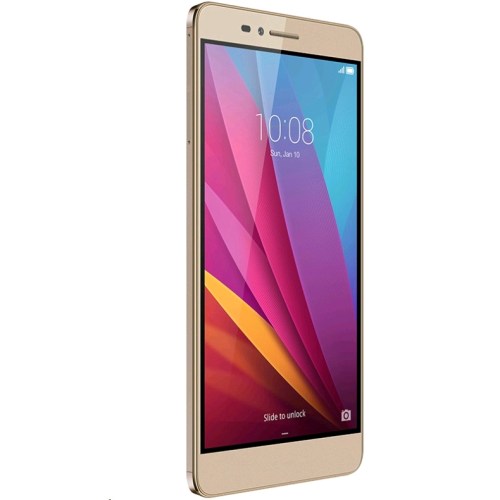
So what are the differences? Honor 5X vs Honor 7

b287387-1

Unless you were living in the dark ages yesterday, you would have seen some press coverage than Honor officially released the Honor 5X in Europe and the UK. The official price is £189 although a £20 saving can be made if you’re quick and buy it directly from Honor store, vmall.eu.

The question many of you may be asking is which Honor phone should I buy? Well hopefully the specs below highlight the key differences –

Honor 5X

– 5.5in 1080p, 401ppi
– Snapdragon 616, Adreno 405 GPU
– 2gb ram
– 16gb storage/ 128gb micro SD
– 2 sim card slots + 3rd slot for SD card
– 13mp rear, 5mp front camera
– WiFi 802.11 b/g/n, 2.4
– Bluetooth 4.1
– 3,000 mAh battery
– 151.3 x 76.3 x 8.15mm, 158g
– No NFC

Honor 7

– 5.2in 1080p 424ppi
– Kirin 935 processor,Mali-T628 GPU, 3gb ram
– 16gb storage / 128gb micro SD
– Dual sim or 1 sim/micro SD
– 20mp rear, 8mp front camera
– Wi-Fi 802.11 a/b/g/n/ac
– Bluetooth 4.0, IR Blaster
– 3,100 man battery
– 143.2 x 71.9 x 8.5 mm,157 grams
– No NFC, Smart Key

So there you have it. There are differences but once again NFC is missing from the new Honor 5X.

The Honor 5X will be available shortly from Three UK, Amazon UK and Clove Technology.

Android Wear gets huge update – full details

You’re walking to meet a friend with coffee in hand. Or maybe it’s really cold outside, so you’re rocking a pair of mittens. Or maybe you’re in the middle of making dinner. There are plenty of times when you’ve got your hands full but still need to stay on top of reminders, messages, and calls. That’s why Android Wear includes things like voice actions and gestures. And today we’re expanding these hands-free options in a number of ways:

Navigate your watch with new gestures. Scrolling up and down your card stream is as simple as flicking your wrist. Starting today you can also expand a card, bring up your apps, or return home to your watch face with a push, lift or shake. You’ll be able to stay connected to what’s important, while keeping your phone (or other hand) in your pocket.

Send more messages with just your voice. With Android Wear, you’ve always been able to get answers to spoken questions. Now you can also use your voice to send messages from apps like Google Hangouts, Nextplus, Telegram, Viber, WeChat, and WhatsApp. Running late for lunch? Just say “OK Google, Send a WhatsApp message to Nathan: I’ll be right there.”

Make calls and listen to messages with speaker support. Screening calls from your wrist is a nice convenience that comes with Android Wear. Thanks to speaker support, you can now make and take calls over Bluetooth. And you can listen to audio/video messages with apps like Glide. All you need is a watch with a speaker, which today includes the Huawei Watch and the ASUS ZenWatch 2 (49mm).

These improvements are rolling out to all Android Wear watches over the next few weeks, including new watches like the Casio Smart Outdoor Watch and Huawei Watch for Ladies. It also wouldn’t surprise me if we see new Android Wear watches announced at MWC in a few weeks.

Source – Google