
Just a quick screen shot of the Samsung Galaxy Tab S 10.5 setup. I’ve also got the Magazine UI pages setup too.
Just a quick screen shot of the Samsung Galaxy Tab S 10.5 setup. I’ve also got the Magazine UI pages setup too.
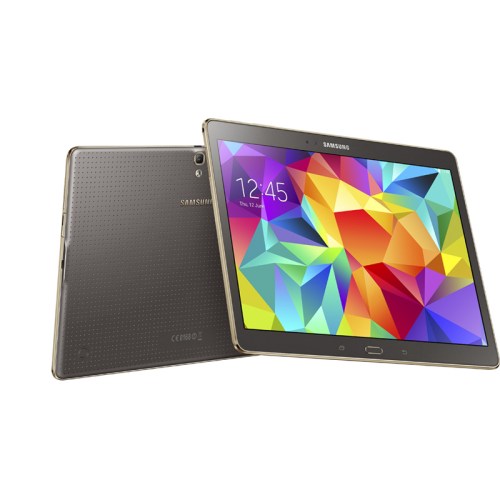
If you read my previous post today, you will know that I have sold my NotePro 12.2. I do miss it with its whopping 12.2 inch screen!
For its replacement I was able to find a deal at a local PC World which included the Samsung Official cover, £50 cash back and a reduction on the price too. I am not keen on the smaller sized Tab S even though it does have a higher PPI.
So what is my first impressions of the Samsung tablet. Its thin, pretty and light. The Samsung cover is rather smart, but I doubt it will look as good as it does now in a few months as it somehow as already picked up a small mark. The cover is one of two different types offered by Samsung. This simply is a simple cover. The book cover has 3 different positions. What is unique about these covers is they clip on rather aggressively to the rear of the device which has 2 mounting points which are recessed when not in use.
The screen is fabulous on this tablet. It is really fast, faster than the NotePro. There is tons of software and I am at the stage where everything is downloading.
I also have been comparing it to the iPad Air. My thoughts on that are for another day.
Once I get everything setup, I will update you on my impressions.
If you have any questions that need answering please let me know below.
Below is a shot using the selective focus camera mode. Click on photo to get taken to the flickr original. If you download the original and have a Samsung phone you should be able to go into the selective focus mode and edit the effect from near focus, rear or pan focus. The file size of this shot is 19mb and has tons of detail.

I also have some better news to report on the battery. Yesterday I managed 10 hours with 2 hours screen on time. This reduced the battery for down to 50%. This should translate to 20 hours and 4 hours on screen time. I was in a good cell signal area yesterday.
However compared to the Note 4, the Edge battery life is still poor.
Yesterday I was using my bluetooth headphones to listen to some of my music. I kept getting small static like breakups. So I deleted pairing and repaired. Slightly better but still not as good as I expected.
I feel that this phone could do with a stability and performance firmware update.
Yesterday it was my works Xmas party. So for once, I left my Note Edge at home and used the Gear S as a phone that was independent of the Samsung Note Edge.
From my other post you will have read that 3 UK are without a network service within a 10 mile radius of my home address. I’m not sure how much of a battery drain this was on the Gear S, as it did try to connect to the Note Edge and turn on call forwarding. This was not possible due to lack of service.
However, and to my surprise any notification that arrived on the Note Edge using wifi got sent to the Gear S. After 12 hours of using the Gear S you realise how many notifications you receive and perhaps it may be best to turn them all off. Receiving and not being able to reply really highlighted that I had too many notifications. With the Gear S in independent mode, you can call, text or email. Using the Opera Mini Web browser you could respond to other services.
But what about battery life in this mode. 12 hours only versus 2 days when connected via Bluetooth to your samsung phone.
All the below shots were taken from dusk to darkness. The optical image stabilisation was probably working overtime. With more time with the camera, I am certain it will be possible to improve upon these shots.
Macro shot –

Artistic Fern

Snow in Plymouth

Burrator Reservoir – Tricky as mist and dim lighting

Padlock and Chain Macro

Princetown, night shot and heavy fog. Camera really did well as the air was full of fog.

If you want to see full resolution, just click on photo, and change size to full size.
I’ve just been asleep 7 hours. The Edge was left on my bedside table with the Night clock running and everything else.
Battery was 81% at 11pm. At 6am it was 67%.
Overall the battery performance has improved each day a little.
I don’t care about benchmark scores and rarely bother to read them. But I thought I would see where the Note Edge scored using Antutu.
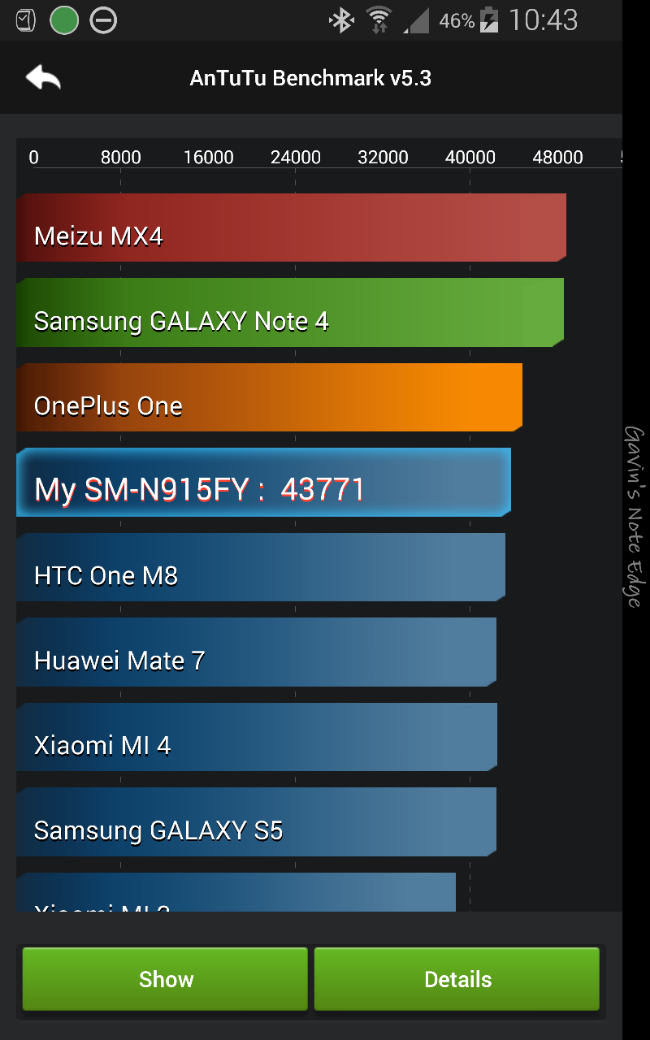
The overall score shown is with everything running. Gear S is connected and more. And below I optimised the phone by turning off what I could and using flight mode.

So now I’ve managed to beat the OnePlus One and get closer to the Note 4.
Like I said, I don’t care too much for benchmarks but it shows the panel on the Edge does impact performance marginally.
Talking about the Note 4, it’s now sold. I really prefer the experience of the Edge over the Note 4. Heck even TouchWiz is brilliant on the Edge.
I now have 155 apps installed on my Note Edge. I have 3 home screens and 7 edge panels.
Below are my 3 home screens in order.

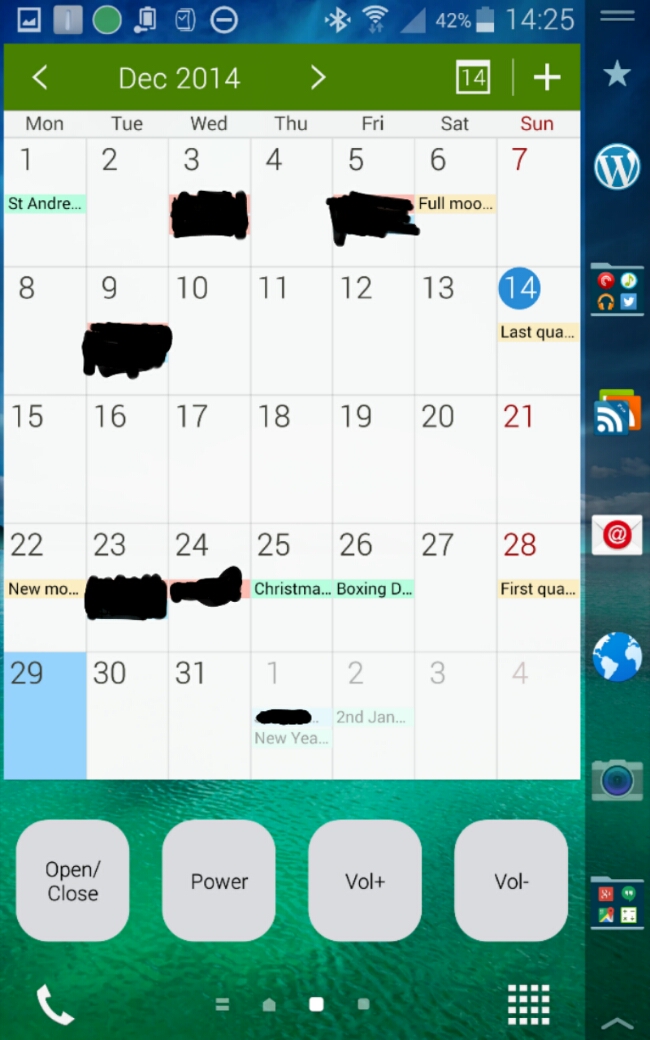


The News Briefing screen adds the index to the edge panel.

I have the following edge panels installed.

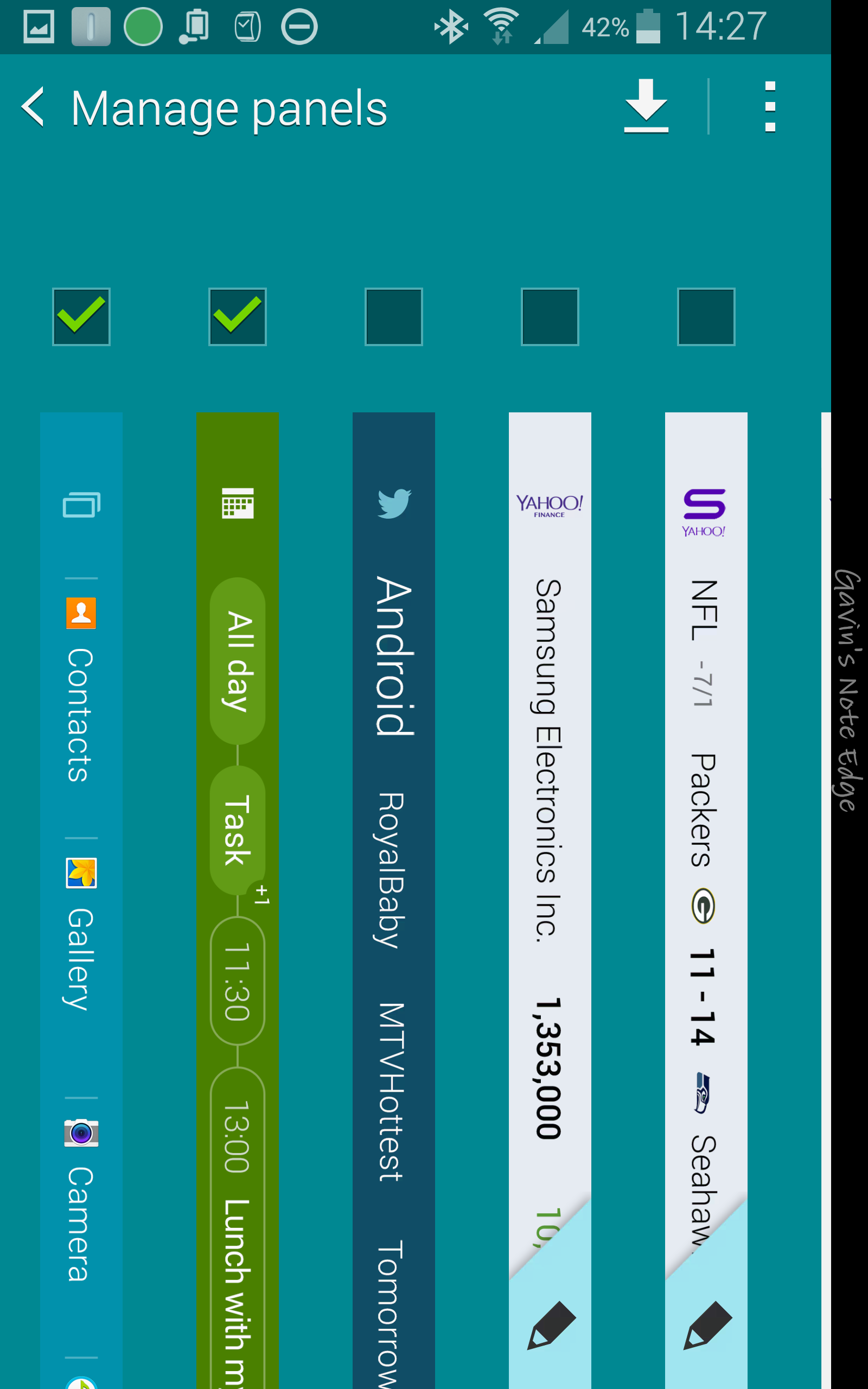
The unticked ones are installed but not active.
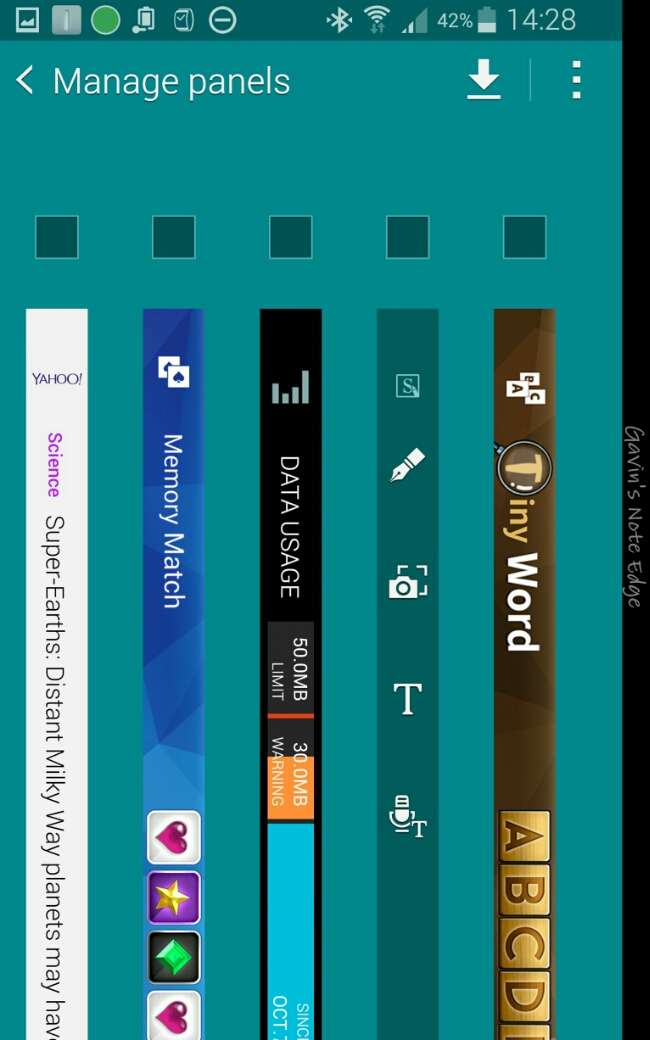
And there you have my setup using TouchWiz.

So the Note Edge is at 13%. 7 hours usage. 4 hours on screen time.
Since 7 hours ago I have been hammering it. The stats don’t reveal that I’ve had a USB DAC connected for 4 hours that drains battery even with screen off.
I’ve also had 4 twitter accounts bleeping all the time, 4 email accounts on push and tons of other services.
The Edge hasn’t left my hands in all this time.
Doesn’t look great really. But I’m now going to charge it fully and make 3 tweaks in the settings and report back tomorrow.
This is the first full charge. It should improve, I hope!
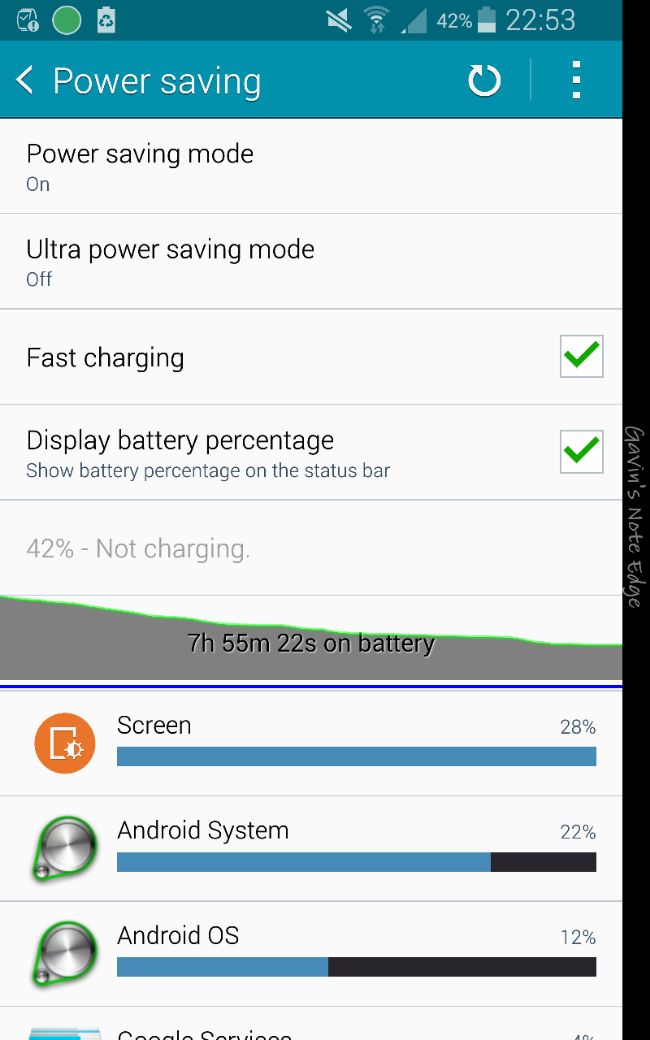
Update – 2nd charge. I was 60% through the second charge and had to stop the test and charge the phone overnight as I needed to use it today. However, I had vastly improved stats . I made a few changes. First location was changed from high to power saving mode. I turned on power save mode but only used restrict cpu option. And lastly I switched phone on flight mode, then turned back on wifi and bluetooth. My Gear S was still connected. With wifi on, I activated my network wifi app, Three in Touch, so I still got calls and texts. I did this as studying my first charge battery stats showed that the Note Edge was struggling to get phone signal constantly. This is the downside of 3 UK as it is useless for phone reception inside my house. It is so bad I am likely to switch to EE next month. Screen shot below on stats for second charge before I decided to recharge it last night.

It was sub zero, but I went out on took a few shots before the mandatory bacon sandwiches from Foxtor Cafe, Princetown. No surprises that the Note Edge camera is excellent. To view full size click through on each photo to my Flickr account and change size to full resolution.


 Gavin's Gadgets & Photography