Tag Archives: Review

iBasso DX80 – Digital Audio Player – My Review + Using the DX80 and Chord Mojo Together! – Updated with New Firmware

Welcome to my review of the brand new digital audio player from iBasso, the iBasso DX80.

  
In the box are a number of accessories, some of which are rather neat –

– iBasso Quick Start Guide
– Warranty Card with individual serial number and date stamp
– Silicon case – this is a neat addition to protect the device
– 80cm micro USB cable – charging, card reader or DAC
– Burn in cable adapter
– Male Coax (RCA) to 3.5mm Mono short cable
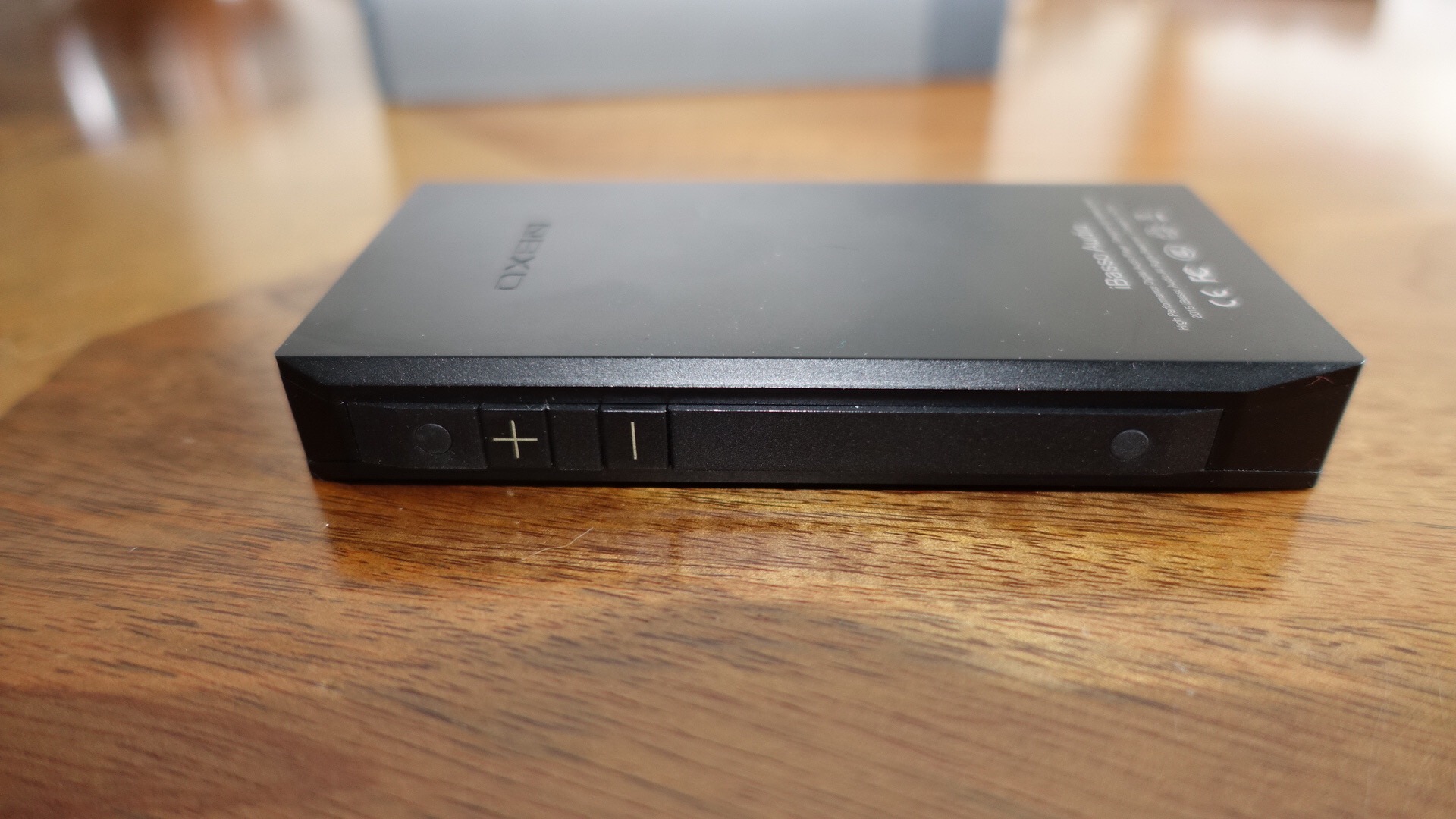
– 2 screen protectors. I already have fitted one so all my photos include a protector.

  
One of the usual pieces included is the burn in cable adapter. iBasso suggest the DX80 needs 50-100 hours to reach its full potential. There are several ways of doing this. One is to plug your headphones into the DAP and play music at a moderate level for 100 hours. The other option is plug this cable adapter into the headphone socket and play music at a moderate volume. No sound will be heard, but the DX80 will be perfectly burned in. When burned in, the DX80 can reach its full sound quality potential since the capacitors will be formed and the electronic components used all stabilised. I have burned the DX80 for over 250 hours before writing this review. There is a difference in the sound experience from trying it straight out of the box to a 100 plus hour burn in.
  
Headphones used for this review are Sennheiser HD598 SE, Audio Technica m50x and Denon AH-MM400.

The key specifications are

– Bit for Bit playback, support for up to 24bit/192kHz. native DSD up to 128x.
– Dual Cirrus CS4398 DAC Chips
– XMOS USB receiver with Thesycon USB Audio driver. Easy to use USB DAC.
– Dual Si TIme MEMS Oscillator
– Built in 10V voltage swing headphone amp with up to 260mW output power
– 3.2 inch screen with a resolution of 480*800 IPS screen.
– Up to 24Bit/192mHz mini optical output/mini coaxial output
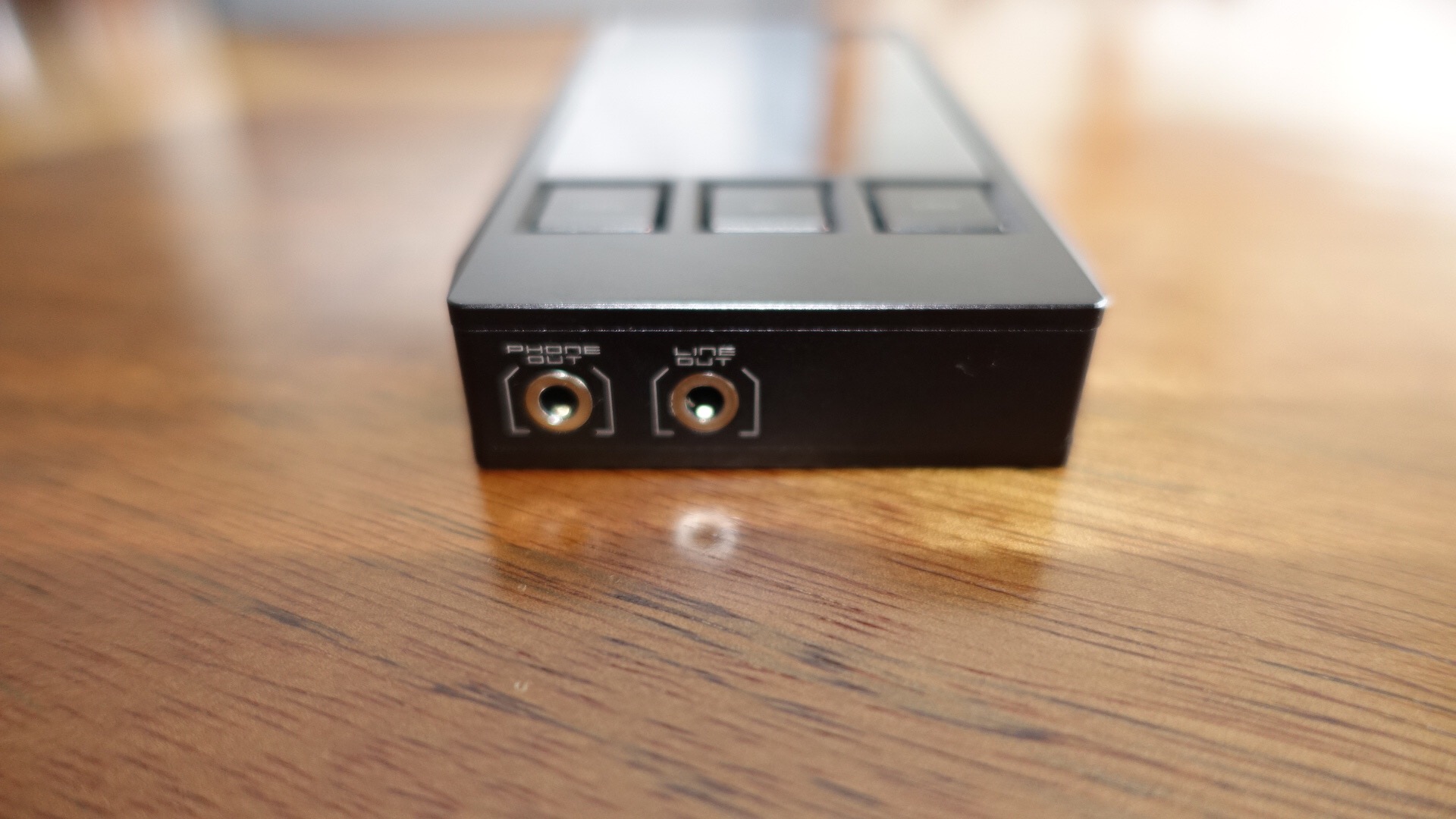
– 3.5mm Headphone output, 3.5mm line out output
– 3 physical buttons for previous, play, pause, next
– 150 step volume control
– eMMC onboard memory
– Dual micro sd card slots, up to 2TB each when cards available
– Audio formats supported – APE, FLAC, WAV, WMA, ALAC, AIFF, OGG, MP3, DFF, DSF, DXD
– Support for M3U playlists
– 3,600mAH battery – 13 hour playback
– Line out has a set voltage – 1.6Erms (1kHz,0db)
– Frequency Response:17Hz ~20KHz +/-0.1dB
– S/N:-116dB +/-1dB
– THD+N: 0.001% Crosstalk: 107d B (1KHz)
– Headphone out: Output Level: 2.9Vrms(32ohm Load).
– 260mW into a 32 ohm load.
– FrequencyResponse: 17Hz~20KHz +/-0.1dB
– S/N: -114dB +/-1dB (32ohm Load)
– THD+N: 0.002% (32ohm load)
– Output Impedance: <0.1ohm
– Size: 120mm x 63.2mm x 16.8mm
– Weight: 178g

First Steps

This is my first Digital Audio Player. I have really wanted to experience an iBasso product but have never taken the leap of faith that says having a dedicated device for playing your music is worth the extra effort required.
  
After the initial charge period, I checked the firmware to see that it was on version 1.12. From reading a few forums, I was aware I needed to update it to 1.14. To do this you have to download this from iBasso’s website and copy it across onto to the second micro SD slot in the root directory. You also need to make sure if you’re on version 1.14 or lower that to update the firmware you need a small sized non SDHC micro sd card. Luckily I had a 16gb card laying around. If your DX80 already has v1.14 you won’t need to worry about this limitation. Basically, each firmware update fixes bugs and adds some new features over time. The firmware update itself is a simple process. The next step is to copy your music across to your micro sd cards. If you’re lucky enough to own 2 x 200gb micro SD cards then you can use these. I am using a 128gb and 64gb micro SD cards.

So how does the DX80 function. It has 3 screens operated via touch. Now Playing, Library, and Settings.

In the library interface you can select between – Now Playing, All Music,Directory, Artists,Album, Playlist and Genre.

Swiping down from the top in Now Playing you get access to some quick settings – gapless, shuffle modes, USB mode, Digital Filter sharp roll off or slow roll off and Gain High or Low.

Swiping across to the Settings menu gets access to the equaliser, l/r balance, gapless, gain, music info on track playing, USB mode, play mode, Digital Filter, Advanced (languages, display, power management, rescan library, system info, system upgrade, factory reset).

The DX80 also has physical buttons for power off, display off, volume and play/pause and next or previous track. These are really handy to use and one of the aspects that makes using the DX80 a real joy.

Sound Performance and Quality

The user interface is not the most polished but it works fairly well. This is a new device, so based on previous iBasso products will get improved over time. The fit and finish is very distinctive and looks quite chunky in places. But large buttons for the physical music and volume controls do make the DX80 super quick to interact with and skip tracks without looking at the display.

In terms of music playback all 3 headphones I used were driven powerfully with a full range of dynamics and unlike some of my smartphones that simply run out of steam or volume, this won’t happen with the DX80. The DX80 has a decent amount of bass but not OTT at all. If the song has bass the DX80 reproduces it. The performance is full of energy. Playing classical is a joy as there is practically zero hiss at all. In other words a black background. I tried a range of genres to try and trip the DX80. No such luck. I did notice when I had All Music in shuffle mode, that selecting next track ocassionally created a slight audio click but this only occurred during the initial burn in period. Listening to some live jazz was spectacular. Now most of my music is 320mp3 but I did buy a Enya album in FLAC codec from HDTracks. OMFG. Anybody who says FLAC doesn’t sound better is lying unless they have hearing difficulties. However, what I like about the DX80 is its ability to squeeze miracles from MP3 coded songs.

iBasso have included components in the DX80 that are not found until spending 4-8 times more money in other devices. And it shows in terms of audio reproduction. 

Using the DX80 as a Digital Transport Only with the Chord Mojo

The DX80 has the ability to work as a digital transport only. The Chord Mojo is a new Digital to Analogue Convertor that has been receiving very high acclaim from across the world.
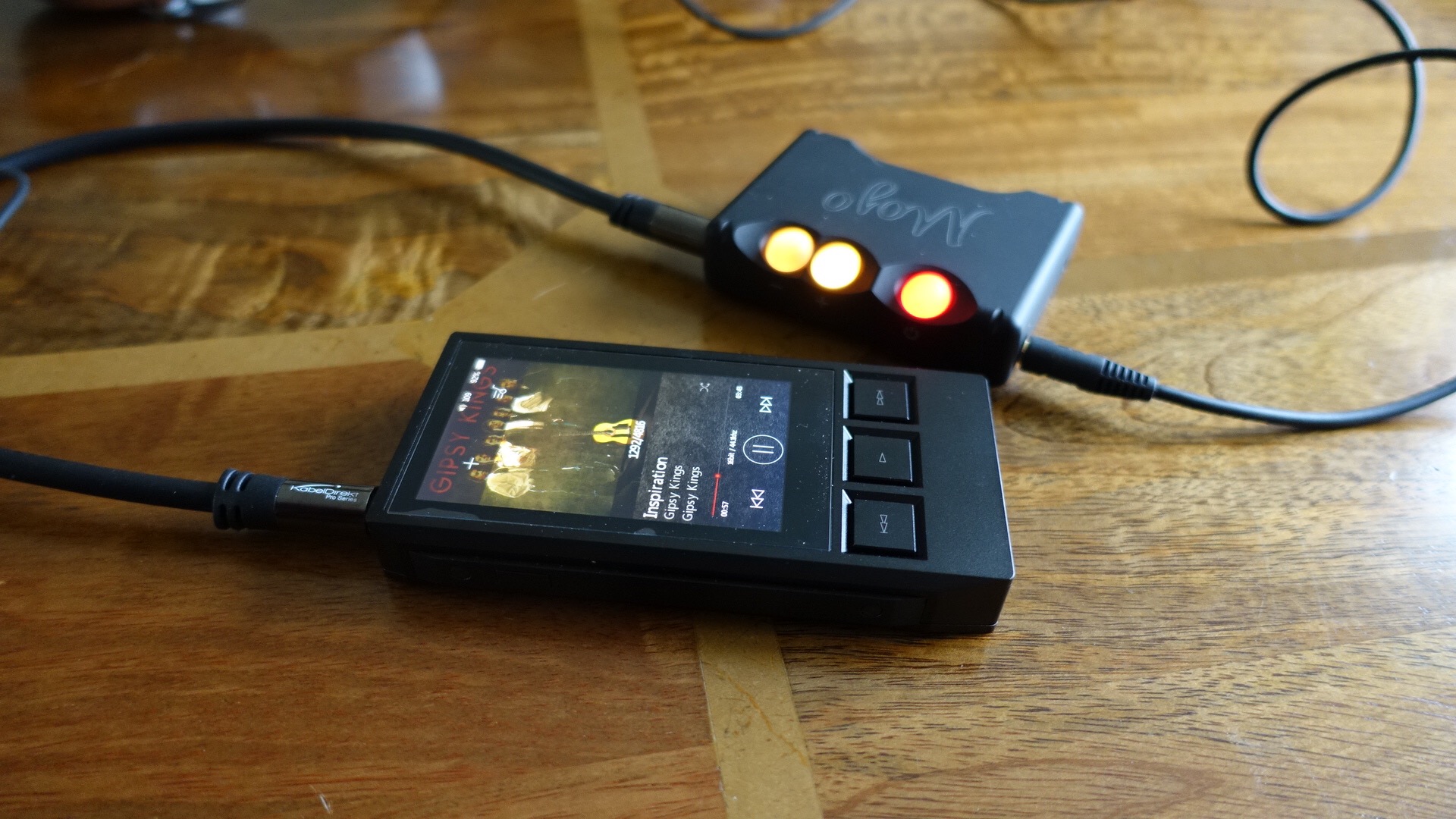
  
So connecting the devices together produces a mesmerising sound between the ears. First of all using the Chord Mojo does marginally reduce the bass but its presentation is more airy, spacious and has an incredible musicality and timing. I actually think the musical timing is so stunning that this is what makes the Chord Mojo special. Now I have tried using the Chord Mojo with other devices like an iPhone 6S Plus or Huawei G8 but the DX80 and Chord Mojo produce knock out punches. Using this combo is like rediscovering your albums!

Conclusion

The iBasso DX80 is a fine piece of kit. The user interface is not as cosmetically pleasing as other devices but it works simply enough. Unless previous firmwares add WiFi there is no option to stream music from Tidal and other services. At around £300 for the DX80 is a fantastic Digital Audio Player if sound quality matters. If you want to take it one step further, adding the £399 Chord Mojo takes the musical experience to another level. If you get the chance to demo the iBasso DX80 and Chord Mojo you really will be surprised. Recommended.

PS. A new firmware update has just been announced to be available within a week. I will update my review with details of the changes.

Update – Firmware v1.2 is now out. Changelog is as follows below. Don’t update to this. It’s a bug fest. 

1. Fix the line output bug when the DX80 is used as a USB-DAC.
2. Enable sorting function on Now Playing.
3. Change from file name to title name on All Music view.
4. A more accurate battery indicator on low battery.
5. Improved M3U playlist import function, allows an apostrophe on file name.
6. Improved WAV ID3 support.
7. Allow custom wallpaper be read from either SD card slot.
8. Allow the player to display Hebrew.
9. Scroll bar added to all of My Music views.

Deals on iBasso DX80 24bit/192kHz Digital Audio Player at Amazon UK

HTC Re Camera – The Photos and Video plus initial thoughts – Updated with new Footage

  
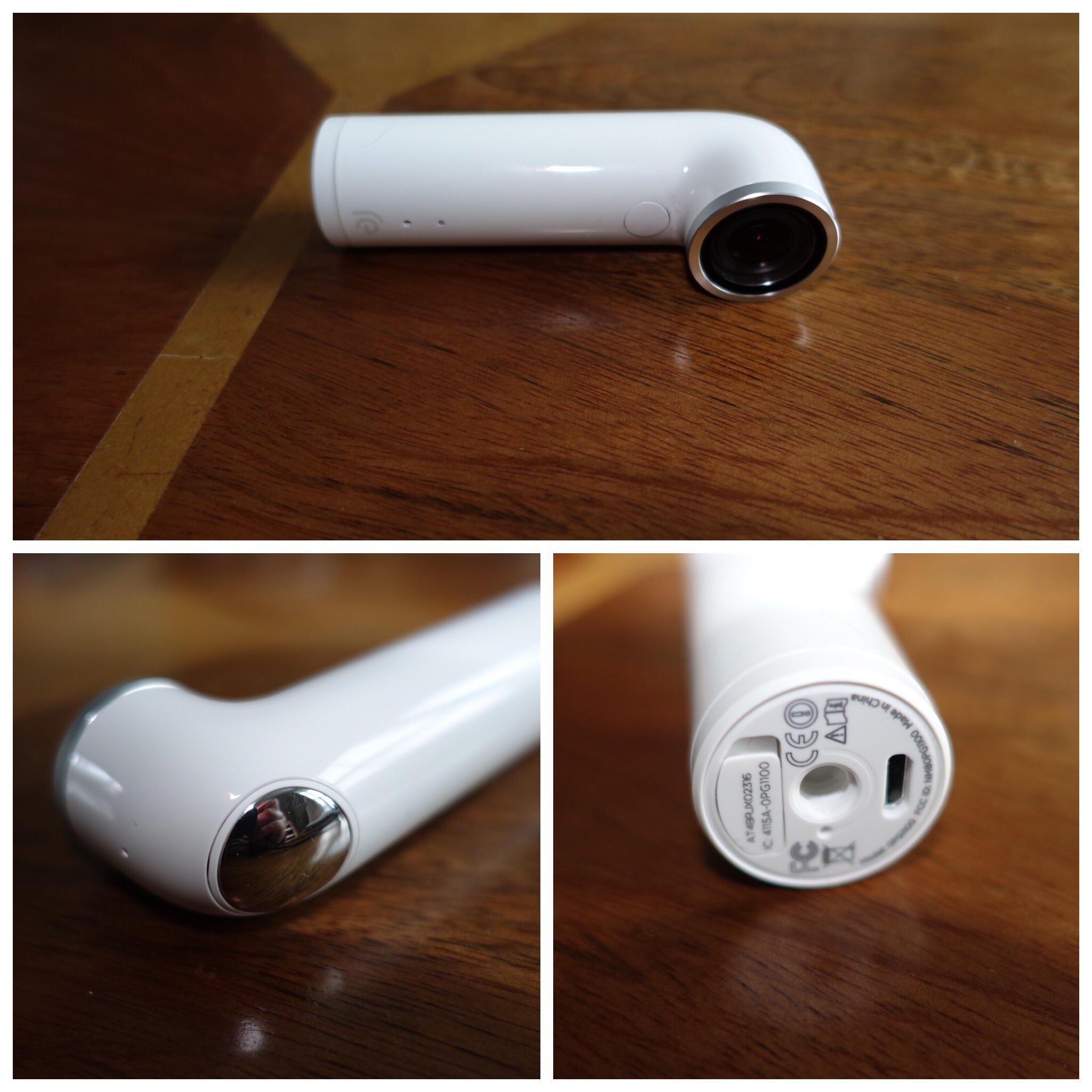
I’ve always wanted to try the HTC Re camera but it was initially too expensive. Recently it was available at a price to good to ignore. 

The concept is simple. Grip sensor turns on camera when you pick it up. One handed operation for photos, video and slow motion. Time lapse is possible using the app. The app available on iOS and android allows you to view what you are capturing and act as a remote shutter button. Storage is via a micro sd card. 8gb card included. Waterproof up to 1 metre. However must footage is shot without seeing what you are filming. All the below media is my first attempt. 

There are camera settings in the app. With all the media below I took this with the ultra wide option enabled. This creates a fish eye effect. Personally, I would now keep this option off as it’s fairly aggressive. 

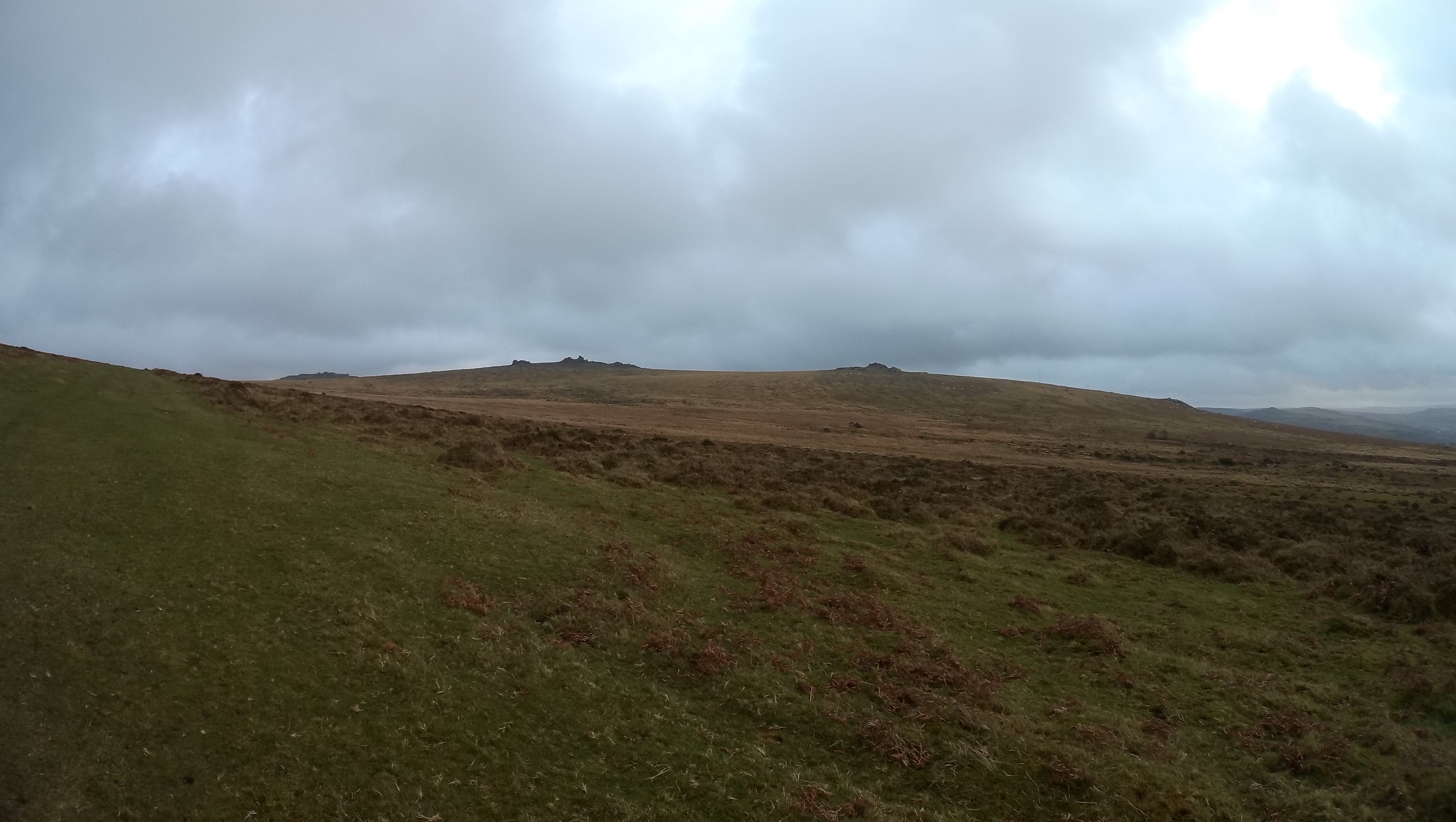
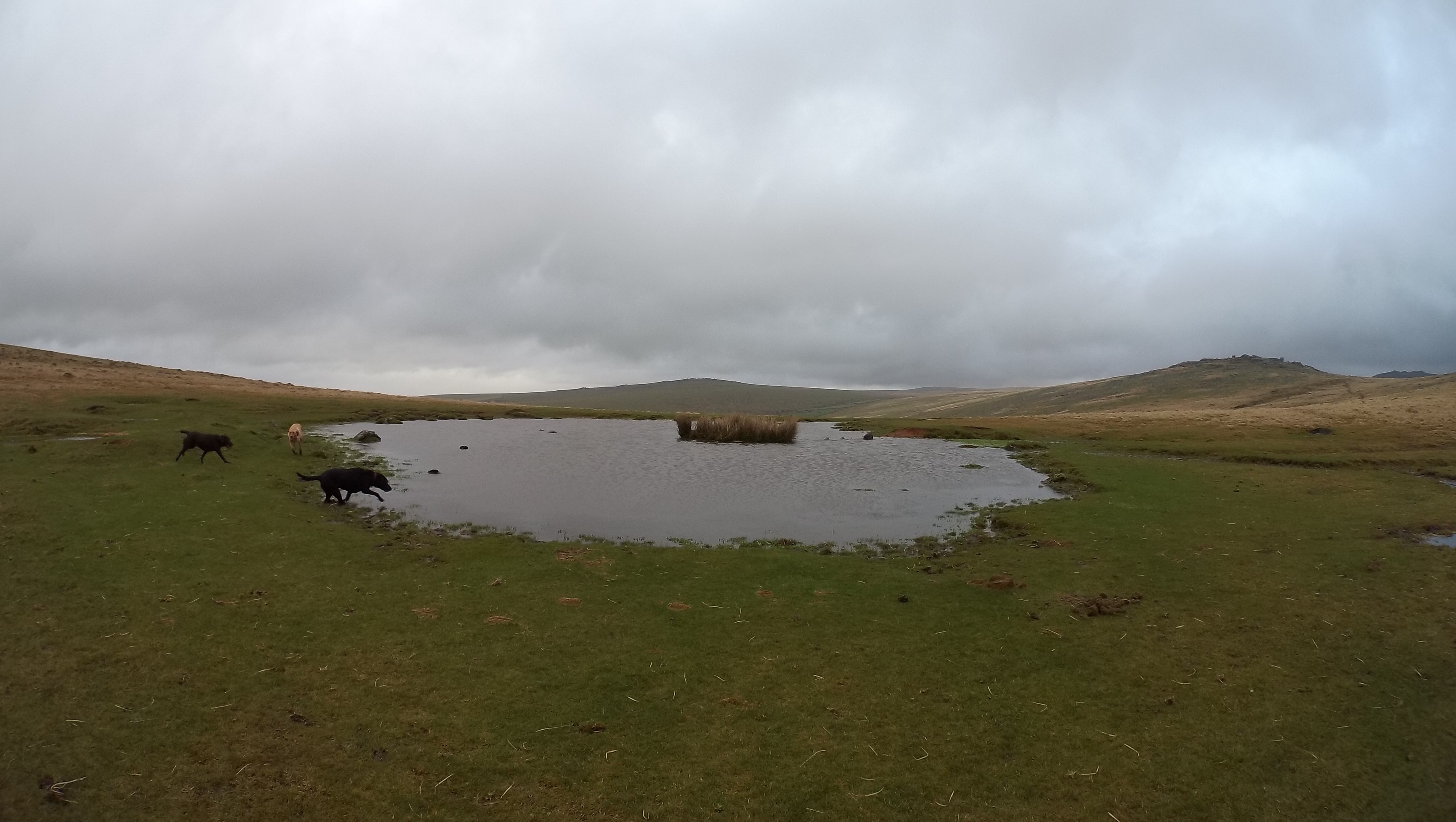
Anyway, enjoy the footage below. I absolutely love using the Re. It doesn’t get in the way of anything and I snapped some superb moments. 

The YouTube video includes all the footage good and bad. I also added some photos from the iPhone 6S Plus to give you a comparison which I added at the end. Also remember all the footage from the Re was taken without a viewfinder. 


The above shot was straightened and cropped. 
  
The above shot shows how fish eye the ultra wide setting can be. If I had held the Re Camera more level this photo would not look so fish eyed. 


Now enjoy all the video, slow mo and photos with some from the iPhone 6S Plus as a comparison. Total time is only 1 min 45 seconds. 

Right I have had more practise with the Re. Below is another video with just photo and video only from the Re. This time I had ultra wide mode turned off. Once again I had no idea of what I was filming. 

The new Apple TV – Apps and my updated thoughts / review – Editorial

So according to Engadget the Apple TV now has 2,600 apps. 50% are games and the balance are predominately in the entertainment sector.

So did Tim Cook get it right when he said the future of TV is all about apps? Maybe.

Currently, I own an Amazon Fire TV, a Google Chromecast and the new Apple TV. My TV, despite its age has WiFi via a dongle and has smart TV services. So I have plenty of choice for obtaining films, apps or TV shows over the internet.

I have stopped using the chromecast. With the Apple TV and Fire TV it offers no benefits at the moment. It also helps that I am using an iPhone instead of an android phone, although my android phone is a Huawei G8. When Amazon provides an app for the new Apple TV and BBC iPlayer arrives, that will be enough for me to unplug the Fire TV as that won’t be needed anymore.

Now to my updated thoughts on the Apple TV. A new firmware arrived a few days ago. It plugged some bugs but more importantly allowed the iOS remote app to work with it. This should have worked from Day 1. Games are plentiful and there are some good ones. Problem remains that the implementation by the developers on supporting a game controller and or the Siri Remote are inconsistent and a PITA to guess which option will work best.

I absolutely hate the Siri Remote. I keep accidentally catching the trackpad and end up skipping or jumping to another part of the film. Finding anything using the Siri Remote and the iOS app is also a PITA. Another issue is how difficult it is to watch the next episode of a TV show. Nothing works like it did on the old layout. Twice the Siri remote didn’t work as it had gone flat. And prior to the firmware update, I was unable to use the Apple TV until I had charged the remote for a short time. Now at least I can use my iPhone to operate the Apple TV via the iOS remote app.

Talking about apps, the discovering process needs to improve. It is getting harder and harder to find new and decent apps or games. The settings option’s menus have been moved and I haven’t got used to all the changes yet.

The neat stuff. During the Walking Dead, someone whispers something. I couldn’t hear. I use the Siri remote, and said “what did he say”. The TV show go back 10 second and sub titles appear temporarily to help reveal what was said. There is an audio setting that allows you to remove loud noises e.g. bangs and level off the sound. This makes it easier to here spoken words and a preferred listening mode for me. You can turn this on per film etc by swiping down on the show or film whilst its playing to reveal this option, or turn it off or on in the main settings. I also like that you can be logged in to several different iTunes accounts, even with one from the UK and another from the US.

So its ok. It needs a further update and some great apps like Amazon and BBC iPlayer.

Sony MDR-1RNC ActiveNoise Cancelling Headphones – 3 Month Review

IMG_1074

Welcome to my review of the Sony MDR-1RNC Active Noise Cancelling headphones which include Sony’s S-Master Digital Amplifier, DSEE (digital sound enhancing engine) and active noise cancellation. These headphones are Sony’s flagship prestige over the ear noise cancelling headphones that come with a RRP of £499. I have provided a link to Amazon at the end where you can buy these for under £200 at the moment.

To ensure this review was fair, I have used these for 3 months before scribbling my thoughts down on paper. Headphones benefit from a burn in period of around 20 to 100 hours.

IMG_1075

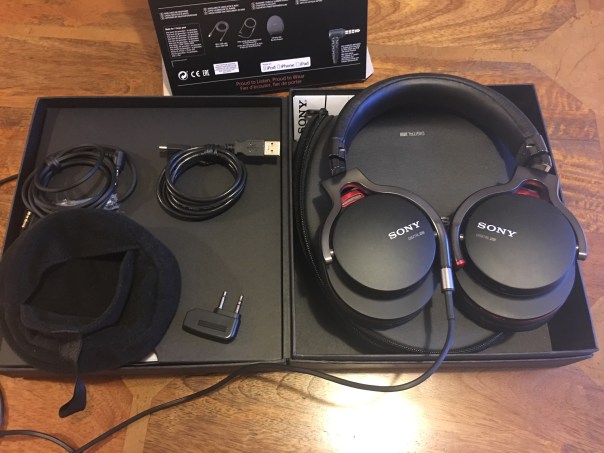
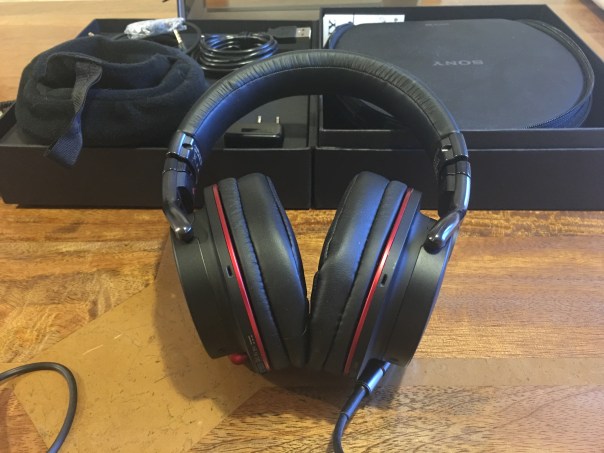
Sony don’t scrimp with the box contents. You get a lovely carry case, an iPhone cable or a straight cable, flight adapter, manuals, micro usb charging lead and a little pouch to put all the accessories into which in turn fits inside the carry case.

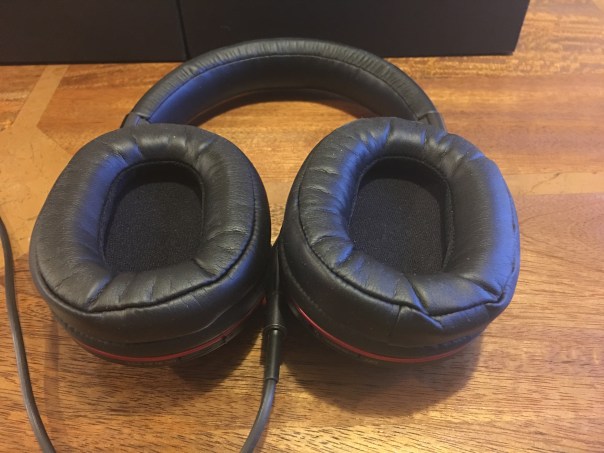
You will notice the headphone pads from the photo above. These are the most comfortable to wear headphones I have ever worn. You will also notice the headphones fold flat to fit inside their carry case.

Before I carry on let’s take a look at the full specifications –

– Type – Closed
– Diaphragm – Liquid Crystal Polymer Film Diaphragm
– Driver Unit – 50mm
– Frequency Response – 5-24,000Hz
– Impedance – Power ON 51 ohm, OFF 19 ohm (at 1kHz)
– Sensitivities – Power ON 103 dB/mW, OFF 100 dB/mW
– Cord Type – PCOCC 1.2m
– Capacity – 100mW
– Magnet – Neodymium
– Weight – 330g
– Usage – 22 hours

IMG_1077

IMG_1078

Sony describe the MDR-1RNC headphones as noise-cancelling headphones with Dual Noise Sensor and Digital Sound Enhancement Engine that eliminate 99.7% of all sounds. What actually happens is that when you turn on the noise cancellation the microphones quickly access your environment and automatically adapt the level and type of noise cancellation accordingly. So for example, when I was on a plane its adjusted the noise cancellation for aeroplane engine noise. If you had screeching cars, barking dogs and train noise this all would be removed/reduced. All rather clever stuff.

On this particular flight I was next to the editor of Oxygadgets who had the top of the range Bose noise cancellation headphones. So the obvious thing to do was to compare which headphone a) sounded better and b) removed the most engine noise. We both agreed the Sony did a better job on both accounts, although on just noise cancellation it was fairly close.

Music is about the whole experience brought together in its purest, most natural form and these headphones have been created by music-lovers, then tuned by musicians to give you that in-the-club, at-the-concert feeling and natural sound. They come with liquid crystal polymer film diaphragms and a specially engineered, ultra wideband HD driver which helps deliver precise mid to high range sound and powerful lows. Beat Response Control is included. This features an enlarged air vent,boosts bass while pressure-relieving cushions fit snugly around the ears, sealing in sound.

Finally the S-Master amplifier and Digital Sound Enhancer provides a natural sound with a spacious feel by restoring high frequencies and low amplitude audio lost through compression. So plug these into your iPhone or other mobile device and experience really impressive sound without the disturbance of background noise.

The headphones come with two types of headphone cable, one with iPhone controls and the other without. The iPhone cable has controls for music and taking calls, all of which work really well and calls sounded clear on both ends.

As I said in the beginning I have had these for three months and over time the sound quality has improved more and more. The frequency range is impressive, but more importantly these are a musical and enjoyable headphone to use and directly from your mobile phone. Their comfort is legendary so I found myself wearing these for hours and hours at a time. In terms of bass, if the music has bass, the MDR-1RNC deliver it. Vocals and mids are good too. I do think the S-Master amp and DSEE technology work really well with MP3 or downloadable music which is heavily compressed.

All in all these are might impressive and a highly recommended choose for people that travel and want to remove background noise.

Sony MDR1RNC Noise Cancelling Prestige Headphones – Black on special offer at Amazon UK
Netatmo Weather Station for android, iOS and Windows review – One Year Later – wind & rain gauge – 100mph wind speeds

  
Netatmo produce a rather nifty weather station kit. What makes it so special is all the third party apps and Internet integration. Using IFTTT for example, if it starts raining, the rain sensor will tweet that rain is detected. 

When it first got launched it came with an indoor and outdoor gauge. This provided temperature , CO2, noise levels and pressure. As time has moved on, a rain sensor became available and just now the wind sensor. 

I wrote a 5 part review of the Netatmo Weather station. Click HERE to read it. Since then the app has received a huge cosmetic update too. 

Last night the rain gauge got a real test. It was gale force weather. I knew something was happening outside when I got 3 notifications within a short space of time. 

  
In fact wind speeds at its peak were 93mph peaking at 99mph. In case you’re wondering what happens when you open the front door with 90mph winds and heavy rain. It’s open door. Get totally drenched through to the skin with wind and rain. Close door as fast as you can!

Below are some screen shots from the Netatmo app. However, there are many other apps and services that Netatmo plugs into which makes this a versatile system and one that I have used for over a year. Each module has 4 batteries which last one year. 


If you have an iPhone you can have a widget in the notification centre. Android gives you other widgets too. 

  
During my course of ownership the weather station has reviewed new firmware to help improve the system and allow for new features. 

During December you will see the Netatmo weather station on offer too. Recommended. 

Technical information and pricing deals at Amazon.

What makes the iPad Pro special? Is it really class leading? And worth £1,000? YES!


I have written several posts discussing some of my concerns regarding the iPad Pro but today I am going to tell you why it’s a bargain at £1,000.   

The iPad Pro comes with a really large canvas screen with iOS 9 multitasking options that do work really well. The Apple Keyboard shown in the above photos with the Apple Pencil is fantastic. It is so slim, fast and light that you can leave it attached all the time. 

And then comes the Apple Pencil that is getting around 12 hours battery usage from one charge. And in a clever Apple way, if you run short while drawing, just stick it into the iPad Pro for a quick 10 min charge. It may look cumbersome back actually its clever.  
 
The iPad Pro is the only iPad that allows for proper on screen drawing using the Apple Pencil and it is by far the best pencil/stylus available. The options are endless and only hindered by your own creativity. As a quick mockup, I used Adobe Sketch to import a photo and add some triangles, use the pen to add notes and the pencil too. But there are plenty other third party apps and Apple’s own Notes app that all use the Apple Pencil. And the options are endless with the Apple Pencil from drawings, sketches and one of the best note taking tools. 

So when you add everything together, with an astonishing solid 10 hours battery life from the iPad Pro, excellent loudspeakers which negate the need for a bluetooth speaker and all and all you have one powerful productivity and media consumption device that actually represents a new class of category of device. 

The issue becomes that at its price point it is invading other categories so one has to be very clear if this iPad is for you. For me personally, it is both marvellous and at time frustrating over little annoyances. It is too big in my opinion for browsing and playing games on the sofa, which is also compounded by its heavier weight. But listening to podcasts or watching films is epic. I also have the Steelstratus Nimbus MFI game controller and with the iPad Pro on a table playing games turns it into a new experience aided by the larger screen and 4 loudspeakers.  The full size Apple Keyboard cover works so well, and this whole post was typed on it. But I am left with a painful decision whether the iPad Pro stays or goes. At the moment, it is on death’s door, but then I spent Sunday using the Apple Pencil and realised I don’t have a single device that could repeat the drawing and note taking functionality. If I made a switch to an iPad Mini 4, I could play games and browse the internet from the comfort of my sofa, and without undertaking a weight training session at the same time! But then I would lose the fast keyboard entry, super large screen canvas, pencil and loudspeakers. Ultimately even using the iPad Pro without a smart cover or keyboard, its overall weight is uncomfortable after an hour or so and this might be the single factor why it goes. For its price point, I do believe its a gem of a device, just not for everyone. 

iPad Pro – My First Impressions – Review

They say anything can happen in 24 hours, and in my case this occurred.

I have decided to make the most of the Apple eco system and no longer have a chromebook. Instead I have the new iPad Pro with the Apple Smart Keyboard.

This entire post was typed on the new keyboard too. 

This is my first impressions of the iPad Pro using it for several hours last night. I am sure my views will change slightly as time moves on. 

Apple’s system of online ordering to get the device first seems to be changing as on Wednesday several Apple stores had stock of the iPad Pro. I didn’t expect to buy one either, but a brief play with the device and I realised the potential and how much it would be ideal for myself. Little annoyances include the lack of the Apple Pencil, currently with a 4-5 week online waiting time. My local Apple store only had 2 Apple Smart Keyboards in stock, which after I left just left one. The keyboard is US English only which is annoying, but with some trial and error I discovered where the £ key was located. It is shift 3. 

The first thing that strikes you is just how big and beautiful the iPad Pro screen is and how everything just  feels so much more engaging. The iPad Pro is heavy, but not as heavy as expected. The Smart Keyboard is genius. It is so slim, making the overall profile when fitted incredibly thin looking. The speed of typing on the smart keyboard is very fast. At first, I was not convinced I would be keeping the keyboard longer term, but it really has grown on me, especially just how fast I can type across the keys. The on screen keyboard has been improved too, with a numbers row and shortcuts. This means that for some people, a separate keyboard will not be necessary. 

Split screen mode works really well and I like being able to have tweetbot running and web browsing on safari at the same time. Some apps clearly need updating as they look too scaled up. However, in time apps will get updated and new apps will arrive. Apps that have been optimised for the iPad Pro simply look gorgeous.

The iPad Pro has Touch ID, something for some reason I was not expecting. It also has Apple Pay/Wallet. On top of that you can use the tablet to take photos and annoy the world. Panoramas can be as large as 43mp. I am sorely tempted to try and take one too on the iPad Pro. 

The speakers on the iPad Pro are the best yet on an iPad. Clear, punchy and loud. Photos taken on my iPhone 6S Plus look amazing on the iPad Pro’s screen, although I expected nothing less.

Now Tim Cook made the statement that the iPad Pro is a PC replacement and I have to concede despite my reservations, that this device will replace my macbook pro which is now up for sale. Until you have used this device I don’t think it is possible to fully appreciate its finer qualities.

And yet, I still have the Apple Pencil to explore in a few weeks time!

Sony Xperia Z5 Compact – review

IMG_0237

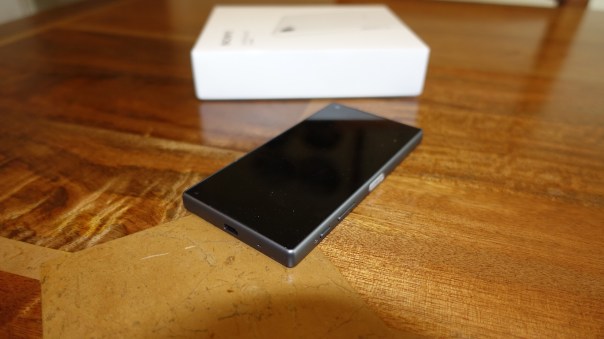
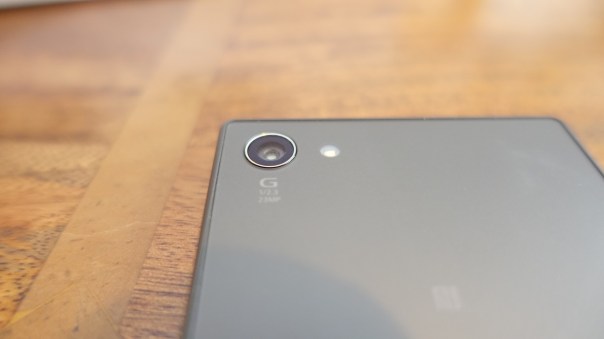
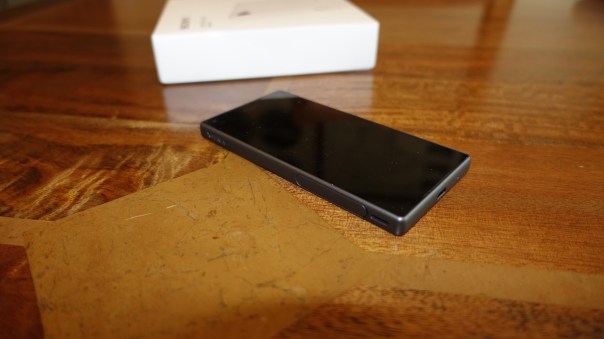
Welcome to my review of the Sony Xperia Z5 Compact. The Z5 Compact is a solid feeling design, that is water and dust proof, has a dedicated 2 stage hardware camera button and incorporates some of Sony’s high end audio tech. It also got awarded by Dx0Mark the number spot for smartphone cameras over the iPhone, LG G4, Samsung Note 5 and more. The sensor is the Z5 Compact is the new 23mp sensor from Sony.

IMG_0238

IMG_0236

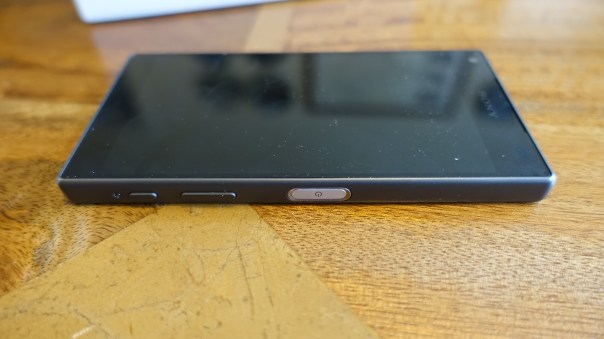
The new Z5 Compact also incorporates a fingerprint sensor in the power button which is located on the side.

IMG_0239

Basics

Key Specification –

– Networks – GSM, HSPA, LTE
– Dimensions – 127 x 65 x 8.9 mm
– Weight 138 g
– Nano-SIM
– IP68 certified – dust proof and water resistant over 1.5 meter and 30 minutes
– Screen – IPS, 4.6 inches 720 x 1280 pixels, 323 ppi
– Multitouch – up to 10 fingers
-Protection – Scratch-resistant glass, oleophobic coating, Triluminos display,X-Reality Engine
– Android OS, v5.1.1 planned upgrade to v6.0
– Chipset – Snapdragon 810, GPU Adreno 430
– Card slot – microSD, up to 200 GB
– Internal -32 GB, 2 GB RAM
– Camera – Primary 23 MP, 5520 х 4140 pixels, phase detection autofocus, LED flash,
– Video 2160p@30fps, 1080p@60fps, 720p@120fps, HDR, check quality
– Secondary – 5.1 MP, 1080p, HDR
– Loudspeaker – stereo speakers
– 3.5mm jack with High-Res audio
– Communications – WLAN Wi-Fi 802.11 a/b/g/n/ac, dual-band, Wi-Fi Direct, DLNA, hotspot
Bluetooth v4.1, A2DP, apt-X
– GPS- A-GPS, GLONASS/ Beidou (market dependant)
– NFC Yes
– Radio FM radio with RDS
– USB microUSB v2.0 (MHL 3 TV-out), USB Host
– Sensors -Fingerprint, accelerometer, gyro, proximity, compass, barometer
– Battery – Non-removable Li-Ion 2700 mAh battery

The Sony Z5 Compact is water and dust proof. It even has a lanyard hook. The fingerprint sensor is located on the power button on the side of the phone and this worked perfectly. The 720p screen is fantastic. Sharp and crisp. Good viewing angles too. Call quality was ok too. Sony include several apps – Amazon Shopping, AVG Protection, Dropbox, Facebook, File Commander, FM Radio, Email, Calculator, Kobo Books, Lifelog, Live screen streaming, Movie Creator, News from Sociallife, OfficeSuite, Playstation, Privilege Plus, PS Video, PSN, Sketch, Smart Connect, Spotify, Track ID, Twitter, Vine, Xperia Lounge and What’s New. The Z5 Compact has many options from glove mode, connecting a Dual Shock Controller and playing your Playstation games on your phone, screen mirroring, casting screen, media servers, themes, tap to wake up and one of the best power managements options to give you 2 days or more battery life. Another unusual feature present in the Z5 Compact is the two way camera hardware shutter button.

Obviously being the compact phone in its range with high end specs too, makes the Z5 Compact rather unique in the android world where most phones are just getting larger and larger. The Z5 Compact has a Snapdragon 810 processor and whilst this caused problems with overheating in previous phones, it hasn’t caused any issues with the Z5 Compact. The phone when pushed very hard does get warm, sometimes very warm but the heat levels were under control, and I have not had any heat warnings either.

AnTuTu scored a respectable 64,000.

Camera and Audio

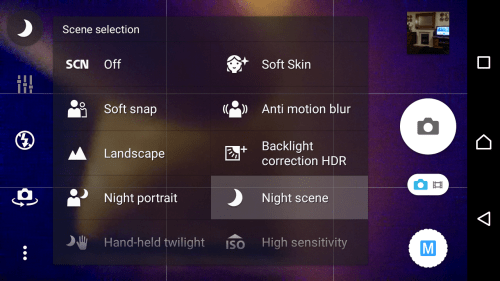
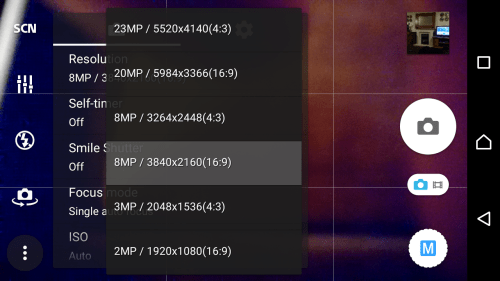
The Sony camera app contains a multitude of options but in reality it is more auto biased. In manual mode you only have a few file size options. Full, 8, 3 or 2mp. You can only select scenes at 8mp. ISO is not controllable at full resolution only 8mp, nor are some other settings. So really manual is not a proper manual mode like that on the LG G4, it is an extension to the superior auto mode.

Screenshot_2015-10-31-07-13-02

Screenshot_2015-10-31-07-12-03

Screenshot_2015-10-31-07-11-52

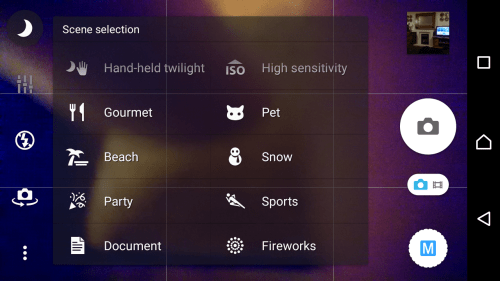
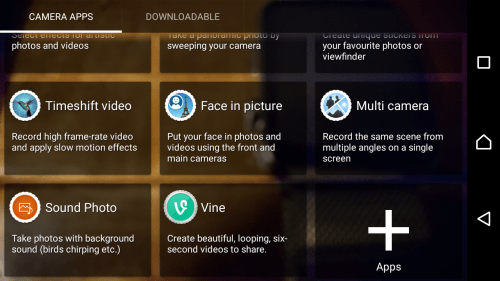
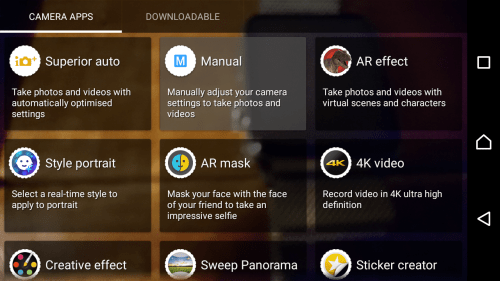
There are scenes for every occasion and a selection of camera modes, with some freaky cool Artificial Reality modes and more. There are more modes available for download in the Google Play store too. BUT there is no burst mode! That is really an oversight. I had to download Timeshift Burst which takes 30 shots in a second or two. It was able to grab some fancy action shots, but the quality was poor.

Screenshot_2015-10-31-07-09-33

Screenshot_2015-10-31-07-09-20

The camera app also allows for other adjustments dependant on file size and mode used. On the flash front you get auto, fill flash, torch, red eye and off. Other options include face recognition, smile shutter, timers, microphone on or off, brightness, colour, quick launch, grid lines, touch capture, white balance, EV, ISO up to 3,200 in some modes, focus type and volume key. Don’t forget there is a 2 stage camera hardware button. Pressing this always launches superior auto mode. Pressing the app icon, launches the last used mode along with the last used settings. There is no raw option or other manual controls like shutter speed. 

So let us take a look at the picture quality. My observations are that superior auto does a reasonable job. In good light it takes good shots and macros are good too. Superior Auto can shoot at 23mp.  In manual mode, you have a few more options. However in lower light it is best to shoot in 8mp manual and if necessary select the night scene required. Superior Auto is not terrible, it just seems to bias towards higher ISO settings which means more noise in the shots. The sensor does get impacted by bright flare, so it is necessary to place your hand slightly to block the bright light. This is easy to do as you can hold phone in one hand and use the hardware button to take the shot and use the other hand to block the offending light. There is a rumour that Sony is overhauling the camera app soon. I really hope so! The firmware update that’s just arrived has improved the camera slightly. Video at 1080p is excellent as the electronic image stabilisation works very well. At 4K it’s not as steady.  The front camera produced average only shots but does have tons of AR type modes from adding animal faces, making your lips reds or even creating a mysterious look. This gave me glowing blue eyes! You really can have some fun with the camera options. So how would I rank the camera versus the competition now that I have used the Z5 Compact for a few weeks? The Note 5 and LG G4 are ahead of the Z5 Compact across all the different modes (video/stills) and they have full manual controls. However, the Z5 Compact is the first camera sensor from Sony that I would be happy to use daily.

DSC_0022

The above shot is at night of the visitors centre in Princetown.

DSC_0019

Even more challenging is the local church as their is no lights to help focus.

My Bone #Tiggy #HappyDog #SonyZ5Compact

Above a portrait of one of my dogs Tiggy.

Below are 3 of the photos using Timeshift Burst.

Timeshift Burst examples from #SonyZ5Compact

Timeshift Burst examples from #SonyZ5Compact

Timeshift Burst examples from #SonyZ5Compact

Greenery Macro #SonyZ5Compact

Above just some random close up of a plant.

Below are random shots of my local church.

Scenes around the Church of St Michaels and All Angels, Princetown #SonyZ5Compact


Scenes around the Church of St Michaels and All Angels, Princetown #SonyZ5Compact

Scenes around the Church of St Michaels and All Angels, Princetown #SonyZ5Compact

Scenes around the Church of St Michaels and All Angels, Princetown #SonyZ5Compact

Below is a frame from the Timeburst Shift mode.

Doggies charging around on Dartmoor #SonyZ5Compact #TimeshiftBurstMode


Beautiful views around Staple Tor, Dartmoor #SonyZ5Compact

Beautiful views around Staple Tor, Dartmoor #SonyZ5Compact

If you want to see all 25 shots taken with the Sony Xperia Z5 Compact, click HERE.

The audio is rather decent. Front stereo speakers that whilst not HTC Boomsound levels are ok. And on the front! Sony’s music app has audio settings DSEE HX (upgrades the quality of compressed music to near Hi Res Audio quality), Clear Audio+, Sound Effects (EQ, Surround, S Force Front Surround for the loudspeaers, ) noise cancellation (with certain Sony headphones) and more. All these audio functions work really well to provide a good quality output via headphones. I would recommend in ear canal type headphones and with certain Sony headphones you can even have active noise cancellation. The music app also includes options to stream music from your home network, podcasts and incorporates Spotify.

Summary

The Sony Z5 Compact is an ideal one handed device, offering tons of functionality and options galore. With its smaller size it becomes unique in the world of android phones. If I had one wish, it would be for Sony to refine and simplify the camera app, so its auto mode was the best in class by making it simpler, and then have a proper manual mode with raw and shutter support.

My thanks go to Clove Technology for supplying the Sony Z5 Compact.

Nexus 6P – More Impressions – Mini Rant

So another day with the Nexus 6P and I am rapidly falling out of love with this phone.

– AnTuTu scored 44,500. No apps were running. So I rebooted phone. AnTuTu scored 60,000. These scores are with 170 apps installed.

– As I have the 128gb model, I wanted my music sitting on the phone. Nothing worked until I rebooted phone and mac. I also had to re-install android file manager. This worked.

– I also wanted around 1gb of my favourite photos on the phone. Android File Manager wouldn’t copy the photos across. No matter what I tried, nothing worked.

– USB Audio does not seem to work. This is a disaster for me. I don’t understand why Google would have killed this function. However, bluetooth audio is really good. Update – apparently USB C removes the need for OTG so I am testing another option and will update this post again shortly.

– The camera. The weather has been horrific so I have only tried some indoor shots. The 1.55 microns do make a difference but not for every shot. HDR+ is slow saving.The Google Camera app is too basic IMO and whilst it can take some good shots, they are not class leading. Why no OIS? With OIS the camera could have been a class leader!

– Battery so far is average at best.

– USB C cables are a PITA. All my adapters, special micro usb connectors, nothing works.

That’s all. I will be spending the weekend with the Sony Xperia Z5 Compact so that I can finish my review for Monday.

I will try to take some photos with the Nexus 6P, assuming I haven’t sent it back!

And finally, if if you are buying anything on Amazon UK, please use the link below. This will help support Gavin’s Gadgets with all the running costs and more and won’t cost you anything extra either. Thanks in advance. Don’t forget to use the link if you buy any bargains on Black Friday or for Christmas etc..

GavGadgets@Amazon

The new Apple TV – First Impressions plus Reviews of Apple TV Games

The new Apple TV arrived today and was ready waiting for when I got home from work. The new Apple TV replaces my 2nd generation Apple TV.

Setting up was a breeze. It asked if I wanted to use my iPhone to set up and copied the settings across. However, I decided to start again and proceed with a manual set up as I have both a UK iTunes account and a US iTunes account. The US iTunes account enables me to watch US TV shows and films normally well ahead of the UK releases and also provides a wider selection of media.

This is where the 4th generation Apple TV scores highly in my book. It allows you to log in to iCloud, Game Center with whichever account you want, and then with the iTunes/App Store account you can add more than one account which is what I have done. So I have my UK and US accounts added and can switch on the fly by going into the settings, accounts and select whichever option I require.

For the initial installation, I used my UK iTunes account as I have all my apps associated with this account. It showed 30 apps/games already available for Apple TV. I have decided install the following games – Crossy Road, Oceanhorn, Canabalt, Badlands, Asphalt 8, Jetpack Joyride, Edge Extended and 10 Pin Shuffle Pro Bowling. Apps I have added are YouTube, Flickr, Sky News, Netflix and YouTube. BBC iPlayer is not available yet but the BBC have stated a dedicated app is coming.

I have to say the set up process is a breeze and the layout is great. What is not so great is app discovery and there is no categories. Under app purchases, categories do exist, so I imagine it won’t be difficult for Apple to tweak the app discovery to include categories.

The new remote control is excellent. I would suggest not rushing to buy a MFI Game Controller until you have tried the new remote. Siri on the Apple TV is a bit hit or miss. I asked for the film “The Martians” and it kept coming up with “The Motions”. I then told Siri “You are dumb”. Siri replied “I tried my best”. I laughed out loud! But when it works it really works well but does need some improvement.

Within the settings app, there are loads of other settings which have loads of options for the quality of the audio and video. Neat.

Storage. Now you can buy the Apple TV with 32gb or 64gb storage capacities. To give you some idea of the space taken up by the games, Oceanhorn is top at 185mb, Asphalt 8 is 95mb, so based on that I cannot see the need for 64gb at all. Of course, the extra storage might be used to store films and TV shows which could burn up the space quickly, but seriously 32gb should be fine.

Wallpapers. The aerial wallpapers are beautiful and if opted to use, will need a download of 600mb per month. You can select how often to download these too.

So what are the games like to play?

Oceanhorn – on start up needed to download the game chapter. This took 2 mins. After that the remote was used and worked brilliantly.

Asphalt 8 – took 10 mins to download first part of game which clearly got deleted after playing. You turn the remote horizontal and go off racing. I thought the odd frame got missed, but seriously it was great fun to play. Each level took just over a minute to download.

Games – I have played quickly all the games installed and they all work really well. Canabalt was better on the big screen than my iPhone. Edge Extended applied itself superbly to the Apple TV. Crossy Road is just a ball of fun. Badlands is a good game and adapts nicely to the Apple TV.

So how does this compare to the Amazon Fire TV? Well voice control on the Amazon Fire TV is better and more accurate. Amazon Prime becomes a bonus with the Fire TV along with the content available, but when it comes to apps or more importantly games, I really believe Apple already has the edge and its only just launched.

My final thought. This is a brand new Apple TV which is all about the apps. Based on my initial experiences I do believe Apple has already got the edge on the gaming front, and the potential/future looks even more promising. If you have any other Apple devices, this new box is recommended.

Update – I have been playing Oceanhorn for a while now and this game does work well. In terms of other non gaming apps, there is a shortage versus other systems but I hope this gap is bridged as developers release new apps. If you already have an Apple TV, I don’t see the need to rush out and get one of these unless you like the idea of a new Apple TV and the ability to play games from your TV.