Xiaomi Mi Band 2 – Fitness on a Budget – Review

image

Welcome to my review of the Xiaomi Mi Band 2.

image

I managed to get mine from Everybuying for around £27 plus shipping. I used DHL and it arrived in a few days.

Specifications

– Bluetooth 4.0 v2,
– Languages English,Simplified Chinese
– Waterproof IP67
– Screen type OLED, Touch Screen
– Compatible OS Android,IOS
– Compatibility Android 4.4 / iOS 7.0 and above system
– Battery 70mAh
– Standby time 20 days max
– Charging time 3hours
– Special Features -Call reminder,Measurement of heart rate,Pedometer,Sleep management,SMS Reminding
– Alert type Vibration
– Dial and Band Shape of the dial Elliptical
– 235 mm total length
– 155 – 210 mm adjustable length
– Made of Thermoplastic elastomers, aluminium
– Weight 17g

The Mi Band 2 improves upon the original Mi Band in so many ways. For a start it has a heart rate sensor. It uses a military grade ADI sensor, ADI power efficient accelerometer, ADI heart rate sensor, the screen is resistant to fingerprints and scratches, the button is 0.05mm anodised. The screen is now OLED.

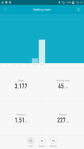
The displays shows Time, number of steps, Heart Rate, distance walked, calories burned, battery info and other data. You can see all these items by lifting your wrist or by using the capacitive button on the Mi Band 2 capsule. You can also customise which data content can be displayed on the Mi Band 2 display.

The Mi Band 2 has new software to calculate the number of steps. Versus my Garmin Fenix 3 HR it counted 200 more steps in a day. The software and design is meant to make the Mi Band 2 55% more power efficient.

Xiaomi state that when you run with Mi Band 2, it measures the pace of your run, monitors you Heart beat and it displays on the screen of Mi Band 2. Mi Fit generates the targeted run, recommends step program, suggests the required weight loss and ultimately increases your health efficiency. This functionality is not available on the Mi Fit app from the Google Play Store. The Mi Fit app (Chinese) version has considerably more functionality with mapping and more. Hence, why if you search on the Google Play Store there are a number of third party apps that fill this gap. These need updating for the Mi Band 2, but several developers are working on updating their apps to work with the new band. However, I have provided details of the Google Play app below.

As the module pops out, different coloured bands will be made available. The module connection is far more securer than the original band.

Mi Fit app.

Screenshot Gallery

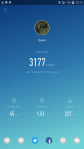
The Mi Fit app does display a lot of information and does have auto tracking too which seemed to work ok. Sharing with twitter and facebook and other social networks is possible too. I thought the app notifications was dreadful. The Mi Band 2 displays “APP” and vibrates. Which app is your guess! It allows up to 5 apps to be selected. Samsung Email and Gmail was not showing as an option. In other words, don’t buy this for advanced app notifications.

The Mi Band 2 is new. From my testing the software and firmware need updates to fine tune and improve the tracker. Even so at under £30 it still offers a lot for a lot less than the competition. However, if you don’t want the hassle of software updates to fix, add & improve the new band then I suggest looking at options from FitBit or Garmin which may be a safer and easier option.

Video Review

The video below is an overview and unboxing to give you a better idea of the Mi Band 2.

Conclusion

The Xiaomi Mi Band 2 is a low price fitness tracker. To get the most out of it, you might be looking at using Third Party apps if you are using the Google Play Store app version. App notifications are not its forte. But for under £30 you do get a lot.

As I mentioned at the start, I got my Mi Band 2 from Everybuying for around £27 plus shipping so do check out their store.

Update – Everybuying have offered a discount, if you use this code – EBMIBR2
Samsung Galaxy S7 – Waterproof matters & Using the Video Editor

The Samsung Galaxy S7 and S7 are waterproof and dust proof and on a day like today on Dartmoor, it really is the only phone I would want to use outdoors currently.

It is raining along with thick fog. This is Dartmoor for you and of course its the British Summertime!

So after snapping photos and a load of video clips, Samsung has an app called Samsung Video Editor which is downloadable from the Galaxy App store. It offers a way of creating a mini movie. Options from transitions, titles, music, trimming, 3 speed options, filters, microphone audio, and a load more basic items. The app is free. It does have a big limitation. It works really well up to 720p video. It crashes sometimes using 1080p 30fps. But anything higher it does not work. The video editor is not as good as iOS iMovie but it is better than nothing.

To give you an idea, see the video below, with photos and video from the S7 taken this morning and created and edited on the phone to give you an idea of the final output.

OnePlus 3 – Battery Performance & Stats

My OnePlus 3 has had one full charge to 100%.

I then decided to hammer the battery to test its performance.

image

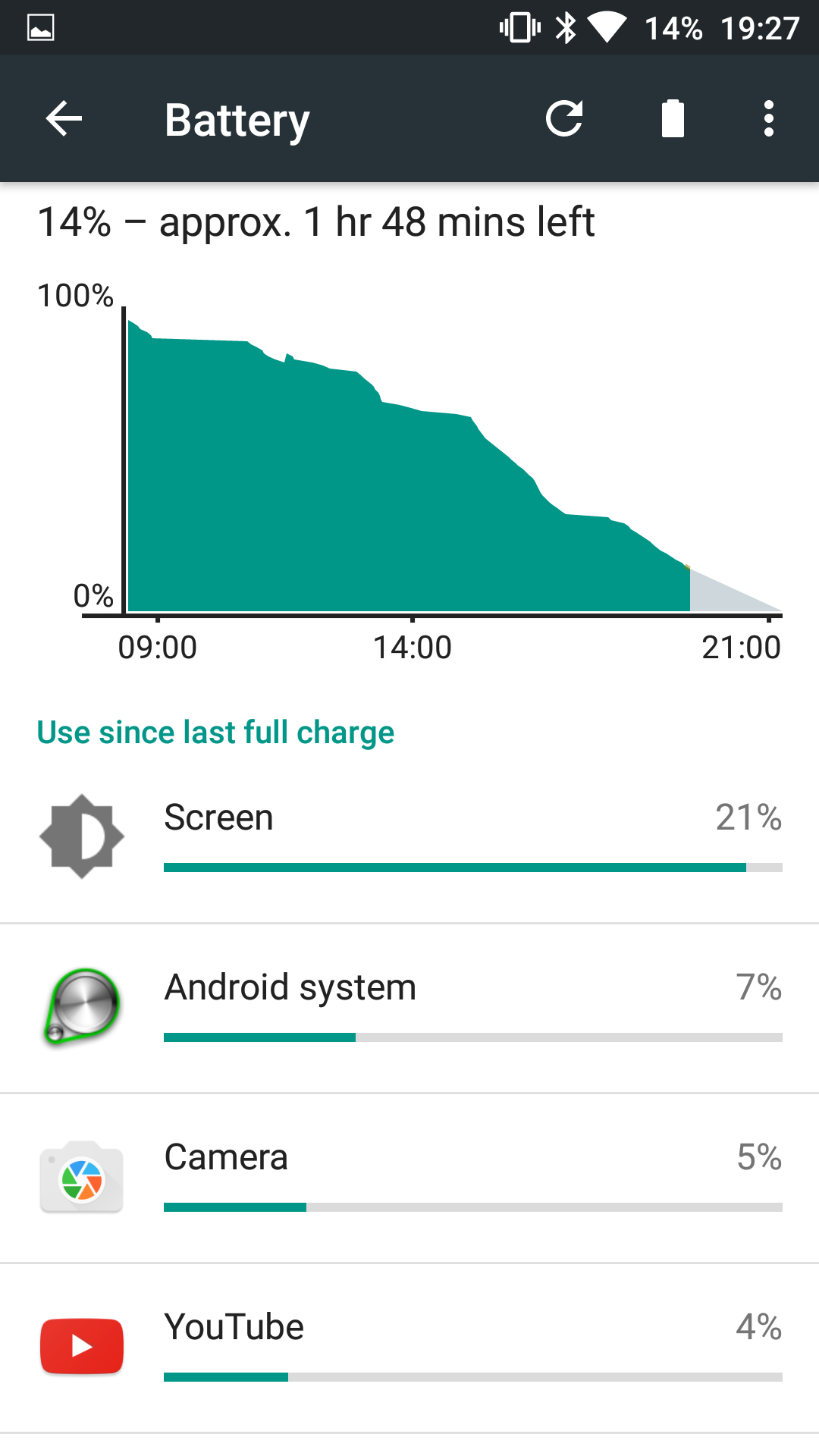
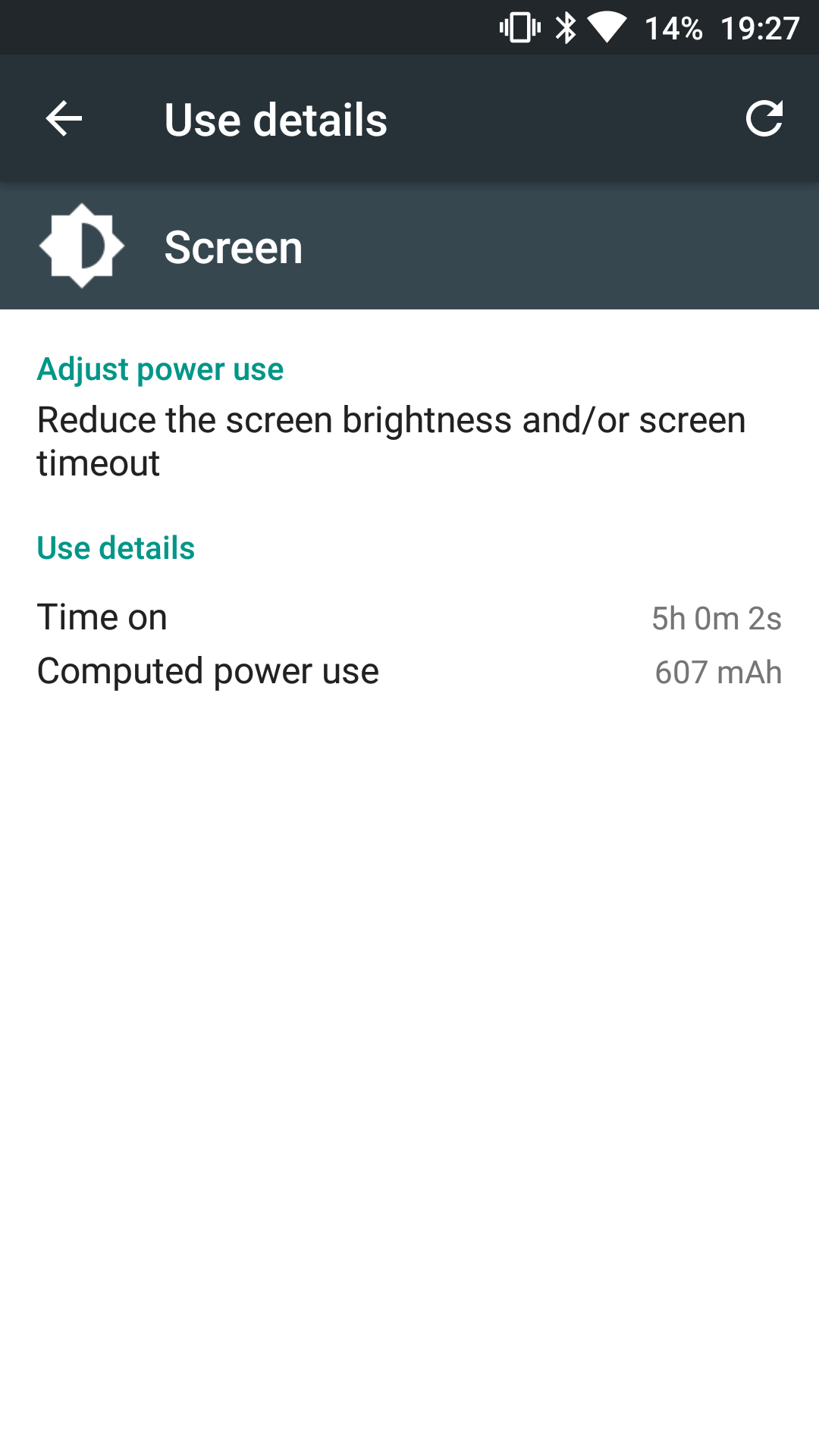
So how did it do. The OnePlus 3 managed 5 hours screen on time with 14% battery left to go.

image

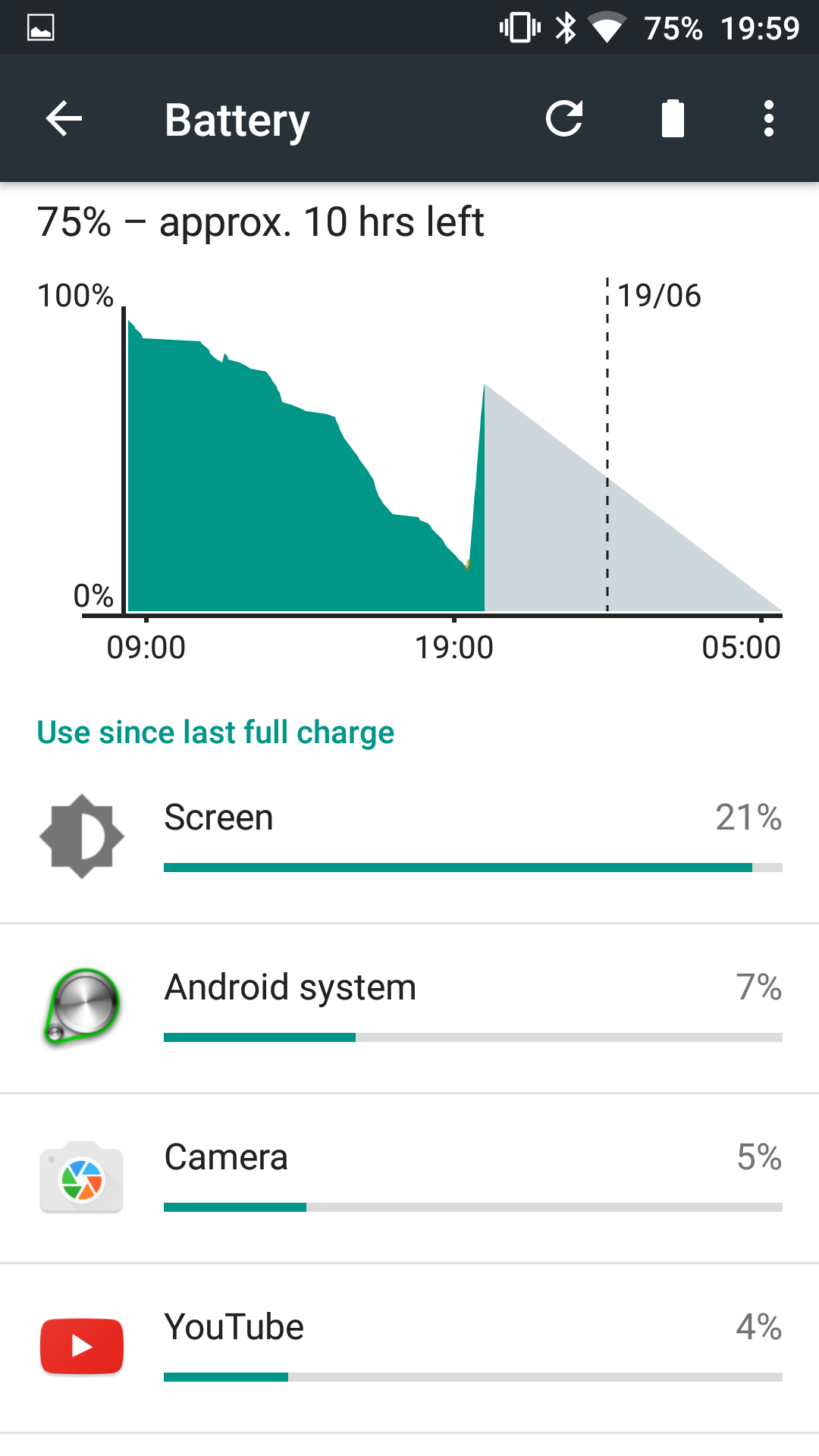
That translated into a full days usage. GPS, wifi and Bluetooth were all switched on.

image

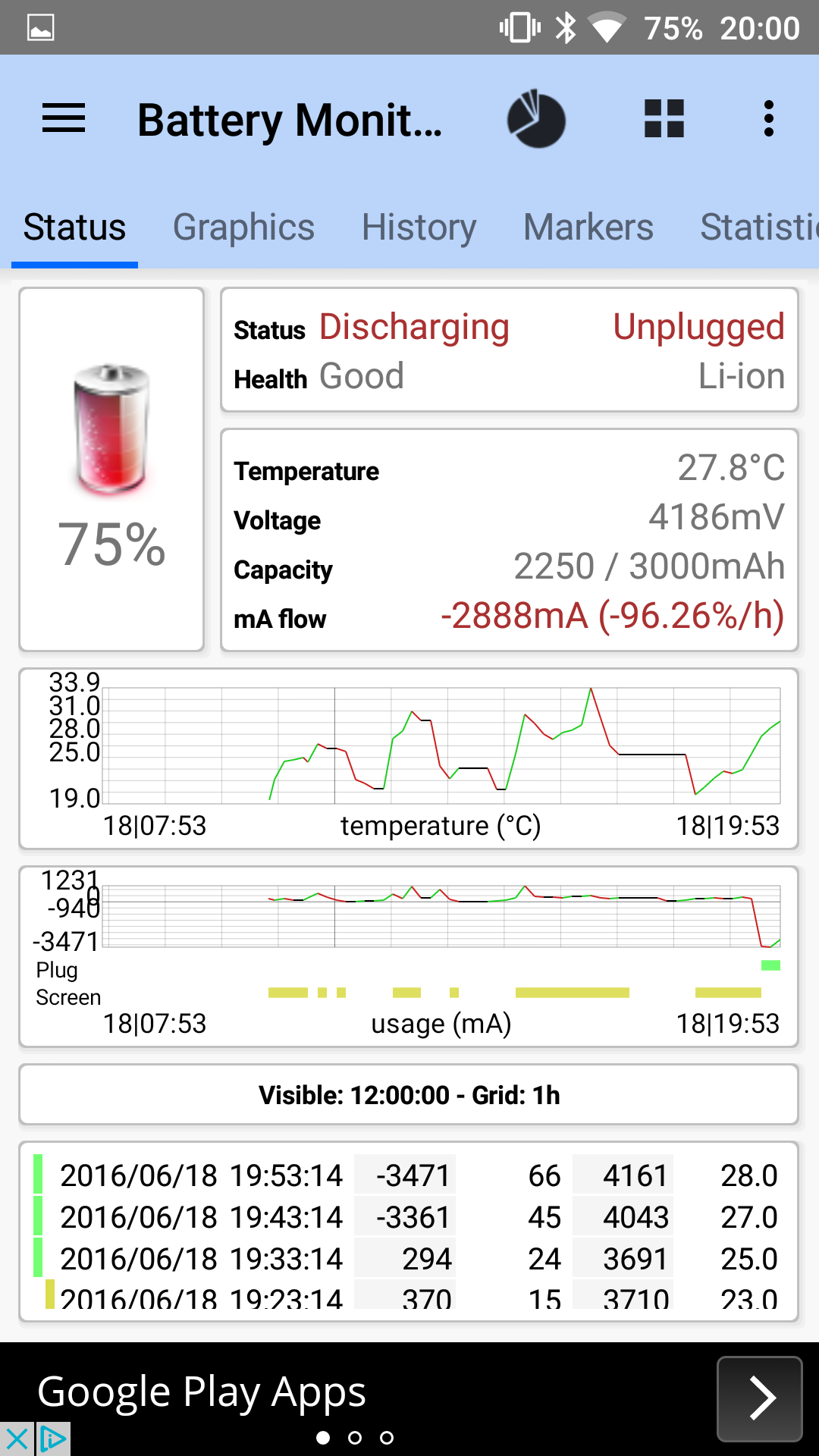
So then I plugged the phone in to recharge for 30 mins to test the special Dash fast charger. This took the battery to 75% after 30 mins.

image

Above are the battery stats showing what was happening during the charging.

Now the last test was standby. At 11pm the phone was at 100%. At 6.30am this morning the battery was 96%. So only 4% lost overnight.

Overall a good performance on the battery front from the OnePlus 3.

More tomorrow.

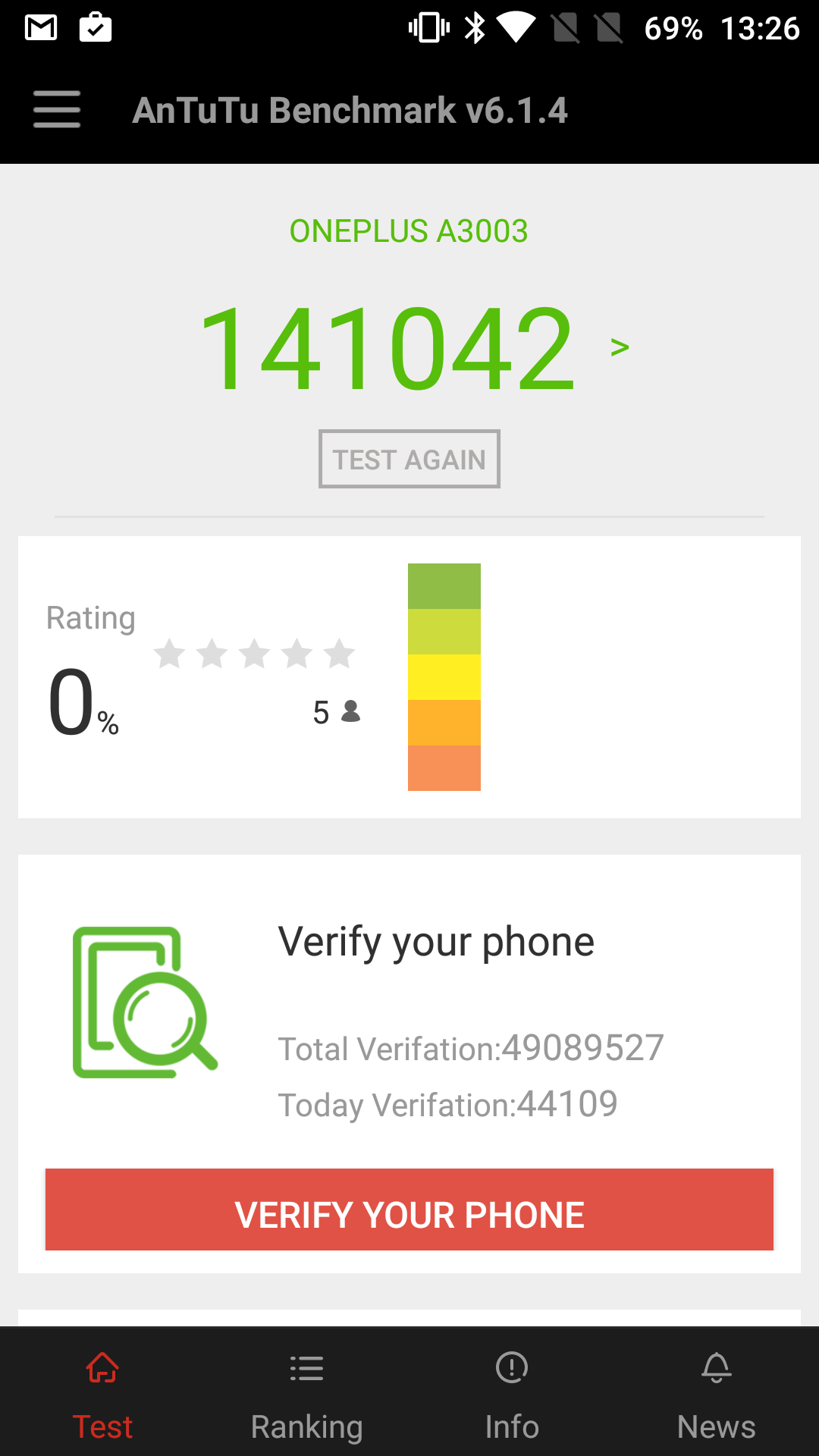
Ooh. Just one last thing. The OnePlus 3 has scored the fastest AnTuTu score I have ever seen!

image

OnePlus 3 – First Impressions – Updated with camera sample

image

The OnePlus 3 was meant to have arrived yesterday but the Royal Mail didn’t deliver it due to sickness. Or more likely not enough staff due to the football.

Anyway I collected it from my local sorting office this morning, opened the box , turned it on had a little play and immediately I am impressed by what I have seen. 

It’s currently downloading a firmware update and I have many tests to undertake.

Here’s a first shot (literally) of Tiggy. Cropped in but no other editing.

image

This and several other items are being reviewed next week so if you have any questions you would like me to answer please let me know.

For now if you are shopping on Amazon UK, you can help Gavin’s Gadgets are no extra cost to yourself by heading over using the link below. Thanks in advance.

Amazon UK Click HERE

Shot on a Samsung Galaxy S7 – Video

Samsung has decided to take a leaf out of Apple’s book and publish a video “Shot on a Samsung Galaxy S7 and S7 Edge”. The selected clip below emphasises the 4K quality from the S7, which is perhaps one of its best features.

In terms of video quality, I too have found the S7 is superb. Consequently, I have been using it for all my unboxing and video reviews for the last month.

You can check out all of these videos by clicking HERE. If you haven’t subscribed, please do so 🙂

Bluetooth version 5 gets announced – Big Improvements – Details

Bluetooth 5 has been officially announced.

Kirkland, Washington – June 16, 2016 – The Bluetooth Special Interest Group (SIG) announced that its next release, coming late 2016 to early 2017, will be called Bluetooth 5 and will include significantly increased range, speed, and broadcast messaging capacity. Extending range will deliver robust, reliable Internet of Things (IoT) connections that make full-home and building and outdoor use cases a reality. Higher speeds will send data faster and optimize responsiveness. Increasing broadcast capacity will propel the next generation of “connectionless” services like beacons and location-relevant information and navigation. These Bluetooth advancements open up more possibilities and enable SIG companies – now at an all-time high of 30,000 member companies – to build an accessible, interoperable IoT.

“Bluetooth 5 will transform the way people experience the IoT by making it something that happens simply and seamlessly around them,” said Mark Powell, executive director of the Bluetooth SIG. “Increasing operation range will enable connections to IoT devices that extend far beyond the walls of a typical home, while increasing speed supports faster data transfers and software updates for devices. And now with the ability to broadcast a much richer set of information, Bluetooth 5 will make beacons, location awareness, and other connectionless services an even more relevant part of an effortless and seamless IoT experience”

Bluetooth 5, projected for release in late 2016 to early 2017, will quadruple range and double speed of low energy connections while increasing the capacity of connectionless data broadcasts by 800 percent. It achieves all this alongside its industry-leading power performance. With the major boost in broadcast messaging capacity, the data being transferred will be richer, more intelligent. This will redefine the way Bluetooth devices transmit information, moving away from the app-paired-to-device model to a connectionless IoT where there is less need to download an app or connect the app to a device.

More than 371 million Bluetooth enabled beacons are projected to ship by 2020, according to Patrick Connolly, Principal Analyst at ABI Research. With eight times the broadcast messaging capacity, Bluetooth 5 will further propel the adoption and deployment of beacons and location-based services in the home automation, enterprise, and industrial markets. In scenarios where contextual awareness like navigation and pin-point location are crucial – such as hassle-free airport navigation experiences, asset tracking of warehouse inventory, emergency response, even smart city infrastructure that helps the visually impaired be more mobile – Bluetooth 5 will send custom information people actually find useful in that moment without connection and application barriers.

Bluetooth 5 will also help accelerate the death of the 3.5mm headphone jack, as the added speed and bandwidth will allow hi-res audio via bluetooth to become less the norm.

Xiaomi Mi Band 2

image

Yesterday my Mi Band 2 arrived.

image

I managed to get mine from Everybuying for around £27 plus shipping. I used DHL and it arrived in a few days.

The Mi Band 2 includes a heart rate sensor and a lot more improvements which I will detail in my review.

For now I just wanted to know if anyone had any questions they would like answering in my forthcoming review.

If so leave the questions in the comments below.

OnePlus 3 – A much better shopping experience

I was definitely one of the 1,000+ haters of the stupidly annoying OnePlus invite systems that the company used for all their previous phone launch and methods needed to buy their phone.

However, in advertising there is no such thing as bad advertising and regardless to how much you disliked the system, it did create “brand name” for OnePlus.

It appears the company has grown up a lot. This time with the launch of the OnePlus 3, there is no invite system. Simply go to OnePlus’s website and order. No timed sales, no anything just a good old regular add to cart and buy.

The next surprise is the stock is available immediately. So if you order now, it will arrive in a few days to a week. I received my shipping notice yesterday!

The ordering and delivery timescales are nearly as slick as an Apple launch where a product is announced and then available to order that day for delivery in a week or two!

And OnePlus held pop up shops at several locations across the world.

Time lapse of New York queue.

Samsung is quietly creating new software for its phones – And You can get it now!

Let’s face it, the Samsung Galaxy S7 and S7 Edge are beautifully made pieces of hardware. Even the software is the best Samsung has ever created.

But you can actually make it better right now using some of their new “beta” software, which in my testing is fantastic.

First up you can head over to the settings app, scroll down to advanced and select a number of options to improve the phone experience.

One of these options is Game Launcher. Make sure you turn this on. This has options to lock the capacitive menu keys to prevent accidental presses, prevent notifications bothering you whilst gaming, reduce the frame rate to save battery, record your game play and more. It also automatically lumps all your games into the game launcher.

In the advanced menu is a menu for Labs. In here I turned off the app drawer. I have to say that after not using an app drawer for over a month, I can whizz around all my apps twice as quick. I know this won’t be everyone’s cup of tea.

But the best change you can make is going to the Galaxy App store and downloading Samsung Good Lock. This changes the notification centre and lock screen. The before and after is huge and I really can’t recommend this enough.