Category Archives: Tech News

Samsung Galaxy View 18.4 inch tablet – First Thoughts

Samsung just announced the Samsung Galaxy View, a 18.4 inch tablet. @Nirave from Android Authority goes hands on, video below.

From this brief video, it is clear the tablet is ridiculously large, too large, and seems to have issues with lag. It also does not fold flat as the rear cover part either pivots to allow to carry it or pivots the other way to act as a stand or typing position.

This will really be a niche product. The missing jigsaw piece is the price. If this is low cost then maybe this will have some traction

But I won’t be buying this.

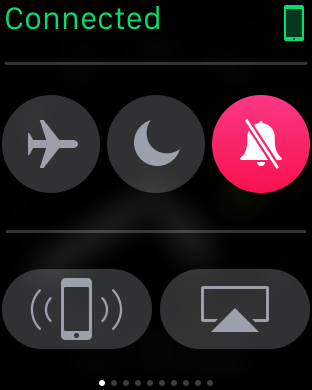
The Apple Watch – One Month Later – review 


I have had the Apple Watch since I received the new iPhone 6S Plus. I’ve not really dedicated a post covering the Apple Watch as I have had some teething problems with iCloud and iTunes Match. Fortunately, these all seemed resolved. So now I can spend some time talking about why I stayed using the iPhone and that has to do with the wider hardware and software Eco system. The hardware includes iPad, MacBook and the of course the Apple Watch. 

I think I was lucky to get the Apple Watch when watch OSv2 arrived, otherwise I reckon I would have been somewhat disappointed with the original firmware. I looked at the 3 Apple Watch models and choose the steel finish with the Milanese strap and a spare sports strap. I like the blue sports strap as its marginally more comfortable than the Milanese strap, but doesn’t look as posh. But now I never wear the blue sports strap. Should I wish to swap the band, Apple make this process so simple with the push to release mechanism. 

So what do I like about the Apple Watch. The attention to detail in the build. I like the look of it on my wrist. However, my wife and I were discussing the real need of the Apple Watch and we both agree it is not necessary to own. If you want to get fit, buy a Fitbit Charge HR for £100.

However, what I have found as the month has progressed is how I start to use it for small things and let it help me speed up some routines or processes that I would use my iPhone for. 

  
Some of the flash stuff I like using on my Apple Watch is taking phone calls usually when my hands are engaged and my iPhone is in a different room. There is a slight delay while it hands off the call to the watch. This is only a viable option in a quiet room as the volume is not very loud. However, background noise does seem to get partially removed which is a plus point. 


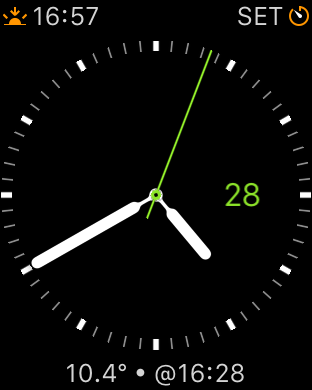
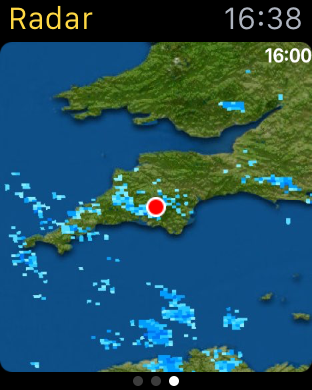
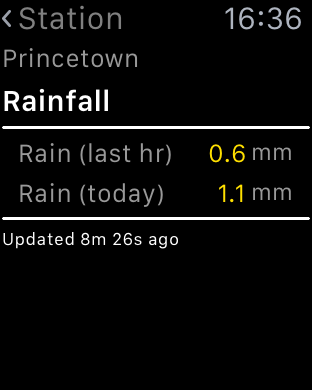
My weather station statistics can be displayed on my Apple Watch and even includes a complication. I can take measurements with Qardio Blood Pressure monitor, monitor my walks across Dartmoor using Viewranger GPS. Replying to notifications via voice is accurate. Sending heart beats to my wife or little hand drawings is silly but fun at the same time.  Using Hey Siri command, seems hit or miss.

  
The fitness aspect of the watch works as described and links nicely into the activity and health app. As apps develop with the new firmware I can see more clever stuff being possible on your wrist. However, less is more so it I don’t let all my notifications hit my wrist. The Taptic vibration is also a lovely aspect of the watch. 

  
But as I originally said,  it is not a must have item, just a cool and clever item to have. Maybe that’s why Apple are trying to steer its focus away from a tech need, and more a fashion need!

Regardless, I really like it for its style, apps and geek factor.

Snapseed gets one huge update – details

The free photo editing app, just got seriously a lot better again.

Today is a big day for Snapseed users! Snapseed 2.1 brings RAW photo editing to your Android device.

Traditionally, shooting and editing RAW photos has been the domain of DSLR cameras and desktop software. But with the RAW capabilities that were added to Android 5 last year, RAW is now becoming important for mobile photography, too.

Snapseed now allows you to edit those RAW photos in the DNG file format right on your mobile device. You can also edit DNGs that were shot on cameras or converted from other RAW formats.

A photo in RAW format preserves all of the original data that was captured by the camera. This allows you to perform edits – such as recovering blown-out highlights – that are impossible with the more commonly used JPEG format. Check out the photos for an example of the details that RAW editing with Snapseed 2.1 can bring out in an image.

In addition to RAW editing, we have made some slight polishes throughout the app to make it easier to navigate, so give it a try!

This is a great update and hopefully arrives soon on other platforms.

Source – +Anton Daubert G+

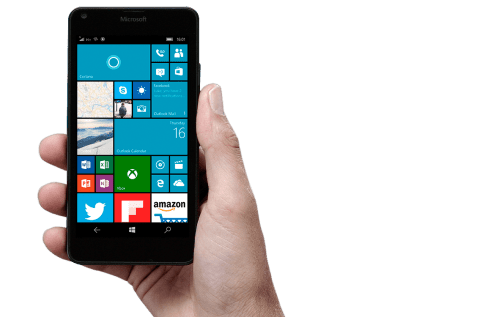
Microsoft Lumia 950 and 950 XL – Details are pricing and where to order

phone

Microsoft Store went live yesterday with pre orders for the Microsoft Lumia 950 and 950 XL.

The phones are £449 and £529 respectively. The specs are massive with everything including the kitchen sink. Full details can be find on the link for the Microsoft store above.

Delivery is by 3rd December 2015. My only concern is the Windows App store and the range and condition of the app catalogue available.

So are you ordering one?

Google Play Music extends to include Podcasts – Details and Opinion

Via Google –

“Today we’re launching a portal for podcasters to start uploading their shows to Google Play Music before we open up the service to listeners. Along with direct searches and browsing for podcasts, the service will connect new listeners with podcasts based on what they’re doing, how they’re feeling, or what they’re interested in. Similar to our contextual playlists for music, this will give podcast fans and new listeners a way of finding and listening to content that’s unique to Google Play Music. Podcasters in the US can start uploading shows now at g.co/podcastportal.”

Finally, this makes Google Play Music a complete offering by including podcasts. With the popularity of the podcast Serial, more and more people are listening to this format. I just wonder if some of Google’s new functionality will eventually be behind a pay wall or subscription!

Source – Official Android Blogspot

Motorola Droid Turbo 2 – A phone with a Shatterproof screen – opinion and full specs

Last night Verizon and Motorola held an event to launch new Droid phones. The Droid Turbo 2 was more of interest to me with its extensive specifications, but more importantly a useful new feature – a shatterproof screen.

Before we talk about the screen, these are the key specs –

– Operating system – Android 5.1 Lollipop
-Processor – Qualcomm Snapdragon 810, Adreno 430 GPU, Natural Language Processor, Contextual Computing Processor
– Rear camera 21MP, f/2.0 aperture, phase-detect autofocus, duel LED flash, 4K video @ 30fps
– Front camera 5MP, f/2.0 aperture, wide-angle lens, 1.4um pixel
– Display 5.4-inch POLED Quad HD (1440×2560) 540 ppi
– Battery 3760 mAh, with Qi and PowerMat wireless charging
– Networks CDMA (850/1900); GSM/GPRS/EDGE (850/900/1800/1900); UMTS/HSPA+(850/900/1900/2100); LTE (B2/3/4/5/7/13)
– SIM Nano-SIM
– Wifi 802.11ac with MIMO
– Bluetooth 4.1 LE
– Other NFC, Infrared sensors
– Storage 32GB/64GB with microSD
– RAM 3GB
– Dimensions 149.8 x 78 x 7.6-9.2 mm
– Weight 169 grams

So the Motorola X Style has been beefed up with a bigger battery, extra sensors and Qi/Powermat Wireless charging. And then there is the shatter proof display. Quite a big claim from Motorola, but in tests carried out on YouTube, the screen does not shatter when dropped. Now all phones need this tech but I doubt manufacturers would want to add this as nobody would need to buy a new phone if they broke their old one when the screen cracked!

However, the Verizon logo printed on the front of the phone is awful.

Apple’s Q4 Earnings – Full Summary And Tit Bits along with My Opinion 

The key facts –

– Apple made $51.5 billion in revenue equating to $11.1 billion in net profit. 

Do you really need to know any more? The above numbers alone are staggeringly amazing. Last year Apple reported $42.1 billion in revenue and a net profit of just $8.5 billion. So that’s an increase of 22%. 

– 5.7 million macs sold up 3% from last year
– 48 million iPhones sold
– 9.9 million iPads sold. A decrease from previous quarters. 
– $3 billion in other sales which includes the Apple Watch. 
– Revenue for the fiscal year was a record $234 billion. 
– Gross margin up at 39.9%. 
– Apple now has $205 billion in cash in the bank
– Android users converted at their highest rate to date of 30%. 
– Apple exited the quarter with iPhone demand outstripping supply
– iOS 9 is on track to be downloaded by more users than any software release in Apple’s history
– Apple is partnering with American Express to bring Apple Pay to customers in “key global markets” in Australia and Canada this year, expanding to Spain, Singapore and Hong Kong in 2016.
– More than 50 brands are working on HomeKit-enabled accessories.
– iOS News app is “off to a great start,” with nearly 40 million people reading (Gavin’s Gadgets is on Apple News too – click here to add – https://apple.news/Tu9tdW_qTR9eB1NYhdNQ65g )
– Total iPhone sales were up 120 percent in mainland China.
– Apple Watch – more than 13,000 apps are available for Apple Watch, with 1,300 of those native apps for watchOS 2.
– Apple Watch was available at almost 5,000 stores in 32 countries by the end of the quarter.
– Apple had a “huge” first day of sales for the fourth-generation Apple TV
– iPad Pro is on track to begin shipping in November.
– Over 15 million individual and family accounts are currently using Apple Music, including 6.5 million paying customers.
– Services revenue reached an all-time high in the September quarter of $5.1 billion, up 10 percent, mainly due to strong growth from apps.
– App Store revenue was up 127 percent year over year in China.
– App Store business grew 25 percent last quarter.
– Apple estimates that enterprise markets represented about $25 billion in revenue for Apple over the last 12 months, up 40 percent year over year.

It doesn’t matter how you cut these figures, the results are mighty impressive. Apple is moving into the holiday period with sales of new iPhones, new iPad Mini 4 and iPad Pro, new Apple TV, and revenue from all its services. The Apple Watch is widely available and will undoubtedly be bought as a Xmas gift.

WOW.

Apple TV has arrived – Which storage option to buy 32gb or 64gb? – Opinion

apple-tv-hero-select-201510

Just like that at around lunchtime in the UK, the new Apple TV became available to order. Two storage options are available – 32gb or 64gb. So which do you buy? Apple states –

“If you plan to use your Apple TV primarily to stream films, TV programmes and music, or to play a few apps and games, you’ll probably be fine with 32GB of storage. If you plan to download and use lots of apps and games, choose the 64GB configuration.1 Keep in mind when making your decision, that some apps, when in use, do require additional storage.”

Another factor is the price. £129 and £169 respectively. The 3rd generation is available for £59. In fact, if you have a 2nd generation it is worth more second hand than the 3rd generation as you can jailbreak it and extend its functionality.

£129 or £169 is rather pricey too. Also note there is no HDMI cable in the box. Make sure you get the latest type with HDMI v2.0. With this new box there is no optical out socket.

So what makes the Apple TV worth the extra. Its the first new Apple TV box for years. It has a new remote control, Siri integration and apps. Is it worth buying? Hard to say at the moment as apps have not appeared yet and Siri will need testing.

For me I still want to be able to login to my iTunes US account, stream without buffering and see how good the new apps and games. I will pass some feedback in due course on my experience.

What are your thoughts?

Apple iCloud – Some Extra Balance

Yesterday, I posted an article cursing iCloud Photos and iTunes Match. I thought it only fair to add some balance of my views, covering the rest of Apple’s iCloud services plus to offer some feedback from your own experiences.

Firstly, with regards to using iCloud for anything else, I have no qualms. It all works rather smoothly and that is a reassuring position. So that includes contacts, calendar, notes, reminders, pages and all the third party apps using iCloud.

Most of the feedback agreed with the previous paragraph. With regards to iCloud Photos the opinions varied from, “its a life saver and works really well for me” and “it seems for large libraries it can be problematic”. If it works for you, then it is one less service to worry about as iCloud is tightly integrated into iOS 9.

So despite one month of issues, I now have a smooth iPhone 6S Plus and really am enjoying using it.

FINALLY – Apple iCloud Photos & Photo Syncing – One Month later and Resolved

I had a plan, a master plan to use all Apple’s Cloud services with my new iPhone 6S Plus. It was an ill conceived plan as I realise now, but the light at the end of the tunnel finally arrived at 10pm last night.

Back tracking, my saga using iCloud Photos and iTunes Match has not been a fun affair and it most certainly just didn’t work. Since receiving my 6S Plus on 25th September I have had nothing but a nightmare experience with iCloud Photos and iTunes Match.

I have several Apple support incident numbers and have lost many an hour of my spare time with the support staff at Apple. Apple have remote accessed by MacBook Pro so many times too.

I had decided last week to permanently not use iCloud Photos sync, and a few weeks before that, unravelled the mess iTunes Match had created. Well actually Apple support resolved the chaos caused by iTunes Match. I do think part of the problem is my 0.5mbit upload speed being too slow for Apple’s servers but I can’t be the only person with a slowish upload speed in the world. Anyway, I still had My Photostream and iCloud Photo Sharing enabled but finally relented and turned these off after updating to iOS 9.1 on Wednesday.

Yesterday and Saturday, I took some photos. Cut a long story short, my iPhone 6S Plus would not import photos into the mac using a lightning cable. The Photos app would register the iPhone but show grey outline boxes instead of the pictures, and then the iPhone would disappear from Photos, yet remain showing as connected in iTunes. So 3 hours on the phone to a senior Apple support person, various tests done to eliminate what was causing the problem, and it turns out it was my iPhone that was the culprit. So I wisely insisted to the Apple support guy that I did a manual back up of my iPhone to iTunes on my MacBook. Note if you use homekit and the health app, YOU MUST ENCRYPT your backup to save this data. In fact, even though I use iCloud Backup, it is worth doing a manual backup to iTunes on your mac once a week as the backup to your mac is more comprehensive and can save the health and home kit data, whereas iCloud Backup doesn’t save the health and home kit data. (the backup most be encrypted to save this data).

The phone was put in to recovery mode, a new firmware was downloaded and installed. The phone was then restored as a new phone, a few camera shots taken, then tested to see if sync worked, and it did. Good news. Hard reset phone and started again, this time restoring from the backup on my MacBook. This took 12 hours to complete. BUT the iTunes restore is pure genius. Everything is reinstated, including app data in full with just a few passwords in some apps and Viewranger GPS needed the maps redownloaded. Other than that it was restored perfectly.

So after 12 hours restoring, a quick test taking some photos, tried a sync with the cable, and it didn’t work. Grrrrrrr.

Then I had a thought. I noticed there were photos in the camera roll and this would have been different to the iPhone setup as a new iPhone, and maybe something had corrupted the camera roll, so I deleted all these 60 photos. Took a new shot, tried to sync and voila it worked. And repeated the test and it continued to work. So what this meant was the wiping my phone, spending 12 hours restoring was not necessary. All I had needed to do was to have deleted the photos in the camera roll. I put this corruption down to iCloud Photos and My Photostream doing something it shouldn’t.

Oh well, it now just works now!

If I do get any more issues, I will either just use Photosync app to wirelessly transfer photos or ask Apple to look at replacing my iPhone for another. I don’t wont to spoil the enjoyment of the iPhone any more with support calls etc, as it really is superb to use. My advice, just don’t use iCloud Photos. For my sanity, I am now using Google Photos as a backup solution.