Category Archives: Reviews

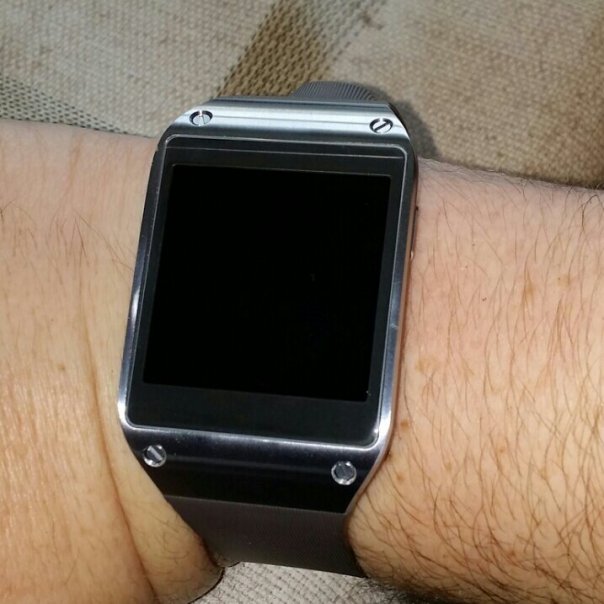
Samsung Galaxy Gear – 5 Part Master Review

Below is links to all the review posts on the Samsung Galaxy Gear.
wpid-2014-01-14-13.17.16.jpg

Samsung Galaxy Gear review

Part 1 – Samsung Galaxy Gear camera samples – https://gavinsgadgets.com/2014/01/16/samsung-galaxy-gear-camera-samples/

Part 2 – https://gavinsgadgets.com/2014/01/16/samsung-galaxy-gear-review-impressions/

Part 3 – https://gavinsgadgets.com/2014/01/23/samsung-galaxy-gear-review-update/

Part 4 – https://gavinsgadgets.com/2014/02/05/samsung-galaxy-gear-if-only/

Misc Review Posts

Home Entertainment Setup with Gear – https://gavinsgadgets.com/2014/02/05/samsung-note-3-galaxy-gear-and-fiio-e18-portable-usb-dacamp-home-entertainment/

Sony QX10/QX100 Hub Lenses – Master Review

Below are all the review posts covering the Sony QX10 and Sony QX100 Hub lenses.

QXs

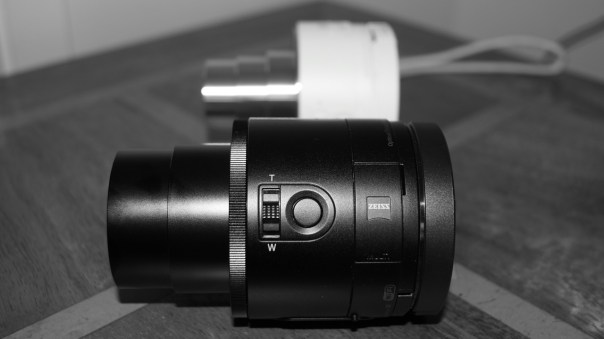
Sony QX10 review

Part 1 – https://gavinsgadgets.com/2013/09/18/first-impressions-and-specifications-of-the-sony-qx10-lens/

Part 2 – https://gavinsgadgets.com/2013/09/19/review-of-the-sony-qx10-lens/

Part 3 – https://gavinsgadgets.com/2013/09/23/turn-your-iphone-5s-into-a-proper-camera-with-the-sony-qx10/

Sony QX10 versus QX100 camera shootout

Review – https://gavinsgadgets.com/2013/10/08/sony-qx10-and-qx100-camera-shootout-plus-update-from-sony-on-software/

Sony QX100 review

Review – https://gavinsgadgets.com/2013/10/09/sony-qx100-lens-review/

Misc Review Posts

Photo Hardware comparison of QX10 and QX100 on iPhone 5S – https://gavinsgadgets.com/2013/10/12/photo-comparison-of-the-sony-qx10100-with-the-iphone-5s/

Further Thoughts on QX10 and QX100 – https://gavinsgadgets.wordpress.com/2013/11/04/further-thoughts-on-the-sony-qx10-and-qx100-hub-lens-cameras/

Sony updates Firmware details – https://gavinsgadgets.com/2013/11/04/further-thoughts-on-the-sony-qx10-and-qx100-hub-lens-cameras/

Sony updates Firmwares again details – https://gavinsgadgets.com/2014/01/30/sony-qx10qx100-hub-lenses-firmware-update-v2-details-and-changes/

Sony updates firmware to v3 details –

Major firmware update for Sony QX10 and QX100 Hub lenses

Sony Z Ultra – Special cases – https://gavinsgadgets.com/2014/01/02/sony-z-ultra-to-get-official-cases-for-sony-qx10-and-qx100-lenses/

Sony SPA-TA1 – https://gavinsgadgets.com/2014/01/31/own-a-sony-qx10-or-qx100-hub-lens-then-you-might-want-the-sony-spa-ta1/

Joey Ballhead with Sony QX10 and QX100 – https://gavinsgadgets.com/2014/02/11/joby-ballhead-and-the-sony-qx10-qx100/

Samsung Gear S – Smartwatch that makes calls – Master 9 Part Review

IMG_1230

I have written many posts on the Samsung Gear S smart watch. Below are all the links to the review posts. With the Gear S review I also included my thoughts in a few joint posts with my daily usage with the Note 4.

Part 1. https://gavinsgadgets.wordpress.com/2014/11/07/samsung-gear-s-first-looks-at-samsungs-watch-that-makes-calls/

Part 2. https://gavinsgadgets.wordpress.com/2014/11/08/samsung-gear-s-smartwatch-first-impressions-part-2/

Part 3. https://gavinsgadgets.wordpress.com/2014/11/10/samsung-gear-s-thoughts-from-the-weekend/

Part 4. https://gavinsgadgets.wordpress.com/2014/11/11/living-the-samsung-dream-note-4-gear-s-and-samsung-notepro-12-2-tablet/

Part 5. https://gavinsgadgets.wordpress.com/2014/11/12/living-the-samsung-dream-note-4-gear-s-and-samsung-notepro-12-2-tablet-2/

Part 6. https://gavinsgadgets.wordpress.com/2014/11/13/living-the-samsung-nightmare-note-4-gear-s-and-notepro-12-2/

Part 7. https://gavinsgadgets.wordpress.com/2014/11/14/living-the-dream-samsung-note-4-gear-s-and-note-pro-12-2/

Part 8. https://gavinsgadgets.wordpress.com/2014/11/19/samsung-gear-s-review-final-conclusion/

Misc Posts on the Gear S –

Views from the Wider World – https://gavinsgadgets.wordpress.com/2014/11/17/samsung-gear-s-note-4-iphone-6-plus-views-from-the-wider-world/

The Samsung Gear S is available from Amazon <a href="Samsung SM-R7500ZKADBT Gear Smart Watch – Black
“>Samsung SM-R7500ZKADBT Gear Smart Watch – Black

LG G Watch R – First and Last Impressions

image

And here it is with the Samsung Gear S.

image

Apps working on the LG G Watch R. Calculator, Google Fit, Imperihome Home Automation, IFTTT, Instaweather, Google Keep, Tweetings, Play Music , Runkeeper and ViewRanger. These apps are apps I already had installed on my Note 4 that offered some android wear functionality.

The apps all can display really nifty bits of info. The ViewRanger starts recording my tracks as I walk across Dartmoor. Runkeeper I can say start a run and it starts recording. If Google understands my voice I can create new tweets, emails, messages and more. Integrating with apps like Imperihome I can turn on the lights, open the garage and more.

I can use Google Maps to navigate, set timers, alarms, show my my heart rate, show me my steps, start a run, workout, or bike ride, and take a note. I can have fancy watch faces. I have notifications including Google Now appearing regularly.

Now the negatives. The watch feels and looks a bit cheap especially for a £200 plus watch. My wife conceded the Samsung Gear S looked better. It’s dreadfully uncomfortable so no matter what else I think I am returning it at the weekend. The ultra cheap leather strap doesn’t help. At the moment it’s poor as a heart rate and fitness device. It doesn’t continuously monitor your heart rate like the Gear S does during a workout. No point using it to monitor sleep as there is no method built in, plus the display keeps activating and is very bright. Too bright at times. My voice is not always understood correctly. There is no method to completely turn the display off. That means if you wear it at night, the screen will keep turning on. And it’s a bright screen! The Gear S has a do not disturb mode which is ideal for meetings and at nightime.

I describe this watch as work in progress. With apps some of the options are incredible. With no Internet you have a dumb watch and nothing else. There is no on screen keyboard like there is on the Gear S.

Android Wear is the future but I just don’t like the uncomfortable fit and cheapish finish of the LG G Watch R. Plus the original G Watch’s rectangular face worked better than the R’s circular style.

And being honest, I prefer the futuristic look and comfort of the Gear S. It has more purpose and works better at what it is built for. The Gear S is not the future but a watch is a piece of designer jewellery and it ticks that box as well. The G Watch R has future potential. The Gear S works now. I was expecting to prefer the G Watch R over the Gear S but the G Watch R is just not good enough. I would even go as far to say that you are better buying the original G Watch instead of the R.

The LG G Watch R is available from Amazon <a href="LG G Watch R Smartwatch – Black
“>LG G Watch R Smartwatch – Black

Samsung Note 4 – Camera update and food mode

image

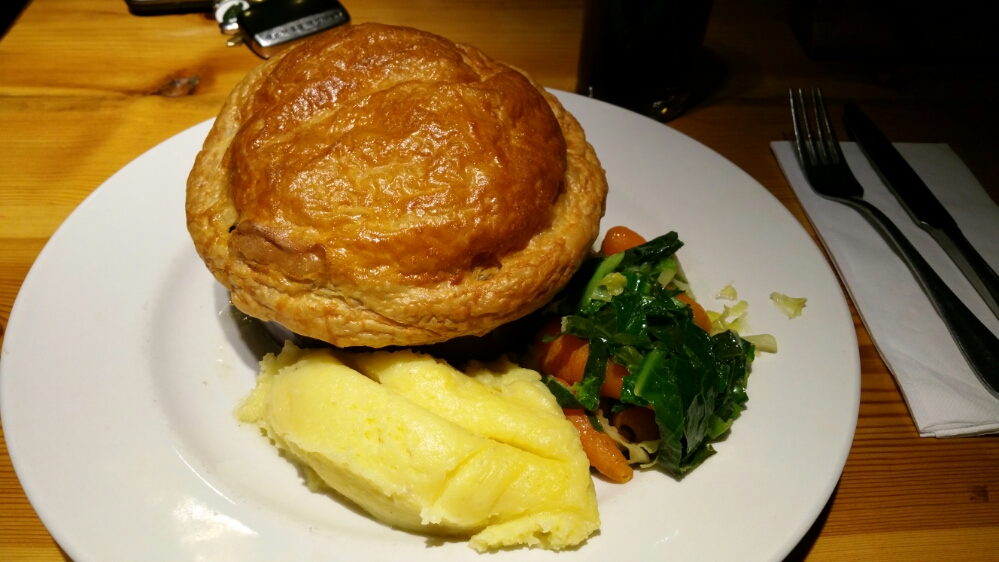
Beef Pie, mash and vegetables snapped using the food mode. Weirdly the Note 4 saved this shot in main memory instead of the external micro sd card.

Also, I realised that the photo comparison from yesterday really was a Note 4 win as the file size setting was on 6mp not 16mp. The iPhone 6 Plus was shooting at 8mp.  Now just imagine the extra detail that could have been available on the Note 4!

Samsung Note 4 vs iPhone 6 Plus – Camera Comparison – updated

Today I have about 7 or so shots from the iPhone 6 Plus and Samsung Note 4. These were taken by a friend of mine who wanted to test each phone to see which one they preferred. The photos are completely unedited. If you want to view the full resolution, click through on the photos to my Flickr account, change the size to full resolution and pixel peep to your hearts contention. All the shots were taken from both cameras standing on the same spot. You will notice the different field of views from each phone. Panoramic shots – the Note 4 had a much longer sweep enabling it to take a much wider canvas. The 6 Plus has exposure correction as it takes the panoramic photos, but sometimes this ruins the shot as the change is noticeable. Just looking at the snaps as is, which do you prefer? Or are they really about equal. With both phones, there were hardly any duff photos taken. As they both use Optical Image stabilisation, this seems to help getting better shots.

Viewing order – In every shot it is iPhone 6 Plus first, then Note 4. At the end there are 3 Note 4 shots that have not got an iPhone 6 Plus equivalent. If you wish to see all the photos head over to my Flickr page – https://www.flickr.com/photos/gavinfabl100/ . Remember these aren’t full size images, but scaled down to save some bandwidth for those on mobile devices.

Royal William Yard Views #iphone6plus #unedited

Royal William Yard Views #SamsungNote4 #unedited

Once again, iPhone 6 Plus first and then Note 4.

Royal William Yard Views #iphone6plus #unedited

Royal William Yard Views #SamsungNote4 #unedited

And again, iPhone 6 Plus first, then Note 4.

Royal William Yard Views #iphone6plus #unedited

Royal William Yard Views #SamsungNote4 #unedited

Remember, to view the full resolution of each, just click on photo to go to Flickr, then select largest file size to view full resolution shots. And with all these shots, my friend was standing in the same spot when snapping.

Royal William Yard Views #iphone6plus #unedited

Royal William Yard Views #SamsungNote4 #unedited

And again, iPhone 6 Plus first, then Note 4.

Royal William Yard Views #iphone6plus #unedited

Royal William Yard Views #SamsungNote4 #unedited

And again, iPhone 6 Plus first, then Note 4. Just look at the difference with the Note 4 capturing a much wider area.

Royal William Yard Views #iphone6plus #unedited

Royal William Yard Views #SamsungNote4 #unedited

Below is another shot of the above scene from the iPhone 6 Plus just to add as another comparison.

Royal William Yard Views #iphone6plus #unedited

Below are some shots from the Note 4 where there is no alternative from the iPhone 6 Plus.

Royal William Yard Views #SamsungNote4 #unedited

Royal William Yard Views #SamsungNote4 #unedited

Royal William Yard Views #SamsungNote4 #unedited

So the above shots are trying to represent a typical day out. Which shots do you prefer? 6 Plus or Note 4? Or is it a draw? 8mp vs 16mp in lovely sunny conditions! In all honesty, I think all of these shots are amazing.

Updated – I can’t believe this but the Note 4 was left with the camera file size at 6mp instead of 16mp. That really is incredible as that made the photos fairer but also showed the Note 4 could snap another 10mp worth of pixels as it’s max resolution is 16mp.

Samsung Note 4 – sunshine and the screen

It’s been really wet and dull weather for ages in my part of the world. But yesterday, the sun appeared in full blossom.

With brightness set on auto, and the sun beaming on to the Note 4 screen, I watched as the brightness level got cranked up high as well as contrast changes. This made the screen visible in direct sunlight and was rather impressive. As the contrast gets altered the screen colours do look a little odd too.

Samsung Gear S – review final conclusion

image

Today I am going to advise you of my final thoughts on the Gear S, and my views versus the competition, Pebble and Android Wear.

Firstly, I know of many people who will be quick to dismiss the Gear S. It’s running a proprietary operating system, Tizen and the watch will only work if you have a Samsung smartphone to initially set it up. Well put those negatives thoughts to one side for a minute. Can any of you see Apple making its Apple Watch compatible on anything but an iPhone? No, nor can I. I can hear the next throwback question. What about apps? Pebble, Android Wear and when the Apple Watch launches all will have a vast app selection. And that’s a valid point to a point. They all have a much better (or will) app eco system. Does it really matter though. Yes and no.

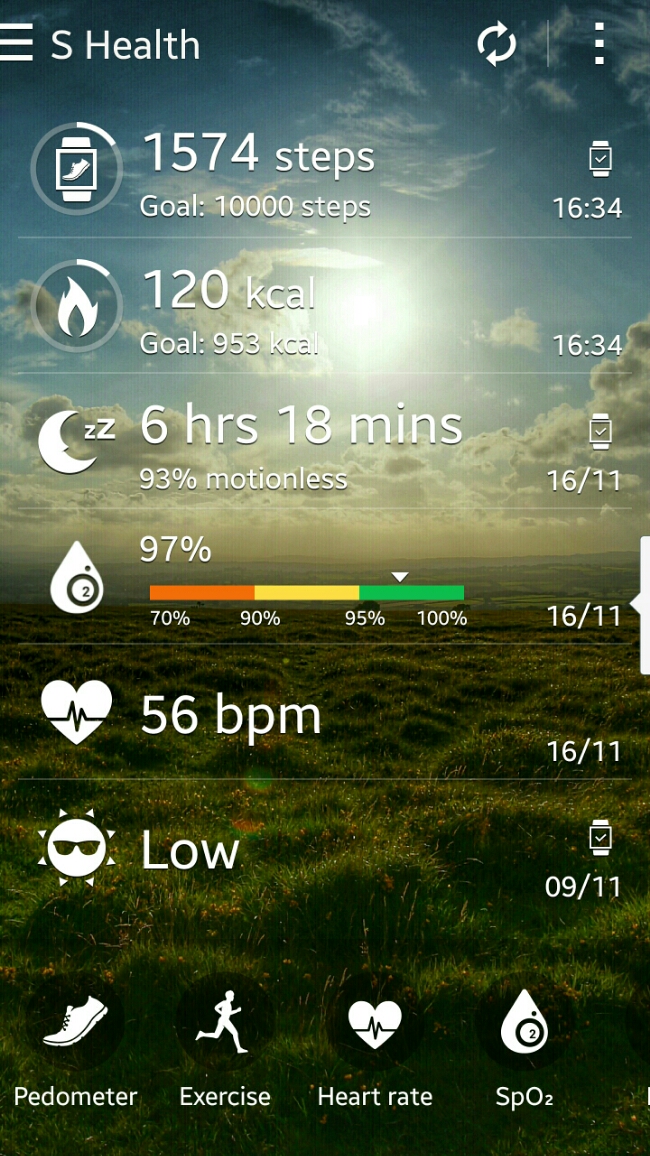
The Gear S is a finished product. It does exactly what it says on the tin. IMO it looks fantastic and futuristic. So that should count for everything surely. Maybe? Well, it is the only watch, let alone smartwatch that I can wear 24/7. It is so comfortable. It also has 2 days worth of battery life, and it’s own sim card, bluetooth, wifi and more. Yep, heart rate sensor, UV sensor, HERE Navigation with the maps pre download and saved on the phone (I have the whole of map of England stored on the Gear S), S Health data, on board music player (so at gym with bluetooth stereo headset you could use the Gear S to listen to music without the need for your Note 4) or music controller for your Phone, apps (phone, contacts, messages, email, schedule, settings, navigator , S Health, Nike+ Running, Music Player, News Briefing, Weather, S Voice, Alarm, Gallery, Find My Device, Timer , Compass, Opera Mini , Find My Car, Stopwatch, Voice Memo, Calculator ). Below is the screen shot from the Note 4 with data retrieved from the Gear S.

As an example of its polish, in sleep mode, the watch goes into do not disturb mode and the screen does not light up during the night unless you press the home button.
image

It is one of the few smart watches that once setup doesn’t need a companion phone to make calls, send texts or emails. You can even browse the Web using Opera Mini. Or if you have a BMW there is an app that works with the car. I’ve not tested it as I don’t drive one. I really like the way the Gear S disconnects the bluetooth if you leave your Samsung phone at home , then sends a signal to the Samsung Phone that turns on call forwarding and also forwards any notifications from your phone to the watch, all remotely. As another example of its polish, remote connection won’t get triggered if the Gear S is not on your wrist. And being able to make phone calls independently is a unique aspect of this device. As it has wifi too, you can use that for data related tasks. Lastly, the 2 inch screen is 300ppi. That makes reading all notifications simple and clear. In fact let’s not forget the iPhone 6 is only 326ppi. One last point, the on screen keyboard or S Voice both work well. I also like the fact that all the notifications are one swipe to the right, in a neat list. You can read them individually and the respective notification is cleared off the phone. All just clear all and again they are removed from the Note 4 as read. Another bonus with the Gear S is the charging cradle is a battery pack, so you could carry this with you on a longer trip and use the cradle to recharge the Gear S.

One issue with S Health is the lack of exporting the data properly out of the Samsung S Health app. It really needs a Web portal. I had setup S Health months ago on my Samsung S5 and when I entered my login details on the Note 4 my information was transferred across. If Samsung opened up S Health, created a web portal, then it would have more value. There are a number of partner apps that work with the Gear S. These include Instructor Live, Nike+ Running, Mapmyrun, Cigna Coach, Workout Trainer, Lark Activity Monitor and Your MD Sympton Checker. Apart from a range of clock faces available in the Samsung Gear App store other notable apps include Deezer, Top Driver (game), Phone Camera Remote, London Underground, Endomondo Sports Tracker, Samsung Wallet, Glympse, Engadget for Gear S, Financial Times, BMW i Remote Gear, Metro (major cities tube maps and planning). The Gear S is brand new so hopefully there will be better apps in the future but in reality you won’t be buying the Gear S to add hundreds of apps.

So welcome to the Gear S paradise. Well hold on, let’s add some reality. The Gear S does do a lot. It’s a great health and fitness device, a phone but with notifications it is not as strong as say android wear. On the Gear S you can only respond/create to emails and text messages. Android Wear apps include support for replying to WhatsApp messages, tweets or even tweeting from the watch. Also, the developer support for android wear and even Pebble is off the charts already. I cannot see the Gear S getting to that point. In fact, it could be a redundant operating system in a few years time. Does that matter? Depends what you want out of your watch. For me the comfort, S Health app, fitness, looks and communications versatility make it a win for now, but I do slightly worry about its longevity. Maybe, Samsung may switch the operating system to android wear in a future update? Wearables is a fast moving platform in terms of software and hardware. It is far from the finished article and it is moving fast, so whatever device you buy will be out of date rapidly. For me, the Gear S is just what I need. I don’t need to fill it with apps as it does nearly everything I need except for the ability to respond to WhatsApp messages and Tweet.
Final verdict on the Samsung NotePro 12.2 tablet

image

As you all know I have got a number of Samsung devices at the moment including the Note 4 and Gear S.  To obtain the NotePro 12.2 tablet I sold my iPad Air which allowed me to buy the NotePro with no extra cost involved.

It wasn’t a match made in heaven at first. Touchwiz seemed to really slow down the tablet and the lag and freeze ups were painfall. However, I installed Nova launcher and now the NotePro not only has an improved home scree it responds much faster. The lag with Nova is reduced so much it feels like a different tablet. If we compare the Samsung to an iPad, the iPad is a slightly faster device with better designed apps for larger screens. However, despite that the NotePro is staying for good. It just offers a better overall solution with its large screen, s-pen, multi windows, multi tasking,  infra red blaster along with decent software for it, lots of connectivity options, 32gb base storage plus micro sd card slot and a fab 12.2 inch screen which makes everything a joy to view. Samsung also include a wealth of useful software and next year in the 2nd quarter the tablet will get android lollipop. Also all text entry on the tablet including this entire post was written using the S-Pen and handwriting recognition!

Addressing the apps. You see that is not such a big issue as a lot of the times I will have the NotePro with more than one window in use. Mainly 2 or 3 in reality. The windows can be split equally or as I like having a messaging app like hangouts open but only taking up 2 inches width of the screen. The other window can be whatever I want.  Therefore with smaller windows open, apps don’t look so bad. In fact most apps look ok on the full wide screen. Also, Samsung has customised many apps like Email. I use this app both on the tablet and Note 4. I do not like the Gmail app. On the tablet you can choice between have 2 or 3 panes open. With 3, you get the folder structure, email list and then the email body in the last pane. These touches are thoughout the device.

Gaming is also a joy on the big screen, as is using my Moga Pro Power game Controller. This is one area where android is currently way ahead of ios with games that support game controllers.

But it is the large screen with all the versatility that makes the NotePro 12.2 tablet a success for me. For some of you it just might be too big and heavy but at its current reduced pricing it is a rather attractive option. Prices via Expansys are around £379 or less.