Category Archives: Reviews

MiPow Playbulb Bluetooth LED Smart Loudspeaker Light review

20140701-080558-29158217.jpg

The Playbulb is available from Clove Technology and costs £49.99 inclusive of VAT.

The specifications of the Playbulb are –

-Voltage : 100-240V / 50-60Hz
-Power : 14Wrms (max) LED + audio
-Fits : E26 / E27 screw base light sockets
-LED power : 3W
-Speaker power : 3W RMS
-Frequency Response : 135Hz to 15KHz
-Bluetooth® version : 4.0 and Bluetooth® Smart, A2DP
-Wireless range : 10m (33ft)
-Available grill colors : white / silver
-Available LED Colors : Warm White, Cool White
-Apps : Additional functions such as LED control, EQ selection, operating -Modes etc. provided by PLAYBULBTM Apps available on iTunes and Playstore
-Apps Supported Devices : iPhone 4S, iPhone 5, iPhone 5C, iPhone 5S, iPod (5th generation), iPad (4th generation), iPad Air, iPad mini, Android Devices with Android 4.3 and above

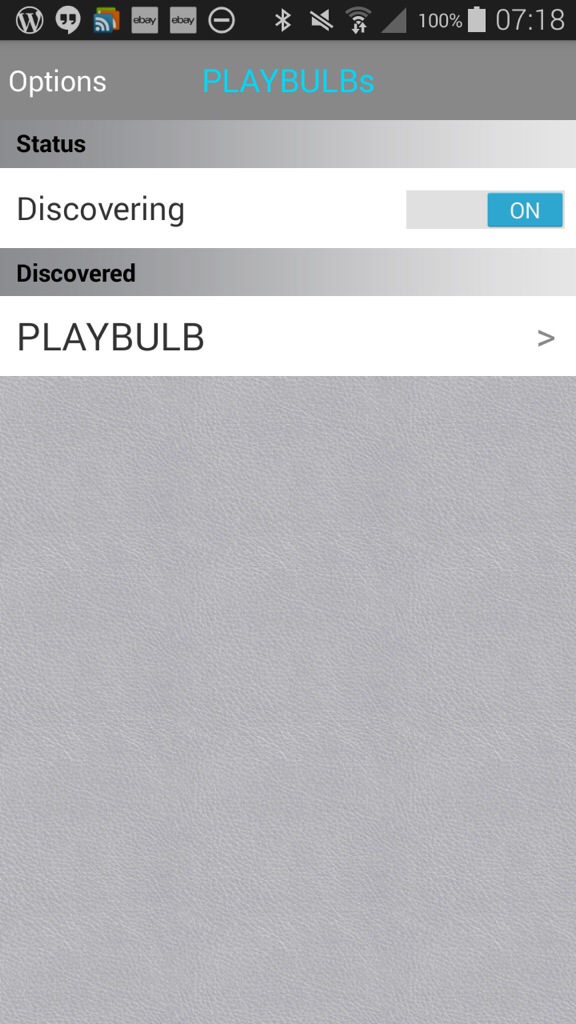
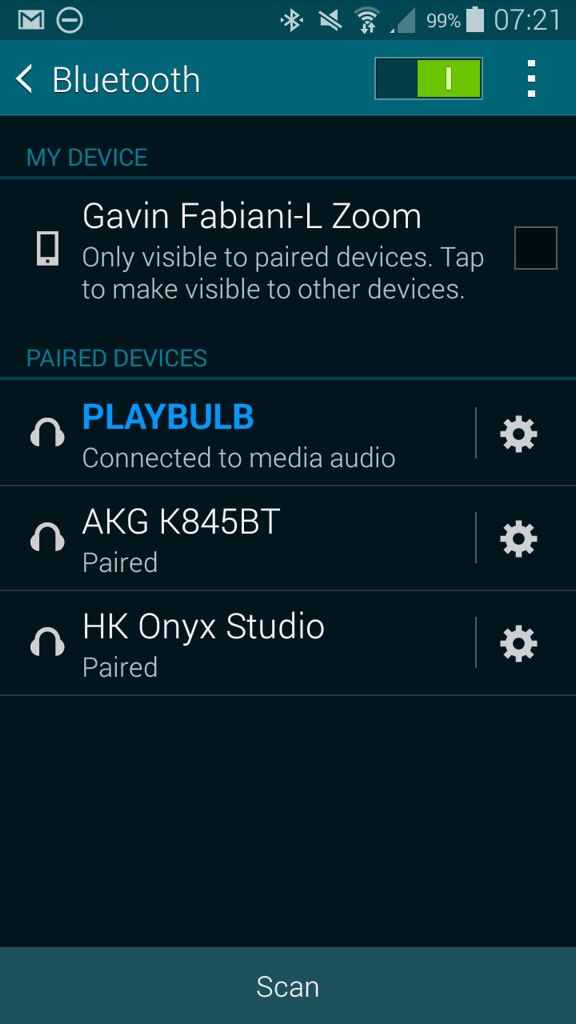
So to start off, screw bulb in to a light fitting. I used my clamp on fitting which gives versatility in placement. Next turn on your Bluetooth settings on pair the device. You should see it connected as a headset. See below.
20140701-081629-29789794.jpg

20140701-081629-29789656.jpg

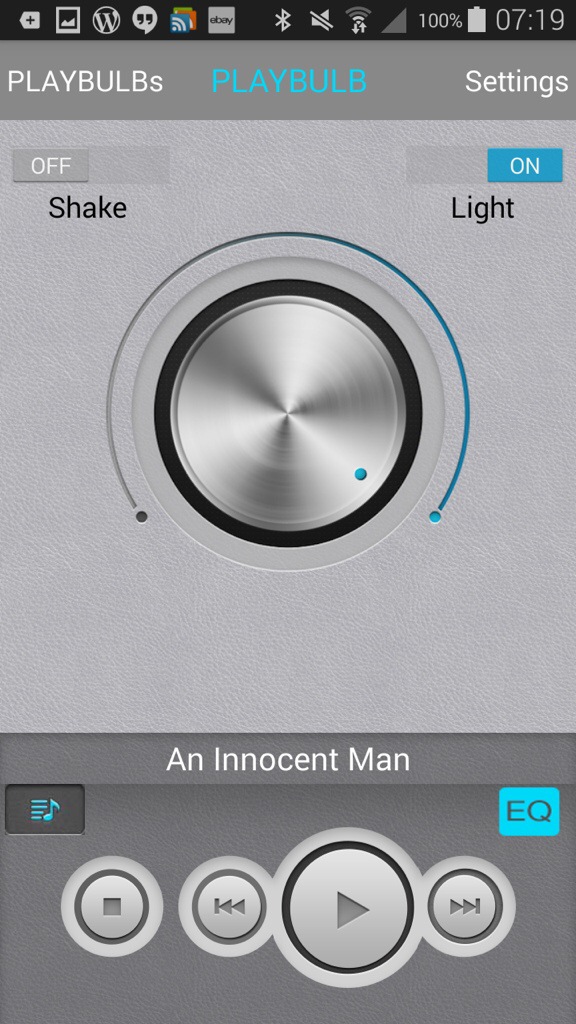
Next open up the app, and you will be faced with the screen shot above. Tap, Playbulb and move into the next screen.
20140701-081818-29898049.jpg

On this page you can use the slider to adjust the light strength, you shake to turn on or off, access music on the phone and tap in the settings.

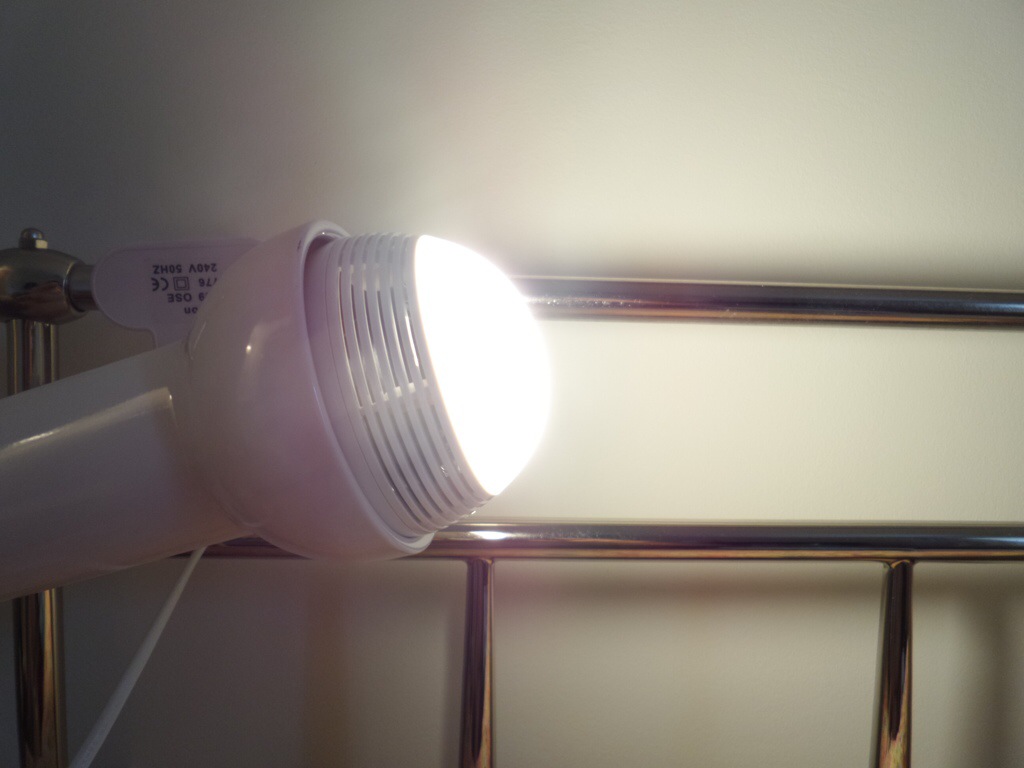
Just how bright is full brightness. See photo below.
20140701-082107-30067067.jpg

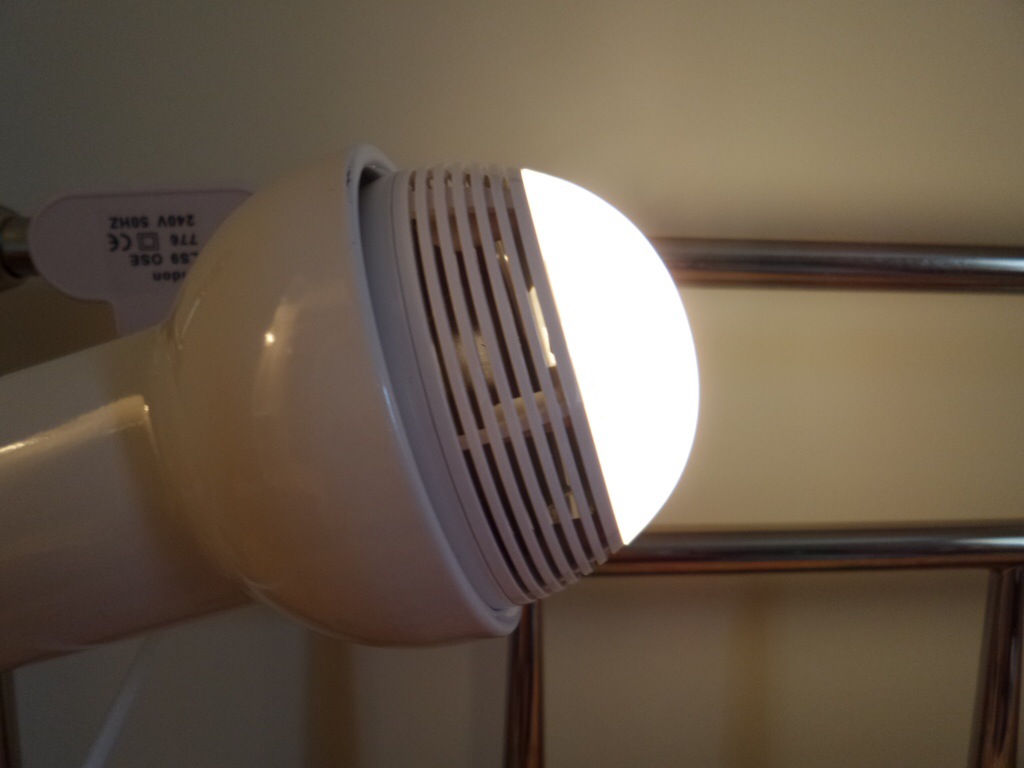
It’s really bright, but a quick adjustment on the slider and you can lower the light right down as far as you want until it’s off. Below a slightly lowered light setting.
20140701-082211-30131117.jpg

But then the app allows even more controls of the Playbulb from wake up, energy saver, night and sleep modes. The modes are self explanatory really, but as an example you get be woken up with the Playbulb turning the light on and playing some music.

So I guess the one unanswered question. How loud does it play. And what is the quality like? It goes surprisingly louder than I expected with a particularly clear sound. Bass was a little light but I can stress enough it is totally freaky when somebody realises the sound is coming from the light bulb!

I love my gadgets, and I really like the Playbulb. One concern I had is at £50 the LED lights had better last a long time. I was dutifully informed the lights are meant to last 10 years, and the speaker will continue to function after the LED lights have failed.

Available from Clove Technology.

Samsung Galaxy K Zoom – camera samples from yesterday

Just a few shots from yesterday. One is a macro, the others of my labradors, Fury and Tiggy, both girls. I have 3 in total, but George was resting from his earlier walk.

IMG_0189

IMG_0193

IMG_0194

IMG_0209

If you want to see the full resolution of these shots and more photos from yesterday, head over to my flickr account , http://www.flickr.com/photos/gavinfabl100

Samsung Galaxy K Zoom – one month later

Well, it’s been a month nearly with the K Zoom. It’s my vintage device and my main phone still.

I still have some of the small issues mentioned previously, but it’s unique enough that no other phone tempts me. Well, that’s not true. Every new phone is tempting 🙂 but the camera on the K Zoom keeps me on track.

20140629-081121-29481085.jpg

Finally, I’ve given touchwiz the boot. I’ve installed Apex Launcher Pro. I own Nova Launcher too but Apex is better when it comes to theming, although the difference between the two is very close. The above screen shot is using 2 Netatmo app widgets, and the 1theLucent theme. I have 2 other screen shots. One for the camera widget and the other my calendar. What I like about Apex Launcher is with the phone on any home screen, just say “Ok Google” and Google fires up listening for your commands. This is done with needing to add the Google search widget to the home screen and makes the user experience really slick.

I have a feeling that I’m enjoying the K Zoom so much it could be my main driver for quite a while longer as there is not much to dislike if photography is your thing.

Because I’m using Apex Launcher and customised the number of row and columns the camera widget looks better as shown below.

20140629-160248-57768538.jpg

So it’s happy days for now.

Episode 18 – Gav & Dave’s Tech Podcast is live – Please RT

As you know, I co-host a weekly podcast with David from UKMobileTech called Gav & Dave’s Tech Podcast. It is a light hearted tech podcast broadcast bi-weekly. To subscribe click here for iTunes or copy and paste this link into your favourite podcast app.

Episode 18, is now live for your listening pleasure. Time travel included.

PhotoSync app – awesome app for wireless photo transfers – read on

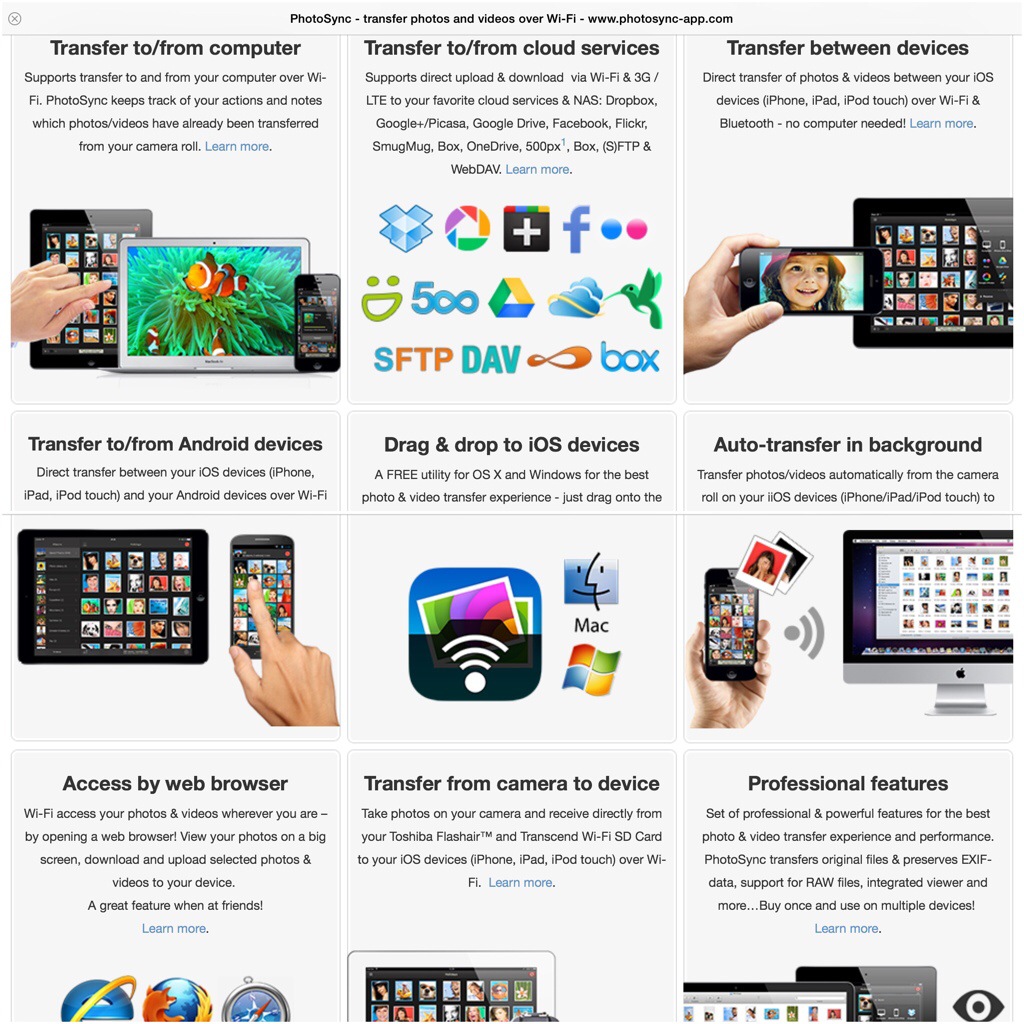
PhotoSync is an app that really everyone should own. It is so well designed with so many features and works exactly as advertised.

20140622-093049-34249887.jpg

So what does it do? Depending on what devices you have you install the respective mobile app. So if you own an android phone or tablet, head over to the Google Play store. If you own an iPhone or iPad head over to the Apple App Store. The iOS version costs £1.99. The android version is free with in app purchase of £0.99 to remove the banner ad. There is even a version for Kindle. If you own a mac there is a free companion app on the Apple Mac App Store. The same applies if you have a Windows PC. So once you have installed the software on your respective machines it now is as simple as ABC.

20140622-093610-34570080.jpg

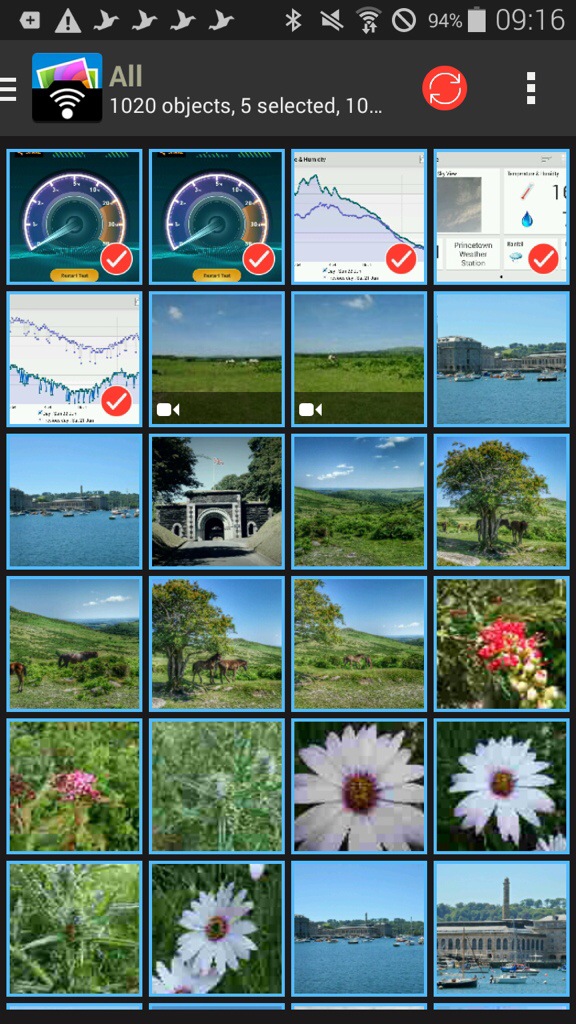
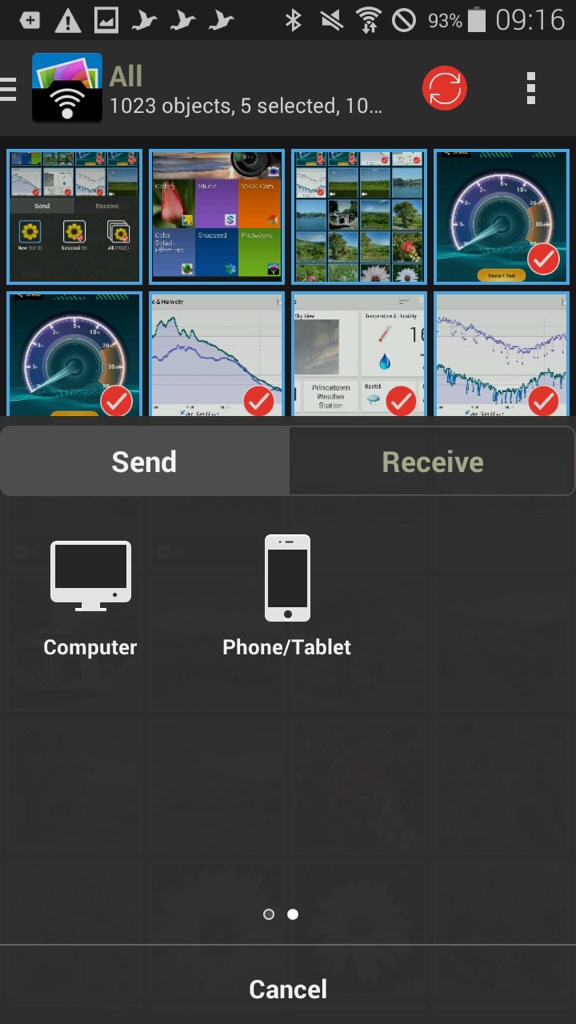
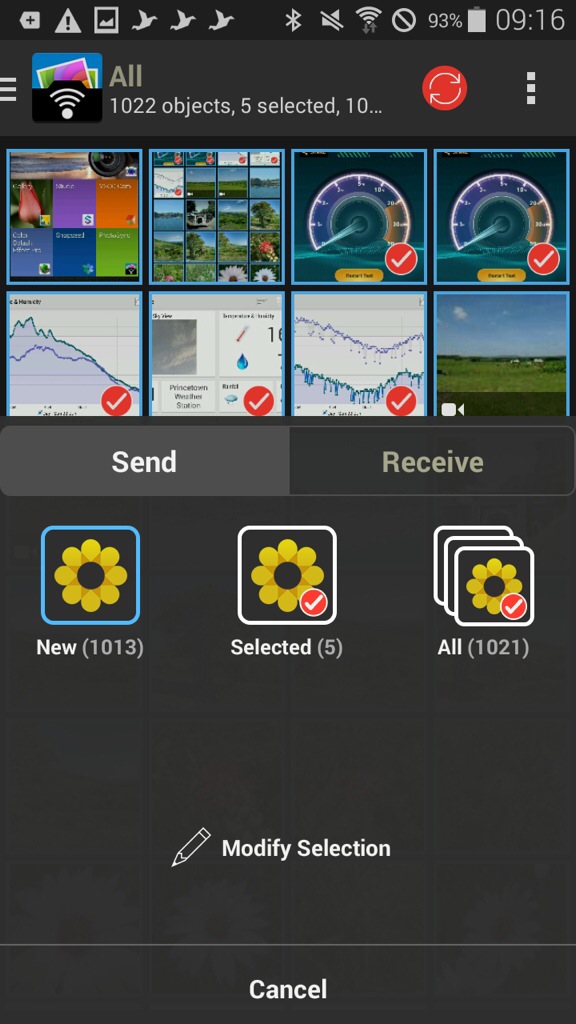
As an example, I have opened the app on my Samsung K Zoom and selected 4 photos. You can tap to select which ones you want to send, or press and hold to select a range. You can view your photos by all or albums on the K Zoom. Now open the iPad app.

20140622-093820-34700081.jpg

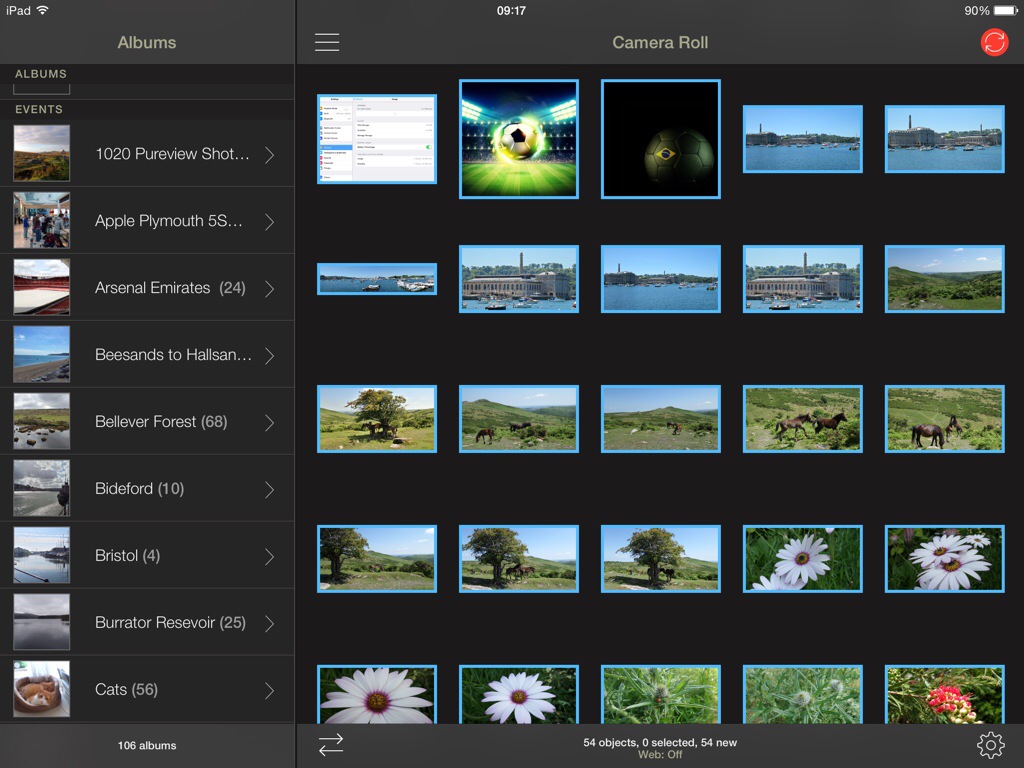
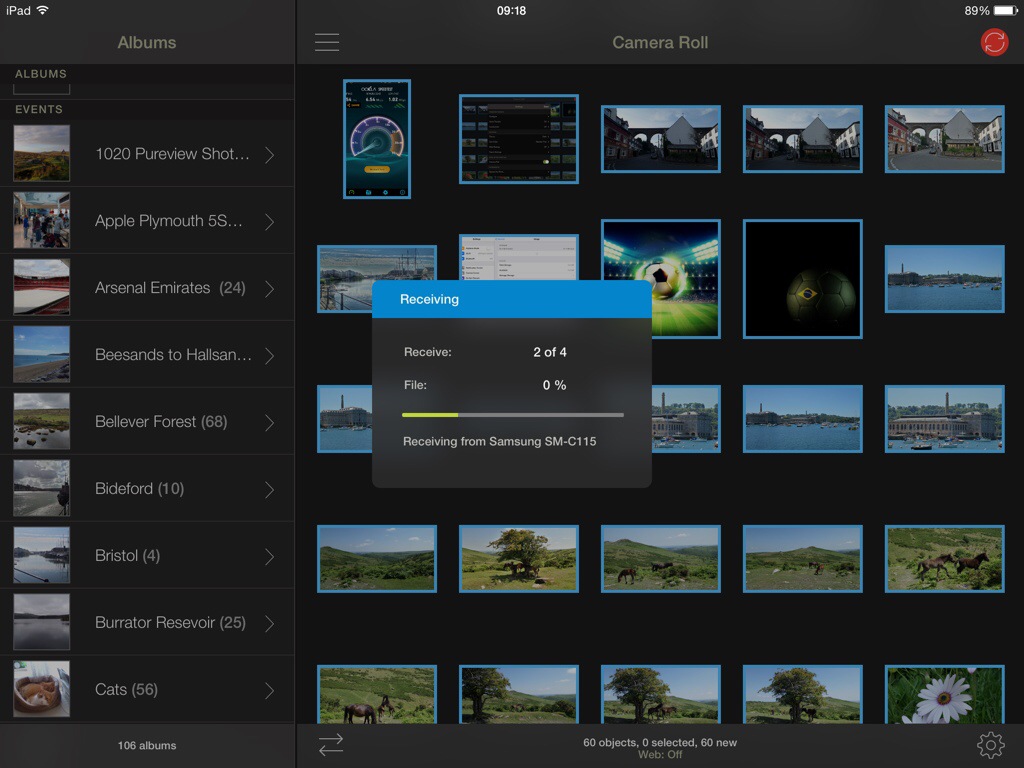
Now, tap the red sync icon top right on the K Zoom, confirm your selection and as quick as ABC the photos are sent on to the iPad.

20140622-094001-34801979.jpg

20140622-094002-34802395.jpg

20140622-094001-34801843.jpg

20140622-094002-34802125.jpg

So what the above screen shots show is the process of moving 4 photos I selected from my android phone to my iPad. The order is slightly wrong, but I’m sure you can fathom out the correct order of the screen shots 😉 But you could move the photos, or receive, between any combination. What is also clever is that you can send the photos from say my Samsung Galaxy K Zoom to my mac. The photos can either go to a folder chosen by yourself, or end up directly in iPhoto or Aperture. Neat touch. And because it’s using wifi you can be downstairs and send the photos to your mac which can be located in another room.

Within the app, the options and settings are extensive. You have the option of using a web browser, personal hotspot, drag and drop, creating new albums, the app remembers which photos have already been transferred, raw photos also supported as well as video , meta data left intact, size of photo left untouched, transfer speeds of up to 5mb/sec and much more.

The iOS app version has been around for longer so adds so extra functionality allowing transfer to and from cloud services like Dropbox, Flickr. Google+, Picasa, Facebook, SmugMug, Zenfolio, Box, 500px, OneDrive, Google Drive and Sugarsync. Backing up videos and photos over (S)FTP or WebDAV to NAS, mobile storage, or remote server. You can also use 3G or LTE. And even more features.

At the end of the day, the app just works really well and being cross platform is such a bonus. Highly recommended.

Gaming as it should be – an era without in app purchases – FSC N560 GPS/Windows

2014-06-21 09.20.43

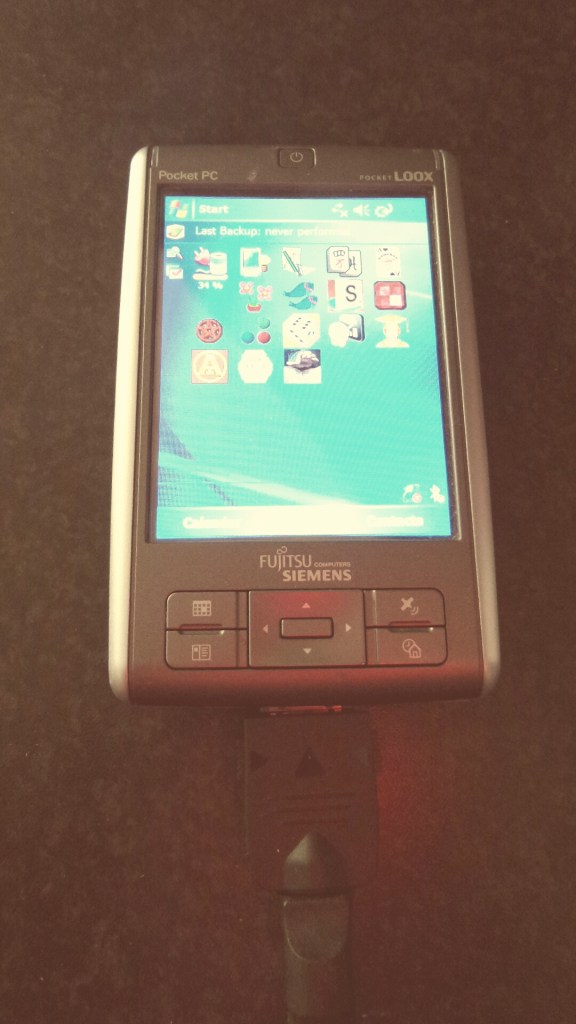
The Fujitsu Siemens Pocket Loox N560 GPS was a PDA ahead of its years in 2006-7. It is the only old device I have ever kept, and it still works as well as it did from the day I bought it.

The only change is I have an extended battery fitted, as the standard battery only had a run time of 3 hours.

So lets recap some of the critical specs. It runs Windows Mobile 5. Its screen is 3.5 inches at 640 x 480. Weighs 160g. Has GPS. USB Host. And has a micro sd card slot. But wait, the internal memory is a whopping 128mb, not gb, but mb. How did we survive back in 2006 with such low memory! It also has an infra red blaster, great for controlling TV’s and more.

So I counted and have circa 80 apps installed, most of which are games. Now whilst the graphics have shot forward in 8 years, there is one aspect I like about playing games on this device – I am not bombarded with coins, or extras to constantly buy, or upgrades needed to continue forward in the game. In fact, some of the games that are now available on iOS or android are actually miles better on this 8 year old PDA. An example is Plant Tycoon. Also games seem to have more depth than some of the modern equivalents. (I am omitting the fact that newer games of today will have much better graphics)

Plant Tycoon mentioned above is an example of an old classic ruined when it came to iOS as a freemium app. The developers are really greedy as well. Basically you have to pay to play. Each time you start a new game you lose everything bought and you have to pay to play again. In 2006, I bought Plant Tycoon. I’ve played it constantly on and off and never had to reach for my wallet. And 8 years later, I am still playing it.

Sometimes, technology advances are fantastic. Other times they are prohibited and obstructive.

Samsung Galaxy K Zoom – number 2 – disappointment perhaps?

20140620_120848

Last night I snapped a few shots in the glorious weather, a rarity on Dartmoor. Normally its foggy or raining!

I got back home and examined the photos. This is my second K Zoom so I was keen to see whether I had any lens issues. The below shot is an enhanced HDR version using Snapseed.

20140620_142801_1

And one last shot from the collection of a few hundred taken last night.
20140620_143545_Richtone(HDR)

Now the above photos are slightly compressed for the article, but the detail didn’t seem to be all there. I was cursing thinking I had a faulty Zoom and would have to send back this one for an exchange. And then, it dawned on me. When I had taken the shots for the other post for today, I dropped the resolution camera settings to just 2mp.

So actually, the K Zoom even at 2mp can snap some lovely photos. So if you do change the settings, be careful to change back to your normal default options.

I really am so impressed with this phone/camera. But it does have weaknesses. My feelings about this device are consistent in that its extra weight and thickness don’t matter. Why? Because its curved back make it excellent to hold and it is a good size for one handed use. The 720p screen is ok but having used the best 1080p screens on the HTC One M8 and Samsung Galaxy S5 sometimes I do wish it was higher. However, as the screen is 720p I have not got from Google Play store and apps/games that can’t be installed as not compatible with phone. Speed of the K Zoom. Generally it is responsive and nippy. But I do have 92 apps installed, 20 of which are games, and at some point lag does appear or the odd slow down. Being honest I thought it would be a lot worse but it is perfectly acceptable.

But my biggest frustration is its wireless capabilities. It has bluetooth, wifi and more. But it appears its signal strength on for wifi, bluetooth and cellular signal are not as strong as other phones I have owned. This means wifi can drop at the further point in my house, whereas my other devices hold the wifi signal just about. Bluetooth stereo audio breaks up a lot and the phone signal strength is 15% weaker than other modern flagships I have owned. And sometimes, the Bluetooth connection is perfect. It is just not reliable. Maybe a software update will help. In the meantime, the bluetooth issue is out of all the wireless options is driving me mad at times. If this can get fixed, then I would be very happy.

Before I bought the K Zoom, I thought the 8gb internal memory would be the number one reason I would not keep this phone. In fact, I am managing with 8gb internal (about 4.6gb user available) and with 92 apps installed have 1.96gb free currently.

Of course, you buy this phone for the camera with its 10x optical zoom and xenon flash. And as the camera is a key feature for me, there is no other phone on the market at present that rocks my boat. Once you have the option to optically zoom in, you just cannot live without it.

Samsung Galaxy K Zoom – review – update

I’ve been slightly distracted as I’ve had the Sony Xperia Z2 in the house.

However,  I’ve still been using the K Zoom to try and improve the user experience for me and also solve some of the battery drain issues.

Let’s start with the battery drain issues. I thought the high temperature had caused the battery to plummet but actually I’m now seeing if the new version of SwiftKey is the cause. I was using Google keyboard which worked really well but my typing speed on SwiftKey is seriously fast. When I’ve had a few more days usage I will report back. I did turn off swiftkey trending in the app settings and this seems to have helped a little.

image

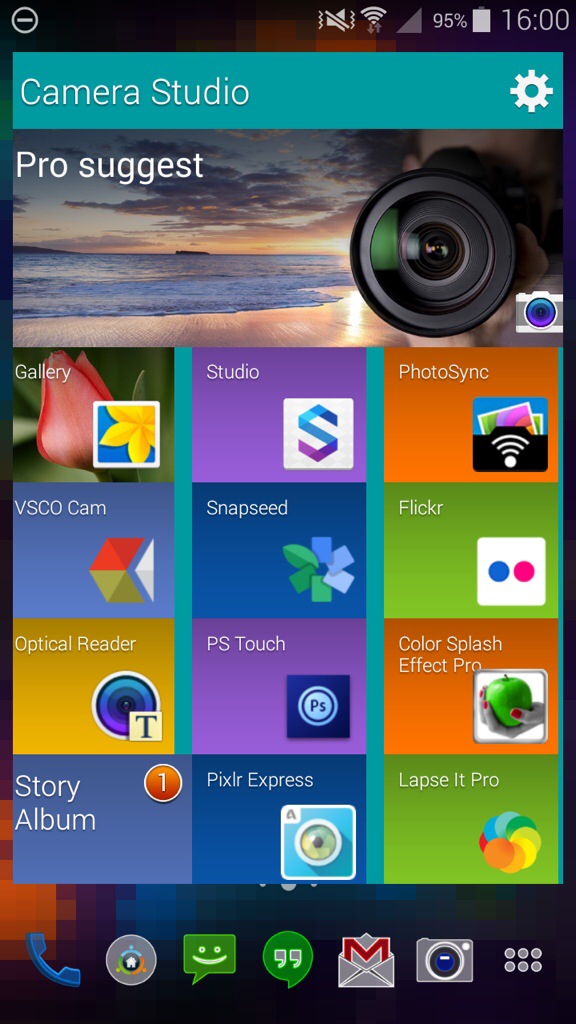
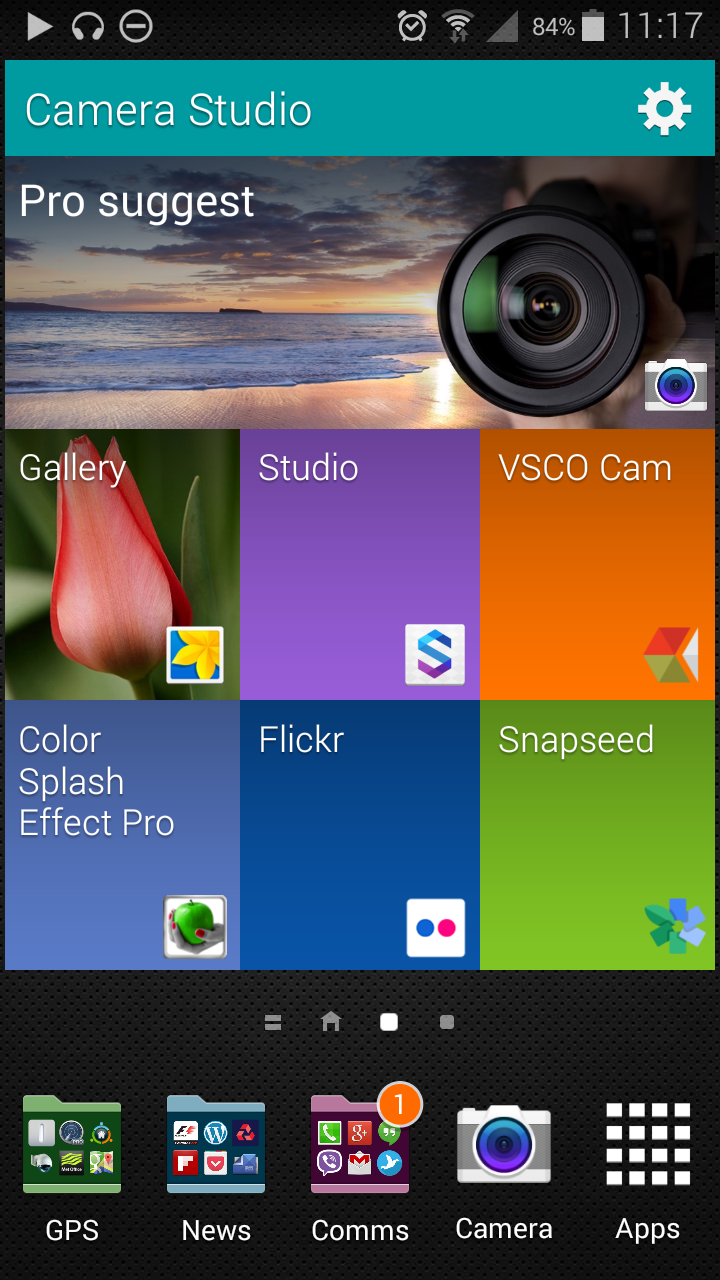
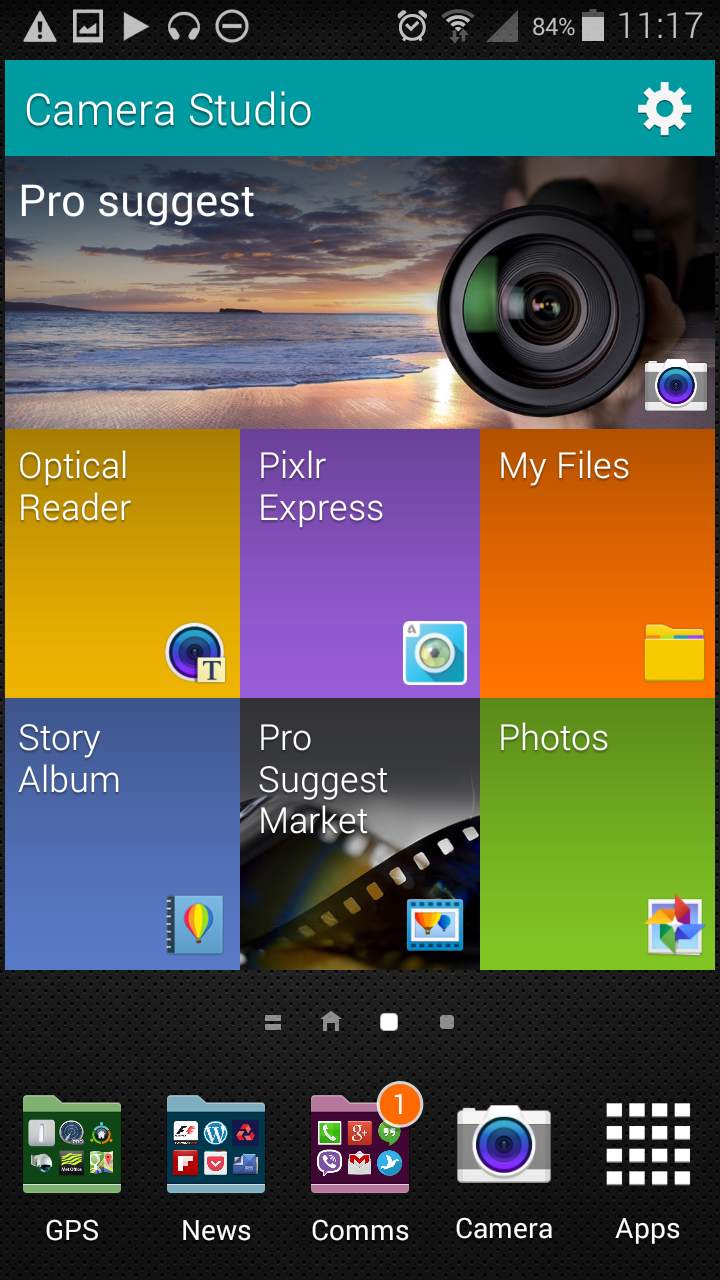
One of the  phones widgets is the camera widget. I thought it had the fixed Pro Suggest camera launch mode and then 6 app options user selectable. Then by accident I realized it moved to reveal another 6 boxes for adding more apps.

image

As you can see my selection is all photo editing related. I just wish you could select which mode to launch the camera.

Bluetooth music streaming with my AKG K845 headphones is still not consistent with many dropouts. Fortunately, these headphones can also be used wired.

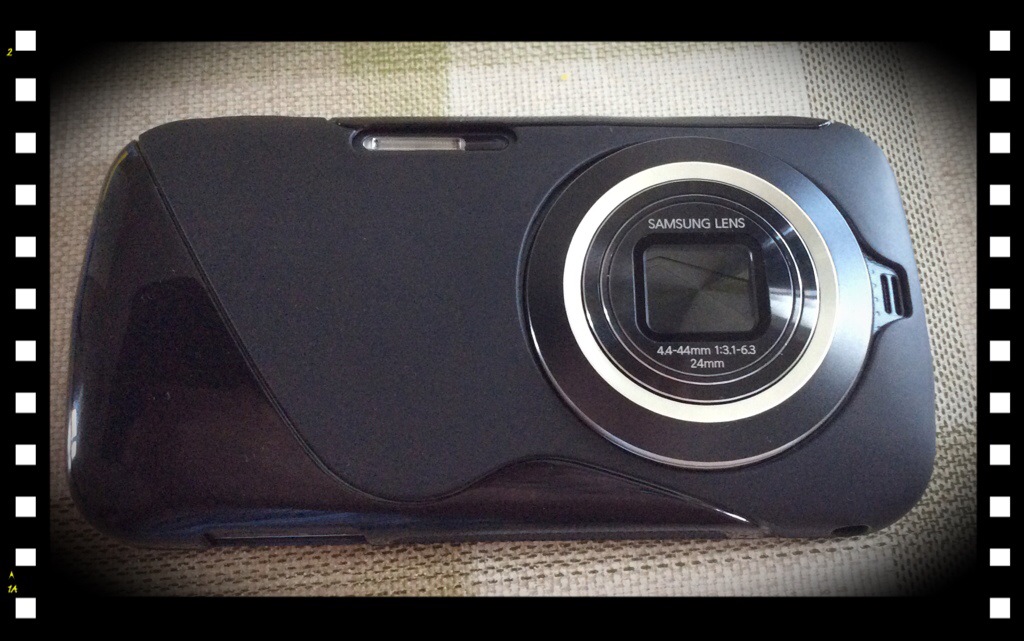
I now have a cheap eBay case for the phone, all of £2.90. But still no case from Samsung which was promised as part of the pre order.

I think despite a few issues I’m having with this device it is by far brilliant for my needs and is going to be near impossible to change this for anything else as my main driver.

20140615-114728-42448686.jpg