Category Archives: Apple

Samsung Galaxy S8+ vs iPhone 7 Plus vs LG G6 vs Huawei P10 Plus – Camera Comparison by Ellie

Four of the top flagship phones. Left to right LG G6, Huawei P10 Plus, Samsung Galaxy S8+ and the iPhone 7 Plus.

I took 2 shots of the local church from different angles using all 4 phones. I have uploaded all photos full size. For both scenes the Huawei P10 Plus photos come first, then the iPhone 7 Plus, followed by the LG G6 and lastly Samsung Galaxy S8+.

Huawei P10 Plus Side View

iPhone 7 Plus Side View

 

LG G6 Side View

 

Samsung Galaxy S8+ Side View


Huawei P10 Plus Monochrome mode

Huawei P10 Plus Colour Auto

iPhone 7 Plus Colour Auto

 

LG G6 Colour Auto and then Wide Angle


Samsung Galaxy S8+ Colour Auto and Flower Shot


Conclusion and Results

Side Church Shot

I would rank the side church shot as follows. First place LG G6, then Samsung S8+, then Huawei P10 Plus and in last place the iPhone 7 Plus.

Church Colour Auto Shot

A very close call and hard to pick a winner. The LG G6 pips the post but only just. The others are all a draw. The Huawei P10 Plus monochrome shot is excellent. So is the wide angle shot from the LG G6.

Final Words

As you can see a very close call in terms of camera performance. So which are your favourites?

LG G6 vs Samsung S8+ vs iPhone 7 Plus – Burst mode comparisons by Ellie

img_5459

As you know by now Gavin likes to photograph our 3 labradors an awful lot. I think they have learnt how to pose for that perfect selfie too.

One of the modes Gavin likes to use is burst mode. So Gavin asked me to perform some tests on the speed of each phone in burst mode.

So here are the results.

iPhone 7 Plus

– Time to take 100 shots in burst mode is 10 seconds.
– Maximum number of shots in burst mode is 999 shots. Holy crap. And it can save them all fairly quickly and take another 999 shots in a burst without pulling a sweat.

Samsung Galaxy S8+

– Time to take 100 shots in burst mode is 7 seconds. And 100 shots is the maximum. Also the focusing was fastest out of all 3.

LG G6

– Time to take 100 shots in burst mode is 10 seconds the same as the iPhone 7 Plus. Like the S8+ , 100 shots is the maximum in burst mode. Focusing was as quick as the iPhone but slower than the S8+.

I will try and get some shots over the weekend but there’s no guarantee.

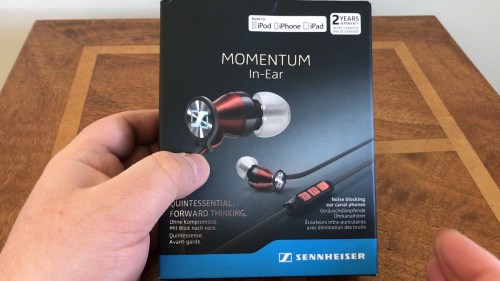
Sennheiser Momentum In Ear Headphones – Review

Key Specifications

– Custom machined stainless steel acoustic pipes for more accurate sound
– High quality dynamic speaker system and enhanced attenuation of ambient noise
– Personalised fit directly into the ear canals
– Available in two variants with a three button in-line remote with an integrated mic optimised for either – Apple iOS or Samsung Galaxy smart devices
– Convenient high carrying case included
– Wearing Style Ear canal
– Transducer Principle Dynamic
– Frequency Response 15 – 22,000 Hz
– Impedance 18 Ohm
– Sound Pressure Level (SPL) 118 dB
– Total Harmonic Distortion (THD) < 0.5%
– Cable Length 1.3 m 1.3 m
– Mic Pick-up Pattern Omni-directional
– In the Box – Ear-adapter set (XS, S, M, L) / Premium carrying case

Video Review

Useful Links

Latest pricing & more info on Sennheiser Momentum In Ear Headphones

Merrivale Stone Circles on Dartmoor National Park – Shot on an iPhone 7 Plus – Slow Motion & 2 Movies

I have just come back from walking my 3 labradors across Dartmoor, ending with a view of the Merrivale Stones and Merrivale Stone Circles.

I have created 3 movies. One is just a highlight of the slow motion footage of my 3 labradors shot at 240fps, the other movies are both created using iMovie. One is using the Trailers option and the other is a normal movie I created from scratch.

Let me know in which order you prefer the different videos.

Merrivale Stone Circles – All Footage

The Mysterious Merrivale Stones

iPhone 7 Plus – Slow Motion with 3 dogs at 240fps

Useful Links

Shopping for anything on Amazon

Audeze iSine 20 – In Ear Planar Magnetic headphones – Review of the £599 Hi-Tech Magic

The Audeze iSine 20 are a world first in ear planar magnetic headphones. Audeze has loads of patents on these headphones too. There are also the world’s first headphone to include a lightning cable with an in built 24 bit DAC/Amp for iOS users, apart from the included standard 3.5mm cable.

The iSINE 20 features key specifications –

– Planar magnetic drivers for better dynamics and frequency response
– Premium materials for style and durability
– Sleek contemporary design by DesignWorksUSA a BMW group company
– Ear hooks and Earlocks for long listening comfortability
– Fluxor magnetic arrays
– Uniforce diaphragms
– 1.5m audio cable, 1/8” stereo plug input to 2-pin plug output
– 1.5m Cipher cable, Lightning plug input to 2-pin plug output
– Style In-ear, universal fit
– Transducer type Planar magnetic, semi-open
– Magnetic structure Fluxor
– Magnet type High-grade neodymium
– Diaphragm type Ultra-thin Uniforce
– Transducer size 30mm
– Maximum power handling 3W
– Maximum SPL >120dB
– Frequency response 10Hz – 50kHz
– THD <0.1% @ 100dB
– Impedance 24 ohms
– Cable type non-microphonic
– Dimension 31mm x 35mm
– Weight 20g without cable

The new iSINE Series barely weighs 20 grams, contains Audeze exclusive patented technology including power enhancing Fluxor Magnets that nearly double the magnetic driving force on the large, ultra-thin diaphragms with patented Uniforce voice-coil technology that delivers the most accurate in-ear headphones experience ever. The distortion (THD) is less the 0.1% overall even at high volumes, an amazing achievement for in-ear headphone designs.

For iOS users, there is the world’s first 24-bit Lightning cable for higher-resolution sound. Audeze’s award-winning CIPHER Lightning cable specially optimized for the iSINE Series, delivers 24-bit digital audio from iPhone/iPad/IPod to the headphones. The CIPHER cable contains a high-quality inline amplifier, digital-to-analog converter, and DSP. With the powerful DSP capabilities of the Cipher cable, the iSINE headphones deliver a vivid, almost like-you’re-there experience. Customize the sound in real-time with the Audeze iOS App. It features two presets and a 10-band equalizer that changes EQ in real time. Refine the bass levels and tamp down the highs on peaky recordings you still love to hear. The two EQ presets travel with the cable when switching devices.

So now sit back, enjoy my unboxing and then full review of these beast of a headphone.

Useful Links

More info & latest pricing on the Audeze iSine 10 and Audeze iSine 20

iMovie Trailers using the iPhone 7 Plus – Tors of Dartmoor National Park

When you have an iPhone 7 Plus you also have access to iMovie. Apart from creating professional videos you can also create short movie trailers which are great fun too.

Below is a short iMovie trailer made this afternoon. This is using all video and photo footage I have snapped on Dartmoor National Park.

Enjoy and let me know what you think too.

Some of your iOS Apps & Games won’t work soon – Here’s a quick way to find out which ones

Have you seen a message when launching an app or game on iOS that says this app will slow down your iPhone?

If you have been a long time iOS user you will probably find that there are quite a lot of apps and games that bring up this message. What I had done was move this apps or games into a separate folder so I knew which ones were potential issues/culprits in the making.

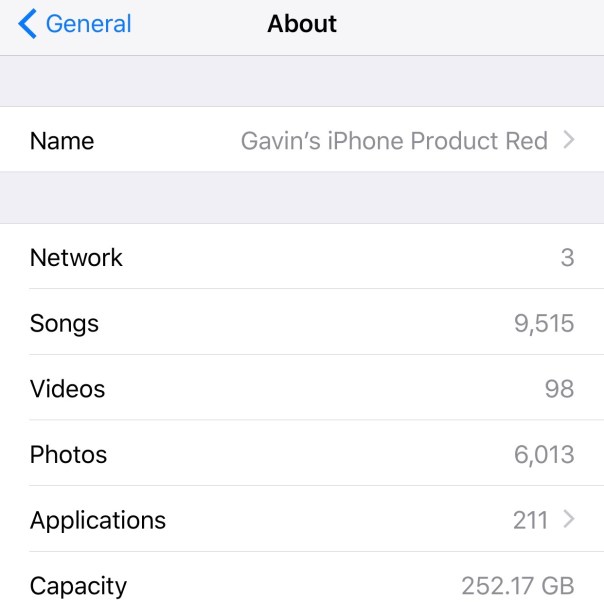
Well now Apple has made it easy to identify these rogue apps and games. After you have updated to iOS 10.3, go to the settings app, select General, About.

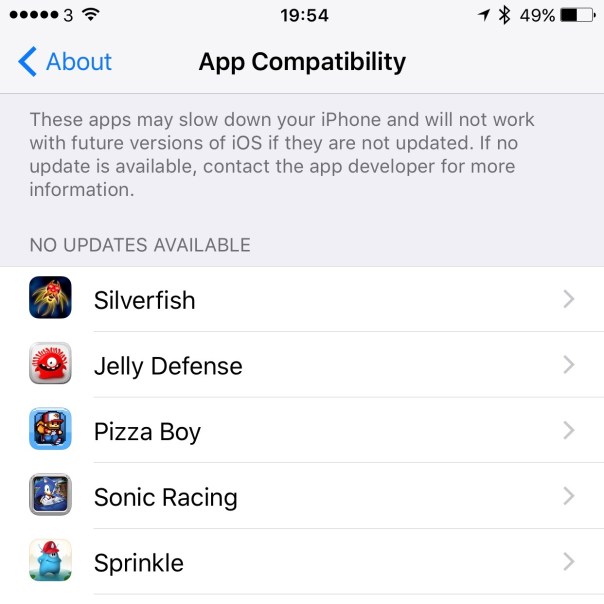
Here you will see a list as shown above. Now you can tap on Applications.

And voila, you now have a list of apps and games that are actually based on a 32 bit architecture. Apple requires all apps to be based on 64 bit architectures and has done so for a while. It is fairly likely that once iOS 11 arrives in September 2017, all 32 bit apps and games will not function. This means developers will have to update their software accordingly, and I am sure once users realise how simple it is to pinpoint the impacted software, the developers will be bombarded with requests to update their software.

In my case, most of my issues are games running on 32 bit. I only had 1 app out of 15 games. It may be worth checking what shows up in your list, in case there is something you might need.

How I changed the white front to black on my Red iPhone 7 for £12

img_5179

So I received my lovely red iPhone 7 Plus over the weekend and across the internet many people were saying, “if only it had a black front instead of white”.

Personally, when you see the red iPhone in person the white front is amazing. But I already knew how I was going to alter the front to black to see for myself whether the black version looked better.

I also have tried many Apple cases with the red iPhone 7 Plus. The black silicone, sea blue leather and saddle leather cases and none look right. I also have seen the Apple red silicone case. This is the wrong shade of red. So the only option was a clear case.

So for less than £12, I now have a black front red iPhone and a clear silicone case. This is how.

img_5171

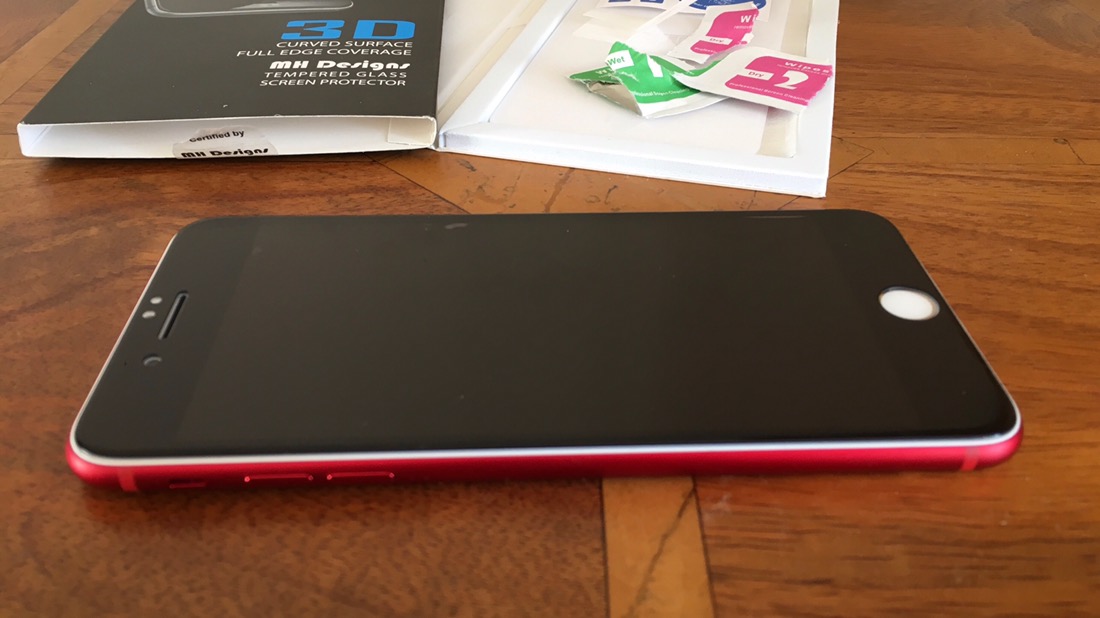
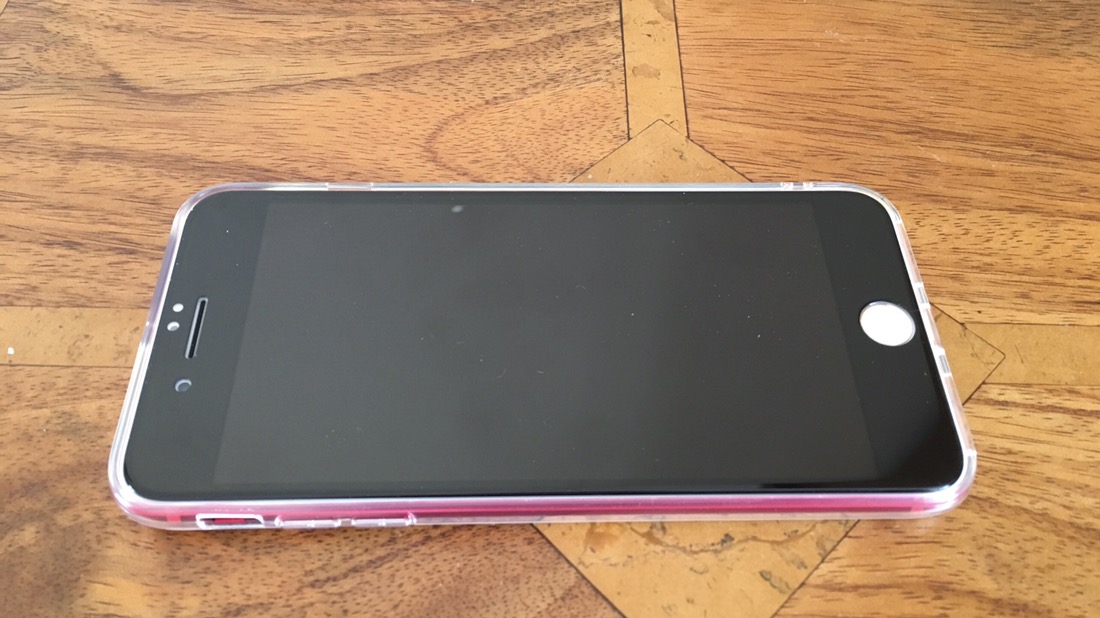
I applied a 3D black glass protector. I will have a note of all the items I used at the end. Don’t use a 2D glass protector as this won’t fit properly.

img_5172

Here’s a top down view with the black screen glass protector fitted. As you can see, there is a slightly amount of white around the edges and the Touch ID button is still white.

img_5170

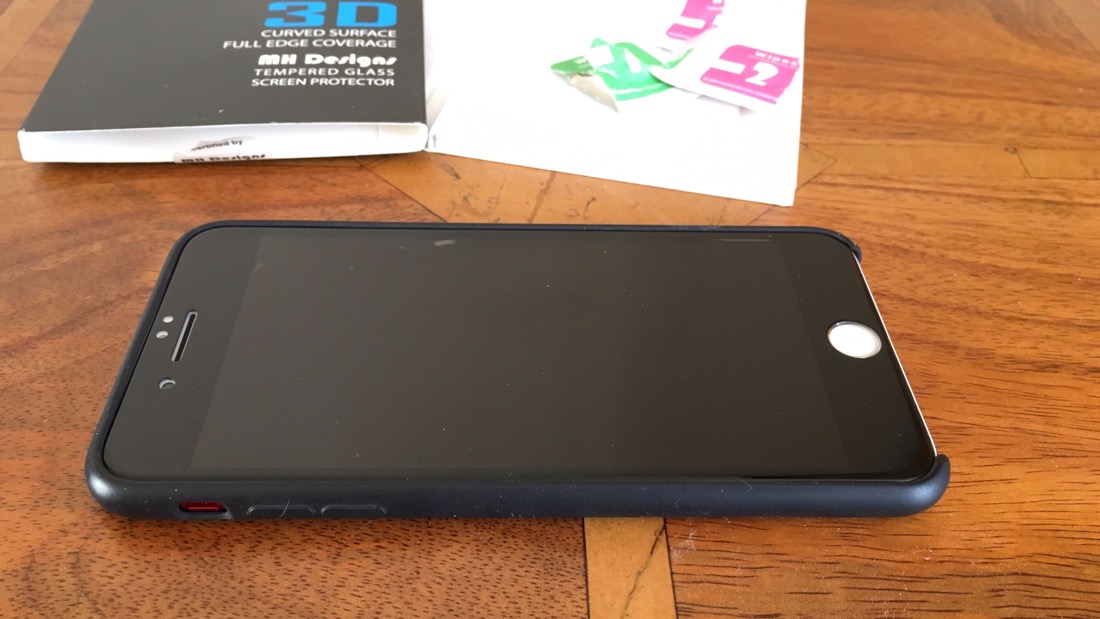
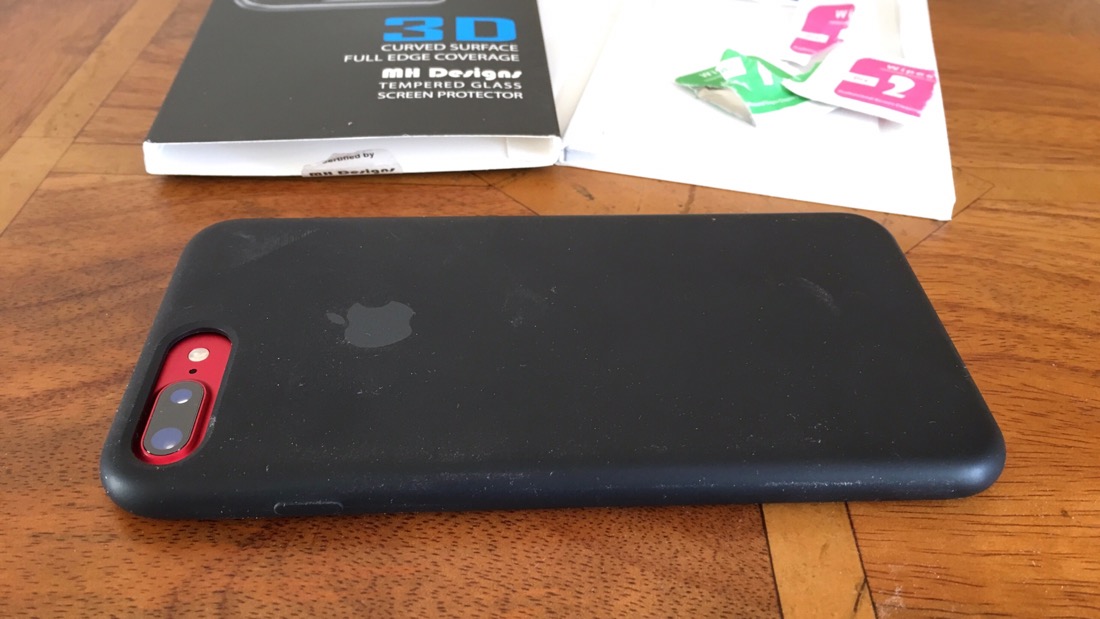
I put the iPhone in the black Apple silicone case.

img_5169

Hopefully, you’ll agree that this combination doesn’t look right. However, the white border on the front is hidden by the case.

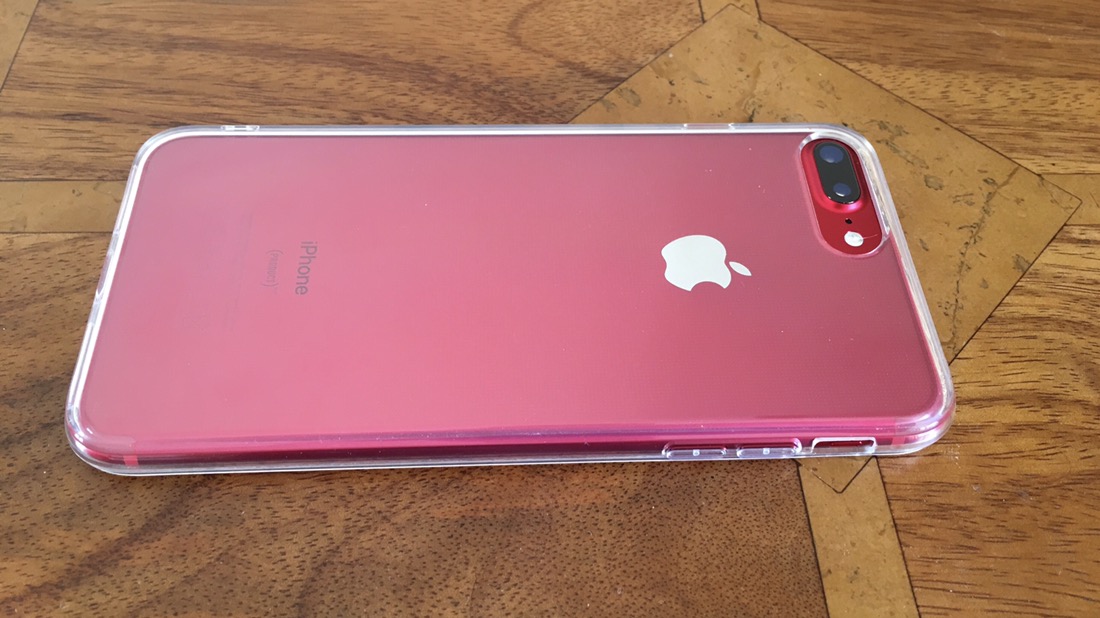
So to show off the full colour of the red iPhone 7 Plus, I fitted a clear silicone case.

img_5175

And now the front.

img_5176

The white border is not visible now. The only issue is the white Touch ID button. I have thought about using a black marker pen, but I’m not sure if this will work and or void the warranty.

So for the sake of a white home button I can live with this set up. The 3D glass protector and silicone case were £5.99 each.

So to refresh you, this is what the original red iPhone 7 Plus looks like. My Red iPhone Unboxing & 1st Impressions.

So do you prefer the white or black front on the red iPhone 7 Plus?

Useful Links

Black 3D Glass Screen Protector for iPhone 7 Plus

Clear Silicone case for iPhone 7 Plus

img_5179

Shot on an iPhone 7 Plus – Princetown to Hexworthy – The Old Road – Dartmoor National Park

Desolation #dartmoor - nothing for miles

On Saturday, I walked from Princetown to the Forest Inn at Hexworthy on Dartmoor. The route is 5 miles easy way across Dartmoor National Park. The above shot is one of the views you will see en route. All the photos were snapped using my iPhone 7 Plus.

After about 40 minutes, this is the view from behind of the North Hessary Mast at Princetown in the distance. The path starts off in great condition. To start the route from Princetown, walk down Tor Royal Lane, all the way to the end. After a mile, you will get to Tor Royal Farm. Walk down the road, with the farm on your right. Just continue following the path/road.

Of course, like all good things, the condition of the path deteriorates and becomes a bit boggy. So good walking boots are a must.

Rocky Road to Hexworthy #dartmoor

In fact, along one section of the route, the path is lined with large chunks of rocks/granite, so be careful. Also the path occasionally fades out but it is still visible for the entire route.

Racing along the road from Princetown to Hexworthy #dartmoor

My 3 labradors were having a blast along the route too.

After about 3.2 miles the path narrows and you will pass the Blowing House ruins. This section was particularly muddy in places and had a lot of muddy surface water. You boots will get wet and muddy at this point no matter how hard you try to avoid everything.

Above is Blowing House itself, well the ruins.

Fairy Bridge #dartmoor

Fortunately, Fairy Bridge has been replaced with a new structure, otherwise you would have had to cross the river getting extremely soaked! The goal was to reach the Forest Inn at Hexworthy. The last part of the walk is a little tricky in terms of directions, but you eventually reach the end of the path, and come to a country lane. Cross straight over and walk down the road to the farm house entrance. As you get near the entrance, you will see a downhill path, take this, walk down until it becomes road, turn left, walk 15 yard, turn right downhill in-between the farm buildings. This will make sense when you are there. At the end of the downhill part, you reach another road. Turn right and walk 50 yards uphill to the Forest Inn. Job done.

Enjoy the food and drink at the Forest Inn (make sure you book as its always busy), and then prepare yourself for the return journey.

All photos shot on my red iPhone 7 Plus.

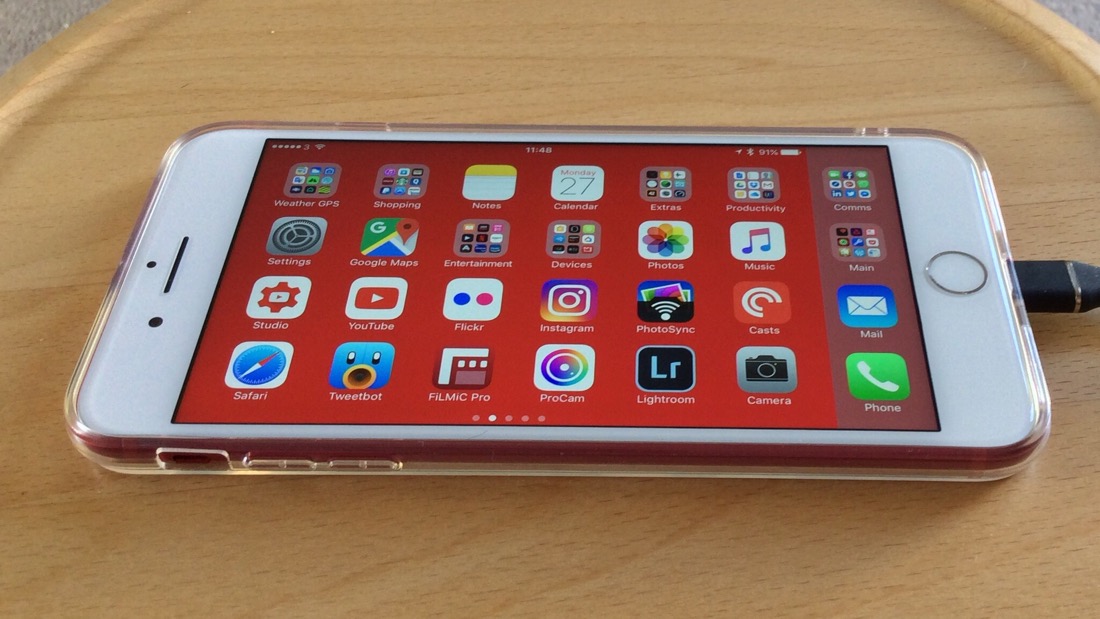
Apple iPhone 7 Plus Product Red – First Impressions, Photos & Video – It’s stunning in RED!

The new Product Red, or Red iPhone 7 went on sale today at 3.01pm UK time. I currently have a jet black iPhone but now have moved across to the new Product Red iPhone 7 Plus.

Once you see the new red iPhone in real life, you will just love the colour. It looks fabulous!

Just look at the photo gallery of the iPhone 7 in red. Such a stunner.

And as to my first impressions and unboxing. Here you go 🙂