Category Archives: Android

Samsung Galaxy S7 Edge – Random Camera Shots – Part 4

Below are just a few quick camera shots from the Samsung Galaxy S7 Edge. I have been asked what sensor my S7 Edge has and it is the ISOCELL sensor. I am very happy with all these shots. It seems when sunlight has gone, the S7 Edge takes good quality photos.

Daffodil Macro

There were a few daffodils outside the pizza takeaway, so I took a quick shot.

Daffodil at Springtime #macro ##SamsungS7Edge

Dartmoor Panoramic

I do like the stitched image of the panoramic shot. This is just before dusk, so the lighting was just starting to fade, with some fog appearing in the distance.

Panoramic of Rugged Dartmoor #SamsungS7Edge

Cropped Image

I was driving along and saw this pony grazing by the road. I lowered my car window and took a quick snap. I then edited the shot to lose the road and focus on the pony. So long as the image is not too far away, there is plenty of detail for cropping. I was probably about 20 feet away from the pony.

Natural Habitat #Dartmoor #Ponies #SamsungS7Edge #Crop

Normal Random Shots

Another scenic shot of Dartmoor and then a bike that was also next to the pizza takeaway.

Fog Descending #Dartmoor #SamsungS7Edge

Red Michigan #SamsungS7Edge

Samsung Galaxy S7 Edge – Camera Shootout – Part 3

Welcome back to my Samsung Galaxy S7 Edge Camera Shootout Part 3. Scroll back to read Part 1 and Part 2.

In Part 3 I will be looking at some specific aspects of the camera. Firstly, how does the S7 Edge cope with sun flare and shooting directly in to the sun. I also added some shots from the Apple iPhone 6S Plus as a comparison. It is worth noting that you can record video with still photos and at the same time as snapping panoramic shots.

Sun Flare Shots

The first shot is from the iPhone 6S Plus and then from the S7 Edge. From my point of view the S7 Edge does a better job.

Church of St Michaels - Sun Flare Test 2 #iphone6splus

Church of St Michaels - Sun Flare Test 2 #SamsungS7Edge

Another test. iPhone 6S Plus first then the S7 Edge.

Church of St Michaels, Princetown - Sun Flare Test #iphone6splus

Church of St Michaels, Princetown - Sun Flare Test #SamsungS7Edge

Aiming at the Sun

Below is a shot from the S7 aiming directly at the sun itself. Rather impressive.

Cloud Extravaganza - Into the Sun #SamsungS7Edge

Selective Focus

This mode should not be ignored. You can create some really arty shots with this mode. Here the church cross becomes centre of attention with the background all blurred nicely.

The Cross That Divides Reality - Selective Focus Mode #SamsungS7Edge

Vertical and Horizontal Panoramas

Below are two panoramic shots from the S7 Edge.The speed of taking and saving these photos is super fast. Decent size outputs as well.

Horizontal Panoramic view of Church of St Michaels Graveyard #SamsungS7Edge

Vertical Panoramic of Church of St Michaels #SamsungS7Edge

Close Up

And finally a close up shot of a headless tap.

Headless Tap #SamsungS7Edge


Overall some good photos. Part 4 will be looking at low light and night shots. Long exposures in Pro mode will be used too to see what tricks can be pulled off by this phone. This will go live on Monday.

All I can say is the night and low light post on Monday is staggering and needs to be seen to be believed. For this post I did test the S7 Edge vs iPhone 6S Plus as well. 


Samsung Galaxy S7 Edge – Day Two Impressions

Another 24 hours has whizzed along and my thoughts on the new Samsung Galaxy S7 Edge have altered slightly.

I mentioned in my first impressions yesterday that I was having issues with the camera failing to open. Well since I swapped out the 200gb Sandisk Class 10 micro SD card for a 64gb Class 10 Sandisk micro SD card the problem has not arisen yet. However, in a conversation with Samsung Engineers, this is being widely reported as a problem and the solution is unknown currently. I was asked to return my phone for a replacement.

I have had more time with the camera and today posted some more shots. So far the camera has been fairly consistent but it does over saturate the shots, sometimes far too much. Last night I took a lot of photos in the dark and at dusk and did a comparison with the Apple iPhone 6S Plus. I need to pixel peep at these photos and by Monday I will have the 4th part of the Samsung S7 Edge comparison completed. The fourth part also used the Pro Mode with a tripod.

Battery life seems to be holding up well with at least five hours screen on time so far. The positives so far are the screen, the Gear VR experience, good audio quality via the headphone output and via bluetooth audio, the software tweaks made by Samsung and general usability. Overall everything works really well. The always on display is too bright and I have started to turn it off whilst watching TV. It is also poor for notifications as it only displays notifications from Samsung apps. So as a clock it works well.

This phone is a finger print magnet and I am keep having to wipe them off. It is also fairly slippery so a case is a must. Currently I am using a Samsung Official Clear Back cover case. I would rather have a leather back cover, but Samsung has not got these to market yet.

Another minor issue, but still something that happens, is unwanted screen taps, or activating the capacitive buttons by accident. There is just so little bezel.

I will be looking at the gaming options shortly and see if the phone really does stop notifications disturbing gameplay. I like the sound of the “game mode” and all the others aspects it provides.

I have owned nearly all the previous Samsung phones, but I do think so far based on my current usage that the S7 Edge is one of Samsung’s best. The flow between the gorgeous hardware and its software is so refined. However, it is about to face some really tough competition from a few new flagship releases so it will be interesting if it can still maintain its top ranking.

Samsung Galaxy S7 Edge – Camera Shootout – Part 2

Yesterday, I published part 1 of my Samsung Galaxy S7 Edge camera comparison which involved comparing the S7 Edge photos to those from the Apple iPhone 6S Plus.

So today I am going to look at shots taken on the S7 Edge and add some commentary. If you won’t to view the originals, click on the photo and select full size. Don’t forget to allow a bit of time for all the shots to appear.

Burst Shots

The two photos below are from a burst photo. Each vehicle was a separate burst. I actually ended up performing this test on 6 different cars but the results were identical. I wanted to see how many shots of the vehicle I could capture as a car drove passed in the frame of the S7 Edge. Worst case was 14 in focus shots of the vehicles up to 19. That’s right all the burst shots for each vehicle were in focus. As you can see it is not a bright day either. Really impressive.

High Speed Bursts #SamsungS7Edge

High Speed Bursts #SamsungS7Edge

Macro

The close up of the leaf is superb. Not much more to say other than if you recall yesterday was a day of strong winds so quick focusing was really needed!

Scenes around St Michael's Church, Meeth, Devon #SamsungS7Edge

Random Shots of St Michael’s Church, Meeth, Devon

Some random shots of the church. The colours are a little over saturated, except the gravestone was really that green!

Scenes around St Michael's Church, Meeth, Devon #SamsungS7Edge

Scenes around St Michael's Church, Meeth, Devon #SamsungS7Edge

Scenes around St Michael's Church, Meeth, Devon #SamsungS7Edge

Scenes around St Michael's Church, Meeth, Devon #SamsungS7Edge

Bull & Dragon Pub

The Bull & Dragon Pub is next door to the church literally. Here is the sign against a backdrop of awkward sky lighting. I like this photo.

Bull & Dragon #SamsungS7Edge

Overall some good shots from the S7 Edge camera.

Samsung Galaxy S7 Edge – First Impressions – Updated

You have read all the glossy reviews, now for some reality. This is my first impressions on the Samsung Galaxy S7 Edge.

First up, the phone came free with the Gear VR. Both the phone and VR box were inside a larger box, which when opened revealed that the inside panels of the box were black. The phone and VR boxes were wrapped in black wrapping paper, creating a wow moment. The envelope that was inside the box was black too.

I have the black S7 Edge. Let’s not beat around the bush. It is gorgeous. The QHD screen is excellent. And the camera takes some cracking shots when it works. There is lag sadly. This is when pressing the home button, it doesn’t always register. Inserting my 200gb Sandisk micro SD caused the phone to collapse. While it was indexing the card for several hours, the phone was unusable. Anyway, I had my main sim in the S7 Edge along with 30 core apps. I had taken a number of photos and then I got the error message shown at the end of the article, that is the camera force closed when launching it.

So I performed a hard reset and started again and all seemed well. So my wife and I had a go with the Gear VR. It says not to wear glasses and instead use contact lenses. Well, as both of us don’t use contact lenses, we found that the lens adjustment gauge on the Gear VR was not enough to create a clear sharp view. This meant the VR experience became average at best. This is a real shame as even based on my experience which was not pin sharp, the wow factor was huge. My wife and I used the Gear VR with bluetooth noise cancellation headphones. I am certain the Gear VR will help Samsung sell loads of these phones.

And then just when I thought everything was working smoothly, I got the same camera force close camera error message. Nothing I tried worked, so I could see another hard reset was going to occur. So I took my sim card out of the S7 Edge and put it back in my iPhone 6S Plus. I also soft reset the S7 Edge and voila it worked again. So maybe there is something wrong with Three UK and / or using my Three Signal Booster? See update at end for actual reason.

Now not wishing to beat the S7 Edge into submission, this is day 1 firmware and hopefully will receive updates to quash the bugs.

So how does it compare to the iPhone 6S Plus. Well android feels liberating and clumsy. iOS has Touch ID that is so well implemented into many apps and makes using these apps much faster and easier on iOS than android. There is no mobile payments option for the S7 Edge yet if you’re in the UK. Then with iOS you have force touch, integration of iMessage and FaceTime and much more with slicker and better designed apps. However, it is not all one sided. There are aspects of android that make iOS seem behind. Let’s not beat around the bush here, the S7 Edge camera is much better than the iPhone camera. iOS has many third party camera apps that squeeze even more performance out of the phone. Android at the moment has no compatible apps that work with the S7 Edge or add any extra benefits. Then again, the S7 Edge camera app is feature rich. And when you look at the basics, the S7 Edge has a much better screen to the point whereby I don’t need to use my reading glasses as much.

So for me there are some amazing highs but also some frustrations especially with the camera app force closing.

Update – I have since discovered that the S7 Edge camera does not like to save photos to a micro sd card and this is an issue several people are having. The solution is to save photos to the internal memory until Samsung hopefully release a fix.

Update 2 – Samsung have confirmed the camera problem is effecting a number of devices.

Apple iPhone 6S vs Samsung Galaxy S7 Edge – Camera Shootout – Part 1 

The million dollar question. Just how good is the camera on the new Samsung Galaxy S7 Edge? If you want to read my first impressions, that comes tomorrow. 

And how does it compare to the Apple iPhone 6S Plus?

So for part 1 of my camera comparison, all shots were hand held. Each shot is the first shot except in a few cases where I needed a second shot for the red berries. It was a dull rainy day with mist. 

At the end of the article, I have provided a link to the originals. You will notice that despite both phones having 12mp cameras the file size of each photo is a lot larger on the S7 Edge. 

The sequence is iPhone 6S Plus first then the S7 Edge photo. 

So below is the shot from the iPhone. 

 
 Next up the same shot from the S7 Edge. 
  
The differences between these two shots are minimal and most people would be content with either although the S7 is brighter. 

So let’s start again with another shot from the iPhone. 

  
And now the same shot from the S7 Edge. The S7 looks more saturated but again is brighter and has more detail. 

  
Back to the iPhone. A close up of a tap. Looks ok. 


Well it looks ok until you see the shot from the S7 Edge. To emphasise the level of detail I have included a crop as well from the S7 Edge. 

  
And now for the crop from the S7 Edge of the tap. 


Ok let’s go back to the iPhone. Some red berries. I had to take several shots to get the one below. 

  
So how did the Samsung Galaxy S7 Edge perform? Much better. 

  
And to emphasise the difference in quality I took a crop from the iPhone. See below. 

  
So now let’s look at the crop from the S7 Edge. See below. So much better. I couldn’t dream of getting anything close like this shot below from the iPhone despite my best efforts. 

  
Another photo from the iPhone 6S Plus. Looks like a reasonable shot. 

  
And now from the S7 Edge. See below. Again the level of detail from the S7 is better. 

  
Remember these are real life photos, not staged shots. These are photos you could end up taking. 

So back to the iPhone 6S Plus. Again the photo looks good but it’s not on par with the S7 Edge. 

  
Below is the S7 Edge photo. I have noticed with this shot that it’s heavily sharpened probably too much for my liking. This could be resolved shooting in raw and then post processing it yourself. 

  
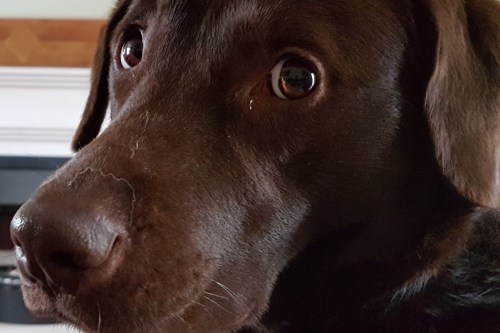
And finally, just to highlight the quality from the S7 Edge again. My dog Tiggy was moving around at home in lowish lighting. Here’s a crop of her face. 

  
I have to say that based on my preliminary tests, if you want a camera that takes good photos in all conditions, the S7 Edge really does a great job. 

Not only that, it’s focus speed is near instant. This means kids and pets will be so much easier to snap in focus quality shots. 

I have plenty more content on the S7 Edge, it’s camera , audio and more. I will also be pitting it against the LG G5. 

And one last thing. Remember there’s more to a phone than just its camera 🙂

HTC’s revenue is dropped again – So its shares rose 10%

So HTC’s revenue dropped again to a mere $129 million, thats over 50% lower than revenues for February 2015.

And yet their share price rose 10%. Is the stock market bonkers?

Well actually HTC’s shares rose on the news that its partnership and new fitness products with Urban Armor sold well and the new HTC Vive VR headset was off to a strong start.

From the leaked rumours of the new HTC 10, I cannot see this flagship saving the day, so it is quite likely we will see HTC shift its future more towards the wearables/fitness sector and Virtual Reality later on. Virtual Reality is still several years off from becoming the norm, despite its coolness.

So do you think there is a future with HTC in the next 12 months?

HTC’s new flagship – the HTC 10 – details

Yesterday more information got leaked regarding the new flagship from HTC. The HTC 10, note no more “One” reveals the following.

So that’s right, potentially looking at a 5.1 QHD screen, 4gb ram, Snapdragon 820, 12mp camera, USB Type C and more. Now if the 12mp camera has OIS that could be interesting depending on the size of the camera sensor.

But somehow, I feel very underwhelmed by all these leaked details on the HTC 10. There is nothing standout about the phone in a crowded android market place.

The LG G5 has a modular system with LG Friends and a unique camera setup. The Samsung Galaxy S7 Edge is gorgeous to look at and is being pushed with its Gear VR headset and dual pixel f/1.7 low light camera. The Xiaomi Mi-5 is top end specs in a lower priced body. And then we come to the HTC 10. Let’s hope HTC has a few surprises up its sleeve.

Could HTC save the day? Maybe, if they could get their new HTC Vive VR headset to work with the HTC 10. Now that would be cool!

Fiio Q1 Portable DAC and Headphone Amplifier – review

Welcome to my review of the Fiio Q1 Portable DAC and Headphone amplifier.

  
The Key Specifications

– Weight 100 g
– Dimensions 97mm x 56mm x 13.1mm
– Audio Input Micro USB/3.5 mm Jack
– Headphone output 3.5 mm stereo jack
– Volume Control TOCOS Potentiometer
– Bass Boost Switch
– Recommended Headphne Impedance 16~150 Ω (Recommended)
– Power Input DC5V 1A recommended
– Battery Capacity 1400 mph, Battery Life >30 h
– Output Power >190 mW (32 Ω/THD+N<1%),>75 mW (150 Ω/THD+N<1%) Charge Time ≤ 4 h
– THD+N <0.005% (1 kHz), Output Impedance < 0.3 Ω
– Frequency Response 20 Hz~20 kHz
– SNR ≥107 dB
– Input Sensitivity 4.3 V (GAIN=L),1.5 V (GAIN=H) Max Input Level >4 Vrms
– Crosstalk ≥75dB(1 kHz) Channel Imbalance 0.2 dB
– Gain AUX IN:-7dB/4.5dB
– USB IN:-3.5dB/8dB
– Bass Adjustment Range 0/5dB
– MAX output voltage 7.2 Vp-p, MAX Output Current >75 mA


The Hardware

The Fiio Q1 costs £59.99. And for £59.99 you get a beautifully constructed brushed aluminium AMP/DAC. Comparing this to the iBasso D-Zero MK2 that I reviewed recently, the fit and finish on the Q1 is streaks ahead. Inside the box you get a micro USB cable, a tiny right angle 3.5mm to 3.5mm cable, a silicone mat to stop the device scratching when stacked. The Q1 has a 1,400mAh battery that provides 15 hours of playback.

The Audio Quality and Sound Experience

The Q1 uses a Texas Instruments PCM5102 DAC chip and a Maxim MAX 97220 for amp section. This means 24/95k decoding is possible from most codecs delivering around 190mW load into 32ohms. OTG support as a DAC is not officially supported but does work using apps like Onkyo and USB Player Pro. Using the usb camera connection adapter from Apple, I was able to use the Q1 with my iPhone 6S Plus. Another benefit for me is that because it uses micro USB, I can use my special red coloured Lavri Lightning Camera Connection Cable (shown in photos under official Apple CCK). The sound produced by the Q1 is fairly neutral with some warmth. Treble is slightly bright but not too bright. The Q1 also has a bass boost button which is ideal for some bass lacking headphones. Even if your headphones have decent bass, sometimes the bass boost can provide a slightly lift that adds some drama to the music. Fiio recommend headphones up to 150 ohms. I would say that is fairly accurate but again if you use 100 ohm or lower headphones you will gain some more benefit from this little baby.

Comparing the Q1 to the iBasso d-zero MK2 that I reviewed last week, the Q1 is better built and looks classier but when it comes to the music in my opinion the iBasso is another league. This becomes more apparent the longer you listen to the iBasso. However bear in mind the cost difference. The Fiio Q1 costs £59 and the iBasso D-zero MK2 is £99. 

Conclusion

Say again, just £60 for this little amp/dac from Fiio. The Fiio Q1 pound for pound offers amazing value. Sure its not as refined as some £100-£500 devices but for most people this will be good enough to get them enjoying their music that little bit better than before.

More info and deals on FiiO Q1 DAC and Headphone Amplifier

More info and deals at Amazon US