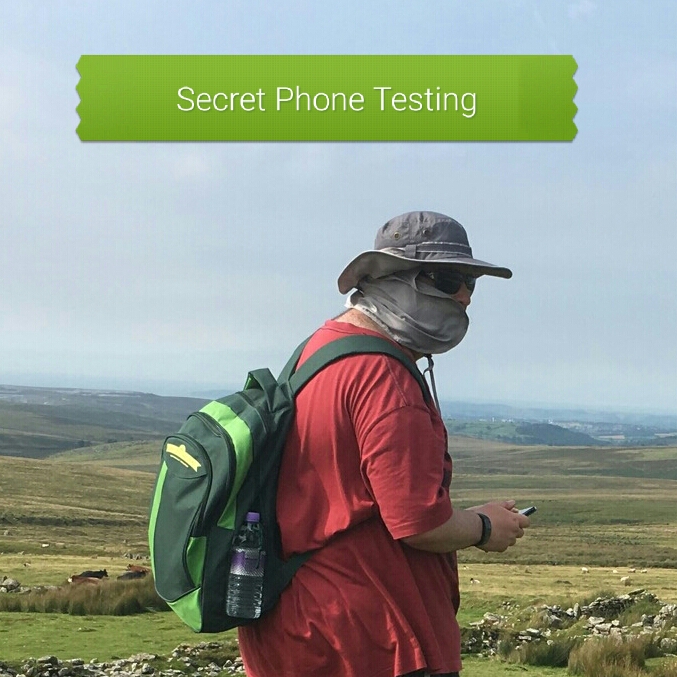
Fun for the weekend.
Guess the phone 😁
Fun for the weekend.
Guess the phone 😁
Since Samsung allowed third party notifications to work with the new version of the LED case for the Samsung Note 7, it just made a full case super cool and functional.
Rather than take loads of photos it is simply easier to see it in action in my video review.
To buy one head over to Amazon – http://amzn.to/2byz06r

I have now setup my new Samsung Note 7 Duos (Duos is the dual sim Note 7) a few nights ago. I decided to try Samsung’s Smart Switch application which worked fairly well. The Smart Switch application allows you to transfer pretty much everything from one phone to another including phone logs, text messages, images, music, docs, apps and application data and much more. This can be information from the micro SD card as well. You can select whatever information you like to be transferred. Instructions are shown showing how you transfer data from an iPhone, android phone, windows phone, Samsung phone and BlackBerry.
Being dual sim, the sim tray is a hybrid version meaning you can either have 2 nano sims or one nano sim and a micro SD card.

Within the connection settings there is a sim manager option as shown above with some extra options for controlling both sims. You can also limit the number of notifications on the status bar to 3 so as to not interfere with the signal information.
The Note 7 does not have Touchwiz. Samsung calls the new interface Grace UI and it really is very polished.

Main settings menu shown above. You can now have themes, wallpapers, and icons for the Grace UI. I have a material dark theme applied.

I am so pleased I picked the Black Onyx finish. This is by far the best option. It looks bad-ass.The Note 7 is beautiful from all angles and the Samsung really have excelled from a hardware and software point of view. Everything is tightly integrated and improved from the Samsung Galaxy S7. For example, the calendar widget can now be white or black and has a transparency slider. Everywhere across the email app and more there are neat touches that I will cover off in future posts.
I have 5 cases for the Note 7. 3 official and 2 third party options. The Samsung LED cover is shown in the top photo. This is super cool but does take more time to setup as you can design you own LED app icons. I recommend doing this too. Its fun and makes your LED notifications more personalised. The S View Standing case is also excellent using the always on display to show data in the window. I will cover off more on the cases in future posts.
So the Note 7 has an iris scanner, S Pen, Edge screen and the kitchen sink. The fingerprint sensor on the Note 7 is perfect. Better than the one on the S7. The iris scanner is a PITA. It took me ages to get my eyes learnt. And I have loads of failures when trying to unlock. I need more practice clearly! However, I can unlock via the fingerprint or iris as both are activated at the moment.
I did receive a 230mb software update yesterday as well. One last point, my dual sim Note 7 has the Exynos processor.
On paper the Note 7 is clearly a S7 Edge with a S Pen (stylus) with a premium price over the S7 Edge too. In reality it feels like a totally different device. I will be amazed if any other manufacturer can beat the Samsung Note 7 in 2016.

The new Samsung Note 7, the dual sim version, also known as the Samsung Note 7 Duos has arrived. Over the next few days and weeks, I will be releasing a number of articles as I put this phone through its paces.
Also, I have received a number of official and third party cases/accessories so hope to get some thoughts up on these too.
Whilst all this is going on, I will be testing the CAT S60 and Lenovo Vibe K5 smartphones thanks to Clove Technology .
Looking slightly further ahead I will also be looking to review the LG V20 and iPhone 7.
Plus I will record a video of whats on my Samsung Galaxy S7 phone and why.
So if you have any questions for any of the above devices please either leave a comment below or catch me on social media.

A few days ago, I decided to take a gamble and buy the Lenovo N22 Chromebook that was on sale at £99. It is still on sale today, Saturday at £99.

The Lenovo N22 has 2gb ram, 32gb storage, 2 x USB 3, HDMI, headphone socket, stereo speakers, bluetooth, wifi, a 11.6 inch HD anti glare screen and more. It is a semi rugged design with stronger framing, a thicker cover, reinforced hinges and ports too. The screen hinge opens out to 180 degrees. Due to all these factors, the N22 is drop resistant from a height of 70cm. It is also fanless and has a non slip material.
It has an intel celeron N3060 processor that enables massive battery life of 14 hours. On top of all of this the integrated web cam rotates 180 degrees. The battery is user serviceable/replaceable.

The Lenovo N22 chromebook arrived yesterday morning and I used it all day yesterday. The battery is at 70% still!. Not only that it has an integrated carry handle and is a semi rugged design with a water resistant keyboard. The touchpad is sealed too.

It has more too. The help guide also had a page of keyboard shortcuts. So cool. I will add a photo of these shortly too along with a video, but I just wanted to make sure you all new about this deal before it disappears. There are also shortcut keys.


Being a chromebook, all I had to do is sign into my Google account and all my music, videos, photos, email and documents were available. It is such a good experience. Not only that I am trialling wevideo to allow video editing using the cloud to process all the heavy lifting.
Last night I was streaming my music to my bluetooth headphones and also casting from the Chrome web browser to my TV. All from a £99 machine that actually has replaced my now defunct and wounded 6 year old macbook pro.
One more thing. There are 2 offers. First is 100gb Google Drive storage for 2 years. And if you havent had a Google Play Music trial before, you can redeem a 3 month trial.
The N22 is also ready for android apps. Don’t miss out on this great bargain.
More on Amazon – http://amzn.to/2bsMBQb

Welcome to my review of the Lindy Lightning Cable Protector kit.
Lindy have released the Lightning Cable Connector Protector Kit, which is aimed at saving money on expensive Lightning Cables for Apple products. The Protector Kit provides a tough, rugged shell to protect existing cables thereby prolonging the life of Apple Lightning Cables at a fraction of the cost of any replacements. The Lindy Lightning Cable Protector kit is currently £3.49 on Amazon UK.
So what do you get with the kit? The Protection kit features a two-piece design and a silicone centre, the compact kit simply snaps together to shield the weakest part of the cable. The kit also contains a protector for the USB Type A connection.
The silicone centre is fluorescent to make it easier to see at night. The Protection kit is available in 3 colours, blue, green and pink.
Conclusion
The Lindy Lightning Cable Protector Kit is a simple idea and solution. Recommended.
For more information and the latest pricing on Amazon – Click HERE.
Video Review

Welcome to my review of the Sony Xperia X Performance. This is Sony’s current flagship phone. Its design is similar to the Xperia Z series as you can see from the photos. My thanks to Clove Technology .

The Key Specifications
– 64 bit quad-core processor – Qualcomm Snapdragon 820
– 3Gb RAM
– Android 6.0.1
– 23MP 1/2.3 rear camera with Predictive Hybrid Autofocus – Lossless 5x Clear Zoom and <0.1 second autofocus
– 13MP front camera 1/3
– Low-light photography: ISO 12800/3200, SteadyShot with Intelligent Active Mode – video stabilisation, Superior Auto Mode, Full HD 1080p Video Recording, Pulse LED Flash
– 5.0″ Inch 1080 x 1920p Full HD display, 441ppi
– LTE Cat 9 support
– WiFi 802.11 a/ac/b/g/n
– Bluetooth 4.2 with apt-x, A2DP
– NFC
– 32GB storage & micro SD support up to 200GB
– Sony 3D Surround Sound technology (VPT), Clear Audio – Sound improvement software, xLoud™ Experience, DSEE HX, High-res audio
– Fingerprint sensor
– PS4 Remote Play
– Battery 2,700mAh
– IP65/IP68
– Dimensions 143.7 x 70.5 x 8.6 mm
– Weight 165g
Phone Basics
Call quality was good. Cellular, bluetooth and WiFi all worked well and the Sony X Performance maintained a good signal strength compared to my Samsung S7. Screen viewing angles were good and visibility in sunlight was average. Battery life was excellent with a day and a half achievable and 5 hours screen on time, despite its 2,700mAh battery. If I had used some of Sony’s power saving modes, a longer battery life could have been obtained. As an example at 71% battery the estimated time remaining is 101 hours. in ultra stamina mode this increases to 240 hours.
The display is adjustable with an option in the settings for image enhancement, X-Reality for mobile or super vivid mode. The white balance is also adjustable. You can also choose which system icons to display in the status bar.
Sony UI is a fairly light skin with the options of themes too. However, Sony does install a number of apps that could be considered bloatware like Facebook, Amazon Shopping, AVG Protection, Kobo eBooks and Spotify. Others might find it useful that Facebook has been pre installed! Within the settings Sony has included options for pressing power button twice to launch camera, tap to wake and glove mode.
The fingerprint sensor/power button was simply excellent. I never once had a failed reading.
Camera
The camera UI is fully shown in my video review, so please check this out. See below. In the meantime,
here are a range of photos from the Sony X Performance.

This shot is to highlight an indoor lighting situation. The glass in the door is quite a bit overexposed.

Above is a close up of another green plant leaves.

From the same plant, but with different sunlight and shadows.

A local church. I wasn’t too happy with this overall shot as it is not quite in focus.

The above shot in Newquay beach.

Slightly better shot of the church.

The above shot is in manual mode, using HDR. 8mp.

The above shot is another 8mp manual mode, without HDR. HDR in manual mode has to be switched on.

And the last photo, manual mode, no HDR but at the full 23mp. Overall, I was not blown away by the image quality due to issues with Sony’s camera app and software. The actual camera sensor showed that it was capable of taking good shots, of not over exposing, being able to deliver good colours and more. This is why DxOMark gave it the number one scoring, due to the brilliant sensor. But the sensor is not the only part of the camera system. My bugbear was that so many shots were not in focus. The camera app had a mind of its own sometimes. I found issues with focusing at infinity and macro. But when the focus was correct, the actual result could be very good. The camera app does include many modes and options but the Sony X Performance does lag behind the competition as the software is too complex and does not get the basics correct. The manual mode only offered white balance and exposure. ISO could only be manually adjusted if you selected the 8mp photo file size.
In terms of video, I used the Sony X Performance to record 2 reviews. See links below. The audio from the video was ok but the video stabilisation did not help smooth out the footage. Selfies from the 13MP front camera were ok. The main problem is the Samsung Galaxy S7 camera outperforms the X Performance by a fair margin due to its good software and hardware working in unison. I also felt the video linked below was a bit jerky in a few spots despite the phone being on a tripod.
Sony Xperia X Performance – Video Sample 1
Sony Xperia X Performance – Video Sample 2
Audio Quality
This is the highlight of the Sony X Performance. It has stereo speakers which due to the water resistance only reach 78db. Plug in wired headphones or use bluetooth headphones and Sony provide a top notch audio nirvana with loads of options to improve your recorded tracks. See video review for more information.
Conclusion
The camera is the disappointment on this phone. However, there is still plenty to like about the Sony X Performance. It is comfortable to hold and easy to use one handed. It has good battery life and superb audio via headphones and bluetooth audio. Its main problem is its competition which for similar or less money, offer a more compelling phone.
My thanks again to Clove Technology for their great service.
Video Review

The Main Review
I will start with my review by saying that the Samsung Gear IconX is the best product I have reviewed in a long time. It is simply genius but also not without faults.
The IconX is totally wire free. There are no wires between the ear buds. The ear buds comes with 3 different size ear tips and wing tips. This means that once fitted in to your ears, they do not fall out. I tried everything to shake these out of my ears but to no avail. Then I did a really sweaty workout to see if sweat would phase them or make them fall out. It didn’t.
When you run with the Gear IconX, you get an in-ear voice guide to help you reach your vigorous-intensity zone. The voice guide is recorded by real human beings in 15 different languages. After a working out you can sync with your smartphone and check your stats and monitor progress on the S Health app.
Whether walking or running, the IconX is smart enough to track your activity and give updates on essential data from speed, distance and duration to heart rate and calories burnt via a dedicated voice guide.
If you are walking or running on the streets and want to hear the sound around you for safety reasons, you can turn on ambient sound in the Gear app on your phone, or by using the touch pad on the IconX.
The battery life is the IconX’s weak point. If you stream music from your phone you will get exactly 90 mins. If you play music directly from the earbuds the battery life increases to 2.5 hours. However, the protective case is also a battery pack and recharges the IconX earbuds 4 times in about an hour. So if you did 4 workouts a week, you would in reality only need to charge the case once. I did also experience a couple of drop outs when streaming music from my phone, and once the left earbud stopped playing music. All I had to do was restart the track.
The controls are simple to use. You select which side earbud you want to use as the control piece. Then with various numbers of taps you can start playing music, skip or rewind tracks, change the volume and even start a workout. You can also turn on ambient mode directly from the earbud or turn it off.
These play music so what do the sound like. Really good to be honest. Natural in their sound reproduction and plenty of volume too. Bass was accurate too. Whilst using these for phone calls, I had no issue hearing the caller and nor did the caller have any issue hearing me.
Do check out the video review as this shows the Gear IconX application and a lot more too!
Conclusion
Once you have used these headphones / fitness tracker, no other product gets close. Despite a few flaws, I highly recommend these big time. Simply an amazing product.
For more info and the latest pricing on Amazon – http://amzn.to/2aHVaFN
Video Review
The Samsung Galaxy Note 7 is the latest smartphone from Samsung. This year they have adapted the S View Cover and called it S View Standing Cover due to its extra functionality.
So let’s take a closer look at my unboxing and review.
If you need any accessories for your Note 7, check out the latest deals on Amazon – Click HERE.
Samsung has a range of accessories for the new Samsung Galaxy Note 7, and one of these is the Lens Cover for the Samsung Galaxy Note 7.
The Lens Cover has been adapted from the Samsung Galaxy S7 which I reviewed extensively.
S7 & S7 Edge Lens Cover Review –
Now for the unboxing and review of the Lens Cover for the Samsung Galaxy Note 7 and comparison with the S7 version.
And if you need any accessories for your Note 7, check out the latest deals on Amazon – Click HERE.

 Gavin's Gadgets & Photography