Category Archives: Tech News

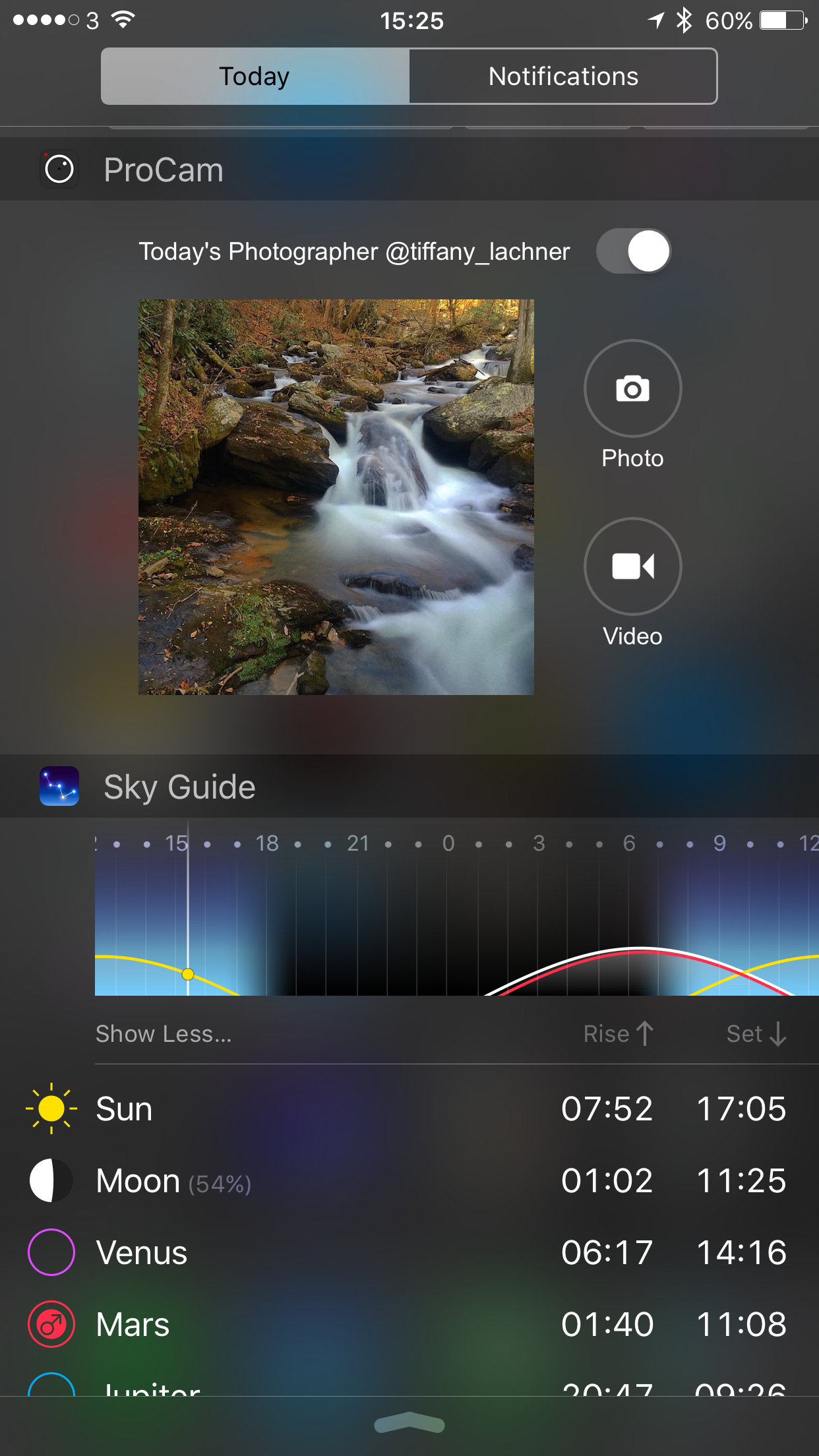
My Notification Widgets on my iPhone 6S Plus 

Pulling down the notification centre on your iPhone reveals your widgets and notifications. 

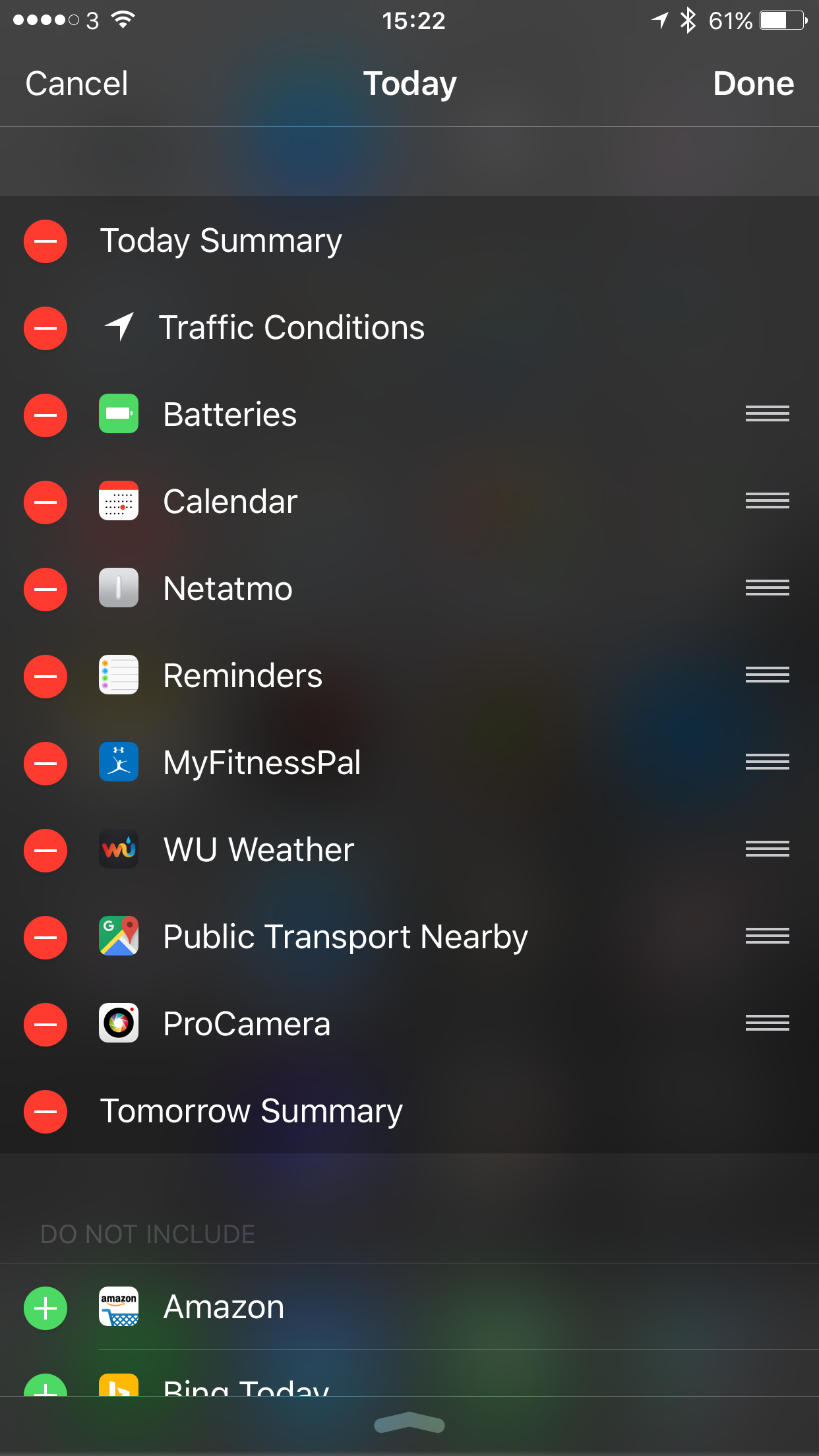
I decided to use the widgets from the apps as shown below. These widget options are available for some of the pre installed apps or when you either install apps from the App Store. 

  
So after I selected my preferred options the widgets appeared displaying useful information. 

  
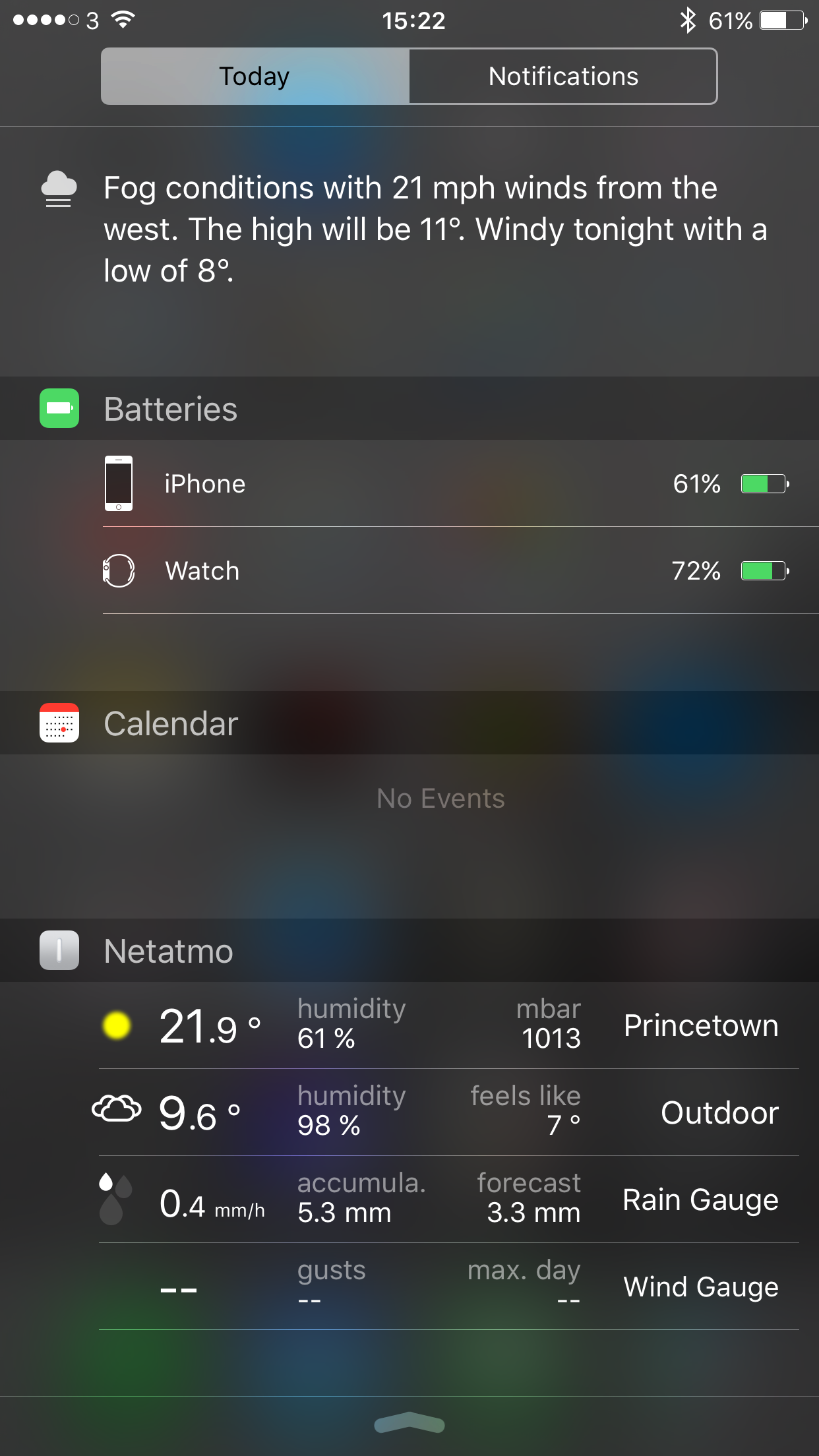
At anytime I can slide across to view my app notifications. The Netatmo widget shows information from the Netatmo Urban Weather station. 

  
The Google Maps widget scans your location to provide public transport information. On a Sunday we have no buses but during the week it shows the next bus and its number , when it’s due and where the bus stop is in our village. 

Below are some of the widgets are could have activated. 

  
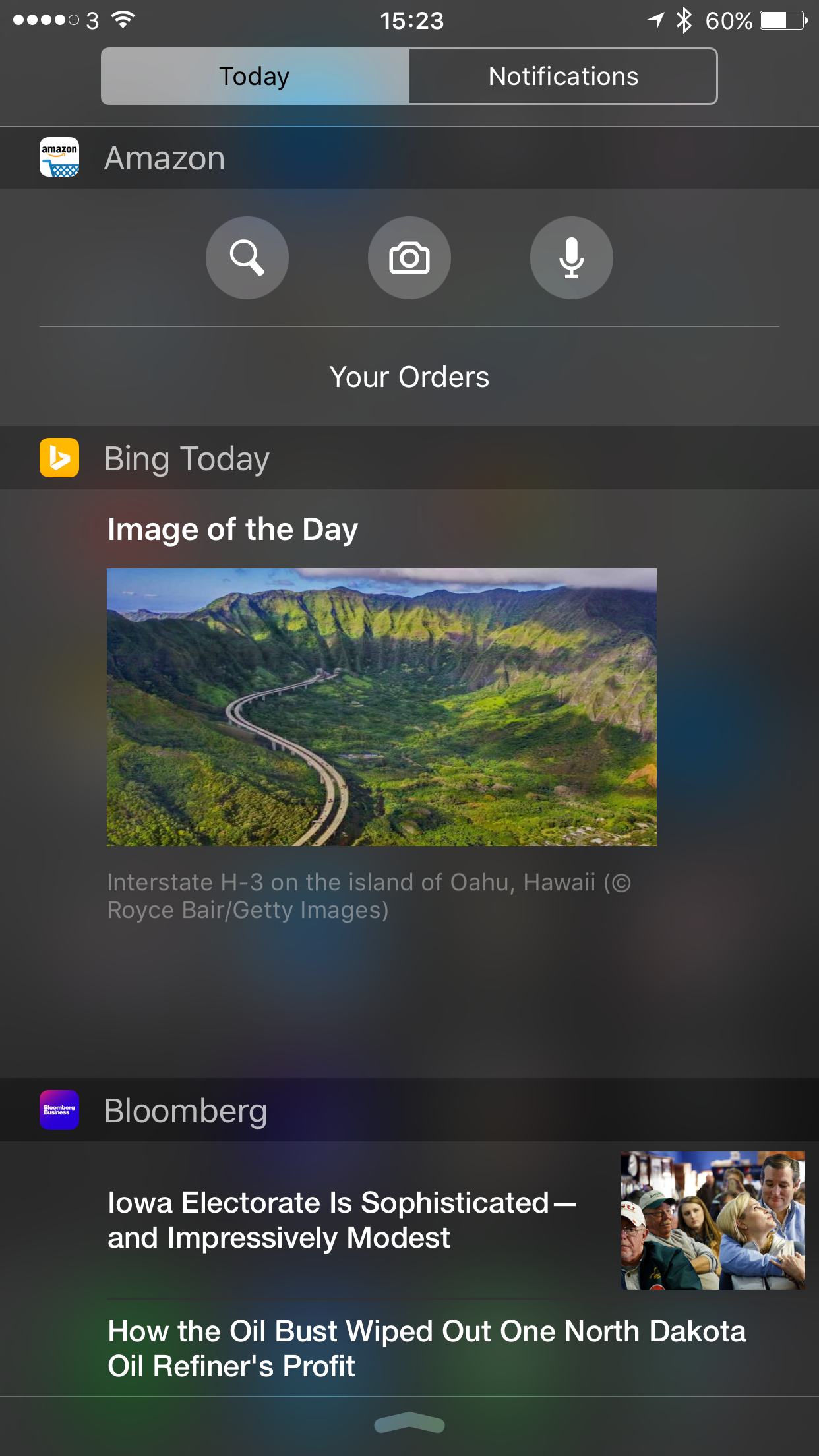
So what do some of these widgets look like. Let’s have a look. 

  
You get a host of interesting information and remember all this is available with a simple swipe down from the top of the screen. 

  
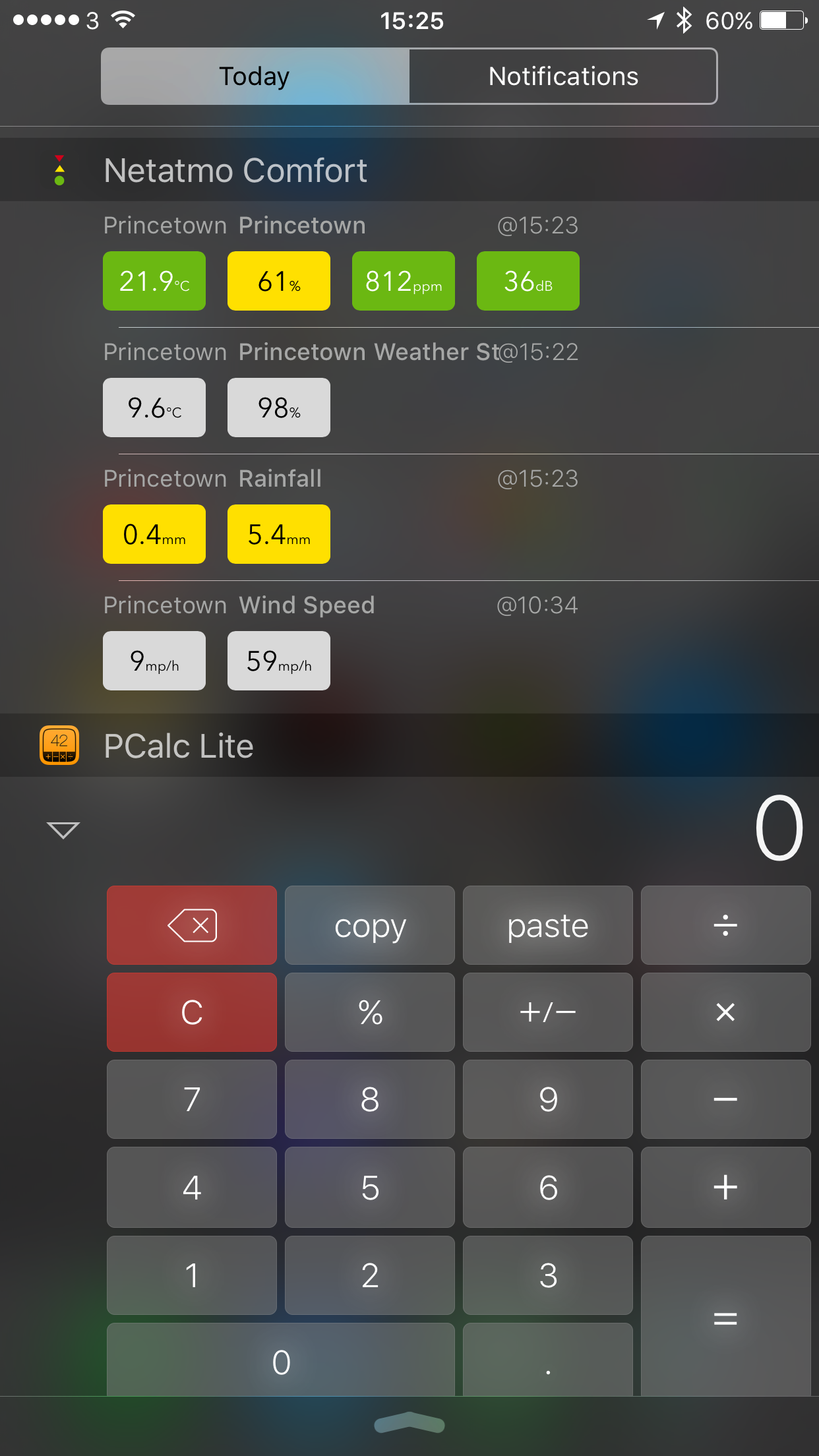
Netatmo Comfort is a third party app for the Netatmo Weather station and has the same data available for the Apple Watch along with Apple Watch complications. Really cool stuff. 

Pcalc brings a calculator ready to use in the notification centre. It also provides a calculator for the Apple Watch. 

  
As you can see dependant on your apps installed also depends on what you can include in the notification centre. 

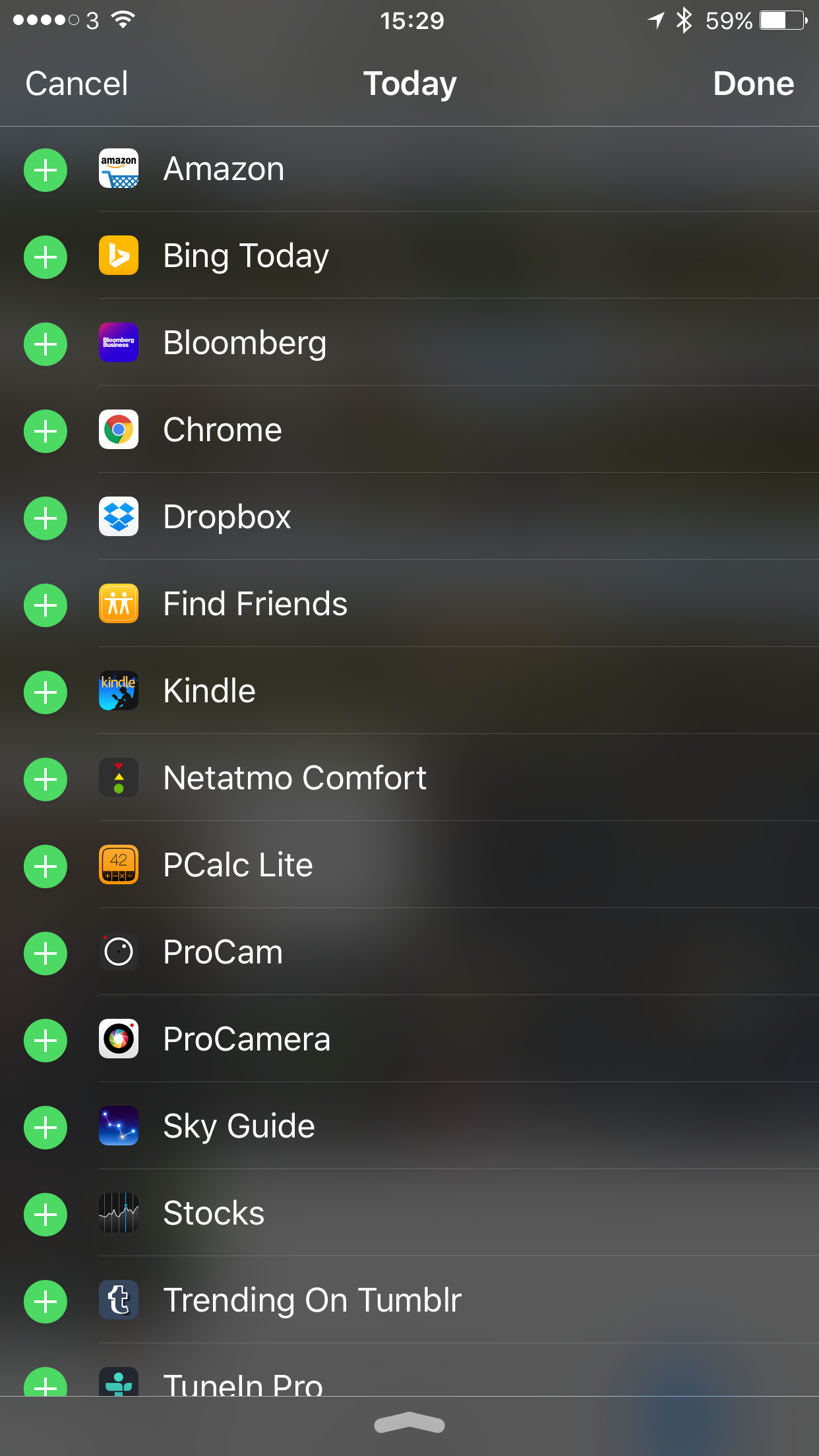
Scrolling to the bottom of the notification centre shows “edit”. Click on this to add or remove items and move the order sequence to your liking. 

All in all the notification centre can be tailored to your hearts content. 

So have you got any preferred apps?

LG V10 Smartphone, Lindy BNX-60 Wireless Headphones and Pioneer XDP-100R Digital Audio Player

Reviews coming up soon on Gavin’s Gadgets.

LG V10 Smartphone

img_2363

Next week my review of the LG V10 smartphone, focusing on what’s different to other flagships by LG, namely the LG G4 and LG Flex 2.

Pioneer XDP-100R Digital Audio Player

XDP-100R-K_1

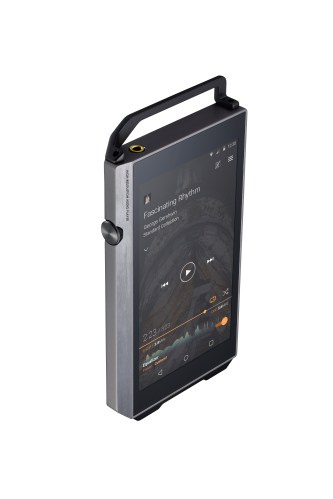
I have been testing the brand new Pioneer XDP-100R Digital Audio Player will have the review of this stunning piece of audio tech ready to publish either by the end of next week or Monday the week after.

Lindy BNX-60 Wireless Headphones

photostudio_1453889448673

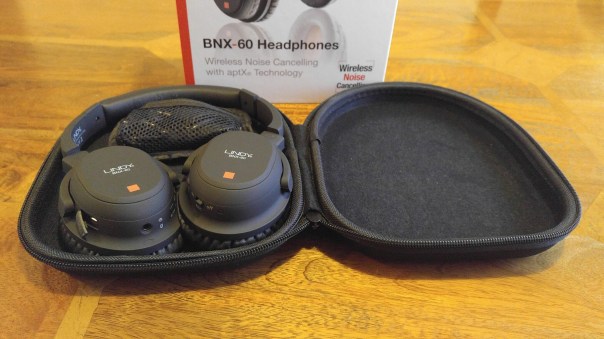
Monday will be the review of the newly announced at CES 2016, the Lindy BNX-60 Wireless headphones.

If you have any questions on any of these items then please let me know and I will attempt to answer them in my reviews.

Shot & Edited on an iPhone 6S Plus – plus details of apps used to create footage

Below is a one minute 47 second video, filmed and totally edited on the iPhone 6S Plus. 

4 apps in total were used to record and edit this footage. First up the default camera app on the iPhone was used. Before using the camera app, I went into the iPhone’s main settings app, Photos & Camera and changed the video setting to 4K at 30 frames per second. 1 minute of 4K video needs 375mb of memory. 

Whilst walking towards Foggintor Quarry which is located in Princetown, Dartmoor, Devon, UK, I used the following camera modes – photo, burst, video and panarama. The weather conditions were walking with a wind chill of -4°C. 

Below is one of the panarama shots. 

Panoramic shot en route to Foggintor Quarry, Dartmoor #iphone6splus

When I got home, I viewed all the photo photos. I deleted the unwanted burst shots and the odd dodgy photo. I then used the Photos app and cropped a few shots as required. Then I used an app called Snap Still which takes video and allows you to extract photo stills. With 4K video, each photo extracted is at 8mp. I like Snap Still as it scans your video and highlights the best frames to save. Tap on the highlighted frame(s) and save to your camera roll. Below is a 8mp extracted photo from 4K video. 

George sprinting on track bed from Foggintor Quarry, Dartmoor #iphone6splus #8mp4Kframe

Finally, I use iMovie on iOS to combine everything together and create the video below. Using iMovie on iOS you can upload directly to YouTube and at the maximum 4K resolution. Currently, this is the only way from an iPhone to upload to YouTube in 4K. 

So now enjoy the spectacular views en route to Foggintor Quarry along with my Labradors , George, Fury and Tiggy. 

Say hello to the Samsung Galaxy S7 and S7 Edge – details and new specs 


Like all phone releases nothing is kept a surprise anymore. It also should come as no surprise that Samsung’s new Galaxy phones are similar to the S6 and S6 Edge. 

But there are going to be some important changes. 

The rear camera will drop from 16mp to 12mp. The phone battery capacity will increase to 3,000mAh and 3,600mAh for the S7 and S7 Edge respectively and take 2 hours to recharge for the S7. The S7 Edge will take 2.2 hours to recharge. 

The next change is the reintroduction of the micro SD card. 

And if you want to buy one, fear not these will go on sale 11th March 2016. 

So based on the renders are you interested ?
Source Venturebeat

My Apple iPhone 6S Plus Home screens 

  
A few people have asked me recently how I organise my home screens on my iPhone 6S Plus. 

Well I have apps on the first screen. Each folder has apps positioned carefully so more frequently used apps are on the right side inside the folder. With iOS Reachability I can double tap the home button to drop the screen to reach the top section faster. 

And the second screen I fill this with games. 

If you would like to know anymore about any of the apps then just ask. 

I intend to do a post of my photography apps shortly. 


HTC One M10 – The Latest Details and Full Specifications

HTC is due shortly to take the wraps off the One M10 and it should come as no surprise that it is going to feature some of the latest specs.

But there are several surprises which could prove amazing whilst a few sad faces due to one change.

The rumoured specs so far are –

– QHD screen 1440 x 2560
– Amoled Screen
– HTC Sense 8
– Android 6.01
– Snapdragon 820
– Fingerprint sensor on the front below the display
– 4gb ram, 32gb storage, micro sd card support
– Adreno 530 GPU

– No boomsound
– 12mp Ultra pixel rear camera with Optical Image stabilisation (OIS) and laser auto focus
– Front camera will also have OIS

So it seems boomsound is on its way out but the 12mp rear and front cameras with OIS could be very interesting so long as HTC master the software and post processing.

Source – @evleaks

The New iPad Air 3 – Editorial

Apparently according to loads of rumours Apple is about to launch is March 2016 the next instalment of the iPad Air, the iPad Air 3.

The new specifications steer towards having the following improvements –

– 4gb ram
– 4K screen
– Stereo Speakers
– Better Camera with flash

– Apple Pencil support 

Are these features enough to make you want to upgrade your current iPad or tablet? For me I am going to say they are not enough but what about yourself?

miGuard A105 DIY Alarm System – my review 


Welcome to my review of the miGuard Response A105 Wireless Plug and Play Alarm system. I was looking at the various options on the market and decided to take a closer look at the miGuard A105 starter kit as it seemed to tick all my requirements and was priced reasonably at £69.99. It also had the ability to be expanded which was a key feature for my circumstances.

The Key Features –

– 100% Wireless configuration
– One Button Pairing
– Works as an accessory or standalone alarm panel
– Built in battery for 8 hour standby
– Mute operation and remote alarming
– Supports up to 40 wireless accessories include remote control
– Built in 1,000,000 RF codes combinations to maintain high reliability

Key Specifications

WS-105 Alarm Panel

– AC Power Supply 3.7 V 600mAh lithium backup battery
– Volume 90db
– Static Current less than 13mA, Alarm current less than 100mA
– Radio Frequency – 315 MHZ or 433.92 MHz
– Dimensions 90 x 90 x 42.5mm (plug part on rear not included in dimensions)

PIR-910 Pet-Immune PIR Motion Detector

– Power supply DC 3V (2 x AA batteries)
– Static current less than 90ua, Alarm current less than 9.5ua
– Detection scope 8m/110 degrees
– Transmitting distance less than 80m
– Radio Frequency – same as WS-105
– Detector dimensions 108 x 52 x 36.8mm
– Bracket dimensions 52 x30 x 26.5mm

RC-80 Remote Control

– Power supply DC 3V (CR2025 lithium battery)
– Transmitting current less than 7mA
– Transmitting distance less than 80m in an open area
– Radio Frequency – as WS-105
– Dimensions – 58 x31 x 9.5mm

DWC-102 Wireless Door/Window Contact

– Power supply DC 1.5V (1 x AA battery)
– Static current less than 35uA, Alarm current less than 40ua
– Transmitting distance less than 80m
– Radio Frequency – same as WS-105
– Transmitter dimensions 71 x 34 x 17.5mm
– Magnet dimensions 51 x 12 x 13.5mm

In the Box

– 1 x WS 105 Alarm Panel
– 1 x PIR-910 Pet-Immune PIR Motion Detector
– 1 x DWC-102 Wireless Door/Window Contact
– 2 x RC-80 Wireless Remote Control
– 1 x Bracket for PIR Motion Detector
– 2 x Double sided tape for door/window contact
– 1 x User Manual
– 2 x screws and wall plugs

In other words, everything you need to get you going is included in the box. So how does it all work and function? Answer very easily but let me explain.

The WS 105 Alarm Panel receives and processes signals from all the other components. Apart from those included in the box, you can add up to 40 wireless accessories. I really like this aspect of the system. The Alarm Panel is the device on the right side of the photo with blue plastic in the middle. If the alarm panel is triggered it sounds a loud alarm noise and the strobe light flashes. It is powered by AC 100 – 200V simply by plugging it in to the wall socket. To operate you just press the button on located on the front. Press to arm or disarm accordingly.

The PIR-910 Pet Immune motion detector works off 2 AA batteries. It features an intelligent passive infrared motion detector, designed to detect humans within 0 to 8m. It also features a fuzzy logic to minimise false alarms. I have dogs so wanted to see how this worked with them. The specs state that pet immunity is for small animals up to 25 kgs. It worked with the 2 girls but George is much bigger and he triggered the alarm. To aid fitting the detector a wall bracket is provided which includes a ball head to help position correctly.

The DWC-102 Wireless Door/Window contacts are fairly self explanatory. The two pieces work using magnets and when the magnet is moved away it transmits to the alarm panel. Double sided tape is provided too for fitment. This detector used 1 x AA battery.

Finally the whole package is rounded off with 2 remote controls. These allow you to arm, disarm, activate SOS and Home Mode. Home Mode is available when you are using zones and means all the detectors are active except for the Home zone area. The SOS button is pressed twice switches to home mode and turns the nightlight on as well.

The included user manual is excellent and provides lots of detailed diagrams and instructions and how to correctly install and position all the detectors plus explains all the extra options. For a beginner, it is simply and plug and play system, but with the ability to expand the system onwards and upwards it can become quite a mighty piece of kit.

Conclusion

The miGuard A105 DIY Alarm system has proven to be reliable and simple to use piece of kit and therefore is recommended by me.

Available from Maplin
Is the Samsung Galaxy S7 with a 12mp rear camera a wise move? – Editorial

With Mobile World Congress just around the corner, new smartphone leaks are everywhere. By now it should come as no surprise that the next Galaxy, the Samsung Galaxy S7 will have a lower resolution camera, dropping from 16mp to 12mp.

Samsung should be featuring their new “britecell” technology in this new 12mp sensor but I do have some initial concerns. Dropping the mega pixels down to 12mp with a f/1.7 may be a good thing if the pixels are larger and therefore let more light through. The trade off will potentially be with the extra pixel resolution when snapping an outdoor shot in good sunlight. Will you lose the ability to crop tighter into a photo?

Currently, I am testing the LG V10 which has a great 16mp rear camera. This produces high resolution photos that can be cropped and not lose too much information. At 12mp this option might diminish.

What Samsung is trading off is the ability to have a 12mp rear camera that will take stunning photos in low light as well as good lighting. In addition photos will be easier to process/share if the file sizes are smaller due to the rear camera just being 12mp and not 16mp.

So what matters more to you? 16mp or 12mp?