Category Archives: Tech News

The Future is Now – CarPlay, Android Pay – Using apps installed in your Car – Tweeting from your Car Radio

  
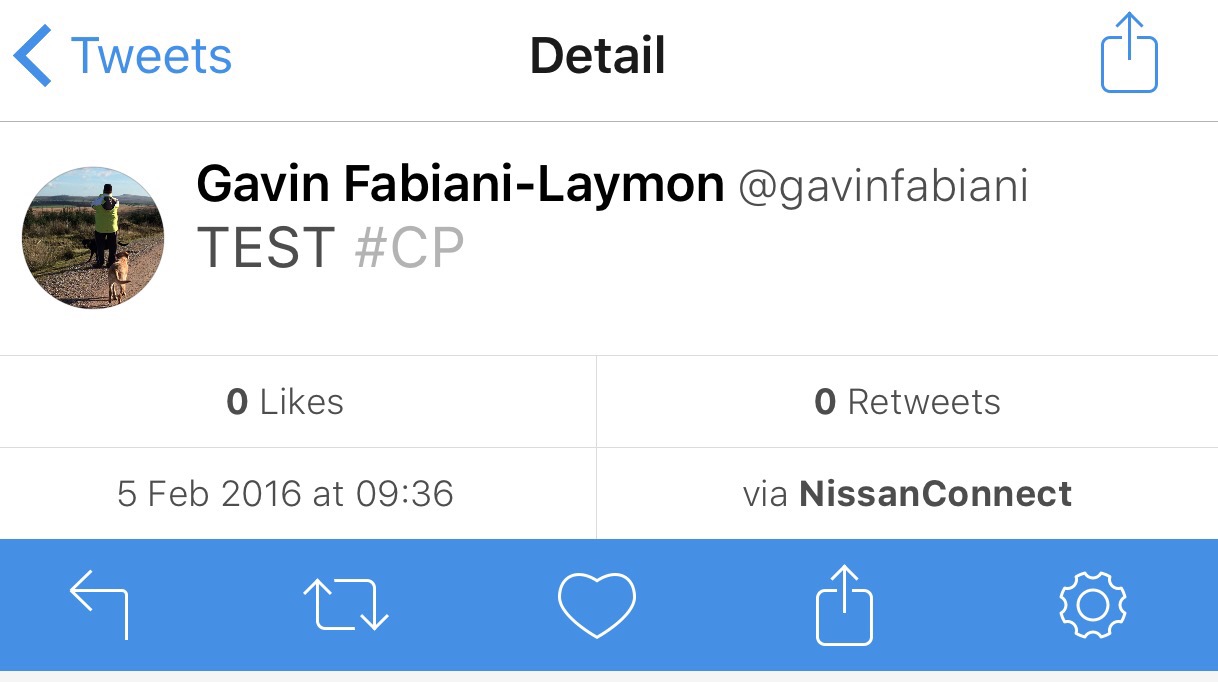
The future of technology is changing. The above tweet was typed and sent from my car dashboard. 

Car manufacturers are vying to get a slice of the app revolution that is arriving on cars. Apple has CarPlay and Google Android Auto. 

A number of car manufacturers have stated their allegiance for one or both of these systems. 

  
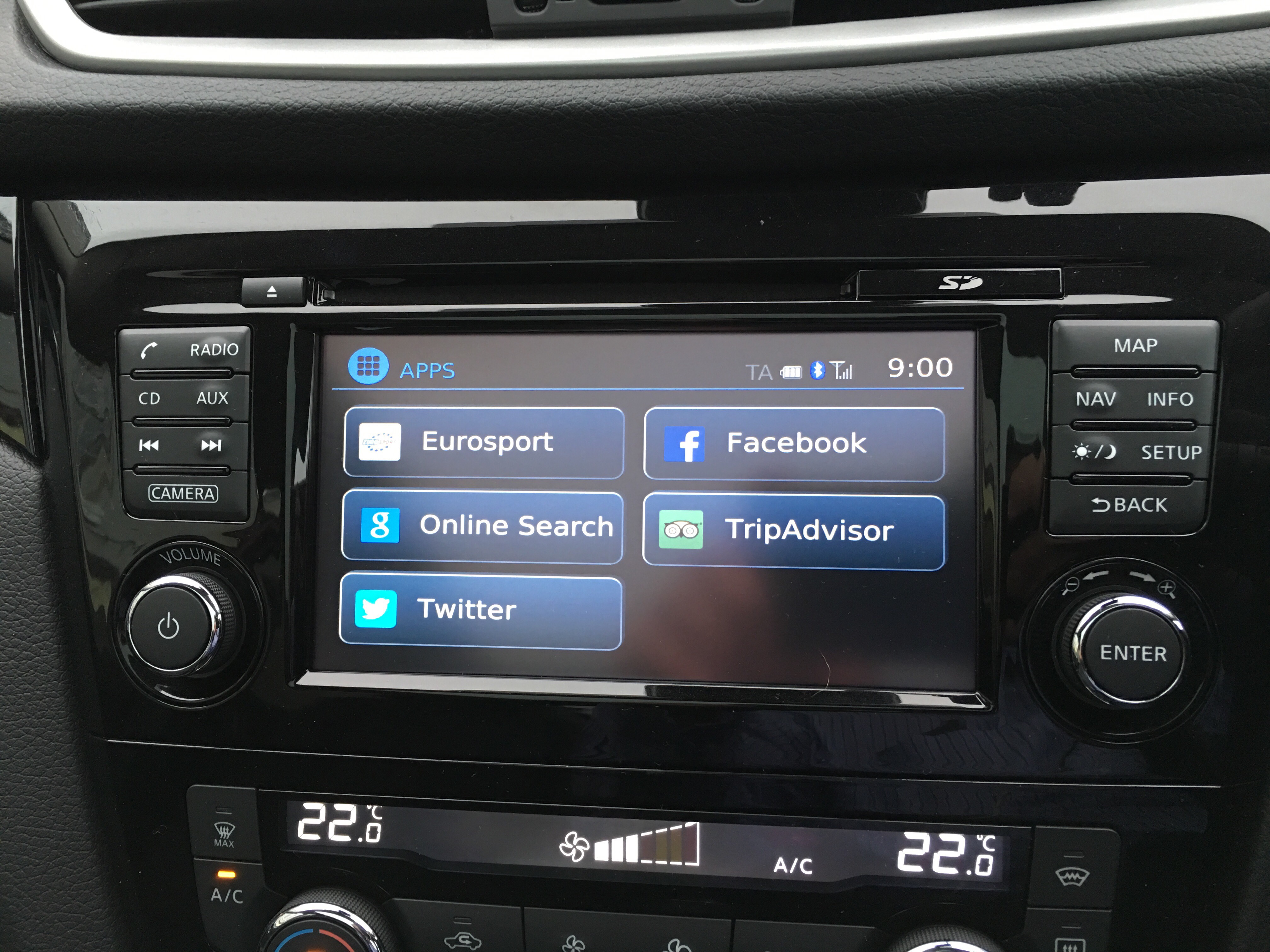
If you own a compatible Nissan car you can have a measly selection of 5 apps ready to use from your car computer screen. 

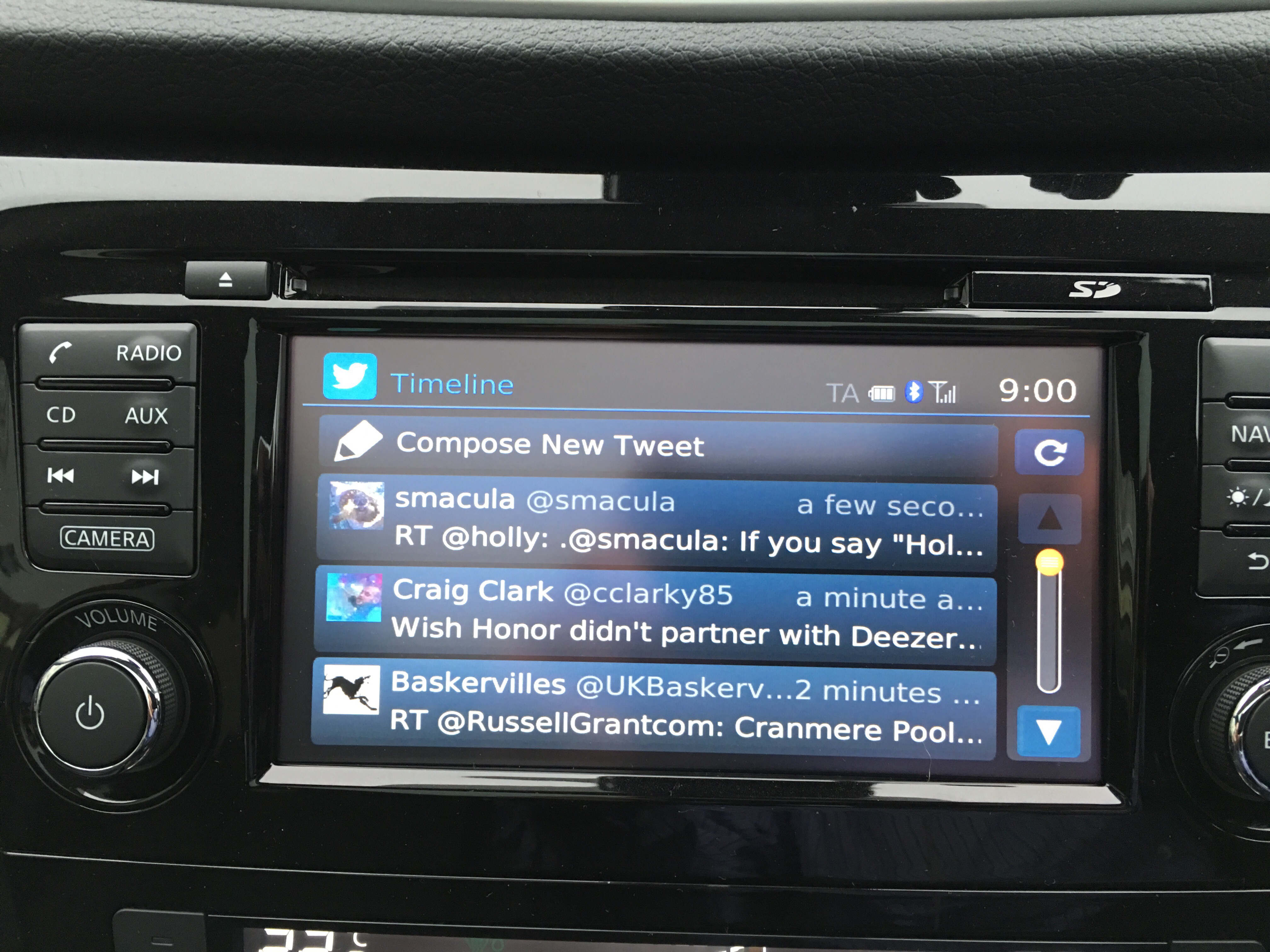
Selecting Twitter reveals the following interface. 

  
Not exactly user friendly to read the full tweet but better than nothing. 

Ironically sending a tweet is very easy. The on screen keyboard pops up. You can either select a pre saved response or type your own as I did above. 

I can see why Apple and Google have launched their own systems as I have to say Nissan Connect is very limited in terms of apps although the computer does connect nicely to your iPhone and then allows you to play any music on your iPhone or iPod. 

I look forward to the day when CarPlay and Android Auto works in every car. 

So what are the differences? Honor 5X vs Honor 7

b287387-1

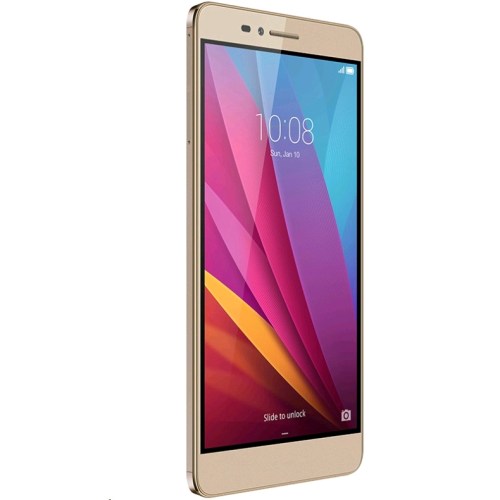
Unless you were living in the dark ages yesterday, you would have seen some press coverage than Honor officially released the Honor 5X in Europe and the UK. The official price is £189 although a £20 saving can be made if you’re quick and buy it directly from Honor store, vmall.eu.

The question many of you may be asking is which Honor phone should I buy? Well hopefully the specs below highlight the key differences –

Honor 5X

– 5.5in 1080p, 401ppi
– Snapdragon 616, Adreno 405 GPU
– 2gb ram
– 16gb storage/ 128gb micro SD
– 2 sim card slots + 3rd slot for SD card
– 13mp rear, 5mp front camera
– WiFi 802.11 b/g/n, 2.4
– Bluetooth 4.1
– 3,000 mAh battery
– 151.3 x 76.3 x 8.15mm, 158g
– No NFC

Honor 7

– 5.2in 1080p 424ppi
– Kirin 935 processor,Mali-T628 GPU, 3gb ram
– 16gb storage / 128gb micro SD
– Dual sim or 1 sim/micro SD
– 20mp rear, 8mp front camera
– Wi-Fi 802.11 a/b/g/n/ac
– Bluetooth 4.0, IR Blaster
– 3,100 man battery
– 143.2 x 71.9 x 8.5 mm,157 grams
– No NFC, Smart Key

So there you have it. There are differences but once again NFC is missing from the new Honor 5X.

The Honor 5X will be available shortly from Three UK, Amazon UK and Clove Technology.

Pocket for iOS and android plus a special feature included by Dropbox for iOS 

  
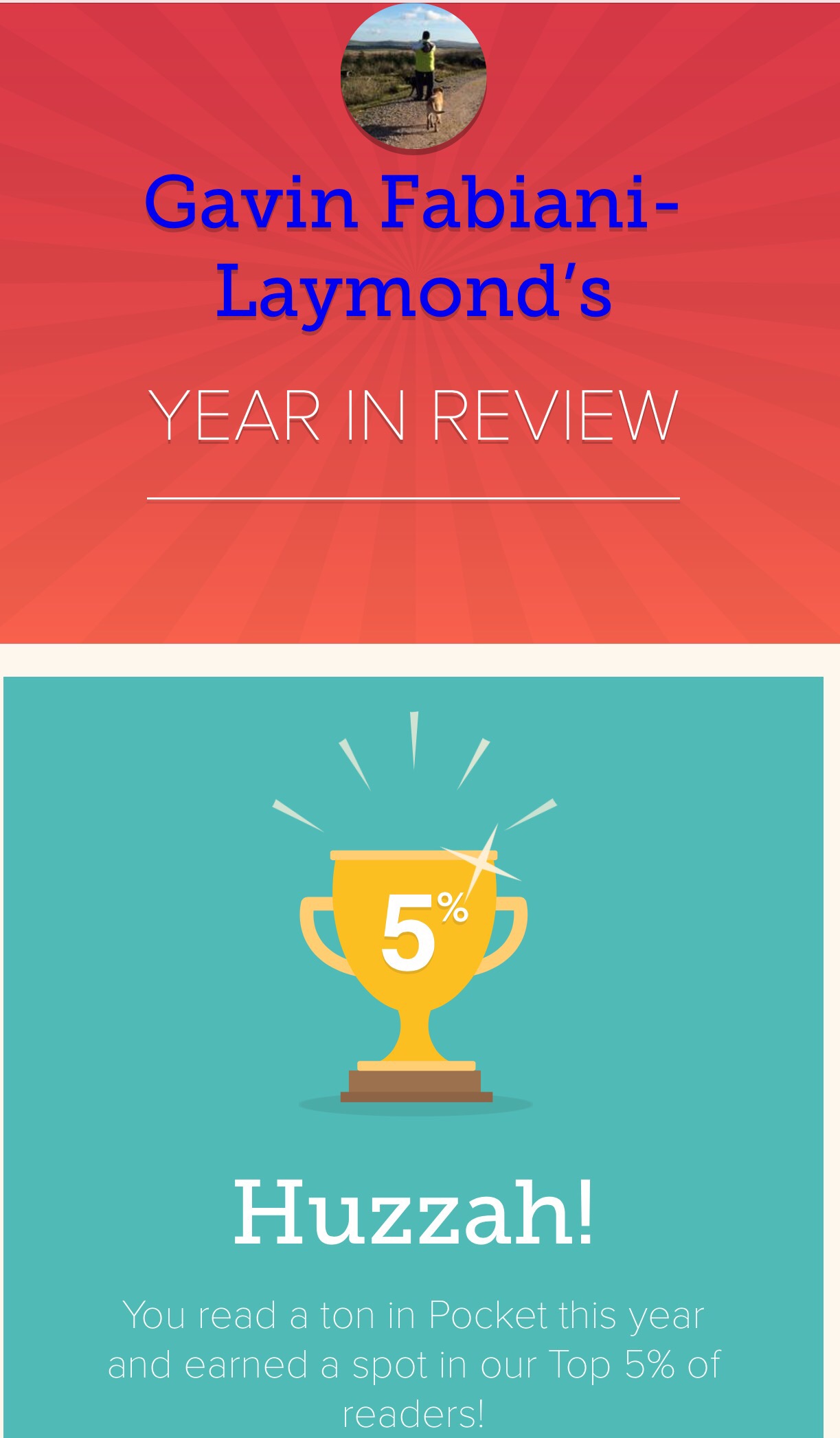
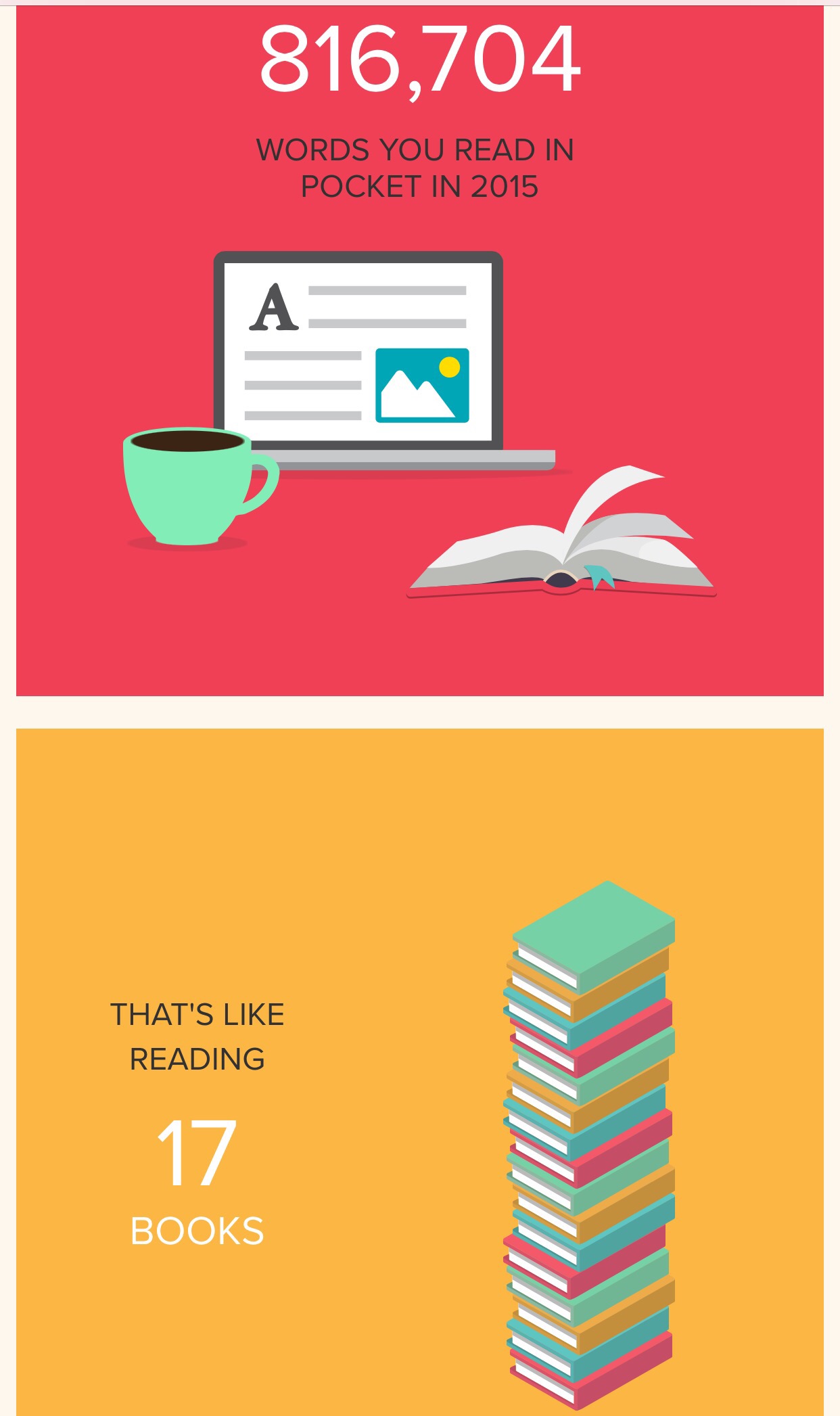
One of my favourite apps is Pocket for iOS and android.  As you can see, I feature in the top 5% users of usage.

Pocket allows a neat way to save web articles, links or videos into its app which you can read later.  It also syncs across phones, tablets, computers and more. It is truly cross platform.


You can save stuff into Pocket directly from many apps and services. In iOS you have a share sheet extension. You can also listen to your saved articles with Text-to-Speech.

Another option for saving web pages is using Dropbox on iOS.Whilst using Safari, if you save to Dropbox using the share sheet option, it saves the entire page as is, and as a PDF which you can view later. 

Link for iOS version – Pocket in Apple App Store

Link for android version – Pocket on Google Play Store

Apple iPhone 6S Plus – A Mysterious Bug

So here’s the story. I have a 128gb iPhone 6S Plus. This enables me to store a selection of my photos, 4K video and games. 

It also allows me to hold around 30gb of my music on the device. 

So last night I decided to chill out and listen to a few tunes and at the same time test a few bespoke music apps. 

These third party apps were showing that I only had 9 songs installed. WTF. Where had 4,000 songs disappeared to?

So by connecting my iPhone to iTunes, it starting to automatically add again the songs that had just vanished.

If anyone knows why this happened here then please leave a reply in the comments.

Pioneer XDP-100R Digital Audio Player – The First Digital Audio Player with MQA – My review 


Welcome to my review of the Pioneer XDP-100R Digital Audio Player.  The Pioneer XDP-100R is Pioneer’s first high-resolution portable music player. It is also the world’s first Hi-Res Digital Audio Player to support MQA technology. The Pionner XDP-100R retails for £499.

Master Quality Authenticated is a new music codec that packages Hi-Res and lossless files in a way that takes up significantly less space than current Hi-Res codecs. It is like the music is zipped and during playback gets unzipped. The other aspect of MQA is that it can still play on non MQA supported devices, albeit not at the same level of quality.

MQA can also be used in streaming services. That means much lower downloads too. Tidal is planning to support the MQA format in due course.

MQA support will arrive on the Pioneer XDP-100R via a firmware update fairly shortly.


The XDP-100R is extremely well built using an aluminium frame. Just look at the photos. It has removable bumpers on the top and bottom of the device to stop headphones and the micro usb cable placing strain on the input sockets. That is a really neat touch.

The bottom edge also houses the loudspeaker. On the right hand side you have 2 micro SD card slots, music controls and the power standby buttons. The top is purely for the headphone jack and the left hand side is the volume control.

The Key Specifications –

– Aluminium build for extended durability strength with removable bumpers
– 4.7 inch (1280 x 720) touch screen for easily navigating music les
32GB Internal storage (Max 432GB capacity with 2 expandable SD slots)
Two (2) SD card slots for extended storage (Max 400GB/200 x2, Micro SDXC type)
– Built-In Wi-Fi® (802.11b/g/n or 802.11ac)
– Built-In Bluetooth® with aptX® (A2DP, AVRCP, HSP, OPP, HID, PAN)
– Built-in speaker
– 3.5mm Stereo Phone out
Micro USB B/OTG Digital out
– Battery Life: 16 hours (96kHz/24bit Playback)
Separate DAC/AMP circuit board and CPU circuit board
– Available in Black (XDP-100R-K) and in Silver (XDP-100R-S)
ESS SABRE® DAC ES9018K2M
Headphone AMP SABRE 9601K
– Qualcomm® APZ8074 Processor (2.2 gHz Krait 400 Quad-core, AdrenoTM 330 GPU 450 mHz)
Android 5.1.1 with Google Play
– X-DAP Link for content le transfer (PC to DAP)
– OnkyoMusic.com Direct Download
– Output Power – 75mW + 75mW 32 ohm
– Impedance Support – 16-300 ohm
MQA® playback support (with firmware update) DSD File Playback: Convert to PCM 192 kHz/24-bit (3.5mm Phone/Line-out mode)
– Up to 11.2 MHZ DoP/ Direct Transfer and Up to 5.6/2.8 MHz DoP/ Direct Transfer/ PCM (Micro USB-B)
– Hi Res file Playback:
– Up to 192 kHz/24-bit 32-bit Integer/ oat 24-bit down convert (3.5mm Phone/Line-out mode)
-Up to 384kHz/24-bit 32-bit Integer/ oat 24-bit down convert (Micro USB-B)
Sound Arrange Function:
– Up-Sampling 192kHz/24-bit (3.5mm Phone/Line-out mode)
– Up-Sampling 384Hz/24-bit Real-time DSD Convert 5.6MHz (Micro USB-B)
Six built-in sound adjustments (Lock range adjust, digital lter, upsampling to 384 kHz, Realtime DSD conversion to 5.6 MHz, High Precision EQ, Club Sound Boost)

Notes for this Review

FLAC and MP3 songs were used for this review. MP3 songs at 320 bit rate.

Headphones used included Sennheiser HD598se, Dunu Titan 5, Denon MM400, Audio Technica M50x and Sony XBA-A2.

Bluetooth headphones used were Plantronics BackBeat Pro and Lindy BNX-60.

The Operating System


Pioneer made a good choice and based the DAP on Google Android 5.1.1. That means that in addition to your own music you can stream music from all your favourites places. Tidal, Spotify and Qobuz are preinstalled.

APT-X is present for using Bluetooth. WiFi and DLNA is also present so streaming music to another device is possible.

The Pioneer XDP-100R runs a near stock version of android. Extra apps include Pioneer’s own music app and the Onkyo Music store app. This means you can buy Hi-Res music on the XDP-100R, then download and start enjoying your purchased music immediately.

The Sound Quality and Operation

The Pioneer will plays lots of different formats from MP3s to 24-bit/384kHz FLAC, DSD, WAV and AIFF files. The DAP has 32gb on board storage. You can then insert 2 x 200gb micro SD cards. Battery life is stated at 16 hours. In testing I achieved 12-13 hours but I was playing around a lot with the DAP.

Pioneer has included their own music app. And it’s seriously fantastic. And looks the business. You have tons of different ways to find your music. Upsampling options, club sound boost mode options , equaliser, crossfade, gain, USB Audio, digital filter options and much more. I like the fact that the song artwork becomes your home screen wallpaper automatically. This can be prevented if required. 

Playback via Bluetooth

APT-X is present for audio playback and the sound quality was superb using this method. For this test I listened to a number of different genres. I do like the fact that bluetooth is an option on this DAP. It really adds to its versatility. 

Playback via Wired Headphones

This is where the XDP-100R shines. As I mentioned above I tested the DAP with a range of different headphones to establish an overall opinion. 

FLAC – The Humming by Enza – The Pioneer recreates the delicacy of Enya’s voice superbly. The bass, treble and mids are all on the mark. It is worth pointing out that the volume increases from zero to 160 in small steps, allowing for precision volume control of all of your headphones. 

FLAC – Paavo Jarvi – Frankfurt Radio Symphony – Symphony No 1 in G Minor Op. 7 1 Allegro Orgoglioso – As the music escalates , the Pioneer XDP-100R keeps up nicely and delivers plenty of extra oomph as required. The sound is well balanced across all frequencies.  The sound field was reasonably wide too.

FLAC – Stravinsky Chamber Orchestra- Schindlers List – the piano is so moving. And delicate and precise. Wow. 

MP3 – Michael Buble – Feeling Good – Oh gosh Michael’s voice is delivered with such authority, slam and attack. The bass is fantastic. Accurate and firm and not over the top. 

MP3 – Nina Simone – The Other Volume – Nina’s voice is reproduced so well and with such musicality and feeling. The piano and other instruments are all clearly heard too. 

MP3 – Paloma Faith – Can’t Rely on You – a punchy powerful reproduction with the XDP-100R. All the vocals are superb with a strong bass line. 

MP3 – Muse – Defector – A powerful musical rock performance by the Pioneer. Stunning. 

MP3 – Gypsy Kings – Moorea – the guitar playback and rythym is beautiful. 

In fact my main takeaway with the Pioneer XDP-100R is the fact it possesses such musical, engaging and powerful sound qualities. I found I could close my eyes for hours and hours and enter a different world. 

All my headphones sounded brilliant with the Pioneer. The Sony XBA-A2 are fairly bass neutral / light but with the Pioneer they came alive. The Pioneer possesses superb bass attack, treble and mid range. Where appropriate the sound stage is dynamic and wide. The toe tapping musicality of this device makes this one additive machine. 

Conclusion

The Pionner XDP-100R is a great entry by Pioneer into the personal digital audio space. It is future proof with MQA codec support and versatile with WiFi, DLNA and Bluetooth APT-X and the ability to add 2 high capacity micro SD card support. In addition, it offers superb sound quality making the whole package rather attractive. Highly recommended.

Pioneer XDP-100R-K High Resolution Digital Audio Player deal on Amazon UK

Dual Lens Cameras – Arriving on top smartphones this year including the next iPhone – details

Major Smartphone companies are moving to a new dual lens cameras over the next year.

Sony CFO Kenichiro Yoshida revealed yesterday during the company’s Q3 FY15 earnings call that its dual-lens camera platform will be featured in a range of products from “major smartphone players” over the next year.

So what are the possibilities for this dual lens camera? Well rumours are rife that Apple will introduce a new iPhone with dual lenses. But with MWC just a few weeks away, it would not be surprising to see other companies use this technology too. LG perhaps? HTC even?

Who do you think will introduce this new Sony dual lens camera?

Source – Cultofmac

Samsung Galaxy S7 and S7 Edge – Everything just revealed and uncovered – details

  
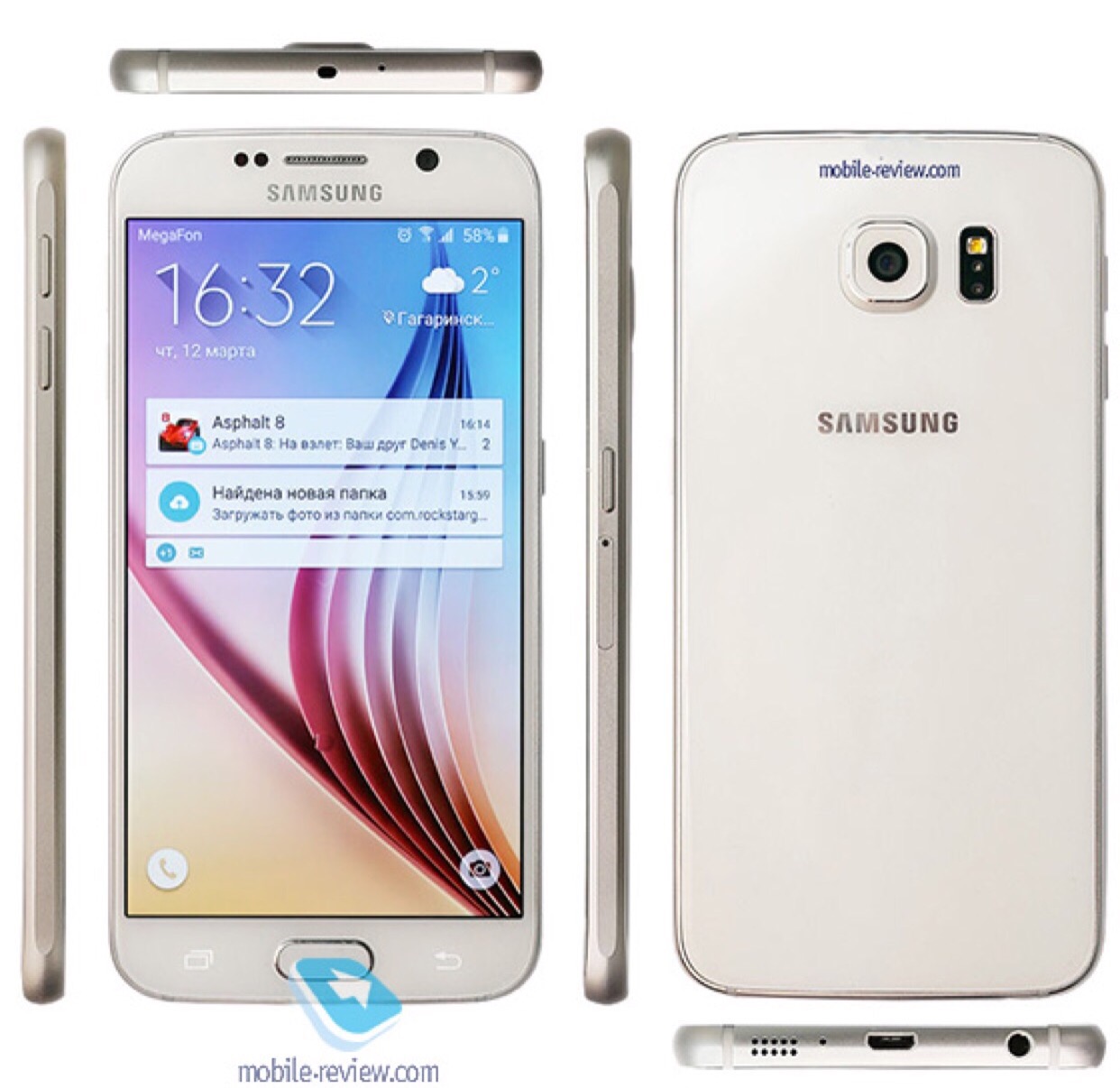
Mobile-Review got their hands on the Samsung Galaxy S7 and revealed everything about it. 
Below are the full specs of the Galaxy S7 and S7 edge:

– 5.1-inch and 5.5-inch Quad HD Super AMOLED display
– IP68 certified water and dust protection
– Exynos 8890 and Snapdragon 820 powered variants
– 4GB LPDDR4 RAM
– 32/64GB internal storage, microSD card slot
– 12MP rear camera, 5MP front camera
– 3,000mAh and 3,600mAh non-removable batteries
– Android 6.0.1 Marshmallow

The Galaxy S7 is slightly larger than the Galaxy S6 due to a larger battery and IP68 water and dust resistant certification. This sounds like a positive move by Samsung. 

Apparently the 12MP rear camera focuses almost instantly. In addition, Samsung’s BRITCELL technology and an f/1.7 aperture leads to improvements in the low light camera performance. 

And then Samsung decided to reveal secrets about the Samsung Galaxy S7 Edge.

sms_look_01_20160125

Edge Single Mode – The Application for Edge Single Mode is viewed on the Edge(curved) screen area. You can publish one with the cocktail provider, which is added in the Edge screen area. You can enable some Edge Single Modes in Edge Settings, and change them through the revolving action on Edge service.

Edge Single Plus Mode – Edge Single Plus mode is similar with Edge Single Mode, but can provide many contents using the wide UI. Look v1.3.0 supports the options where you can define the variable width and API which can describe the Edge Single Plus mode.

Edge Feeds Mode – Edge Feeds Mode is similar with Edge Single Mode but with simpler information.

Edge Immersive Mode – You can use the extra edge screen as a sub-window for the main activity to offer wider views.

So there you have it. Nearly everything you need to know about these devices, apart from the high price!

LG V10 H960 Smartphone – My Review – The Phone that Has Everything

img_2363

Welcome to my review of the LG V10 smartphone. This is the H960 version, which means its the official European/UK model which includes all the LTE bands. My thanks go to Clove Technology for their speedy service in sending the LG V10.

The Key Specifications

– Processor Qualcomm Snapdragon 808 Processor, Adreno 418 GPU
– Main display 5.7-inch QHD IPS Quantum Display 513ppi
– Secondary display 2.1-inch IPS Quantum Display, 160 x 1040, 513ppi
– MIL-STD-810G certified – shock resistant
– Infra Red Blaster
– Memory4GB LPDDR3 RAM / 32GB storage plus microSD
– Rear camera 16MP with F1.8 Aperture/OIS v2.0
– Front camera 5MP Dual Lens 80-degree Standard Angle/120-degree Wide Angle
– Battery 3,000mAh removable
– Operating system Android 5.1.1 Lollipop
– Size 159.6 x 79.3 x 8.6mm
– Weight 192g
– Network LTE-A Cat. 6
– Connectivity Wi-Fi 802.11 a, b, g, n, ac, Bluetooth 4.1, NFC, USB 2.0
– Quick Charge 2 – 50% charge in 40 mins
– Manual mode for video – ISO, Shutter, White Balance, Frame rate, Focus, new 21:9 cinematic mode
– Electronic video stablisation
– Audio extras – 32-bit Hi-Fi DAC electronic processor
– Qualcomm’s QFE2550 closed-loop antenna tuning – first phone to deploy for better voice and network reception


Phone Section

The LG V10 improves upon the LG G4 from the moment you insert your sim, as its takes a nano sim. The G4 used a micro sim. As a phone it is versatile with a user removable battery, micro SD card support up to 2TB and is MIL-STD-810G certified – shock resistant. The V10 is designed to withstand drops. The back cover is grippy which is needed for a phone of this size. In terms of its overall size it is the same size as an iPhone 6S Plus.

The H960 version is made for the European and UK markets and includes all the LTE bands for the UK. For some unknown reason, LG also took it amongst themselves to reduce the internal storage down to 32gb from 64gb. However, you can still add a micro SD card slot. My 200gb Sandisk card works perfectly.

Viewing angles are excellent. Call reception is very good too and callers had no trouble hearing me at the other end of a call. WiFi, NFC and bluetooth all performed admirably. AnTuTu scored 59,106. Performance is smooth across all apps. The V10 has Qualcomm’s QFE2550 closed-loop antenna tuning and is the first phone to deploy this tech for better voice and network reception.

The V10 has a fingerprint sensor on the rear. To activate this you need to press it and hold it at the same time. It isn’t as reliable as the fingerprint sensor on other phones like the iPhone 6S or Huawei Nexus 6P but it is reliable enough to leave it on. 2/10 failed at first attempt to unlock the phone.

In the box are the Quadbeat 3 in ear headphones/headset tuned by AKG. These are better than average headphones.

One of the unique aspects of this phone is the secondary display. When the screen is off, the secondary display is always on. With the display off you can scroll 3 times as shown below.


And when screen is on you get a choice of what options you would like to show. 


Now at first some of you might be thinking this is surely a gimmick. Actually it isn’t and becomes very useful in practise. For example, you are in an app, a notification appears on the secondary display. You can read it without having to leave the app you are in. Using the camera pushes extra options on to this section. If you are listening to music, you have the music controls always accessible.

The V10 continues to include a wealth of other features. More than you can ever imagine. Quick Slide apps are mini apps that can be left floating on the screen, resized along with the transparency. Miracast, Dual Screen mode, NFC, Infra Red Remote Control Blaster (for TV, DVD etc) and a Sabre 32 bit HiFi DAC and Amp are all included.

The loudspeaker is located at the rear of the phone. It goes louder than the G4 and is a lot clearer too. I will cover off the headphone quality later on, but needless to say this phone rocks an awesome DAC and headphone amp.

Battery. The battery will last a day with an average of 4-4.5 hours screen on time. Quick charge 2 is available and this works as expected.

The Camera

The V10 camera is phenomenonal. Firstly the secondary display becomes handy for changing main camera modes.  The main camera modes are simple (tap screen to take picture), auto, manual photo, manual video and snap mode. Snap mode assembles short video clips into a 60 second short film. From the photos, you will also notice the V10 has 2 front facing 5mp cameras. One is a 80-degree Standard Angle and the 120-degree Wide Angle. If you are using the front facing camera, you decide which one you would prefer to use.


Within Auto mode you gain access to a few shooting modes as shown all of which work really well. Panoramic shots are excellent too.


In terms of photo and video sizes, the options are limited.


If you are in manual photo mode, other options appear in the setting dialogue include a histogram option.


In manual mode you have the option of shooting in RAW format. 


Manual video mode introduces even more options in the settings. 


And more options. 


And more again. Even the bitrate can be changed from High, Medium or Low. 


The manual video mode then provides granular controls of all aspects of taking photos. The shutter can stay open for 30 seconds. In all honesty the V10 provides one of the best camera experiences I have ever seen on a smartphone. But even if you just leave it in auto, you will still end up with incredible photos. HDR can be left in Auto and therefore turns on as required.

Camera Samples

Below are just a few samples from the V10 camera. I have taken hundreds of shots and the results are incredible. The photos of my dogs have been the best ever in terms of quality. The below shots were all taken in auto, except for the salt crystals which was snapped in manual mode.

Around Exeter Cathedral Yard #LG #V10

Buildings or large panoramic shots are a breeze for the V10.

Fury posing on Dartmoor #LG #V10

As you can see the dogs motion is frozen really well.

That's one large smile from Tiggy #Dartmoor #LG #V10

Even fog and heavy rain was not too much of an issue for the V10. I use the shot below as my screen saver.

Extreme Fog, Live Weather Shots from Princetown #LG #V10

And finally, a macro shot. White on white for the salt crystals. Very good.

Salt crystals #macro #LG #V10

I have tested the video too, and it is significantly better than anything else at the moment. Stabilisation has been improved too. Plus there is the ability to use manual controls for video which is such fun.

Audio and Sound Quality

The V10 was not just about everything else mentioned above, but also the sound quality. The loudspeaker is on the bottom of the phone and is above average in quality. Where the V10 shines is with headphones. It has a Sabre 32-bit Hi-Fi DAC electronic processor and regardless to whether I listened to FLAC or MP3 tracks, the quality blew away all other smartphones I have used when it came to headphone quality and volume output. If you like listening via bluetooth, the V10 includes APT-X and produces stunning sound via this method.

wp-1453404663994.png

The V10 goes one step further. It is compatible with headphones from 50 ohms to 600 ohms. When a headphone is connected in this range, it switches to high impedance mode. So plugging in my Sennheiser HD598 headphones, the V10 switches to high impedance mode and adjusts the volume output to enable the V10 to power these headphones effortlessly and to a very high volume.

Conclusion

At first you may have some belief that this is just a small upgrade to the LG G4 or Flex 2. In fact, the total sum of all its parts ensures it is significantly better in its user experience, camera, audio and so much more. With improvements in durability (drop proof), design, the second screen, the best camera on a smartphone currently for video and photos, fingerprint sensor, Sabre HiFi DAC, Quick Charging 2 and overall feel in the hand, it is my top phone of the year. Now in case you’re thinking that the new flagships from Samsung, LG and others are that coming out next month will surely surpass the LG V10, well that is a possibility. However, I believe that the features and lower cost of the V10 will still keep it at the top of pile. 

Extremely recommended by myself.

Once again thanks to Clove Technology for their speedy service. Currently, if you order via Clove you get a pair of bluetooth gloves for free.

img_2364

Andy shares his views after moving from Android to the Apple iPhone 6

Andy Dean asked me if I could share his thoughts on moving from android to an Apple iPhone 6 and then his change to an Apple iPhone 6 Plus. It makes a great read and one that resonates with other people that have switched platforms

The last time I used an iPhone was with a 3GS !!!! I’ve been through so many Android phones since then from every manufacturer (my favorite’s have been Xiaomi, OPPO and Moto). I have probably changed phones about 3 times a year in this time possibly more. Always finding something not quite right or some annoyance (which I have tried to get around / fix).

So with the New Year and new job I decided to give the iPhone 6 ago. It was refreshing just to be able to plug the phone in and come back 40-50 minutes later everything restored, including messages call logs and passwords for apps that needed them. This is quite refreshing after using Android. Xiaomi comes the closest to this experience but it still leaves a lot to be desired when compared to the process of restoring an iPhone.

With having the iPhone 6 my biggest concern was the battery life; after being brained washed by the Android requirement for a huge battery. I would normally have to charge my Android phone mid afternoon (OPPO R7s) when it was down to 30% this had a 3000mah battery compared to the iPhones measly little thing. The battery didn’t appear to drain on the iPhone…I wasn’t using it less either. I returned home with 29% left at 19:04; it was taken off charge at 05:30 in the morning. It had also managed 5 hrs and 30 minutes of SOT (Screen on time) The holy grail for Android devices. I was impressed and it continued like this for the rest of the week. One particular day I managed 8hrs 26mins of SOT and 22% battery left at 21:54 at night. I was seriously impressed with this battery life and especially the screen on time. I was using the phone more and well it was lasting longer than my recent android phones I’d used.

I have since upgraded to the plus version and have now completed my 1st 24hrs with this at work.

The first thing I noticed with plus version is how AMAZING the screen is, sure you can get 2k / 4k screens on Android and amoled ones but the screen on the plus is just amazing, perfect colour reproduction and not washed out at high brightness.

Moving form the 6 to the 6plus took less than 60 minutes. Doing a similar move on Android would have taken longer and a lot more hand holding. I was expecting great things from the battery and this didn’t disappoint!!! I used the phone more listening to music on the way in to and on the way home from work about a 75-90 minute journey one way. I also used the phone as much as I could just to see how much the battery would actually drain. It managed 6hrs 5mins of SOT and 12 hrs 27mins of standby and still had 53% battery left!!!!! I think this is amazing given how much larger the screen is in comparison to the 6.

I have got use to the size of it after 3 days of use. Helped by the thinness, rounded corners and general quality.

Some might be wonder about the software experience as the hardware is so old and low specked…… HaHa this thing has only lagged about once a day for a split second, it’s smooth and fluid, something lacking on the android experience. It’s nice to be able to click on links in emails and open the app up rather than chrome and the sites webpage. The back “button” I actually prefer on the iPhone as it will take you back to the previous app as opposed to previous screens in the current app. It is also nice having the facility to go back in the app by swiping from left to right. Apps are more polished, uniform and overall work better. It’s somehow less hard work to get things done. Sure sharing isn’t the same as it is on Android and you have to adjust your thinking, but it actually makes sense and I’ve been able to get as much sharing done as before just differently.

Camera is excellent, I will say it’s not as good as a Nexus 6p in low light conditions but is on par / better for the point and shoot aspect of things. It seems to be able to nail a quick photo with more accuracy and focus than Android phones do. It’s nice to have playlists in the car again and album art work which I’ve never got with any of the Android phones.

I’m trying to think of things I miss on Android customization a little sure, though I didn’t do much really. However, I am happy with this “sacrifice” for the amazing battery life, app experience and camera and just overall polished uniform OS.

Something, which Android is lacking in, is the ability to manage children’s accounts. It was just easier to get setup on iOS, create iCloud account and designate it for a child. This now enables me to track the kids, confirm or deny their purchases. Phones backed up effortlessly.

Sure some may label me as an Apple fan boy, I have persisted for years with Android. Nothing comes close to the battery life on either device. Sure Android might have “better” hardware but the experience is still lacking that polish and Android does get sluggish / pause for no apparent reason, I have experienced this on all the Android phones I’ve owned. The speed to iOS does make it feel a better specked hardware device. The other thing that’s nice is software updates are rolled out across the board for all hardware that is supported. Sure Nexus devices get this, but not as long as on Apple hardware.

The daughter now has a 5S she doesn’t really use it much but even it has managed 5hrs 14mins SOT and 157 standby with 11% left.

So yes I’m very pleased with the move to Apple and iOS. My head is still trying to get around how good the battery is on both devices but especially the plus device.

Thanks again to Andy for sharing his thoughts on his move from android to iOS.

Source – Andy Dean

Note Tapper for Apple Watch – complete with keyboard

Sometimes the best ideas are the simplest. Note Tapper for Apple Watch came to my attention as a solution I needed when adding notes via Siri wasn’t private enough or suitable. 

What makes Note Tapper unique is that it takes notes using its own keyboard. So let’s step back. You first install the app from the App Store. Click HERE.

After installing the app on your iPhone it installs on your Apple Watch. If you open the app on your iPhone it provides instructions on how to use the app on your watch. 


Above and below are screen shots of the instructions. 


So let’s have a look at how the app looks on the Apple Watch. Below are screen shots from the Apple Watch. 


Nice and bold. Just press the plus to add a new note. Above are your existing notes. 


And the keyboard continues by sliding up or down the screen to reveal the other keys. 
 

Adding text or numbers is a breeze. Instead of squinting at a small keyboard, the developer decided to make it easier to enter text by sliding up and down to reach other aspects of the keyboard. It makes for more accurate data entry. 


Adding a date or part date to a note is possible too. Tap on the field(s) required and use the watch crown to rotate to your desired selection. 

And that is it. A simple, easy and private way of taking notes. Currently, notes are only stored on the watch. I did get in contact with the developer and he informed me that iCloud sync is being planned for the next update. 

For 79p this is a no brainier app for the Apple Watch. 

Note Tapper for Apple Watch