Category Archives: Reviews

LG G4 – raw photo images vs jpeg – samples – updated with Lightroom 6 sample

This was a quick test using the G4 camera in raw mode.

I used Camera FV-5 app in bracketing mode to take 3 shots. Exposures from +2,0,-2.

I then uploaded the photos in my macbook and used Photomatix to create a fancy HDR shot. As I’m using the trial the HDR images have 3 watermarks. I will be buying this app soon as its so funky to use.

image

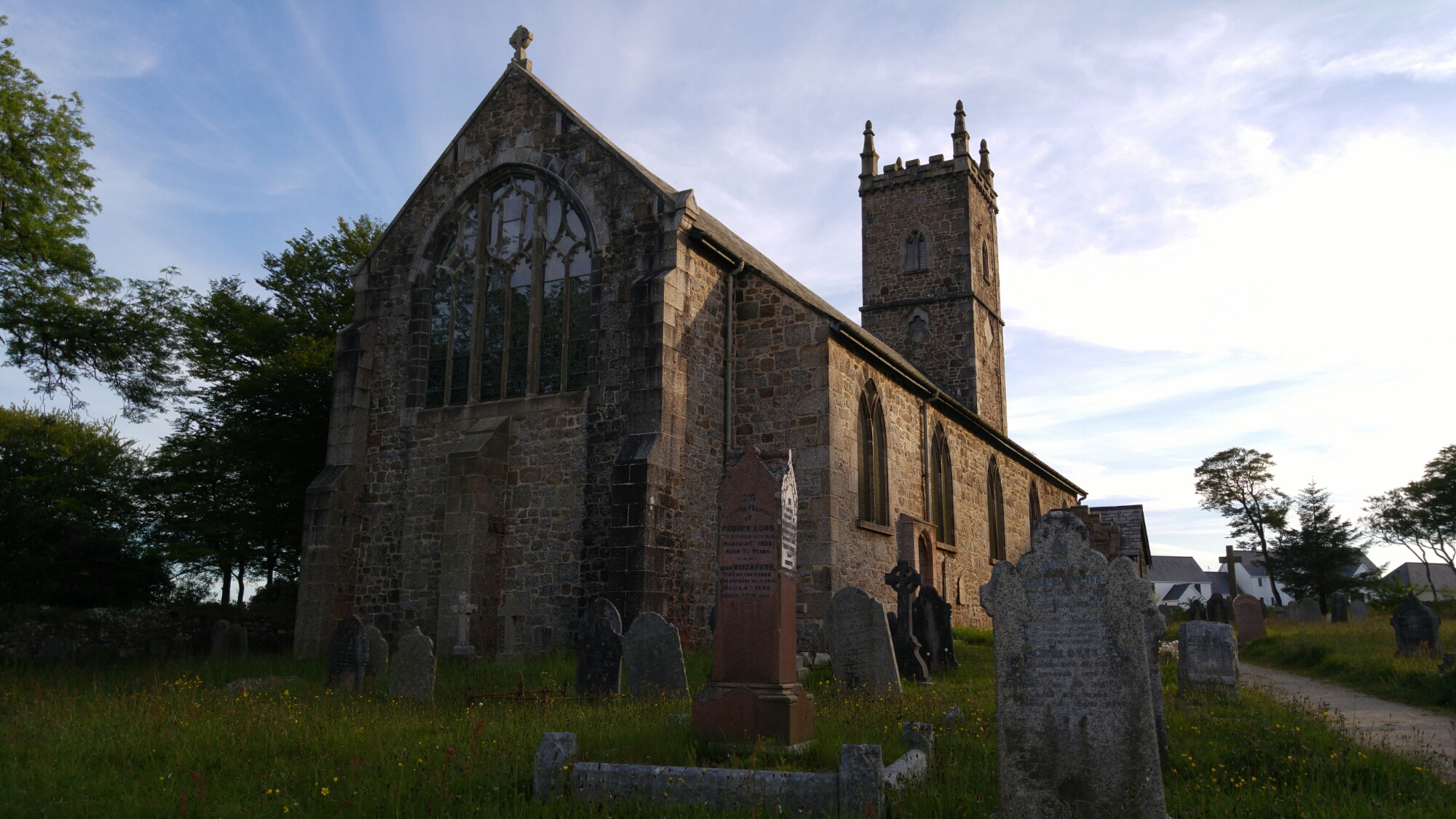
Normal shot above. This is the original jpeg. Below new HDR shot created from 3 raw images. Whilst HDR adds some excitement, the quality is also improved.

image

Same again. Normal JPEG below.

image

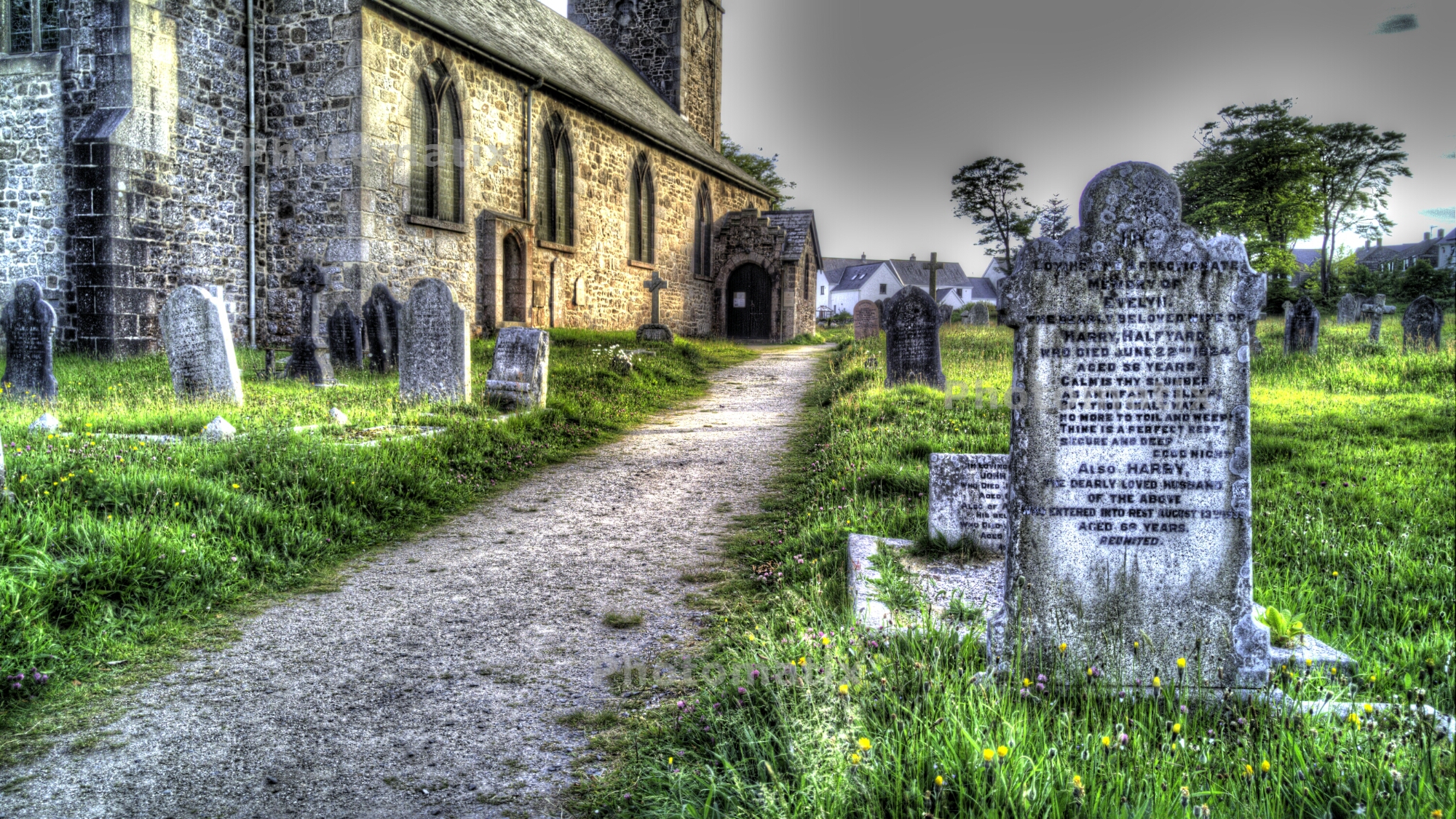
And now a fancy HDR combined using 3 raw images.
image

And one more. Original jpeg belw.

image

Just look at the HDR shot from the 3 raw images. Absolutely love the drama in this shot.

image

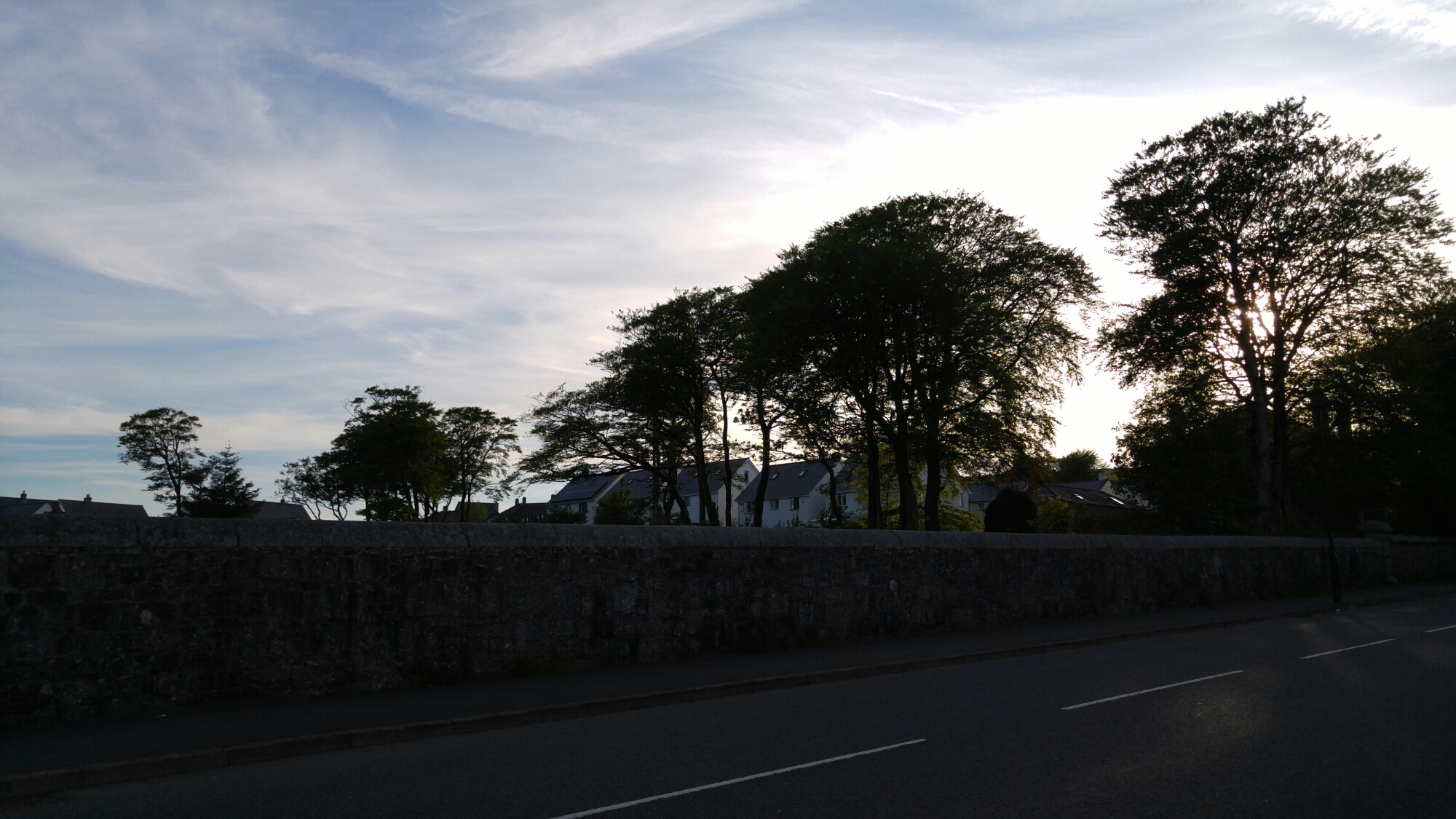
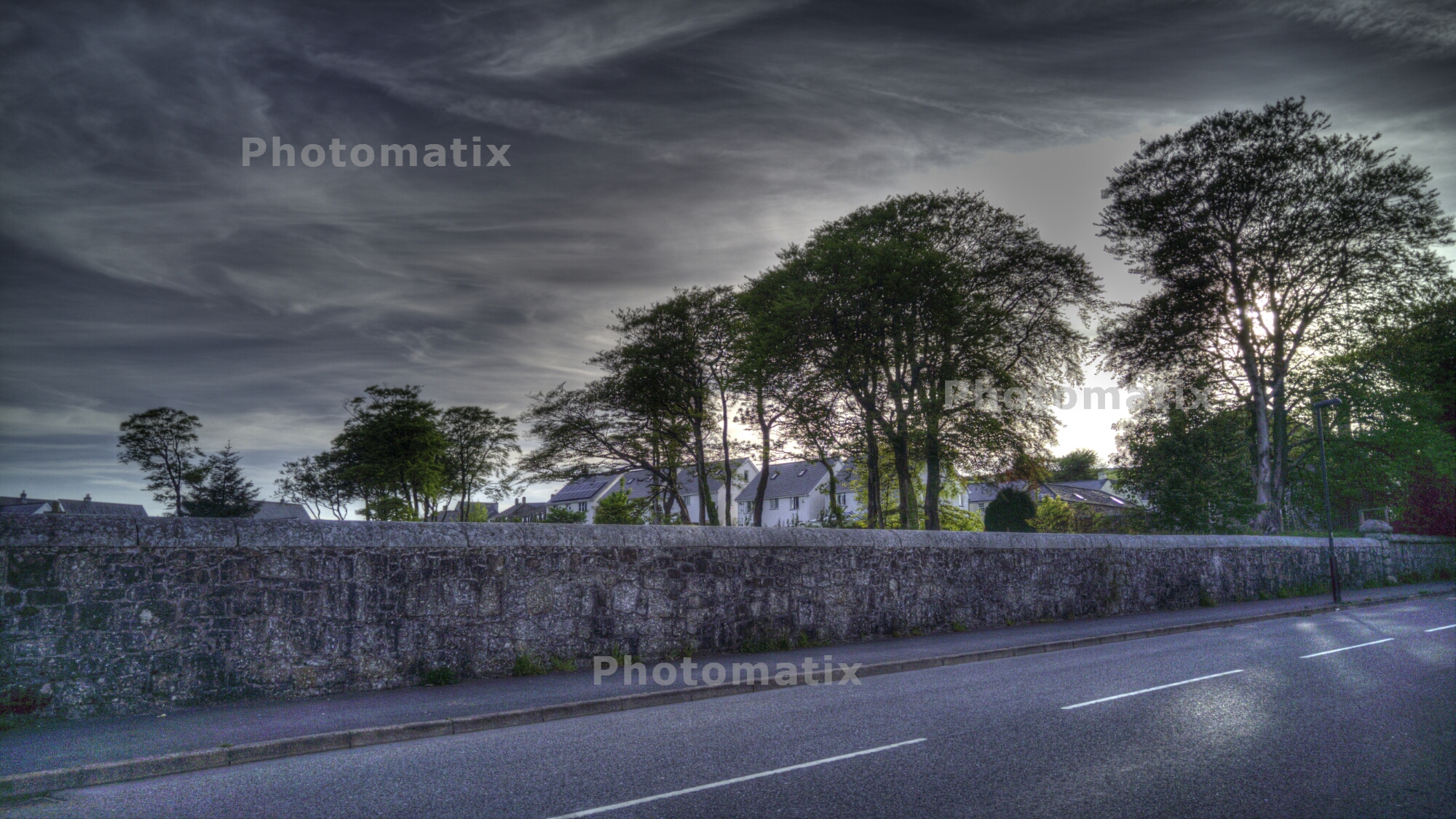
OK some trees. Jpeg below.

image

And the new image which again was created from 3 raw images.
image

Now granted HDR is not everyone’s cup of tea, but its mine.

I will be exploring lightroom to carry out some normal post processing shortly.Also worth noting is the file sizes. Each raw image was 30mb. So for a bracketed sequence of 3, 90mb needed. After post processing the new jpeg created from the raw images is around 14mb.

You also have to factor in the extra steps of transferring the raw images, uploading them into the mac or pc software and all the time needed to create one super amazing shot. And then you share it on twitter or facebook and all that quality is lost!

Update – below is an HDR processed shot via Adobe Lightroom 6. Weighs in at 17mb. Same process as before, merges 3 raw shots.

Lightroom 6 File 1

LG G4 – Working with RAW images and ND Filter Kit

Despite all my photos snapped over the years, I have never used RAW. Sure I tried it once or twice over the last 5 years, but just failed to see the logic when working with JPEGs seem so much easier and meant handling smaller file sizes.

Well, the G4 allows photos to be snapped in RAW. Also one of my favourite apps Camera FV-5 just received an update to support the LG G4. In addition, I have kept my eye on 2 pieces of desktop software. Adobe Lightroom 5 (I would like to use Adobe Lightroom 6, but my MacBook is too old and doesn’t have the necessary grunt) and Photomatix by HDRSoft.

Last night, I took 3 bracketed shots using Camera FV-5 with an exposure variation of -2, 0 and +2. This created 6 files. 3 jpegs and 3 raw DNG files. I copied the files across to my MacBook. I examined all 3 jpeg’s and then I imported the raw files into Photomatix and created a new HDR jpeg. The difference is unbelievable. Off the charts better. I would love to share the photo I captured, but it was just inside my living room and not very exciting. So what I will promise to do, is capture some more interesting photos and share with you the difference of RAW vs JPEG.

The next piece of the puzzle is exploring taking photos using a ND Filter kit. I bought a low cost set comprising of full and graduated colour/ND filter kit along with a pack of rubber bands. The rubber bands are going to be used to hold the filters more securely to the G4. Thanks to Paul Garner for the rubber band tip.

I am also going to have to invest is some desktop software and will be exploring the trials versions of these over the next few weeks or so. The G4 really does open up the photography options and I for one am looking for to the journey.

LG Watch Urbane – my watch faces shown photographed – gallery

image

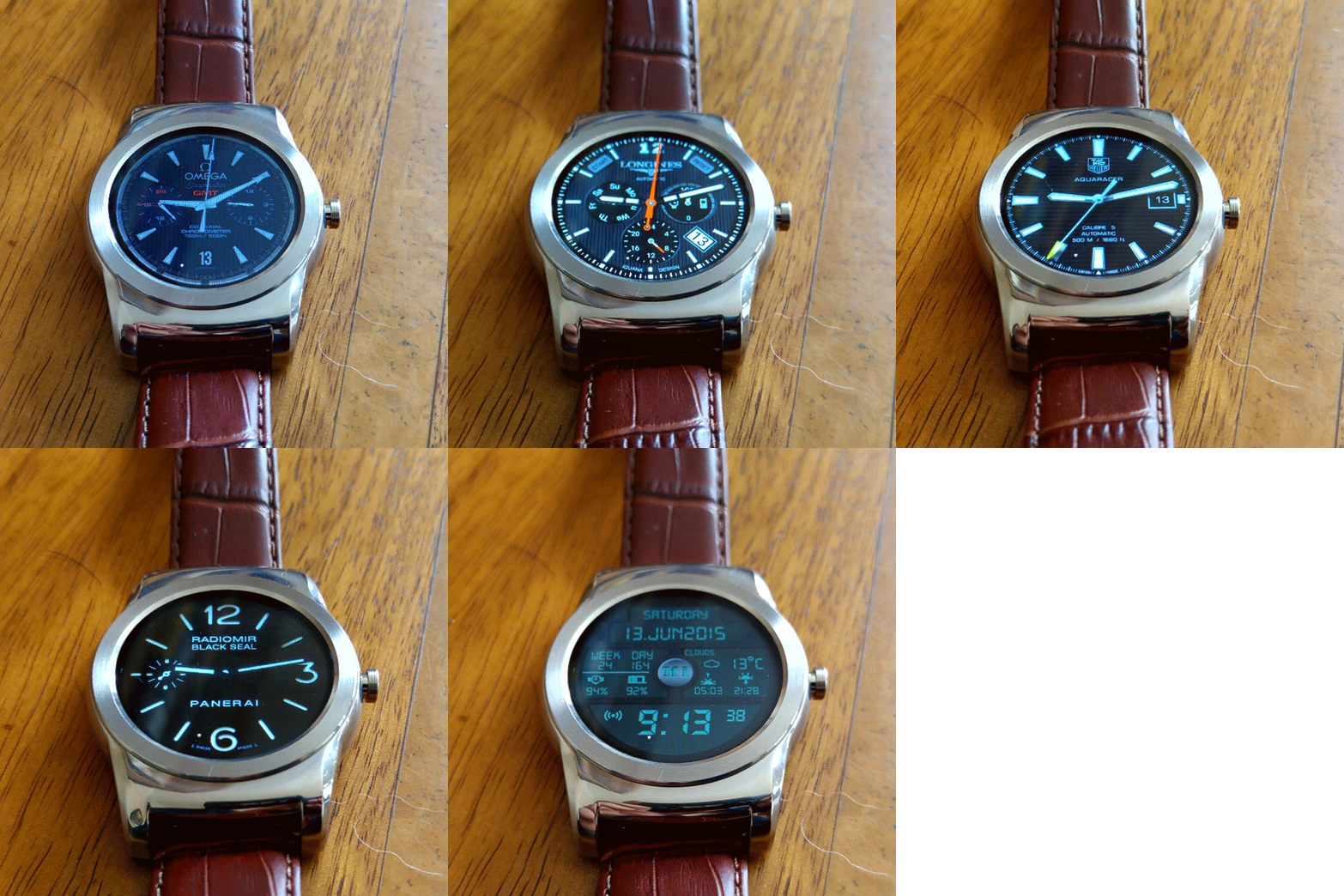
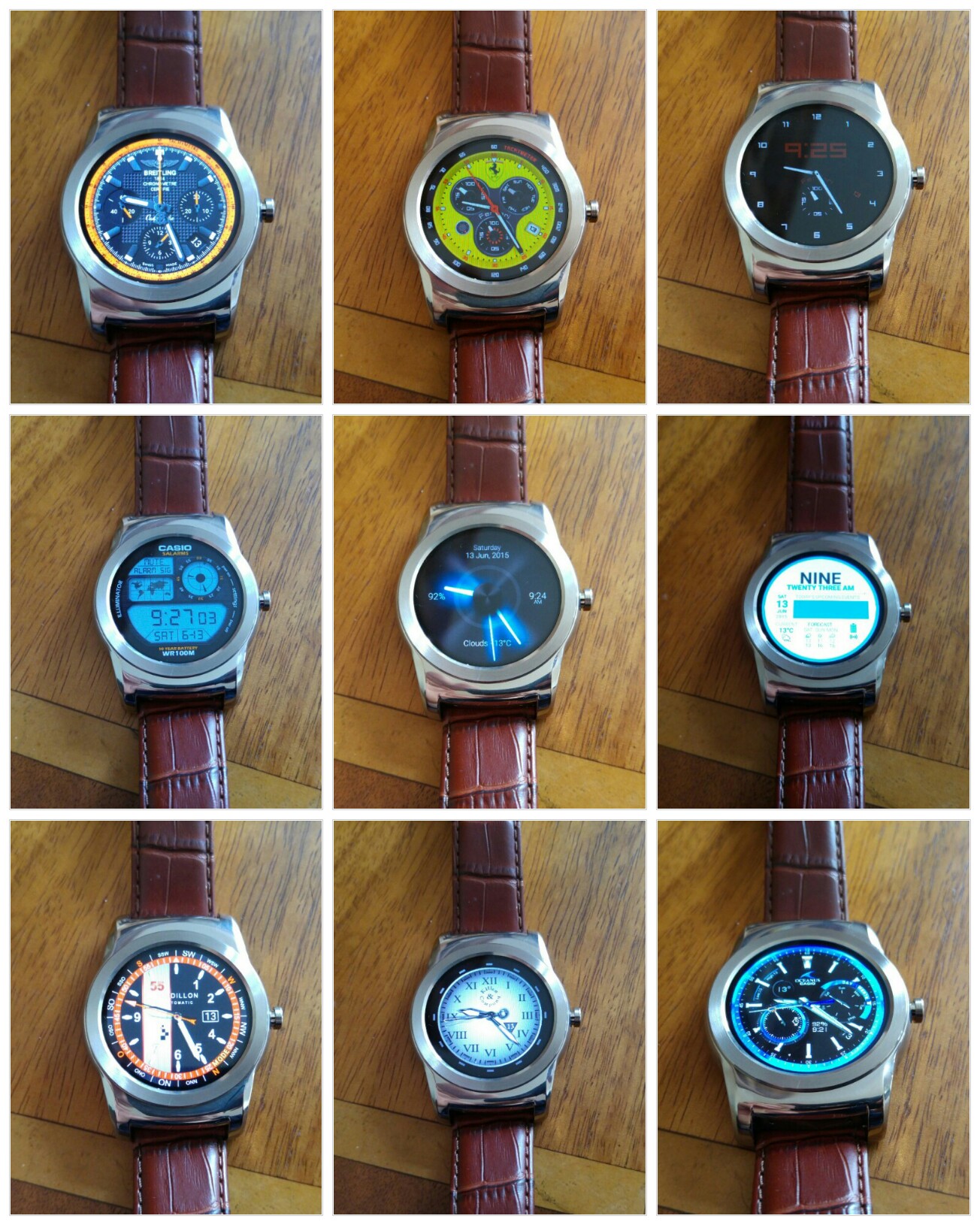
Above and below are all the watch faces I have installed using an app called Watchmaker Premium. The app comes in a free and premium offering. For the value and benefits it provides I spent the price of a coffee on the app. Apart from importing watch faces, you can edit and design your own watch faces using the app.

Looking at the first collage shot, and going from left to right, these are the names of each watch faces – Breitling Chronomat 44 Raven, Ferrari Watch, Dimmed Mode sample (after a few seconds all these watch faces offer an always on watch face, but one that uses slightly less battery, sometimes the dimmed mode option is better than the actual watch face) , next row left to right – Casio Illuminator, Hansglo 2, Material, Raidillon igu, Reapur, Casio Blue. With all these watch faces there are normally extra functions too accessed by tapping the watch faces in certain spots.

image

The next collage, left to right – Core Sport 4 Function Modded, Sicura no bezel, IWC Aquatimer, river watch o&b, Longines OH V2 igu, Paneraix, Omega Chrono GMT, Military Digital V3.2 pro and Breitling Emergency.

The below gif was produced courtesy of Google Photos:)

image

I have other watch faces installed, but these are my favourites.

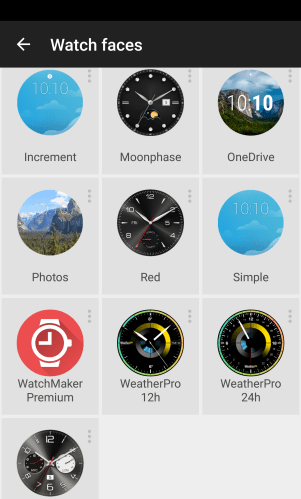
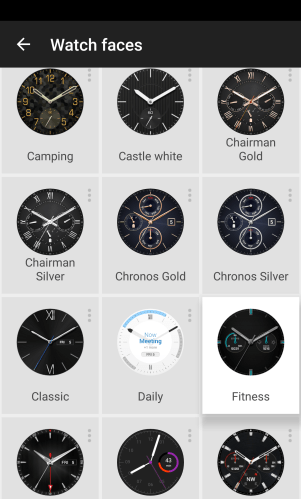
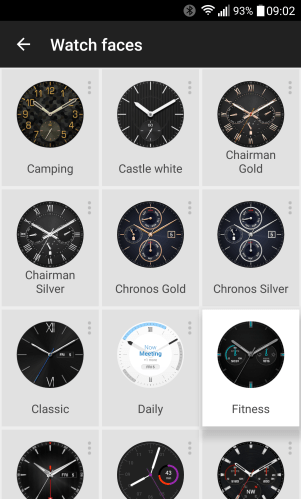
In addition, LG provide a wealth of watch faces as shown below –

wpid-quickmemo-_2015-06-13-09-03-42.png.png

wpid-quickmemo-_2015-06-13-09-03-15.png.png

wpid-quickmemo-_2015-06-13-09-02-44.png.png

Not a bad selection on offer!

LG G4 – 30 second photo exposure

image

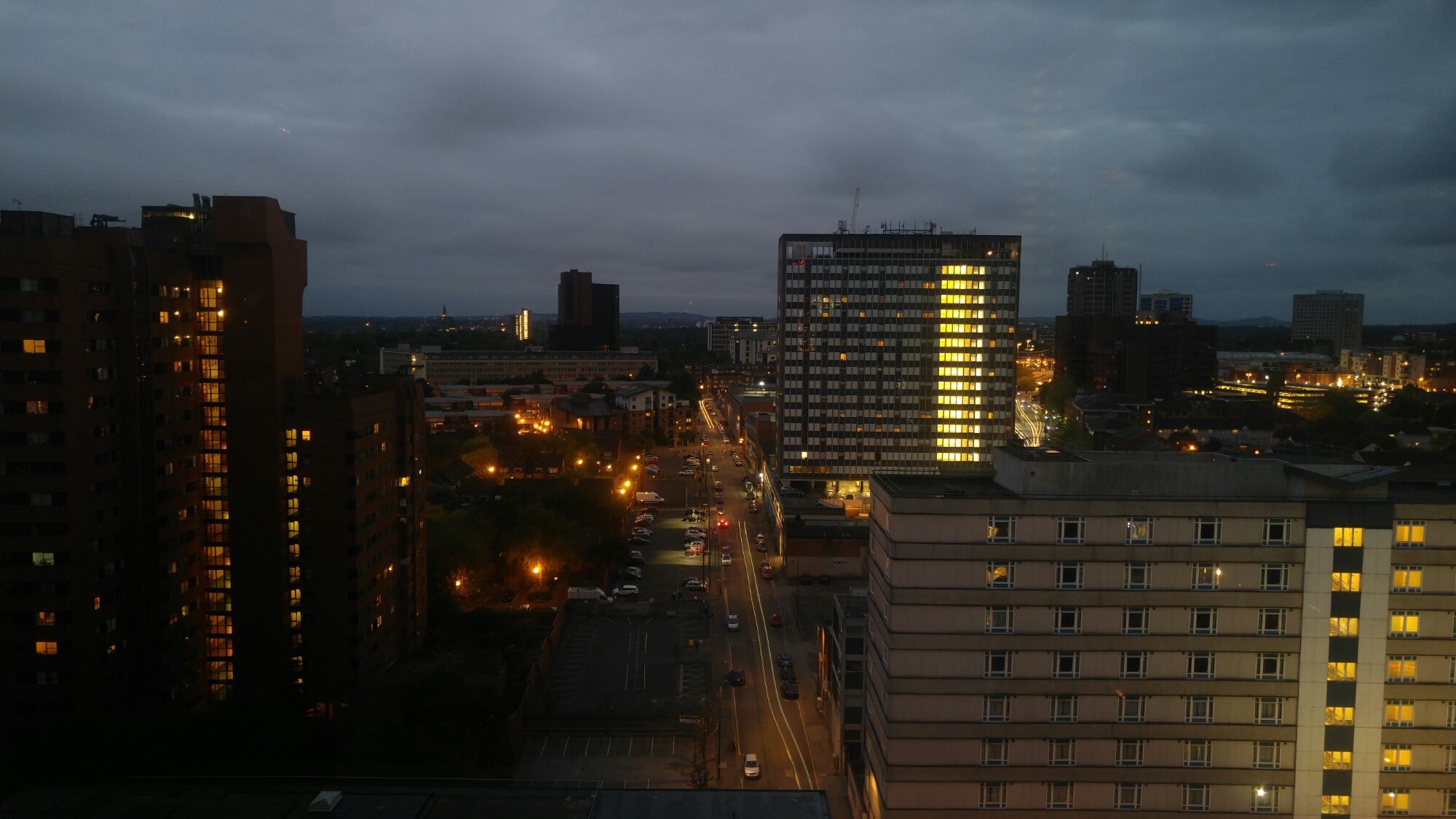
The above and below photos were taken with my LG G4. To manage a 30 second shutter time at ISO 50, I used a ND filter which I had adjusted in strength. Without the filter only 8 seconds would be possible without making the shot too bright.

image

I just need to establish a secure method of attaching the ND filter to the G4. For information the G4 was up against double glazed windows. The ND filter was one used for a DSLR and was a variable ND filter.

If you tap on photo to enlarge you will see the light trails more clearly.

LG Watch Urbane – Be careful on strap choice

I ordered 2 new straps for my Urbane. A brown leather strap which is fabulous and a sports orange dive style strap.

image

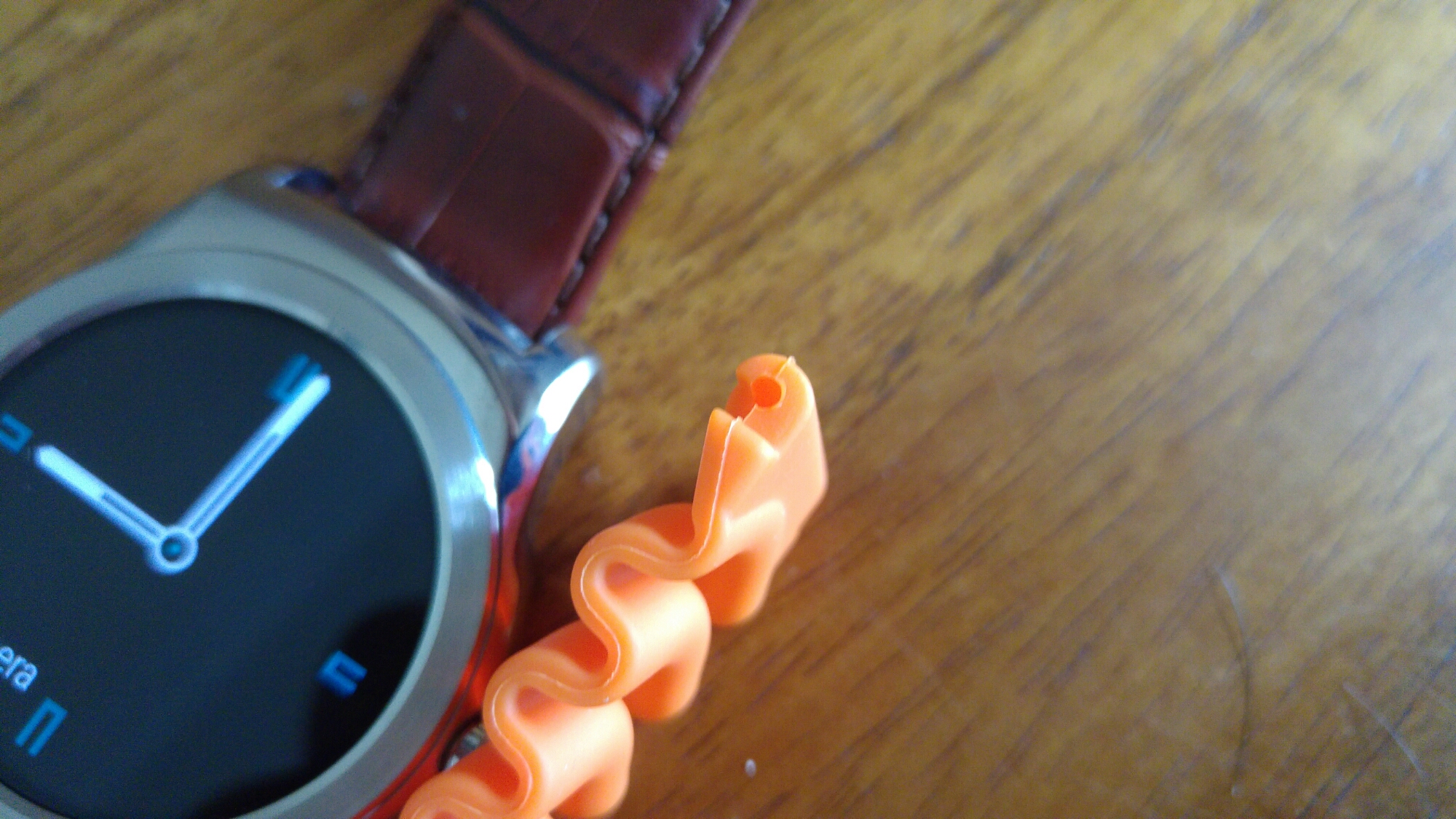
The orange strap doesn’t connect to the Urbane.

image

image

If you look at the part of the strap that connects to the Urbane its too thick for the spacing provided by the watch. I even tried different pins to see if that helped but it didn’t. I have ordered another orange strap which I am hoping is thinner.

More soon (hopefully).

LG Watch Urbane – Part 3

image

So day 3 has arrived using the LG Watch Urbane.  It is starting to feel like the best watch I’ve owned, that also happens to be a smart watch. 

Last night, I attended our work summer party and a number of people commented on the watch, wanting to know more about it. I had a Breitling watch face showing and I was asked if it was made by Breitling. I do believe that the brown crocodile strap makes the watch look a lot smarter too.

The orange sports strap I ordered has arrived, but at the moment I’m not sure I want to fit it to the Urbane as I really like the brown crocodile strap. I will post some photos of the strap soon.

Battery life has settled down with about 40% used in the past 24 hours. So I reckon a 2 day battery life is possible, but I would still top it up daily. Dictating using OK Google works fine. I have replied to emails, hangout messages and dictated and sent new text messages.  I have also searched through about 20 watch faces and settled for about 10 new ones from many famous brands. This adds to the charm of the watch. One of the simplest and best features of the Urbane is the clock always been visible. 

I am still waiting for LG or Google to update their apps and or firmware so I can get heart rate data transferred off the watch. Once this happens, the watch will be near perfect. 

LG Watch Urbane – replacing the strap

image

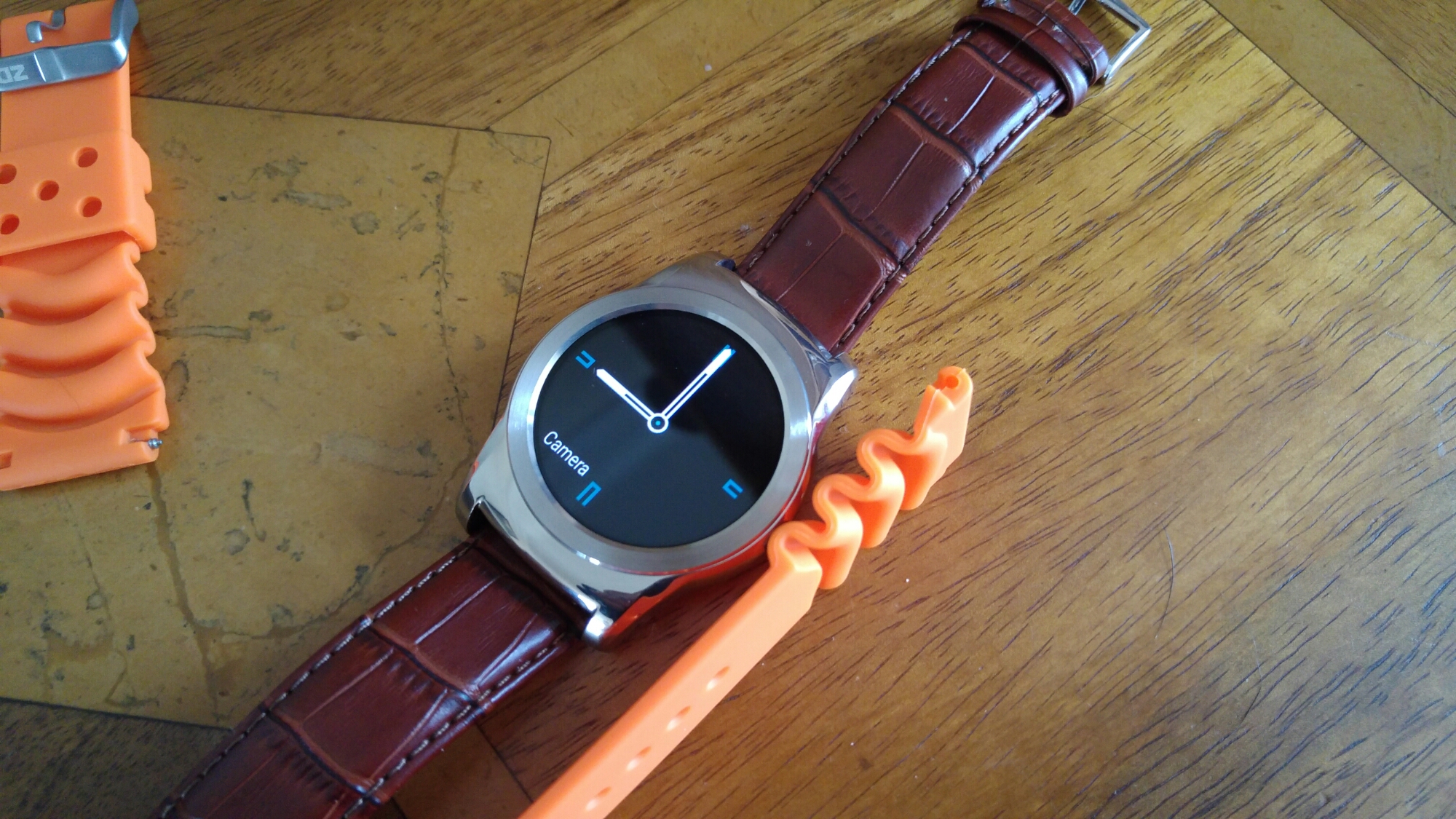
As you can see above and below, I have replaced the black strap with a brown crocodile strap which in my honest opinion looks a lot smarter. Some of you may prefer metal or even a sports rubber finish.

image

I have an orange sports strap (£10) arriving soon which I intend to wear at some point, but at the moment, brown crocodile leather rocks my boat. I have provided links to all the straps and tool I used to remove the strap and refit.

The key point to note is buying a strap removal tool. Mine costs £2.99 Don’t try and cheat with a thin flat screwdriver. You will probably take much longer and end up scratching the casing. First, turn over the watch to access the rear. Make sure you place the watch face down on a super soft cloth so as not to scratch the watch face. Then use the tool to grip the spring bar ridge, pull back and release spring. Reverse to connect strap. This is a 5 mins job. Make sure the shorter end goes up against the 12 o’clock.

Simple but effective.

Links – remember orange strap not yet received, but I will edit this post once obtained UPDATE – orange strap is too thick at to connect to Urbane.

Orange Dive Watch Strap Orange 22mm

PROFESSIONAL WATCH BAND STRAP LINK PIN SPRING BAR REMOVER REMOVAL REPAIR TOOL

Selection of 22mm Brown Leather Watch Straps

LG Watch Urbane – Part 2 – updated

wpid-wp-1433798813360.jpg

Day 2.

I have experimented with more watch faces. Basically with an app called Watchmaker Premium (link to Google Play – https://play.google.com/store/apps/details?id=slide.watchFrenzy.premium&hl=en ) it is possible to install practically any watch face you fancy. So no shortage of custom looks.

LG Support – my call to LG Support re getting the heart rate data to sync back to the watch is ongoing. LG have called me back several times re this issue. Basically on the LG G4 is LG’s app called LG Health. It is not recognising that the Urbane is connected and therefore not pulling any data from it. Instead the LG Health app is using the inbuilt G4’s pedometer. According to LG Support, its new and therefore that makes it reasonable to not work as advertised. I would love to express myself with a tirade of four letter words here. This is not acceptable and surely should have been tested. This is another LG app that is not working correctly. QuickRemote is another app not optimised for the LG G4.

Wrist control – this works like a charm. There is no need to touch the watch, just flick wrists up and down to scroll through notifications.

Voice control – OK Google seems fairly consistent at translating my voice or dictating my messages.

Straps – I have received a brown crocodile 22mm strap. I am still waiting for the strap removal tool and another strap, a bright orange sports strap. These other items are expected by Monday. Once I get everything, I will post photos of the new straps. The black leather strap that comes with the Urbane is really lovely. Brown leather looks even better IMO. The choice is yours as the Urbane uses a standard 22mm watch strap.

I am still exploring android wear apps and options. If anyone has any recommendations please let me know.

My main frustrating lies with the heart rate monitor/steps and its data not being transferred to the phone for analysis, nor have I found a way to use it to monitor my fitness whilst undertaking activities. Google Fit is the only app that collects steps but not heart rate. Google Fit is pretty useless IMO compared to the competition. LG Health app also needs updating asap.

I don’t accept LG Support casual remark that being new it’s ok to have bugs. In my mind this is a massive bug and should have been spotted immediately as it is so obviously not collecting heart rate data. Grrrr. Or transferring any data from the Urbane back to the phone.

The only consolation is the Urbane looks like a classy mens watch. And as a watch the time is always visible. No flicking wrists or lifting hands to activate the screen.

LG Watch Urbane – Beauty and Disaster – First Impressions

image

So yesterday my steel LG Watch Urbane arrived. My wife watched my open the box to reveal the Urbane, and her first words were “Ooh that’s rather lovely, much nicer than that prison tag thing you had” (FYI the prison tag referencing is the Samsung Gear S).

image

In fact the Urbane is gorgeous and the black leather strap matches it really well. As you can see I have been playing with watch faces, and apart from some of the included watch faces from LG, I have also installed Rolex and other brand watch faces with ease.

17 of my existing apps also offered some form of extra service on the Urbane. Wrist flicking to scroll through notifications works well. As does replying and deleting stuff or asking Google for information.

One aspect of the Urbane is its heart rate monitor. I can perform manual checks. I can tell LG Health app on the phone that I am starting an exercise or walking and it tracks everything, and displays your heart rate during your activity.

But how the f*** do you get the Urbane to transfer the heart rate data to your phone is beyond me. Google Fit is not displaying anything. LG Health app isn’t either even though it is meant to.

So I called LG support who have phoned me back twice and have yet to find a resolution. Let’s hope it is simply an app update or firmware fix.

So in one hand I was delighted with the Urbane’s look and feel only to feel aggrieved at its useless ability to not save heart rate data.

I have also ordered a watch strap tool remover, an orange sports strap and a brown leather strap. More to follow on my Urbane adventure in the coming weeks.

Samsung Galaxy S6 Edge – The best action shots possible – photo gallery

I recently used the LG G4 to snap incredible action shots with my 3 labradors. Click here to see the G4’s action shot gallery – https://gavinsgadgets.com/2015/06/03/lg-g4-incredible-fast-action-shots-from-the-g4-camers/

I was very impressed with the LG G4’s photos, especially as the lighting was not brilliant. So the next step was obvious. See what the Samsung Galaxy S6 Edge could accomplish.

Some important points before you view the gallery below. The lighting conditions for the S6 Edge were absolutely perfect. Beautiful blue skies, no glare or cloud. I also noticed the file sizes in better lighting increase on the S6 Edge in burst mode. In poor light you might see just under 3mb. But with excellent lighting the file size increases to just under 5mb. Still not a patch on the G4 burst file size of 7.9mb. Another observation using the burst mode is the speed to launch it. On the S6 Edge it is super quick. The phone takes up to 30 shots in a burst, saves them and is ready instantly for the next burst and the next burst without any delay. The G4 on the other hand after a few burst sequences in a row, will need a few seconds to save the shots.
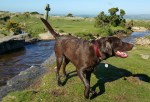
I was very pleased with these shots. Some really fast shutter speeds around 1/1000 which froze the water in several photos. The G4 burst shots in my opinion are better, but you cannot be disappointed with any of these photos below!

Tap on a photo to activate the gallery. Happy viewing.