Category Archives: Apple

iPad Pro – Why 12.9 inches is the right size – My First Look

Tomorrow I will share my first impressions on my iPad Pro after I have spent some time using it later tonight, but for now I want to share why 12.9 inches is the right size.

iPhones used to have a 3.5 or 4 inch screen so a 9.7 inch iPad offered a leap up in screen size. Move forward and with the new iPhone 6S Plus and its 5.5 inch screen, along with landscape support and its possible to do so much more with the larger iPhone screen. This in turn means the gap between 5.5 and 9.7 inch iPad was a much smaller leap forward. 

Now jump to the iPad Pro and all its 12.9 inch screen and suddenly everything justs feel better and different, more engaging, more everything. But Apple did something clever be choosing 12.9 inches. With split screen, the two screens are the same as having 2 iPad Air 2 in portrait mode. 

Now that is neat! And that is why 12.9 inches is the right size. 
PS. If you have any questions on the iPad Pro or Smart Keyboard, let me know in the usual way. Unfortunately, I don’t have the Apple Pencil yet.

The iPad Pro – Logic vs Lust vs Opinions


You may be asking what has the above edited photo got to do with the iPad Pro? Actually in my case quite a lot.

A few days ago, I posted about the high ticket price of owning an iPad Pro and asked the question is it worth the cost versus other forms of devices available from Apple and other companies.

Now all the reviews landed, and they were mixed. Some clearly in love with Apple Public Relations, and others providing a more realistic point of view. The reviews were mixed overall.

Last night I probably ended up watching far too many video reviews, but what I did learn is that the large sized iPad is a stunning piece of technology with loads of potential. I believe potential is the correct word, as once again apps will need to be updated to reflect the bespoke screen size and new apps will need to be released in due course.

The Apple Pencil and Apple Smart Keyboard are just as superb as the iPad Pro and I can see the potential once again.

So back to the edited photo embedded above. This was shot on my iPhone, edited in VSCO Cam and edited again in Photogene. Now if this photo was edited on my macbook, I would be using Lightroom 6. Photos snapped in RAW from my Sony RX100 have the option to be edited in Photomatrix Pro 5. These 2 photo editing programs possess huge editing capabilities and functionality, but they do not exist for iOS and or the iPad Pro. If they did, I could see myself using the iPad Pro instead of the macbook. But then some of the iOS photo editing apps are superb. So it all depends on what matters more to yourself.

Which takes me back to my conclusion, the iPad Pro with all the accessories is a fine piece of tech. Expensive and won’t be fully appreciated until apps catch up with this new powerhouse.

I know that several of you were disappointed with the Apple online ordering system. The Apple Pencil was not available for another 3-4 weeks after the iPad Pro was due to be delivered, and that the Smart Keyboard was only available in US English. Apparently, you can walk into several Apple stores and pick everything up. No mad queues this time!

So all I need now is a small lottery win, which is not likely.

Which Phone has the Best Camera? Low Light Shots? – The Verdict

If I charged everyone £1 to answer the question below, I would be a millionaire and retired. That’s how often I get asked this question. Nobody seems to care any more if the phone can make calls, all everyone wants to know, is the camera any good and is the camera any good in low light.

So today, I am going to answer these two questions, once and for all using examples from a selection of different smartphones.

Hello cutie little birdie - watch me get ready #iphone6splus (sequence part 1)

If you want to photograph a seagull, use an iPhone 6S Plus.

George smiles for the camera as Fury flies above, poor Tiggy lags behind #LGG4

If you want to photograph high flying dogs, use a LG G4.

Tiggy aka "The Cyclone" #S6Edge #Water #Frolics

If you want to photograph a wet dog, use a Samsung Galaxy S6 Edge.

The Expendable Burger - testing the low light performance of the £125 Vodafone Smart Ultra 6

If you’re on a diet, then use a Vodafone Smart Ultra 6.

Power #Huawei #MateS

If you drive a Mercedes, then use a Huawei Mate S.

Rumours of a Dangerous Predator on Dartmoor #SonyZ5Compact

If you like to live on the wild side, then use a Sony Z5 Compact.

Flower Power snapped with the awesome #Samsung #Galaxy #S6

If you want to photograph flowers, then use a Samsung Galaxy S6.

HTC One M9 Camera shots - a selection of photos from the M9.

If you’re a fit bastard, then use a HTC One M9.

Ship Ahoy at The Barbican #Plymouth #Lumia830

If you’re into erections, then use a Lumia 830.

Happy cows and ponies on Dartmoor #Xiaomi #MiNotePro

If you’re into milk, then use a Xiaomi Mi Note Pro.

Church of St Michael & All Angels,  Princetown #Dartmoor #AmazonFirePhone

If you’re into Resident Evil, then use an Amazon Fire phone.

Church of St Michaels

And if you must shoot in poor low light conditions, then use an iPhone 3GS.

In summary, the cameras on smartphones have reached a stage now where the quality is good enough! But there is more to asking the question, which phone has the best camera? Are you talking about features to create a better shot, manual controls, selfie beauty modes, speed of use,4K video recording, time lapse, super night mode or what? There is so much more than to this question, and if you look at the photos from all the different phones, it highlights the point, it doesn’t really matter any more! Also, everyone shoots in different scenarios, so one answer may not be the same for another person. In the last 12 months, I have used so many different phones all of which have been extremely capable shooters. If you really want a better camera, buy a Sony RX100. It’s small and fits in your pocket with ease!

More information on the Sony RX100 range of cameras

Apple Music lands on Android – So What Comes Next?

Yesterday Apple released Apple Music on Android complete with a 3 month trial for new users. If you sign in to Apple Music on android with the same email used on iOS you can use your iOS subscription to play your tunes on Apple Music with your android device now.

The release of Apple Music on android is significant. It competes directly with Google Play Music and Amazon Music. By offering more of their services on a range of hardware, Apple has moved itself even deeper into the online service offerings.

Maybe, Apple realises that smartphone growth has peaked so now its time to spread its wings to compete elsewhere.

What do you think? And have you downloaded Apple Music on your android phone?

Apple iPad Pro – On Sale Tomorrow – Would you spend £1,117 on an iPad?

Online orders for Apple’s new iPad Pro will start in 48 countries tomorrow and will go on general sale at Apple’s retail stores on Friday. The Apple Pencil and Apple’s new Smart Keyboard will also be available to order on Wednesday.

The iPad Pro is huge with a 12.9 inch screen. It weighs 713g so is around the same weight as the original iPad. Add a case and it will be noticeable heavy. However, it is a powerful beast with Apple’s A9X chip and 4GB of ram.

Prices for the iPad Pro start at £679 for the 32GB with Wi-Fi model and £899 for the Wi-Fi + Cellular 128GB model in the UK. There is no 64gb model. Its 32gb wifi only or 128gb wifi + cellular. The Apple Pencil will cost £79 and the smart keyboard £139. (In the US, prices start at $799 for 32GB up to $1,079 for the 128GB Wi-Fi and Cellular version).

That means if you need more than 32gb storage, you have to jump to the 128gb model which costs £899. Then add the smart keyboard and pencil and now you are talking £899 + £79 + £139 = £1,117. Woah!

£1,117 for an iPad!

For £1,117 you could buy an Apple MacBook Air, Mac and even a MacBook Pro and use professional applications and more. You can even buy a number of Apple’s normal size iPads. In fact you can buy 3 x Apple iPad Mini 4 iPads!

This makes the reason to buy the iPad Pro a tricky one because what will you use it for that can’t be achieved by something a fraction of the price?

Apple TV 4th Gen- 30 Hidden Secrets/Tips of the new Remote Control and Box

Apple last week released their new Apple TV. And with the new box came a new remote control. The remote control has many more features than you might have released. Below are a list of them all –

– Unsure what you can ask Siri, press the Siri button and wait and a list of commands will appear.
– Dedicated volume buttons which will work with your TV and / or receiver out of the box. The settings can be tweaked via the settings app, remotes and devices, home theatre control.
– The volume buttons can be programmed using the hidden infra red blaster to control the volume on TV’s and other devices that don’t support the HDMI-CEC protocol.
– To programme the infra red blaster, go to the Apple TV settings app, remote and devices, volume control and learn a new device. Just follow the instructions.
– Double Press the Home button brings up the app switcher / close apps menu.
– Press the Menu button twice to start the screensaver, three times for voiceover.
– Apple TV network strength is displayed in Settings under General, About.
– Move around the screen: Swipe up, down, left, or right on the Touch surface.
– Select an item: Press the Touch surface.
– Return to the previous menu: Press the Menu button.
– Return to the Home screen: Press the Home button.
– Press the Play/Pause button once to change the keyboard between uppercase and lowercase.
– The touch surface can be adjusted for sensitivity in the Settings app under Remotes and Devices, Touch Surface Tracking
– The triple-press Home button accessibility short cut can be changed in the Settings app under General – Accessibility, Accessibility Shortcut.
– The battery level is listed in Settings, Remotes and Devices, Bluetooth.
– Video: Swipe to the right or hold down the right side of the Touch surface.
– Audio: Hold down the right side of the Touch surface to fast-forward. Press right to skip a selection.
– Video: Swipe to the left or hold down the left side of the Touch surface.
– Audio: Hold down the left side of the Touch surface to rewind. Press left to restart a selection. To play the previous selection, press left twice.
– During playback, press the right side of the Touch surface to skip ten seconds ahead. Press left to skip back ten seconds.
– Video: Swipe down during playback, then swipe right to browse available options. If available, you’ll see settings like subtitles, closed captioning, video chapters, audio, and speaker settings.
– Audio: Choose a song and press to play it. Then press the Touch surface to see all of the tracks on the album or playlist. From here, swipe up and select the More icon at the top of your screen. The options you see might vary.
– Restart Apple TV: Hold down the Menu and Home buttons until the status light on your Apple TV begins to flash. Then let go.
– Put Apple TV in Sleep mode: Press and hold the Home button, then select Sleep. You can also go to Settings, scroll down, and select Sleep Now. This can also turn put your TV in standby.
– To move the position of an app, position over it and hold down the touch surface until the icon starts to jiggle. Then using the touchpad area of the remote swipe left, right, up or down to move the app, and press the touch surface once more to finish.
– The touch surface can detect faster swipes, so that a faster swipes results in faster on-screen scrolling.
– Move over any letter on the keyboard and hold down the touch surface to bring up a contextual menu, which includes uppercase letters, accents and a backspace key.
– Move over a song and hold down the touch surface to bring up a contextual menu, which includes various Apple Music options.
– Save money on film and TV rentals/purchases if your select Standard Definition quality in Settings, Apps, iTunes and App, iTunes. You also will suffer less buffering on a slower bandwidth.

I must admit I was quite surprised by all the options I discovered using the new Apple TV and remote. I also have found it annoying as seem to move or pick up the new remote and accidentally press the track pad area, which switches from normal TV to Apple TV when I don’t want it to.

Apple has activated Top Charts section for Apple TV apps and the official Plex app has arrived.

The new Apple TV – First Impressions plus Reviews of Apple TV Games

The new Apple TV arrived today and was ready waiting for when I got home from work. The new Apple TV replaces my 2nd generation Apple TV.

Setting up was a breeze. It asked if I wanted to use my iPhone to set up and copied the settings across. However, I decided to start again and proceed with a manual set up as I have both a UK iTunes account and a US iTunes account. The US iTunes account enables me to watch US TV shows and films normally well ahead of the UK releases and also provides a wider selection of media.

This is where the 4th generation Apple TV scores highly in my book. It allows you to log in to iCloud, Game Center with whichever account you want, and then with the iTunes/App Store account you can add more than one account which is what I have done. So I have my UK and US accounts added and can switch on the fly by going into the settings, accounts and select whichever option I require.

For the initial installation, I used my UK iTunes account as I have all my apps associated with this account. It showed 30 apps/games already available for Apple TV. I have decided install the following games – Crossy Road, Oceanhorn, Canabalt, Badlands, Asphalt 8, Jetpack Joyride, Edge Extended and 10 Pin Shuffle Pro Bowling. Apps I have added are YouTube, Flickr, Sky News, Netflix and YouTube. BBC iPlayer is not available yet but the BBC have stated a dedicated app is coming.

I have to say the set up process is a breeze and the layout is great. What is not so great is app discovery and there is no categories. Under app purchases, categories do exist, so I imagine it won’t be difficult for Apple to tweak the app discovery to include categories.

The new remote control is excellent. I would suggest not rushing to buy a MFI Game Controller until you have tried the new remote. Siri on the Apple TV is a bit hit or miss. I asked for the film “The Martians” and it kept coming up with “The Motions”. I then told Siri “You are dumb”. Siri replied “I tried my best”. I laughed out loud! But when it works it really works well but does need some improvement.

Within the settings app, there are loads of other settings which have loads of options for the quality of the audio and video. Neat.

Storage. Now you can buy the Apple TV with 32gb or 64gb storage capacities. To give you some idea of the space taken up by the games, Oceanhorn is top at 185mb, Asphalt 8 is 95mb, so based on that I cannot see the need for 64gb at all. Of course, the extra storage might be used to store films and TV shows which could burn up the space quickly, but seriously 32gb should be fine.

Wallpapers. The aerial wallpapers are beautiful and if opted to use, will need a download of 600mb per month. You can select how often to download these too.

So what are the games like to play?

Oceanhorn – on start up needed to download the game chapter. This took 2 mins. After that the remote was used and worked brilliantly.

Asphalt 8 – took 10 mins to download first part of game which clearly got deleted after playing. You turn the remote horizontal and go off racing. I thought the odd frame got missed, but seriously it was great fun to play. Each level took just over a minute to download.

Games – I have played quickly all the games installed and they all work really well. Canabalt was better on the big screen than my iPhone. Edge Extended applied itself superbly to the Apple TV. Crossy Road is just a ball of fun. Badlands is a good game and adapts nicely to the Apple TV.

So how does this compare to the Amazon Fire TV? Well voice control on the Amazon Fire TV is better and more accurate. Amazon Prime becomes a bonus with the Fire TV along with the content available, but when it comes to apps or more importantly games, I really believe Apple already has the edge and its only just launched.

My final thought. This is a brand new Apple TV which is all about the apps. Based on my initial experiences I do believe Apple has already got the edge on the gaming front, and the potential/future looks even more promising. If you have any other Apple devices, this new box is recommended.

Update – I have been playing Oceanhorn for a while now and this game does work well. In terms of other non gaming apps, there is a shortage versus other systems but I hope this gap is bridged as developers release new apps. If you already have an Apple TV, I don’t see the need to rush out and get one of these unless you like the idea of a new Apple TV and the ability to play games from your TV.

Amazon plays dirty – removes Chromecast and Apple TV – my opinion

Amazon made a promise that it would remove from its website Google Chromecasts and Apple TVs. And true to its word, if you search on any of these you get Amazon Fire TV or Now TV as the top results.

But should Amazon be allowed to do this?

Amazon has grown to become a massive force in shopping, wiping out high street and online stores in the process. It now has a near monopoly on shopping. Amazon has achieved this by not paying tax at the same levels as its competitors and by offering fast class customer service. There are also stories about how it treats staff but that is a post for another day.

I always thought once Amazon had removed the competition it could raise its prices and nobody could stop them. In addition, it could start to decide what it was going to sell. But with such a monopoly and in some cases potentially being the only place to purchase a particular item, should any one company have the power to remove competitor’s products overnight? I think not.

Now it is clear there is more to this than meets the eye and I reckon behind the scenes there is some business fallout between the companies, but even so Amazon has a privileged position, a near monopoly and therefore should not be allowed to remove major products from other companies! I also think the timing is very deliberate to try and damage Apple’s release of their new Apple TV.

But do you agree?

The Apple Watch – One Month Later – review 


I have had the Apple Watch since I received the new iPhone 6S Plus. I’ve not really dedicated a post covering the Apple Watch as I have had some teething problems with iCloud and iTunes Match. Fortunately, these all seemed resolved. So now I can spend some time talking about why I stayed using the iPhone and that has to do with the wider hardware and software Eco system. The hardware includes iPad, MacBook and the of course the Apple Watch. 

I think I was lucky to get the Apple Watch when watch OSv2 arrived, otherwise I reckon I would have been somewhat disappointed with the original firmware. I looked at the 3 Apple Watch models and choose the steel finish with the Milanese strap and a spare sports strap. I like the blue sports strap as its marginally more comfortable than the Milanese strap, but doesn’t look as posh. But now I never wear the blue sports strap. Should I wish to swap the band, Apple make this process so simple with the push to release mechanism. 

So what do I like about the Apple Watch. The attention to detail in the build. I like the look of it on my wrist. However, my wife and I were discussing the real need of the Apple Watch and we both agree it is not necessary to own. If you want to get fit, buy a Fitbit Charge HR for £100.

However, what I have found as the month has progressed is how I start to use it for small things and let it help me speed up some routines or processes that I would use my iPhone for. 

  
Some of the flash stuff I like using on my Apple Watch is taking phone calls usually when my hands are engaged and my iPhone is in a different room. There is a slight delay while it hands off the call to the watch. This is only a viable option in a quiet room as the volume is not very loud. However, background noise does seem to get partially removed which is a plus point. 


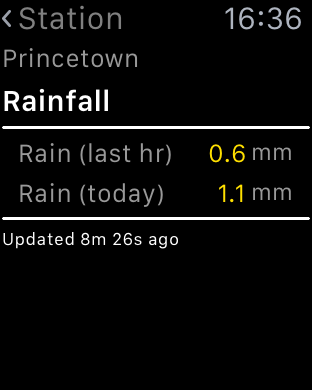
My weather station statistics can be displayed on my Apple Watch and even includes a complication. I can take measurements with Qardio Blood Pressure monitor, monitor my walks across Dartmoor using Viewranger GPS. Replying to notifications via voice is accurate. Sending heart beats to my wife or little hand drawings is silly but fun at the same time.  Using Hey Siri command, seems hit or miss.

  
The fitness aspect of the watch works as described and links nicely into the activity and health app. As apps develop with the new firmware I can see more clever stuff being possible on your wrist. However, less is more so it I don’t let all my notifications hit my wrist. The Taptic vibration is also a lovely aspect of the watch. 

  
But as I originally said,  it is not a must have item, just a cool and clever item to have. Maybe that’s why Apple are trying to steer its focus away from a tech need, and more a fashion need!

Regardless, I really like it for its style, apps and geek factor.

Apple’s Q4 Earnings – Full Summary And Tit Bits along with My Opinion 

The key facts –

– Apple made $51.5 billion in revenue equating to $11.1 billion in net profit. 

Do you really need to know any more? The above numbers alone are staggeringly amazing. Last year Apple reported $42.1 billion in revenue and a net profit of just $8.5 billion. So that’s an increase of 22%. 

– 5.7 million macs sold up 3% from last year
– 48 million iPhones sold
– 9.9 million iPads sold. A decrease from previous quarters. 
– $3 billion in other sales which includes the Apple Watch. 
– Revenue for the fiscal year was a record $234 billion. 
– Gross margin up at 39.9%. 
– Apple now has $205 billion in cash in the bank
– Android users converted at their highest rate to date of 30%. 
– Apple exited the quarter with iPhone demand outstripping supply
– iOS 9 is on track to be downloaded by more users than any software release in Apple’s history
– Apple is partnering with American Express to bring Apple Pay to customers in “key global markets” in Australia and Canada this year, expanding to Spain, Singapore and Hong Kong in 2016.
– More than 50 brands are working on HomeKit-enabled accessories.
– iOS News app is “off to a great start,” with nearly 40 million people reading (Gavin’s Gadgets is on Apple News too – click here to add – https://apple.news/Tu9tdW_qTR9eB1NYhdNQ65g )
– Total iPhone sales were up 120 percent in mainland China.
– Apple Watch – more than 13,000 apps are available for Apple Watch, with 1,300 of those native apps for watchOS 2.
– Apple Watch was available at almost 5,000 stores in 32 countries by the end of the quarter.
– Apple had a “huge” first day of sales for the fourth-generation Apple TV
– iPad Pro is on track to begin shipping in November.
– Over 15 million individual and family accounts are currently using Apple Music, including 6.5 million paying customers.
– Services revenue reached an all-time high in the September quarter of $5.1 billion, up 10 percent, mainly due to strong growth from apps.
– App Store revenue was up 127 percent year over year in China.
– App Store business grew 25 percent last quarter.
– Apple estimates that enterprise markets represented about $25 billion in revenue for Apple over the last 12 months, up 40 percent year over year.

It doesn’t matter how you cut these figures, the results are mighty impressive. Apple is moving into the holiday period with sales of new iPhones, new iPad Mini 4 and iPad Pro, new Apple TV, and revenue from all its services. The Apple Watch is widely available and will undoubtedly be bought as a Xmas gift.

WOW.