I couldn’t resist getting the new Sony Xperia Z5 Compact, as I had spent an hour or so with the Z5 Compact at IFA and was left somewhat impressed. Clove Technology currently have the Z5 Compact on offer with a free pair of Sony headphones so it was a win win situation.
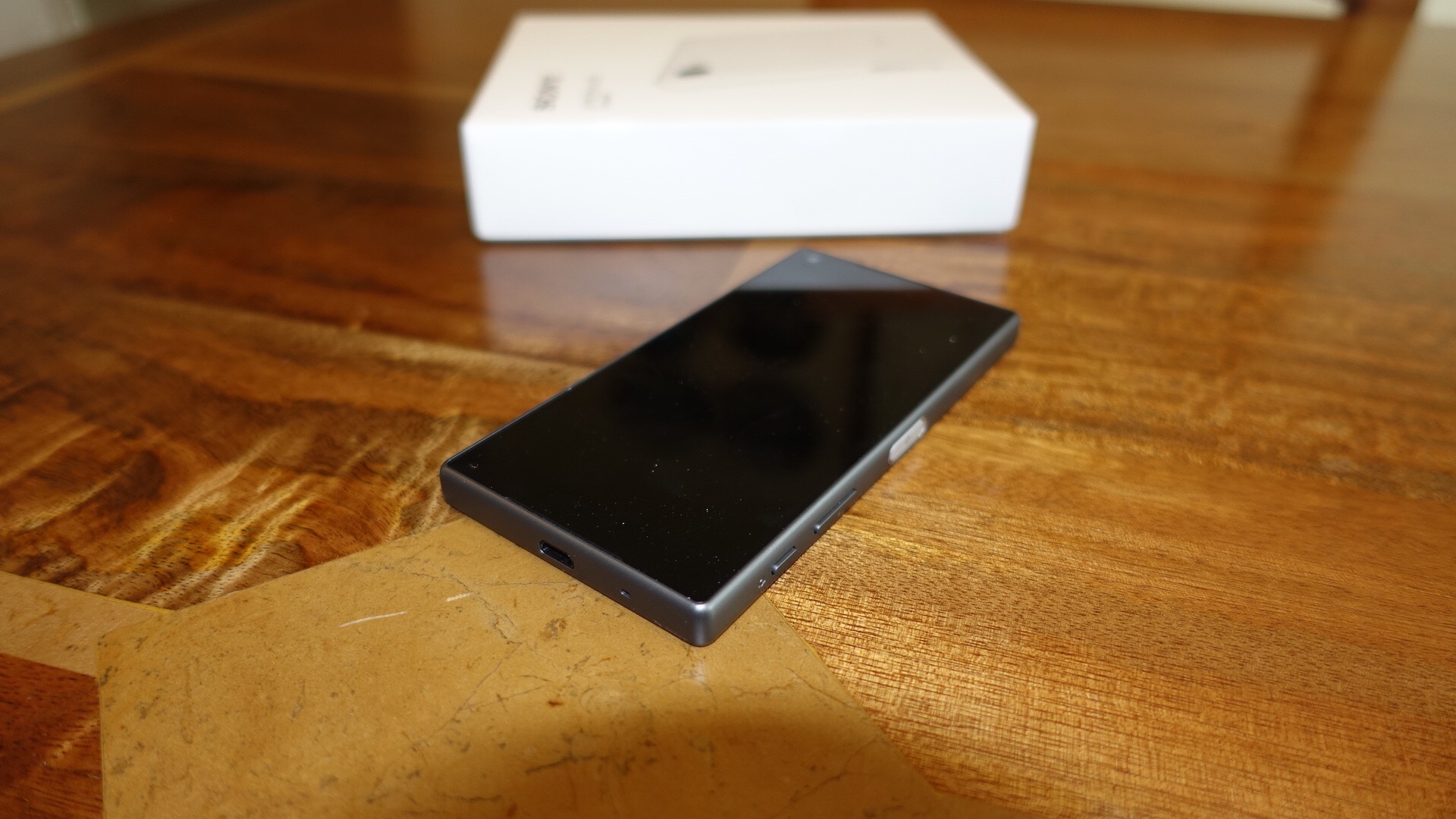
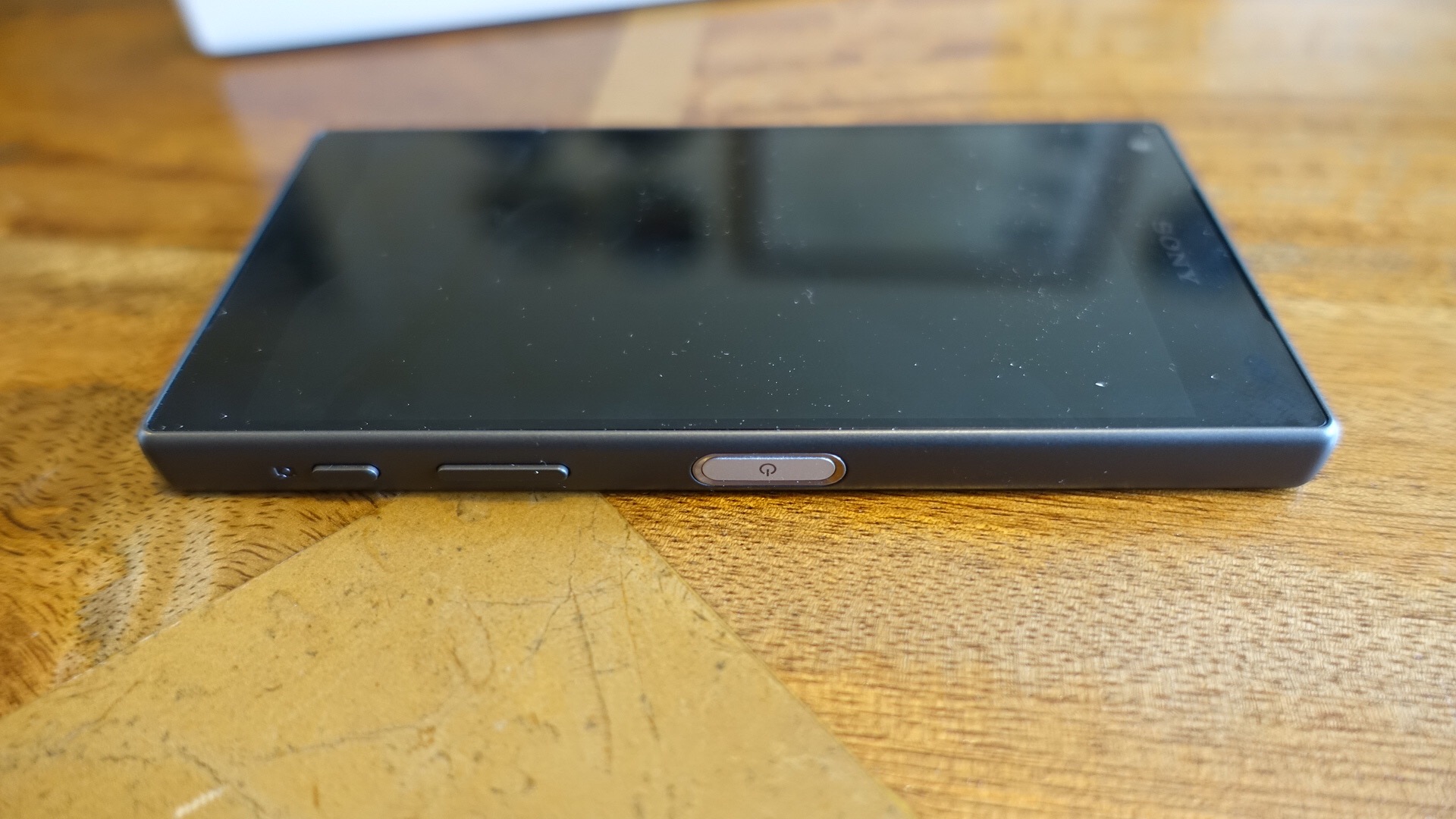
I have the Sony Z5 Compact in black and it looks and feels gorgeous. I already have published a post covering the Sony Z5 Camera with some sample shots – click here . This was with the help from reader Whitehartmart.
And back on the 3rd September I took some shots with the Z5, details here.
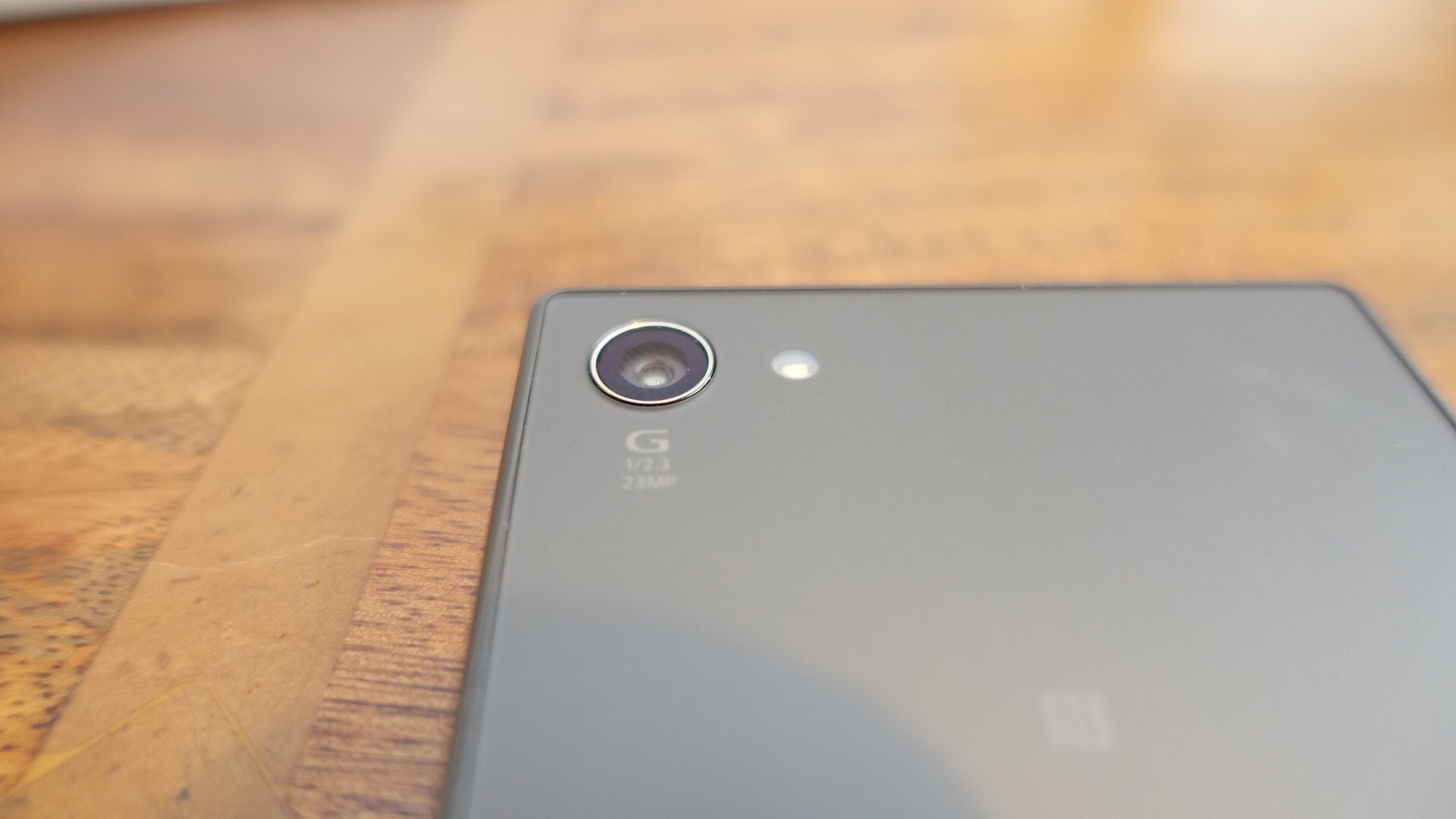
The Sony Z5 Compact improves upon previous versions with an upgraded camera sensor to 23mp. This currently holds the top spot by DxOmark over all smartphones. The power button has a fingerprint sensor too. The other key specs are –
– Android 5.1.1 (Lollipop) OS
– All new 23 MP Sony camera sensor
– Lossless 5x Clear Zoom and <0.1 second autofocus
– 4.6” HD resolution IPS LCD Screen
– 64 bit octa-core processor – Qualcomm Snapdragon 810 & 2GB RAM
– 32 GB storage & micro SD support up to 200 GB
The key aspect is its size versus top end specs. This really is a proper one handed use phone and I intend to check out its performance, camera, audio and other aspects and give you some honest feedback.
My thanks again to Clove Technology for sending the phone. It was here in a flash, such good service!
Update – As the rain had stopped, I went out last night and pushed the Z5 Compact camera to the max in some very low light conditions. What I found was in extreme low light the ISO was so high, the shots became too noisy to zoom in on but were okay to view on the screen and web.
The above shot is in superior auto mode at 8mp. ISO is this shot was really low at ISO 80 and with a 1/2 second shutter speed. Not a bad shot really. The last shot was taken slightly later, and now it was really dark.
In this shot the ISO is 800 with a 1/16 shutter speed. Again superior auto. Manual mode was worse in low light conditions as was increasing the camera to picture size to the full 23mp.
I will cover off more on the camera in my full review. Any questions, please ask.
Welcome to my review of the Motorola X Style smartphone.
Basics
Key specifications –
– Networks – GSM / CDMA / HSPA / LTE Cat 6
– Dimensions – 153.9 x 76.2 x 11.1 mm
– Weight – 179g
– SIM – Nano-SIM
– Water repellant – nano-coating ,IP52 certified
– Display – 5.7 inches (74.9& screen to body ratio) IPS
– Resolution – 1440 x 2560 pixels, 520 ppi
– Protection – Corning Gorilla Glass 3
– Android OS – v5.1.1, upgrade to v6.0
– Processor – Snapdragon 808, CPU Dual-core 1.8 GHz Cortex-A57 & quad-core 1.44 GHz Cortex-A53,GPU Adreno 418, Natural Language Processor, and Contextual Computing Processor
– Storage -Card slot microSD up to 128 GB, Internal options 32/64 GB, 3 GB RAM
– Camera – Rear 21 MP f/2.0, 5248 x 3936, phase detection autofocus, dual-LED (dual tone) flash, Geo-tagging, touch focus, face detection, panorama, auto-HDR
– Video – 2160p@30fps, 1080p@30fps, HDR
– Front camera – 5 MP f/2.0, LED flash
– Loudspeaker Front stereo speakers
– 3.5mm jack
– Communications – WLAN Wi-Fi 802.11 a/b/g/n/ac, dual-band, hotspot
– Bluetooth – v4.1, A2DP, EDR, LE
– GPS – A-GPS, GLONASS
– NFC- Yes
– USB microUSB v2.0
– Moto Sensors
– Fast battery charging: 34% in 15 min
– Active noise cancellation with dedicated mic
– Battery – Non-removable 3000 mAh battery
– Price £350
I recently reviewed the Moto X Play ( https://gavinsgadgets.com/2015/10/01/motorola-moto-x-play-review/ ) and really loved this phone. With its 1080p and whopping sized battery it provided up to 2 days usage. It had a loud mono front loudspeaker. The fit and finish was a bit plastic feeling but then this was reflected in its price.
So how does the Moto X Style improve over the X Play. Firstly, a 5.7 inch QHD screen which screams quality. Brilliant viewing angles and excellent visibility in all lighting. Next it has a metal frame, not plastic and feels so much more premium than the Moto X Play. And finally there is the stereo front speakers. On paper both phones have the same rear camera, but the X Style has a more powerful processor and can therefore take better photos. It also has a front flash for the front 5mp f/2.0 camera, ideal for selfies.
The sim tray houses both the nano sim and micro SD card. I used my 128gb sandisk micro sd card with no issues. Call quality and reception was excellent. WiFi, Bluetooth and NFC all worked really well. WiFi included Mimo Dual band.
The Moto X Style comes with android 5.1.1 but android 6.0 marshmallow is due shortly. It is near stock android, with just a few Moto apps.
Moto Assist – understands whether you’re in the car, at work, or at home, and adapts in ways that help you. Like letting only priority calls through while you’re asleep or automatically replying to important messages when you’re in a meeting.
Notifications – You can wave you hand over the phone to see the time and any notifications. You can use your voice to ask and control the X Style. If you want to see more info on any notification you can slide up.
The Moto functions are handled by a Natural Language and Contextual Computing Processor that enables all this functionality without impacting battery.
Battery life is one day only, and if used heavily the QHD screen will mean a quick charge at some point during the day. This is compensated with quick charge 2 or turbo charging as Motorola call it. This is very fast and adds up to 10 hours of battery life in 15 minutes. The Turbo charger is included in the box.
The Moto X Style has one more feature up its sleeve. It you head over to Motorola you can customise the look, colours and materials used for your phone. But you will pay a premium for this and in my opinion the extra cost is not worth it.
Camera and Audio
The Moto X Style has a rear 21mp f/2.0 and front 5mp f/2.0 both with flash. That’s right, a front flash is included. The X Style has an excellent camera. Really impressive. Low light becomes difficult but it compensates for being super fast. It also received an update to the Moto camera app allowing barcode scanning.
I had a surprise with the camera. I shot a moving cyclist. I went to check the photo in the Gallery and the X Style told me it had taken a better shot. I saved both my shot and the one the camera took. My shot is with the cyclist in the middle of the frame. The camera caught the cyclist as it entered the shot. Rather neat!
Below are a selection of photos from the X Style. All rather good photos.
A good shot by the X Style with the sun although there is some glare.
Another good shot.
The shot below is the one the camera took all by itself!
And finally a low light shot.
I mentioned earlier it had front stereo speakers. These go very loud, nearly HTC One M9 levels. Heck its worth buying the X Style just for the stereo speakers alone! USB Audio is supported. Good headphone output and quality too.
Conclusion
This Motorola Moto X Style is a cracking piece of kit. Clove Technology are selling the Moto X Style for £350, which makes this an easy recommendation. Superb screen, camera and pumping stereo front speakers.
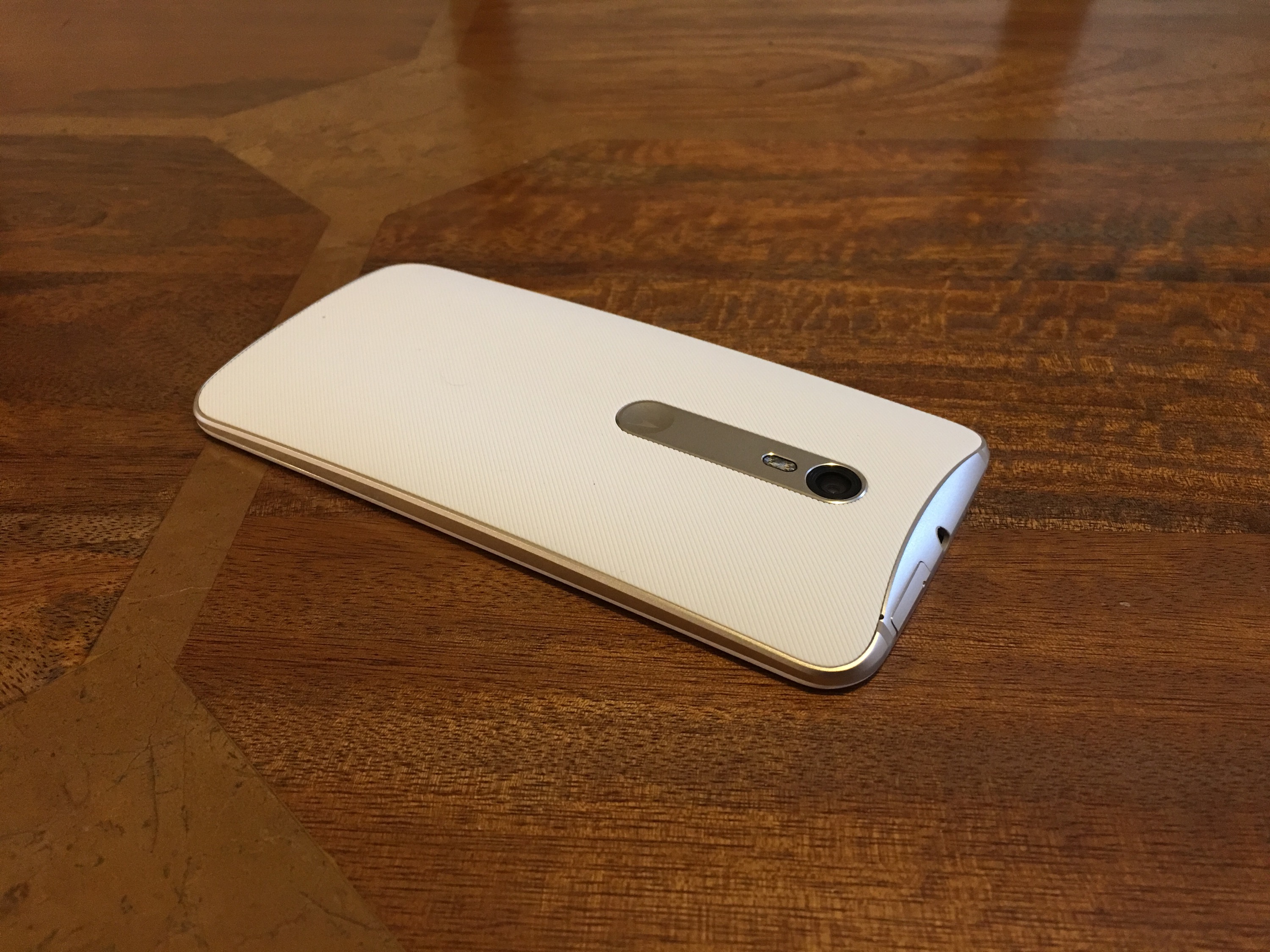
First up this phone’s hardware is absolutely gorgeous. Curved corners, metal unibody and a very decent specification.
Specification
– Operating System Android 5.1 with Emotion UI
– Processor Snapdragon 615 Processor + 3gb ram + Andreno 405 GPU
– Storage 32gb (22gb available) storage plus micro SD card support upto 64gb
– Network LTE Category 4: 50 Mbit/s (UL), 150 Mbit/s (DL),DC-HSPA+: 5.76Mbit/s (UL),42 Mbit/s (DL),WCDMA: 384 Kbit/s (UL), 384 Kbit/s (DL),EDGE Class 12: 236.8 Kbit/s (UL),236.8 Kbit/s (DL),GPRS: 40 Kbit/s (UL), 60 Kbit/s (DL) – Phone has dual antennas
– GPS/AGPS/Glonass
– Connectivity – Bluetooth 4.0,Wi-Fi 802.11b/g/n, 2.4G, USB2.0 high speed
– Sensors – Accelerometer,Proximity sensor,Ambient light sensor,Compass
– Cameras 13mp OIS f/2.0 BSI 28mm wide angled rear with sapphire lens, 5mp front
– Battery – 3,000mAh
– NFC – Yes
– Screen – 5.5 inch 2.5D 1080p,
– Dimensions – 152 x 76.5 x 7.5 mm, 401 PPI
– Weight -167g
– Fingerprint sensor
– Dual sim setup with micro SD
Basics
First let us see what we get in the box and take a closer look at the gorgeous hardware.
As this is manufactured by Huawei, the phone reception, in fact all the radios WiFi, Bluetooth, NFC and cellular are excellent at picking up and signal as well as clear voice calls. The Mate S is configured with a dual sim arrangement, which can use the second nano sim as a micro SD card slot up to 64gb, although my 128gb sandisk card seems to work ok. The Huawei G8 will be on sale for around £350 or less, so is similar in price to the Honor 7. So what are the differences. Unlike the Honor 7, the Huawei G8 does include NFC so it is ready for Android Pay. It also has optical image stabilisation something the Honor does not include. However, the Honor 7 has a larger 20mp camera vs the G8’s 13mp. The Honor 7 also has the fancy light modes and the legendary smart key.
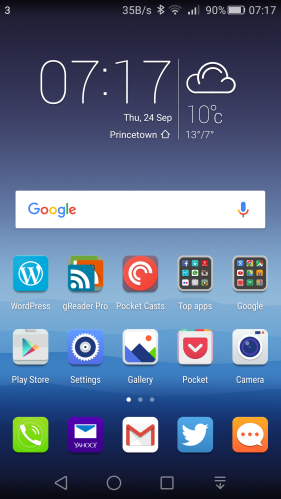
In terms of interface, the skin is Emotion UI (EMUI) so looks and feels identical to other Huawei offerings.
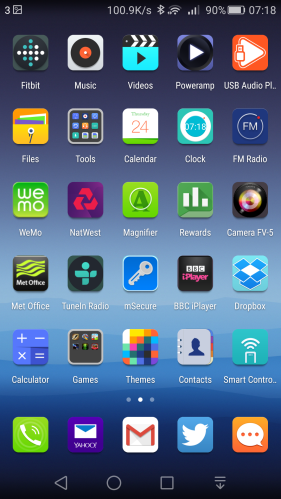
More about EMUI 3.1 – This is the custom Huawei’s custom launcher/skin. The main difference with this custom launcher is the removal of the app drawer. Think iPhone with folders or apps on home screens. There are many many themes available for EMUI to change the look as required. Of course, if EMUI is not to your liking then you can install another launcher eg. Nova or Google Now.
AnTuTu benchmarking produced an overall score of 36,023. However, like all benchmarking scores real world usage matters. So in use the phone is fairly fluid. The screen has good viewing angles too.
Extras –
– Its a dual sim. Only one sim has 3g/4g. The second sim can only manage data at 2g. However, the first sim does 4g on all the UK bands. The dual sim management works well. You can select which sim is the default for data, calls and messages. Also when using 2 sims as I did, you can have 2 signal strengths showing in the status bar as well as both network names and the network speed.
– On screen menu buttons can be reconfigured and an extra menu for the notifications screen is available.
– To conserve battery there is an option for Protected apps (apps to be allowed to run in the background), Notification Manager (control apps that are allowed to be in the notification centre), Battery saving modes. If you are installing a lot of apps, you might find apps stop working in the background. It is important to make sure you setup the apps you want to run in the background. Also the phone reminds you of apps that are draining battery. This can become a nuisance.
– Fingerprint sensor that allows up to five fingers to be stored. Once unlocked the fingerprint sensor can be used a a touch panel. You can go back to previous view, back to home with a touch and hold, take photo, answer a call, stop an alarm, slide up to show the recent apps and slide down to display the notification centre. The fingerprint sensor is lightning quick to unlock.
– Voice Wakeup – by speaking at any time, “Dear Honor, where are you”, the phone plays this creepy music with a voice that gets louder whilst saying “I’m here”. You can also use the voice control to call contacts are other functions are available.
– Motions – You can flip to mute, pickup and reduce call volume, double touch to turn on, draw 4 different letters to launch an app e.g. draw a C to launch the camera.
– Glove mode. This is also available.
All the above extras are user configurable. So you could turn them all off or turn on just the features that you want.
Battery life – I got around 4.5 hours screen on time and managed to reach the end of a day with ease.
Camera and Audio
If you read my review of the Huawei Mate S or Honor 7, the G8 has a similar camera setup and app, except it is minus a few features. Huawei promote the camera with a high dynamic flashlight mode which is always on when needed. They have decided to go this route instead of including the super night and light painting modes found on the Mate S and even the Honor 7. However, the G8 does include optical image stabilisation to try and ensure you get a good shot first time and a two tone flash.
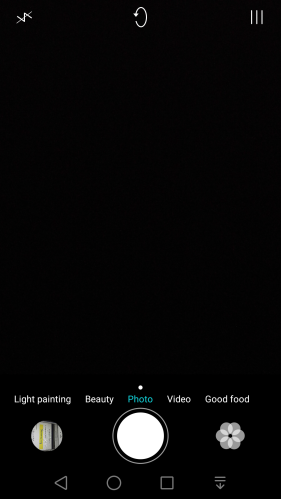
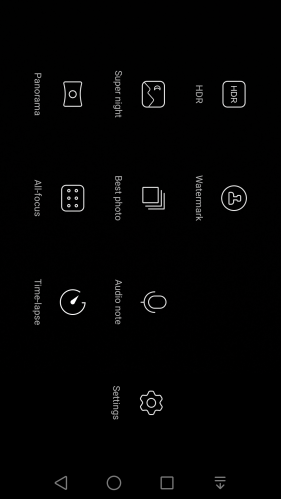
Camera app options include shooting modes for good food, video, photo, beauty, light painting, HDR, watermark, best photo, audio note, panorama, all focus and time lapse. Within the settings you can turn on voice control,timer, touch to capture,smile capture, perfect selfie, ultra snapshot, object tracking, adjust ISO, white balance, exposure, saturation, contrast, brightness and more. There is no manual mode and no raw options.
A selection of photos below.
–
Now a normal and HDR version. Notice the artistic effect.
Ð
So do you like the HDR shot? I am not too impressed with the normal shot. There is too much shadow.
Again a normal and HDR version.
8
I actually like the artistic HDR version but I accept not everyone will prefer this style of shot. It is also rather fake HDR looking. It would be better if Huawei just focused on trying to take a better more natural shot.
One more from the Huawei G8.
My views on the photos that I have taken is that the Huawei G8 can take acceptable shots in good light but introduces a lot noise in lower light. HDR photos are too fake looking for most people. Whilst the optical image stabilisation helps it doesn’t end up being the cure. I also am puzzled by the omission of all the special night and painting modes that are found on the cheaper Honor 7 and more expensive Mate S.
Audio. The loudspeaker is situated on the bottom edge and produces a reasonable clean sound. It is not at the level of the HTC One M9 but is acceptable for podcasts and such like. USB Audio is supported too. If you connect headphones, the output quality is good. The G8 also offers DTS Dolby sound via headphones. I have over 4,000 tracks on my 128gb sandisk micro sd card and the default music app had no issue handling this size of memory card.
Conclusion
With NFC and optical image stabilisation in a lovely metal unibody casing, I really like this phone from Huawei and have decided to keep this a while longer to see when and what Android Marshmallow brings to the table. The Huawei G8 actually has competition from within with its sub brand Honor and the Honor 7. If mobile payments are important then the Huawei G8 is the one to go for, but if its about the camera and functionality I would opt for the Honor 7.
For your chance to win a pair of these headphones see comment at the end of this review.
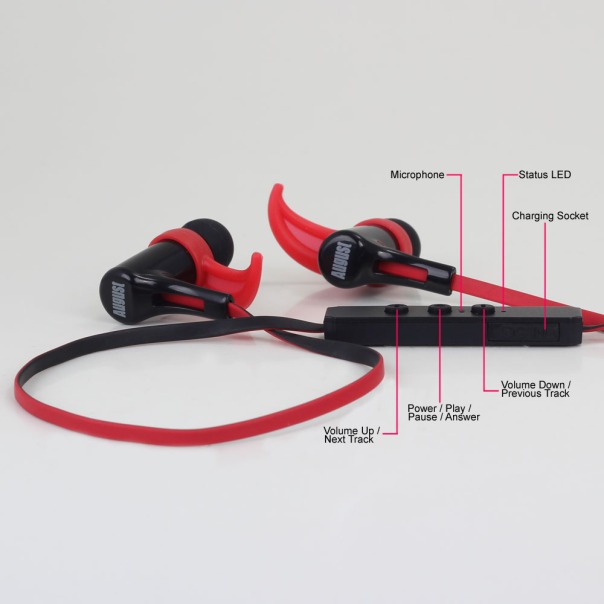
Welcome to my review of the August EP610 In-Ear Bluetooth Stereo Sports Headphones.
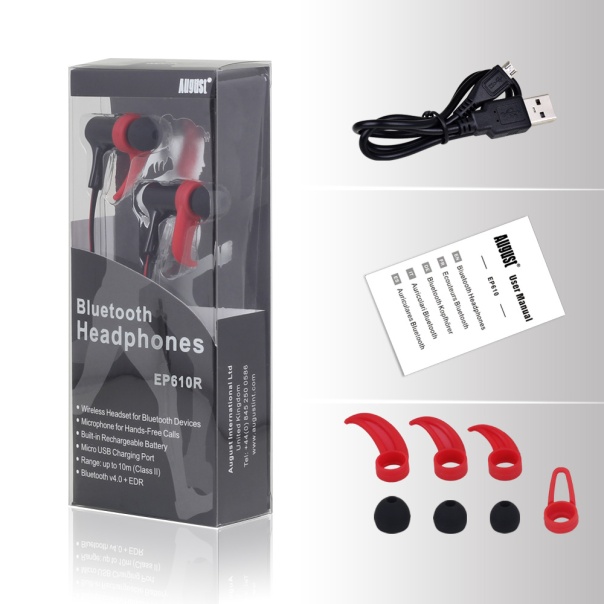
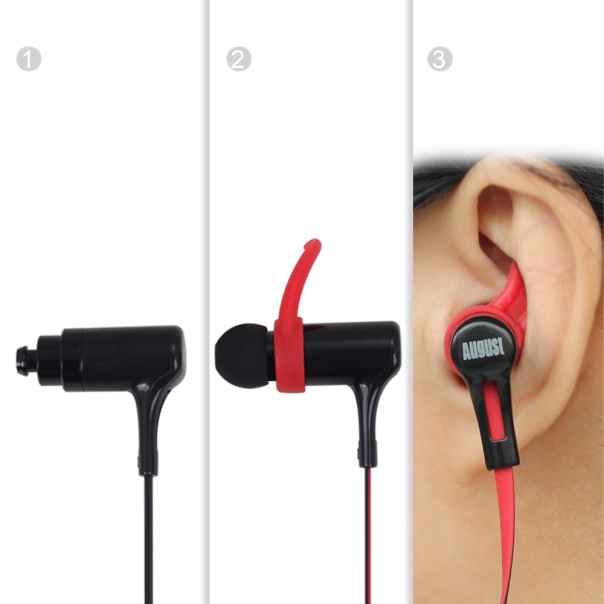
The August EP610 have been designed to be lightweight, yet provide extra grip along with incredible as a sports utility products on the market. The weight it kept down by using plastics. The August EP610 earbuds come in 3 sizes and with 4 stabilizers to help you adjust them to your ear shape. The in-ear controls allow you to answer phone calls and adjust the volume. The EP610 retail on Amazon at £27.95.
Specifications
– Bluetooth Version: v4.0
– Frequency Response: 200Hz~20kHz
– Output Power: 10mW x 2
– SNR: ≥ 80dB
– Distortion: ≤1% At 1KHz
– Battery: 40mAh x 2 Polymer Lithium Batteries
– Working Time: Up to 5 Hours
– Charging Time: Approx. 1 Hour
– Standby Time: 180 Hours
– Produce Weight: 15g
Key Features
– Wireless Earphones for Bluetooth Devices
– Microphone for Hands-Free Calls
– Built-in Rechargeable Battery
– Micro USB Charging Port
– Bluetooth Range up to 10m
– Bluetooth v4.0
– 5 hours battery life
Sound Quality/Usage
My ears are different to yours. As is the next person. That’s why it was good to see August had supplied different ear buds and 4 different size stabilisers. Whilst the in-ears look big, they are so comfortable and only 15g in weight.
Call quality was ok and playing music provided an enjoyable listen.
For the music test, I listened to several different genres over hours and hours. Below are my findings from a selection of 5 tracks.
“The Sound of Yo-Yo-Ma, The Score – Oh My Love, Ellie Goulding – On My Mind, The Martian – Movie – Emergency Land, Cassandra Wilson – Come On in my Kitchen”.
Across the music spectrum everything was reasonable and not over played. However, I did notice a slight background hiss which was more noticeable in quieter tracks and classical music.
Conclusion
Just shows how far technology is moving forward. In-Ear Bluetooth headphones for £27.95, and currently on offer at Amazon too. This price 2-3 years ago would not have been possible versus the quality. Not only that the August EP610 sound reasonable and are comfortable. Recommended.
Welcome to my review of the Acer Liquid Jade S smartphone.
Basics
The key specifications –
– MediaTek Octa-core 1.50 GHz
– 5″ (1280 x 720) screen
– 13 Megapixel (Rear Camera) f/1.8, 5 Megapixel (Front Camera)
– 2 GB RAM, 16 GB storage (nearly 12gb available)
– 7.78mm thin
– Gorilla Glass 3
– LTE 150Mbps
– Dual sim
– Micro SD support up to 32gb
– Android 4.4.4 (software OTA arrived for lollipop 5.1 after a few days)
– Bluetooth 4.0
– NFC excluded
– 120g weight
The Acer Liquid Jade S was kindly loaned to me for this review. Removing the Acer Liquid Jade S from its box and I thought for a moment the battery needed to be fitted as it felt too light. In fact, the battery was inside the phone, it just weighs a mere 120g. It is also narrow and thin at 7.78mm and with its 720p 5 inch screen a good phone sized phone. Being so thin did have an impact on battery life, with the end result of just making it through a working day. However, the plastic back did feel a little slippery and with the power button on the top, not an easy position to keep reaching especially with the back being so slippery.
After reviewing a few Acer devices a pattern emerges with the same mix of apps added. The Liquid Jade S is no different. It includes Acer’s BYOC (bring your own cloud) suite of apps, Acer NAV (a rebadged TomTom) and a whole range of extra apps, some of which are more bloatware than anything else. It does include a FM radio, a torch light app and polaris office 5. Otherwise it is stock android, albeit android 4.4.4. NFC is not included. Now I mentioned it came with android 4.4.4 but after a few days lollipop 5.1 OTA arrived at a download size of 0.9mb. However, you need a micro SD card in the phone to download and then install it.
Other extras include DTS HD Premium sound, with further EQ adjustments. These can be used with headphones and the loudspeaker. On screen gestures exist, 4 in total eg. drawing a Z opens the music app. L unlocks. There is also an option for a scheduled power on and off.
The 720p is clear and bright with good viewing angles. Call quality was reasonable and cell signal seemed ok too.
So apart from its thinness at 7.78mm and weight at 120g and overall smallish profile, what else is special about the phone?
Camera and Audio
Now let’s talk about the camera. The rear camera is a 13mp with an impressive f/1.8. The camera app includes a whole range of shooting modes from HDR, panorama, beautification, best shot, bright magic, smile shutter, picture with sound, multi angle view, presentation, dual shot and gourmet. Then you have scenes from auto, landscape, night, portrait. You can shoot with 4 different effects – mono, sepia, negative and aqua. You can operate the camera via voice control as well. Video offers a time lapse mode too with 1, 2, 5 and 10 second intervals. Fine tuning is available for ISO, white balance, saturation, contrast, colour and exposure. If you want to be in the photo as well, a timer with 5, 10 or 15 seconds delay is available. Video electronic stabilisation is available too, with 1080p recordings. Other options are also available, however I must admit the camera app is not laid out as logically as I would have liked, nor is it quick to switch between different modes. So let’s take a look at some camera samples.
I thought some of the camera shots looked slightly over exposed, and there is soft focus on the edges of some the photos in places. Low light and macro shots were a struggle. What do you think? Tap on each photo and select full resolution.The front camera also slightly over exposed shots.
The loudspeaker is on the rear and can be easily covered by accident. It sounds tinny and is not the loudest out there. The sound via headphones was quite reasonable. USB Audio is not supported.
Conclusion
The Acer Liquid Jade S is an unusual phone and bucks the trend in many ways with its slim and light weight design. With its recommended retail price of £199, it finds itself with tough competition that offers more and often for less money too.
I have written many posts covering my views on the new iPhone 6S Plus and Apple Watch, so for ease I have created this post whereby all further sections will now appear as well.
I have received the Huawei G8 smartphone a few days ago. I will be keeping this phone for a while now to use as my android default testing device. As to why I will be keeping this, see below.
First up this phone’s hardware is absolutely gorgeous. Curved corners, metal unibody and a very decent specification. The key specs are –
– Operating System Android 5.1 with Emotion UI
– Processor Snapdragon 615 Processor + 3gb ram + Andreno 405 GPU
– Storage 32gb (22gb available) storage plus micro SD card support upto 64gb
– Network LTE Category 4: 50 Mbit/s (UL), 150 Mbit/s (DL),DC-HSPA+: 5.76Mbit/s (UL),42 Mbit/s (DL),WCDMA: 384 Kbit/s (UL), 384 Kbit/s (DL),EDGE Class 12: 236.8 Kbit/s (UL),236.8 Kbit/s (DL),GPRS: 40 Kbit/s (UL), 60 Kbit/s (DL) – Phone has dual antennas
– GPS/AGPS/Glonass
– Connectivity – Bluetooth 4.0,Wi-Fi 802.11b/g/n, 2.4G, USB2.0 high speed
– Sensors – Accelerometer,Proximity sensor,Ambient light sensor,Compass
– Cameras 13mp OIS f/2.0 BSI 28mm wide angled rear with sapphire lens, 5mp front
– Battery – 3,000mAh
– NFC – Yes
– Screen – 5.5 inch 2.5D 1080p,
– Dimensions – 152 x 76.5 x 7.5 mm, 401 PPI
– Weight -167g
– Fingerprint sensor
– Dual sim setup with micro SD
As you can see, some fantastic specs in a beautiful body. Once I have had some more time with this phone I will report back accordingly.
In the meantime, if you have any questions, please let me know in the usual way.
– 20 MP rear and 8 MP front camera f/2.0
– 5.2 inch 1080p HD display, metallic body, ceramic blasting
– 3100 mAh battery, Smart Power 3.0, Reverse Charging
– Kirin 935, 64 bit OctaCore CPU with up to 2.2 GHz, revolutionary heat dissipation design
– 4G LTE Bands: 3/7/20 (works with all UK 4G networks)
– Dual sim arrangement with option for second sim or micro SD card up to 128gb.
– Good clear loudspeaker
– Super fast fingerprint sensor
– Emotion EMUI v3.1
– 3GB ram
– Smart Key – configurable to 3 actions and or apps
The Honor 7 used for this review was kindly loaned to me in which time I have undertaken a number of tests.
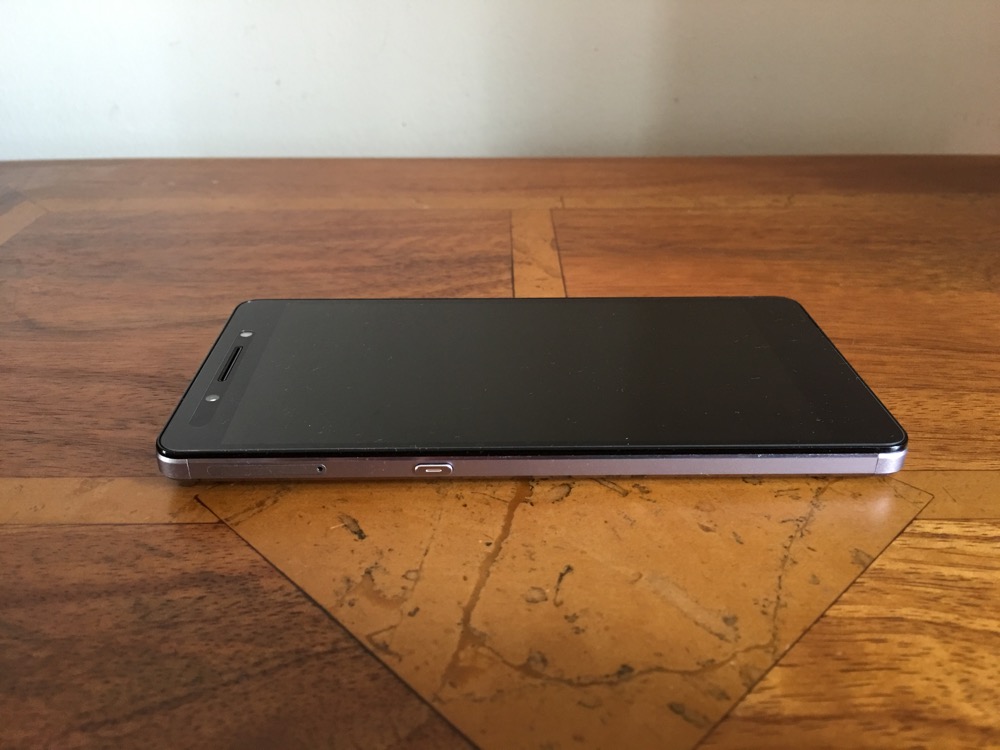
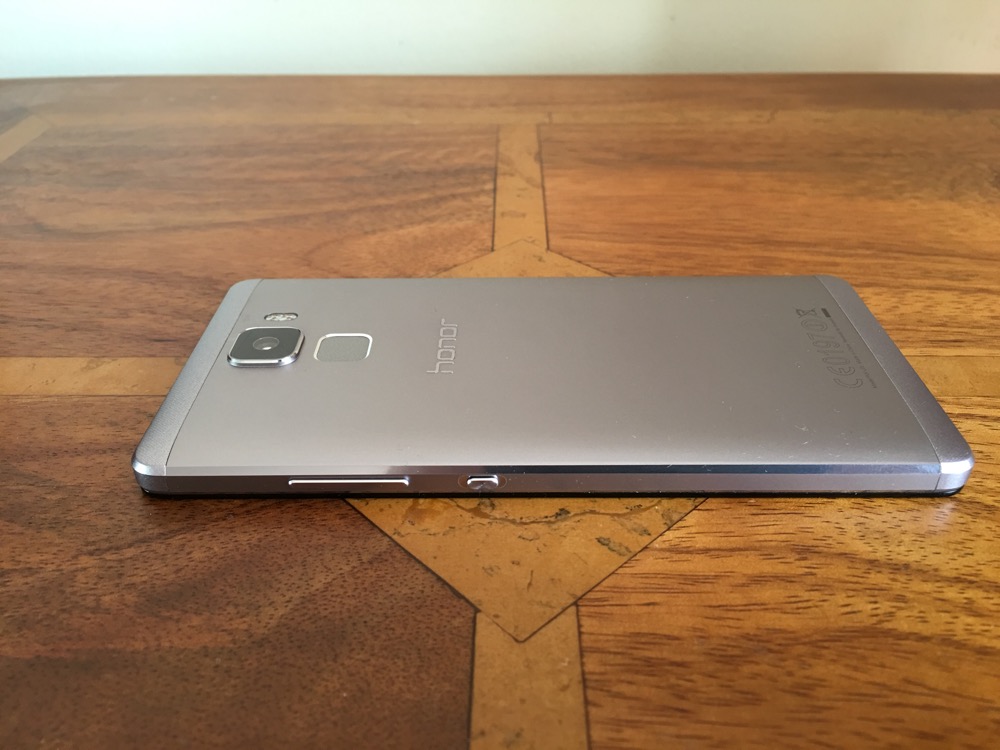
First impressions are fantastic. Open the box, lift the phone and it feels so premium with it metallic unibody finish. And then you start to use it and it really becomes a joy to use. There are so many neat touches I will try and cover them all.
Basics – cellular signal and reception is excellent on the Honor 7. It seems to be a trait of Honor devices. It is a shame with mobile payments starting to take off, that NFC is not included. Call quality was also good. Honor also have their Signal+ and WiFi+ options present in this phone.
Grip – the rear has a slightly curved back and edges which helps with holding the phone.
Smart Key – on the left side is a key you can configure to do 3 different things. Press, double press, long press. You can leave each option to do nothing. Options includes ultra snapshot, voice recording, torch and screen shot or launching whichever app you required. I had screenshot, camera and Google search.
EMUI 3.1 – This is the custom launcher Honor install. I really like it. The main difference with this custom launcher is the removal of the app drawer. Think iPhone with folders or apps on home screens. There are many many themes available for EMUI to change the look as required. Of course, if EMUI is not to your liking then you can install another launcher eg. Nova or Google Now.
Screen – the screen is a 5.2 inch 1080p screen with good viewing angles.
Processor – the phone comes with Honor’s in house processor and 3gb ram. AnTuTu produces a score of 50,000 and the 3gb ram keeps everything running smoothly.
Extras –
– Its a dual sim. Only one sim has 3g and 4g. The second sim can only manage data at 2g. However, the first sim does 4g on all the UK bands. The dual sim management works well. You can select which sim is the default for data, calls and messages. Also when using 2 sims as I did, you can have 2 signal strengths showing in the status bar as well as both network names and the network speed.
– On screen menu buttons can be reconfigured and an extra menu for the notifications screen is available.
– To conserve battery there is an option for Protected apps (apps to be allowed to run in the background), Notification Manager (control apps that are allowed to be in the notification centre), Battery saving modes. If you are installing a lot of apps, you might find apps stop working in the background. It is important to make sure you setup the apps you want to run in the background. Also the phone reminds you of apps that are draining battery. This can become a nuisance.
– Fingerprint sensor that allows up to five fingers to be stored. Once unlocked the fingerprint sensor can be used a a touch panel. You can go back to previous view, back to home with a touch and hold, take photo, answer a call, stop an alarm, slide up to show the recent apps and slide down to display the notification centre. The fingerprint sensor is lightning quick to unlock.
– Voice Wakeup – by speaking at any time, “Dear Honor, where are you”, the phone plays this creepy music with a voice that gets louder whilst saying “I’m here”. You can also use the voice control to call contacts are other functions are available.
– Motions – You can flip to mute, pickup and reduce call volume, double touch to turn on, draw 4 different letters to launch an app e.g. draw a C to launch the camera.
– Glove mode. This is also available.
All the above extras are user configurable. So you could turn them all off or turn on just the features that you want.
Battery life – The standout feature for me was the battery life. I often got 5.5 hours screen on time. The worst day was only 5 hours screen on, and my best day was 6 hours 2 mins screen on time. This was with location on high, wifi and bluetooth on and connected to my FitBit Charge HR.
Camera and Audio
The camera app includes many options with shooting modes good food, video, photo, beauty, light painting (car light trails, light graffiti, silky water, star track), HDR, watermark, super night , best photo, audio note, panorama, all focus and time lapse. Within the settings you can turn on voice control, object tracking, adjust ISO, white balance, exposure, saturation, contrast, brightness and more. There is no manual mode and no raw options.
My overall thoughts on picture quality is that the Honor 7 is average is good light and can produce some ok photos, but struggles in lower light with image quality unless using super night. Some of these fancy modes like super night mode or light painting are fun to use and work surprisingly well, but tripods are needed for these to achieve a decent image.
Now to the audio. The loudspeaker pumps out volume at around 90db and is clear too. I had nearly 5,000 songs on my 128gb micro SD card and the Honor 7 had no issue managing that number of songs. However, the sound produced by the default music app was a little sharp in the treble when using headphones despite having good left and right separation. Using Poweramp app did help a little. USB Audio is not supported
Conclusion
The Honor 7 is a strong offering. Good quality build, lots of features, satisfactory camera and strong battery life. It represents good value for money and it is a shame NFC is not included which is needed for Android Pay.
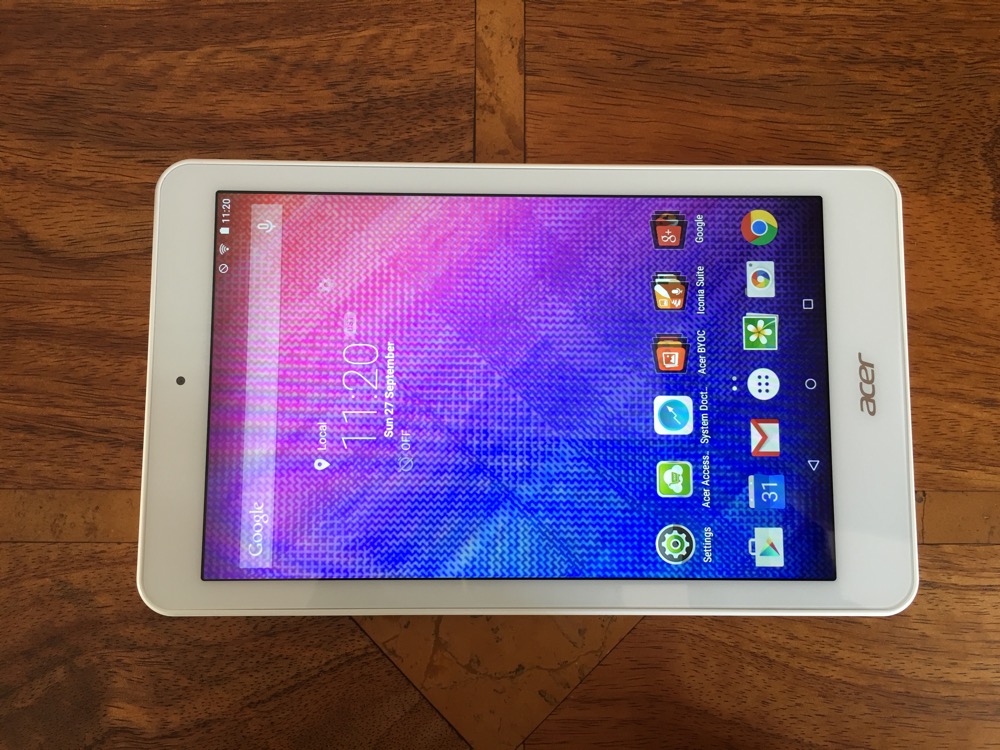
Welcome to my review of the Acer Iconia One 8 tablet review. This is a review unit provided by Acer PR which I have been using for over a month.
The Acer Iconia One 8 is a 8 inch screen tablet available in 6 fashionable colours from white, two different blues and pinks and black. The tablet runs android 5.0 with an Intel Atom 4 core CPU running at 1.8HGz. AnTuTu kicked in at 33,198.
It has 16gb storage with 1gb ram. The screen resolution is 1280 x 800. GPS is included as well as Bluetooth 4.0. It weighs 354g. Retails for around £125. The rear is has a perforated feel which makes it easier to hold. The button placement is slightly awkward as they are slightly recessed.
One of the quirks of the device is the touchscreen which features Precision Plus 3 technology. With an Acer Accurate Stylus you can write and sketch with the idea to feel like you are actually writing on on paper. Acer also state that you can even use thin-tipped objects like pencils to make notes. I didn’t try this as I did not have a single pencil at home!
Acer add a number of extra functions and apps, some of which are useful and others you may decide to park inside a folder. The Iconia suite includes EZ Note, EZ Snap, EZ Wakeup and EZ Gadget. The EZ Snap is a function when activated that allows you to capture screen shots with a 3 finger gesture. With 5 fingers you can wake up the tablet and launch your chosen app. EZ Gadget is a floating app with access to several tools – calculator browser, text memo and calendar. It stays in its own movable and resizable window on top of other apps. It is the size of 5 icons across, so remains fairly visible and easily accessible. A standard feature of Acer devices is BYOC. Bring Your Own Cloud. Activate these apps on all your other devices and you create your own private cloud solution for music, docs, photos, files and video. Neat.
The screen resolution is 1280 x 800 which is whilst not the highest available does have a benefit of up to 10 hours battery life. In real world usage I got around 7.5 hours. The 16gb storage has around 8gb free after I installed a few apps. Smoothness. 1gb ram is just enough to keep this tablet providing a relatively reasonable experience mainly because it has a near stock build of android. Storage is expandable with a micro SD card. There are front and rear cameras, but you won’t be buying this tablet to take photos. The front camera is 0.3mp! And the rear is slightly better if that helps. The loudspeaker produces a clear sound maxing out at around 83db.
After using the Acer Iconia One 8 for a month I have no real complaints and some of the extra features and apps added by Acer were useful and others not. Note taking by writing on the screen was novel! At the end of the day it is an android tablet for around £125.
I was the unlucky one, my new iPhone 6S Plus did not arrive until the end of the day on Friday. And as I write this it is still no way near setup fully.
My plan is to remove Google from the iPhone and use all of Apple’s cloud services. This is not going as smoothly as I hoped yet. I have iCloud Photo enabled and and iTunes Match. All my photos are in the iCloud but not yet on my iPhone. That part of the sync has not finished. iTunes Match. My music has been matched successfully for 40% of my collection and is still trying to upload the rest. Except I have cloud error messages next to 50% of my music that failed to upload. Once the process has finished I will go into the settings and run an option to sort of repair the music library to see if that helps.
The main issue is the demand on the internet. I have uploads and downloads galore and without fibre speeds I am suffering. I might have to visit an Apple store one weekend and complete iTunes Match with a fast upload. My Apple Watch got turned on for the first time, but that needed a 515mb download. The Apple Watch is a complex beast compared to android wear but so far ahead of the curve.
Apple Pay. Both my Apple Watch and iPhone have been setup. This was the fastest part of everything.
I have already been asked how good is the camera. I do know the answer but I want to test it more across a number of situations. The main part to note is the rear camera has a f/2.2 versus say the LG G4 at f/1.8. The extra light the G4 allows at f/1.8 does make a difference for starters. However, the camera on the 6S Plus is lightning fast and the image processing is phenomenal. The front selfie camera is much better too. I have tested the front retina screen flash in different lighting and it really does adjust its tones dependant on the subject. Needless to say the 6S Plus camera is very good. Now is it better than the S6 or Note 5 or LG G4? I will answer that soon.
After this post goes live, I will upload some photos from the iPhone 6S Plus so do head back if you cannot see any snaps.
So far due to the late arrival on my iPhone and Apple Watch I have only added 3 home screens worth of apps. These are the ones that all needed passwords and or 2 step authentication so took longer to setup. I now have to go through my 2,000 or so apps and decide which ones to add to the phone. A lot of these are games and I have realised what great games I have missed playing while I have been stuck on android.
3D Touch. I have used it or I should say tried to use it but need more time to pass judgement.
So I am still in a setting up stage / discovery. I need to see what new apps have arrived both for the iPhone and Watch that I have not got and start to fine tune everything.
However, my overall takeaway despite being at an early stage is the user experience. OMG the screens and swiping down long lists just glide beautifully in any app. Even the official twitter app is leagues better on iOS because of this smoothness. Apps have integrated Touch ID and therefore offer a better experience and features. Touch ID is super fast now. And finally the 6S Plus battery is fantastic.
Rose Gold – my wife got a 6S in rose gold. It is a lovely colour and under different lighting looks beige sometimes, pinkish and shades of rose gold. However, I prefer the silver finish of my 6S Plus. In terms of size the 6S is a really good phone size phone but I wanted the 6S Plus for the better screen and optical image stabilization in the camera.































 Gavin's Gadgets & Photography