A Tour of Bristol’s architectural highlights – Shot on the Huawei P20 Pro in black & white
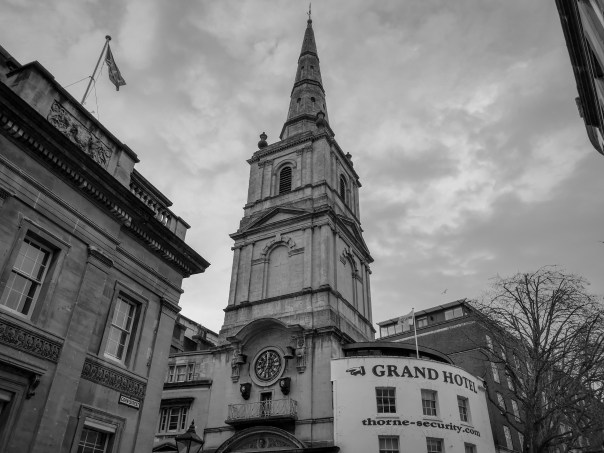
Bristol is full of architectural delights. From the Grand Hotel above in Broad Street to some spectacular buildings in Corn Street.
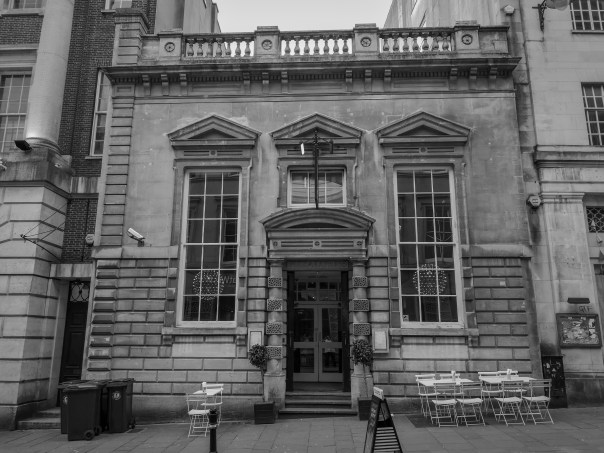

But it’s not just Corn or Broad Street that holds some architectural gems. Walking around the City centre reveals more great places.

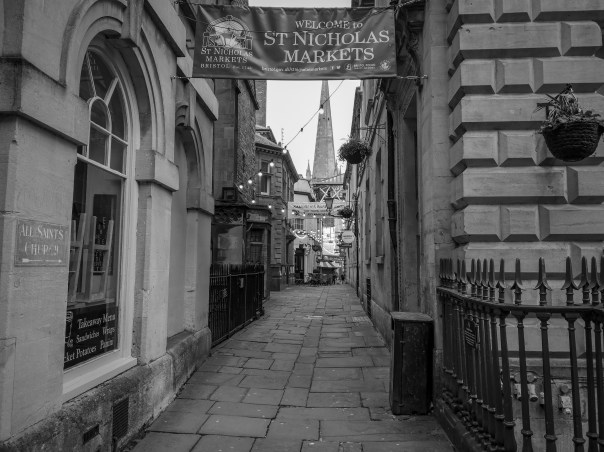
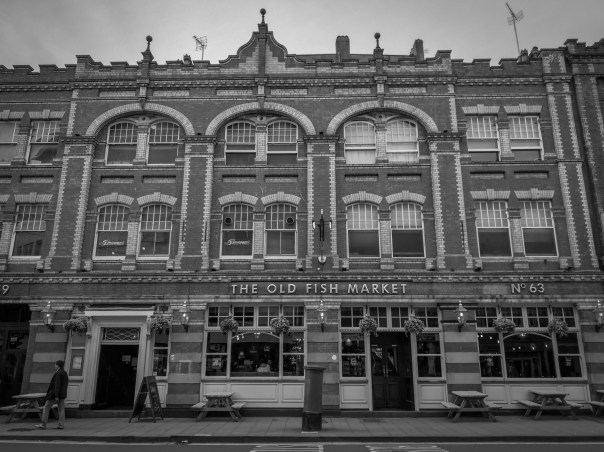
A short walk down to the canal reveals even more buildings.
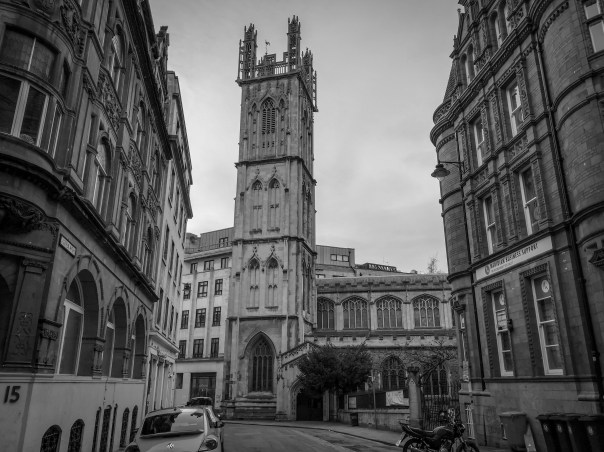
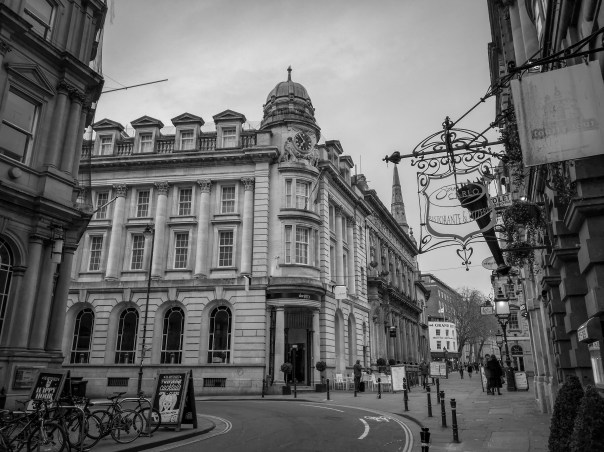
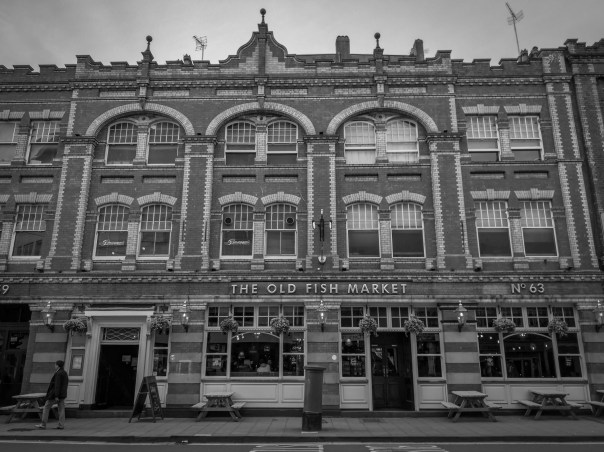

All these photos were shot on the Huawei P20 Pro using its dedicated monochrome mode.
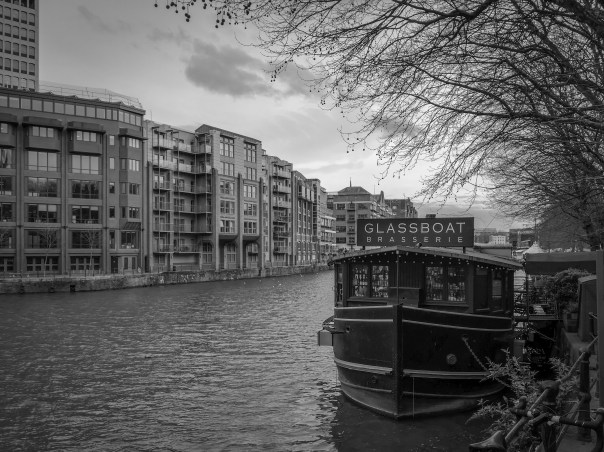
The above are just a snapshot into the architecture of Bristol city centre.
Huawei P20 Pro Audio Review vs iPhone X, Samsung Galaxy S9+ & Google Pixel 2 XL

Welcome to my Huawei P20 Pro Audio Review.
In this review I take a look at the audio options and quality of the Huawei P20 Pro covering speakers, bluetooth, wired (dongle) and other options including some external DACs.
Useful Links
Huawei P20 Pro, cases & accessories latest deals on Amazon UK
Latest deals on bluetooth headphones on Amazon UK
Landhydrock House – One of National Trust’s Best Houses – Shot on the Huawei P20 Pro

The Landhyrock House stands in 890 acres above the River Fowey in Cornwall near Bodmin. It has been owned and managed by the National Trust since 1953.Much of the present house dates back to Victorian times but some sections date from the 1620s. It is a Grade I listed building and is set in gardens with formal areas. The hill behind the house is planted with a fine selection of shrubs and trees.


Lanhydrock estate belonged to the Augustinian priory of St Petroc at Bodmin but the Dissolution of the Monasteries during the 1530s saw it pass into private hands. In 1620 wealthy merchant Sir Richard Robartes, of Truro, acquired the estate and began building Lanhydrock House, designed to a four-sided layout around a central courtyard and constructed of grey granite.


Robartes died in 1624 but work on the building was continued by his son John Robartes, 1st Earl of Radnor, a notable public figure who served as Lord Privy Seal and Lord President of the Council. The embattled walls were built of rough, massive granite blocks with years 1636 and 1642 on the walls, indicating when they were built.

A barbican gate was added and the house was garrisoned by Parliamentary forces in August 1644 when Sir Richard Grenville took possession.


During the 18th century the east wing of the house was demolished leaving the U-shaped plan seen today.


The public tour is one of the longest of any National Trust house and takes in the service rooms, nurseries and some servants’ bedrooms, as well as the main reception rooms and family bedrooms. In 2004 it was one of the Trust’s ten most visited paid-entry properties, with over 200,000 visitors.


All the above photos were shot on the Huawei P20 Pro. Below some monochrome mode shots of the exterior.


The interior shots were shot using the night mode as light was fairly dim inside most of the rooms. The lack of light is used to protect paintings and other old items that can deteriorate under bright lighting. The night mode is a hand held mode (no tripod needed or used) that shoots up to 6 seconds. For all of the above shots, the P20 Pro choose a 4 second shutter.
Useful Links
Latest pricing on Huawei P20 Pro, cases & accessories on Amazon UK
Info Source – Wikipedia
Huawei P20 Pro Camera Review & Showcase – Every Video & Photo Mode Tested
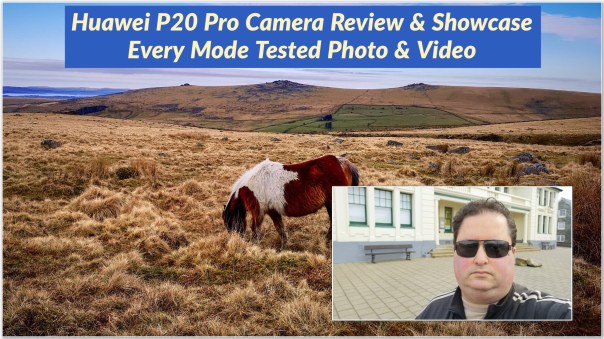
Welcome to my Huawei P20 Pro Camera Review & Showcase.
Just to recap the Huawei P20 Pro rear cameras feature a co-engineered Leica Triple Camera New AI-assisted camera system. The 3 lenses are as follows. A 40mp RGB sensor. a 20mp monochrome sensor and a 8mp zoom sensor. The P20 Pro can do 3 x optical zoom and up to 5 x lossless zoom.
– The front camera is 24mp.
– A huge 4,000mAh battery.
– 6gb ram & 128gb storage
– 6.1 inch full vision OLED display.
– Bluetooth codecs APTX, APTX HD , LDAC , HWA
So what can the Huawei P20 Pro capture? Let’s take a look.
Useful Links
My Huawei P20 Pro Flickr Album
Latest pricing on Huawei P20 Pro, cases & accessories on Amazon UK
Latest pricing & more info on Optoma NuForce BeFree 8 on Amazon UK
Latest pricing on Bose Soudsport Wireless Free earphones on Amazon UK
Latest pricing on Sony WH-1000MX2 on Amazon UK
Huawei P20 Pro – First Impressions incl Camera & Audio + My Top 10 Tips & Tricks
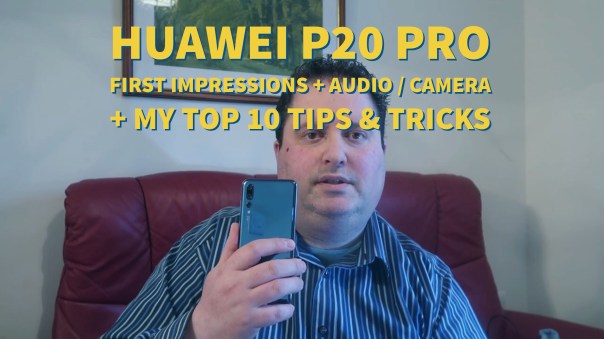
Welcome to my Huawei P20 Pro First Impressions which includes a live demo of the camera, analysis and my personal top 10 tips and tricks.
My Huawei P20 Pro is setup will all my apps too, so I have included a quick tour of what’s installed on this phone.
In case your’re wondering this is what you get in the box –
Below is the full list of what is included –
– The phone itself, the Huawei P20 Pro
– The battery is built in, all 4,000mAh
– High current charger for super fast charging
– USB Type-CTM digital headset
– Warranty card
– Quick start guide
– A protective case – ideal so you don’t scratch phone within minutes of opening box by accident
– USB Type-CTM to 3.5mm headphone adapter
– Eject tool
The Huawei P20 Pro rear cameras feature a co-engineered Leica Triple Camera New AI-assisted camera system. The 3 lenses are as follows. A 40mp RGB sensor. a 20mp monochrome sensor and a 8mp zoom sensor. The P20 Pro can do 3 x optical zoom and up to 5 x lossless zoom.
– The front camera is 24mp.
– A huge 4,000mAh battery.
– 6gb ram & 128gb storage
– 6.1 inch full vision OLED display.
– Bluetooth codecs APTX, APTX HD , LDAC , HWA
As you will see in my video review below, I have been testing all the best bluetooth headphones with this phone incl AirPods, Bose Soundsport Wireless, Sony WH-1000MX2 and Optoma NuForce BEFree8.
DxOmark scored the Huawei P20 Pro and overall score of 109 points, which is 10 points clear of any other current flagship phone.
So one of the shooting modes on the P20 Pro is handheld night mode. Using the AI camera you can take up to 6 seconds hand held long exposure night shot. It can also shoot an ISO over 100,000. If you look at my previous post to this one, you will see a comparison of the night shots taken in auto, night mode hand held and pro mode. In auto one of my shots had an ISO of 12,800.
Shot below taken in night mode, hand held, with a 5 second exposure.

Anyway, sit back and enjoy my first impressions along with my top 10 tips and tricks.
Useful Links
Latest pricing on Huawei P20 Pro, cases & accessories on Amazon UK
Latest pricing & more info on Optoma NuForce BeFree 8 on Amazon UK
Latest pricing on Bose Soudsport Wireless Free earphones on Amazon UK
Latest pricing on Sony WH-1000MX2 on Amazon UK
Huawei P20 Pro – Shooting at Night with the Camera – It’s a BEAST – Auto vs Night vs Pro mode all compared
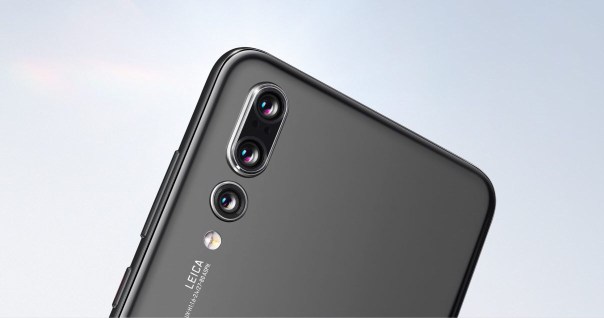
The task was simple. Take the new Huawei P20 Pro and see how its 3 rear camera setup performed at night The Huawei P20 Pro is able to take 4-5 second hand held long exposure shots without using a tripod.
So how did it do? Well the shots below were taken in time order just before it went completely dark outside.
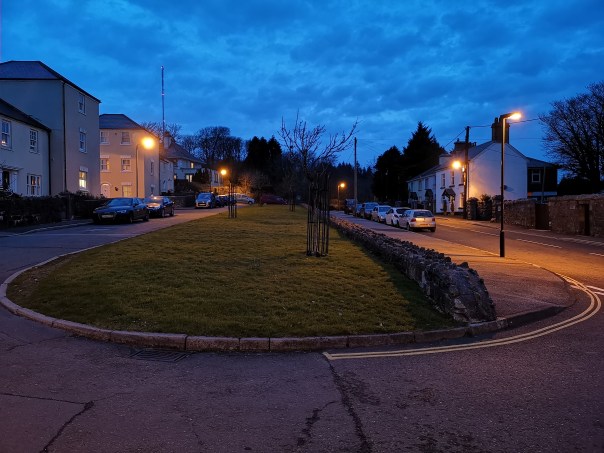
The shot above is taken in auto, hand held. The exif data shows is ISO 1,250 and the shutter speed of 0.06 seconds.
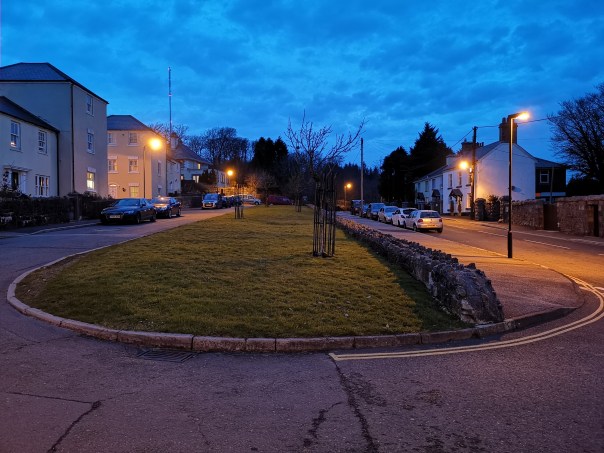
However, with a quick flip up to night mode in the Huawei P20 Pro camera app, and the above is a 4 second hand held shot. No tripod and a 4 second long exposure. Super impressive stuff. The ISO is 1,000 with a 4 second shutter speed. Look how much less noise there is in this shot.
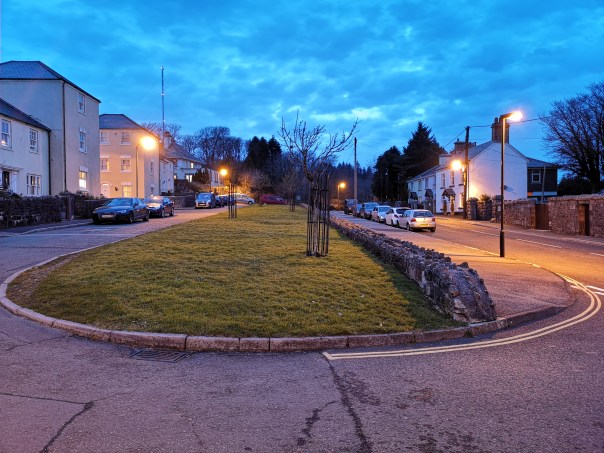
But if you happen to have a tripod, the manual modes can perform wonders. This is using night mode again, but with a 8 second shutter speed. The ISO was forced down to ISO 100.
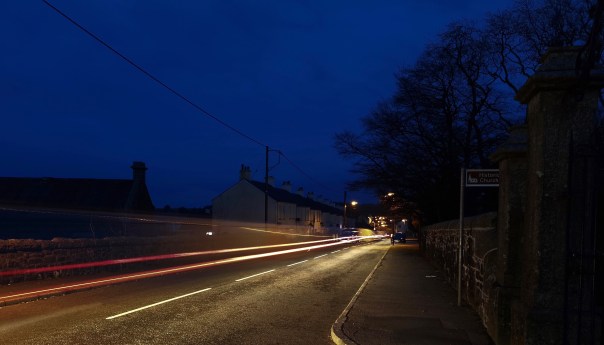
A bit of fun above. Using the light painting mode to capture some car light trails. It is now getting close to total darkness, except for the street lamps. The above shot was a 12.6 seconds exposure with an ISO 64. A tripod was used.
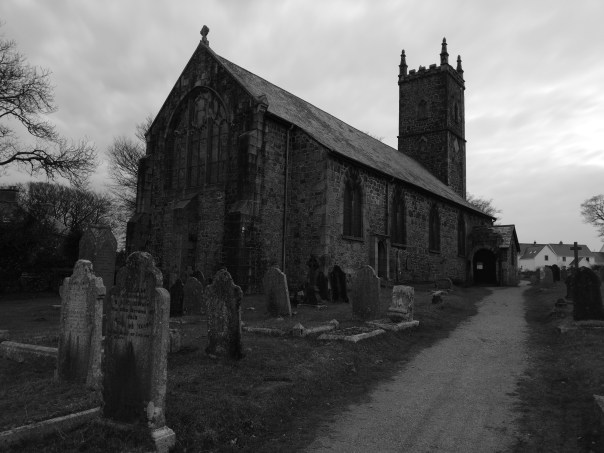
Now while I was using the tripod, I used the dedicated monochrome mode to shoot the above. A 8 second exposure. ISO 50.
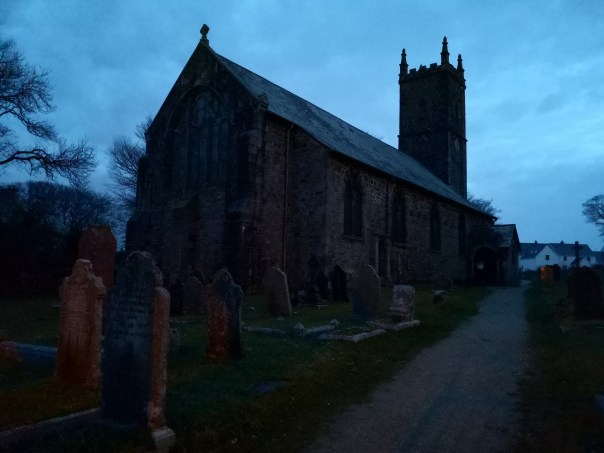
I cannot stress enough how pitch black it was inside the church. The above shot is auto mode. The ISO is 12,800 with a 0.06 second exposure. That’s right the ISO went as high as 12,800 in this shot. With a upcoming software update, the P20 Pro will be able to shoot with an ISO as high as 102,000.
But as mentioned above, the Huawei P20 Pro has a special night mode. Now it performed a 5 second hand held long exposure. ISO 3,200. Look at how superb the shot is!
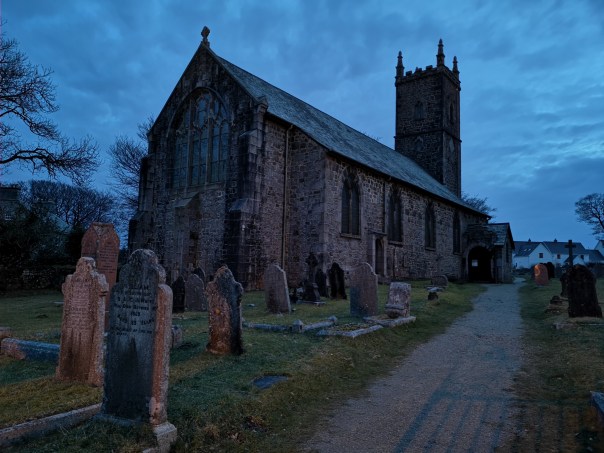
And finally, the shot above was taking in Pro mode, ISO 100 with a 8 second exposure.
Some very impressive shots from the Huawei P20 Pro at night/pitch black.
Huawei P20 Pro – How to increase front camera video from 720p to 1080p
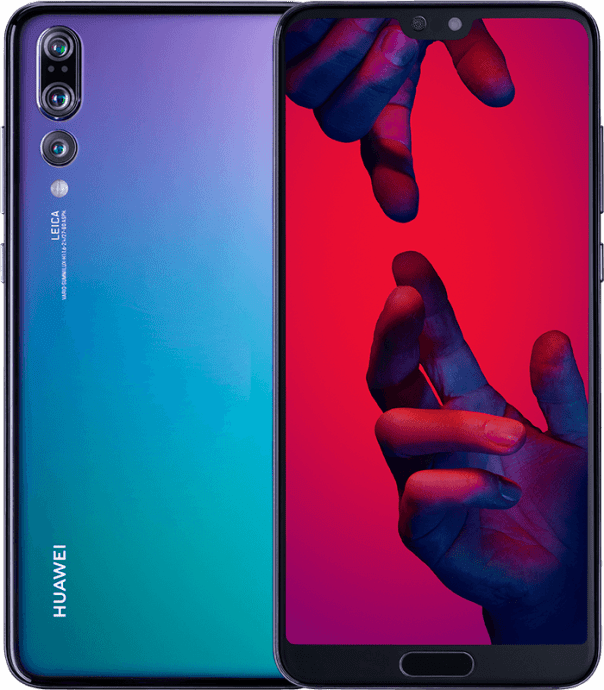
The Huawei P20 Pro can shoot up to 4K video using the rear cameras but when you check the settings for the front camera video, it maxes out at 720p.
Actually, it has two 1080p video settings for the front camera. So you might be asking where are the 1080p video options. Well despite Huawei having tidied up the camera app, it is still confusing in places, and activating 1080p video on the front camera is crazily complex.
One thing to remember with the Huawei Camera app is to check the camera settings when choosing a different mode, as often additional settings may appear dependent in the mode you are active in.
However, to get 1080p video on the front camera is not so obvious. Open camera app. Turn phone horizontal. Switch to front camera. If you now check the video size options, 720p is the highest. Exit settings and go back to camera screen. Bottom left is an icon for Beauty mode. Tap the icon Now turn it completely off. Now go back to the video settings and you will see the two 1080p front video size options.
Simple really!
Nokia 808 (2018) – the legend is returning

Exciting news.
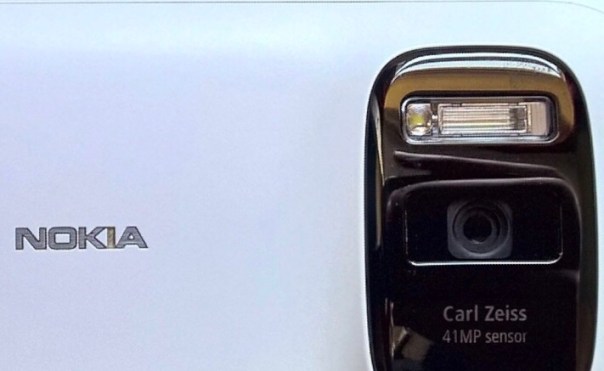
Back in the day the Nokia 808 was unique with its 41mp rear lens. Huawei just announced the P20 Pro which has a 40mp rgb rear sensor, and so as to not be left alone, Nokia is now looking to release the Nokia 808 in an updated design.
So who wants one ?
Samsung Galaxy S9+ New Firmware hits UK devices – Full details

A new firmware for the Samsung Galaxy S9+ is now live and available to download in the UK. This is the second firmware update for the S9+.
The firmware is 317mb and whilst Samsung note that call quality has been improved and also the quality of the wallpapers, there are many performance and bug fixes.
After installing this update, the device security is updated to the 1st March 2018 security patch.
If you don’t see the update on your phone, just go into settings and manually check for the update.
 Gavin's Gadgets & Photography