The Ultimate Setup – using SideSync between Samsung Note 4 and Galaxy Tab S

image

Currently,  I chilling on the sofa with 2 of my labradors keeping me company, while my other labrador has stretched out on the other sofa.

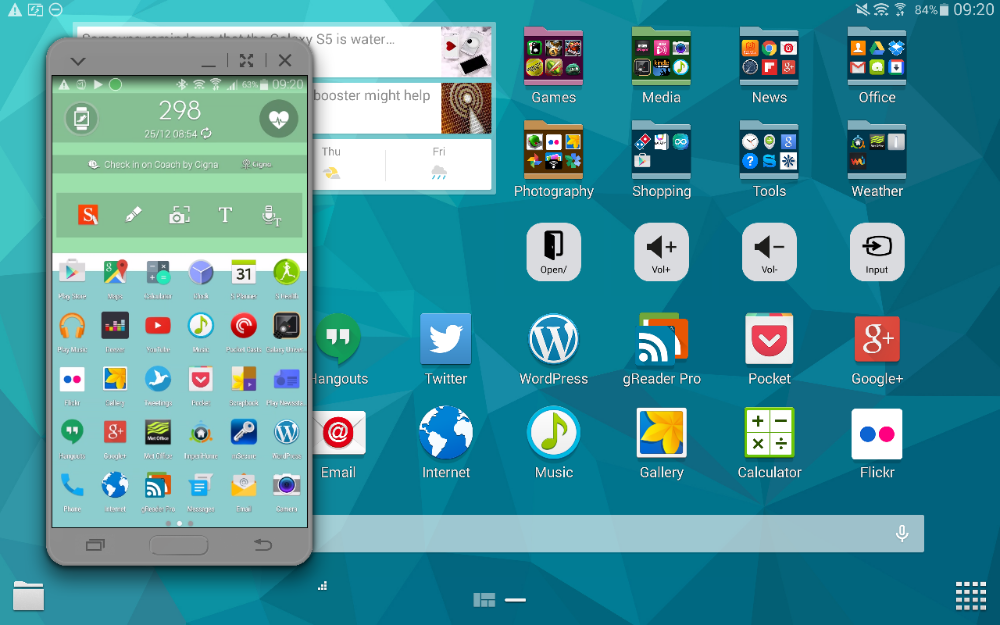
I have my Samsung Note 4 somewhere nearby (not sure exactly where) but by using Samsung’s SideSync app and multitasking I can operate my Note 4 completely.  I’ve sent messages using 5 different messaging apps from my Note 4 but using the Tab S.

Above you can see the phone overlayed but you can minimise as required to a little circle which sits on top of whatever app your using.  You can bring it back instantly.  You’re also notified on the Tab S of any notifications and more. You can control the Note 4 totally seeing exactly what you are doing too.

I also transferred some photos between the devices instantly.

Rather neat.

Samsung Note Edge – 14 Part Review

image

Below are all the posts written on the Samsung Note Edge.

Samsung Note Edge – Impressions after 4 hours

Samsung Note Edge – Night Clock mode

Samsung Note Edge – Impressions after half a day

Samsung Note Edge vs Note 4 – photo comparisons of their screens

Samsung Note Edge – camera samples

Samsung Note Edge – first battery figures

Samsung Note Edge – my home screens and edge panels

Samsung Note Edge – benchmarks and more

Samsung Note Edge – part 3 and battery stats

Samsung Note Edge – how to buy one from Samsung at £665

Samsung Note Edge – from dusk to darkness camera shots

CNN adds support for Edge Panel – details

Samsung Note Edge selective focus and general update incl battery

For the final part, I recorded my views in my Xmas Special podcast, “Gav & Dave’s Tech Podcast”.

Gav & Dave’s Tech Podcast – Xmas Special with final Samsung Note Edge views

Samsung closes its UK Flagship store

Via Cnet.com/Jah

“Samsung has closed its high-profile Samsung Experience store in one of Europe’s biggest shopping centres.

“We regret to announce that we will be closing the Samsung Experience Store at Westfield Stratford City at the end of this year”, Samsung told CNET today. Photographs posted on Twitter by visitors to the mall in London show the shop already being dismantled.”

On the surface this seems odd, but in reality this was one of the stores totally owned by Samsung and not part of their joint deal with Carphone Warehouse opening Experience Stores throughout the UK.

One of the reasons given for the closure was its poor performance. My sympathies go out to all the staff who lost their jobs. In total 53 full time and 5 part time jobs.

Bon Voyage to my Samsung NotePro 12.2

I have written a fair amount about the Samsung Galaxy NotePro 12.2. This is Samsung’s largest tablet with a 12.2 inch screen along with the S-Pen stylus. And what a spec beast it is too, with more options than the kitchen sink.

Link to 12 part review of the Samsung NotePro 12.2 – https://gavinsgadgets.com/2014/12/17/samsung-notepro-12-2-master-9-part-review/

This tablet cost £650 new. Recently the price was slashed with the NotePro available a few months ago for under £400, a saving of £250. Samsung now are selling the tablet for £350. So you get a lot of tablet now for your money.

I decided in a moment of madness, that it would be nice to try a different tablet. So I used the PSCForum to place an advert and waited to see if there was any interest. And boom, within a few hours it was sold and paid for.

So what next I wondered? In the end I noticed a few good deals on the Samsung Tab S tablets. More on my first thoughts on the Tab S in the next post for today.

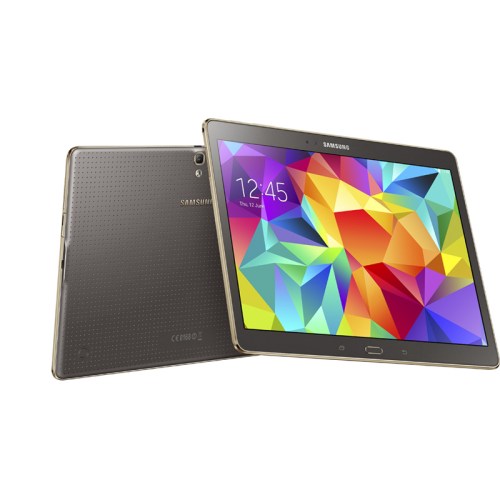
Samsung Galaxy Tab S 10.5 Bronze – First Impressions

SM-T805NTSABTU-298615-0

If you read my previous post today, you will know that I have sold my NotePro 12.2. I do miss it with its whopping 12.2 inch screen!

For its replacement I was able to find a deal at a local PC World which included the Samsung Official cover, £50 cash back and a reduction on the price too. I am not keen on the smaller sized Tab S even though it does have a higher PPI.

So what is my first impressions of the Samsung tablet. Its thin, pretty and light. The Samsung cover is rather smart, but I doubt it will look as good as it does now in a few months as it somehow as already picked up a small mark. The cover is one of two different types offered by Samsung. This simply is a simple cover. The book cover has 3 different positions. What is unique about these covers is they clip on rather aggressively to the rear of the device which has 2 mounting points which are recessed when not in use.

The screen is fabulous on this tablet. It is really fast, faster than the NotePro. There is tons of software and I am at the stage where everything is downloading.

I also have been comparing it to the iPad Air. My thoughts on that are for another day.

Once I get everything setup, I will update you on my impressions.

If you have any questions that need answering please let me know below.

Samsung Note 4 – the 4 colours

Yesterday, I managed to see the 4 different colours of the Samsung Note 4. These were black, white, pink and gold.

These are my views on each –

Gold – awful, really awful. Except if you like bling but even then its not really gold, more of a mix of gold and something odd.

Pink – a lightish pink which if pink was one of your favourite colours looked really good. Certainly much better than the iPhone 5C salmon pink.

Black – business like in appearance, smart but also a tad boring.

White – Ironically my favourite finish of all the current colour offerings. The metal exposed edges and white just look really good together.

If you have seen the above, which would you pick and why?

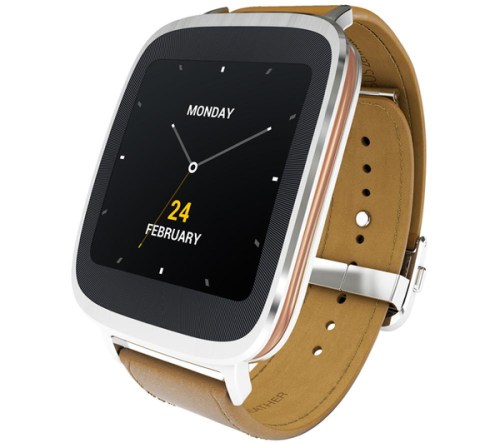
Asus ZenWatch – now available to buy in the UK

l_10108710

Probably the most attractive android wear based smart watch is now available in the UK to buy for £199. This is via PC World. Link – http://www.pcworld.co.uk/gbuk/laptops-netbooks/ipad-tablets-and-ereaders/smart-watches/asus-zenwatch-silver-brown-10108710-pdt.html

Key Specifications –

– Android Wear
– Wearable-optimized versions of ASUS ZenUI apps: Whats Next, Do It Later & more Enhanced functionality with ASUS smartphones
– Display your smartphone camera viewfinder remotely
– Monitor steps taken, calories burned & heart rate
– Voice & touch control
– Respond to texts, instant messages & emails by voice
– Universal key: unlock your phone or tablet by touching the watch face
– Find My Phone

So who wants one?

Xmas Opening Hours and Website Updates

Simply one word – Open with some bumper content upcoming.

A few reviews in the wings which will now get completed.

A reminder – Gavin’s Gadgets is now http://www.gavinsgadgets.com . All the URL’s have been updated and internal links. If you by accident type gavinsgadgets.co.uk this will divert gavinsgadgets.com and will the old wordpress URL’s. So please update any bookmarks.

And finally, if there is one tablet you would like me to review, which one would it be?