Take 2 of the top flagships the LG G5 and the Samsung Galaxy S7 and take the same shot from each phone. This is the difference as shown below.
Macro of a daffodil.
Samsung Galaxy S7
LG G5
The macro shots from both phones are fairly close in quality. Some aspects go to the S7 and other aspects of this macro go to the G5. Overall the colour accuracy to what I could see goes to the LG G5. But overall this is a draw.
Clapper Bridge, Postbridge
Samsung Galaxy S7
LG G5
LG G5 Wide Lens
This is where the S7 lack of pixels really shows itself up. It just cannot match the LG G5. And then there is the LG G5 wide shot which is simply ultra amazing and cool.
Postbridge Walk Entrance
Samsung Galaxy S7
LG G5 Wide
Again I just used the wide shot from the G5 as it just makes scenic shots like this look much more interesting.
However, if you have kids or dogs, this is the killer type of shot shown below you can get from the S7 with ease. The G5 has a slower focus so will not achieve the below shots as easily.
The shot of Tiggy below using a S7 was snapped whilst Tiggy was actually moving..
The shot below using the G5, Tiggy was still for a split second. The photo is good.
Now I said this type of shot is a win for the S7. If you click on the shot of Tiggy and view full size you will see how sharp and how much detail is available on the S7. The G5 isn’t too shabby, but I really do think the S7 takes this one.
Overall, two different phones, with two different cameras. A hard choice to make!
If you own either a Samsung Galaxy S7 or S7 Edge for 150 euros or £120 you can now buy a protective case from Samsung that allows 2 different lenses to be screwed on in an instant.
These are no ordinary lenses. They are made of stainless steel. One is a 110º wide angle lens and the other a telephoto lens. Samsung claim the quality of these optics are top notch and that the end results will be distortion free.
Of course if you want a wide angle lens, just buy a LG G5 which has a 135º lens as standard. Still you do get a telephoto lens with this as well, so this could be just what the doctor ordered!
Two great flagship phones but complete opposites in more ways than anyone could imagine. So what I am going to do is list the pros and cons as I see them.
Samsung Galaxy S7
– Design – Does the S7 look better than the G5? Not sure. Silver and Black look beautiful until you touch them and it gets caked in fingerprints. The standard S7 is smaller is size than the G5 so easier to handle
– Waterproof / Dust Proof – Handy, but its never stopped me using any phone before. But its a plus point here.
– Micro SD card – plus point. And games can be moved fully to the card
– Gaming Centre – brilliant option
– Themes – superb as so many themes on offer. These are system deep and not really part of Touchwiz. So you could install Nova Launcher and then changed the theme to match the Nova theme.
– No FM radio – not good.
– Cellular and WiFi Signal – weak at picking up a signal compared to other phones.
– Wireless charging – both standards supported – pro point.
– Micro USB – old tech, Samsung didn’t use Type C.
– Proprietary hi res bluetooth codec – negative as not using Qualcomm APT-X HD which it can’t as using its own processor.
– Loudspeaker – lowish volume due to waterproofing – con point.
– Screen – Amazing. So easy to see it in any lighting including bright sunlight.
– Battery – Better than normal
– Camera – Fast focusing great for capturing moving moments. Ok as stills. Video excellent.
– Camera app – brilliant again with loads of options.
– Touchwiz now has an option not to have the app drawer. Thank goodness. I use the S7 without an app drawer. Pro benefit.
– Samsung Pay will be a bonus as it can use all machines not just contactless ones when it arrives in the UK.
LG G5
– Design – actually it looks rather good. No build issues and after a month not one fingerprint is visible. Clearly a good design in terms of practical usage. Modular and LG G5 Friends. The ability to add specialist options depending on your niche.
– Not water or dust proof. Con.
– Includes a FM Radio – pro.
– Strong wifi and cellular signals. Way better than the S7.
– No wireless charging support.
– USB Type C included with Quick Charge 3. Latest standard from LG and a reversible connector.
– Battery – similar as the S7. The LG G5 has replaceable batteries though. 0 to 100% in 1 min.
– Audio – Bluetooth, loudspeaker , APTX-X HD – all in areas the LG G5 sounds better and that is without the HiFI module
– Screen – lovely screen but hard to see in direct sunlight.
– micro sd card available which is great too but unlike the S7, games can’t be fully moved to the SD card
– Camera and Camera app – class leading but no manual controls for video. Second lens on rear, the 8mp 135º wide angle lens is super cool and delivers some amazing shots. Not as fast as the S7 to focus or in burst mode.Video is better on the S7.
– IR Blaster included – super cool to have
– LG Home launcher is excellent. Has up to 5 on screen menu icons which are user changeable. The S7 does not have this control.
In reality two different phones which will appeal to different people for different reasons. Despite the superb flagships, the phone that I have seen bought more than any other is the iPhone SE. And in some places the rose gold finish has a long waiting list\1
Welcome to my review of the LG Tone Platinum HBS-1100 Bluetooth Headset. This is the world’s first pair of headphones/headset that comes with the new APT-X High Definition Codec.
This means you can listen to 24 bit Hi-Fi / Hi-Res Sound with LG G5. At the moment the LG G5 is only only smartphone that comes enabled with the revolutionary Qualcomm® apt-X™ HD codec.The aptX™ HD Audio Codec delivers CD-like quality audio over Bluetooth that faithfully reproduces the full audio bandwidth and minimizes latency by significantly reducing the bit rate without affecting sound quality.
LG state that “now no wires are truly a thing of the past as you can bask in the sheer superiority of a 24 bit audiophile experience in total wireless comfort.”
Note that the APT-X HD codec comes as standard with the LG G5. You do not need the LG Hi-Fi Plus module.
Key Specifications
– Bluetooth Version 4.1
– Supported Bluetooth Profiles Headset (HSP), Hands-Free (HFP), Advanced Audio Distribution (A2DP),
Audio/Video Remote Control (AVRCP)
– Talk Time Up to 11 hours
– Music Play Time Up to 10 hours
– Standby Time Up to 17.3 days
– Charging Time Less than 2 hours
– Operating Range 33 ft.
– Dimensions 6.0″ x 7.04″ (H) x 0.5″ (D)
– Weight 2.05 oz.
– Call & Play/Pause Buttons Inline on side of headset
– Available Colours – Black, Silver, Gold
– Sound Profile Harman Kardon® Platinum Sound
– Tone & Talk™ Support – Support for Android and Apple® Devices
– Audio Speaker Optimization Technology Balanced Armature Speaker Technology
– Qualcomm® aptX compatibility Qualcomm aptX / Qualcomm aptX HD
– In the Box – LG TONE PLATINUM Bluetooth Stereo Headset (HBS-1100),Micro USB Charging Cable (AC Adapter Not Included), Extra Ear Gels (Small and Large), User Manual, Quick Start Guide, & Warranty Card
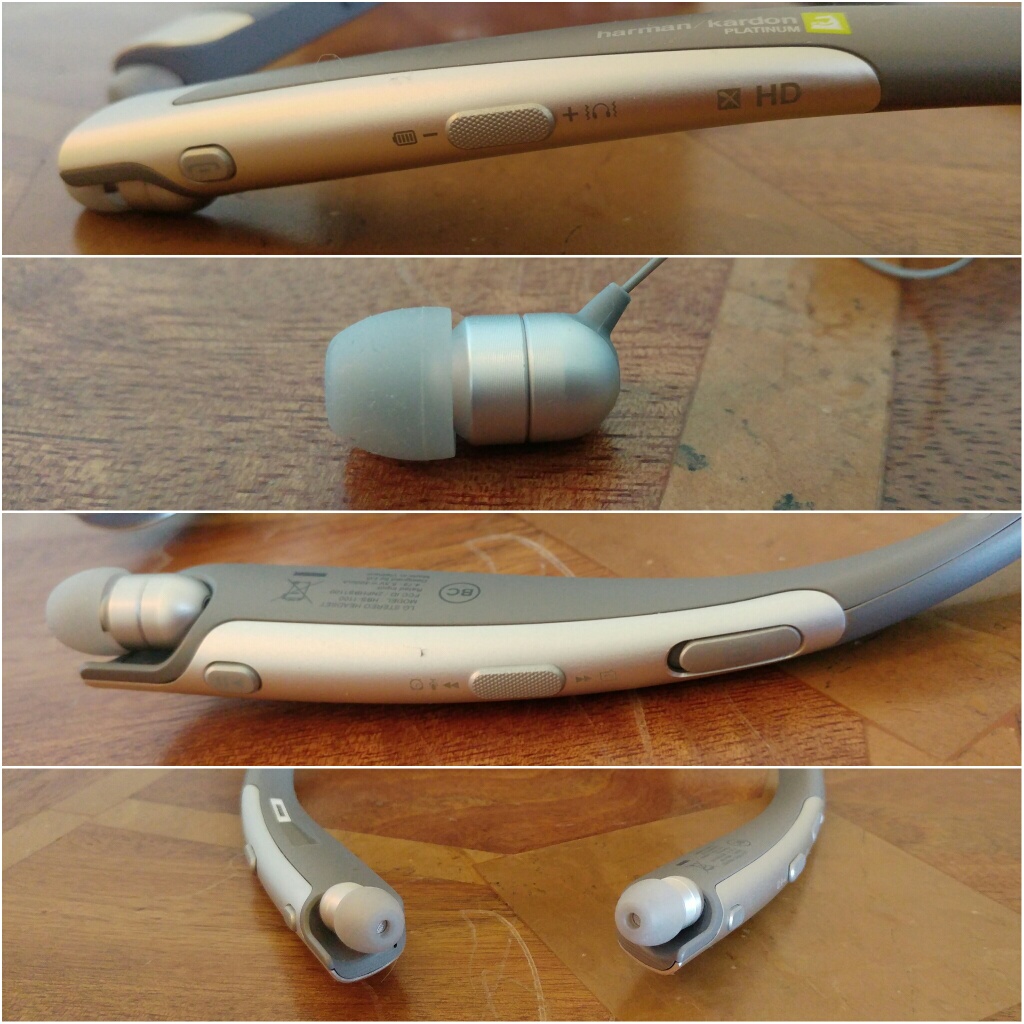
The LG Tone Platinum Bluetooth headset is fairly slim made with an anodized brushed aluminum alloy trim. LG has used a Balanced Armature design as the sound module to minimise distortion and reproduce the sound accurately. The headset also offers noise cancelling dual microphones for clearer calls even in the noisiest environments. In testing these worked really well. Calls were exceptionally clear. LG added Voice Command to handle incoming calls.
Tone & Talk app has been enhanced to support Voice Memo and Find Me via any Android smartphone (version 4.1 and higher). The LG Tone app adds a lot of extra functionality and makes this headset easier to use.
The other controls on the headset are everything you expect and more. Controls for music, calls, volume, cable retraction and more as shown in the photos.
The Sound Quality
This is the part that matters most. Does the new APT-X HD codec work? In my testing it really does work and really well. It also sounds better than Samsung’s proprietary UHQ codec found on the new Samsung Galaxy S7.
As this is created by Qualcomm more headphones are due later on this year featuring this new codec which will undoubtedly become the new audio wireless standard.
LG’s decision to use balanced armature over a dynamic driver is a statement in itself. Balanced armatures tend to reproduce sound fairly naturally with delicate mids and treble.
I have listened to loads of different genres and all were faithfully reproduced. It is hard to believe these are wireless headphones. The Tone Platinum are not bass heavy. But if the track has bass it digs deep too. Classical and vocals were wonderful. Playing flac songs and again the sound quality was excellent.
My current favourite Bluetooth headphones are Plantronics BackBeat Pro. These deliver huge amounts of bass and impact. A lot of people will listen to these are even prefer them on a quick listen. These are over ears and massive so have the ability to deliver such impact. However, over a longer listening period the LG Tone Platinum will triumph. Ear fatigue is non existent and the overall quality is way above the Plantronics.
Another bonus is that the in ear canals are comfortable even after lengthy usage.
Conclusion
Qualcomm’s APT-X HD is the real deal. The LG Tone Platinum are fantastic as a headset from a feature count, superb for phone calls and more and sound brilliant with your music.
Welcome to my review of the LG 360 VR available from Clove Technology for £199.
The Key Specification
– Chipset Baseband STM32F411 – Cortex-M4
-Application Processor 100MHz
– Optic Field Of View 80 Horizontial FOV
– Display Size (inch) 1.88” LCD(each lens)
– Resolution 960×720
– Audio Ear Jack 3.5mm
– Physical UI Button Back/Select
– Connectivity USB USB 2.0+TypeC Plug
– USB OTG 280mA or less (for 5.0V)
– Sensor Proximity, Accelerometer, Gyroscope
– In the box – Carrying Case, Light Blocker, Manual, Lens Cleaner Yes
– Dimensions/Weight 164.1 x 185.6 x 45.9 mm / Set 113g (including Cable), Light Blocker 21.3g
Hardware
The LG 360 VR come in a protective case. That’s good. There are incredible light and comfortable compared to the Samsung Gear VR. The Samsung Gear VR needs your phone inserted into the device whereas LG have adopted a much better solution. The LG 360 VR connect via a USB Type C cable to the LG G5. The G5 screen becomes a trackpad. This is so natural and easy to operate. The VR itself has keys for OK and Back. As I mentioned the controls are managed on the whole via your G5 touch screen. You can nod to activate hot areas too. The 360 VR also has a headphone jack for audio.
The Experience
When connecting the LG 360 VR for the very first time it will download and install the 360 VR manager. This is as shown above in the screen shots. To adjust each lens you have to turn the eye pieces inside the device. That initially will mean taking the device on and off your head a few times until you have the perfect setting. The device doesn’t create a full blacked out scenario, so it you peek down to the floor you will see it. However, if you just look ahead and move around with the VR device it is fine. In terms of available apps/games that LG provide this is extremely limited at present and really needs updating quickly. Watching YouTube and your own created content is superb.
Conclusion
The LG 360 VR is a good attempt by LG to bring the world of VR to the masses. It works well with the LG 360 Cam and other 360 content available on YouTube. They are also really light compared to other offerings and easy to operate and connect with the LG G5.
If you are interested in the LG 360 VR, these are now in stock and available at Clove Technology.
Welcome to my review of the LG 360 Cam, one of the LG G5 Friends. The LG 360 Cam is available from Clove Technology and costs £199.
The Key Specification
– Bluetooth V4.1
– Wi-Fi 802.11 b/g/n
– USB Type 2.0 Type-C
– Battery 1200 mAh
– Optics 13 MP, 206° x 2 (Dual Fisheye Lens)
– Max. Video Res 2560 x 1280 (30fps)
– Max. Photo Res 5660 x 2830 (16M)
– Image / Video File Format Still Image : JPEG / Video : MP4 (MPEG-4 AVC/H.264, Audio : AAC 5.1Ch)
– Capturing Spherical / Half-spherical image & video
– Sound 3 Mics
– External SD Card Up to 2 TB
– Dimensions/Weight 40 mm x 97 mm x 25 mm / 76.7 g
The LG 360 Cam features compact spherical 13mp cameras that can shoot at a max of 206 degrees x 2 (dual fisheye lens)to create a 360 degree photo or video. 2K Video support and 5.1 channel audio is supported too. The LG 360 CAM is compatible with Youtube and Google Street View app. You can directly publish 360 video and photo taken by the LG 360 CAM to Youtube and Google Street View.
Hardware
The hardware is brilliant. The LG 360 Cam is charged via USB Type C. It takes micro SD cards up to 2 TB too. The protective case acts as a stand as shown. It also has a tripod screw mount built in. The hardware controls are simple too. Power on button is on the side. LED indicator for showing you which mode – 360 or 180 degrees. Press front button to take a photo, or press and hold for video. You can control it without the LG 360 Cam software or with it. With the cam manager software you get far more options and controls.
Software
The LG 360 cam manager software is superb. The main splash screen gives you access to the camera controls, gallery and settings.
The gallery shows you what is sitting on the 360 Cam micro sd card and what is on the LG G5. You can download and delete content from the 360 Cam with ease. The settings menu give you access to a range of useful information and the firmware updates.
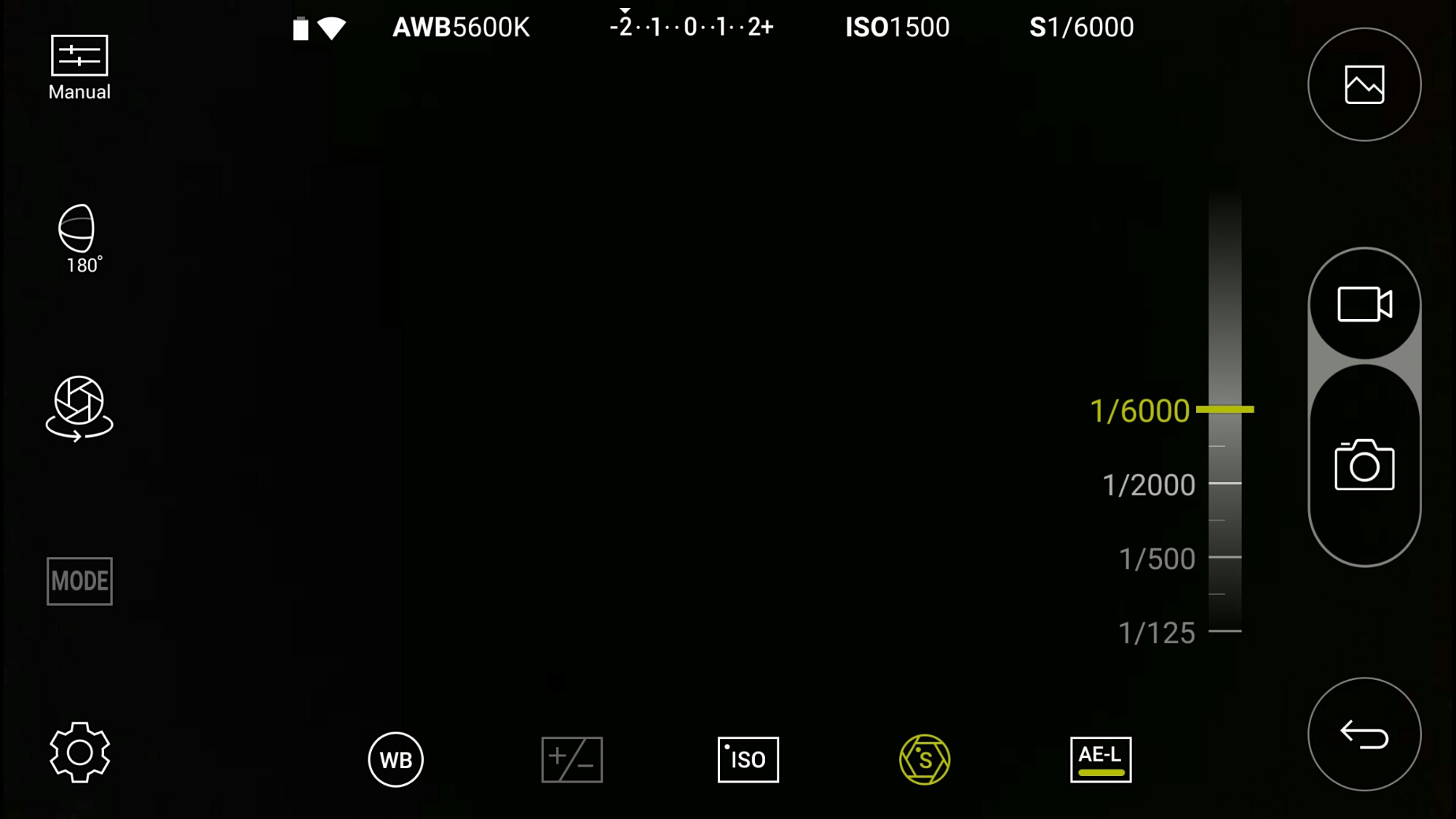
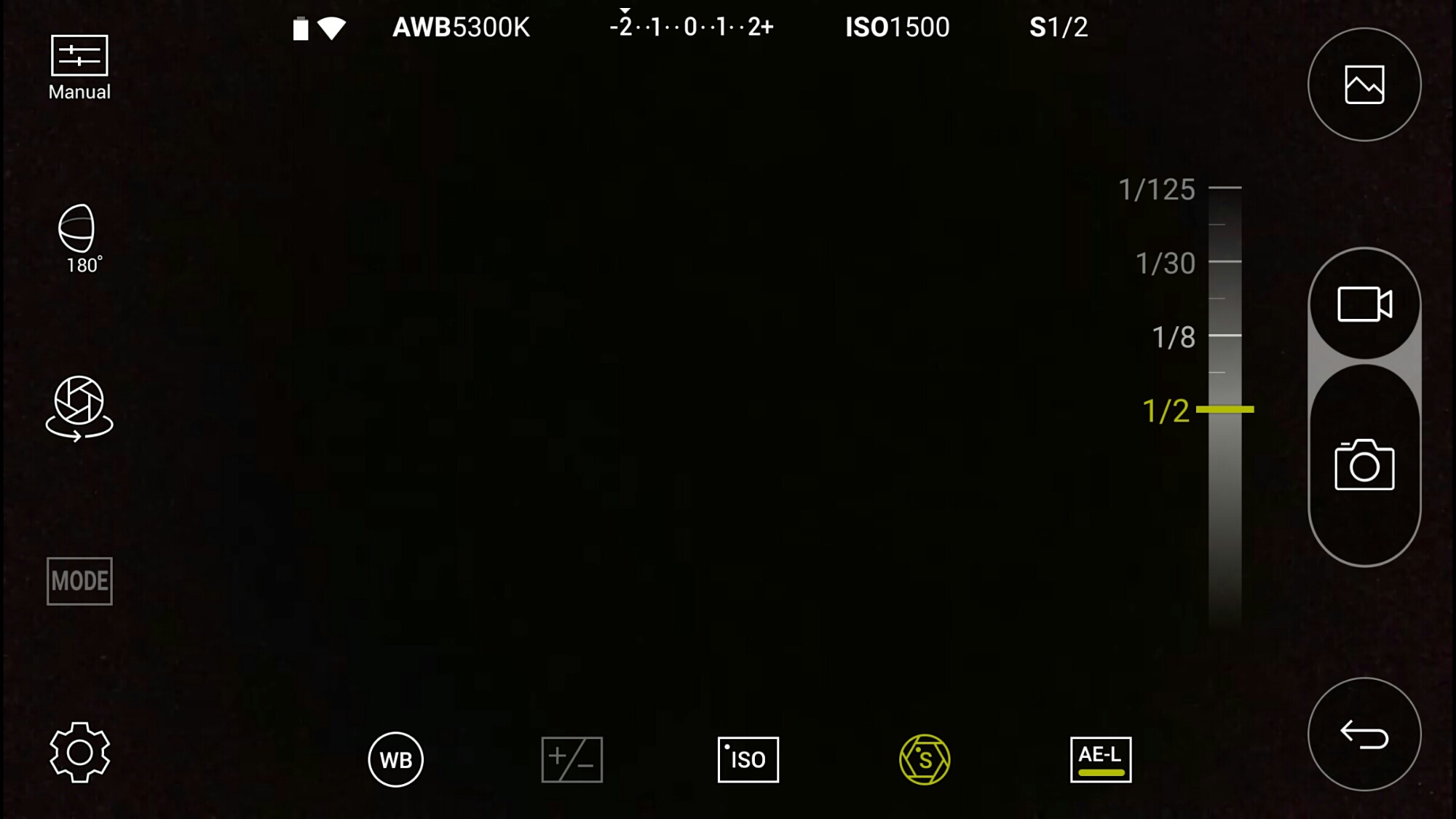
The LG 360 Cam has its own app which can also be accessed via the LG Friends Manager. Connection is via WiFi Direct and is really quick. The LG 360 Cam has a lot of options as shown below.
Look above. That’s right. This is manual mode. The LG 360 Cam has an excellent manual mode. Here you can see the faster shutter speed is 1/6000.
And the slowest shutter speed is 1/2 second. Other options include exposure, white balance and ISO.
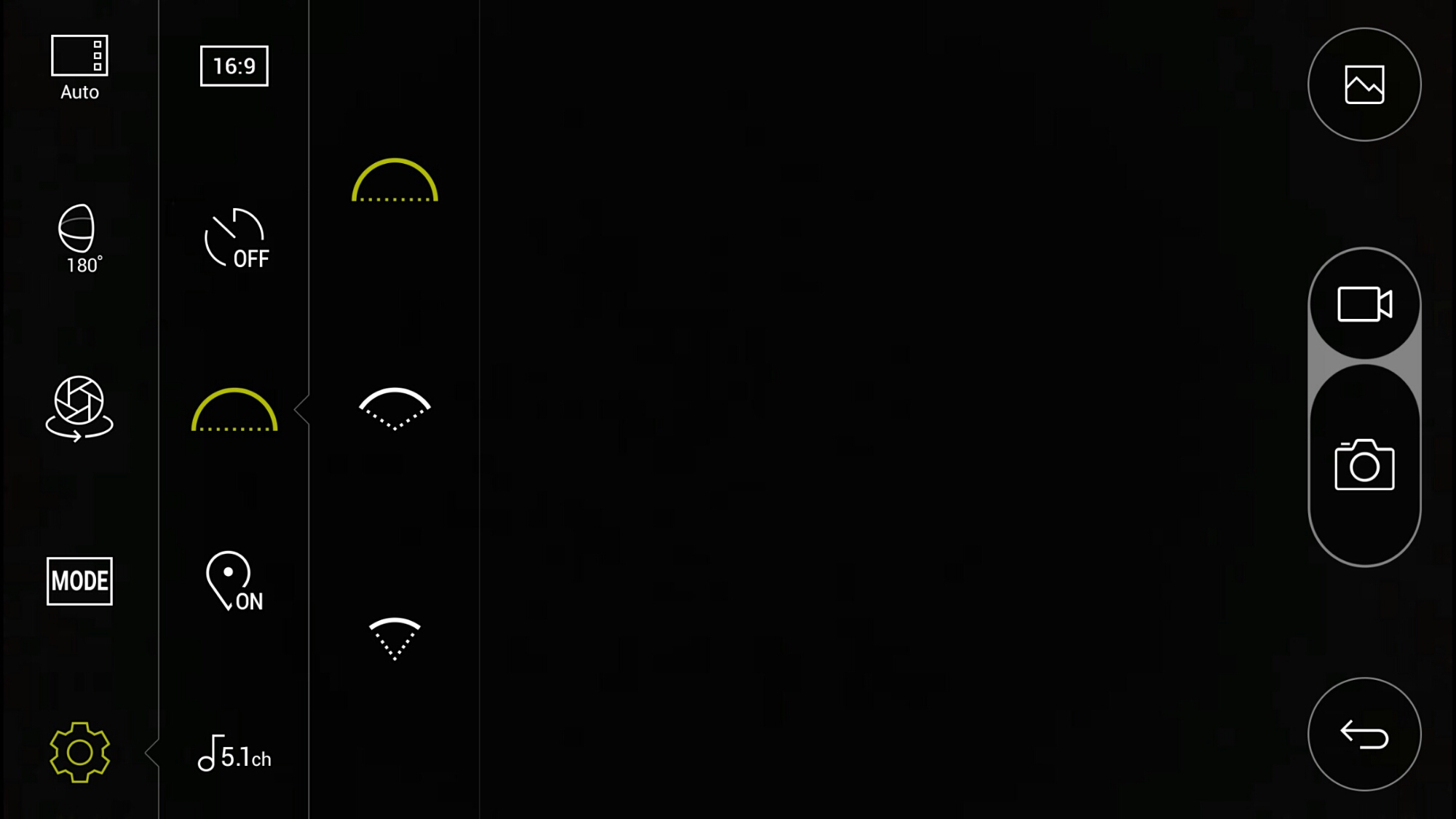
If taking photos at just 180 degrees instead of the full 360 degrees, you can alter the field of view angle. I have photo examples of the difference this makes below.
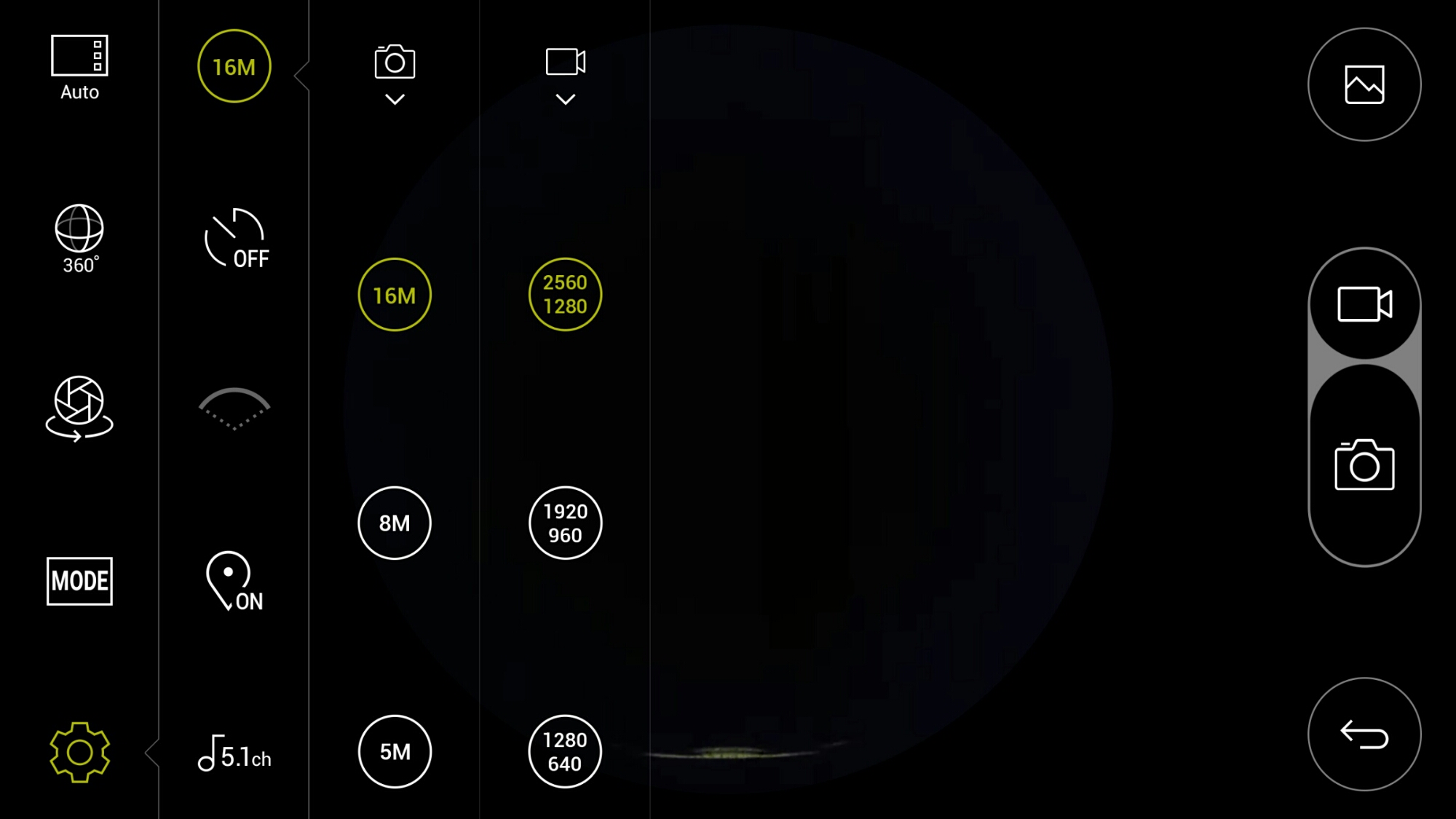
In terms of settings for video and photo quality, there are plenty of options. As standard it records in 5.1 Channel surround sound audio. You can change this to 2 channel stereo.
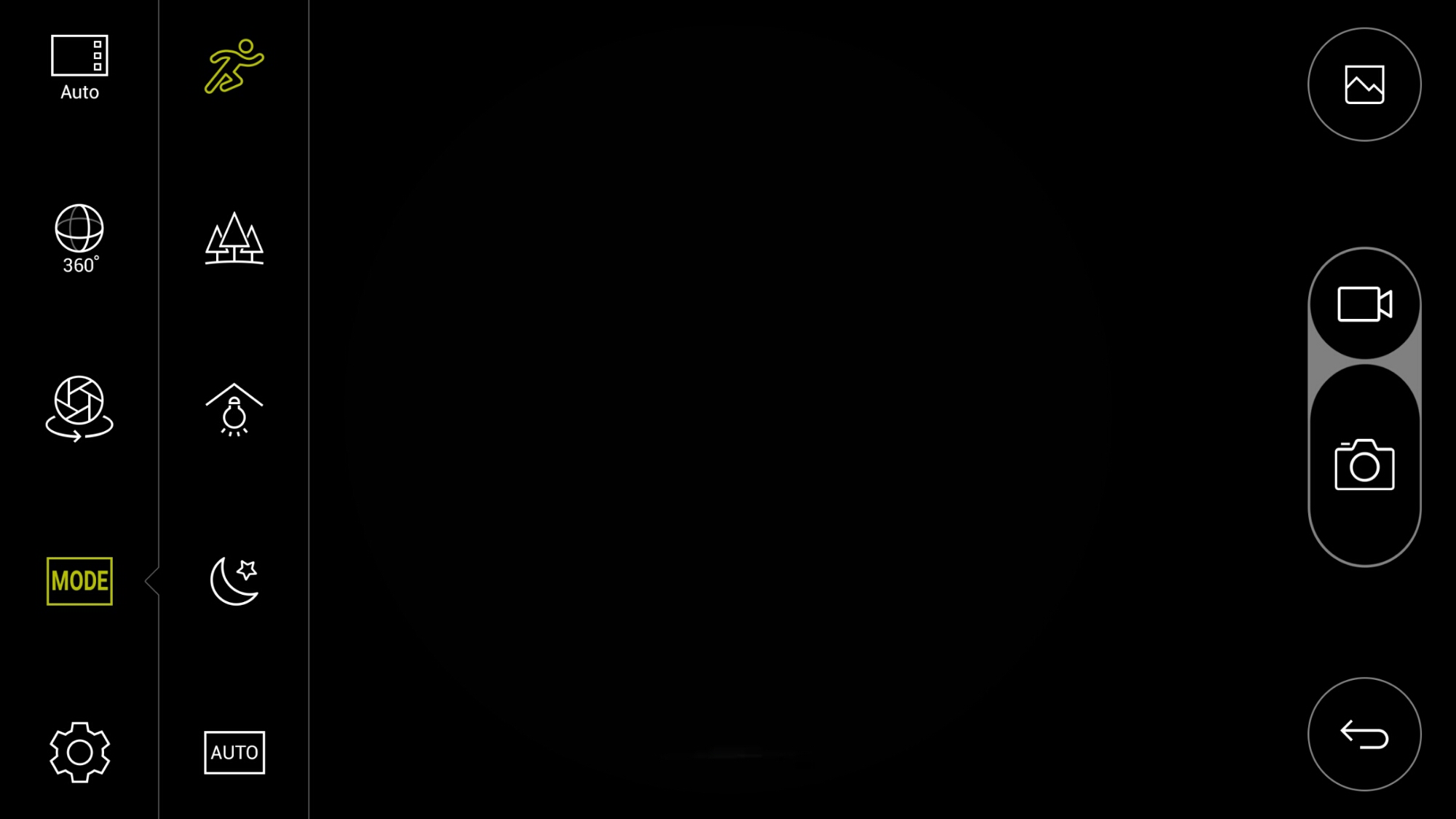
There are also a choice of scenes/modes as shown.
When using the 360 cam manager it is great being able to see what you are recording. If you are standing more than 50 feet approx away approx from the device or if your line of site is blocked, you may not be able to see what you are filming on the screen but you will still be able to control it. On the second video below, I hid behind a wall so I was not in the footage, but I could still operate it.
Playing the footage back on the LG G5, you can either view in 360 degrees or use the select split screen mode. This shows video from each side of the cameras split 50/50 on screen. Rather cool. You can also connect the LG 360 VR glasses and see the footage in a whole new way!
Example Footage
First up is a 360 video of my village, Princetown, Dartmoor.
Another example down by the river.
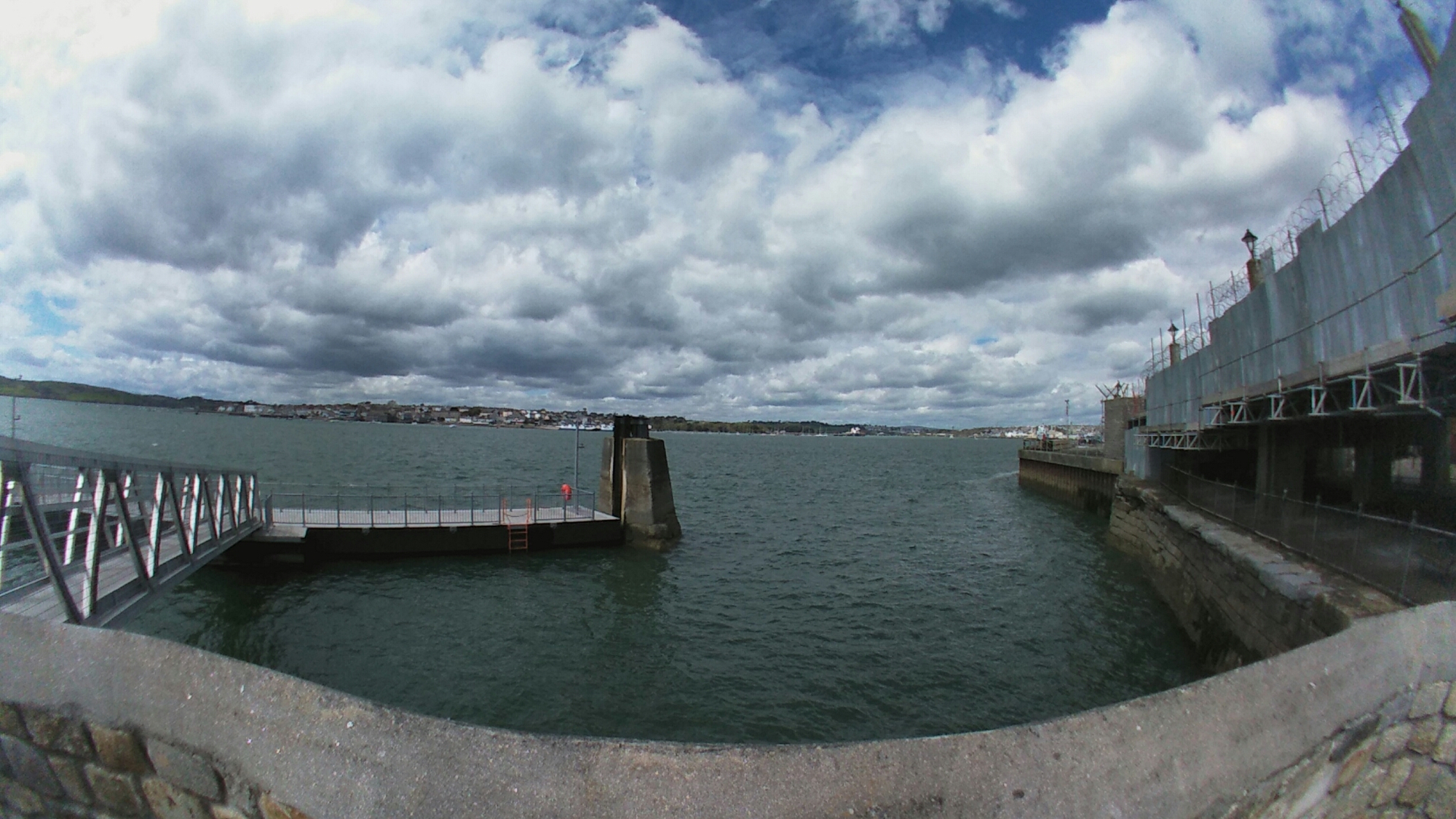
Below are photos from the LG 360 Cam in 360 degrees and lower using the options in the camera app.
Next using the 360 cam in 180 degrees you have 3 different wide settings. Below are 3 shots starting with the widest field of view down to the narrowest.
Conclusion
The LG 360 Cam is a decent product and well thought out and consequently is recommended. Using this with the LG 360 VR glasses creates a whole new world.
If you are interested in the LG 360 Cam this is now available fromClove Technology.
Here’s the dilemma. Do you want the camera from the LG G5 or the camera from the Samsung Galaxy S7 / S7 Edge.
The LG G5 takes amazing shots with both rear lenses and allows for cropping on every photo. The 8mp 135º wide angle lens is epic. Nothing gets close on a phone.
Can the LG G5 do action shots. Yes it can. See below.
But here’s the point about the Samsung Galaxy S7 camera. It’s super fast and accurate. A short while ago I had to show someone a few photos of my dogs. I ended up choosing the shots that I took from the S7 as they were more fun ones and closer up and in focus.
So long as you are fairly near to your subject the S7 will hit the jackpot, even with heavy sharpening and post processing. But as soon as there is some distance like the shot below, cropping is not worth it due to the lack of pixels, whereas cropping this shot below on the LG G5 would be a breeze.
Regular reader Mat received his LG G5 a few days ago and decided to use it for his trip to Maroc. Mat shared the link to his Google Photos album in the comments yesterday.
The photos are stunning so I have shared a couple below with a link to his Google Photo Album. The shots are truly beautiful and well worth a browse.
and one more
Mat also made the follow comment re the LG G5 battery – “450 photos in 8 hours and 30 % of battery are always available.” Mat also added a further comment below, so I have added now to the main post.
I still have 4 days of travel. Each day, I will update the folder. I have few pictures in RAW that should be edited (but i don’t have a great skill about it).
99% of the photos were taken in automatic mode and many with wide angle.
For battery, 30 % with this usage :
– no on always display option
4h in :
– plane mod
– screen brigtness in auto, with the sun, screen are regulary at 100 % , it’s not easy to see it with a strong sun.
30 minutes with wifi to answer my mails
– 4h without air plane mod
– 3 short call
– Five minutes with localisation option to look where i am.
I have also the second battery, if i take more videos, it’s sure i need to use it.
If people want the original files, no problem, i think Google Photo decrease the quality if the photos.
So for the rest of the beautiful shots head over to Mat’s Google Photo Album HERE!
Tomorrow will see my review on the next 2 LG Friends, the LG 360 Cam and LG 360 VR. In the meantime, in an out of the fog I managed to snap several shots.
Below are my favourite –
The fog never cleared until 4pm yesterday. The shot below is using the wide angle lens.
And then another day, and totally different weather.
The ice cream van shot is a wide lens and cropped. Plenty of detail from that lens.
The young cat snapped really well. A small crop.
Last shot. This was snapped using one of the filters in the LG Camera app. Normally I would apply a filter afterwards, but for this shot I tried something different.
I really liked the result of the above shot. Moody.


 x 7.04″ (H) x 0.5″ (D)










 Gavin's Gadgets & Photography