Category Archives: Tech News

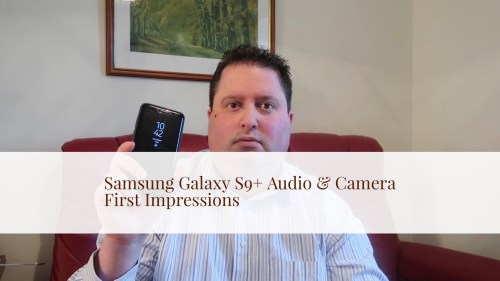
Samsung Galaxy S9+ Camera Review – All Modes & Comparisons

Welcome to my Samsung Galaxy S9+ Camera Review. In this review all modes of the camera are tested and commented on including –

– Video at 4K 60fps – The S9+ creates super crispy footage with decent audio too.

– Slow Motion comparison between 960fps and 240fps – whilst 960fps is fun to create with Samsung’s auto detect motion and has a super easy editing software to frame your super slow motion perfectly with some fun music too, slow motion at 240fps is far better quality, but not as fun. To find slow motion at 240fps you will need to activate the mode in the camera settings.

– Variety of Super Slow Motion Clips at 60fps – I tried to pick 6 different scenarios. I loved the effect.

– f/1.5 vs f/2.4 – see the differences possible. f/1.5 really does turn dark scenes into daylight as well.

– Selection of Photos – the photo quality is excellent. In fact video quality is great too.

– Low Light Shots – a champ. Natural looking photos. It does help to drop the exposure down, although none of the shots shown had this adjustments.

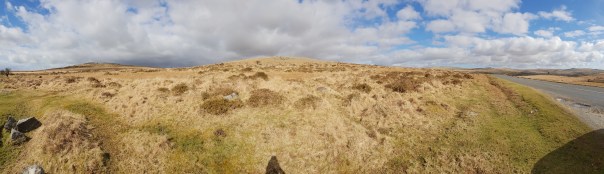
– Panoramic – File sizes around 60mb and truly amazing outputs.
– Live Focus vs normal selfie – just use rear camera with a f/1.5 for a natural bokeh. Not my favourite mode. Front camera for photos is the S9+’s weakness. Front video manages QHD and is good with auto focus as well.

Conclusion

The Samsung Galaxy S9+ is a very competent shooter. The output from video to photo quality is excellent and always nails the shot first time every time.

Useful Links

S9 and S9+ deals, cases & accessories on Amazon UK

Samsung Galaxy S9+ – Camera samples comparing the 2 aperture modes of f/1.5 and f/2.4

So the Samsung Galaxy S9+ and S9 camera is the first to have 2 aperture settings. Either a f/1.5 or f/2.4. In auto mode it decides which aperture to use, but switching to Pro mode and you can choose yourself.

So lets take a look at some examples. I have uploaded the full size versions in this post, so click each photo for more options.

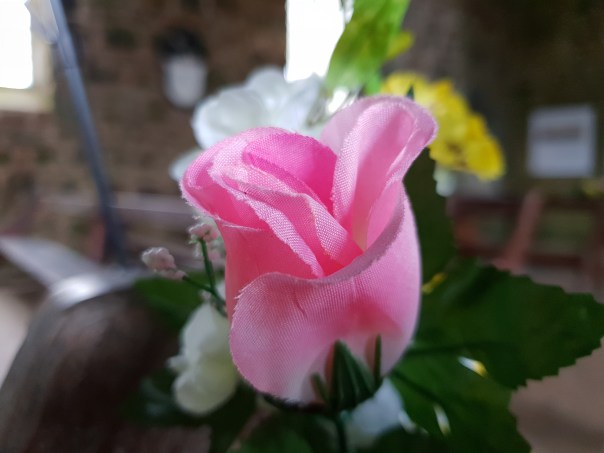
Both the photo above and below were shot in f/1.5. This was inside a church which had no lights on. See other shots further down. Going in close at f/1.5 allows for some great natural bokeh. No need for fake portrait modes, even though the S9 camera does have one!

The level of detail in the shot above is excellent. Blown up on a big screen, the photo looks superb.

Above is using the f/2.4 aperture. A much darker shot and some of the detail has been lost. However, a longer shutter speed of 1/4 second would compensate a little. The S9’s OIS is able to hold the image still for a 1/4 second with ease.

Above is f/1.5 on the fake flower. You can create a great bokeh in this setting.

But shooting at f/2.4 as above, creates a sharper crispier image. It’s handy to have the choice to decide.

Above is shot at f/2.4 and is an actual indication of the true light levels inside the church. This is what all the photos in this post had available for natural light.

Now moving to f/1.5 and what a difference.

So there you have it. Photos of the same scene shot in the different aperture options, allowing some creative control. Or just shoot in auto, and let the S9+ make the call.

Samsung Galaxy S9+ – Low Light Camera Test in Brutal Weather Conditions

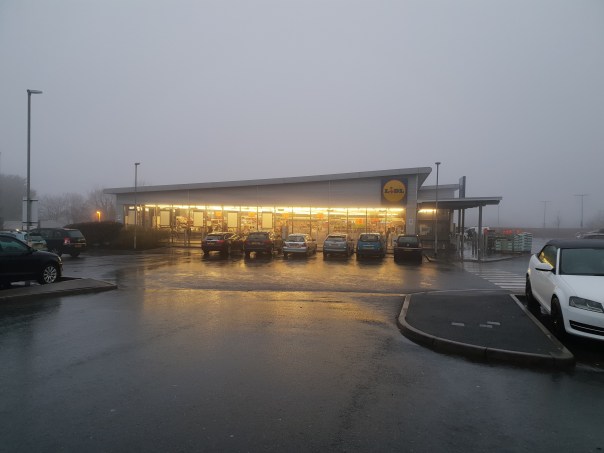
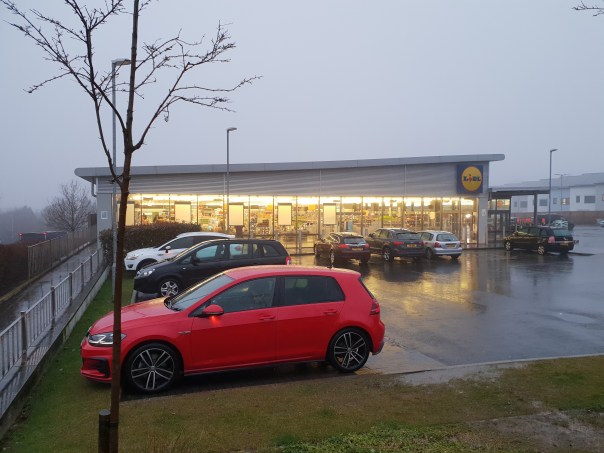
The Samsung Galaxy S9+ Camera is meant to shine in low light conditions. Fortunately, the UK is in the middle of heavy rainfall, fog and generally miserable conditions. The below photos were shot in very heavy rain and fog.

The photos are the full size uploaded, so you should be able to download these and pixel peep. The above shot looks as clear as day, with very little noise. Slightly softer on the edges but that’s to be expected with a f/1.5. But what to you think.

Shot once again in very heavy rain and this time the fog has increased. In auto again, but this time I wanted to see what would happen if I dropped the exposure down a little. Another clear , low noise and realistic photo.

The last photo was in auto, but this time the exposure was left untouched. It was actually semi dark outside but look at the light levels here. The shot above is a more accurate rendition of the level of darkness.

So what do you think?

Ancient Mystic Trees of Dartmoor National Park – Shot on an iPhone X

Wandering around Dartmoor National Park reveals many glorious sites and depending on the time of day, can completely alter the colours of the landscape.

The trees often have a mystic quality about them. Below are a few photos from the iPhone X. Enjoy.

I really like the natural colours of the trees and growth at ground level.

Switching to HDR black and white created a whole new look.

Sometimes it is just nice to take a pano of the scene.

Even the bridges are pretty old now.

And if you visit Dartmoor National Park, keep a look out for the local security guards 🙂

Shot and Edited on an Apple iPhone X – Snow Drifts & Blizzards – The Beast from the East

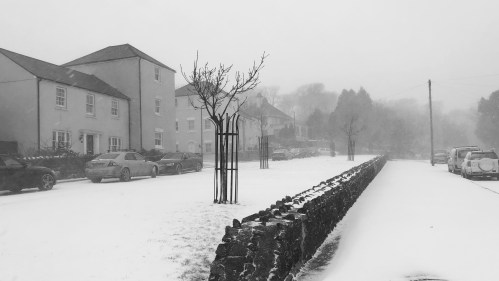
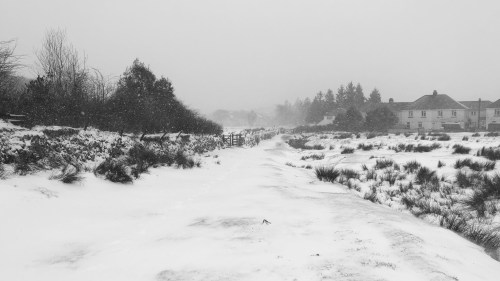
My village on Dartmoor National Park was late receiving the snow. It first arrived on 1st March and continued on the 2nd. Last night late into the night, more snow fell. In terms of temperatures, we average minus 15 degrees centigrade at night for a week. (wind chill temp).

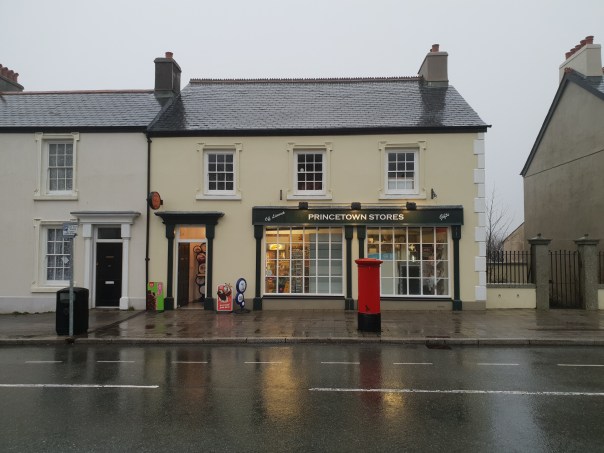
However, this morning, its all thawing out. Before we get to the video, here are some photos of my village, Princetown.

The below video was filmed using the default camera app on the iPhone X, then edited using iMovie and Luma Fusion apps on the iPhone.

Enjoy.

Sound & Vision The Bristol Show 2018 Highlights – Over 200 Brands under one roof!

The Sound & Vision Bristol Show, organised by Audio T in association with What Hi-Fi, was held over 3 days from Friday 23rd to Sunday 25th February 2018 at the Bristol Marriott City Centre Hotel.

The Sound & Vision Bristol Show 2018 is the UK’s largest and longest running show. Over 200 brands were on display allowing you to experience the latest Hi-Fi and talk to the the manufacturers. In addition the show featured exclusive product launches, competitions, deals, special offers and free headphones for students.

Below is my video highlight of the show. I got there early to record the show and speak to the various manufacturers. The Show was an incredible mix of gear, from budget to high end gear. Vinyl was everywhere and some of the turntables were a work of art.

The show highlights was the amalgamation of 4 hours filming, which produced 80 videos. These were edited down into a 8 mins and 43 seconds. So sit back and enjoy. Don’t forget to watch in full 1080p 60fps.

Useful Links

Audio T
Sound & Vision Bristol Show
Hi-Fi Deals on Amazon UK

Apple HomePod – 2 weeks later – Wood Staining Update & Final Verdict

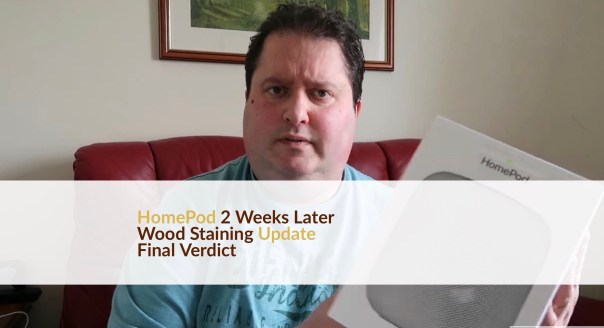
Welcome back everyone. I thought I would give an update on hows I have been getting on with the Apple HomePod.

I have had my HomePod on a wooden piece of furniture and I decided to have another look to see if any damage had occurred.

Plus my final verdict.

Useful Links

Apple Products on Amazon UK

DJI Osmo Mobile 2 Review – DJI’s updated gimbal that’s over 50% cheaper than the original

Welcome to my review of the DJI Osmo Mobile 2. I owned and reviewed the original Osmo Mobile, so I was quite keen to see how this improved upon the original, also considering the original cost £299 whereas the updated version is only £139.

Key Specifications

– Dimensions 295 × 113 × 72mm
– Weight 485g
– Model OM170

– Consumption 1.2 W -Under ideal conditions with the gimbal fully balanced.
– Controllable Range Pan: ±160°
– Tilt:±155° (landscape orientation)
Mechanical Range Pan:±170°
– Roll:-90° to +70°
– Tilt:±170°
– Max Controllable Speed 120°/s
– Width of Compatible Phones 58.6 – 85mm
– Battery Type 18650 LiPo,Capacity 2600 mAh,Energy 18 Wh,Voltage 7.2 V
-Operating Time 15 hrs – Under ideal conditions with the gimbal fully balanced.
– Charging Time 2 hrs
– Bluetooth LE 4.0

Review

I reviewed the original Osmo Mobile, link at end to review which includes sample footage to some of the modes in the DJI app, which cost £299. On top of the £299, you had to buy so many accessories from a tripod attachment mount and more which added another £70 plus to the cost. With the new version, DJI lowered the price to £139. And you don’t need any accessories for it either. Why? Firstly by making the battery integrated, it added a tripod mount. Plus the integrated battery lasts up to 15 hours which is a vast improvement over the original.

The new version is also much lighter which makes it easier to hold for longer. Plus the new version allows you to charge your phone on the go when using the gimbal, or just acting as a power bank. You can’t charge both at same time though.

The DJI app is available on iOS and android. And just as iOS and android have differences, so does the app depending on the platform. See video review for differences.

As a gimbal, the Osmo Mobile 2 is fantastic. The new phone grip holds much bigger phones , although you might still need to take your phone case off. See video again which illustrates this. Using the gimbal you get smoother video footage. You can also take perfect panoramic shots , and a range of time lapses, motion time lapses and hyper time lapses. You can also shoot long exposures hand held!

Conclusion

It is incredible to think DJI not only reduced the price by over 50%, they actually made it much better than the original too. If you want a gimbal, this is the one to get.

Useful Links

DJI deals on Amazon UK
DJI Osmo Mobile Review (original) with sample footage from all the modes

TIBO Sphere 2 Portable Wireless Bluetooth Multi-Room Speaker Review

Welcome to my review of the TIBO Sphere 2 Portable Wireless Bluetooth Multi-Room Speaker which retails for around £199 and is available in several colours black, white, green, red and orange.

Key Specifications

– 30W RMS, Portable Speaker
– Direct pre-sets for internet radio
– Bluetooth & Wi-Fi streaming
– Up to 8 hours battery playback

The 30 Watt Sphere 2 is a Multi-Room Wi-Fi Bluetooth speaker, which allows Hi Res audio Playback. The Sphere 2’s High Resolution audio is delivered by 30W of RMS power supplied by a class D Amp 4 Ohms at 88 dB 60Hz-20KHz.

You can have 5 direct presets for streaming thousands of internet radio stations and playlists. The built in lithium rechargeable battery allows a minimum of 8 hours playback. The sphere 2 allows playback in single, stereo or group mode. Comes with wireless or LAN connections and has USB for charging you mobile devices. The speaker is controlled and initially setup by the free Tibo App. The video review has more details on the app. Within the app you can setup Spotify Connect, Tidal, Tunein radio and more services. You can also play locally stored music, connect to it via bluetooth or even use the aux input. The key here is versatility.

Video Review

Conclusion

A great sounding portable speaker, with lots of versatility. Recommended.

Useful Links

The latest prices and more info on the TIBO Sphere 2 on Amazon UK