Category Archives: Reviews

Samsung Note 4 – George demonstrates the long jump in 5 stages – crazy action camera shots

Part 2 of my earlier post. Part 3 will be tomorrow.

For part 1, click here.

Here’s George showing off the long jump in 5 stages. The photos were snapped using the Note 4 default camera app.

image

image

image

image

image

Pretty amazing shots from the Note 4 camera!

Update – exif data for all 5 shots. ISO 40, f/2.2 , 1/400

PS. If you are likely to shop on Amazon please help with the running costs and use my affiliate link – details here. Thanks in advance ☺

.

Samsung Note 4 – crazy action shots of my dogs

I took my 3 labradors walking on Dartmoor early this morning. They run like the wind on Dartmoor. So I thought it would be an idea to see how the Note 4 managed to capture some action shots or my dogs. Normally if you take a 100 photos you should end up with a third that are usable. The rest on previous phones are a little blurry. But nonetheless previous phones like the LG G3 and Samsung Galaxy K Zoom have managed to take some decent motion photos.
So when I got home somehow I had 350 photos 🙂 But the crazy thing was most were excellent. I counted 11 blurred shots. So now I am trying to decide which ones to keep and will publish these tomorrow.

In the meantime this is just an example.

image

The exif data for the above shot is ISO 80, f/2.2, 1/594 , flash off.

Part 2 is live. Click here.

Part 3 tomorrow.

USB Audio Player PRO app on android – what a difference !

USB Audio Player PRO (Google Play link) is one awesome app if you are into using your android phone as a high quality audio music transport system.

image

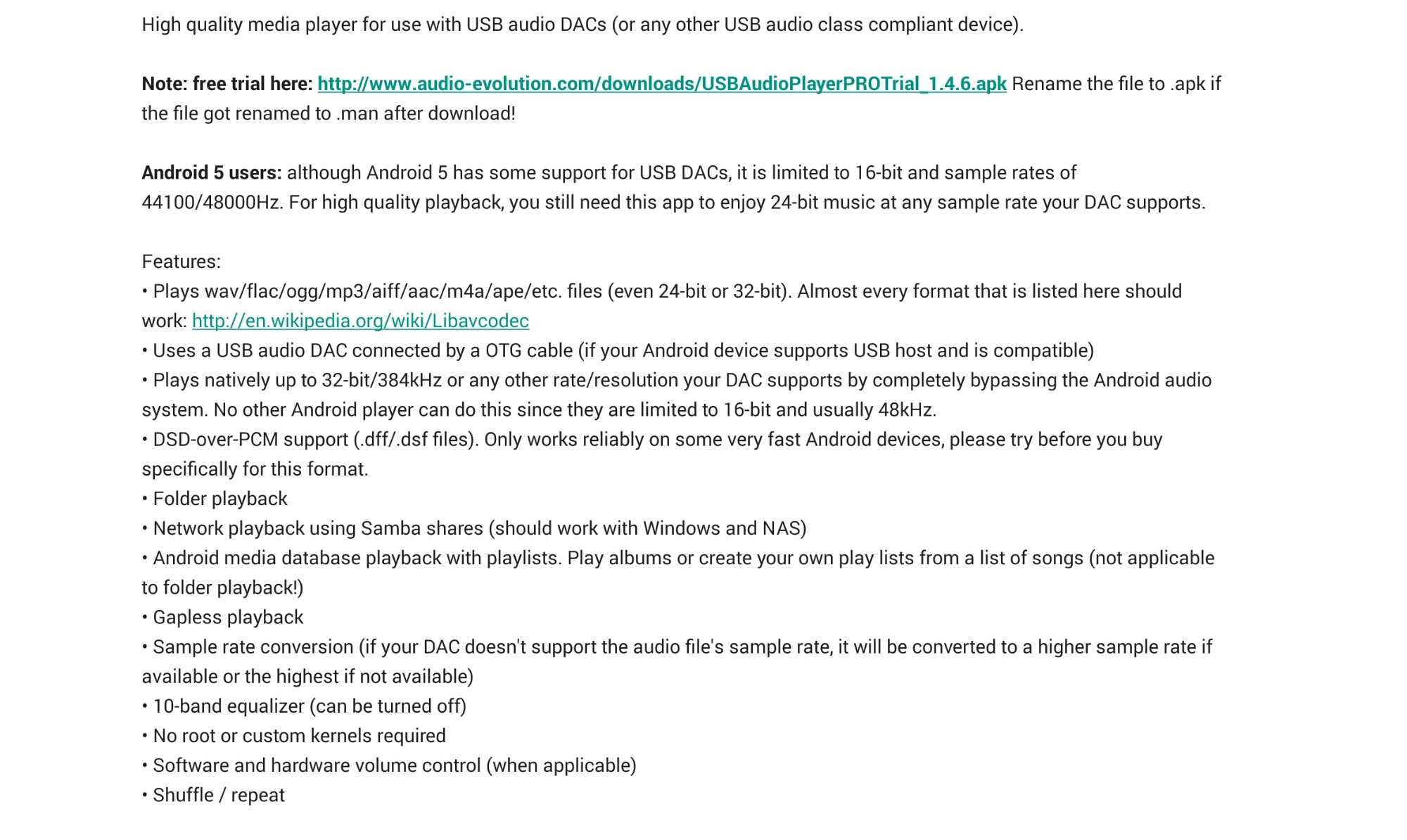
The developers provide the following description of this app as follows –

image

The above may sound rather technical but all it does is provide astonishingly good playback in to a connected USB DAC. Let me explain further. I use my Note 4 in this setup. I’ve copied my music from iTunes on to a large micro sd card. The music has to be stored on the device and there is no compatibility with Google Play music. If you wanted to use music stored on your network this is possible via Samba shares, windows or a NAS. 

Connected to my Note 4 is a HiFiMeDIY Sabre Android USB Dac which then connects to a Cayin C5 Portable HiFi headphone amplifier. But the key part of this chain is the USB DAC. So prior to using USB Audio Player PRO app for android,  I was simply using either Google Play music, deezer or the Samsung Music app to feed the USB DAC. As I discovered it wasn’t a totally smooth affair. So I installed the trial version of this app which is time limited but still offers plenty of time to evaluate and test the app will work with your phone.

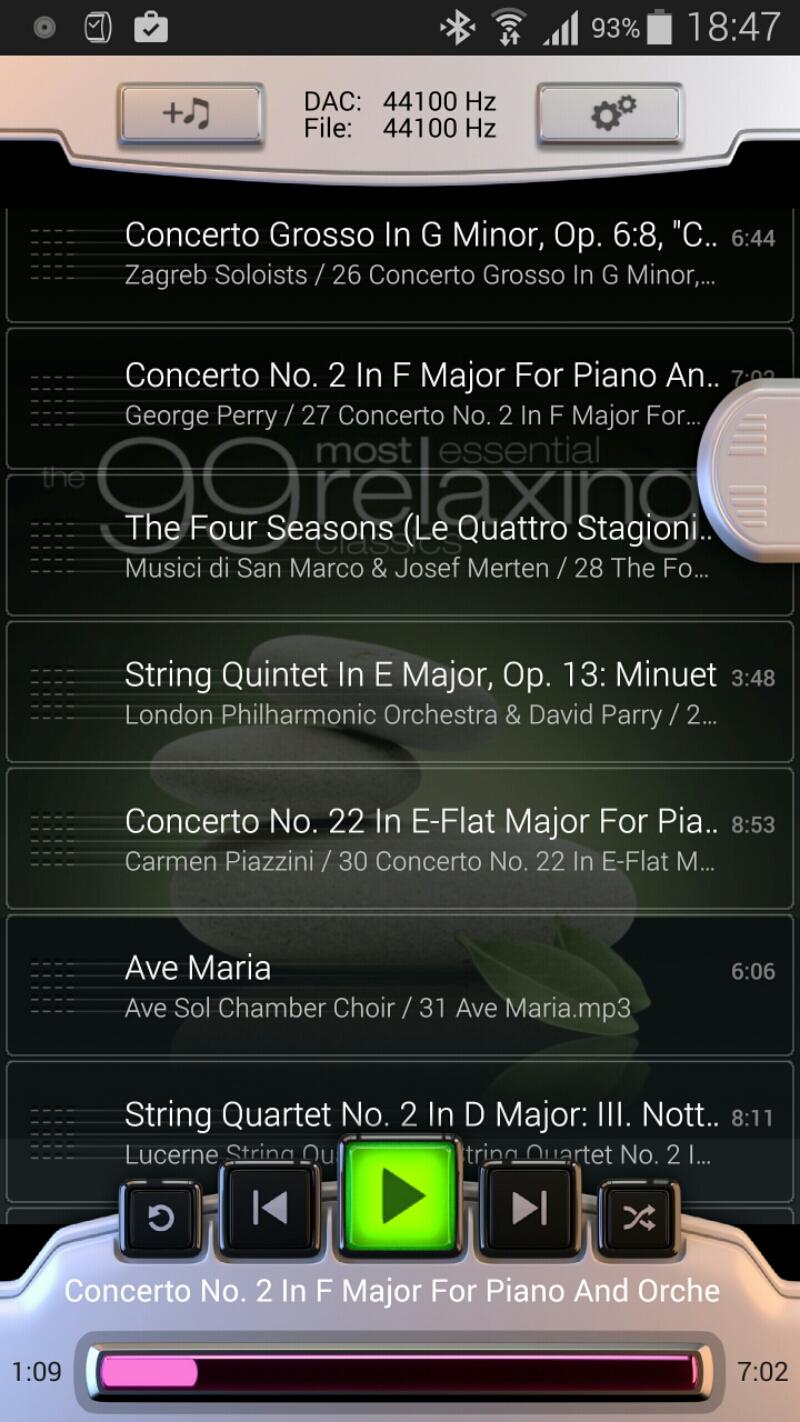
The app contains it’s own custom driver that only works when the app is running, hence why you cannot use other apps to playback the music. The player controls are rather basic as shown in the first screen shot above.

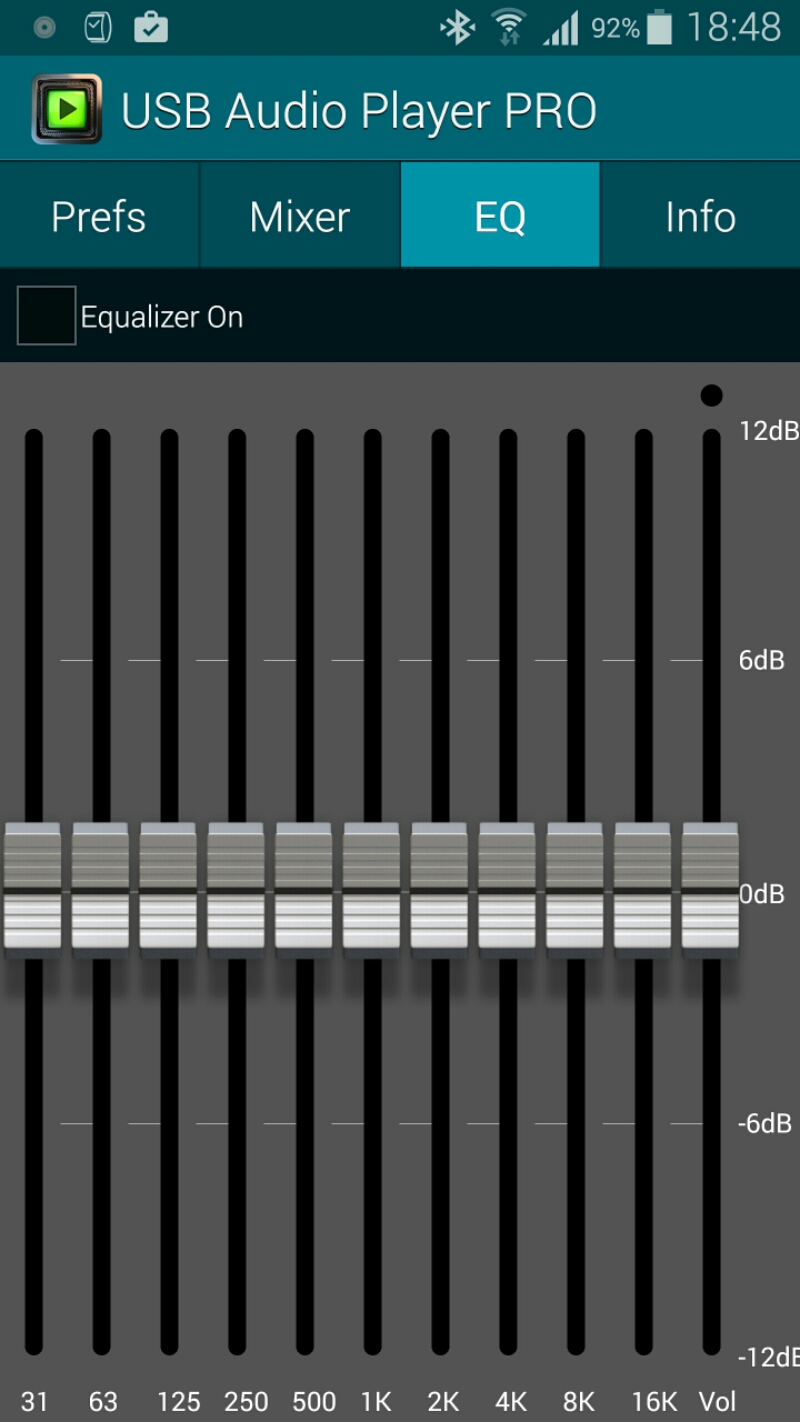
There are a number of settings as shown below.

image

image

image

Selecting music is fairly straightforward but note that there are no fancy options or the ability to create new playlists. 

image

With the setup I am currently using I had to increase the buffer size from 100 to 200 milliseconds. And that was it 

So what’s the end result? It’s night and day better. Beyond anything I ever thought possible and a total revelation. I wish I had used this app before. Using this app you will listen to a track and hear stuff you never heard before. The punch, accuracy,  detail and every aspect of the music is transformed. It is so good I can plug any of my headphones directly into the HiFiMeDIY Sabre Android USB Dac without using the headphone amplifier,  although with the headphone amp it becomes even better.

And one last point. I’m not using FLAC music files,  just good old mp3 at a recording bit rate of 320 bits.

PS. If you are likely to shop on Amazon please help with the running costs and use my affiliate link – details here. Thanks in advance ☺

Samsung Note 4 – 2 months later review

So its 2 months later with my Samsung Note 4. To read the main 17 Part Review click here.

Well there was a period of about 2 weeks when I changed my black Note 4 to the black Samsung Note. I also detailed my views on the Note Edge. To recap on the 14 part review of the Note Edge click here.

The Edge is identical to the Note 4 except for that edge / panel. So even though I had a break of 2 weeks it doesn’t really count as I was in reality using the same hardware and software. As you all probably are aware I moved back to the Note 4 as I could not tolerate the reduced battery life of the Edge over the Note 4. Moving back to the Note 4 allowed me to pick a different colour and I chose white this time. IMO it looks better in white but I’m certain many of you will disagree ☺

So what has it been like using the Note 4 for nearly 2 months. It’s the equivalent of having the best in class smartphone and topping all the categories. It has the best screen. It’s clarity and quality is incredible. It works brilliantly in sunlight and then goes so dark for night time reading. The colour accuracy of this screen is currently the best out there. As this is the Note range it has all the multi tasking options, s pen, infra red blaster, user changeable battery and micro sd card support. It also looks great and has decent battery with 2 battery saving modes ; the standard power saving mode and the life saver mode “ultra power saving mode”.  This last mode is so good that one night I was out and about and had 2% battery left. I switched to this mode, got home and forgot to charge the phone. By early evening the next day it was still on 2%. But fear not, the Note 4 has quick charging too. And this is  a theme in its spec sheet. It’s a battleship of specs. If you are into health and fitness, it has sensors for its built in pedometer,  heart rate and oxygen saturation as well as a UV sensor. This is all integrated in to the S Health app which has even more options. And if you use a Samsung wearable like the Gear range then you have a tightly integrated system.

And the best in class continues with its camera and audio. I am constantly amazed by the photos coming from the Note 4. The audio via the speakers is clear and ideal for voice and podcasts. It’s not boomsound bassy but it’s a clear sound. The audio sound via the headphone jack is very high quality. USB Audio is supported out of the box. Voice recording has support for its directional mics with the ability to separate up to 8 different sources of sound and remove any of them during playback of recording. Adaptive sound support is excellent too as it’s adjusts the sound according to each of your ears hearing abilities. Adaptive sound carries out a hearing test on each ear to set this up. Different adaptive sound profiles can be saved dependent on what headphones or ear you are using for phone calls.

But it’s not just the hardware that’s exceptional. The software package is also excellent.

Samsung has also provided a few small updates to improve performance and remove any early bugs. With android lollipop due in the next few weeks I am excited to see what more can be squeezed from this formidable hardware and software combination.

In case you hadn’t realised I totally love this phone !

Samsung S Health – main activity page

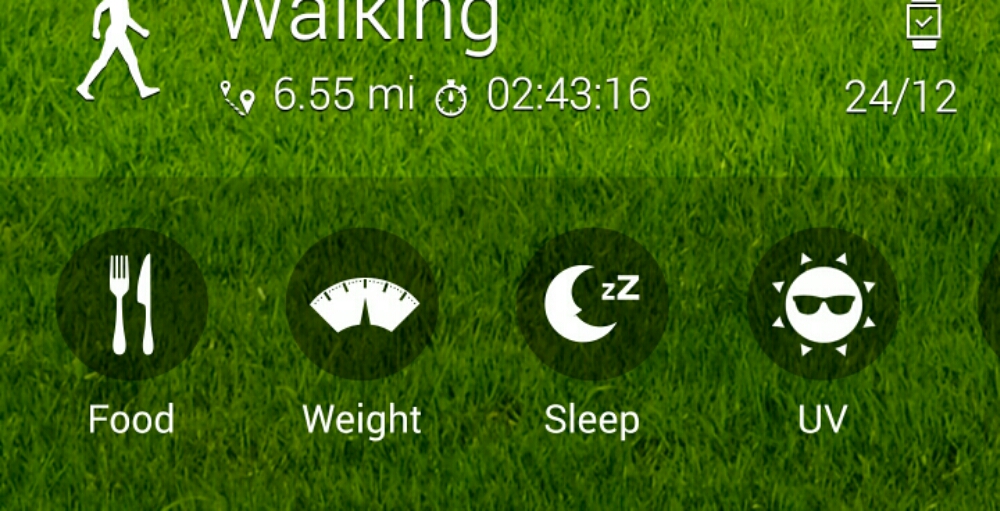
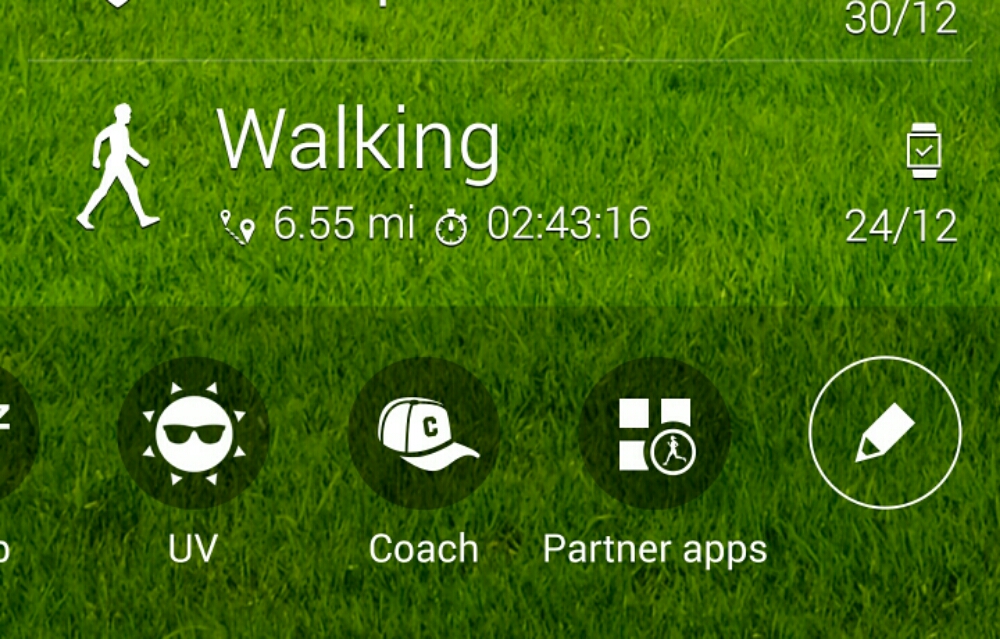
Below are screen shots from my S Health app taken off the Note 4. If I had updated my weight the measurement would be added to the activity page. I have also included screen shots from the other options available.  Whilst S Health does tie you into the Samsung eco system it does work for me.

image

image

image

You can use the app with or without a Samsung wearable. Naturally I am using my Gear S.

I hope Samsung opens the app more to third parties as it has potential but needs to improve as Apple Health kit is leagues ahead. But this app does what I need so I am happy at the moment.

Belkin WeMo Smart Light Bulb starter kit – review

image

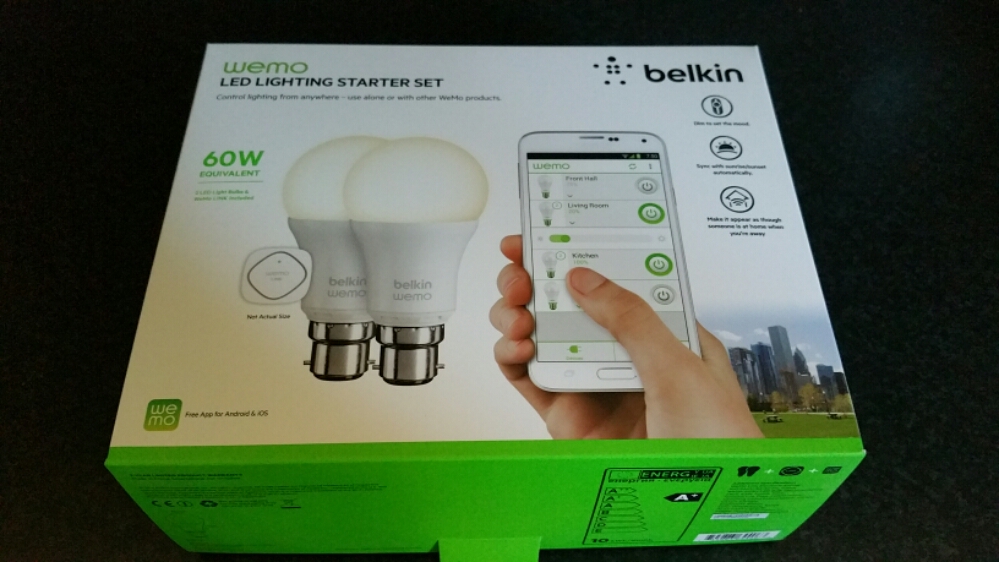
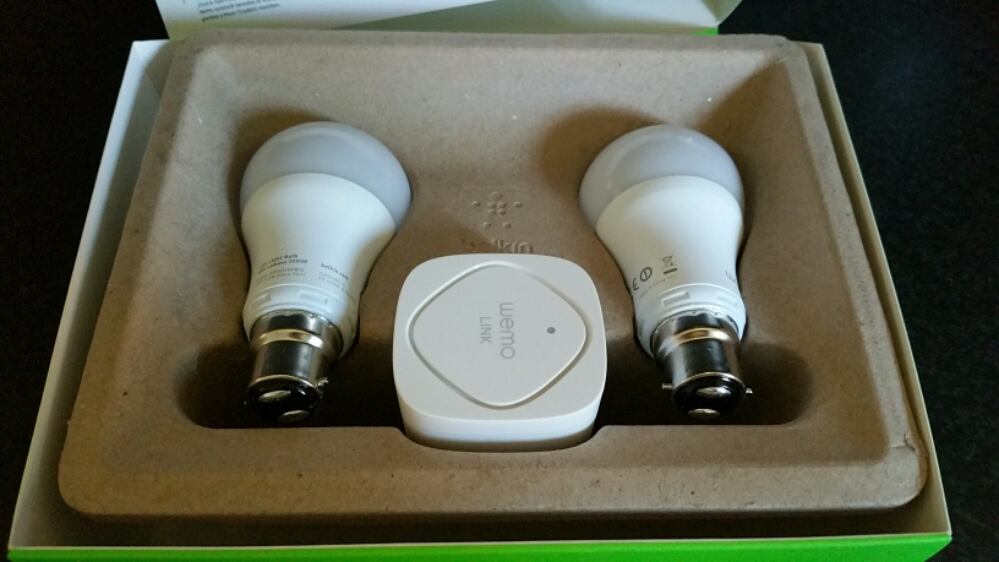
The Belkin WeMo Smart Light Bulb starter kit arrived several days ago. Opening the box reveals 2 light bulbs and a wireless module. See below.

image

As you can see a fairly minimalistic box. Belkin promote the wireless kit as follows –

– WeMo LED Lighting Starter Set includes 2 x WeMo Smart LED Light Bulbs (B22) and 1 x WeMo Link
– Connect up to 50 WeMo Smart LED Light Bulbs and control them individually or as a group.
– The set works with the entire family of WeMo products.
– Modular system. You can add additional WeMo LED Light Bulbs easily, any time
– Turn lights on, off, dim or create custom schedules.
– Simply plug WeMo Link into a central outlet in your home, replace your old light bulb with a WeMo LED bulb, and download the free WeMo app to any smartphone or tablet
– WeMo keeps you connected to your home lighting anywhere you are over Wi-Fi, 3G, or 4G networks
– Bright, warm light similar to a 60W incandescent bulb. WeMo Smart LED Bulbs have a 23 year life expectancy

Setting up the system is a breeze. First take the WeMo Link and plug it into any electrical socket, preferably centrally situated in your home and where it can get 2 bars wifi strength from your router. Next replace your bulbs with the Belkin bulbs. I bought the Bayonet version but you can also got the screw style bulbs. Turn the light switches on. The Belkin  bulbs should turn on.  Now keep the bulbs on. Download the WeMo app. Go to your phone’s wifi settings and connect to the Belkin wifi network. A firmware update occurred. This took 5 mins. Next it asks you to select your router and enter its password. The setup completes including remote access over 3g/4G.

image

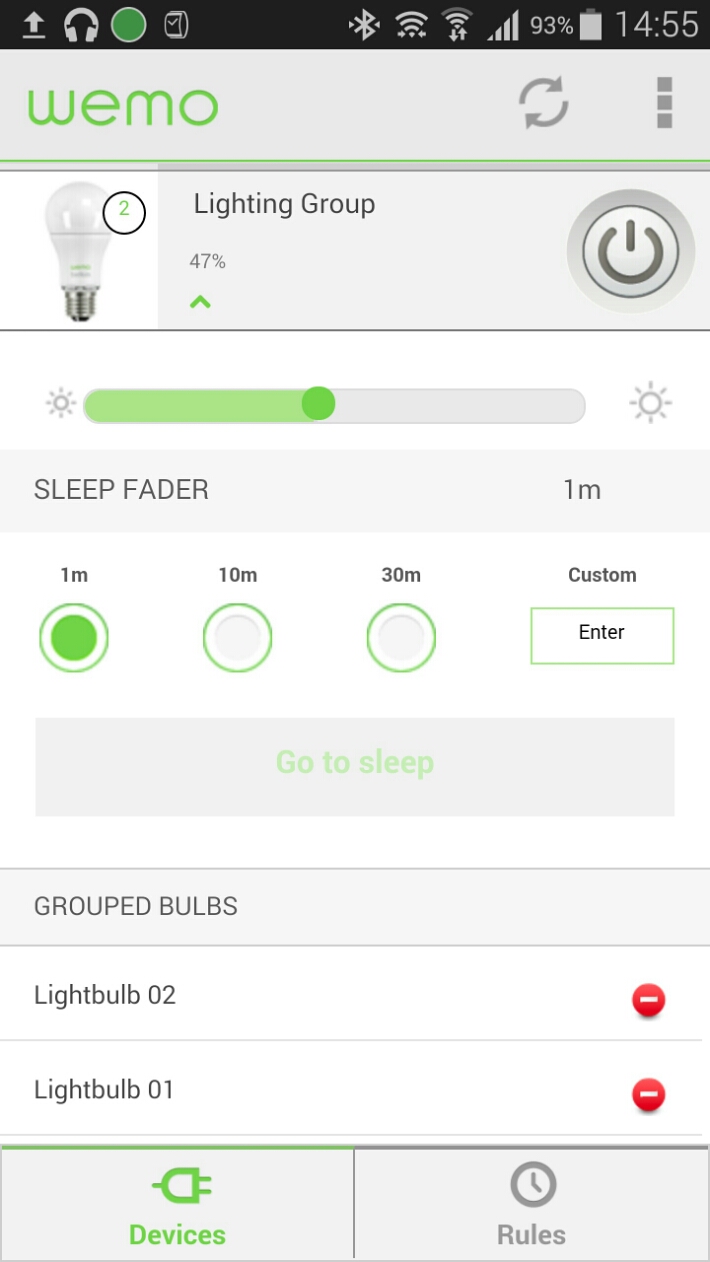
Once the setup is complete the light bulbs show separately.  In the edit device menu I just slid one over the other to join them as a group.  They are now controlled together. The basic menu gives you an on /  off button. Options include brightness and sleep timers. With the advanced settings you can creates rules as to when the lights come on and off eg sunset and sunrise.

The WeMo app also controls my other WeMo products too.

In use. I placed the WeMo Link upstairs and used both Belkin bulbs in the lounge. Now, I can’t walk in and just turn the lights on, I now have to open the app, wait a few seconds for it to register and then I have full access and control. Or so I thought. If your lights are off, if you use your normal light switches to turn them on, the Belkin bulbs will turn on at full brightness. If you turn them off with the wall light switches, you won’t be able to use the app to operate them until you turn the power back on from the wall light switch. So for ease. I find it easier to remember to turn them on from the wall light switch, sit down and then adjust the brightness or even use the app to switch them off if convenient. The great part is that you have a choice and don’t lose the convenience.

Everything works as advertised but is it worth the £80 and then £25 per bulb? If you like cutting edge, maybe, otherwise it’s expensive. It is worth noting that Belkin sell both bayonet and screw type bulbs fittings whereas Philips Hue light bulbs are screw type only. Another point, once you’ve setup the app on one device, installing the app on another one of your devices, you will find it is already setup for you.

IF you are interested in buying please use the following Amazon affiliate link. Every penny counts <a href="Belkin WeMo Smart Bayonet Fit B22 LED Light Bulb Starter Kit
“>Belkin WeMo Smart Bayonet Fit B22 LED Light Bulb Starter Kit

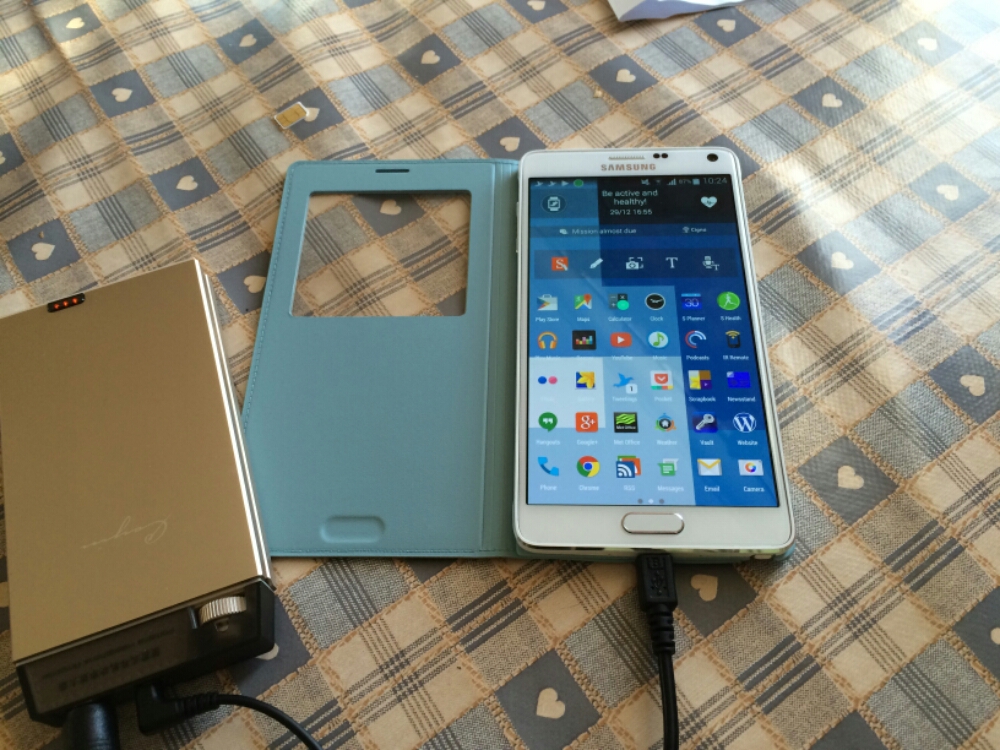
Samsung Note 4 – S View Cover in Mint Blue – review and photos

image

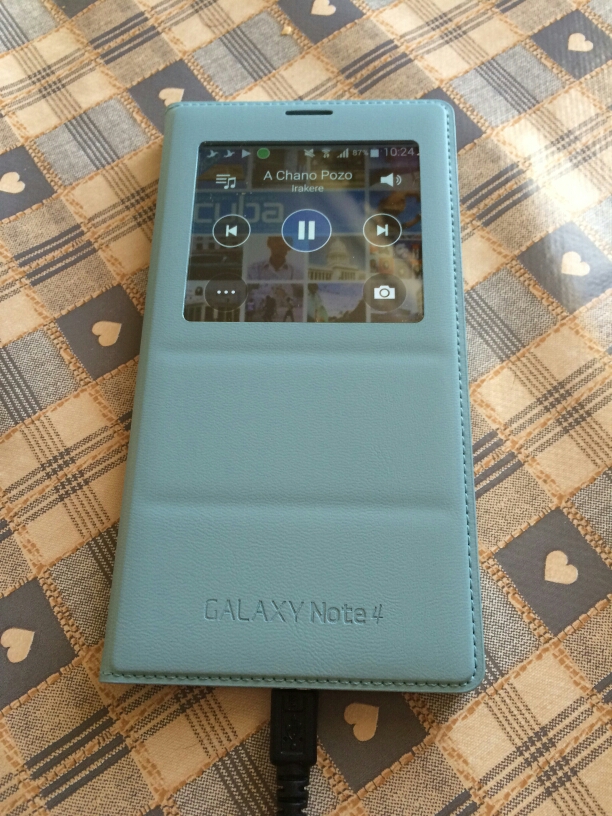
My Samsung S View Cover in Mint Blue arrived today and I have to say I love the colour and new designed cover from previous Note offerings.

image

First up is the flap is weighted so the cover closes and doesn’t stay lifted off the screen. Options on first attaching the case are to set up a default wallpaper. Within the settings you have a number of digital and a couple of fancy analogue clocks to select from.

In use you have options to show favourite contacts, settings, torch and heart rate. The digital clock can show time, date, pedometer and weather. The music player allows you to select tracks and volume , play and pause.

The camera still takes square photos but you can now record video too but that is also in a square aspect ratio.

All in all I really like this case and colour for the Samsung Note 4.

image

Gavin’s Gadgets 2014 Annual Report

This morning I had an email from WordPress which provided a link to Gavin’s Gadgets 2014 Annual Report.  Below are a few facts from that report.

– The busiest day of the year was 24th September. No surprises here. Lots of new tech and new iPhones.

– Day of the week in which more posts appear than any other day is a Thursday. No idea why Thursday is a more popular day. Do you?

– Most popular post for comments is “Alert – Free 50gb Dropbox Bonus – You’ll be lucky”. Just shows people feel cheated by the small print of the Samsung 50gb Dropbox offer.

– In 2014, Gavin’s Gadgets was viewed by 197 countries. That’s quite amazing really. Top 10 countries are UK, USA, India, Australia, Canada, Germany, Sinapore,  France, Malaysia and Sweden.

– Top 5 commenters were Jah, Mike Patterson, Richard Kelsey, Graham and Jon Love. Many thanks guys. And thanks to everyone else too who took the time to comment. My thanks goes to all the other commenters who voiced their opinions on twitter and Google Plus.

– Viewing stats are off the wall. I started the blog mid December 2012 and achieved a meagre 1,131 views by the end of the year. 2013 exploded exponentially and I honestly didn’t think it would get any better. Current stats for 2014 are just under 7 figures. And that is thanks to you all.

– Viewing stats continued. WordPress noted my posts have staying power. People are still reading posts from 2012 and more so from 2013. The reviews I’ve written covering mobile tech, wearables, Headphones and much much more are the key posts that keep getting read. And if you have missed any of my reviews just use the menu to find them all.

We are soon to reach 2015. 2015 will see more reviews, news and more podcast “recordings of Gav & Dave’s Tech Podcast”. Gavin’s Gadgets is now http://www.gavinsgadgets.com and I hope you will follow my journey throughout next year and beyond.

Enjoy the remainder of 2014!

All the best.

Gavin ☺

Mipow Playbulb Rainbow review

A while back I reviewed the original Mipow Playbulb.  This was great fun with its built in speaker too. To recap on that review review click here.

Now Mipow are back with the Playbulb Rainbow which was created via a kickstarter campagin.  Click here https://www.kickstarter.com/projects/mipowusa/playbulb-rainbow-stylish-smart-color-led-light-bul?ref=nav_search

image

Mipow quote the Rainbow as –

“PLAYBULB rainbow body shape is a trapezoid. It is much slimmer than traditional light bulbs. The design idea behind PLAYBULB rainbow is to illustrate the refraction of sunlight ray entering a raindrop and eventually forming a rainbow.

Simply Install a Rainbow for a Brighter Penetration. 
The light filter of PLAYBULB rainbow is made of a PC layer, allowing a brighter and more colorful penetration of light beams from the LED chip. Also, PLAYBULB rainbow fits into standard E26/ E27 screw base as well as E40, E14 and B22 screw sockets. By using adapter, Edison Screw base can be converted into Bayonet base too. PLAYBULB rainbow is for all of us. ”

The other good news in their app will work for the other Playbulbs. In terms of compatibility –  all iOS devices that are running iOS version 7 or above, Android devices running Android 4.3 or above and both having Bluetooth® 4.0 or above. Sorry no windows phone support. The app allows all sorts of fancy options from shake, timers, and a colour wheel. The app can also control several Playbulbs.

According to Mipow the bulb also is energy saving too. The PLAYBULB rainbow is equal to 30 regular light bulbs as each PLAYBULB rainbow is optimized to a high energy efficiency. Each PLAYBULB rainbow is 5 watts at full power performing brightness with 280 lumens and 30,000 hours life time. While regular light bulb with around 300 lumen normally uses up 40 watts power with around 1000 hours lifetime.

Specification 

LEDs: Red, Green Blue & White LED Power: 5W LED Current: 0.4A Voltage: 110-240V ~ 50-60Hz Lumen: 280LM Lamp Holder: E26/ E27 Bluetooth®: Bluetooth® 4.0 & Bluetooth® Smart Wireless Range: 10M (33ft) Other Control: PLAYBULB X App Conrol. Support Devices: iPhone 4S or above, iPad 3 or above, iPod 5th generation or above (Running iOS7) and Android 4.3 or above (with Bluetooth® 4.0)

This is my sort of gadget ☺ I received the sample Playbulb Rainbow from Mipow before Christmas and I’ve been having a blast with it. It’s different from other wireless bulbs in that it uses Bluetooth to connect to your phone. You can add many more Playbulbs even though it’s a Bluetooth connection. There are pros and cons using Bluetooth over wifi but being honest Bluetooth will still work when your broadband is down and if you’re going to a friends house you can bring your lamp and have all the fancy effects.

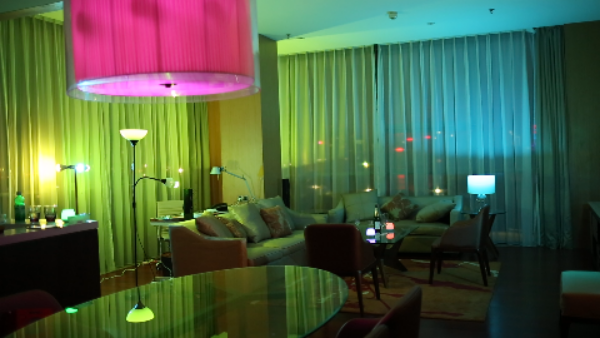
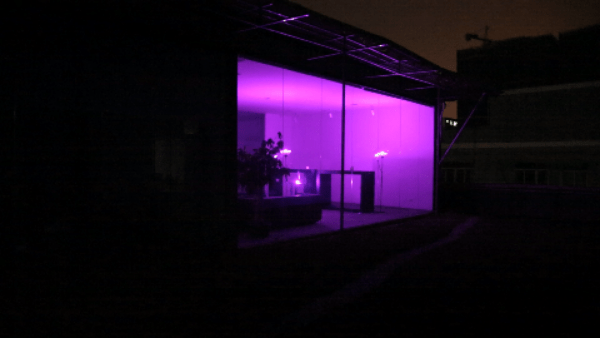
Below are a few examples of a room with the lights activated. It really is a powerful light bulb. The brightness can be adjusted too. Whilst purple looked fab in the room, red was also highly dramatic.
image

image

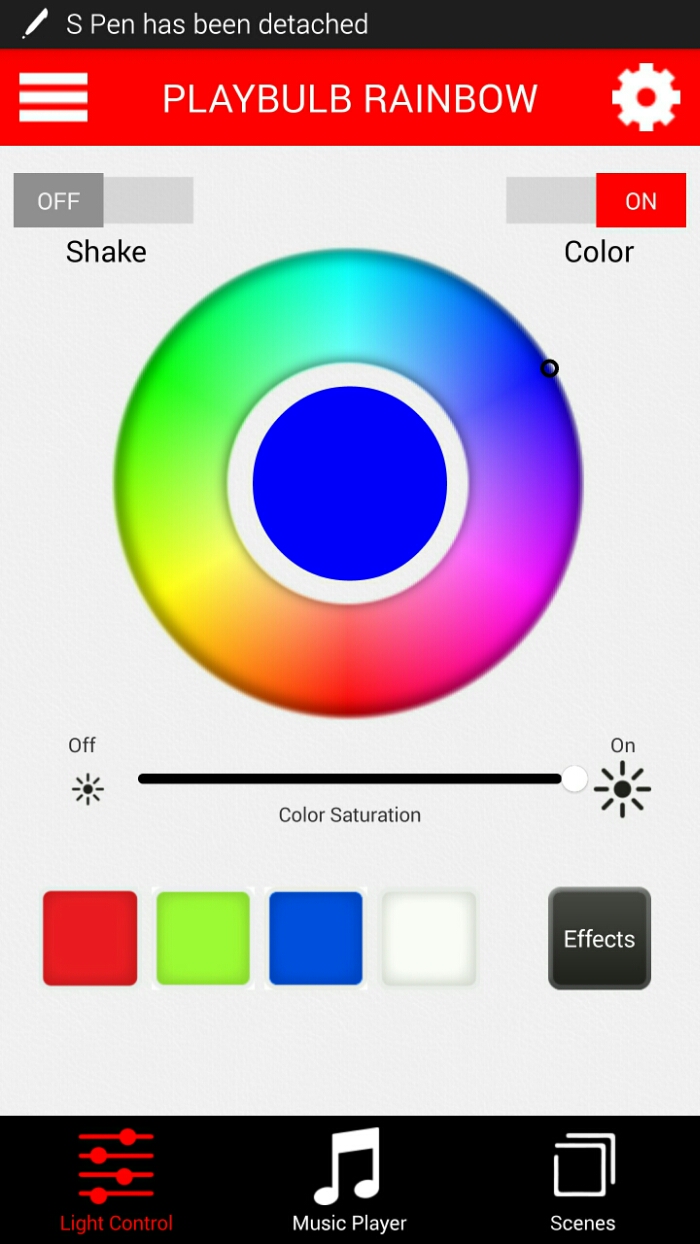
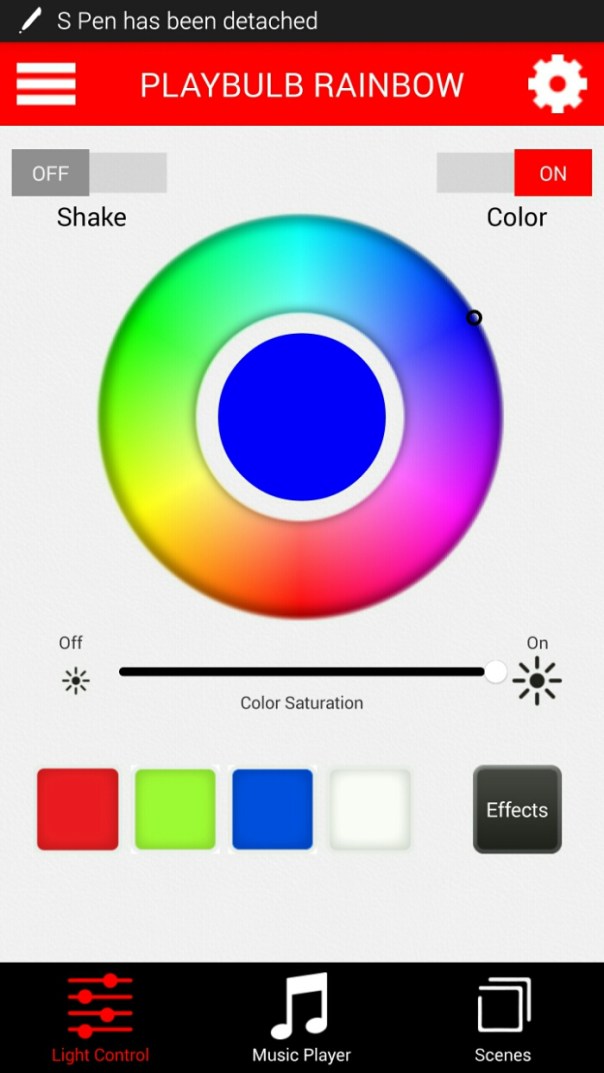
And a screen shot from the Android app. The app is also available for Apple devices too.
image

From within the app you can also choose the colour for the bulb, brightness, timers or set for a time off, enable special effects which include changing colours automatically with control of the speed, scenes for different moods or rooms or light changes to your music. I was using the new updated app which at the time of testing had one bug. On first start up the tutorial screen appeared. You just hit skip to get passed this stage but it would be better if you could stop this screen appearing again.

So over Christmas I used my clip on lamp with the Playbulb Rainbow and every evening changed the lighting mood with colours and one night let it party away in time with the Christmas music. My friends all want one now! So it’s a recommendation from me too.

For more information, head over to Amazon <a href="MIPOW PLAYBULB Bluetooth System with Rainbow LED Light

“>MIPOW PLAYBULB Bluetooth System with Rainbow LED Light