Category Archives: Reviews

Samsung Galaxy Gear – Impressions

I have had the Galaxy Gear with the Note 3 for 48 hours. I didn’t like either device to be honest so returned both items.

To be clear, the Note 3 was too big for my liking but pretty awesome nonetheless. Just simply too big for a phone. So it you like large phones, this is probably one to check out.

As to the Galaxy Gear, well it was clever and geeky and did a lot of things, but I just couldn’t see the point. I lost interest in it after an hour. It didn’t help that I thought it was ugly to look at on my wrist. My wife thought it looked like a kids toy.

The LG G2 Impressions

I have spent a few days with the LG G2. The specifications are readily available on the web, so I am just going to cover off my lasting impressions of this phone.

First the negative. The model I had was a 16gb version which in my books does not provide enough memory if you are going to want to store your music, apps and games on it. My theory is networks in the UK did not want to stock the 32gb version so they could force you on to using a larger data tariff.

Now the positive. It feels great to hold in the hand. The rear buttons are weird but you do get used to them. The screen is simply the best I have ever seen. It embarrasses my iPhone 5S screen. 5.2 inches of gorgeous screen and hardly any bezels. In fact the screen is the one aspect of this device I will really miss.

The camera was fairly good, but the freak UK weather meant photographing in 100mph winds was not possible.

Double tap to turn on or off is excellent. It also works when in other apps, if you tap on the status bar instead.

Battery seemed capable of getting me through the day despite me using it constantly.

Overall, it was the screen with its gorgeous display and tiny bezels that stand out. Now if the new Nexus 5 is based on this, but with a 8mp OIS camera, we really are in for a treat.

Catch up on 20 of the Latest Phone/Gadget Reviews

It is often difficult to find the reviews of devices and accessories I have written about, so below is a quick way to find all the articles for the key reviews. Or use the top right search box to search for anything on my blog.

Netatmo Urban Weather Station Review

Sony XBA-H1 Headphone Review

Sony Xperia Z1 Review

Sony QX10/QX100 lens review

ZTE Open Review – Firefox OS

Huawei Ascend P6 Review

Nokia Lumia 925 review

HTC One

Samsung Galaxy S4 Zoom Review

Sony Xperia Z Tablet

Samsung Note 2 review

Nokia Lumia 620

Audio Technica ATH-AD900x Headphone review

Fiio E12 Headphone Amplifier

Olloclip 3 in 1 Lens review for iPhone 5

Trident iPhone 5 case review

Bluetooth iPad Mini case review

Glif+ for iPhone 5 review

USB Fridge Review

USB Rollup Drum Kit

Netatmo Urban Weather Station for iOS, android and Windows Phone

I have written 2 previous articles on this weather station. Click here to recap https://gavinsgadgets.wordpress.com/?s=netatmo&submit=Search

After owning the Netatmo Urban Weather Station for over a week now, I am writing my full review. Before I start I will just say this is one of those products that does exactly what it says on the tin. If you look back at the previous two articles you will see screen shots of the functionality from the iOS app, web app, WeatherPro and baratmo mac app. Below is the indoor sensor.

IMG_1110

Rear of indoor sensor. Outdoor sensor looks identical, except one inch shorter.
IMG_1111

It comes in a box with two sensors, the indoor sensor is taller than the outdoor one by about an inch. You also get a micro usb cable, UK plug, startup guide/installation of sensors, a screw and raw plug, strap for indoor sensor and that is it. Oh, there was also 4 AAA batteries. I downloaded the app, created a user ID and password, after which then took me into the setup. So all you do, is install the 4 batteries into the base of the outdoor sensor, drill a hole in to an outside wall, where the sensor wont be exposed to direct sunlight and rain, screw the screw into the raw plug and then slide outdoor sensor onto the screw. 5 mins after completing that task, I then connected the indoor sensor to the mains. I then continued to follow the iOS app instructions for setup. At each turn you get a pretty picture of what to do and written instructions. Really, really simple and clear instructions. You next connect your phone directly to the indoor sensor and it updates the sensors firmware, reads your wifi setup and copies it across. The indoor sensor then talks to the outdoor sensor and voila. The screenshots below give you a clear idea of what data you can obtain but this includes indoor and outdoor temperatures, CO2 indoor, humidity, air quality (via CiteAir), mbar, sound levels, weather forecasts (provided by MeteoGroup), graphs plotting data over a given period and more. As an example the rain mode gives you: the amount of rain per 3 hour period (represented by blue bars) and the probability of rain (represented as a red curve). By touching on the icon button on the air quality gauge, you may switch between background air pollution index,
traffic air pollution index and complementary information about the main pollutant.

Screenshot from iOS app which will look the same for android. The Windows Phone app takes on the tile look of Windows Phone.
IMG_1090

This displays details of the indoor and outdoor sensors. Buy scrolling down or flicking up you can reveal more data.
IMG_1091

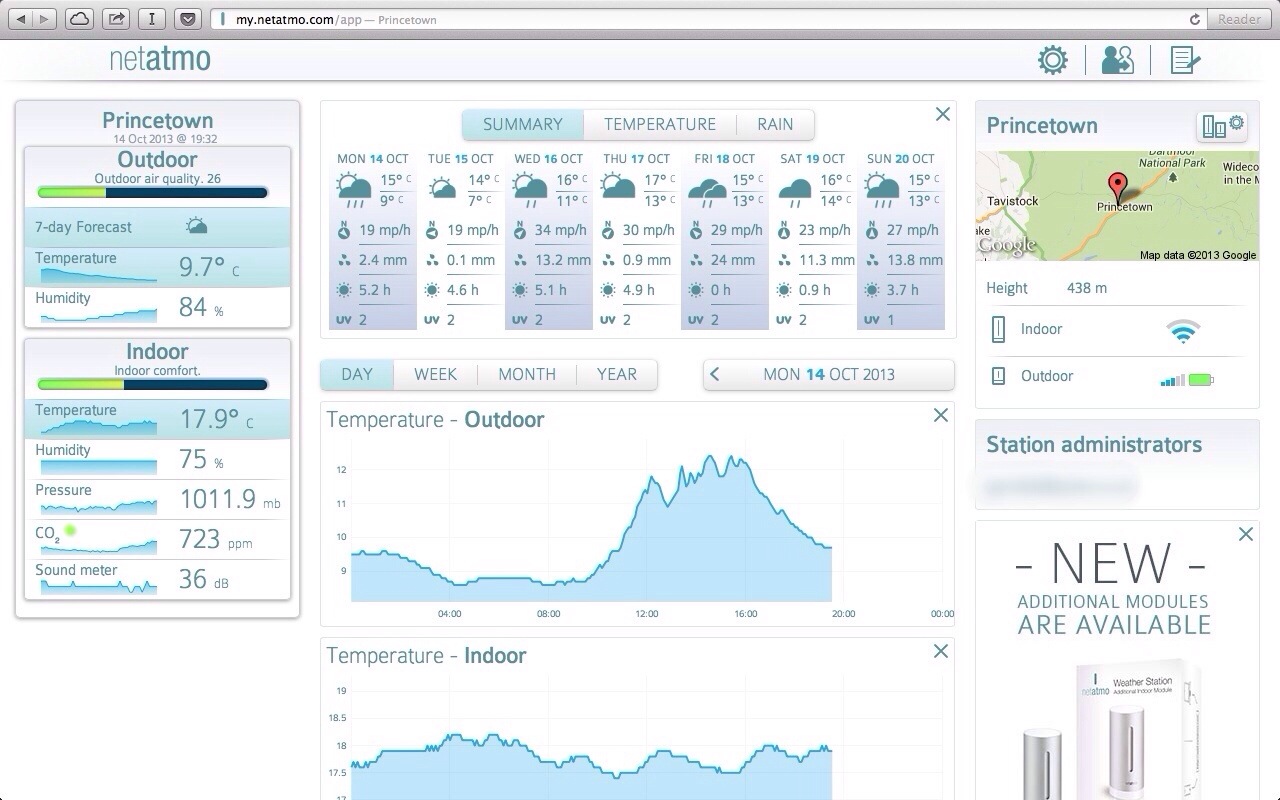
You can also go in to the settings and retrieve information on the sensors and their battery and wifi strengths. Turning the phone horizontal will allow you to show graphs on all the different measurements. Pinch and zooming allows for the data to be expanded or shortened depending on your requirements. The web app is excellent and shows nearly everything across one page.
20131014-195628.jpg
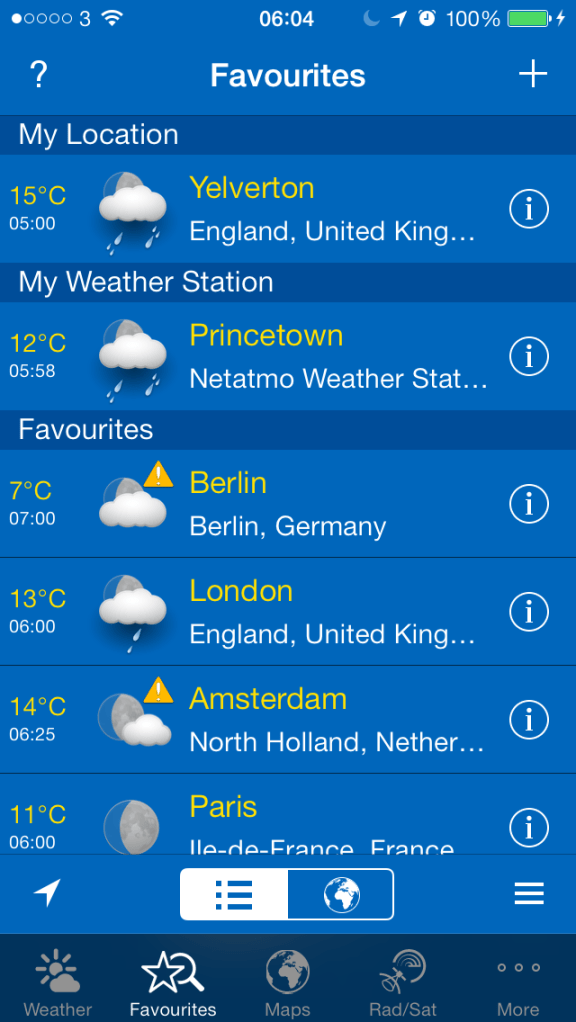
It is great that you can integrate the Netatmo Urban Weather station into other apps. So far I have found WeatherPro on iOS and Baratmo for mac. Screenshots below.
IMG_1092
IMG_1093
and for the mac, Baratmo provides a quick list of data from the status bar.
bar

The key aspect of this solution is that it all has to be linked to your home network via wifi and logged in to Netatmo servers. You need 4 AAA batteries in the outdoor sensor which requires installation on a wall, preferably not in direct sunlight and directly exposed to rain. i.e.. perhaps under the eaves. And apparently the batteries last one month, but at present I cannot provide confirmation of that as I have not had the product long enough. A caution, if Netatmo’s servers go down, you will not get any data.I have had this a week, and for 2 hours last Wednesday they were updating their servers so I received no data.

The sensors send data every 5 mins, can provide notifications for high levels of CO2 or weather warnings from sensors, you can manually check for a CO2 reading immediately update by pushing the top of the indoor sensor. When measuring on demand, the indoor module displays the CO2 level using the following color code:
– Green = Good
– Yellow = Could be improved
– Red = Room should be ventilated.

You can also invite friends into the Urban Weather Station to share you data too. You can also act as a contributor for your outdoor readings. This is still a work in progress, but this is a map of what people would see.
map

All in all it is an impressive experience, albeit expensive at £139. Additional indoor sensors, up to another 3 can be added to the system too. There is also a PDF manual that you can download which is seriously comprehensive.

So far I have really enjoyed using the Urban Weather Station, and is probably my favourite gadget of the year.

Update – after a week, the following notifications appeared.

20131019-171413.jpg

Update 2 – last night mapatmo tweeted me and invited me to be part of the Public World Netatmo World Map. More details here – http://www.mapatmo.com

Sony XBA-H1 Headphone Review

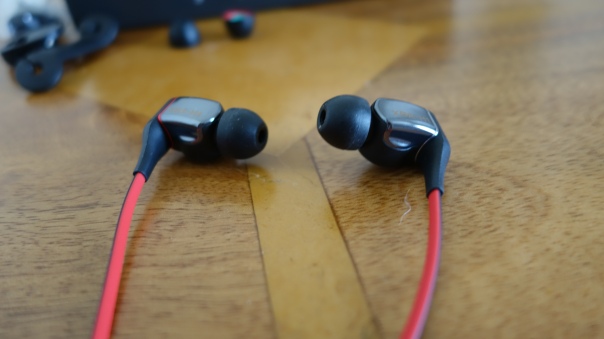
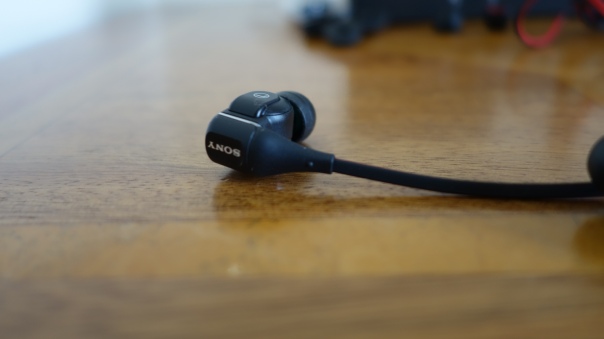
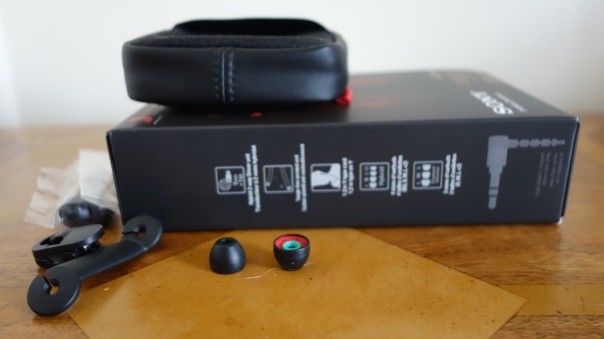
Sony has just released the XBA-H1 in ear headphones. They retail at a recommended £99 although you will find them for less on amazon for around £79. Below is photo showing wire and clip holder, pouch, box and optional hybrid foam ear tips.

IMG_1107

Their specification are –
-Type – Closed, hybrid
-Power handling capacity 100 mW
-Driver unit Hybrid 2-way (9mm dynamic + Balanced Armature)
– Frequency response 5-25,000 Hz
-Sensitivity 105 dB/mW
– Impedance 40 Ω (at 1kHz)
-Cord type Approx. 1.2m, OFC Litz cord (Y-type)
– Plug- Gold-plated L-shaped stereo mini plug
-Weight 7g (without cord)
-Supplied accessories – Hybrid silicone rubber earbuds (2×SS/S/M/L), Foamed silicone earbuds (2×S/M/L), Cord adjuster, Clip, Carrying pouch.

IMG_1108

The packaging of the headphones is excellent. You feel as if you are getting a premium product. You also have 2 types of ear tips in 3 sizes. The hybrid foam silicone tips offer more comfort. However, I found the bass was reduced. For some people this might be a preference but not me.

Ok, so you may be asking is there anything special about these headphones. The answer is yes. These are part of a new range of hybrid headphones from Sony. There is also the H2 and H3 in the range. The H3 cost over £200. So the H1 are the lowest priced in this new range. As I mentioned they feature hybrid drivers. That means they have a balanced armature and a dynamic driver. The principle is balanced armatures produce more accurate mid and treble tones but are not heavy on bass. For some this is fine. In fact, Sony surprised the world when last year it brought out a range of pure balanced armature in ear headphones. These received wide praise.
IMG_1109

So the H1’s take the best aspects of a pure balanced armature design but you a dynamic driver for the bass. Dynamic drivers can offer much lower and more dynamic bass. If you look at the specs of the H1 you will see they drop low down to 5 Hz.

So using these headphones with my iPhone 5S was a real treat. Irrespective of genre these headphones displayed clarity , precision, soundstage and attack. The bass was precise and deep. But overall it is the sheer musicality and tone that leave you speechless. They are crazy good to the point you wonder how Sony produced them and at this price point. It also makes you wonder just how much better the more expensive versions in the range can be. Or even more to the point, why bother spending more.

I have used and owned a number of different headphones small and large, but in my book these are one of the best. And it is not just myself who thinks this. There are a number of people who has just bought these who are equally amazed.

Clearly there are better headphones at a much higher price point. But are they worth the extra money? That is the million dollar question!

iPhone 5S – One Month later review

Just a short piece on my thoughts on my iPhone 5S one month later. Just to recap I had spent 6-7 months using Android and Windows Phone devices and a wide selection. So here I am back full circle to the latest iPhone and iOS.

The 5S is a fast phone, great for anything one handed and is enhanced by my huge and I mean huge app and game selection. In fact, my iOS app collection is stronger than android and leaps ahead of Windows Phone options. Having such a strong selection means I can do more or play more varied games. And it is the apps and games where I realise I have found the pleasure again in using an iPhone.

iOS 7 plugs many of the gaps that were needed on iOS and then adds to making the iPhone experience second to none. The camera whilst only 8mp on paper takes some really incredible photos, and with just one touch. No fiddly settings. The battery life is better than that of my previous 5. The audio quality is considerable improved over the 5. IMO its the best Apple device for music quality. Touch ID means I always have a locked secure phone.

And using the Apple Eco system is a simple affair. What was amazing is not only is iCloud Backup the best solution on any platform, it happens automatically. It was great to restore my phone, and pull back all app data and game data. No need to replay games to my last position. That was great. And the last time I had an iPhone was 6 months ago.

Accessories. The 5S and my Sony QX10/100 lenses fit really comfortably on the phone. WeMo and Netatmo hardware all integrate nicely on the iPhone 5S. The M7 motion processor is tracking my movement without using battery. Neat.

Out of any phone, the 5S represents a smooth, hassle free experience over any current phone. Well nearly. iOS 7 has a few bugs. The 5S has reset itself a few times over the last month. Nothing serious and back in action 15 seconds later but not what I would have expected. I am not sure if it is iOS 7 or third party apps not fully updated. But as I install the iOS7 updates, the 5S becomes more useful and smooth.

And yet, despite having the perfect and best phone experience to data, the bloody Samsung Note 3 keeps calling me…..

But I can resist 🙂

Netatmo Urban Weather Station review part 1

A few days ago I wrote about my early days with the Netatmo Urban Weather Station. To recap on the earlier part click here.

The Netatmo Urban Weather Station has apps for iOS, Windows Phone and android. Below is a couple of screen shots from the iOS app.

IMG_1090

IMG_1091
But it also has a PC web app. I will write a more complete review soon but I thought I would show you the view you get when using the PC web app for the first time.

20131014-195628.jpg

I have since discovered that there are some third party apps that works with the Weather Station. First is WeatherPro for iOS. Baratmo for Mac OS. And for those android fans, there is also a widget with the official app.

Screenshot of Baratmo – with this all you get is an icon in the status bar. Click on this and the following pops up as below.

bar

With WeatherPro you can fully integrate the Urban Weather Station into the app. First it appears in the list of favourites.

IMG_1092

And then you can tap on it to get more detailed info as shown below. You can scroll down for even more info, or hit the top right bar chart info to get specific graphs on an individual item of weather, similar to the Netatmo official app.

IMG_1093

So what do you think of the data available?

Netatmo Urban Weather Station for iOS and Android

On Saturday, I somehow ended up in the Apple Store Plymouth and exited with the Netatmo Urban Weather Station.

Later on in the week I will review it in more detail as it does an awful lot. In essence you get 2 sensors, one indoors and the other for outside. It all connects via wifi to your wireless network, and the setup is done by connecting your phone to the indoor sensor that then proceeds to setup the units.

The aim is to have accurate indoor and outdoor weather data. From temperature, air quality, co2 levels indoors, sound levels, forecasts and more. You can check what’s happening using the android or iOS app, or even log into the web app on your PC anywhere in the world.

You can even open up access to friends or other weather fanatics.

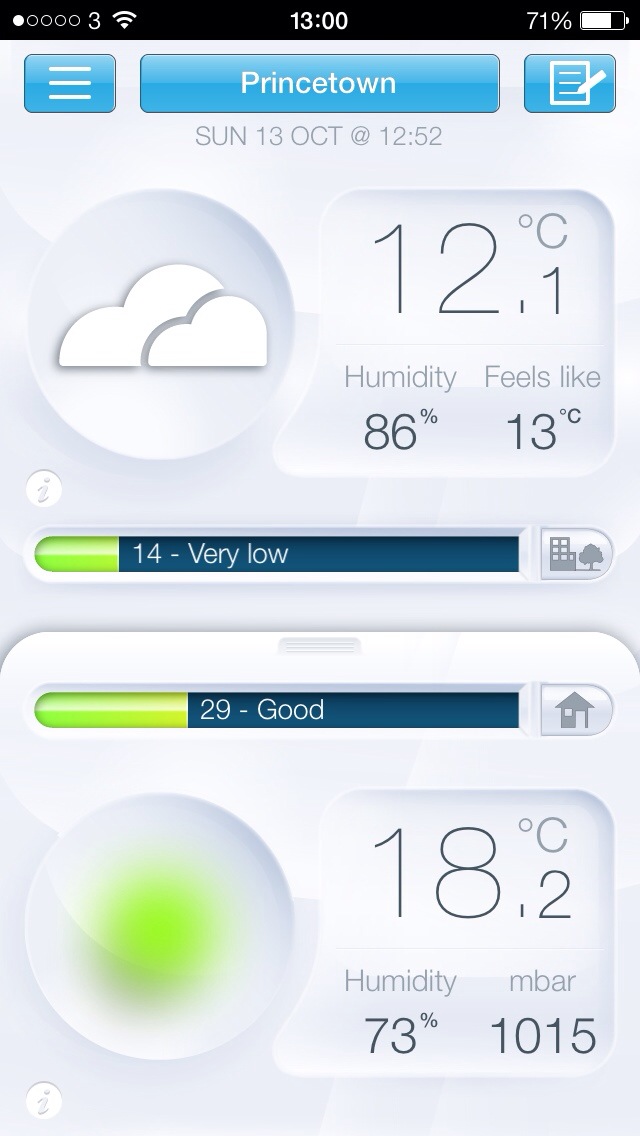
Below is a screenshot from the weather station. Top half is outside. Bottom is indoors and co2 levels. There are many many other views but these will be covered in the main review.

20131013-130108.jpg

Sony QX100 lens review

Below is my review of the Sony QX100. I already have reviewed the QX10 and yesterday did a photo comparison between the QX10 and QX100. Click this link https://gavinsgadgets.wordpress.com/?s=QX10&submit=Search to get access to the previous articles.

DSC00841

In this review, I am going to cover off what the QX100 adds over the QX10. I am not going to repeat any of the basics, so please read the QX10 review first.

First up the QX100 is a 1 inch Carl Zeiss® Vario-Sonnar T* RS Exmor CMOS 20.0mp lens with 3.6 x optical zooming during photo and video mode. It comes with Optical Image stabilisation and features the same lens from the Sony RX100 award winning camera. It features the following –

-Metering Modes : Multi Pattern
-Exposure Compensation : +/- 3.0 EV, 1/3 EV step
-Exposure Settings : [Still] Superior Auto, Intelligent Auto, Program Auto, Aperture Priority, Movie Mode
-ISO : [Still Image] ISO160-6400(iAuto), ISO160-25600(Superior Auto), ISO160-3200(Program Auto), ISO160–3200(Aperture Priority)
-White Balance Mode : Auto / Daylight / Shade / Cloudy / Incandescent / Fluor (Warm White) / Fluor (Cool –White) / Fluor (Day White) / Fluor (Daylight) / Flash / C. Temp., Filter / Custom
-ISO Sensitivity (Movie) : [Movie] Auto (ISO 160 – 3200)

-Focal Length (35mm equivalent) : [Still Image 3:2] f = 28-100mm [Still Image 16:9] f = 29-105mm [Still —Image 4:3] f= 30-108mm [Still Image 1:1] f = 36-127mm [Movie 16:9] f = 29-105mm (SteadyShot Standard), f = 33-120mm (SteadyShot® Active Mode) [Movie 4:3] f = 36-128mm (SteadyShot® Standard), f = 41-146mm —–(SteadyShot Active Mode)
-Lens Construction : 7 elements in 6 groups (4 aspheric elements including AA lens)
Aperture Blade : Iris diaphragm (7 blades)

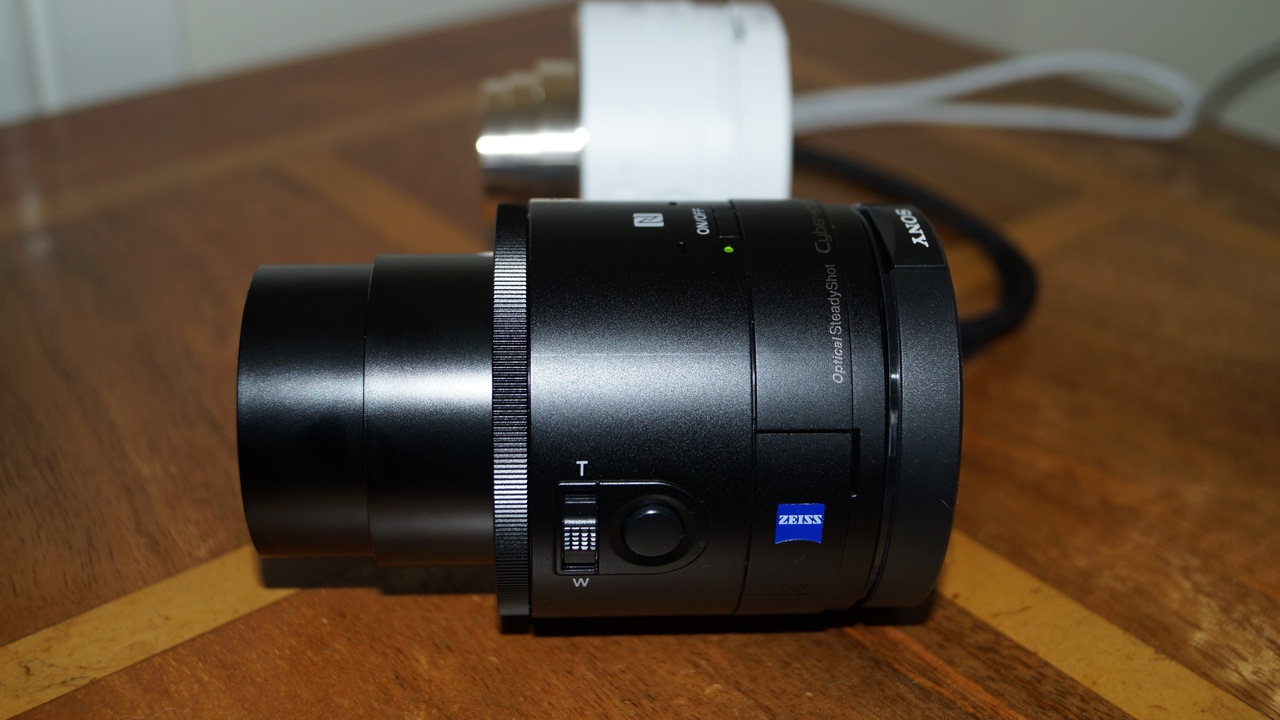
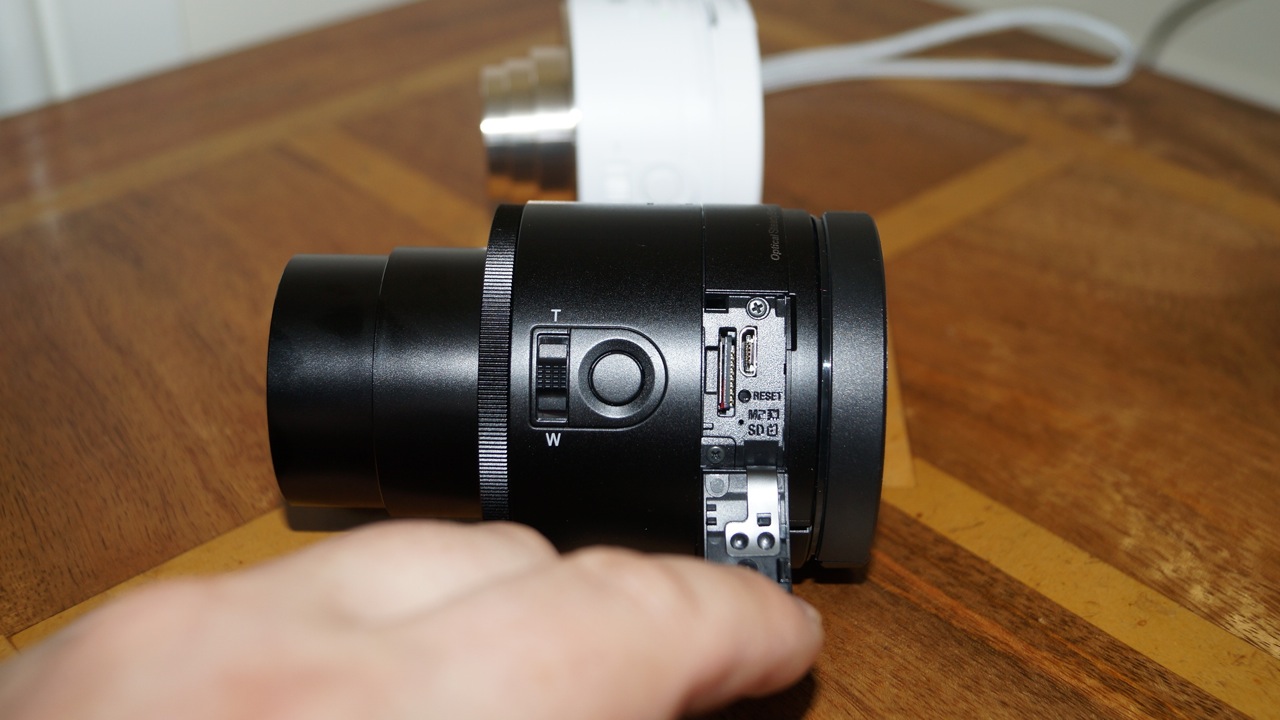
It weighs approximately 180g vs the QX10 at 105g. On the QX100 the memory card and micro usb is accessible without having to remove the clamp section and lift the battery cover.

DSC00842

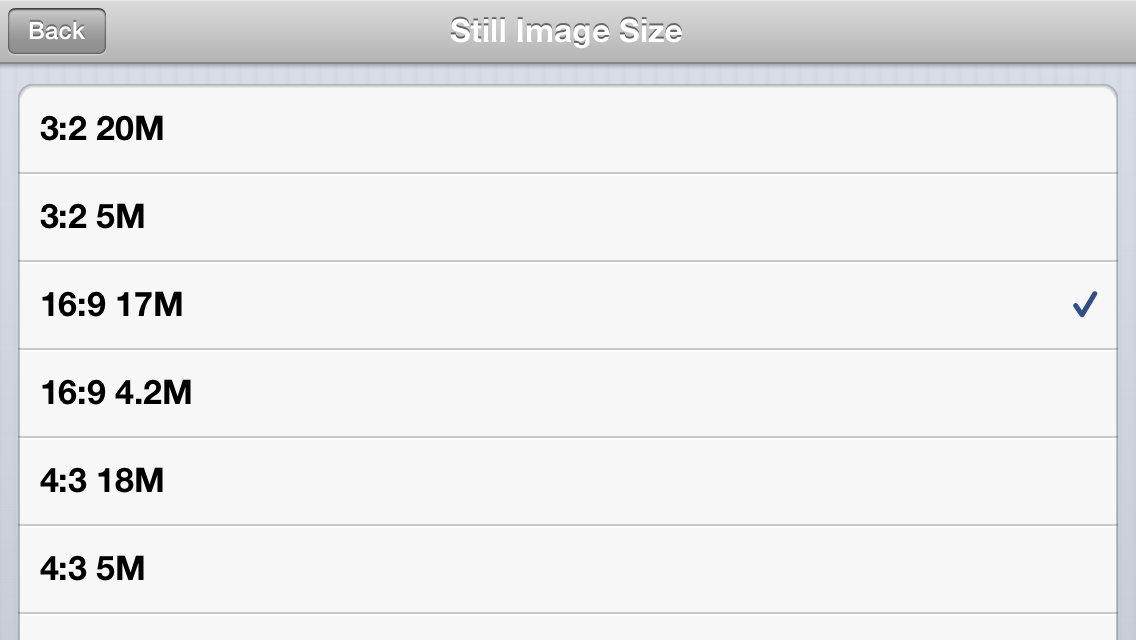
Apart from that the QX100 has a zoom control ring on the lens itself. The Playmemories app provides a few more settings. A choice of AF-S or manual focus. More file size outputs.
IMG_0716
The last two file size options are 1:1 at 13mp and 1:1 at 3.7mp.

Finally the shooting modes reveal other options.
IMG_0718

The Program reveals a new manual setting as below –
IMG_0719

And Aperture Priority as you would expect adds one other manual setting control –
IMG_0720

To be honest, the manual controls are limited on the QX100. Although the QX10 is near auto everything.

The clamp fitted really well around my iPhone 5S with the fitted leather Apple case. The lens also worked well connected to my tripod. The Playmemories app did freeze twice in 3 hours. Sony is working on an update soon to be released to improve the connection. It is not a problem though just something to be aware of. You simply close the app and restart it if you have an issue.

There is a bug with the QX100. It reads the time and date when connected via wifi. Except it does not do this on the QX100 as it should. So the date starts from 1st January 2013. The QX10 did not have this bug. I have written to Sony, and will update you when I receive a response regarding this. And low and behold the Playmemories app received an update yesterday and fixed this bug.

If you look back at the article yesterday comparing the photos from the QX100 and QX10, the QX100 does take considerable better quality snaps and for me it is a keeper.