Category Archives: Photography

Kodak Ektra Smartphone Review – The Camera Phone from Kodak

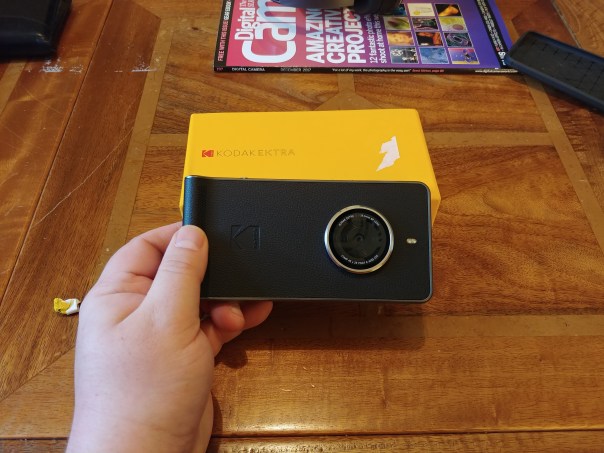
The Kodak Ektra smartphone is a camera or is it a phone, no its simply an android phone, designed to look like a camera. It looks different and actually is pretty easy to hold due to its shape and textures.

Key Specs

– Processor – MediaTek MT6797 Helio X20 Deca-core, 2x Cortex-A72 @ 2.3GHz, 4x Cortex-A53 @ 2.0GHz,4x Cortex-A53 @ 1.4GHz
– OS Android™ 6.0
– DIMENSION 147.8 x 73.35 x 9.69mm (14.02mmat camera lens)
– DISPLAY 5” FullHD 1920×1080
– CONNECTIVITY BT4.1, 802.11 a/b/g/n/ac (2.4GHz and 5GHz), GPS/Glonass
– MEMORY 32GB ROM, 3GB RAM
– I/O 3.5mm audio, USB 3.0 Type C, microSD™ (Up to 128 GB)
– Single SIM (Nano(4FF))
– SENSORS Ambient Light, Accelerometer, Gyroscope, E-Compass, Proximity sensor
– AUDIO Speaker, Receiver, Dual MIC
– KEY Camera key, Power key, Volume up/down
– BATTERY 3000mAh, with 5V 2A charging, and Pump Express ready
– APPS Kodak Camera, Gallery, Super 8, Selects curation portal, printing apps; Google’s Snapseed™ editor;
MobiSystems’OfficeSuite and File Commander; AVG AntiVirus

Camera Samples

Main Review

In my main review, I take a closer look at the phone, the software, camera software and photo editing.

Conclusion

The Kodak Ektra came out over a year ago costing over £400. At the figure it was not worth the cost. At less than half that price now, it is a nostalgic piece of kit and fun to use. It has also benefitted from many firmware updates, however, the camera is not a patch on current flagship phones.

Useful Links

Kodak Ektra latest pricing on Amazon UK

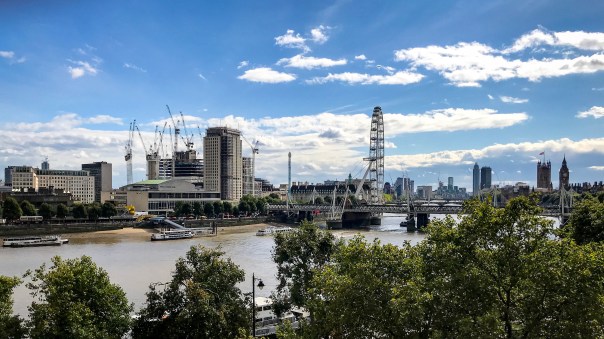
London Eye and Waterloo Bridge – Shot on an iPhone 7 Plus – Testing the Zoom on iOS 11

The scene was set. On Thursday, I was standing on the roof terrace of the Institute of Engineering and Technology. The sun was out and I was looking a spectacular view of London. I recently installed the full version of iOS 11, that is, non beta, so lets see how the latest firmware compared.

The above photo is using 2 x optical zoom of Waterloo Bridge. Looks superb.

Above is the same shot of Waterloo Bridge but just using the standard lens. The difference is huge. The sun had temporarily hidden behind some clouds, hence the difference is brightness/colour.

So testing the zoom lens at 2 x optical zoom, we can focus nicely on the London Eye.

The next shot above is of the London Eye, using the normal wide lens.

So despite the iPhone 7 Plus being one year old, it still can perform really well. I cant wait to see how the iPhone 8 Plus and iPhone X perform against the 7.

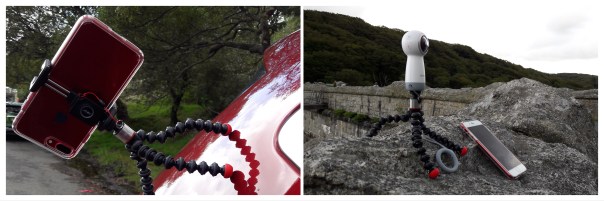
Joby GripTight ONE Magnetic Tripod Review

Welcome to my review of the superb Joby GripTight ONE Magnetic Tripod.

Key Features

– Compact Design. Patented, compact, foldable design
– Universal Fit. Fits most smartphones with or without a case
– Quick Release. Stainless steel spring loaded design for quick grip and release of smartphone
– Flexible Base. Flexible gorilla pod legs with rotating ball head and magnetic feet provide endless platforms and creative angles

Main Review

Conclusion

The Joby GripTight One Magnetic Tripod is simply amazing. I have used it in so many different scenarios and with a number of portable devices from my iPhone 7 Plus, Samsung Gear 360 (2017) and Sony RX100 camera. Highly recommended.

Available from Amazon UK.

Aukey Flexible Mini Tripod Review – With Phone Mount & GoPro Stand


The Aukey Mini Flexible Tripod is just £12.99 and yet is a full featured tripod. 

Key Features 

– Extremely flexible and versatile tripod for amazing images with an extensive range of phones and cameras.

– Total freedom to capture super-steady shots and videos anytime, anywhere. Fix your phone or camera to tree branches, railings, furniture, and more. Stable standing on sloping and uneven surfaces

– Get the perfect position. Highly adjustable tripod with tilting & rotating ball mount, pivoting legs, and twenty-seven full flex leg parts

– Fits phones up to 5.7″ screen size and a diverse range of cameras from DSLR to compact to GoPro. Also suitable for other devices with 1/4″ screw mounting point. If your phone is larger you just need to use a different phone mount. 

– Maximum Load: 800g 

– Phone Mount Width: 55-70mm 

– Leg Length: 210mm 

– Folded Length: 270mm 

– Weight: 207g 

– Package Contents: AUKEY CP-T03 Flexible Tripod, Phone Mount, GoPro Camera Mount, Two 1/4″ Mounts, 24-Month Warranty Card

Available from Amazon UK.

Video Review 

Shot on the LG V20 – Cotehele House

Yesterday, I showed you a few photos of Cotehele House with some macros of the flowers and insects found in the gardens.

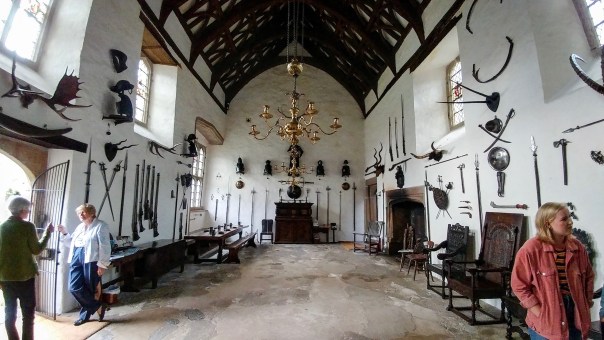
But sometimes you need a super wide angle lens when visiting places to capture the whole room or view. The LG V20 has 2 lenses on the rear, a standard 16mp and a super wide 8mp lens. In terms of raw image quality the iPhone 7 Plus is better but the LG V20 has many tricks up its sleeve.

For example, it has a removable battery, infra red blaster for controlling your TV’s and aircon units, a HiFi Quad DAC, able to power headphones up to 600ohms, a headphone jack too, pro manual video and photo modes on the camera and a secondary display on the front. There’s more too, a real geeks phone!

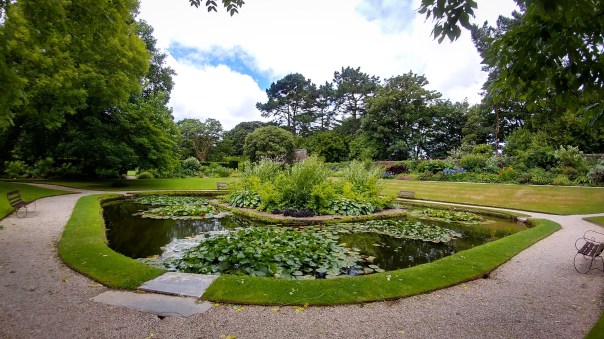
Anyway, going back to the camera, below are those special wide angle photos from the LG V20 that most phones cannot capture.

If you scroll back a post to the iPhone 7 Plus shot of the rear of the house, this was the same spot I was standing when I took this one with the LG V20. The difference is massive as to how much more you can capture of the scene.

Another side shot. Again, there is a comparison from my post yesterday using the iPhone 7 Plus, standing in the same position.

Here you can capture the whole pond and surrounding area.

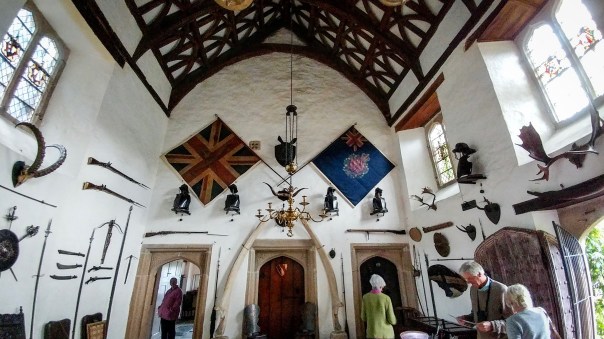
The super wide lens makes it a breeze to capture the entire room, all 3 walls and ceiling.

Even when you cant step back any further, you can still get the whole scene in the photo.

Obviously, being super wide does create some curving at the edges.

Overall, for sight seeing, the LG V20 was invaluable.

A Trip to Cotehele House – Shot on the iPhone 7 Plus

At the weekend I visited Cotehele House which is a National Trust property. Cotehele House is a lovely place with beautiful gardens.

Below are a selection of photos taken with my iPhone 7 Plus, showing the house, the flowers and some of the smaller insects found there.

The best views of the house are from the rear.

Here you get a glimpse of the garden.

From inside the house, looking out.

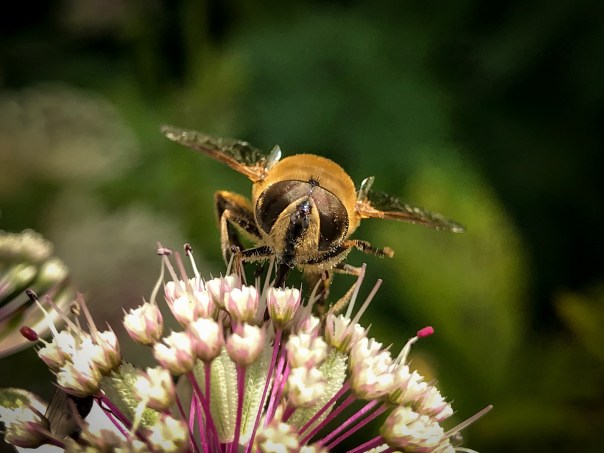
Some close up of the little things found feeding on the flowers.

The gardens at Cotehele have such an amazing range of flowers and plants. Well worth a visit if you are visiting Cornwall, UK.

Pizza Time – A Drive across Dartmoor National Park – Filmed & Edited on an iPhone 7 Plus


Yesterday, I filmed my drive across Dartmoor National Park. The view is stunning. At half distance, I continued the journey across Roborough Common and then finally reaching my destination. 

The return journey back across Dartmoor National Park was thru rain and fog. Up on the Moors the weather can change very fast. 

The entire footage was filmed on the iPhone 7 Plus which was secured on a tripod mount to my car’s dashboard. It was then edited using a brilliant app called Luma Fusion. The tripod used was a Glif 2 which is totally awesome. 

Luma Fusion app works on an iPad or iPhone. It provided all the music and titles and effects. Notice how the music is in sync with the car wipers in the last section. 

Anyway, enjoy the view and journey 🙂

How to shoot YouTube videos with your iPhone 7 Plus

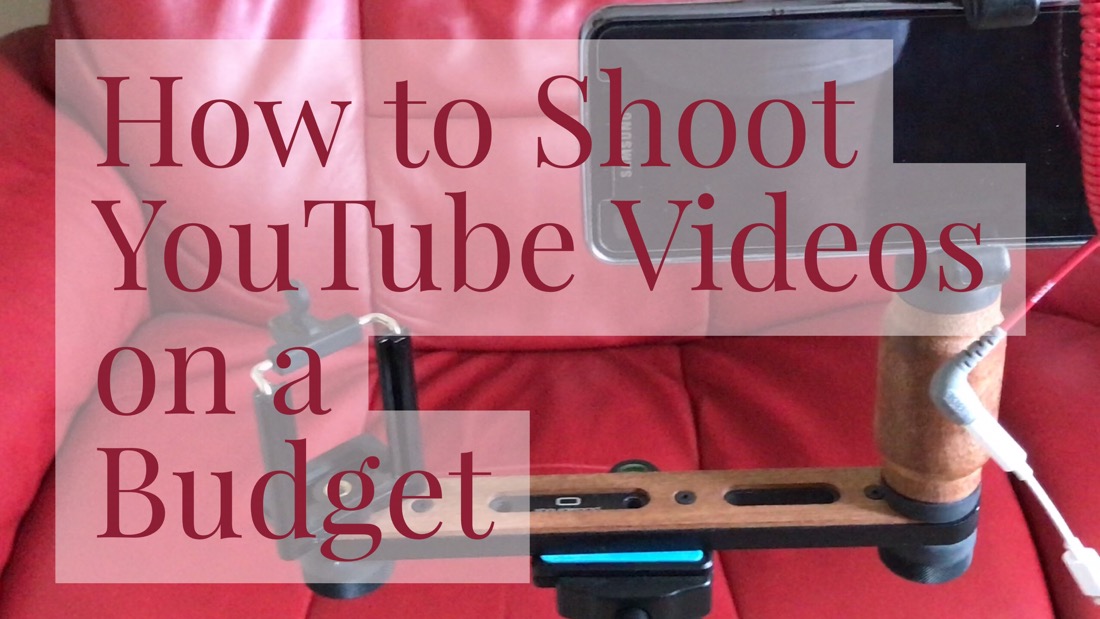
I have been asked several times, what gear do I use to shoot my YouTube videos. Well to answer your question it’s the following. 

Video Review 

List of Equipment 

The below are all links to Amazon so you can see the latest pricing and learn more about the piece of equipment. The Studio Neat Tripod mount is a new phone mount and is incredible. It has 3 tripod screws positions and if you watch the video you will see how it all works. 

Shoulderpod Tripod Rigs
Rode VideoMicro Compact
Manfrotto LED Light
Zecti Lightweight Tripod
Studio Neat Glyph 2 Tripod Mount

Conclusion 

If you want me to review any of the gear mentioned please let me know. The Zecti Tripod has already been reviewed. 

Aukey Clip on Wide Angle & Macro Lens for iPhone, Samsung & More – My Review

Aukey Clip on Wide Angle & Macro Lens review. This is a slick Clip On lens attachment from Aukey that cost £18.99. It’s provides a 140° Wide Angle and 10 x Macro lens. 

Key Features 

– Macro lens gets you 10 x closer to your subject for extreme close-ups. Wide Angle Lens opens up your field of view for breathtaking landscape photos or selfies. 
– Pair with 58mm CPL filters for beautiful effects.
– Made with aluminum alloy and multi-element coated glass to minimize ghosting, reflections, lens flare, and other artifacts
– Detachable soft rubber clip is easy to adjust and that won’t leave any scratches or marks on your mobile device
– In the box – AUKEY PL-WD07 Ora 2-in-1 140° Wide Angle + 10x Macro Lens Kit, Lens Clip, Carrying Pouch, Cleaning Cloth, 24 Month Warranty

Video Review

Main Review

I have owned many Clip On lenses, some cheap and nasty that I threw in the bin, some lenses from well known companies that are a bespoke fit for your current smartphone. Change your phone, and that bespoke clip on lens is now redundant. This is why I really like the Aukey solution. I tried it with my iPhone 7 Plus and Samsung A5 and it worked just fine. 


The above shot was taken using the iPhone 7 Plus without the attachment. This was a good as a macro shot I could achieve, and this is a crop too to try and make it look as good as possible. Now the same flower, but using the Aukey macro lens. 


The detail and bokeh is so much better. A winning result here. 


Now for the wide angle lens. So here is a normal shot taken on the iPhone 7 Plus. Unfortunately, the Aukey wide angle shot I took at the same time had my lovely fingerprint over it, so an hour later, slightly darker I took the same view using the Aukey wide angle lens. The shot that had my fingerprints on did look identical in brightness to the shot taken without the lens added. 


As you can see there is some softening on the edges and a bit of artifcating, but overall it’s a reasonable result and if you need to capture that extra amount this is one way to do it. 

I like the fact the lens can be protected when not in use and that you get a little pouch and micro fibre cloth. You will need the cloth. Fingerprints are easily added to the lens. 

Update – Here’s another macro I took. 


Conclusion 

A cheap but polished clip on lens that should not become redundant when you change your phone. Recommended. 

Useful Links

Aukey Clip on Lens latest pricing on Amazon