Category Archives: Apple

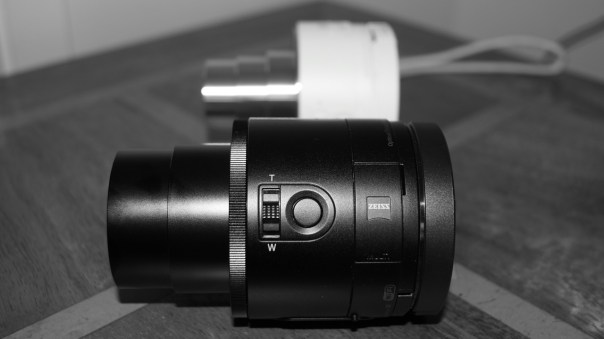
Sony QX10/QX100 Hub Lenses – Master Review

Below are all the review posts covering the Sony QX10 and Sony QX100 Hub lenses.

QXs

Sony QX10 review

Part 1 – https://gavinsgadgets.com/2013/09/18/first-impressions-and-specifications-of-the-sony-qx10-lens/

Part 2 – https://gavinsgadgets.com/2013/09/19/review-of-the-sony-qx10-lens/

Part 3 – https://gavinsgadgets.com/2013/09/23/turn-your-iphone-5s-into-a-proper-camera-with-the-sony-qx10/

Sony QX10 versus QX100 camera shootout

Review – https://gavinsgadgets.com/2013/10/08/sony-qx10-and-qx100-camera-shootout-plus-update-from-sony-on-software/

Sony QX100 review

Review – https://gavinsgadgets.com/2013/10/09/sony-qx100-lens-review/

Misc Review Posts

Photo Hardware comparison of QX10 and QX100 on iPhone 5S – https://gavinsgadgets.com/2013/10/12/photo-comparison-of-the-sony-qx10100-with-the-iphone-5s/

Further Thoughts on QX10 and QX100 – https://gavinsgadgets.wordpress.com/2013/11/04/further-thoughts-on-the-sony-qx10-and-qx100-hub-lens-cameras/

Sony updates Firmware details – https://gavinsgadgets.com/2013/11/04/further-thoughts-on-the-sony-qx10-and-qx100-hub-lens-cameras/

Sony updates Firmwares again details – https://gavinsgadgets.com/2014/01/30/sony-qx10qx100-hub-lenses-firmware-update-v2-details-and-changes/

Sony updates firmware to v3 details –

Major firmware update for Sony QX10 and QX100 Hub lenses

Sony Z Ultra – Special cases – https://gavinsgadgets.com/2014/01/02/sony-z-ultra-to-get-official-cases-for-sony-qx10-and-qx100-lenses/

Sony SPA-TA1 – https://gavinsgadgets.com/2014/01/31/own-a-sony-qx10-or-qx100-hub-lens-then-you-might-want-the-sony-spa-ta1/

Joey Ballhead with Sony QX10 and QX100 – https://gavinsgadgets.com/2014/02/11/joby-ballhead-and-the-sony-qx10-qx100/

Samsung Note 4 vs iPhone 6 Plus – Camera Comparison – updated

Today I have about 7 or so shots from the iPhone 6 Plus and Samsung Note 4. These were taken by a friend of mine who wanted to test each phone to see which one they preferred. The photos are completely unedited. If you want to view the full resolution, click through on the photos to my Flickr account, change the size to full resolution and pixel peep to your hearts contention. All the shots were taken from both cameras standing on the same spot. You will notice the different field of views from each phone. Panoramic shots – the Note 4 had a much longer sweep enabling it to take a much wider canvas. The 6 Plus has exposure correction as it takes the panoramic photos, but sometimes this ruins the shot as the change is noticeable. Just looking at the snaps as is, which do you prefer? Or are they really about equal. With both phones, there were hardly any duff photos taken. As they both use Optical Image stabilisation, this seems to help getting better shots.

Viewing order – In every shot it is iPhone 6 Plus first, then Note 4. At the end there are 3 Note 4 shots that have not got an iPhone 6 Plus equivalent. If you wish to see all the photos head over to my Flickr page – https://www.flickr.com/photos/gavinfabl100/ . Remember these aren’t full size images, but scaled down to save some bandwidth for those on mobile devices.

Royal William Yard Views #iphone6plus #unedited

Royal William Yard Views #SamsungNote4 #unedited

Once again, iPhone 6 Plus first and then Note 4.

Royal William Yard Views #iphone6plus #unedited

Royal William Yard Views #SamsungNote4 #unedited

And again, iPhone 6 Plus first, then Note 4.

Royal William Yard Views #iphone6plus #unedited

Royal William Yard Views #SamsungNote4 #unedited

Remember, to view the full resolution of each, just click on photo to go to Flickr, then select largest file size to view full resolution shots. And with all these shots, my friend was standing in the same spot when snapping.

Royal William Yard Views #iphone6plus #unedited

Royal William Yard Views #SamsungNote4 #unedited

And again, iPhone 6 Plus first, then Note 4.

Royal William Yard Views #iphone6plus #unedited

Royal William Yard Views #SamsungNote4 #unedited

And again, iPhone 6 Plus first, then Note 4. Just look at the difference with the Note 4 capturing a much wider area.

Royal William Yard Views #iphone6plus #unedited

Royal William Yard Views #SamsungNote4 #unedited

Below is another shot of the above scene from the iPhone 6 Plus just to add as another comparison.

Royal William Yard Views #iphone6plus #unedited

Below are some shots from the Note 4 where there is no alternative from the iPhone 6 Plus.

Royal William Yard Views #SamsungNote4 #unedited

Royal William Yard Views #SamsungNote4 #unedited

Royal William Yard Views #SamsungNote4 #unedited

So the above shots are trying to represent a typical day out. Which shots do you prefer? 6 Plus or Note 4? Or is it a draw? 8mp vs 16mp in lovely sunny conditions! In all honesty, I think all of these shots are amazing.

Updated – I can’t believe this but the Note 4 was left with the camera file size at 6mp instead of 16mp. That really is incredible as that made the photos fairer but also showed the Note 4 could snap another 10mp worth of pixels as it’s max resolution is 16mp.
Episode 27 – Gav & Dave’s Tech Podcast is live – Please RT – All the latest tech discussed

As you know, I co-host a bi-weekly podcast with David from UKMobileTech called Gav & Dave’s Tech Podcast. It is a light hearted tech podcast broadcast bi-weekly. To subscribe click here for iTunes or copy and paste this link into your favourite podcast app.

Episode 27 is now live for your listening pleasure. Today we discuss the new Samsung Gear S, the Note 4, Note Pro and much much more.

If you have enjoyed the podcast, please leave a 5 star review in iTunes. It helps others find our podcast. Go now and leave a review !

If you have any comments, questions or feedback, please drop a line at feedback@gdtpodcast.com .

Samsung Note 4 vs iPhone 6 Plus – Which Moon shot is best?

Last night there was a relatively clear shot of the moon. Some cloud but I wondered using the default camera apps which phone would snap the best shot. Both shots below have been cropped to a 1:1 aspect ratio. The Note 4 after cropping creates a 8mp shot from the 16mp, so it seems a fairish comparison with the 6 Plus photo.

First up is the iPhone 6 Plus.

FullSizeRender

And now the Note 4.
image

So which is best?

Samsung Note 4 vs iPhone 6 Plus – camera photo comparison

Just a really quick photo comparison. Don’t worry there will be plenty more and more evenly taken.

I’m not into pixel peeking too much just which phone can take the best shot. The 6 Plus is up first as is 4:3 ratio versus the Note 4 that snaps in 16:9.

So which do you prefer?

IMG_1239.JPG

And now the Note 4. Full resolution.

image

Fight – Apple vs Samsung Eco Systems

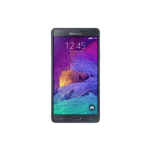
In my left corner, I have the Samsung NotePro 12.2 inch tablet, Samsung Note 4 and Samsung Gear S.

uk_SM-R7500ZWABTU_000259274_Front_whiteuk_SM-N910FZKEBTU_000258012_Front_blackuk_SM-P9000ZWABTU_004_Front3_white_10039907131921

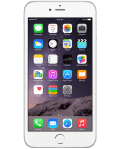
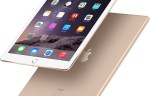
Preparing to take aim in the opposite corner is the iPad Air 2, iPhone 6 Plus and Apple watch. Of course we can also include the MAC. Since the Apple Watch isn’t available I will have to make some assumptions based on leaked information and that provided by Apple.

iphone6-plus-box-silver-2014_GEO_EMEA_LANG_ENipad-air2-overview-bb-201410og_apple_watch

So for the next 2 weeks or so, I am running an experiment. I will have the Samsung tablet, watch and phone working together and see how everything compares to the Apple experience. I will also produce a brief price chart to compare the cost versus the experience.

Any thoughts?

Helpful features in OS X Yosemite

Apple added a few nifty features in Yosemite. Below are ones I have found and used.

1. QuickType anywhere by pressing the ESC key while writing in any Apple app. This will bring up next word suggestions.

2. I quite like this one. If you want to move the dock from the bottom to the side then shift-click the divider bar on the dock to move it to one of the other sides of your screen.

3. Messages app has a mute options just like on iOS 8. Select details and then do not disturb.

4. It’s possible to remotely close tabs using Safari for your other devices like an iPad. From Safari on the Mac select new tab page, and click the X next to any tabs you want to close. You will see other tabs open on your other devices.

5. Spotlight does many more new things. It also does currency conversion. Just type what you need to do.

6. Sign your signature using the trackpad. Just open your document in Preview, click the signature button, and choose the trackpad option. Neat.

7. Need to help your friend with tech advise. Screen sharing is made easy via messages. So long as you both have messages running, hit details and then the screen sharing icon.

8. If you are a night owl, then Yosemite has a dark mode. System Preferences, General, Dark Menu on.

So have you any more that you would like to share?

Microsoft and Dropbox announce strategies partnership – full info

Microsoft and Dropbox announced a new partnership, that was somewhat surprising to say the least. This means the following –

Dropbox and Microsoft users can now do the following:

Access Dropbox from Office apps to get to their files and folders faster.

Edit Office files directly from Dropbox and sync them across devices.

Share new or edited files from the Office apps using simple Dropbox sharing functionality.

The functionality will first be included in the next updates to the Office apps for iOS and Android, coming in the next few weeks. The Web integrations between the Dropbox website and Office Online will be available in the first half of 2015. Dropbox will also make its application available on the Windows Phone and Windows tablet platforms in the coming months.

These capabilities will be available to all Office users with a Dropbox account. Dropbox for Business customers will need an Office 365 subscription. More information can be found by visiting the Dropbox blog at https://blog.dropbox.com/2014/11/dropbox-microsoft-office-partnership and the Office blog at http://blogs.office.com.

Via – http://news.microsoft.com/2014/11/04/microsoft-and-dropbox-announce-strategic-partnership-to-give-people-more-freedom-in-how-they-work-2/