Category Archives: Android

Shot on the LG V20 – Cotehele House

Yesterday, I showed you a few photos of Cotehele House with some macros of the flowers and insects found in the gardens.

But sometimes you need a super wide angle lens when visiting places to capture the whole room or view. The LG V20 has 2 lenses on the rear, a standard 16mp and a super wide 8mp lens. In terms of raw image quality the iPhone 7 Plus is better but the LG V20 has many tricks up its sleeve.

For example, it has a removable battery, infra red blaster for controlling your TV’s and aircon units, a HiFi Quad DAC, able to power headphones up to 600ohms, a headphone jack too, pro manual video and photo modes on the camera and a secondary display on the front. There’s more too, a real geeks phone!

Anyway, going back to the camera, below are those special wide angle photos from the LG V20 that most phones cannot capture.

If you scroll back a post to the iPhone 7 Plus shot of the rear of the house, this was the same spot I was standing when I took this one with the LG V20. The difference is massive as to how much more you can capture of the scene.

Another side shot. Again, there is a comparison from my post yesterday using the iPhone 7 Plus, standing in the same position.

Here you can capture the whole pond and surrounding area.

The super wide lens makes it a breeze to capture the entire room, all 3 walls and ceiling.
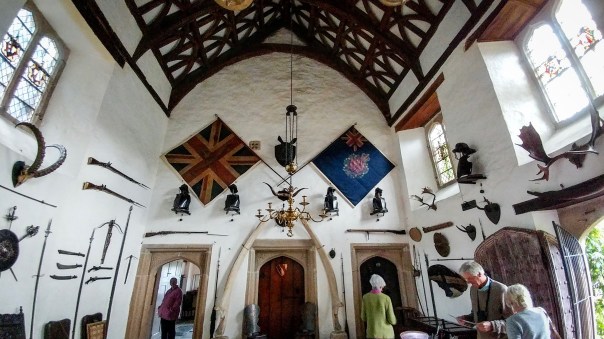
Even when you cant step back any further, you can still get the whole scene in the photo.

Obviously, being super wide does create some curving at the edges.

Overall, for sight seeing, the LG V20 was invaluable.

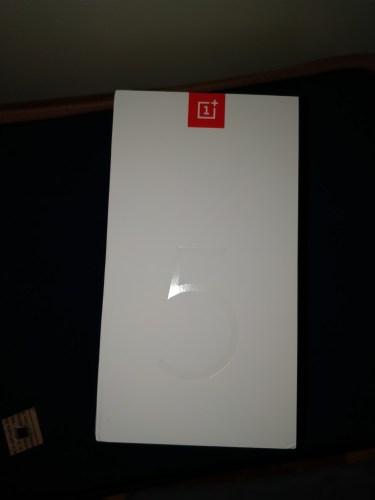
OnePlus 5 – Camera Review – Flagship or Sunken Ship?

OnePlus 5 camera review. Clearer Photos. Working with DxOmark. These were the buzz words OnePlus 5 used at the launch. So if you say your phone has an epic camera it better deliver. So does the OnePlus 5 deliver?

Well after some extensive testing using the latest firmware 4.5.2 it does and at times it doesn’t. It is consistent and does pull off some masterstrokes. So lets delve deeper.

Auto Mode

Press the shutter button and you will get a good shot. Focus is good. Overall exposure is good.

2 x Lossless Zoom

In my testing this works very well as shown in the video review below.

Low Light

Struggles a bit producing grain and noise but from firmware 4.5.1 to 4.5.2 , low light has improved. Also using the Google Camera app improved all photo results, so I would imagine more firmwares will improve low light. However, as there is a high pixel count, you can crop more on all modes. I love this ability to be able to crop and still have pixels to spare.

RAW

If you have the time, the 31mb RAW files hold a lot more data and you can really improve a shot. Helpful in low light scenarios.

Front Camera

Photos are surprising ok. The front screen selfie flash works well. Front video is fairly good too and has auto focus tracking so long as there is a face to track.

Panoramic

Use a different camera app. The default app is awful.Really awful!

Rear Video

4K and 1080p at 60fps is wobbly as hell if holding handheld. 1080p at 30fps uses EIS and looks good.

Burst

Phone takes 20 shots in about 1-2 seconds. It is very fast and has great results. The phone had no issues taking in focus shots of my 3 dogs running. I took over 200 burst shots of my 3 dogs. All were in focus. See video review samples.

Motion

In reasonable light, the camera in auto takes and locks focus fast.

Portrait

Excellent results with this mode.

Camera Review

Conclusion

Overall, the OnePlus 5 can take some great photos and video. I was impressed by the results with the modes that worked well. Those that didn’t aren’t worth using until the software is updated or you use a different camera app to achieve the result.

Useful Links

Buying on Amazon UK, shop & help support Gavin’s Gadgets

OnePlus 5 – How to activate USB Audio, Dual Bluetooth, Audio Tuner and APT-X HD?

OnePlus 5. So how do you activate the advanced audio options including USB Audio, APT-X HD and the Audio Tuner?

Audio Tuner

To activate the audio tuner go to the settings app. Scroll down to sound and vibration. Go to the last option Audio Tuner, turn on and tweak to your hearts content. This doesn’t work on Bluetooth audio. 

USB Audio

To enable USB Audio so you can plug in an external DAC, go to the settings app, advanced. Half way down toggle the OTG Storage setting to on. 

APT-X HD

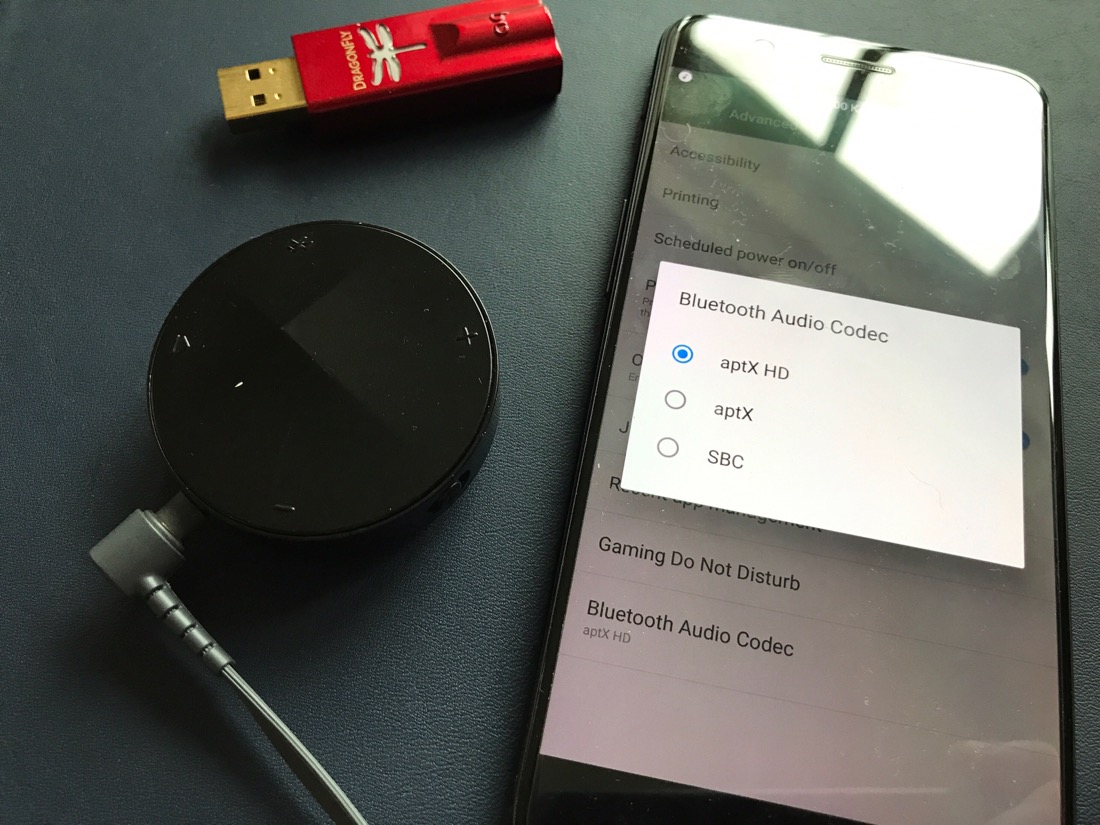
To enable the hi res APT-X HD, go to the settings app, advanced, and right at the bottom is an option for Bluetooth Audio Codec. Tap on this and choose between APT-X, APT-X HD and SBC. SBC is the default. The photo above shows the Astell & Kern XB10 Bluetooth Adapter that outputs the APT-X HD. You can read my review of the Astell & Kern XB10 by clicking HERE.

Dual Bluetooth 

So how do you connect to two Bluetooth devices at the same time on the Oneplus 5. You have to wait for Android O update to arrive on the Oneplus 5. It is not possible yet. 

If you have any questions on the Oneplus 5 don’t hesitate to ask. 

If you are shopping on Amazon UK and would like to help Gavin’s Gadgets towards the running costs, by clicking the Amazon link, it takes you to the Amazon store and you can shop away and purchase whatever you need, but without any additional cost to yourself. 

Amazon UK Shopping

OnePlus 5 vs iPhone 7 Plus – Portrait Mode Shootout

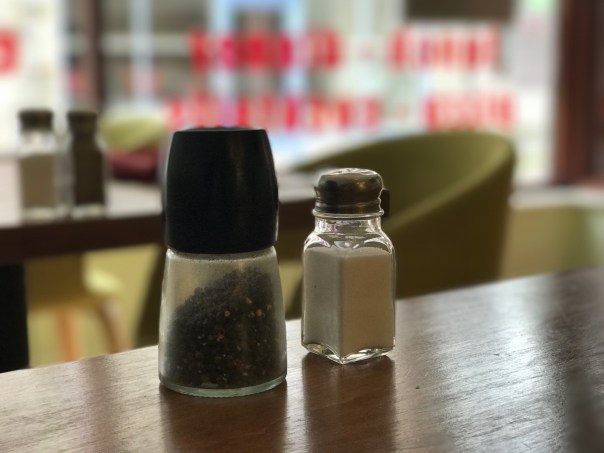
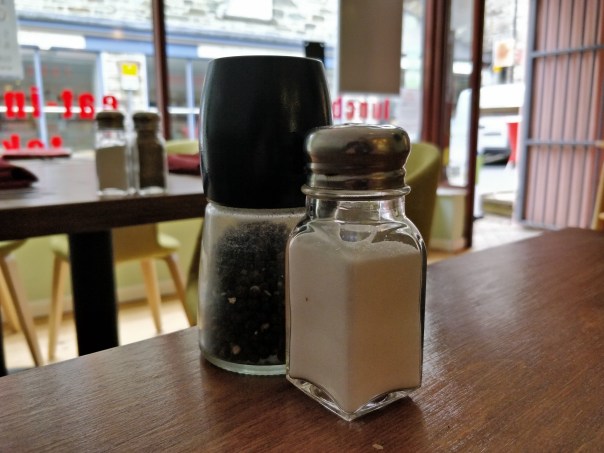
So the OnePlus 5 has arrived. There is a lot of noise on the internet regarding the camera. Well I am sure to take a few shots with it over the coming days but here is a huge surprise. Portrait mode. I truly expected the iPhone 7 Plus to walk over the OnePlus 5. Except it didn’t. I took 5 portrait shots on each phone, and every OnePlus 5 Portrait mode photo was better than the iPhone 7 Plus on every shot.

Above is the best shot I could achieve from the iPhone 7 Plus in portrait after 5 attempts.

And above is one of 5 decent portrait shots from the OnePlus 5. Incredible and a surprise.

More to follow.

USB Audio on the new iPad Pro 10.5 & iPhone 7 – Tips


Sometimes it just works when using Apple devices. Other times Apple makes it difficult and adds a layer of cost to make it work when you want to try and do something different. 

Case in question is with USB Audio. iOS 10 broke the usual method many had been using to get USB Audio outputted from an iPad or iPhone to a third party DAC to create a better sound. 

Apple’s preferred method is clearly to use Bluetooth headphones, AirPods or one of their Beats headphones. Unfortunately, whilst the AirPods work extremely well, that’s an extra cost of £169. Also, neither Apple or Beats have an over the ear headphone currently that has the new W1 chip for faultless Bluetooth connection playback. Another option is the emergence of lightning headphones that connect via the lightning port. 

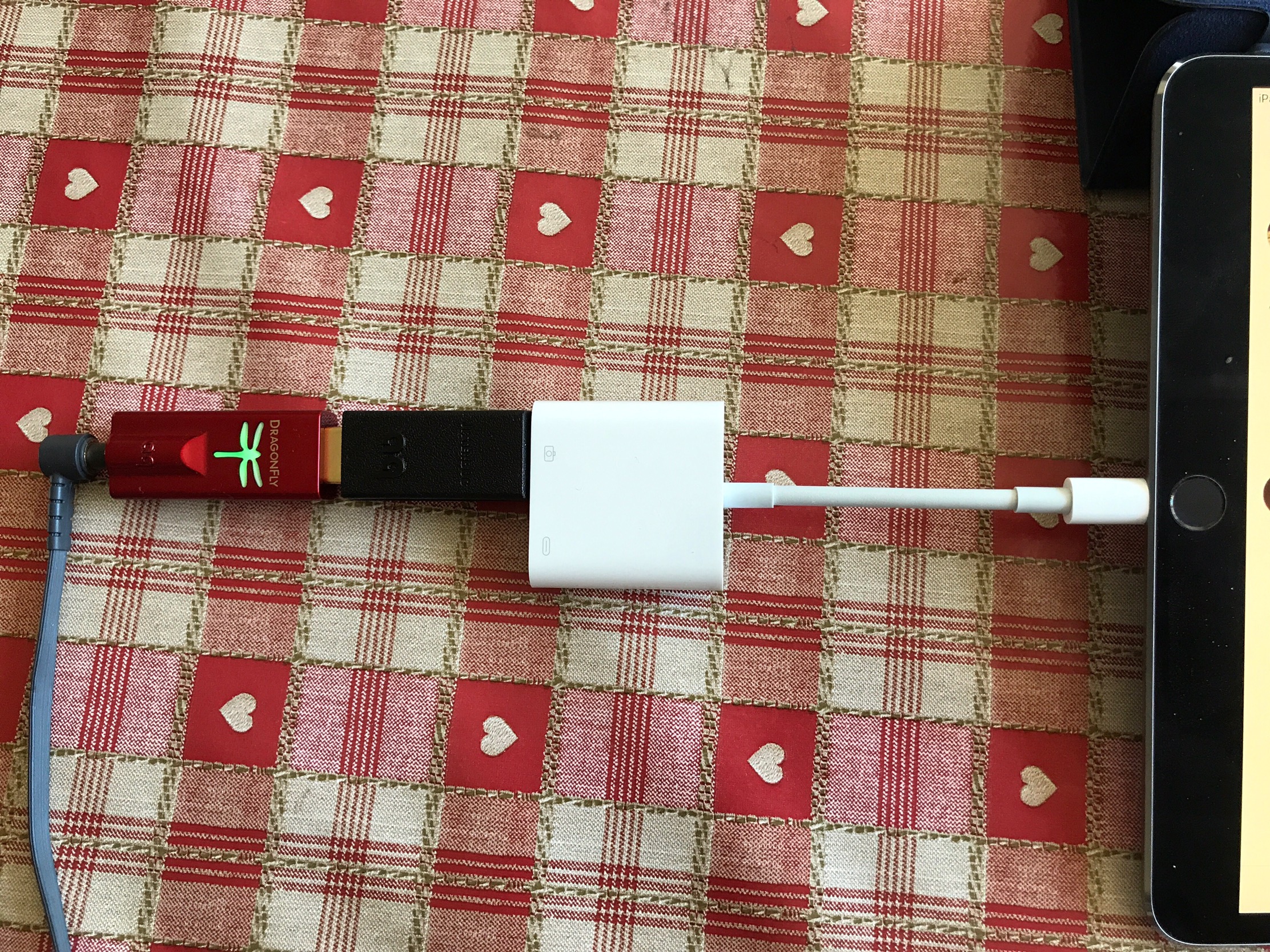
Many people are having issues with many DACS and iOS devices (iPads and iPhones). Previously, everyone would either be using an official MFI Approved DAC by Apple or the USB adapter v2. You might not realise that Apple updated the USB to lightning adapter to a USB3 to lightning adapter as shown above. It’s bigger because it allows you to plug a lightning cable into to charge the iPad or iPhone whilst using it. This means more USB peripherals will work as they can have their own power source. I’ve tested this as well. The one other advantage of the USB2 over the new USB3 adapter is better audio. 

Unfortunately, the old USB2 camera adapter isn’t working and you will need to buy the new USB3 adapter which also costs more than the older version! The setup shown in the photo is a Audioquest Dragonfly Red DAC, Audioquest Jitterbug and the Apple USB3 to lightning adapter. I have used this with my iPhone 7 Plus and iPad Pro 10.5, both of which are running iOS 10.3.2. 

With this setup and using the new USB3 Apple lightning to camera adapter,  USB Audio is once again working smoothly. 

However, anyone with approved MFI DACs could still be having issues and this should hopefully be fixed when iOS 11 arrives. 

Useful Links

Apple lighting to USB3 Camera adapter on Amazon UK

Audioquest Dragonfly Red on Amazon UK
Audioquest Jitterbug on Amazon UK


LG G6 – New Firmware & new features

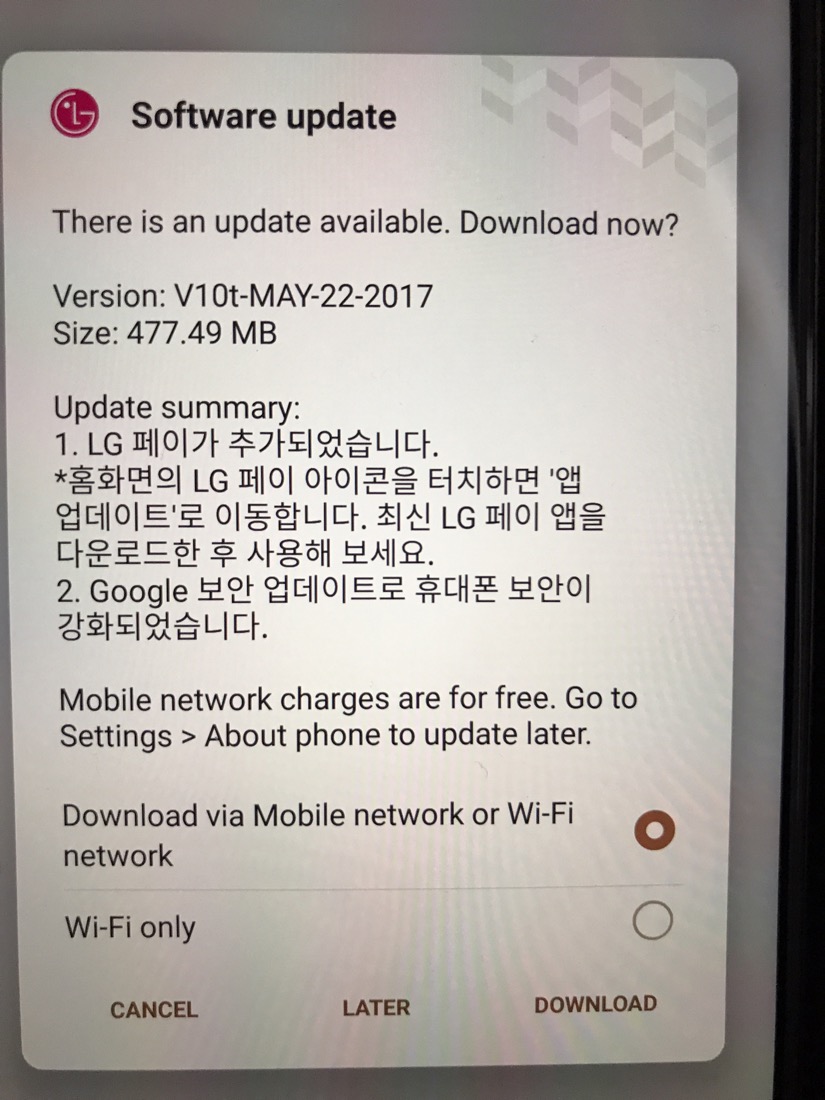
At exactly 6pm last night the above firmware went live on my LG G6 (G600) Korean model with the quad DAC and 64gb storage. 

Now in case you’re wondering what the above firmware says, so did I. Luckily Google Translate sort of helped and didn’t. 

However, I can confirm this update provided the following – 

– LG Pay app added

– 1st May security update 

– Bugs fixes and tweaks. 

Honor 8 Pro – Review – including an Epic Camera Showcase & more!

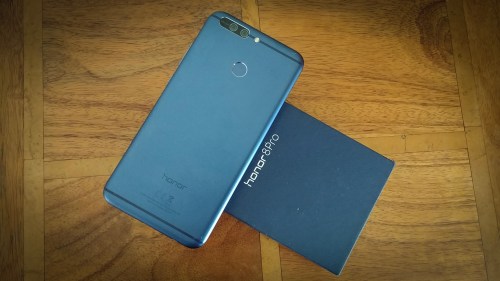
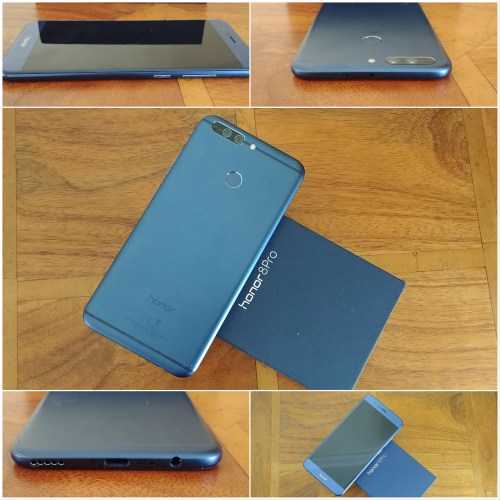
The Honor 8 Pro review. Just how much better is the “Pro” version of the Honor 8? Quite a lot as it turns out. So first lets take a look at the key specifications and differences –

The Key Specifications

– 5.7 inch, 2560 x 1440 Quad HD display, 515 ppi
– Kirin 960 octa-core (4x 2.4 GHz + 4x 1.8 GHz)
– 6 GB RAM, 64 GB ROM
– Android 7 (Nougat)
– EMUI 5.1
– 12 MP + 12 MP dual-lens camera
– USB-OTG
– IR Blaster
– 184 grams
– 4,000 mAh battery
– 6.97mm thick
– Cardboard VR inside box

The Honor 8 Pro includes the Kirin 960 processor along with 6gb ram and 64gb storage. This phone flies. It is fast and nimble at everything I have thrown at it. AnTuTu clocked in at 150,000. And checking the storage speeds showed its storage was UFS 2.1.

What these baseline specs translate into is a phone that delivers the best performance for gaming, streaming and photography. All this capability is backed up by a large 4.000 mAh battery which works in tandem seamlessly with the latest SmartPower 5.0 technology, providing up to two full days of run-time from a single charge. Typically I managed 6.5 hours screen on time with excellent standby times.

The Honor 8 Pro is ultra-thin at just 6.97mm body, yet it has a QHD resolution screen which looks gorgeous with decent viewing angles. The phone box also doubles up as a VR cardboard headset. Jaunt VR app is included on the phone.

The Honor 8 Pro incorporates its third generation 12-megapixel dual-lens camera. The two lenses work in tandem to deliver the perfect shot – the monochrome lens captures a black-and-white image with incredible depth of detail, while the RGB lens ensures vivid colour reproduction. The camera’s wide aperture range (f/0.95–f/16) delivers DSLR-like depth of field effects, for both photo and video shooting. It has been evident from my time testing the Honor 8 Pro that the Kirin 960, 6gb ram and improved post processing has made improvements on the picture and video quality. I have included an epic camera showcase to highlight this point.

The device also supports shooting of 4k videos encoded in the efficient H.265 codec, which produces files twice as small as its predecessor. And EMUI 5.1 introduces Highlights, a new feature co-developed with GoPro that intelligently organises photos by category and automatically generates video stories that are easily customisable.

Below are a few samples from the camera, but to see the full camera showcase covering video and stills, check out the video review below.

Mystic Dartmoor Rock #honor8pro

Above shot taken in wide aperture mode. Really cool photo.

Courtyard Scenes - Shot on the Honor 8 Pro #honor8pro

Lovely close up of the blue bells.

Water droplets #magical #honor8pro

The detail on the water droplets is excellent.

Plus there is so much more to this phone, so lets continue to part 2 of my review and watch the video below. My video review also discussed the camera differences between various Honor and Huawei phones too.

Video Review

Camera Showcase

Conclusion

The Honor 8 Pro is a smashing phone with good battery life, looks, excellent camera and more and all for just £474.99. Highly recommended.

Useful Links

More info and latest pricing on Honor 8 and Honor 8 Pro on Amazon UK

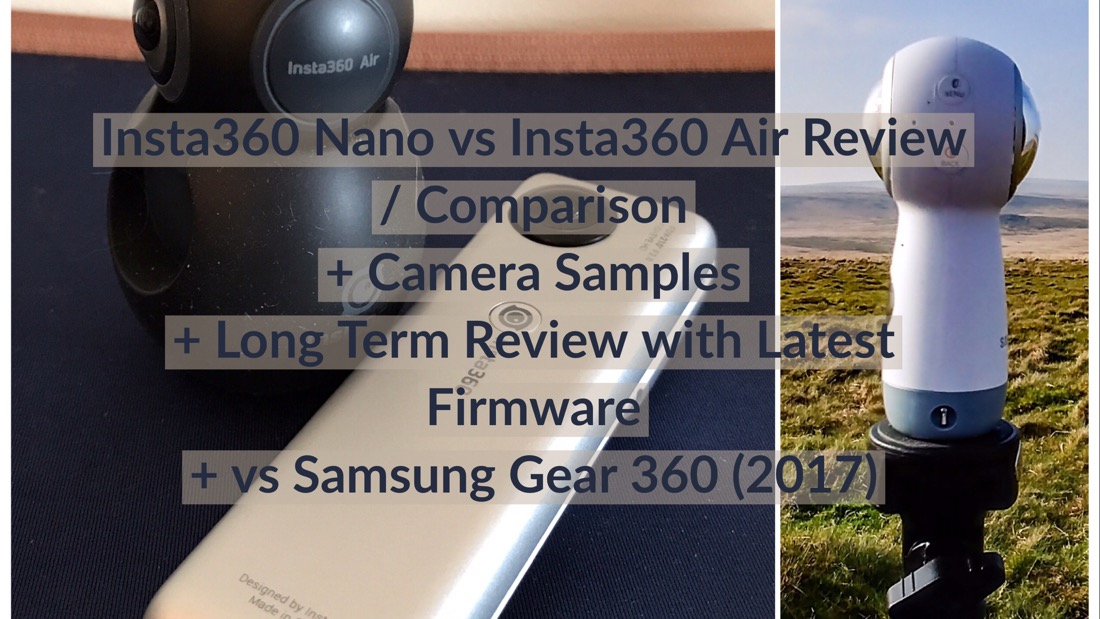
Insta360 Nano vs Insta360 Air – Review & Comparison – 360 degree cameras for iOS & Android

Insta360 Nano Review and Insta360 Air Review. The Nano works with your iPhone and the Air on an android phone. Both are 360 degree cameras that take photo, video and live stream to many places e.g. Youtube and Facebook.

The Insta360 cameras come with the best mobile apps that are ahead of that provided by Samsung for their Gear 360 (2017). Why? Find out in my video review.

The video review provides a practical in depth review of both cameras. The main review include some sample footage that I could embed however there were many modes that were not included and consequently are shown below. My review also includes a DIY way to attach the Insta360 Nano to an iPhone whilst it is still in a case.

Finally, I have also provided a comparison between the two Insa360 cameras along with my views using these with the Samsung Gear 360 (2017). At the end of this post, I have all the useful links.

Video Review

360 Degree Photos – Normal and then HDR

360 Degree Video – Normal and then Low Light

360 Photos made into Animations (several options and all very cool)

https://www.instagram.com/p/BUUsPLCDfje/?taken-by=gavinsgadgets

https://www.instagram.com/p/BUSaMdTjhkm/?taken-by=gavinsgadgets

360 Live Stream Footage using Facebook (if you can’t see this, turn off your ad blocker)


Conclusion

Both cameras are excellent, versatile and solve the key issue, how to share the footage in a fun and easy way to nearly every social media platform.

Useful Links

More info and the latest pricing on the Insta360 Nano and Insta360 Air at Amazon UK
More info and the latest pricing on the Samsung Gear 360 and 360 (2017) at Amazon UK
iPhone 7 Plus Extension Dock on Amazon UK
Samsung Gear 360 (2017) – My review with every mode tested

Honor 8 Pro – Awesome Camera Shots from the Honor 8 Pro

I have been testing the Honor 8 Pro for a short while and am putting it through its paces. This phone really is a fine piece of technology but so is its dual rear camera lenses.

I will be doing my usual review, but for the meantime, check out these photos –

Mystic Dartmoor Rock #honor8pro

Above shot taken in wide aperture mode. Really cool photo.

Courtyard Scenes - Shot on the Honor 8 Pro #honor8pro

Lovely close up of the blue bells.

Courtyard Scenes - Shot on the Honor 8 Pro #honor8pro

Another wide aperture mode shot for a superb final product.

Water droplets #magical #honor8pro

The detail on the water droplets is excellent.

Dreamy Eyes #honor8pro

Not so sure Tiggy wanted her face in the frame, but she is still super cute.

Deep Pink #macro #honor8pro

Truly stunning.

I will be testing the video quality in my full review which will be coming soon.

If you have any questions that you would like covered off in my review, please let me know.