Category Archives: Android

Samsung Note Edge – from dusk to darkness – camera shots

All the below shots were taken from dusk to darkness. The optical image stabilisation was probably working overtime. With more time with the camera, I am certain it will be possible to improve upon these shots.

Macro shot –

Pointed Wild Stuff #macro #atdusk #SamsungNoteEdge

Artistic Fern

Artistic Fern #lowlight #SamsungNoteEdge

Snow in Plymouth

Snow in Plymouth Devon #SamsungNoteEdge

Burrator Reservoir – Tricky as mist and dim lighting

Burrator Reservoir #SamsungNoteEdge #misty #atdusk

Padlock and Chain Macro

Chain and bolt #SamsungNoteEdge

Princetown, night shot and heavy fog. Camera really did well as the air was full of fog.

Heavy Fog and Night Light #SamsungNoteEdge #Princetown

If you want to see full resolution, just click on photo, and change size to full size.

Updated- Introducing the Playbulb Rainbow – kickstarter smart light bulb

A while back I reviewed the original Mipow Playbulb and it was great fun with its built in speaker too. To recap on that review review click here.

Now Mipow are back with the Playbulb Rainbow using kickstarter.  Links to follow. In the meantime have a look at the other devices by Mipow. The kickstarter is now live. Click here https://www.kickstarter.com/projects/mipowusa/playbulb-rainbow-stylish-smart-color-led-light-bul?ref=nav_search

image

Mipow quote the Rainbow as –

“PLAYBULB rainbow body shape is a trapezoid. It is much slimmer than traditional light bulbs. The design idea behind PLAYBULB rainbow is to illustrate the refraction of sunlight ray entering a raindrop and eventually forming a rainbow.

Simply Install a Rainbow for a Brighter Penetration. 
The light filter of PLAYBULB rainbow is made of a PC layer, allowing a brighter and more colorful penetration of light beams from the LED chip. Also, PLAYBULB rainbow fits into standard E26/ E27 screw base as well as E40, E14 and B22 screw sockets. By using adapter, Edison Screw base can be converted into Bayonet base too. PLAYBULB rainbow is for all of us. ”

The other good news in their app will work for the other Playbulbs. In terms of compatibility –  all iOS devices that are running iOS version 7 or above, Android devices running Android 4.3 or above and both having Bluetooth® 4.0 or above. Sorry no windows phone support. The app allows all sorts of fancy options from shake, timers, and a colour wheel. The app can also control several Playbulbs.

According to Mipow the bulb also is energy saving too. The PLAYBULB rainbow is equal to 30 regular light bulbs as each PLAYBULB rainbow is optimized to a high energy efficiency. Each PLAYBULB rainbow is 5 watts at full power performing brightness with 280 lumens and 30,000 hours life time. While regular light bulb with around 300 lumen normally uses up 40 watts power with around 1000 hours lifetime.

Specification 

LEDs: Red, Green Blue & White LED Power: 5W LED Current: 0.4A Voltage: 110-240V ~ 50-60Hz Lumen: 280LM Lamp Holder: E26/ E27 Bluetooth®: Bluetooth® 4.0 & Bluetooth® Smart Wireless Range: 10M (33ft) Other Control: PLAYBULB X App Conrol. Support Devices: iPhone 4S or above, iPad 3 or above, iPod 5th generation or above (Running iOS7) and Android 4.3 or above (with Bluetooth® 4.0)

This is my sort of gadget ☺ so expect me to review one soon.

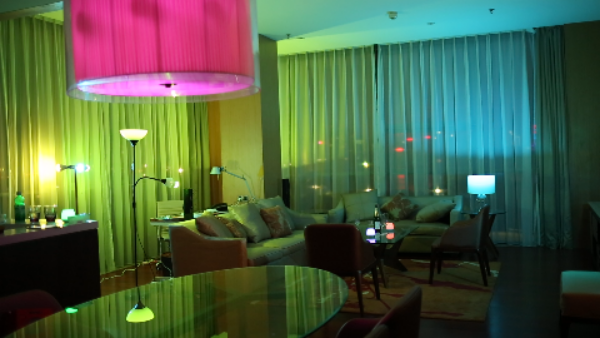
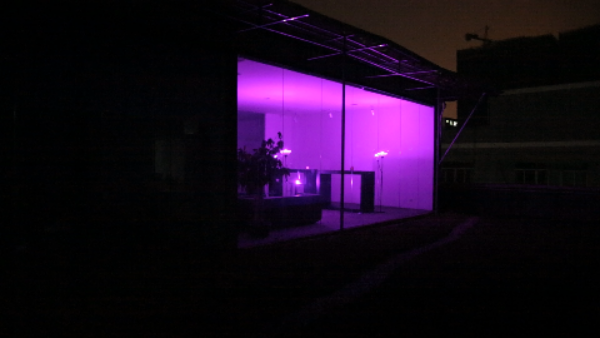
Below are a few examples of a room with the lights activated –

image

image

Samsung Note Edge – how to get one for £665 sim free unlocked from Samsung UK online store

We all know that the Samsung Note Edge is really expensive. Samsung’s online store in the UK requires £700, Carphone Warehouse  £749 or you can get some really expensive contract from the networks. The price will lower eventually but stock is apparently limited.

But you can buy it now for £665 direct from Samsung UK online store. You need to be on a home pc or mac. Make sure blocking pop ups is turned off. Get to the product page of the Note Edge. Leave the page open for 10-15 minutes. Then slowly with your mouse go to move it towards the “x” to close Web page. Slowly! As you do a popup will appear offering you 5% off code if you give Samsung your email address. And voila. A code is sent.

Simple. Be patient if you can’t get it to work first time. I assure you it does work!

Hopefully there might be other offers over the Xmas period too.

Samsung Note Edge – benchmark scores and more

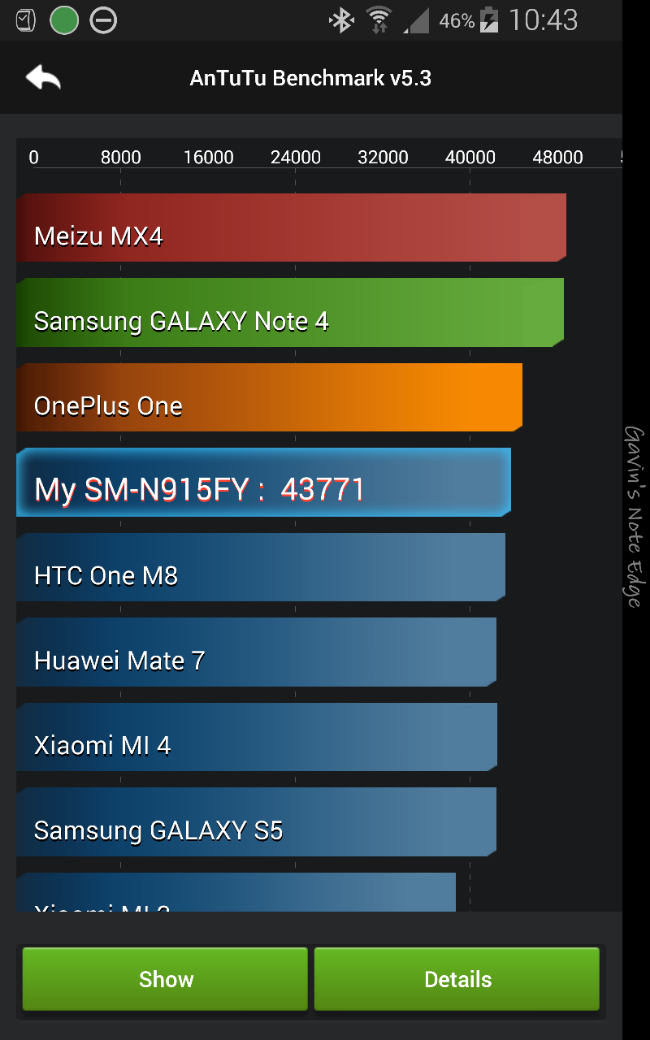
I don’t care about benchmark scores and rarely bother to read them.  But I thought I would see where the Note Edge scored using Antutu.

image

The overall score shown is with everything running.  Gear S is connected and more. And below I optimised the phone by turning off what I could and using flight mode.

image

So now I’ve managed to beat the OnePlus One and get closer to the Note 4.

Like I said, I don’t care too much for benchmarks but it shows the panel on the Edge does impact performance marginally. 

Talking about the Note 4, it’s now sold. I really prefer the experience of the Edge over the Note 4. Heck even TouchWiz is brilliant on the Edge. 

Samsung Note Edge – my home screens and edge panels

I now have 155 apps installed on my Note Edge. I have 3 home screens and 7 edge panels.

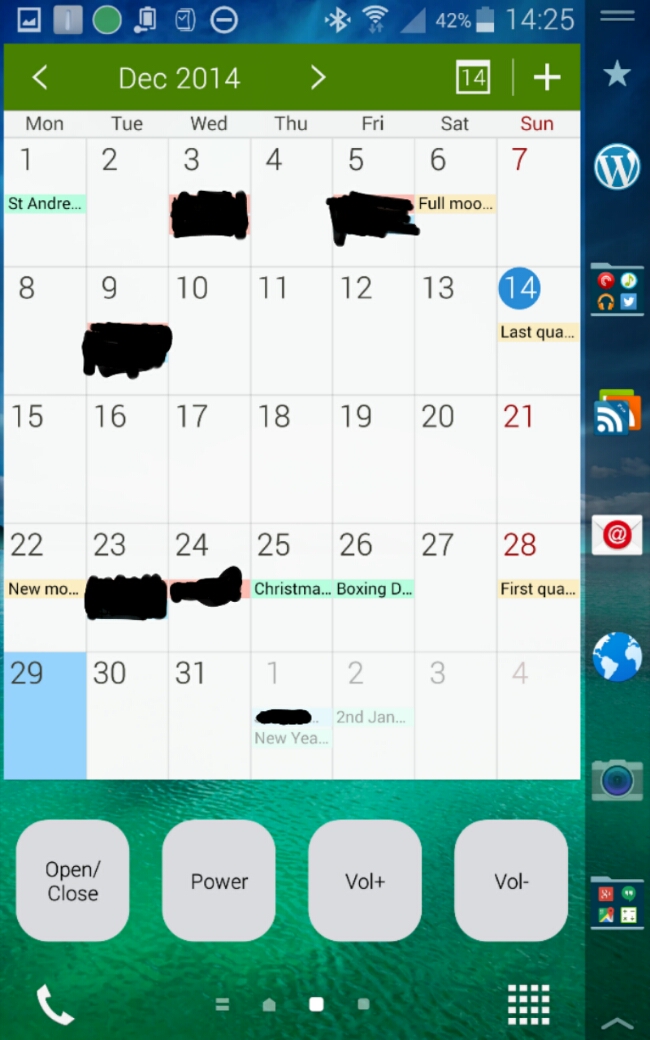
Below are my 3 home screens in order.

image

image

image

image

The News Briefing screen adds the index to the edge panel.
image

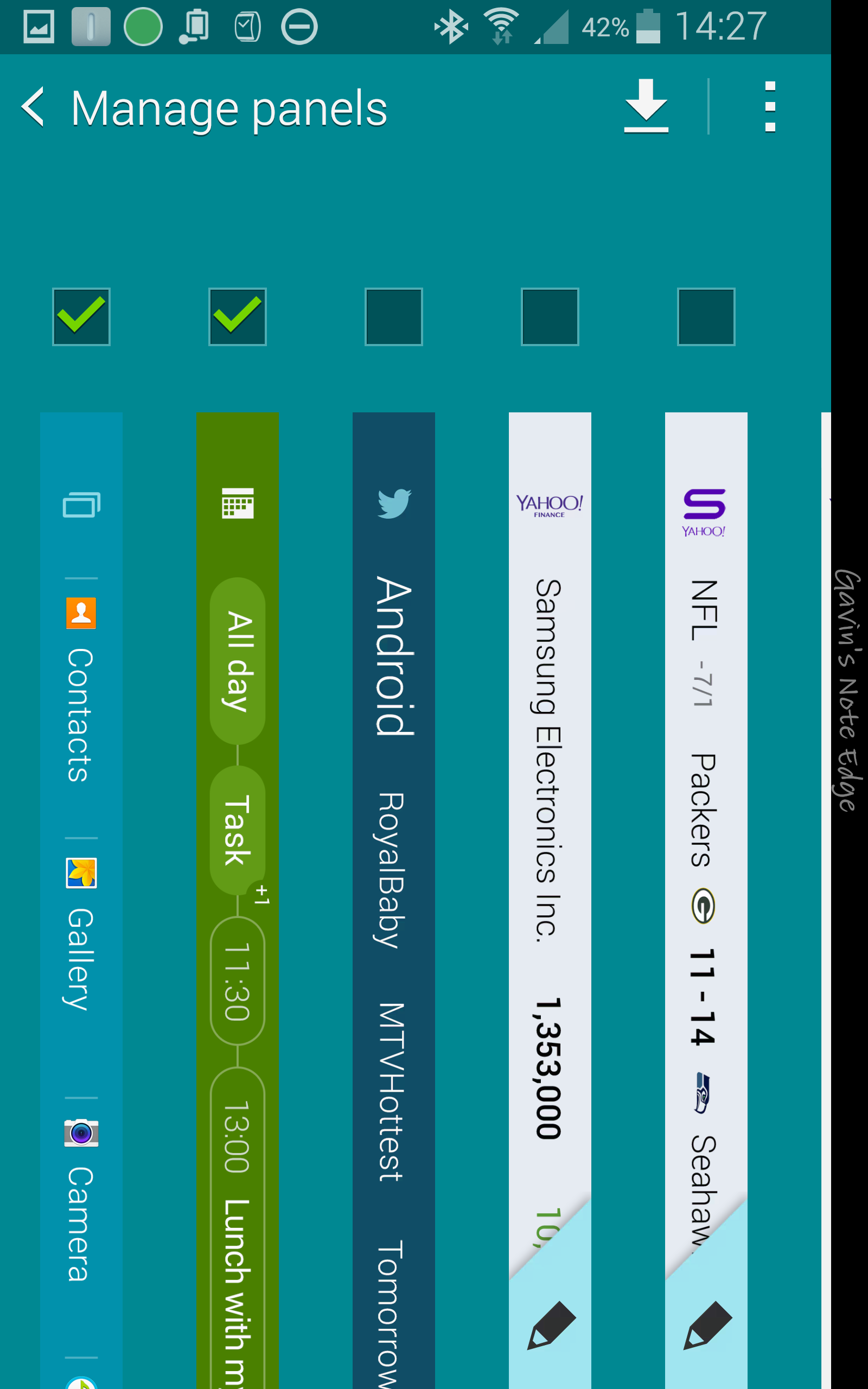
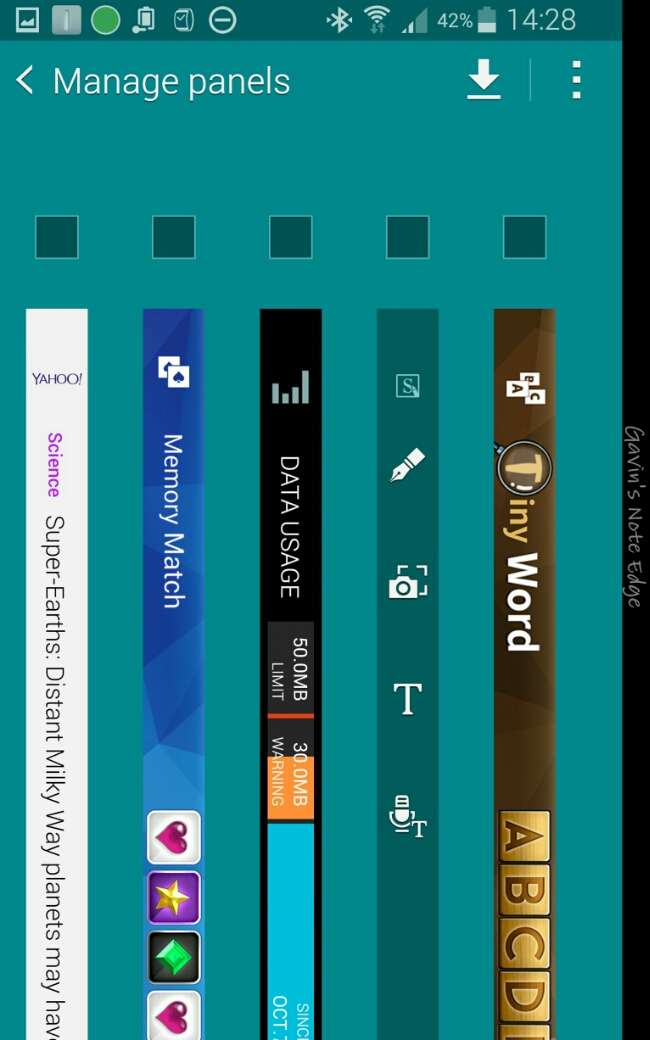
I have the following edge panels installed.

image

image

The unticked ones are installed but not active.

image

And there you have my setup using TouchWiz.

Samsung Note Edge – battery stats so far – updated

image

So the Note Edge is at 13%. 7 hours usage. 4 hours on screen time.

Since 7 hours ago I have been hammering it. The stats don’t reveal that I’ve had a USB DAC connected for 4 hours that drains battery even with screen off.

I’ve also had 4 twitter accounts bleeping all the time, 4 email accounts on push and tons of other services.

The Edge hasn’t left my hands in all this time.

Doesn’t look great really. But I’m now going to charge it fully and make 3 tweaks in the settings and report back tomorrow.

This is the first full charge. It should improve,  I hope!

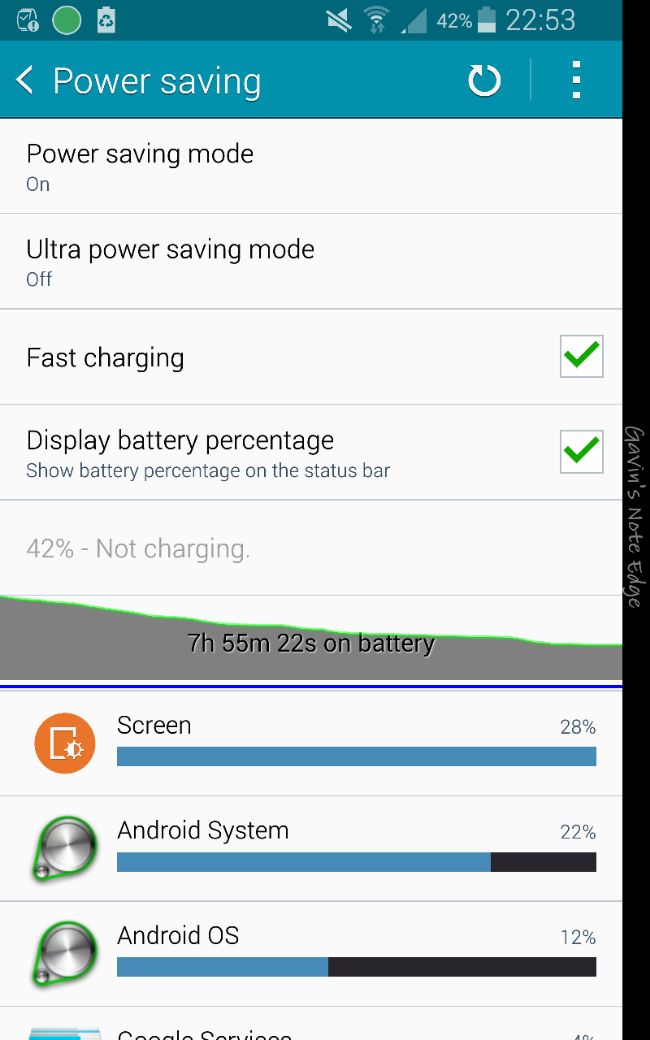
Update – 2nd charge. I was 60% through the second charge and had to stop the test and charge the phone overnight as I needed to use it today. However, I had vastly improved stats . I made a few changes. First location was changed from high to power saving mode. I turned on power save mode but only used restrict cpu option. And lastly I switched phone on flight mode, then turned back on wifi and bluetooth. My Gear S was still connected. With wifi on, I activated my network wifi app, Three in Touch, so I still got calls and texts. I did this as studying my first charge battery stats showed that the Note Edge was struggling to get phone signal constantly. This is the downside of 3 UK as it is useless for phone reception inside my house. It is so bad I am likely to switch to EE next month. Screen shot below on stats for second charge before I decided to recharge it last night.

image

image

Samsung Note Edge vs Note 4 – Photo comparison of screens

image

I’ve darkened the room slightly to take the above shot. Note 4 on the left, Edge on the right.

I felt the above shot was unfair so I’ve tried to recreate both home screens using same wallpaper and widgets. See below. In my mind the Edge screen is clearer and brighter. And feels so much less cluttered.

image

If you like having your wallpaper on full display the Note Edge is ideal for that.

Samsung Note Edge – Half a Day Later – my thoughts

So its been just over half a day since receiving the Note Edge. My last post covered my views after 4 hours and the night clock edge mode.

So now its been a bit longer. Obviously, I was sleeping for 6 or so hours but I was still fiddling with the Note Edge. I now have 135 apps/games installed and about 12gb free storage left. For the time being I am not installing Nova Launcher as I want to experience the Edge the Touchwiz way for a while.

The number one question I have been asked is “Is the edge panel really worth it, or what can you do with it”. I feel as it everyone is missing the point slightly. You are not spending £700 on just the curved edge panel! You are also buying a phone that has the best display (its better than the Note 4), arguable the best camera on a smartphone, handwriting recognition and everything the Note 4 includes, which is a massive amount. The curved edge is part of the overall experience and design.

The design is both software and hardware. In my opinion, the Note Edge hardware design is superior to that of the Note 4. And just in half a day, for the first time ever on a Samsung device the software feels well balanced. Somebody at Samsung has actually looked at all the menu and options, order of options and tweaked them rather well. This makes the Note Edge from a software angle feel more polished than the Note 4. I really thought it would be buggy and not as finished. Instead it is the complete opposite.

There is one potential shortcoming. I hold the Note Edge in my right hand. That makes operating the curved panel a breeze. There is an option for the panel in the settings that allows for the edge to be rotated so that enables left handed use. With the curved on the left, there is a pull up menu for the home, back, and recent keys. The issue here is not all apps will work properly upside down. For me however, it is a non issue. In fact, this particular point is the only negative so far.

You can hold the phone and the curved edge will not activate which was one concern I had before I got the phone. It only activates when you flick the edge or swipe it. Palm rejections work flawlessly. I also was concerned about using a car mount. There is enough edges on both sides for this to allow the mount to grasp securely on both sides.

What I am going to try and do is have the Note 4 side by side and see what precisely has been altered. For now I am content with my final phone.

Update – I’ve had a chance to compare the settings menus between the Note 4 and Edge and they are identical except for the Edge having the extra menu for the curved edge panel.