Category Archives: Tech News

Blast from the Past – Sony Ericsson M600i First Impressions

M600i_white

Sony Ericsson M600i – First Impressions written on 18th July 2007.

Below is a piece of editorial I wrote 8 years ago, and it shows how times have changed or not so.

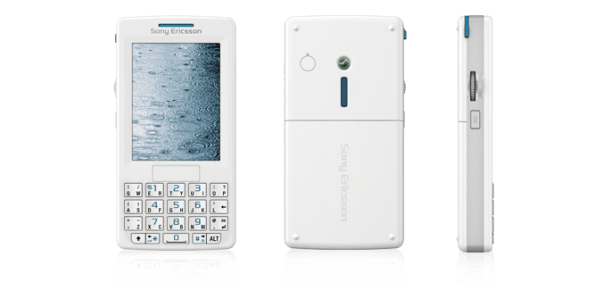
“Yesterday afternoon I collected the M600i in beautiful ipod white. In fact it looks like an ipod so much so that I was asked whether I had the new Apple Mobile 3 times whilst commuting home.

The first thing that struck me is how small the device is and how wonderful the screen looks. I first uninstalled all my activesync software which ironically I could not get my Mini S to sync for the last time. It knew it was being fired. Then I had to install the Sony PC Management Suite and Update Service. The most up to date software is from Sony’s website. Next I had to reflash the firmware with the latest software. Well that’s all I had time to do last night. This morning I was able to sync all my contacts, calendar, tasks and notes to my M600i in about 3 minutes.

I have started to play around with the features and functions of the phone which are extensive. 3D Gaming, the graphics are simply stunning. Opera web browser and more. I have not been able yet to get activesync on the M600i working. I am not too worried as I currently have an o2 sim card which today will be replaced with a T-Mobile. The web browsing is excellent using Opera. I have had trouble entering passwords where the letter p was not allowed to be entered. I will reboot phone and try again, but only once I have the internet settings for T-Mobile. There is a superb music and video player. Album art is also displayed. I now need a Memory Stick Micro 1gb card. I cannot believe how small these memory cards are. Today I will investigate some of the try and buy software on the memory card and the included RSS Reader.

And finally test input via the qwerty keyboard, whereby each key does 2 letters is simply marvellous. Less space is used and one handed use is excellent. It also has handwriting recognition and on-screen keyboard. My task for today will be to read the manual and try to get what I need working. More soon.”

So this was July 2007 when I wrote this. A 1gb micro sd card was a highlight as was the keyboard and handwriting recognition. Samsung did not invent the S-Pen/Stylus 🙂

Honor 6 – review – conclusion

wpid-20150124_141151.jpg

So what do I think about this pocket rocket of a phone. Marvellous. If I did not have my Note 4, I would go for one of these. It is super nimble and has not shown me any issues.

The magazine style lock screen that changes the picture every time with lock screen controls is a neat touch. The settings and options are endless but in turn cater for everything I needed. All my specialist apps worked just fine.

The camera punched higher than I expected and I have taken some great photos. I also like some of the versatility and fun parts of the camera.

The android skin does not bother me whatsoever. I enjoy change and now I have seen the next version of the Emotion UI v3 and it is a much flatter improved design and look.

Using the Honor 6 has also made me wonder if a smaller size phone is a better option. I say this because my Note 4 dwarfs over in size and yet it is so much easier to use the Honor 6.

If you have any questions for me, please let me know. And if you want to know more head over to Amazon.

Amazon UK – Honor 6 deal

Swatch declares it’s taking on the Apple Watch head on – details

Bloomberg.com reports that Swatch plans to bring its answer to the Apple Watch to market in the next 90 days.

“The device will communicate via the Internet “without having to be charged,” Chief Executive Officer Nick Hayek said in an interview. The Swatch smartwatch will also let consumers make mobile payments and work with Windows and Android software, he said.”

The simple solution would be for Apple to buy Swatch and shut it down, or an Apple competitor buy and expand the program or potentially Swatch and other watch makers challenge Apple successfully.  I’m really hoping we have tons of competition.

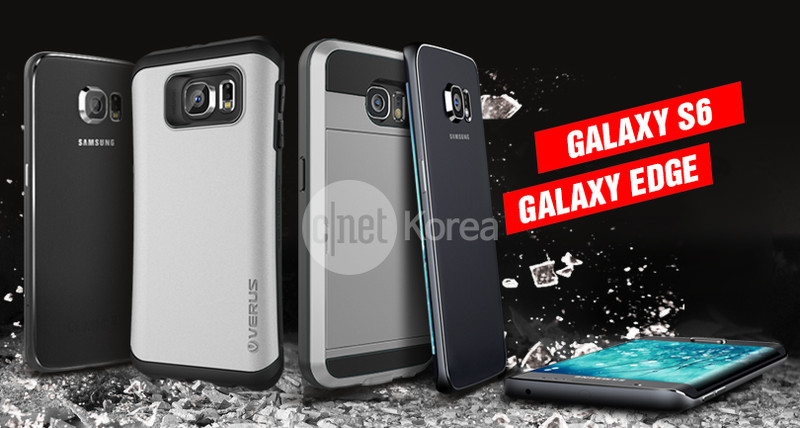
Samsung Galaxy S6 and S6 Edge photos revealed – details

image

Samsung’s Galaxy S6 and Galaxy S6 Edge has been leaked to CNET Korea. The publication mentioned that the leak came from a South Korean electronics distributor, with the image itself featuring a render of both the Galaxy S6 and a Note Edge-style variant of the device.

At the moment it looks like any other phone. But what do you think?

Source – CNET Korea

Samsung S Health Closed Wall vs Endomondo vs MyFitnessPal – Under Armour $560m acquisition

I have the Note 4 and Samsung Gear S. Both do exactly what they say on the tin.

Both link together really nicely with Samsung’s S Health app. But sadly Samsung’s S Health app at present does not reach out and sync with many other devices. This has not been an issue for me until the start of this week, when I went back to using the amazing myfitnesspal app.

None of my exercise or steps from the Note 4 or Gear S are getting synced into the myfitnesspal. Nor can I work out how to manually convert my amount of steps into MFP app. (If you have any ideas please let me know) And at present MFP have no plans to integrate their software with S Health.

So why am I somewhat annoyed over this situation. Well, my wife has the Fitbit Flex and it talks effortlessly to MFP on her iPhone and gains her bonus calorie points.

SO is the S Health solution the safe method. I wrote the above last night and just before I went to bed, Android Central (www.androidcentral.com) reported that Under Armour had bought Endomondo and MyFitnessPal for $85m and $475m respectively. This is something I always worry about. A company acquiring another competitor and either closing it down, changing it for the worse or enhancing it. Under Armour made a statement that these deals will supplement and expand upon the company’s own MapMyFitness and UA RECORD apps. How many apps or services have you seen purchased by another company that ended up dust!

Now if you recall HTC announced it had partnered with Under Armour. So is HTC going to be able to make some big strides into the fitness and wearable space at the expense of others?

Nobody is going to buy Samsung (it’s not impossible) so it could be safer to stick with them for longevity. But what will Under Armour decide going forward?

The fitness, health and wearable space is potentially big bucks. But who will come out ahead? Only time will tell but it could be interesting times ahead.

Honor 6 – review – audio and more

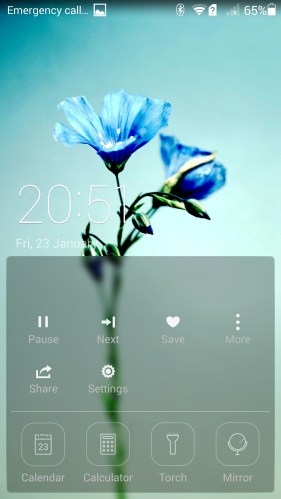
Before I get to the sound and audio quality, lets look at the lock screen shortcuts. Half pull up or full up to see all of the options.

Screenshot_2015-01-23-20-51-15 (1)

Screenshot_2015-01-23-20-51-30

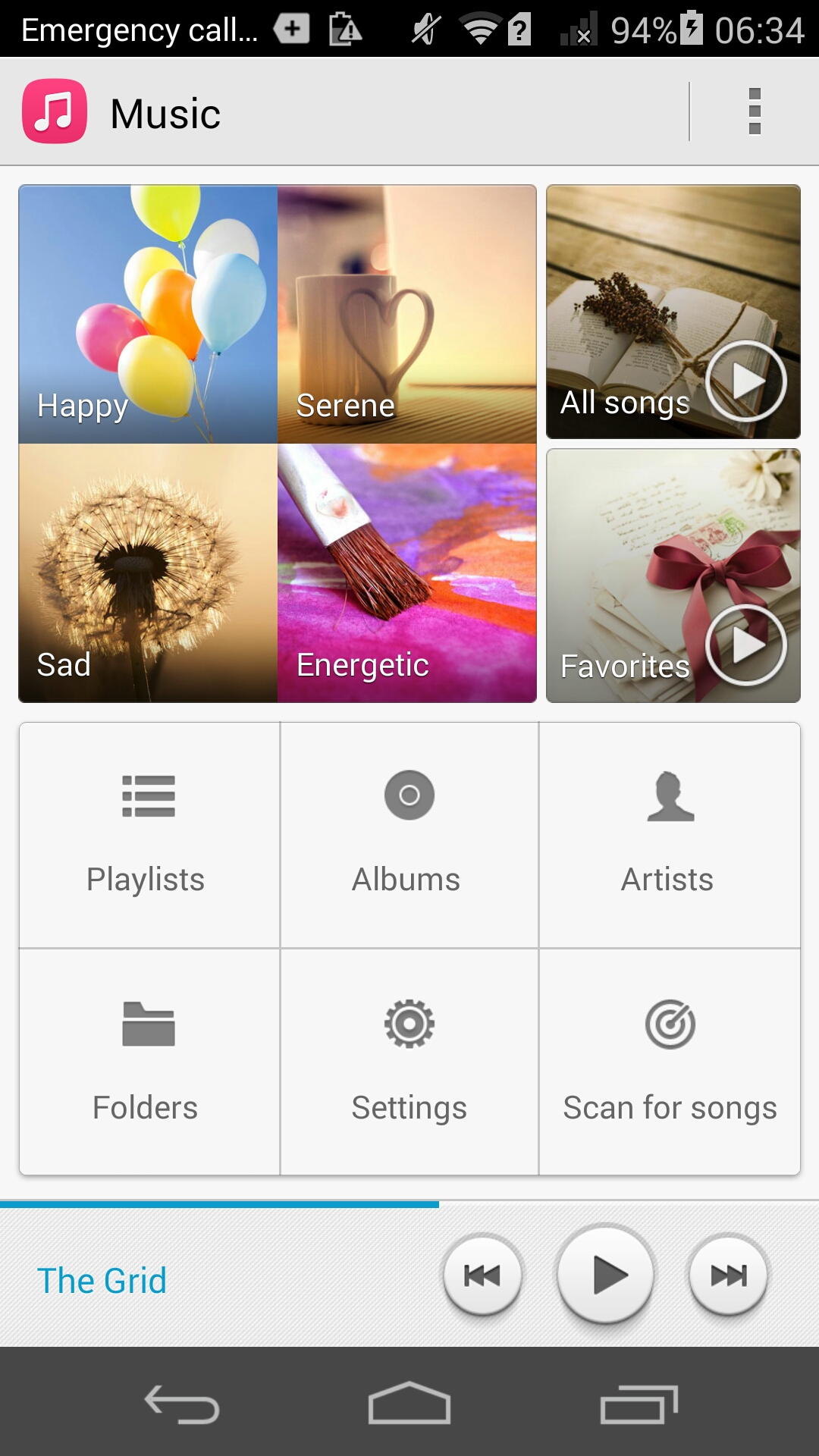
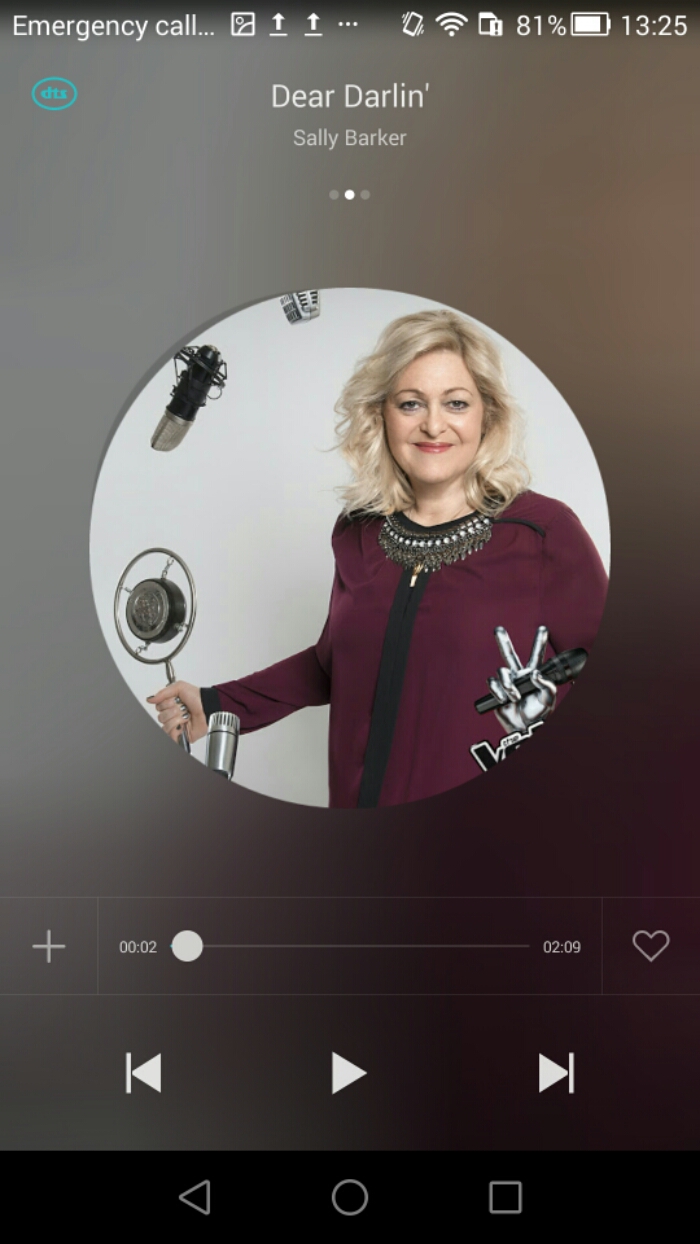
So far I have covered off various aspects of the phone. Now lets look at the music app. If you wanted to use Google Play Music, this app is available naturally and installed along with all the other core Google apps.

image

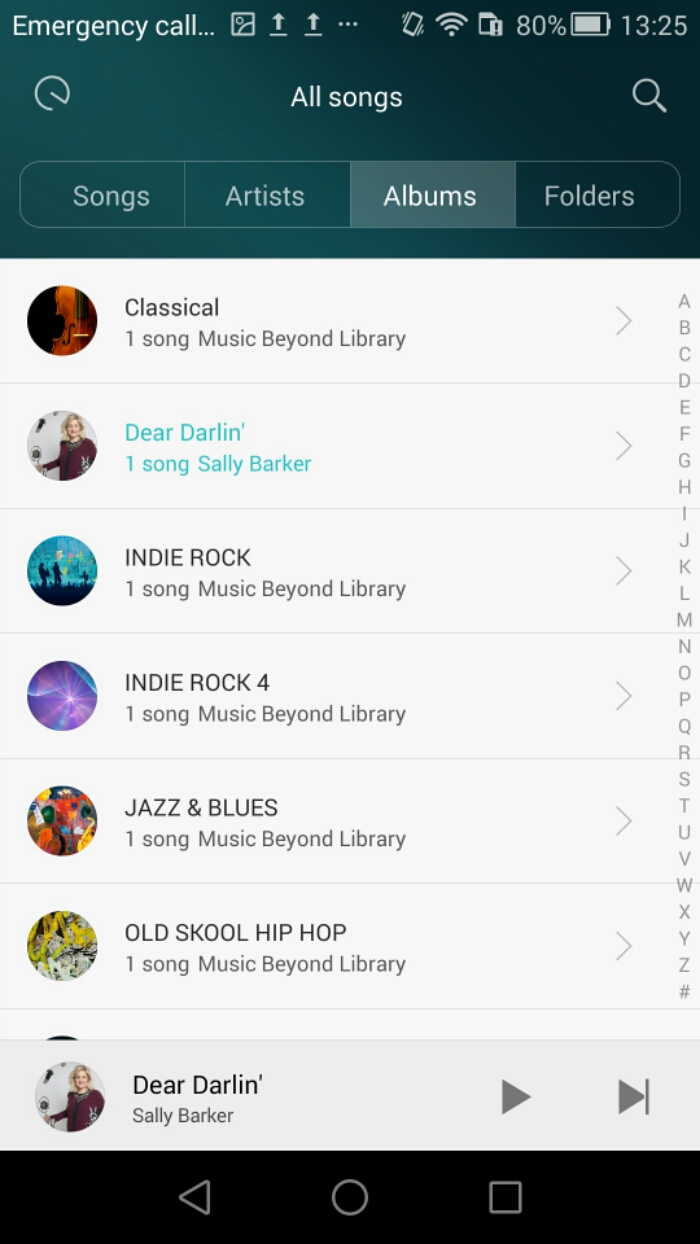
The music app is fairly simple. It allows you to see your music split into various ways, as well as moods.

image

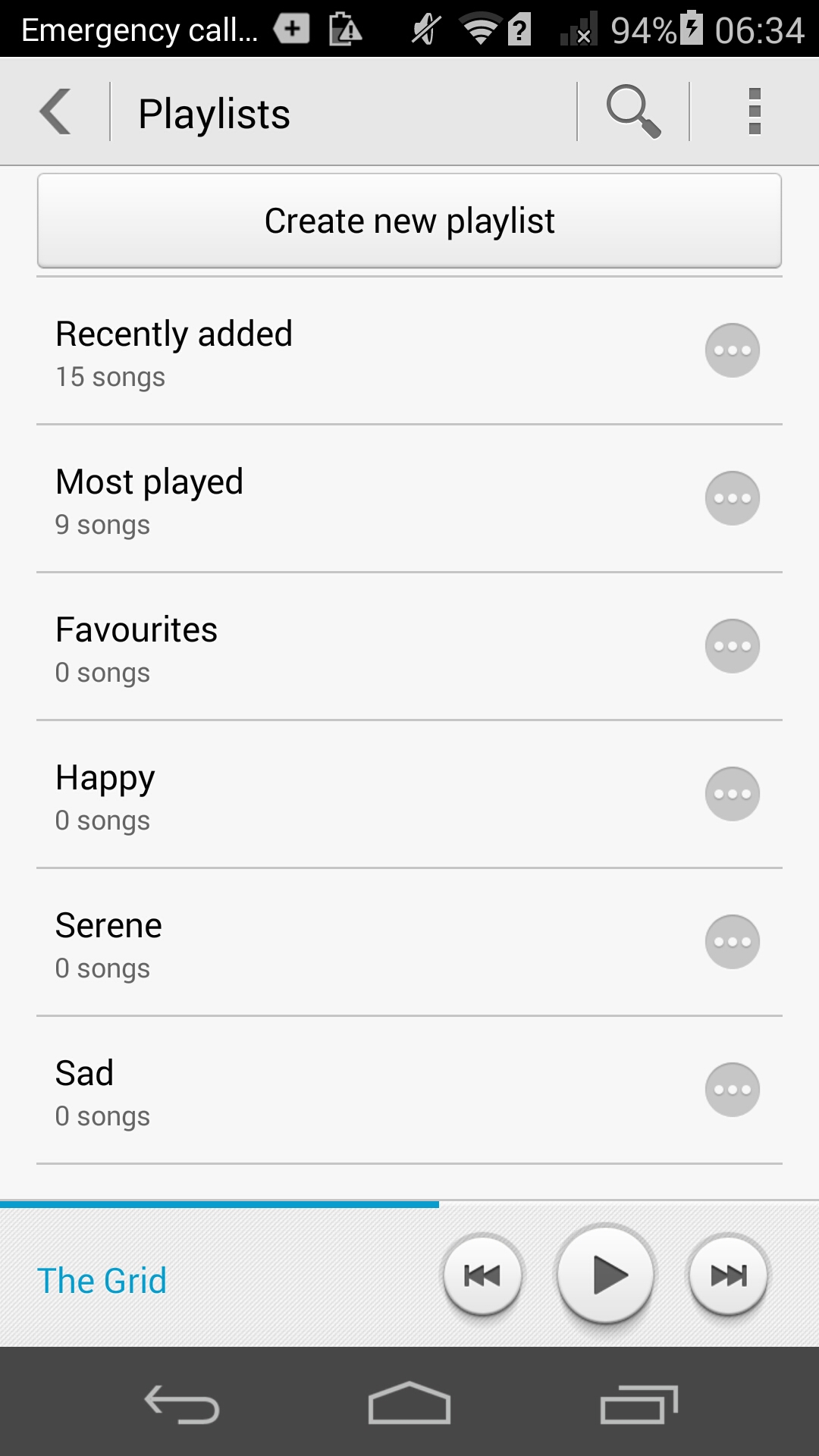
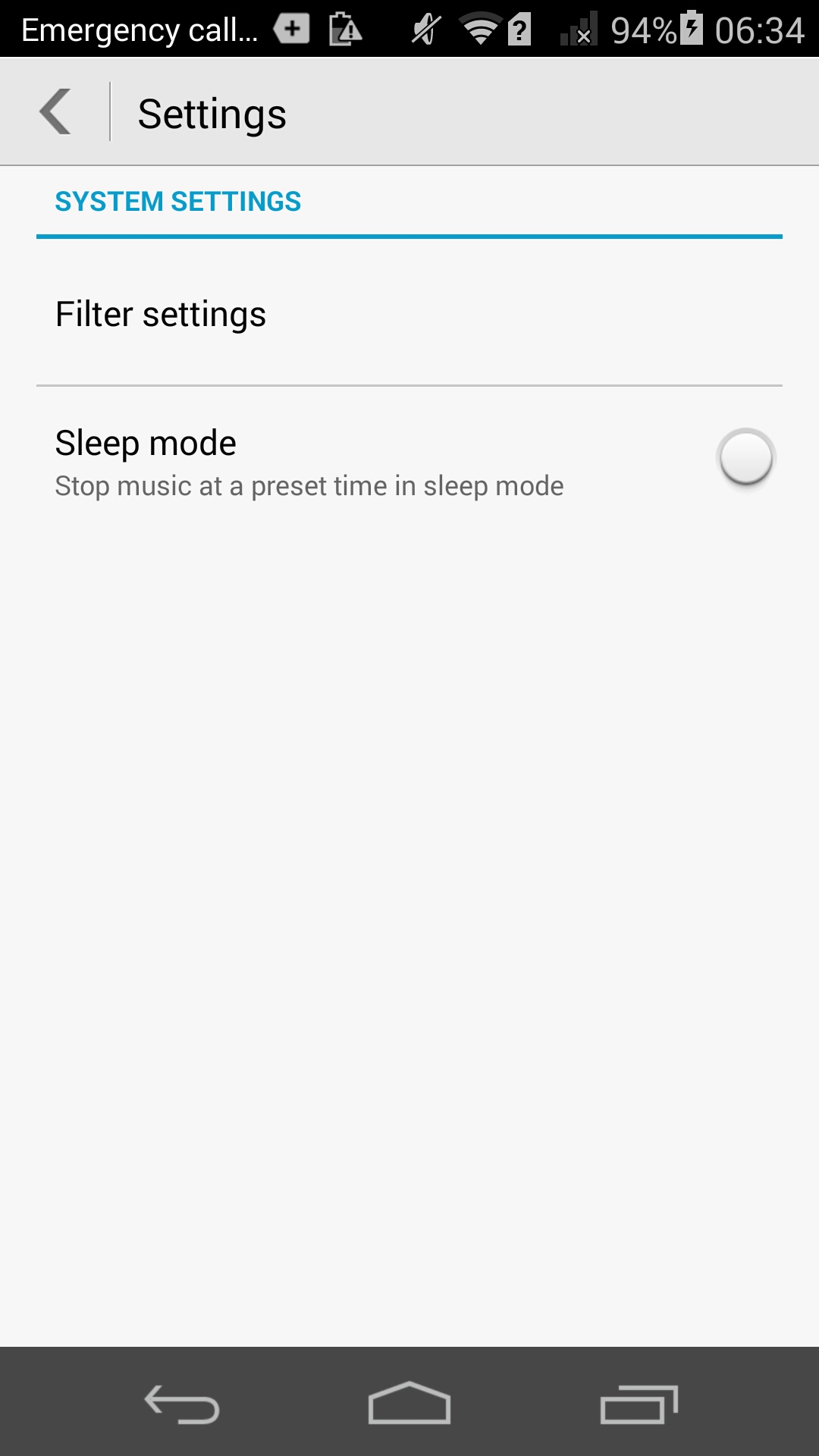
The music app also allows you to create playlists and has a few settings. Otherwise it’s a simple affair.

image

So how good is the inbuilt headphone amp. The sound through the headphones is good and better than I had expected. It is remarkable that the phone costs around £250. In the system sound settings there is a toggle for DTS. It is best to leave this on as it adds some extra oomph, bass and depth but without being overkill whatsoever. I tried the following headphones with the Honor 6. The V-Moda Crossfade M-100s were driven loudly and accurately. I then tried Sennheiser HD518. The Sennheisers needed more headphone amp volume so did not go to a loud level.

Next I connected my USB DAC (Sabre USB Android DAC and Cayin C5 headphone amp). I used an app called USB Audio Player PRO to control everything. This works brilliantly, so USB Audio is supported in this setup. I then connected via Bluetooth and used a pair of Plantronics BackBeat Pro cans. Apt-x bluetooth codec is present and makes a difference too as the sound coming from these was excellent.

Talking of wireless, Chromecast is supported along with cast screen. The Honor 6 has an infra red blaster that is not documented nor does it come with any software installed for it. Yet a quick search on XDA Developers revealed a bespoke app made by Huawei that works a treat. I had tried a few other Infra Red remote apps but none of them worked apart from Huawei’s own app.

The loudspeaker is average, and perhaps the weakest link of the whole package. A bit tiny and does not go that too loud. Acceptable.

Tomorrow I will pen my conclusion.

A Mystery Phone / Smartwatch Review – details

Next week will be the start of another smartphone review along with its matching wearable watch.

The mystery device is astonishingly light. I have weighed it and it tips the scales at 104 grams. It is also slim, and due to its design looks slimmer than it actually is.

As another clue, it is a dual sim phone or you can use SIM 2 slot for a micro sd card. The mystery phone has a 13mp camera with a f/1.8. Thats right f/1.8. In initial testing it has produced better low light shots than the Samsung Note 4.

And the only other clue is it is not from a brand of smartphone you see heavily sold in the UK.

More will be revealed on Sunday.

Honor 6 – review – part 3 – camera

Welcome back to my next instalment of the Honor 6 review. Today, I am going to look at all the camera options.

Screenshot_2015-01-23-20-25-02

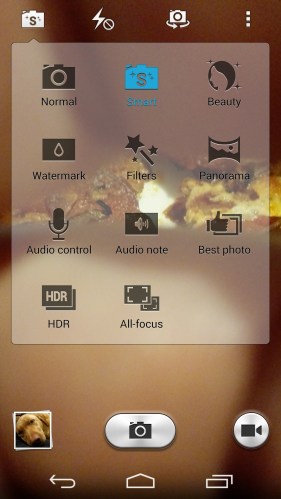
Above is a screen shot of the various shooting modes included. Something for everyone! I will have an additional post with more camera samples using as many of the modes as possible. Panoramic shots can be vertical or horizontal. Smart mode decides which is the best mode to use based on what you are about to shoot. HDR is self explanatory but I have found it is best to keep it in Smart Mode as the Honor 6 really does know when to switch to HDR. Best shot takes 10 photos in an instant and selects for you the best photo. You can override this as necessary. Watermark adds 10 different watermarks over your snap. Some are cute, weather stamp, food stamp and editable too. I will have some sample photos in my other post today. Audio control uses your voice to take the photo and works well. Audio notes allows you to add a little message with each photo. All focus is a selective focus type mode and the others are all self explanatory. I would recommend always using smart mode. It did a superb job.

Screenshot_2015-01-23-20-25-15

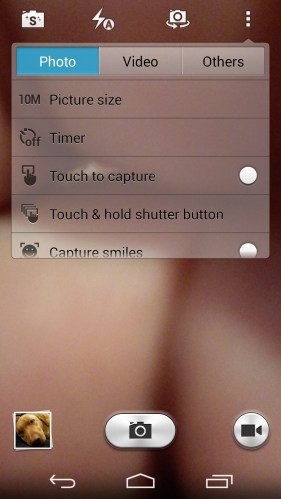
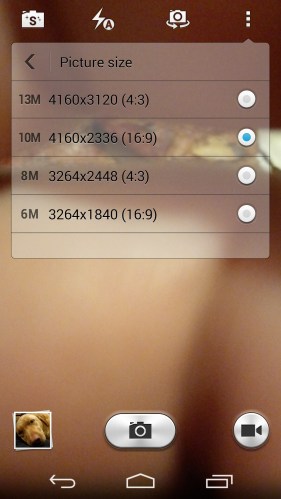
Various options for the picture sizes. Note bottom left George fast asleep 🙂

Screenshot_2015-01-23-20-25-22

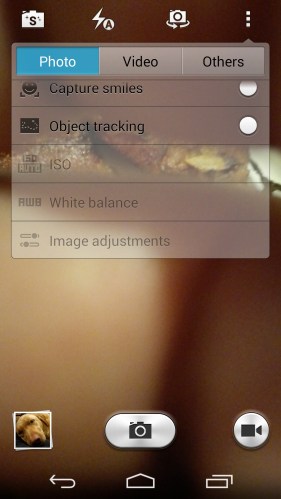
More still photo options from object tracking to smiles. Dependent on the shooting mode, you have control of ISO from 100 to 800, white balance, exposure, contrast, saturation and brightness.

Screenshot_2015-01-23-20-25-33

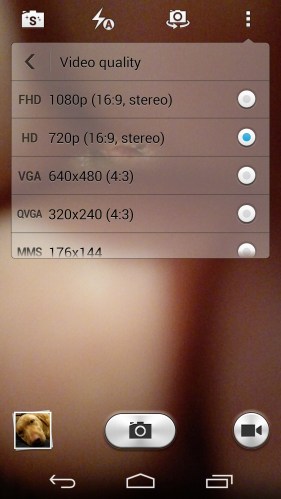
Next up video file options. Note there is no 4k video. Other video options include beauty mode, object tracking, stabiliser and HDR video.

Screenshot_2015-01-23-20-25-43

And finally some other random camera settings.

Screenshot_2015-01-23-20-25-54

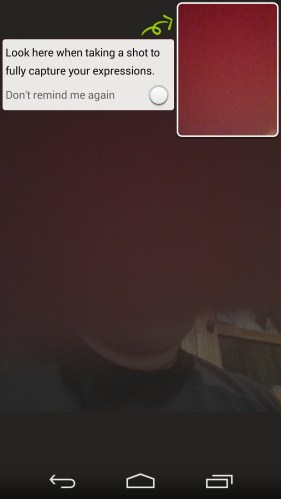
Selfie mode is clever as a box appears. Here you concentrate in getting your face correct. It will then appear correctly and not look odd once the selfie is snapped.

Another smart camera mode is with the device off, double press the volume down. This triggers Ultrasnap. A photo is taken within a second. So that means, phone turns on, camera app opens, shot is focused on and picture taken all in less than a second. And it works. Every time!

Screenshot_2015-01-23-20-26-09

Tomorrow, I will write my final part covering off the audio options and more.