Category Archives: Apple

This is why you buy Apple – it’s backup and restore

Long story, well here’s the short story.

20140622-162524-59124247.jpg

My iPad battery is only providing half of the run time as it should. Apple support suggested restoring as new using iTunes on a computer, but backing up first. I haven’t used my computer for a while to backup and restore , since this process can be done via Apple’s iCloud.

So, I let my computer backup the iPad, and started the restore as new. The firmware downloads and is installed on the iPad. Next all my apps, games, films, photos, books, music and more were reinstalled. Now here’s the clever part.

It was restored to the exact position prior to the restore. Even the safari tabs were showing, no passwords needed re-entering. It was a perfect restore. Any there is currently no other operating system that does this. Not even remotely close.

PhotoSync app – awesome app for wireless photo transfers – read on

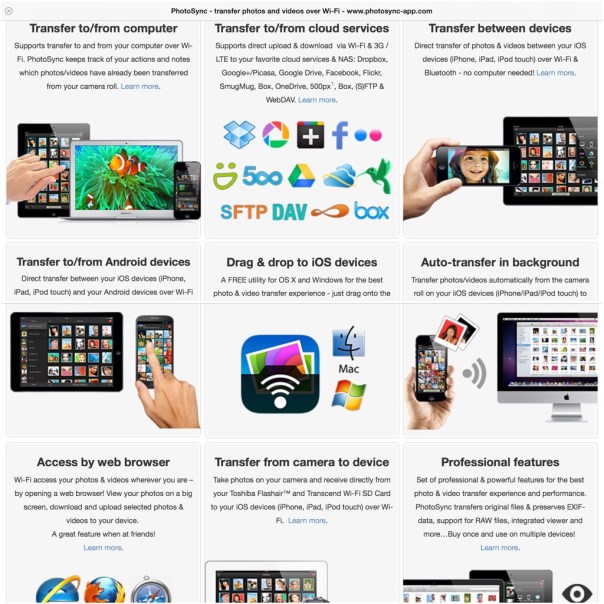
PhotoSync is an app that really everyone should own. It is so well designed with so many features and works exactly as advertised.
20140622-093049-34249887.jpg

So what does it do? Depending on what devices you have you install the respective mobile app. So if you own an android phone or tablet, head over to the Google Play store. If you own an iPhone or iPad head over to the Apple App Store. The iOS version costs £1.99. The android version is free with in app purchase of £0.99 to remove the banner ad. There is even a version for Kindle. If you own a mac there is a free companion app on the Apple Mac App Store. The same applies if you have a Windows PC. So once you have installed the software on your respective machines it now is as simple as ABC.

20140622-093610-34570080.jpg

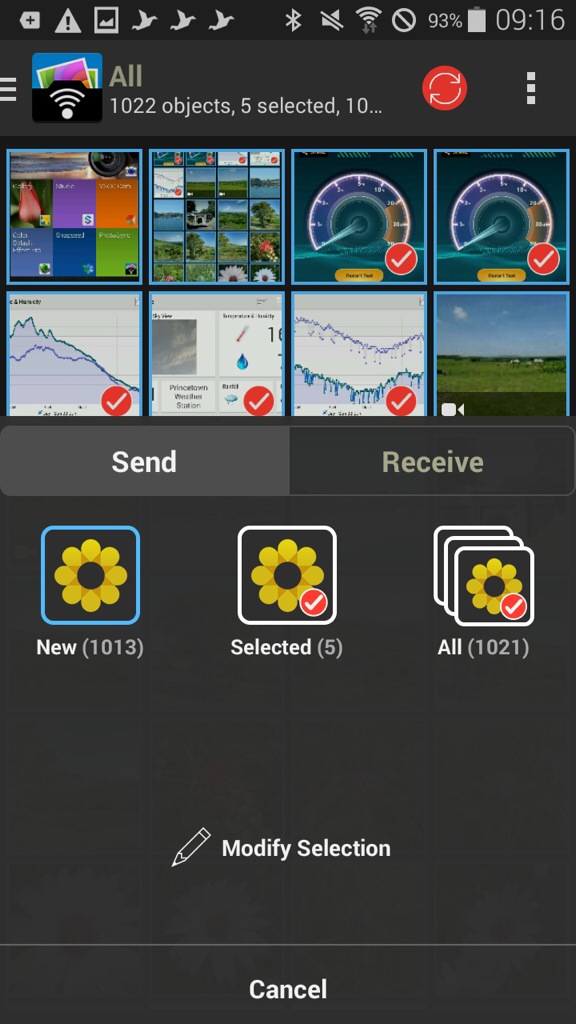
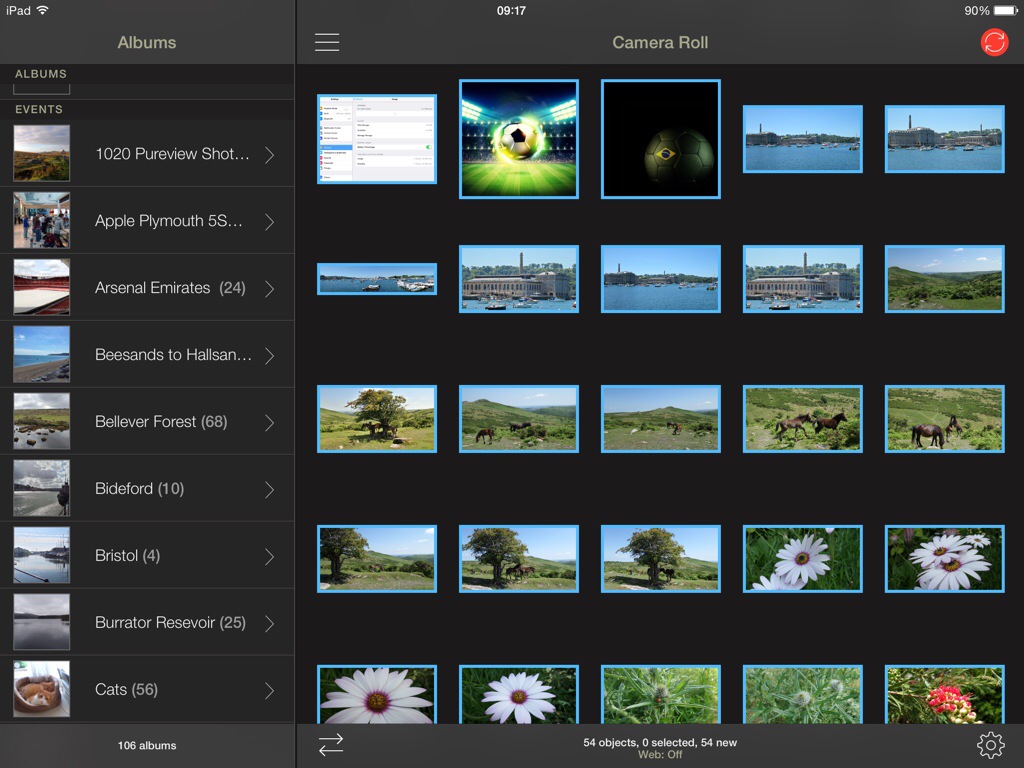
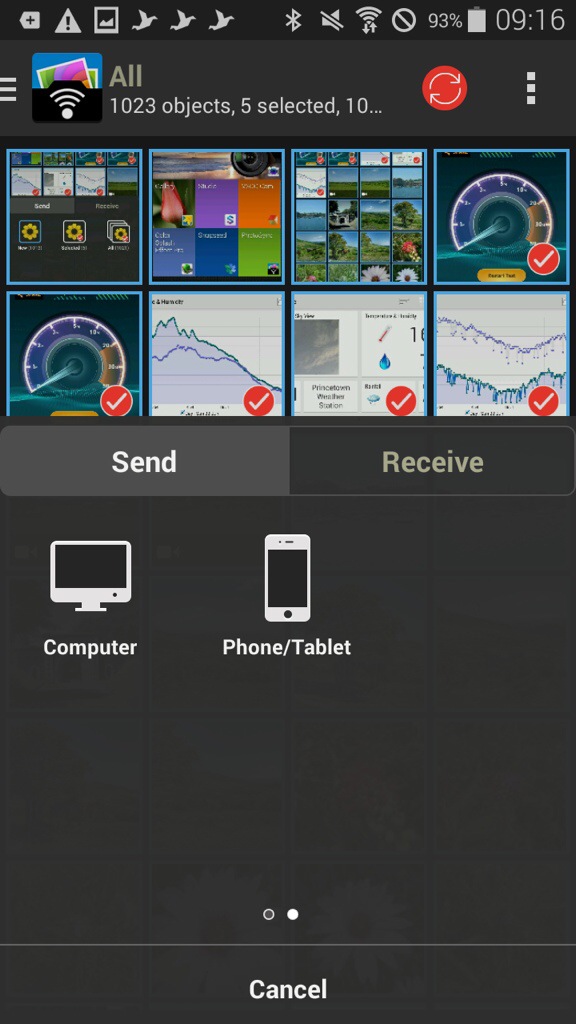
As an example, I have opened the app on my Samsung K Zoom and selected 4 photos. You can tap to select which ones you want to send, or press and hold to select a range. You can view your photos by all or albums on the K Zoom. Now open the iPad app.

20140622-093820-34700081.jpg

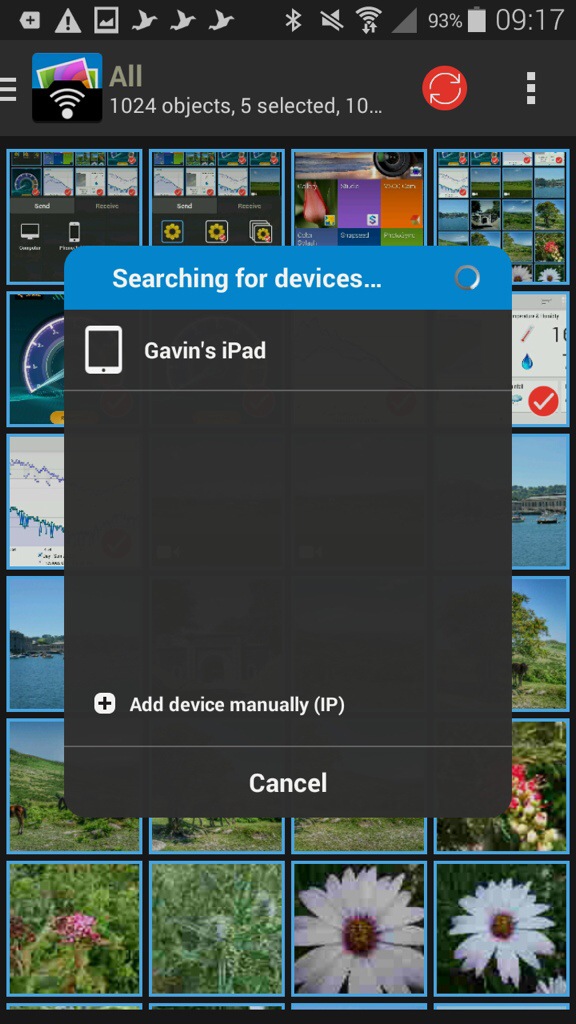
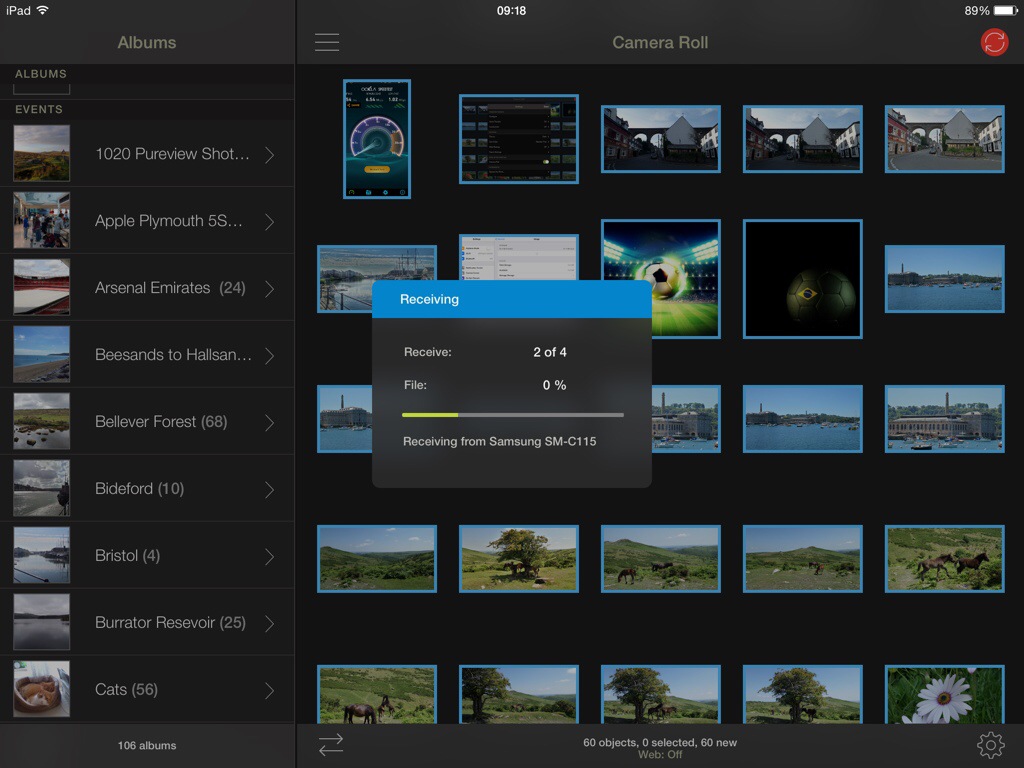
Now, tap the red sync icon top right on the K Zoom, confirm your selection and as quick as ABC the photos are sent on to the iPad.
20140622-094001-34801979.jpg

20140622-094002-34802395.jpg

20140622-094001-34801843.jpg

20140622-094002-34802125.jpg

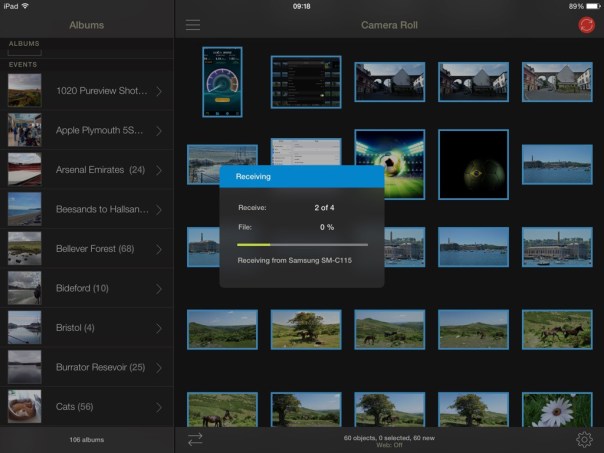
So what the above screen shots show is the process of moving 4 photos I selected from my android phone to my iPad. The order is slightly wrong, but I’m sure you can fathom out the correct order of the screen shots 😉 But you could move the photos, or receive, between any combination. What is also clever is that you can send the photos from say my Samsung Galaxy K Zoom to my mac. The photos can either go to a folder chosen by yourself, or end up directly in iPhoto or Aperture. Neat touch. And because it’s using wifi you can be downstairs and send the photos to your mac which can be located in another room.

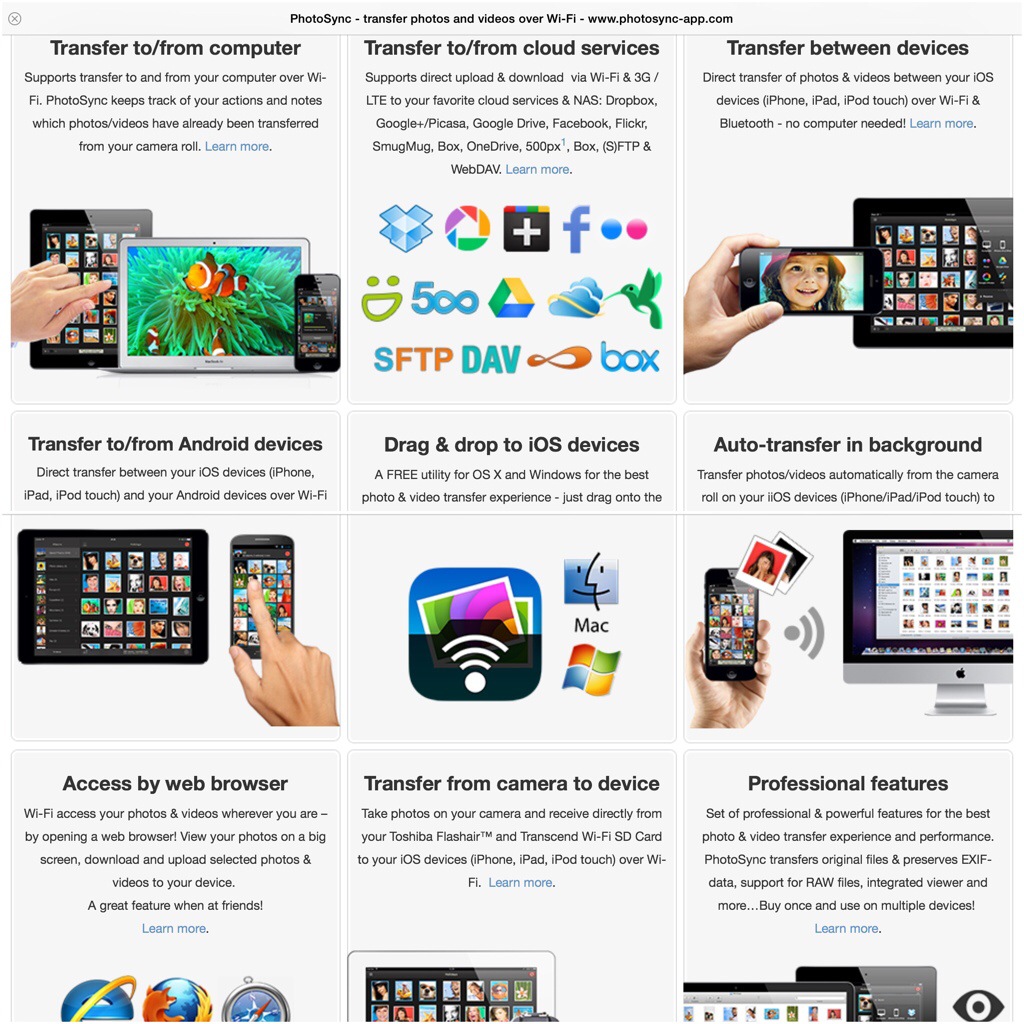
Within the app, the options and settings are extensive. You have the option of using a web browser, personal hotspot, drag and drop, creating new albums, the app remembers which photos have already been transferred, raw photos also supported as well as video , meta data left intact, size of photo left untouched, transfer speeds of up to 5mb/sec and much more.

The iOS app version has been around for longer so adds so extra functionality allowing transfer to and from cloud services like Dropbox, Flickr. Google+, Picasa, Facebook, SmugMug, Zenfolio, Box, 500px, OneDrive, Google Drive and Sugarsync. Backing up videos and photos over (S)FTP or WebDAV to NAS, mobile storage, or remote server. You can also use 3G or LTE. And even more features.

At the end of the day, the app just works really well and being cross platform is such a bonus. Highly recommended.
Mipow Playbulb – a Bluetooth Lightbulb – with built in loudspeaker

20140622-100457-36297606.jpg

Clove Technology are now selling the MiPow Playbulb for £49.99 each.

The MiPow PLAYBULB is a Smart Bluetooth LED Speaker. You can turn the light on and off, dim it gradually, and as it uses LED’s is energy efficient.

It fits most E27 sockets and with an adapter now fits bayonet fittings.

The PLAYBULB is also a Bluetooth speaker using the latest Bluetooth 4.0. So now you can listen to your favourite podcasts like Gav & Dave’s Tech Podcast and hear the voices from high above from your ceiling light fitting.

You can control the PLAYBULB through the dedicated app (available on both the App store & Google Play). Once it’s paired with your smartphone lighting and music are under your control, the unique interface of the app will let you adjust the LED brightness of the light, turn on/off the light and will let you control the volume and of course control the playback of your preferred music.

More advanced settings include four functional buttons, wake up, energy saving, night mode and sleep mode. You can set the time to turn on/off the light and play music automatically in the morning and just before you lay your head. With this app the PLAYBULB becomes intelligent; it will add fun and utility to your day whilst improving the quality of your life.

I should be receiving one of these very soon, so will add any further reports on usage.

Why I’m finished with iOS? The last straw has been broken – updated with a top solution using PhotoSync

20140619-173020-63020546.jpg

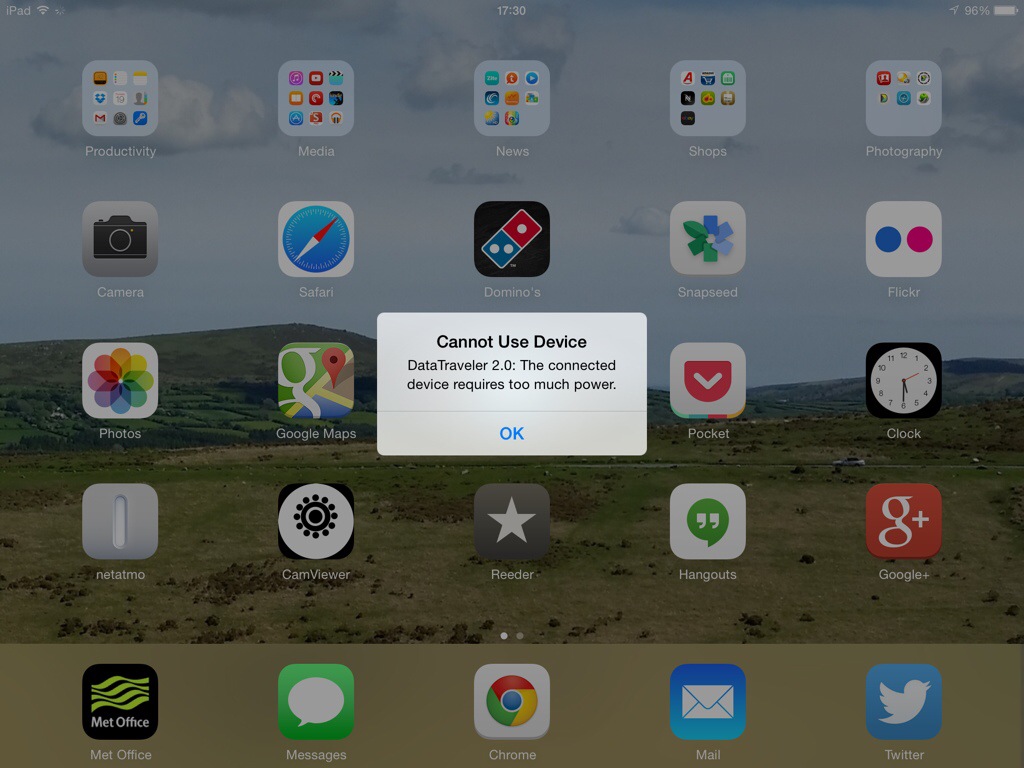
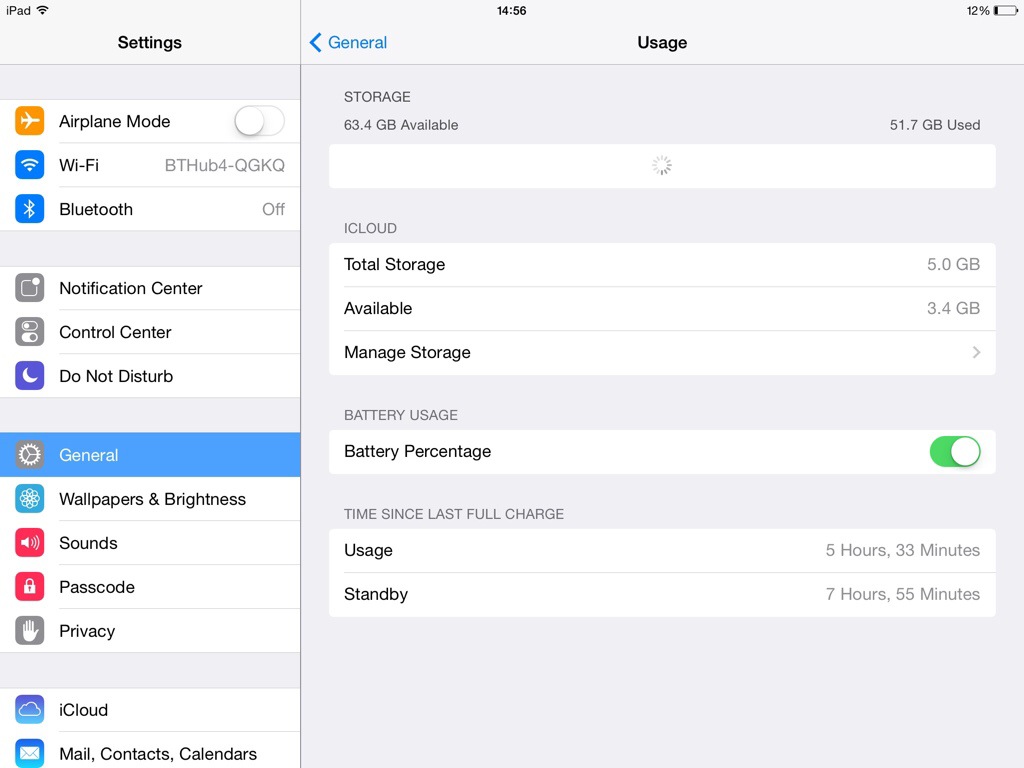
Before I let some steam off, I will just say that I am not an iOS hater, or an Apple hater. I have just reached the point where Apple’s lack of interoperability takes the biscuit. This applies to iPhones , iPads and macs. These are gorgeously designed devices but there comes a point when enough is enough. Take a look at the above screen shot from my iPad. Now clearly I am trying to power some monster power rig from my iPad! Now look at the photo below.

20140619-173946-63586163.jpg

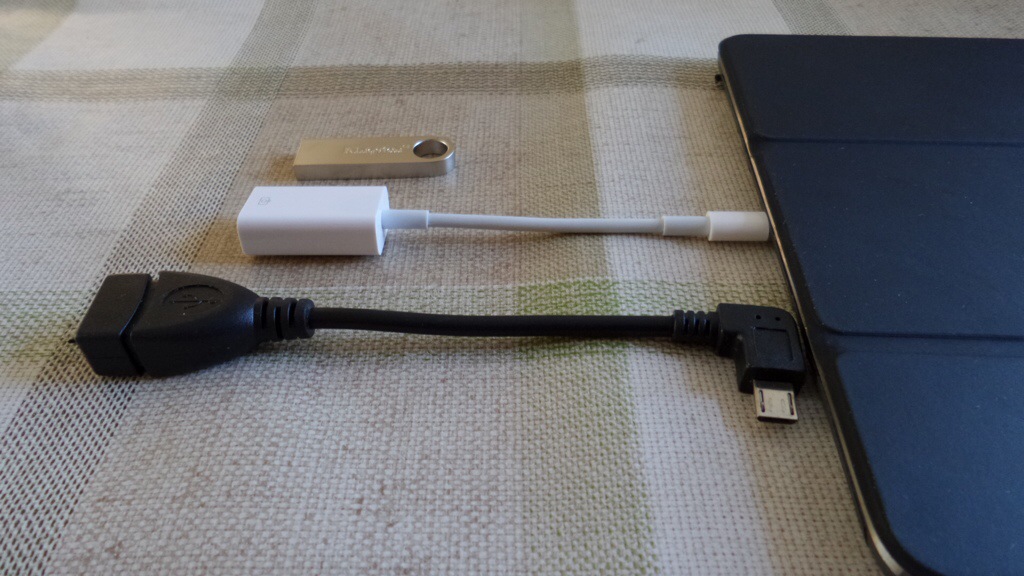
I have an android phone, a Samsung Galaxy K Zoom. Now if I had any other device apart from an Apple device I could send the photos by Bluetooth or wifi direct. But oh no, Apple has to have a closed system. No problem I thought. Buy the USB to lightning port camera adapter for the iPad, shown above in white. Buy a USB storage stick. So using the micro OTG adapter I plugged the memory stick into my K Zoom and copied the photos across. Then, I placed the memory stick into the lightning adapter and plugged it into my iPad. And xxxx xxxx xxxxx piece of crapware produces the message as shown in the first photo. Not enough power. Well my phone that costs over 50% less had no issue. Now before anyone says, use the cloud. There is no way I’m waiting for 500 photos to get uploaded to a cloud service , for me to have to them re download them on to another device. It takes minutes using a USB stick.

Well it would do if you didn’t have an iPad. So despite the wonders of the iPad it simply doesn’t cut the mustard for me. Adios my friend.

Update – thanks to @ratkat who left a reply in the comments below and recommended PhotoSync , I now have perfect photo and video transfers between android, mac and iPad. You do need to buy the device on both your android and iOS but at £1.99 on iOS and free on android (£0.99 to remove banner ad) , it’s cheaper than a coffee and a memory card stick by far. And based on my early testing a marvellous solution. You can quick select a batch of photos as well, use personal hotspot and so much more.

Gav & Dave’s Tech Podcast is live – Episode 17 Mid Year Special – Please RT

As you know, I co-host a weekly podcast with David from UKMobileTech called Gav & Dave’s Tech Podcast. It is a light hearted tech podcast broadcast bi-weekly. To subscribe click here for iTunes or copy and paste this link into your favourite podcast app.

Episode 17, our mid year special, is now live for your listening pleasure.

With iOS 8 is there any reason to jail break?

IOS 8 was revealed nearly 2 weeks ago in beta by Apple at WWDC.

The new version plugs so many gaps that android users enjoyed like being able to change the system keyboard and share data with other apps. But that is just the tip of the iceberg. Apple introduced 4,000 new APIs.

So now is the jail break scene dead on arrival when iOS 8 is released to the public? Surely now it will only exist for pirating?

What do you think?

Battle of the Brands on the London Underground

So as you might have read I was up on business travelling on the London Underground.

Something I don’t miss living now I’m living on rural Dartmoor.

It’s been nearly two years since my last trip and back then iPhones ruled.

So what brands were people using now? Was the tube full of Nokia Lumia 1020’s? Or maybe a Sony or HTC? Let’s be optimistic. Maybe a Huawei. Or long shot a BlackBerry?

I’m afraid not. It was a 3 horse race only. Yes 3. So we can guess Apple and Samsung were fighting it out for top spot. And they really were. I think Apple just won with more Apple devices but only just. Samsung phones were everywhere. So what was the third brand? Amazon. Amazon Kindle readers and Kindle Fire’s.

So with Amazon starting it’s foray into smartphones very soon, just watch this space get invaded by them.

iPhone 6 – alleged potential case shell photos leaked

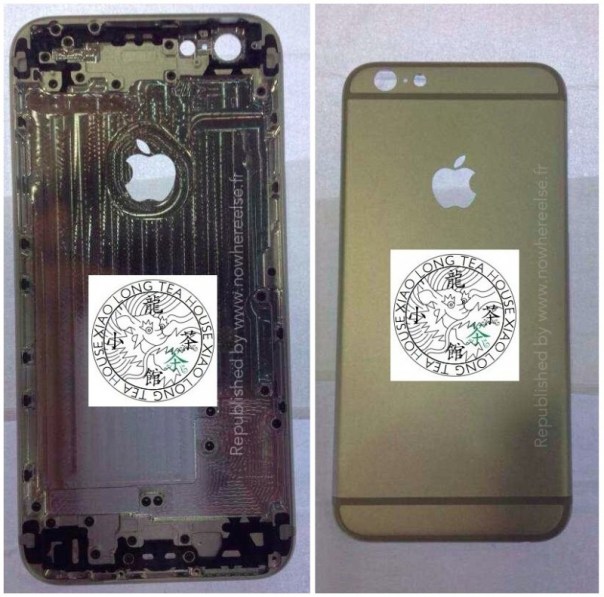
iphone_6_shell_front_rear-800x792

Macrumors has a post covering potential iPhone 6 shell photo leaks. This time it shows photos from all sides. The above is just one photo.

The issue here is do these leaks really matter. They are not the finished article, nor do the reveal and special hardware and software features. If these are correct, they also kill the suspense.

More at http://www.macrumors.com/2014/06/08/iphone-6-shell-multiple-angles/