Category Archives: Apple

One week later – Mike airs his current views on the iPad Pro

Regular reader Mike Patterson added a detailed comment to my post yesterday “downsizing from the iPad Pro to the iPad Mini 4” airing his current views on his iPad Pro after just over a week. 

…………………………

“Well I have until 20th January 2016 to decide whether or not to keep the Pro. If you had asked me earlier I would have said “it’s a keeper”. However, what with the issues I am having:-

1. It continually dies after each full recharge ~ this is EVERY SINGLE BL**DY TIME.

2. I am STILL waiting for my online order of the iPencil to change from being Processed to Shipped ~ getting on for two weeks now and no point in walking into my nearest Apple Store….. All this yet in the US where they too have similar online issues Apple have been selling more accessories to Best Buy and Staples than what goes into their own stores.

It’s infuriating, you go into an Apple Store and the answer is “Nope, none in”, yet go into Best Buy or Staples and walk out with one under your arm. Online orders… what a joke. Whatever happened to get up early, place your order and you are now at the top of the delivery system.

What has happened to Apple? I remember when they used to be customer first where other companies were envious of the way they managed to get hardware out on day one to everyone……. Now all they have become is another second rate shipper.

3. Apple should have looked at iOS on the Pro ~ All that wasted space on the Home screens. It needs a rework.

4. Lack of Apps that fully utilise the Pro ~ This I am laying the blame firmly at Apple. For Apps to take full and complete advantage of the pro (not just the screen size but the extra RAM, Processor Speed, etc. etc) requires developers to place a lot of time and effort. Problem is these Apps can not be treated like your normal iOS App. They work similar to OS X and as such would warrant OS X prices. But there’s the rub, users of the Pro are in a mindset this is just another tablet and basically it isn’t. So even before developers start there is a problem.

To counteract this developers would like to offer free trials so that you can test the software before making a huge in iOS terms payment commitment……. But no, Apple will simply not allow software to be released in this manner. They are stopping the development of these type of Apps.

It’s not too bad if you are a big company like Adobe where you can afford to place a team of highly paid developers to build your Pro software. They can run at a big loss and charge a high price at the end……. But for your average one man developer, he/she doesn’t stand a chance.

4. There’s bound to be a number four and a five and a six…… but I just can not be bothered to stay here and write them down.
Apple you enticed me in, you made me fall in love with your whole expensive system of design, management, delivery and performance.

Now you leave us frustrated, short changed and angry.

So many areas of errors and anomalies yet nothing in return of apologies or reasons. And let’s not mention iCloud failures.”

Downsizing from the iPad Pro to iPad Mini 4

Boom. It’s all change. 

The iPad Pro was neatly packaged up yesterday and returned to Apple along with the accessories and instead, I now have an iPad Mini 4. 
In the end it was a simple decision to make whether I kept the iPad Pro, and it boiled down to the fact that the iPad Pro was just too large and heavy for my armchair browsing and gaming. The iPad Pro is a marvellous piece of kit but more at home on a table than anywhere else. 

But why the Mini 4 instead of the Air 2. I have an iPad Air which work provide so I am familiar with the benefits of the processor and screen canvas. The Mini 4 appealed to me as even with a Smart Cover and smart case attached, it is very light and slim. 

In fact I am on my sofa typing this on the Mini 4 in portrait mode using the split keyboard layout with two thumbs and my typing speed is just fine. 

Setting up the iPad I decided to restore from an iCloud backup but at first this was not possible. The iPad had to have a software update to iOS 9.1. Then I had to hard reset and start the setup process again. Setting up a new iPad even using an iCloud backup is quite a lengthy and complex process. No wonder they have in store setup counters. After the iCloud backup had done the first part of the restore it reboots once. And that was as far as I got for 4 hours. I hadn’t waited to restore fully but Apple staff did mention it might go into a reboot loop and if this happened I would need to put the iPad into recovery mode and connect to iTunes and reinstall the firmware. So it just works !!

So 4 hours later I figured the apple logo was going to go away. So I did a warm reset and fortunately the iCloud restore continued. All my apps and  games downloaded and then it was time to add my photos and music. I then entered all my user names and passwords across all my apps. This caused another issue. Several apps (about 30%) refused to load and quit straight away. This was only resolved by deleting and reinstalling it.  Since then I have discovered that when playing a game for the first time, it is telling me my cloud (iCloud) backup file is corrupt. The recommended course is to delete it and lose all my game play and start again.

I am not alone with iCloud issues. When I got my iPhone 6S Plus I had terrible issues uploading photos and music to iCloud. I put part of these issues down to my slow internet upload speed. However, I am aware of several people with quite severe iCloud issues. I do wonder if Apple has suffered some huge failure of the iCloud, maybe a hack attack and is desperately on the quiet trying to repair or fix it. All I can definitely state, it most certainly does not work properly for me. I am tempted to reinstall every app over time, just to make sure everything works in the longer term.

Next I was confused why text messages were not arriving on my iPad from my iPhone. A quick google and back into settings, messages, text forwarding and hit the toggle on button. I don’t understand why Apple hide this setting and don’t ask if text forwarding is required during the initial setup. 

I have connected my Bluetooth Plantronics Backbeat Pro headphones to the Mini 4 and they sound divine with the iPad. 

When the first Mini arrived I had one but the difference from the original iPad Mini to the retina Mini 4 is huge. Text is really crisp and typing in portrait mode using the on screen keyboard is so easy, even whilst relaxing on the sofa. 

Anyway, I’m much happier with this size of iPad. I prefer it over the Air size. 

What makes the iPad Pro special? Is it really class leading? And worth £1,000? YES!


I have written several posts discussing some of my concerns regarding the iPad Pro but today I am going to tell you why it’s a bargain at £1,000.   

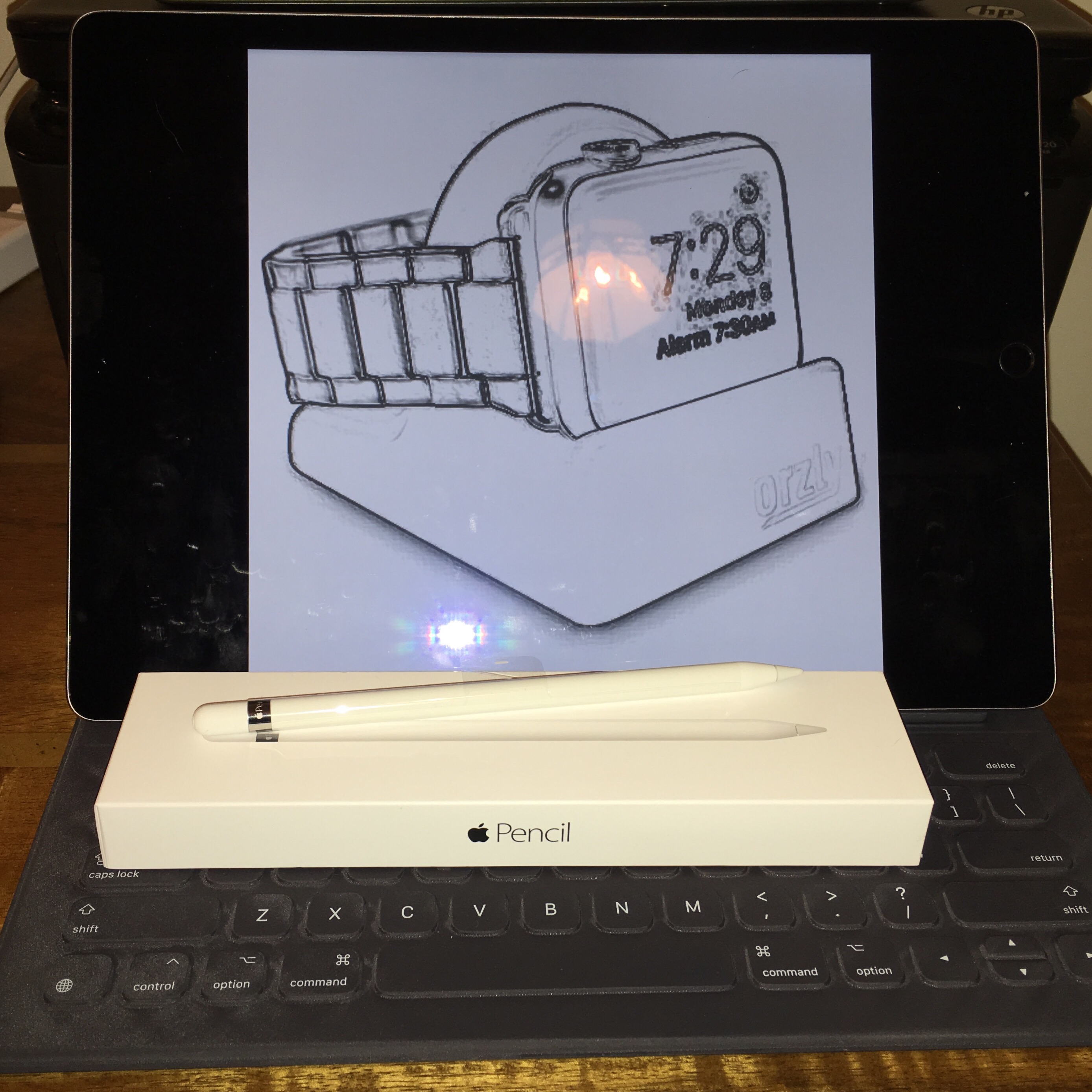
The iPad Pro comes with a really large canvas screen with iOS 9 multitasking options that do work really well. The Apple Keyboard shown in the above photos with the Apple Pencil is fantastic. It is so slim, fast and light that you can leave it attached all the time. 

And then comes the Apple Pencil that is getting around 12 hours battery usage from one charge. And in a clever Apple way, if you run short while drawing, just stick it into the iPad Pro for a quick 10 min charge. It may look cumbersome back actually its clever.  
 
The iPad Pro is the only iPad that allows for proper on screen drawing using the Apple Pencil and it is by far the best pencil/stylus available. The options are endless and only hindered by your own creativity. As a quick mockup, I used Adobe Sketch to import a photo and add some triangles, use the pen to add notes and the pencil too. But there are plenty other third party apps and Apple’s own Notes app that all use the Apple Pencil. And the options are endless with the Apple Pencil from drawings, sketches and one of the best note taking tools. 

So when you add everything together, with an astonishing solid 10 hours battery life from the iPad Pro, excellent loudspeakers which negate the need for a bluetooth speaker and all and all you have one powerful productivity and media consumption device that actually represents a new class of category of device. 

The issue becomes that at its price point it is invading other categories so one has to be very clear if this iPad is for you. For me personally, it is both marvellous and at time frustrating over little annoyances. It is too big in my opinion for browsing and playing games on the sofa, which is also compounded by its heavier weight. But listening to podcasts or watching films is epic. I also have the Steelstratus Nimbus MFI game controller and with the iPad Pro on a table playing games turns it into a new experience aided by the larger screen and 4 loudspeakers.  The full size Apple Keyboard cover works so well, and this whole post was typed on it. But I am left with a painful decision whether the iPad Pro stays or goes. At the moment, it is on death’s door, but then I spent Sunday using the Apple Pencil and realised I don’t have a single device that could repeat the drawing and note taking functionality. If I made a switch to an iPad Mini 4, I could play games and browse the internet from the comfort of my sofa, and without undertaking a weight training session at the same time! But then I would lose the fast keyboard entry, super large screen canvas, pencil and loudspeakers. Ultimately even using the iPad Pro without a smart cover or keyboard, its overall weight is uncomfortable after an hour or so and this might be the single factor why it goes. For its price point, I do believe its a gem of a device, just not for everyone. 

Is the iPad Pro an unfinished product, rushed out too soon? Or is there another problem?

Head over to Apple Support forums and Apple has acknowledged there is an issue where the iPad Pro stops working. This includes no screen response to tapping and in some cases a total blackout. Apple Support Article Link.

Is this the only issue? Nope. I have had a lengthy support conversation over connection issues only resolved by following the solution in the above Apple Support article linked above.  

The Verge and Re/Code published similar articles discussing whether the iPad Pro had an app problem. Link HERE.

And here I am exactly one week later with only 2 apps updated to support the iPad Pro – WordPress and Transistor. I am left with many apps still to be updated, all of which are using the old on screen keyboard which has keyboard keys too far apart. The new on screen keyboard is very good. 

Accessories – where are they? Clearly something was off schedule and the official Apple accessories are non existent. Even if you were fortunate enough to pick up the official Apple Keyboard, Apple is selling it only in US English and there is no option for UK English. The Apple Pencil is even rarer which has probably left even more people wanting one.  Both the Apple Keyboard and Pencil show a delay of 4-5 weeks online. 

So with blackouts, screen stops respondingt to taps, concern over apps and the lack of accessories I do wonder if Apple rushed the iPad Pro out ahead of time to catch the Christmas sales period. 

Last night I wanted to highlight a few words from a web page in safari. It was impossible to highlight the text correctly. For a device touted as a PC replacement, basic commands like copy and paste should work perfectly. 

For an experience that costs over £1,000, I am wondering if the iPad Pro is ready for prime time? 

Apple Pencil – First Impressions and latest on the iPad Pro


I have been lucky enough to receive my Apple Pencil, so now I can use it with the iPad Pro. It comes with an  adapter so you can charge it with any lightning cable. Or you can stick it into the lightning connector on the iPad Pro to recharge. This is potentially dangerous and if you are not careful you could accidentally damage the Apple Pencil.

You cannot get away from inserting the Apple Pencil into my iPad Pro, as this is the only way to pair it. The pairing is carried out via bluetooth. Apart from the lightning adapter, in the box is a spare tip and some instructions on how to use it. It does warn you to make sure the Apple Pencil tip is kept clean and that over time the tip will wear out. 

So is it the Apple Pencil any good? Yes it is. Marvellous. I have used an app called Procreate and the Notes app and both work really well. As a Samsung Note ex user, I have to say the Pencil is far superior. But then its not a stylus, just a drawing tool. The Apple Pencil detects pressure, angles and strokes with hardly any latency whatsoever, mostly none at all !!!

The negatives. There is nowhere to safely store the Apple Pencil. If you want an Appe Pencil, online ordering has a 4-5 week delay. Because of this delay, I do suspect people believe they need one when in fact they will use it for the first day and never again.  I think even I have fallen into this trap as I cannot see what I will use it for as I am not an artist! I am not sure how long the battery will last, but I did fully recharge the Apple Pencil to 100%. After using it for 30 mins, I depleted the charge by 11%. When not in use, it does seem to lose a little bit of battery. I will provide another post on the battery after using it more over the next few days. If you need to check the battery level of the Apple Pencil, this can only be found in the notification centre in the battery widget which also contains the battery level of the iPad. 

I have returned the Apple Smart Cover and gone with the Apple Smart Keyboard which I am using to type this article. It is quite likely I will be returning the Apple Pencil but will give it a bit longer. The reason I kept the Smart Keyboard is that it really is so slim and adds hardly any extra bulk when connected and is nearly as slim as the Smart Cover. I also managed to create the Smart Cover typing mode position with the Apple Keyboard. It is not as secure as using the Smart Cover in this position but it works and gives me the option to use the on screen keyboard or just aide with the browsing angle when sitting on the sofa. I have also been discovering lots of new shortcuts on the Apple Keyboard, which really speed up the operation. I wish Apple would provide a list of shortcuts available. I must admit the extra accessories for the iPad Pro do make it one killer piece of hardware. 

So there you have the latest with the iPad Pro, Apple Smart Keyboard and Apple Pencil. 

Apple to release its own Apple Watch Dock – Details – Plus buy this instead! – Updated 


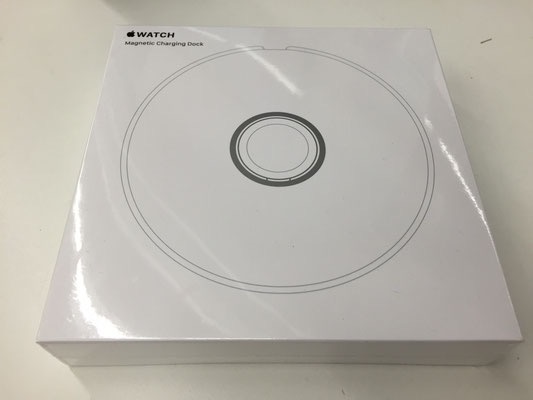
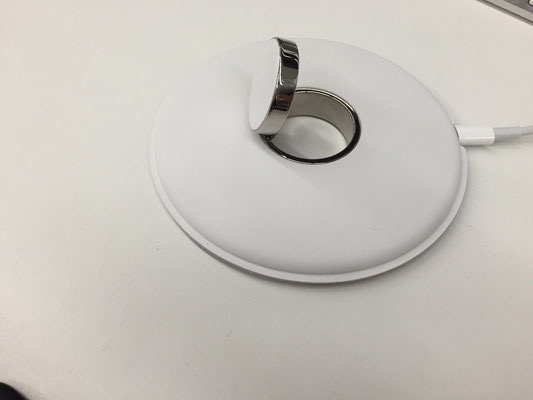
According to Grobgeboggt.de Apple is soon to release its own branded Apple Watch dock, along with a high price tag. 

Update – it is already in Apple Stores selling for £65. 

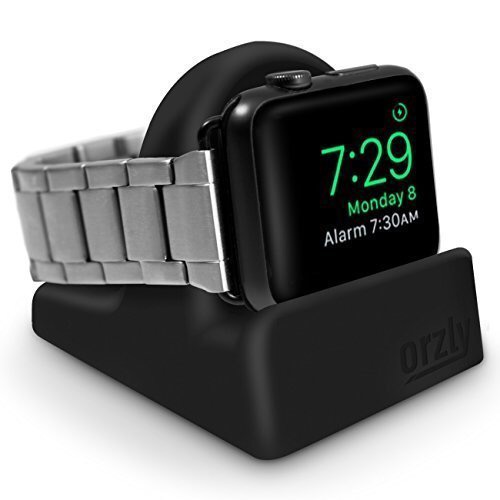
However, if you want a dock to charge your Apple Watch, I use a Orzly Apple Watch Night Stand (Amazon Link)
  
It uses the Apple Watch charging cable but is totally concealed and the ridge supports the watch when charging and prevents movement, which in turn prevents the watch coming off the charge point. It also works with both watch sizes and it has proven to be superb. Good value at £7.99 as well. It is available in 4 different colours. Personally I have the black finish. 

Apple produces 6 videos to promote the new Apple TV – Plus updated review on the Apple TV

Apple has released 6 new videos to promote and or sell the Apple TV.

You can view the next 5 clicking HERE.

I have now had Apple TV for several weeks and even purchased the Nimbus Game Controller as well. The new Apple Siri Remote is a pain in the arse to use. The top half is a trackpad which I seem to touch by accident even from the edges when picking it up off the arms of the sofa. That means my accidental presses keep interfering with whats playing on the Apple TV. Sometimes I end up fast forwarding a movie, pausing or even quitting it. 

The remote also doubles up as a game controller. Some games work really well with it, others are more fiddly. So I bought the Nimbus Game Controller for the Apple TV and it works half of the time. The issue is limited support by developers. The good news is the game controller works with my iPad Pro and iPhone. The Nimbus game controller is the best game controller I have used on iOS. It recharges using a lightning cable.

I use my Apple TV for viewing films and TV shows. This function works fine, and for the fast time on Monday night, I pressed the siri button on the remote and said “what did he say”.  I was watching Walking Dead, and the Apple TV rewound the program back about 10 seconds and turned subtitles on, to reveal the word spoken as “help”. That is so freaking cool and useful. 

Another issue I have had is the Apple Siri Remote not responding as it was flat and needed recharging. That meant I could not operate the Apple TV until I put some charge back in the remote.

There is still a shortage of apps but in time this will be rectified. App discovering in the UK Apple TV store is not as easy to find stuff as the US Apple TV store.

Apart from that, I love it and all the other aspects from Airplay all work beautifully. 

iPad Pro – 5 Days Later – Now the honeymoon period is over 

Yesterday Mike gave his first day opinions his iPad Pro. Today is day 5 with mine and I would like to share my ongoing thoughts. 

Without a doubt all the ooooh and aaahhs are over and now it’s down to real business with the iPad Pro with the positive and negatives. 

Setting up the iPad Pro was done in stages. First the essential apps, then 4,000 songs and photos and finally bumping the app/games quantity up to around 169 apps/games. 

This is where the negatives really lie with apps that need updating. Apart from looking too blown up with ultra large fonts and graphics , the onscreen keyboard is the old version without the numbers row, which also is oversized and harder to type on as the keyboard keys are too large and far apart. If developers fail to update their apps this could be problematic. The Smart Keyboard gets around this issue but does add extra weight to the overall package. The Smart Keyboard weights 337g. The Smart Cover 162g. The iPad Pro weights 713g.

So apps need updating, even some of Apple’s apps, and being honest I have more hope these will hopefully receive the necessary updates. Even if they don’t they are still usable. The biggest problem is games. I installed loads of games. I own over 500 before I lost the will to carry on counting them. I carefully choose around 100 of my favourite games and ended up with around 60. Some would start and then crash. Some didn’t fit on the screen properly and others just would not start at all. I also tested the games for MFI Game Controller support with my Nimbus game controller. That ended up showing around 20 games worked with this controller which was reasonable. However, the level of controller integration varied but this is not an issue with the iPad Pro, but the general game controller support which is still not supported properly by developers. 

At the weekend I bought a Smart Cover which cost a crazy £49. If you want the smart case which is the bottom half that costs even more. This pricing is an absolute rip off. However, the Smart Cover does work very well and the on screen keyboard is the best in the business. In fact, this whole post was typed on the on screen keyboard and at super fast speeds with auto correction doing a marvellous job. This leaves me with a decision. The Apple smart keyboard is truly magnificent, very slim but does make a difference to the combined weight. Also it’s a bit of a nuisance when not using it, and it’s feels odd being only able to use the iPad in one position for typing. With the Smart Cover the keyboard typing position is my favourite as it also makes reading stuff on the screen that little bit easier due to the slightly raised angle. The smart keyboard on the other hand is fixed in a more upright position. I am so undecided on whether to keep or return the keyboard currently. If only the smart keyboard had one extra resting position. After typing this paragraph I have decided to keep the Smart Keyboard and return the cover, as I have worked out I can raise the iPad Pro slightly when browsing on my lap using the keyboard. I also think my muscle memory has changed, and I am now finding opening the keyboard faster and more natural. 

However, the smart keyboard also frustrates me that Apple excluded any smart keys. If you buy the Logitech Create Keyboard you get loads of special keys eg brightness, volume etc.. However, the Logitech keyboard adds significant weight and bulk. 

I still don’t have the Apple Pencil. I have ordered one online, but I’m hoping stock will arrive at a store sooner. This will hopefully add to the user proposition and ultimately my experience. 


The iPad Pro really scores positively due to its large screen and iOS 9 multitasking and split screen and two thirds / one third screen modes. Also photo and video editing is a dream on the iPad. The speakers are so much better than any other iPad and by a fair margin. iMovie works really effortlessly and the apps that are customised make light work of certain tasks. That is fundamental difference of the iPad Pro versus say a MacBook Air.  I still have a hard time accepting the price of the iPad Pro but I cannot deny it fits really well into my life and offers me more value than a MacBook. 

Update – I have just had WordPress updated and this is for the iPad Pro. The difference before and after is huge. No  more huge fonts and text. The full screen of the iPad Pro is fully utilised and also the new onscreen keyboard is active.

iPad Pro – Day 1 Thoughts from Mike

Regular reader Mike Paterson wrote in with his initial Day 1 Thoughts. Thanks Mike.

…………

iPad Pro ~ Initial Thoughts On Owning The Pro

Having now opened the box and taken the Pro from the container the temptation to wait for the iPencil was just to much to bear.

As such I hooked my Air 2 to my iMac and performed an encrypted backup.

With that done I connected the iPad Pro which immediately asked if I wanted the device as new or restore from a previous backup.

Choosing the latest Air 2 backup off it went chewing through the 85GB of data it needed to place on the Pro.

Being connected to the iMac and having a decent 50Mbps connection on BT Infinity 2 did help on the time but I was amazed that after just 20 minutes iTunes was quite happy to let the Pro loose.

So, with the Pro now on my lap (boy that was different to the Air 2) I started to go through all the places which I knew would take time in settling down.

My oh my, all the photos, videos, music, documents, everything and I do mean everything was there.

The only omission was a few Apps that didn’t finish but fear not iOS was busy busy downloading them happily over my home Wifi.

Ten more minutes or a somewhat 35 in total and the brand new not switched on Pro was now mimicking my Air 2 byte per byte…… although obviously in a much larger scale.
So, how do I feel about all of this?

It’s size makes it feel colossal when compared to the Air 2 and the weight although obviously heavier I am surprised for such a large device it doesn’t reflect the same in weight, actually it is quite light in a weird but wonderful way.
So, what’s it like to use?

I simply adore the new digital keyboard. This extra space has been used very well and I am glad the developers chose to make most if not all of the keys available without having to resort to tapping on the [.?123] key.

Talking of this key’ it was again lovely to see they added both an ‘undo’ and ‘redo’ key.

This is brilliant for stepping back and forward through typed text. Nice one Apple.

I also like the fact the space gives every key visual without having to go digging for where it lays. In fact the only key that is not on the main keyboard page is a new added key which again is brilliant and that is the […] key. Tapping on this saves having to tap ever ending full stops to get a series of lines which I like to add in my writing as it forms an expression of asking the reader to pause before continuing to read, as in:-

This is simply awesome …………… truly it is.

Those series of dots took 5 taps on the keyboard as opposed to 15. It all adds up to time saving.
The rest of Pro’s uses I will be testing over the next week or so whilst I wait for Apple to sort out their stock levels on the accessories for this beast.

Talking of accessories this is a fitting shot at listing some of the not so nice things about this device.
Negatives

My main gripe is with Apple not sorting out the accessories for the Pro.

Now I am going to choose my wording carefully here so please form you own impression but suffice to say I simply do not understand why Apple did not have in place an abundance of the two main accessories available to purchase on day one. Those being the iPencil and the Keyboard.

Let me get this straight. I just spent £799 on a 128GB iPad Pro that Apple’s chief says could replace my Laptop, but I have no way of knowing until the keyboard is available?

I also purchased the Pro with a high degree in use for creative Art and Painting, but again I have no way of knowing until the iPencil is available? 

I’m sorry but this makes absolutely no sense. Remember, Apples return policy affords customers 14 calendar days to return an item from the date you received it.

So what happens if these two accessories do not turn up in time and you find either don’t perform to your standards, you now can not return the iPad Pro!
Another gripe is the Home Screen layout.

It was fine back in both 2007 for the small iPhone and 2010 for the iPad. But now we have a much larger phones and this tablet. The Pro screen has way so much space, it’s wasted.

Put simply iOS Home screen layouts and App launching needs to be looked at.

I would much rather have the look and feel of OS X on the Pro. I can see iOS changing especially if Apple are going to continue bringing iOS and OS X closer together.

The Pro is perfect timing to start this off with a bang.
My other main gripe is a lack of Apps.

I don’t mean Apps in general that are used on the smaller iPads (never thought I would say that). No I’m talking about Apps that are specifically coded to utilise the size of the Pro. 

Apple have had two months to ensure they got more developers onboard and there is little news of Apps being added. It’s quite funny when you think about it but the main developer who has contributed well is Microsoft with Word, Excel and PowerPoint taking advantage of the 12.9″ screen.

Adobe is pushing support but where are the rest?
Okay, rants over…………… (again I love that key), I’m back to loving the Pro.

All this typed on the gorgeous built-in digital keyboard. Bless you Apple you got that part right.

iPad Pro – My First Impressions – Review

They say anything can happen in 24 hours, and in my case this occurred.

I have decided to make the most of the Apple eco system and no longer have a chromebook. Instead I have the new iPad Pro with the Apple Smart Keyboard.

This entire post was typed on the new keyboard too. 

This is my first impressions of the iPad Pro using it for several hours last night. I am sure my views will change slightly as time moves on. 

Apple’s system of online ordering to get the device first seems to be changing as on Wednesday several Apple stores had stock of the iPad Pro. I didn’t expect to buy one either, but a brief play with the device and I realised the potential and how much it would be ideal for myself. Little annoyances include the lack of the Apple Pencil, currently with a 4-5 week online waiting time. My local Apple store only had 2 Apple Smart Keyboards in stock, which after I left just left one. The keyboard is US English only which is annoying, but with some trial and error I discovered where the £ key was located. It is shift 3. 

The first thing that strikes you is just how big and beautiful the iPad Pro screen is and how everything just  feels so much more engaging. The iPad Pro is heavy, but not as heavy as expected. The Smart Keyboard is genius. It is so slim, making the overall profile when fitted incredibly thin looking. The speed of typing on the smart keyboard is very fast. At first, I was not convinced I would be keeping the keyboard longer term, but it really has grown on me, especially just how fast I can type across the keys. The on screen keyboard has been improved too, with a numbers row and shortcuts. This means that for some people, a separate keyboard will not be necessary. 

Split screen mode works really well and I like being able to have tweetbot running and web browsing on safari at the same time. Some apps clearly need updating as they look too scaled up. However, in time apps will get updated and new apps will arrive. Apps that have been optimised for the iPad Pro simply look gorgeous.

The iPad Pro has Touch ID, something for some reason I was not expecting. It also has Apple Pay/Wallet. On top of that you can use the tablet to take photos and annoy the world. Panoramas can be as large as 43mp. I am sorely tempted to try and take one too on the iPad Pro. 

The speakers on the iPad Pro are the best yet on an iPad. Clear, punchy and loud. Photos taken on my iPhone 6S Plus look amazing on the iPad Pro’s screen, although I expected nothing less.

Now Tim Cook made the statement that the iPad Pro is a PC replacement and I have to concede despite my reservations, that this device will replace my macbook pro which is now up for sale. Until you have used this device I don’t think it is possible to fully appreciate its finer qualities.

And yet, I still have the Apple Pencil to explore in a few weeks time!