The title says it all. LG V10 video below. LG please bring this to the UK!
All posts by Gavin Fabiani-Laymond

YouTube launches YouTube Red service – details and viewpoint
YouTube has announced its brand new YouTube Red membership package, which will cost $9.99 per month when it launches on Wednesday, October 28.
The service provides subscribers with an ad-free viewing experience, along with the ability to save clips for offline playback and background play audio on smartphones and tablets.
With this service you also get the Play Music All Access, so really its a rebranding using the stronger YouTube brand and throwing in an ad free experience to differentiate itself.
There is a tougher side to this new service. Any YouTube creators who don’t sign up to YouTube’s new Terms of Service will have all their content removed from public view, even the ad version!
It won’t be long before everything will eventually be behind a pay wall.
YouTube naturally created a video to promote is new service –
Apple updates nearly everything – Adds Features and Advices of Price Increases
Last night the internet ground to a crawl as Apple released software updates for nearly all its hardware in one go at the same time. Isn’t it amazing that Apple can pull off this feat.
This included Macs, iPhones, iPads and Apple Watch. Apple TV to follow too.
There were lots of new features/bug fixes –
– News app came to the UK – first thoughts is that it is super slow
– Find my Friends now appears on http://www.icloud.com
– Apple Watch was all about bug fixes and longer battery life
– New emojis across everything
– Update for Live Photos, which now senses when the iPhone is raised or lowered to refrain from recording unnecessary movements eg shoes
– EL Capitan bug fixes
But there was also a few new pain points –
– iTunes Terms of Service changed due to increased cost with in app purchases.
– Game Center and nearly everything Apple does had a new legal agreement which you had to agree to. How many of you read it?
– This updates kills the new jailbreak although I cannot see any reason to jailbreak anymore
So did you notice anything new?
BlackBerry Priv – The full specifications
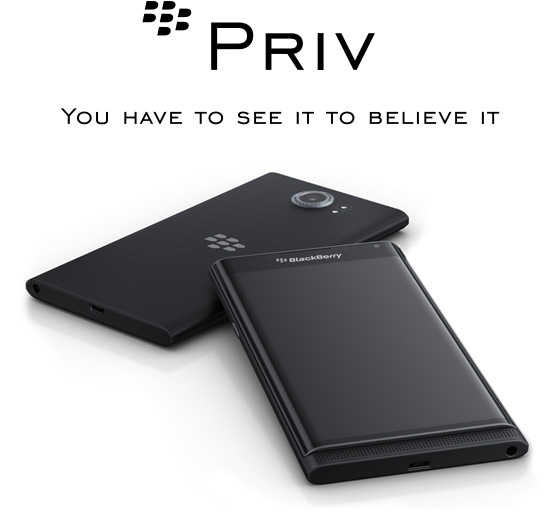
BlackBerry has finally released the full specs for its upcoming android smartphone, the BlackBerry Priv.
– Screen 5.4-inch dual curved QHD display, 2560 x 1440, 540 PPI
– Battery – 3,410mAh
– Cameras – 18MP rear OIS and Phase Detect Auto Focus, 4K at 30fps, 2MP front
– Processor – Snapdragon 808, 3gb ram
– Both touch and physical keyboards
– Schneider-Kreuznach® certified camera
– Android 5.1.1
– Price – Expensive £579
So at launch its running android 5.1.1 not android 6.0 and only has a snapdragon 808.
Is this worth the price of £579?
Source – androidcentral.com
Motorola X Style Smartphone – review
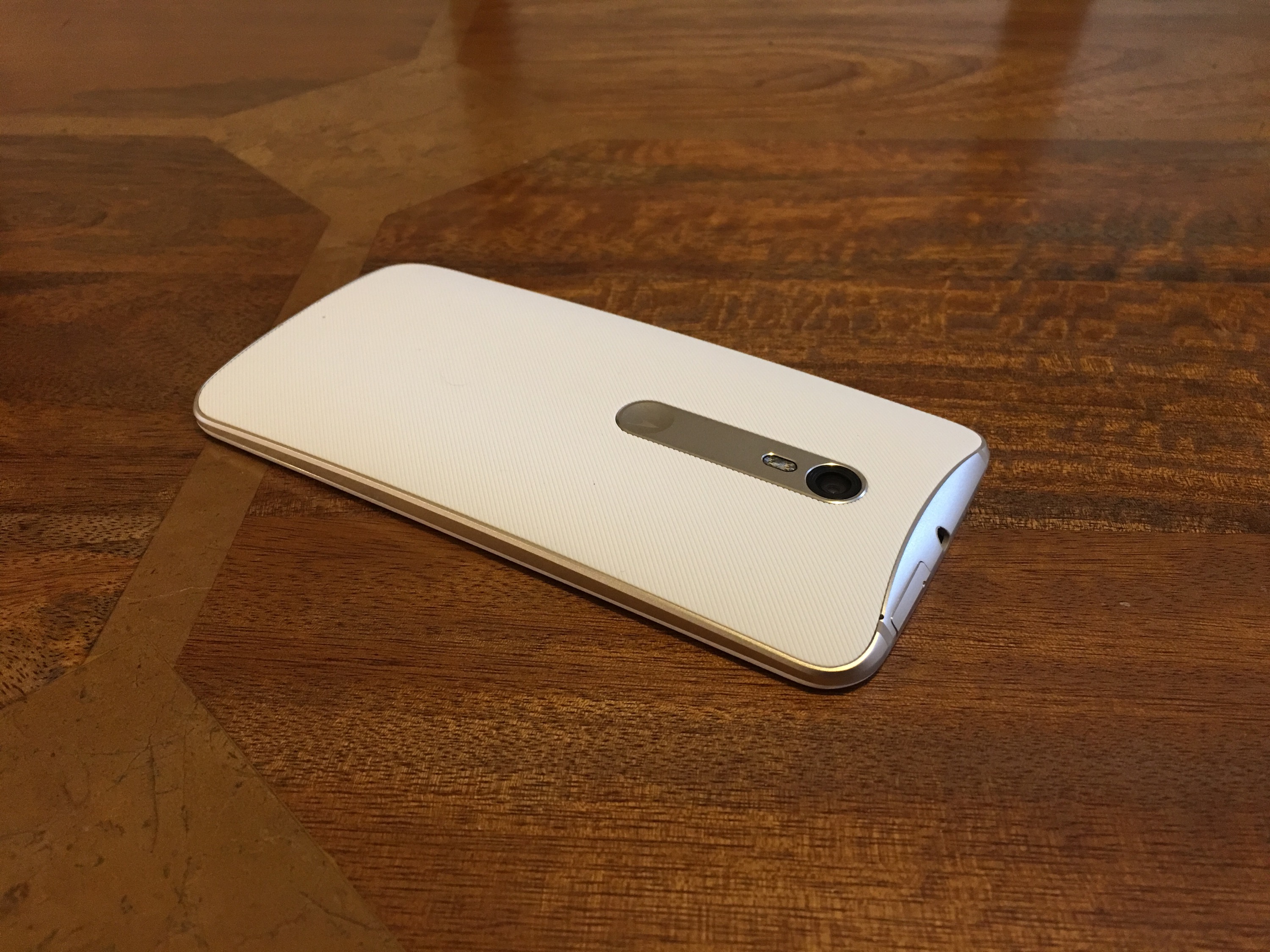
Welcome to my review of the Motorola X Style smartphone.
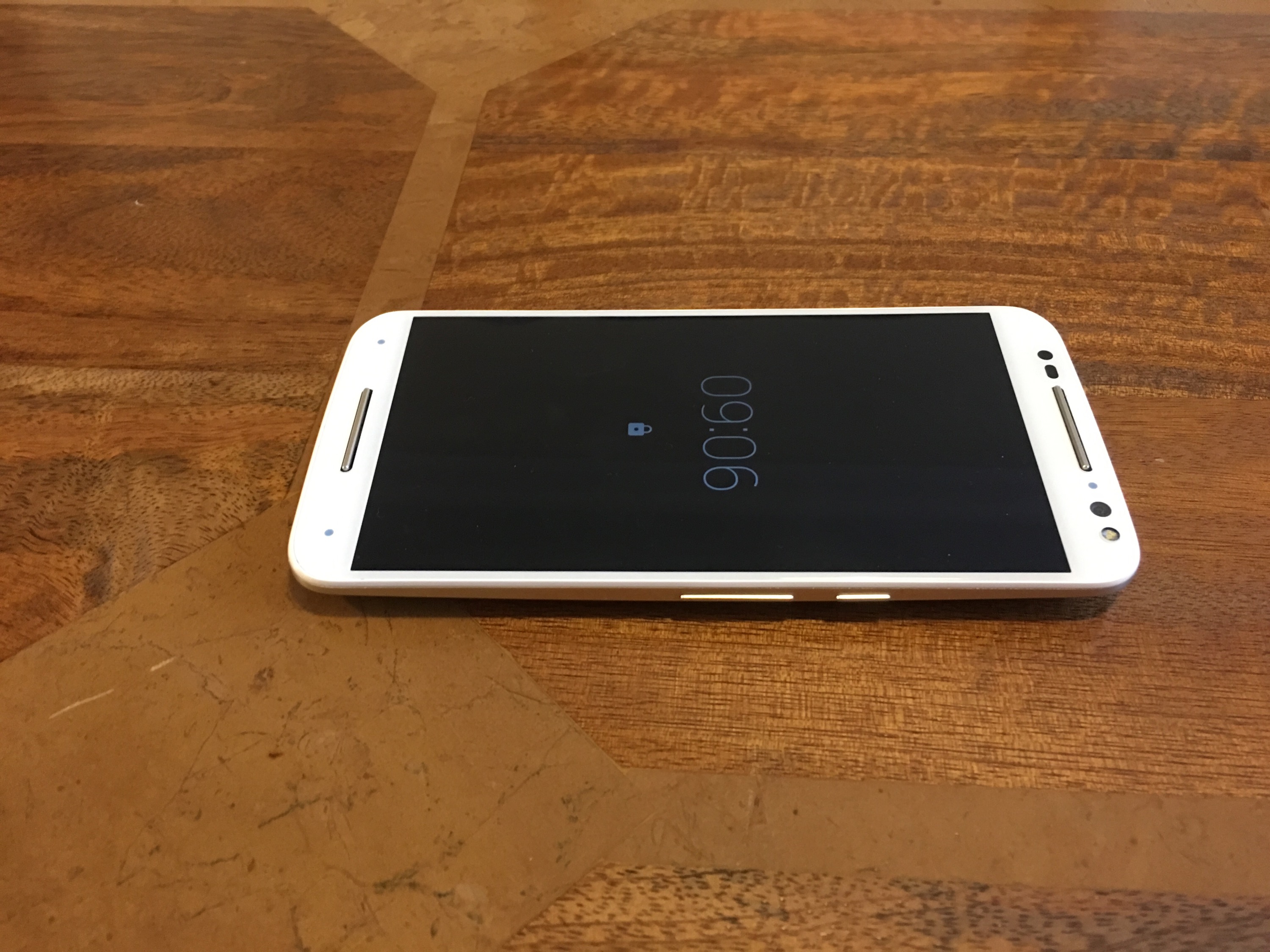
Basics
Key specifications –
– Networks – GSM / CDMA / HSPA / LTE Cat 6
– Dimensions – 153.9 x 76.2 x 11.1 mm
– Weight – 179g
– SIM – Nano-SIM
– Water repellant – nano-coating ,IP52 certified
– Display – 5.7 inches (74.9& screen to body ratio) IPS
– Resolution – 1440 x 2560 pixels, 520 ppi
– Protection – Corning Gorilla Glass 3
– Android OS – v5.1.1, upgrade to v6.0
– Processor – Snapdragon 808, CPU Dual-core 1.8 GHz Cortex-A57 & quad-core 1.44 GHz Cortex-A53,GPU Adreno 418, Natural Language Processor, and Contextual Computing Processor
– Storage -Card slot microSD up to 128 GB, Internal options 32/64 GB, 3 GB RAM
– Camera – Rear 21 MP f/2.0, 5248 x 3936, phase detection autofocus, dual-LED (dual tone) flash, Geo-tagging, touch focus, face detection, panorama, auto-HDR
– Video – 2160p@30fps, 1080p@30fps, HDR
– Front camera – 5 MP f/2.0, LED flash
– Loudspeaker Front stereo speakers
– 3.5mm jack
– Communications – WLAN Wi-Fi 802.11 a/b/g/n/ac, dual-band, hotspot
– Bluetooth – v4.1, A2DP, EDR, LE
– GPS – A-GPS, GLONASS
– NFC- Yes
– USB microUSB v2.0
– Moto Sensors
– Fast battery charging: 34% in 15 min
– Active noise cancellation with dedicated mic
– Battery – Non-removable 3000 mAh battery
– Price £350
I recently reviewed the Moto X Play ( https://gavinsgadgets.com/2015/10/01/motorola-moto-x-play-review/ ) and really loved this phone. With its 1080p and whopping sized battery it provided up to 2 days usage. It had a loud mono front loudspeaker. The fit and finish was a bit plastic feeling but then this was reflected in its price.
So how does the Moto X Style improve over the X Play. Firstly, a 5.7 inch QHD screen which screams quality. Brilliant viewing angles and excellent visibility in all lighting. Next it has a metal frame, not plastic and feels so much more premium than the Moto X Play. And finally there is the stereo front speakers. On paper both phones have the same rear camera, but the X Style has a more powerful processor and can therefore take better photos. It also has a front flash for the front 5mp f/2.0 camera, ideal for selfies.
The sim tray houses both the nano sim and micro SD card. I used my 128gb sandisk micro sd card with no issues. Call quality and reception was excellent. WiFi, Bluetooth and NFC all worked really well. WiFi included Mimo Dual band.
Clove Technology provided the Moto X Style, and are selling it for a fair amount less than Motorola themselves. Details here https://www.clove.co.uk/motorola-moto-x-style .
The Moto X Style comes with android 5.1.1 but android 6.0 marshmallow is due shortly. It is near stock android, with just a few Moto apps.
Moto Assist – understands whether you’re in the car, at work, or at home, and adapts in ways that help you. Like letting only priority calls through while you’re asleep or automatically replying to important messages when you’re in a meeting.
Notifications – You can wave you hand over the phone to see the time and any notifications. You can use your voice to ask and control the X Style. If you want to see more info on any notification you can slide up.
The Moto functions are handled by a Natural Language and Contextual Computing Processor that enables all this functionality without impacting battery.
Battery life is one day only, and if used heavily the QHD screen will mean a quick charge at some point during the day. This is compensated with quick charge 2 or turbo charging as Motorola call it. This is very fast and adds up to 10 hours of battery life in 15 minutes. The Turbo charger is included in the box.
The Moto X Style has one more feature up its sleeve. It you head over to Motorola you can customise the look, colours and materials used for your phone. But you will pay a premium for this and in my opinion the extra cost is not worth it.
Camera and Audio
The Moto X Style has a rear 21mp f/2.0 and front 5mp f/2.0 both with flash. That’s right, a front flash is included. The X Style has an excellent camera. Really impressive. Low light becomes difficult but it compensates for being super fast. It also received an update to the Moto camera app allowing barcode scanning.
I had a surprise with the camera. I shot a moving cyclist. I went to check the photo in the Gallery and the X Style told me it had taken a better shot. I saved both my shot and the one the camera took. My shot is with the cyclist in the middle of the frame. The camera caught the cyclist as it entered the shot. Rather neat!
Below are a selection of photos from the X Style. All rather good photos.
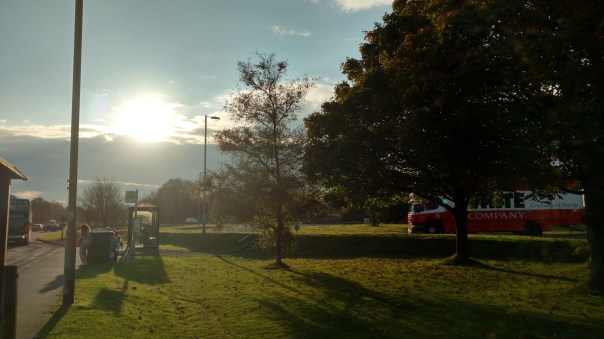
A good shot by the X Style with the sun although there is some glare.

Another good shot.



The shot below is the one the camera took all by itself!

And finally a low light shot.

I mentioned earlier it had front stereo speakers. These go very loud, nearly HTC One M9 levels. Heck its worth buying the X Style just for the stereo speakers alone! USB Audio is supported. Good headphone output and quality too.
Conclusion
This Motorola Moto X Style is a cracking piece of kit. Clove Technology are selling the Moto X Style for £350, which makes this an easy recommendation. Superb screen, camera and pumping stereo front speakers.
My thanks to Clove Technology for the Moto X Style, so if you want to know anymore or buy the X Style, click here – https://www.clove.co.uk/motorola-moto-x-style
HTC announces the One A9 – Full Specs, Where to Buy Now in the UK, iPhone Rip-Off and more

HTC announced last night the HTC One A9, its iPhone clone. It resembles the iPhone 6S so much it wouldn’t surprise me if Apple launch a lawsuit which ends up wiping HTC out of business.
Now in the US you can pre-order the One A9 for $399 or buy it from an HTC approved partner for £459.(http://www.mobilephonesdirect.co.uk/contract-mobile-phones/htc-one-a9) Hmmm now that seems like HTC are ripping off UK buyers. Mobilephones Direct say the spec is 3gb/32gb storage and this may be a typo as HTC stated the UK was getting the 2gb/16gb storage version. EE is also confirmed as stocking the One A9 with the 2gb/16gb storage configuration.
Specs
– Networks – GSM 850 / 900 / 1800 / 1900, HSDPA 850 / 900 / 1900 / 2100, LTE
– PHYSICAL 145.7mm x 70.8mm x 7.26mm mm, 143g
– OS Android, Android OS, v6.0 (Marshmallow)
– DISPLAY 5.0 inches, 1080 x 1920 pixels (~441 ppi pixel density)
– PROCESSOR Qualcomm MSM8952 Snapdragon 617
– INTERNAL MEMORY 32 GB, 3 GB RAM
– EXTERNAL MEMORY microSD, up to 128 GB
– DATA SPEED HSPA 42.2/5.76 Mbps, LTE Cat4 150/50 Mbps
– CAMERA 13 mega pixel (optical image stabilization, autofocus, LED flash )
– FRONT CAMERA 4 mega pixel (Front flash), Ultra pixel
– BATTERY Non-removable Li-Ion 2150 mAh battery
– SENSORS – Fingerprint sensor, Ambient light sensor, Proximity sensor, Motion G sensor, Compass sensor, Gyro sensor, Magnetic sensor, Sensor Hub
– Connectivity Bluetooth 4.1, Wifi 802.11 a/b/g/n/ac (2.4+5GHz), 3.5mm stereo audio jack, microUSB 2.0 port
– Audio – Dolby Audio and Hi-Res Audio
Now the battery is just 2,150mAh, support for Quick Charge 2 and v3.
– EXTRAS – Fingerprint-based security, RAW image capture, Hyperlapse video creation
Based on my initial tests, android v6.0 has excellent battery life, but I am concerned the One A9 only has a 2,150mAh battery.
However, note the following –
– The headphone output is very loud and is further improved by outputting at 1 Volt
– The rear camera sensor is covered by sapphire glass
– In Pro mode raw capture is possible AND the One A9 allows you to edit the RAW photos
– 1080p at 30fps is max video setting, so no 4K. Longest shutter is 2 seconds.
– The Unibody design is well built
– At £459 it is only £20 more expensive than the new Nexus 6P
So what do you think? Is this good enough to save HTC? Is it too much like an iPhone? OR is the fact it was inspired by the iPhone a good thing?
Apple iPhone 6S Plus – Extreme Low Light – Photography Special Part 2
Welcome to part 2 of my iPhone 6S Plus Photography special. To recap on Part 1 click here – https://gavinsgadgets.com/2015/10/12/apple-iphone-6s-plus-photography-special-video-and-photos-part-1/
Over the last few weeks I have been exploring several camera apps that all claim to help or add something to the photography experience when taking photos. The apps I tested were the default Apple camera app, Slow Shutter, Camera+, Camera Vortex and Nightcap Pro. The 6S Plus was on a tripod for all these night shots. Camera Vortex and Slow Shutter did a terrible job, so I have omitted their photos.
The setting was my local church which has been photographed by most of my smartphones and if you want to see loads of photos of the church was a multitude of angles head over to my flickr – http://www.flickr.com/photos/gavinfabl100 . The Church is called the Church of St Michaels and All Angels. The time of day was passed dusk and the last shots were taken inside the graveyard in near pitch black. I will add commentary on each shot and also at the end I have linked to low light shots from the LG G4 and Honor 6+ that I took.
The developer of Nightcap Pro, Chris Wood, has been extremely helpful trying to help me extract the best from his app. He also gave some interesting insight into the new iPhones –
“The iPhone 6s / 6s Plus cameras are a solid upgrade except in very low light where they perform slightly worse than the 6 / 6 Plus and even the older 5s. The smaller pixels mean higher resolution but since they’re smaller, there’s less area for light to hit which means it doesn’t receive as much light. Apple have done a great job in compensating for that with better technology, though. However, the camera is also limited to just 1/3 second exposures, which is 50% less than the 6 / 6 Plus which go to 1/2 second, so the end result is slightly worse performance.”
You'll see why I got in touch with the developer of Nightcap Pro as his app was the best by far for creating a usable low night shot of the church.
First let's take a look at what the default camera app can achieve.
Flash first. Shutter was 1/17, with ISO 2000.

HDR on, no flash, shutter 1/17 , ISO 2000.

Auto mode, no HDR, no flash, shutter 1/4, ISO 640. A less noisy shot and the best of the 3 from the Apple default camera app.

Using Nightcap Pro, the shot below was taken in pitch black conditions. Using long exposure mode for around 20 seconds. ISO is showing as 3,200, but you wouldn’t know it.

So with Camera+ using full manual settings, this was the best shot possible at 1/4 second shutter speed and ISO 1250. A noisy shot.

So Nightcap Pro did a really good job. It also has other modes, so I was experimenting with some light trails as per the two shots below. Unfortunately, I live in a rural village, which means no traffic. After 3 hours only 2 cars drove through, hence why there is only 2 photos using this mode!


Nightcap Pro also has a mode to brighten up dark shots. Photo as below. There are many other features of Nightcap Pro, but the long and short of it, is that it takes brilliant night shots that are way better than the default camera app and many other third party iOS camera apps too.

To see how my LG G4 in manual mode coped with darkness at the same church click here – https://gavinsgadgets.com/2015/05/17/lg-g4-the-review/ . About half way down the review is shots taken at various shutter exposures.
As another point of reference is the super night mode from my Honor 6+. See here for shot of same church again using the super night mode – https://gavinsgadgets.com/2015/05/13/honor-6-the-review/
So in summary extreme low light is difficult on the iPhone 6S Plus unless you have Nightcap Pro ( https://itunes.apple.com/gb/app/nightcap-pro/id754105884?mt=8 ) . I can only hope that as the 12mp rear camera is new, Apple will release software update to improve its results.
What do you think?
Nexus 5X – First Impressions
The Nexus 5X arrived yesterday, so this is simply first impressions.
In this post I am not going to cover off the official specs, just give you my first thoughts.
I have the carbon black 32gb version and its a great size. 24.89gb is available so I would completely avoid the 16gb as you could run out of storage at some point in the future.
The screen is fabulous as is the overall profile. Easy to hold and fairly comfortable. In fact, size wise it is the perfect size. The fingerprint sensor works flawlessly and fast. You can use it to turn on the phone too. No need to press the power button.
I took the camera for a quick spin and the results are good. I need more time with the camera, but it will take shots to be proud of. Whether its the best camera on the market at the moment is under review. Look back to the previous post to see camera samples.
To turn the camera on, just double press the power button. This is really fast and works a treat. The phone is really fast and fluid too with excellent viewing angles.
So far so good. Except, rant coming. I had nothing to charge it with in the car. It comes with a USB C to USB C cable and a mains adapter. Grrrr. Luckily the battery has been excellent and I have managed to survive a whole day with ease from a 80% start. In fact I only used 30% which is superb. If you buy the Nexus 6P you get an additional cable with a traditional USB end and USB C at the other.
I thought the phone didn’t have a notification LED, but it does. It is turned off by default in the settings. It is located in the bottom speaker grill and is fairly prominent.
That’s all for now.
If you have any questions, please let me know in the usual manner. If you want to see camera samples from the Nexus 5X look back one article. I also have the Nexus 6P for review too.
FIGHT – Nexus 5X vs Apple iPhone 6S Plus – Camera Shootout
As the title says, take the new camera from the Nexus 5X and pit it against the best Apple has to offer with the iPhone 6S Plus. The iPhone 6S Plus has optical image stabilisation and the Nexus 5X omits this for super large 1.55 micron pixels. To see full size, click on photos. Photos cannot be reproduced or shared without my permission.
Round 1
The iPhone 6S Plus goes first on then the Nexus 5X. This is for all of the shots. The iPhone 6S shoots at f/2.2 ISO25, and a shutter speed of 1/110. The colours are very natural in this shot.

The Nexus 5X takes a good shot but the grass is a different colour.

The next shot by the iPhone 6S Plus is with the sun on top of the church roof in the clouds. f/2.2, ISO25, Shutter 1/2849

So let’s look at the Nexus 5X. Hard to believe the difference here. f/2.0. ISO 61 f/2236.

So iPhone 6S Plus again. The colours and exposure are more accurate than the Nexus 5X. The clouds aren’t over exposed by the iPhone either. ISO 25 and shutter 1/1832.
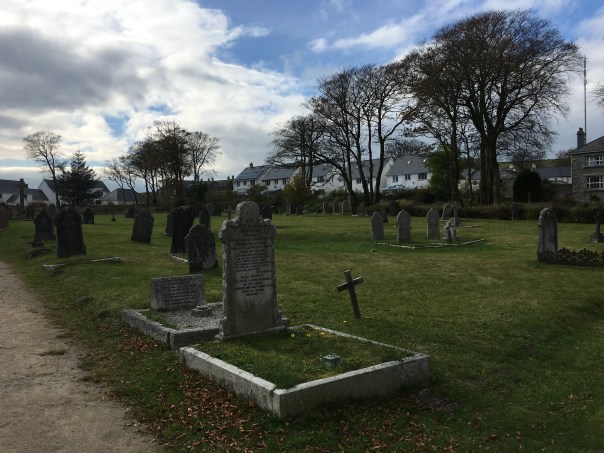
So next up the Nexus 5X. Even though it over exposed the sky and is more saturated, its a good shot.

iPhone 6S Plus again.

Next the Nexus 5X. The colours are not as natural as the iPhone. Same thoughts on exposure too.

Lastly, a street scene. iPhone 6S first. Notice the different field of view between the phones.
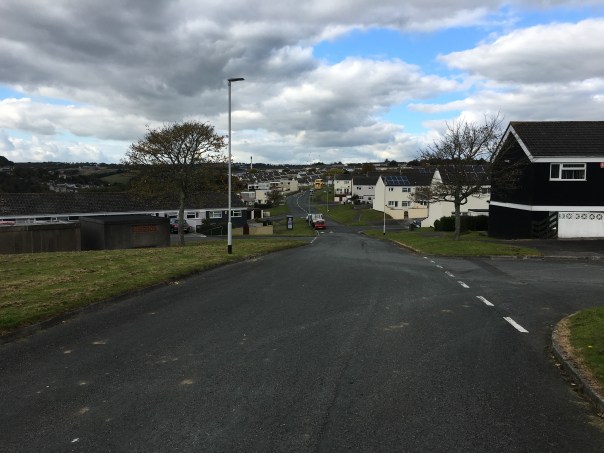
And now the Nexus 5X.
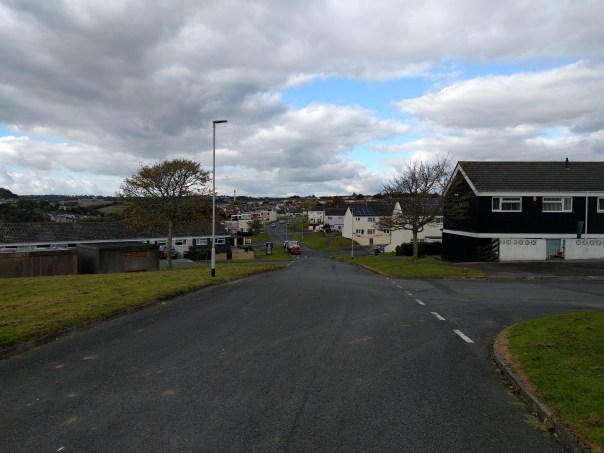
Obviously there is more to test, from the front cameras to video. But the above gives you a taste of how the Nexus 5X performs.
So what do you all think?
Huawei G8 Smartphone – My review
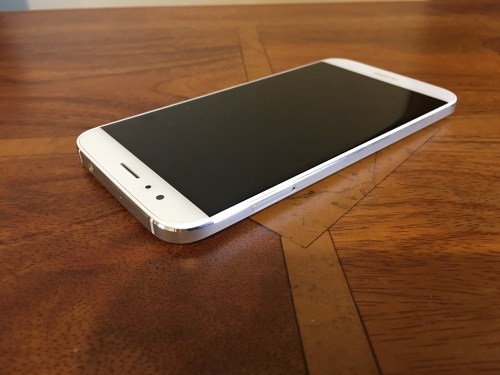
Welcome to my review of the Huawei G8.

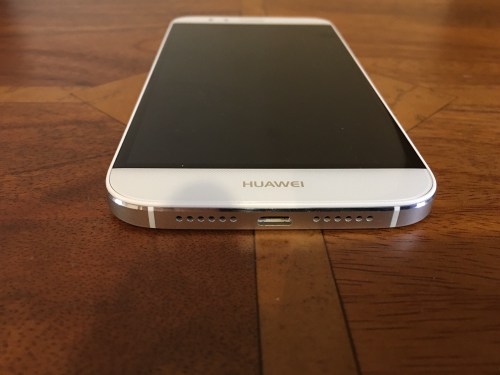
First up this phone’s hardware is absolutely gorgeous. Curved corners, metal unibody and a very decent specification.
Specification
– Operating System Android 5.1 with Emotion UI
– Processor Snapdragon 615 Processor + 3gb ram + Andreno 405 GPU
– Storage 32gb (22gb available) storage plus micro SD card support upto 64gb
– Network LTE Category 4: 50 Mbit/s (UL), 150 Mbit/s (DL),DC-HSPA+: 5.76Mbit/s (UL),42 Mbit/s (DL),WCDMA: 384 Kbit/s (UL), 384 Kbit/s (DL),EDGE Class 12: 236.8 Kbit/s (UL),236.8 Kbit/s (DL),GPRS: 40 Kbit/s (UL), 60 Kbit/s (DL) – Phone has dual antennas
– GPS/AGPS/Glonass
– Connectivity – Bluetooth 4.0,Wi-Fi 802.11b/g/n, 2.4G, USB2.0 high speed
– Sensors – Accelerometer,Proximity sensor,Ambient light sensor,Compass
– Cameras 13mp OIS f/2.0 BSI 28mm wide angled rear with sapphire lens, 5mp front
– Battery – 3,000mAh
– NFC – Yes
– Screen – 5.5 inch 2.5D 1080p,
– Dimensions – 152 x 76.5 x 7.5 mm, 401 PPI
– Weight -167g
– Fingerprint sensor
– Dual sim setup with micro SD
Basics
First let us see what we get in the box and take a closer look at the gorgeous hardware.
As this is manufactured by Huawei, the phone reception, in fact all the radios WiFi, Bluetooth, NFC and cellular are excellent at picking up and signal as well as clear voice calls. The Mate S is configured with a dual sim arrangement, which can use the second nano sim as a micro SD card slot up to 64gb, although my 128gb sandisk card seems to work ok. The Huawei G8 will be on sale for around £350 or less, so is similar in price to the Honor 7. So what are the differences. Unlike the Honor 7, the Huawei G8 does include NFC so it is ready for Android Pay. It also has optical image stabilisation something the Honor does not include. However, the Honor 7 has a larger 20mp camera vs the G8’s 13mp. The Honor 7 also has the fancy light modes and the legendary smart key.
In terms of interface, the skin is Emotion UI (EMUI) so looks and feels identical to other Huawei offerings.
More about EMUI 3.1 – This is the custom Huawei’s custom launcher/skin. The main difference with this custom launcher is the removal of the app drawer. Think iPhone with folders or apps on home screens. There are many many themes available for EMUI to change the look as required. Of course, if EMUI is not to your liking then you can install another launcher eg. Nova or Google Now.
AnTuTu benchmarking produced an overall score of 36,023. However, like all benchmarking scores real world usage matters. So in use the phone is fairly fluid. The screen has good viewing angles too.
Extras –
– Its a dual sim. Only one sim has 3g/4g. The second sim can only manage data at 2g. However, the first sim does 4g on all the UK bands. The dual sim management works well. You can select which sim is the default for data, calls and messages. Also when using 2 sims as I did, you can have 2 signal strengths showing in the status bar as well as both network names and the network speed.
– On screen menu buttons can be reconfigured and an extra menu for the notifications screen is available.
– To conserve battery there is an option for Protected apps (apps to be allowed to run in the background), Notification Manager (control apps that are allowed to be in the notification centre), Battery saving modes. If you are installing a lot of apps, you might find apps stop working in the background. It is important to make sure you setup the apps you want to run in the background. Also the phone reminds you of apps that are draining battery. This can become a nuisance.
– Fingerprint sensor that allows up to five fingers to be stored. Once unlocked the fingerprint sensor can be used a a touch panel. You can go back to previous view, back to home with a touch and hold, take photo, answer a call, stop an alarm, slide up to show the recent apps and slide down to display the notification centre. The fingerprint sensor is lightning quick to unlock.
– Voice Wakeup – by speaking at any time, “Dear Honor, where are you”, the phone plays this creepy music with a voice that gets louder whilst saying “I’m here”. You can also use the voice control to call contacts are other functions are available.
– Motions – You can flip to mute, pickup and reduce call volume, double touch to turn on, draw 4 different letters to launch an app e.g. draw a C to launch the camera.
– Glove mode. This is also available.
All the above extras are user configurable. So you could turn them all off or turn on just the features that you want.
Battery life – I got around 4.5 hours screen on time and managed to reach the end of a day with ease.
Camera and Audio
If you read my review of the Huawei Mate S or Honor 7, the G8 has a similar camera setup and app, except it is minus a few features. Huawei promote the camera with a high dynamic flashlight mode which is always on when needed. They have decided to go this route instead of including the super night and light painting modes found on the Mate S and even the Honor 7. However, the G8 does include optical image stabilisation to try and ensure you get a good shot first time and a two tone flash.
Camera app options include shooting modes for good food, video, photo, beauty, light painting, HDR, watermark, best photo, audio note, panorama, all focus and time lapse. Within the settings you can turn on voice control,timer, touch to capture,smile capture, perfect selfie, ultra snapshot, object tracking, adjust ISO, white balance, exposure, saturation, contrast, brightness and more. There is no manual mode and no raw options.
A selection of photos below.
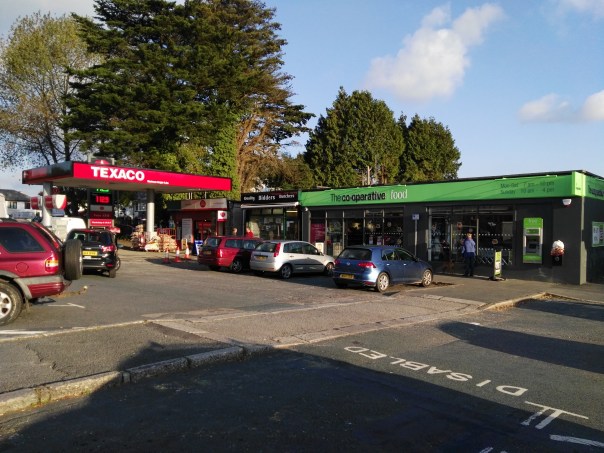
Now a normal and HDR version. Notice the artistic effect.
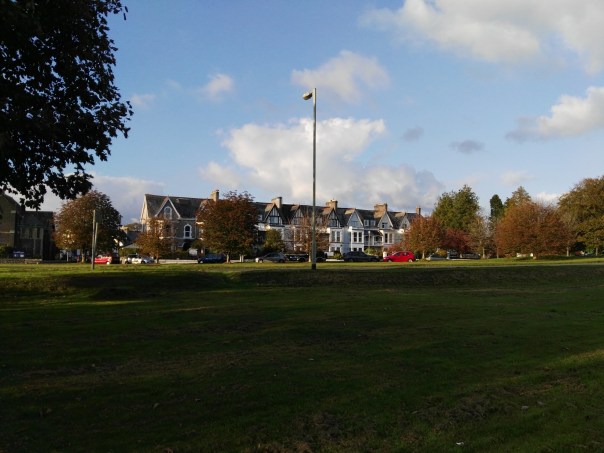
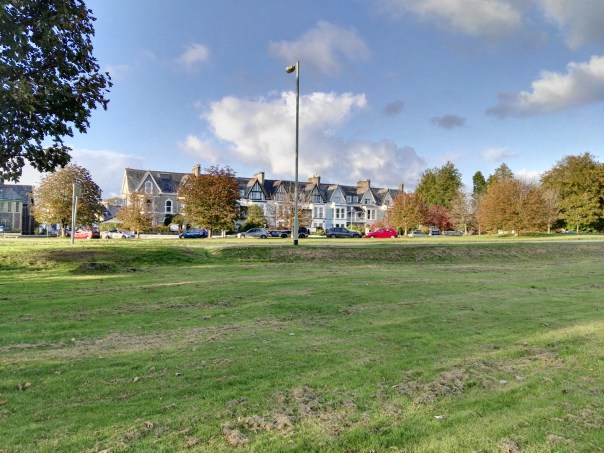
So do you like the HDR shot? I am not too impressed with the normal shot. There is too much shadow.
Again a normal and HDR version.

I actually like the artistic HDR version but I accept not everyone will prefer this style of shot. It is also rather fake HDR looking. It would be better if Huawei just focused on trying to take a better more natural shot.
One more from the Huawei G8.

My views on the photos that I have taken is that the Huawei G8 can take acceptable shots in good light but introduces a lot noise in lower light. HDR photos are too fake looking for most people. Whilst the optical image stabilisation helps it doesn’t end up being the cure. I also am puzzled by the omission of all the special night and painting modes that are found on the cheaper Honor 7 and more expensive Mate S.
Audio. The loudspeaker is situated on the bottom edge and produces a reasonable clean sound. It is not at the level of the HTC One M9 but is acceptable for podcasts and such like. USB Audio is supported too. If you connect headphones, the output quality is good. The G8 also offers DTS Dolby sound via headphones. I have over 4,000 tracks on my 128gb sandisk micro sd card and the default music app had no issue handling this size of memory card.
Conclusion
With NFC and optical image stabilisation in a lovely metal unibody casing, I really like this phone from Huawei and have decided to keep this a while longer to see when and what Android Marshmallow brings to the table. The Huawei G8 actually has competition from within with its sub brand Honor and the Honor 7. If mobile payments are important then the Huawei G8 is the one to go for, but if its about the camera and functionality I would opt for the Honor 7.

 Gavin's Gadgets & Photography