Tag Archives: Samsung Galaxy S7

Samsung Galaxy S7 vs LG G5 – quick camera comparison

Take 2 of the top flagships the LG G5 and the Samsung Galaxy S7 and take the same shot from each phone. This is the difference as shown below.

Macro of a daffodil.

Samsung Galaxy S7

Daffodil #SamsungS7

LG G5

Daffodil #LGG5

The macro shots from both phones are fairly close in quality. Some aspects go to the S7 and other aspects of this macro go to the G5. Overall the colour accuracy to what I could see goes to the LG G5. But overall this is a draw.

Clapper Bridge, Postbridge

Samsung Galaxy S7

Clapper Bridge #Dartmoor #Postbridge #SamsungS7

LG G5

Clapper Bridge, Postbridge #16mp #LGG5

LG G5 Wide Lens

Ultra Epic view of the Clapper Bridge #Dartmoor #Postbridge #LGG5

This is where the S7 lack of pixels really shows itself up. It just cannot match the LG G5. And then there is the LG G5 wide shot which is simply ultra amazing and cool.

Postbridge Walk Entrance

Samsung Galaxy S7

Postbridge Walk #Dartmoor #SamsungS7

LG G5 Wide

Postbridge Walk #LGG5 #widelens

Again I just used the wide shot from the G5 as it just makes scenic shots like this look much more interesting.

However, if you have kids or dogs, this is the killer type of shot shown below you can get from the S7 with ease. The G5 has a slower focus so will not achieve the below shots as easily.

The shot of Tiggy below using a S7 was snapped whilst Tiggy was actually moving..

Tiggy says "Hi" #SamsungS7

The shot below using the G5, Tiggy was still for a split second. The photo is good.

Tiggy all soaked and muddy but very happy #lgg5

Now I said this type of shot is a win for the S7. If you click on the shot of Tiggy and view full size you will see how sharp and how much detail is available on the S7. The G5 isn’t too shabby, but I really do think the S7 takes this one.

Overall, two different phones, with two different cameras. A hard choice to make!

Probably the best test on the Samsung Galaxy S7 – Video

There are drop tests, scratch tests and burn tests, but nothing gets close to the 400 ton hydraulic press torture test on the Samsung Galaxy S7 Edge.

The video is just over a minute long and is weirdly satisfying to watch, especially when you see blood come out of the S7 as it dies. (its not real blood, but looks like it).

Samsung Galaxy S7 Edge – High Speed Photography

I have used my 3 labradors in high speed photography with all my decent flagship phones. The S7 Edge camera is the first phone that took so many burst shots I had fractions of differences between each movement. Truly amazing speed. 100 burst shots took just a few seconds.

George does the Long Jump

Look at all the movement captured by the S7 with all 3 dogs, not just George in the air.

The Long Jump - George & Tiggy at Windy Post,  Dartmoor

River Racing

This was a HDR burst into the sun, so remarkable what came out.

River Races on Dartmoor - Tiggy & Fury

Flying Tiggy

And now for Tiggy in the air.

The Long Jump - George & Tiggy at Windy Post,  Dartmoor

Happy Faces

The Long Jump - George & Tiggy at Windy Post,  Dartmoor

Now all the above photos were before the new firmware received a few days ago. The sharpening has been reduced slightly, so when zooming in the detail in more pleasing.

Big Smiles

And with new firmware, Tiggy is smiling big time.

Hill climbing by Tiggy #Dartmoor

How to Connect a Moga Pro Power Bluetooth Game Controller with the Samsung Galaxy S7

I have owned the Moga Pro Power Bluetooth Game Controller for ages now and used it with loads of different android phones and tablets.

The setup procedure is meant to be as follows. Download the Moga app in the Google Play Store. Go into the Moga app settings and follow the connection setup procedure.

Just one problem, this no longer works and judging by the app comments in the Google Play Store, loads of people cannot get it to connect.

Well good news there is a way to get both Mode A and Mode B working. The trick is not to use the Moga app but you still should install it. So head over to the S7’s setting app. Select bluetooth. Scan. Make sure the Moga Pro is first turned to Mode A. It should show connected after a short while. If it doesn’t scan again, and again if necessary. It will connect. Also, press the button on the game controller next to the LED indicator light. This is top left. Once the S7 shows it as paired, slide the Mode switch on the controller to B and repeat the process. It doesn’t always pair on the first attempt, so keep trying. It took me about 3 attempts on each mode.

When connected and playing you will get a green icon in the status bar.

Samsung Galaxy S7 Edge – Camera Shootout – Part 5 – Action Dog Shots – Plus Editorial

It had to be done. Could I obtain some shots of my 3 labradors in action as I have done so already with all my previous smartphones?

If you are need to refresh your memory of these action dogs shots, have a look again at the reviews for the Samsung Galaxy S6, LG G4 (especially) and LG V10 (also especially). Click HERE.

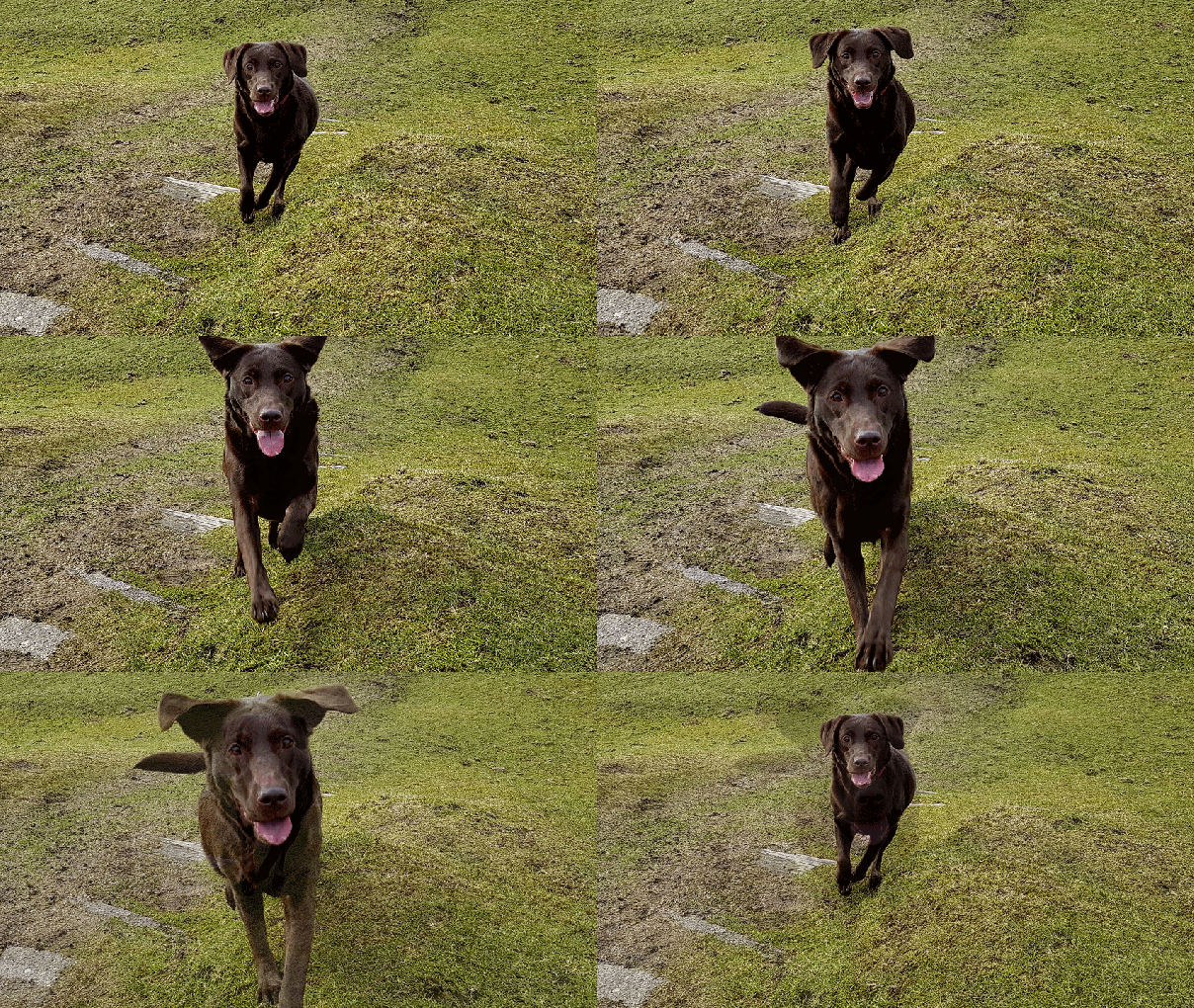
So off I went with 3 dogs on a day that was slightly overcast and a fair amount of glare. Not perfect lighting for shooting dogs. I shot all the photos in 4:3 12mp on the S7 Edge. All in Auto mode and using the burst, which is simply press and hold the shutter. Then on my iPad I viewed all 500 shots are selected the best. The annoying part was all 500 were in focus!!!!! So it took ages to decide as so many were great. I also was curious as to how fast the burst mode was on the S7 vs iPhone 6S Plus. The S7 reaches a max of 100 burst shots at a file size of 2.37mb, while the iPhone has only reached 40 burst shots at a file size of 2.07mb. On my iPad i used the iOS Photos app and cropped the photos to 16:9.

What is truly amazing the the S7 camera is its speed and speed to focus. Often the dogs would appear charging/running back to me. Each time I was able to double press the home button and hit the shutter and fire off another burst of photos, that were all in focus. Amazing.

Panoramic with Tiggy and View of Princetown, Dartmoor

I really like this shot a lot and its a smashing panoramic.

One Dog One Town One Panoramic #Tiggy #Princetown ##SamsungS7Edge

Burst Shots

This was Tiggy all lovely and clean.

This is me looking all clean and cute before I jumped into the mud and water #Tiggy #SamsungS7Edge

And Tiggy again with her ears looking triangular somehow.

Triangular Ears #Tiggy on #Dartmoor

And Tiggy now soaked in water and covered in mud. You can’t see the mud as her colouring disguises it, but believe me she had tons on her!

"Honest, I've not been near the Water" #Tiggy #Soaked #SamsungS7Edge

Another shot of Tiggy, She was running around 20mph.

Tiggy sprinting on Dartmoor #SamsungS7Edge

George on the left, Fury on the right. Check out those happy faces. Both dogs were running super fast.

Happy Days #George #Fury on Dartmoor #Sa5

Fury at full speed.

Fury at full speed on Dartmoor #SamsungS7Edge

And finally George and Fury. George was running like a rocket, Fury was too.

Catch Me if You Can - George & Fury sprinting on Dartmoor #SamsungS7Edge

Now I saved over 30 action shots for my personal photo library. Google Photos took some of the bursts saved photos and made a GIF. See below. This also shows you how well the S7 maintained focus despite Tiggy’s running speed and distance. Very very impressive.

IMG_5319-ANIMATION

Samsung Galaxy S7 – First Camera Samples

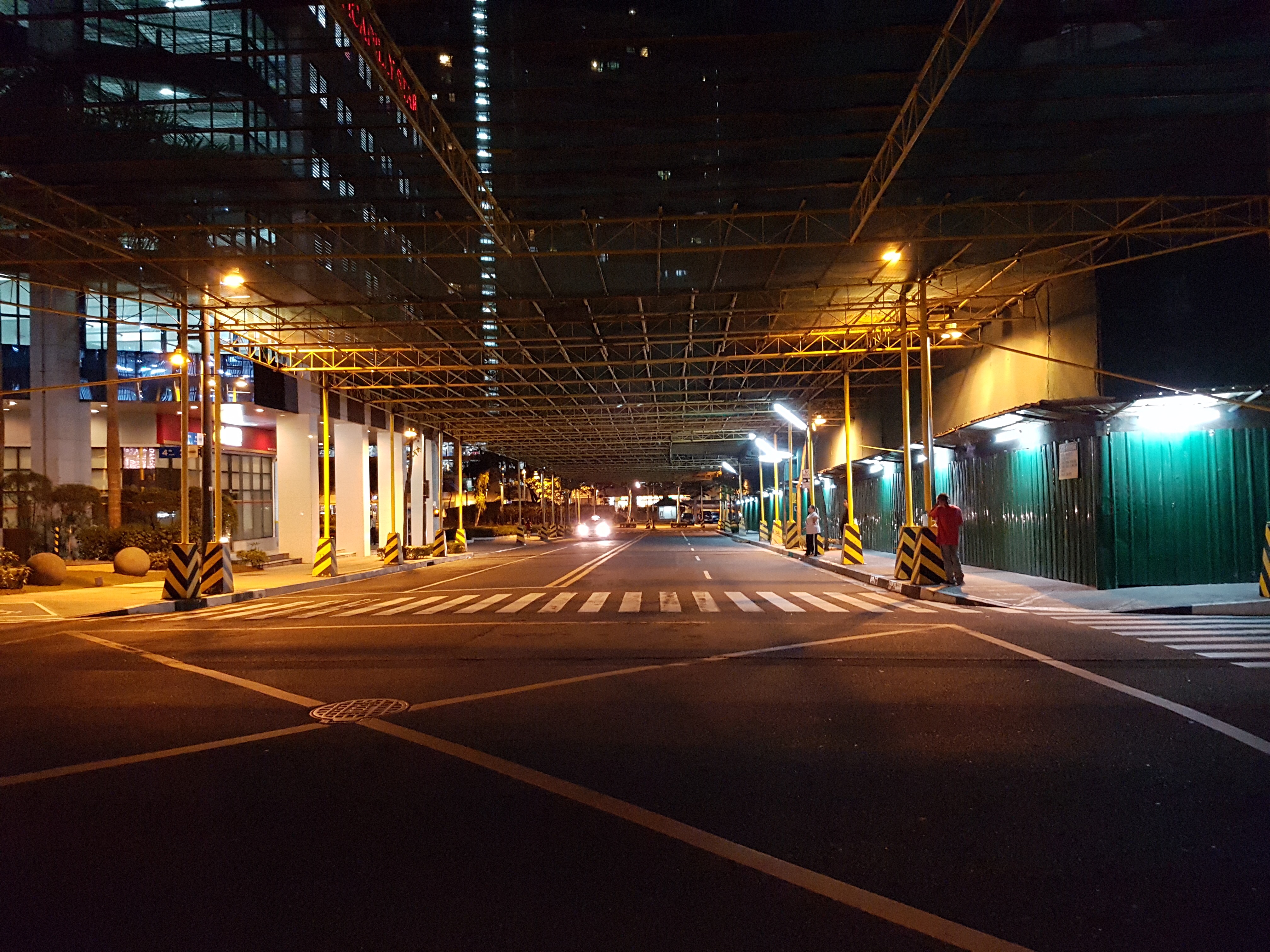
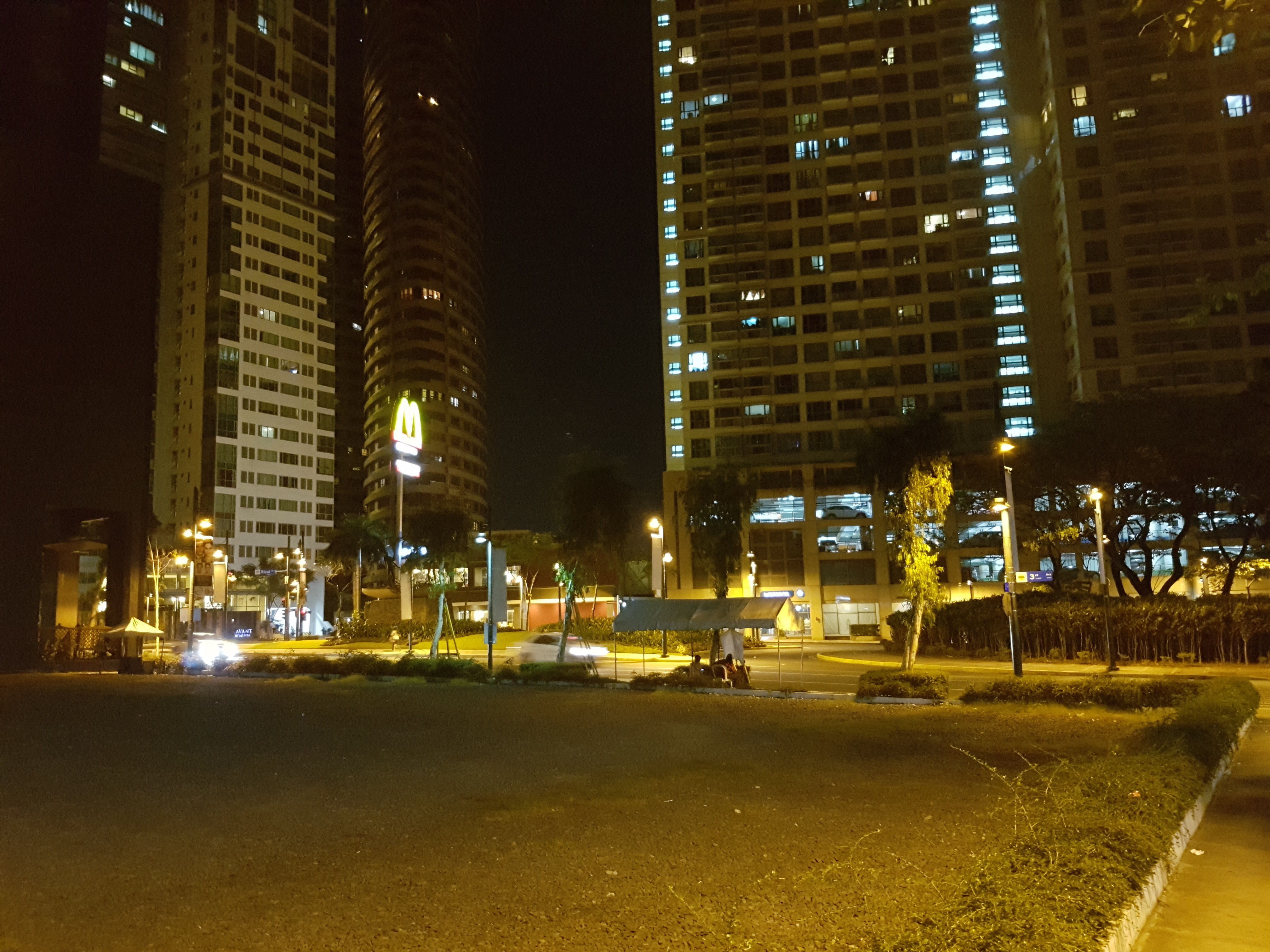
Below are a selection of camera shots from the Samsung Galaxy S7. 

  
Notice they are all 4:3 aspect ratio at the full 12mp. 

  
Also notice that all these shots are in low light or at night. 

  
All these shots are using the f/1.7. I have to say I’m not bowled over by these shots but this is early firmware and the photos were not snapped by me. 

  
For more samples have over to XDA Developers. So what do you think?

For some more comparisons versus the S6, have a look at the video below from 7 mins onwards.

Source – XDA Developers

Has Samsung really left out USB-C on its new Galaxy S7 Flagship phone? – Plus more bad news

The internet is awash with news that the new Samsung Galaxy S7 will not have the new USB standard, USB-C. Surely not.

Well it looks like Samsung has decided to stick with micro USB. This is a real shame as USB-C contains so many benefits. As an example, USB-C is reversible, just like the Apple lightning connector. It also has faster data speeds and much much more. This omission will give Samsung’s competitors a chance to score brownie points if their new flagships do include the more advanced technology.

Personally, this is somewhat disappointing.

On top of this disappointment, there is rumour that Samsung will only be selling a 32gb storage model in the USA.

Makes me wonder if Samsung is really trying to cut costs?

Samsung Galaxy S7 – Official Unboxing Video

Well it didn’t take that long before an unboxing video appeared online for the new Samsung Galaxy S7. Except this time it was Samsung that did the official unboxing video, but with a comical twist.

In case you are not sure about what you are viewing, it is Samsung getting a llama to unbox and describe the new Samsung Galaxy S7 🙂

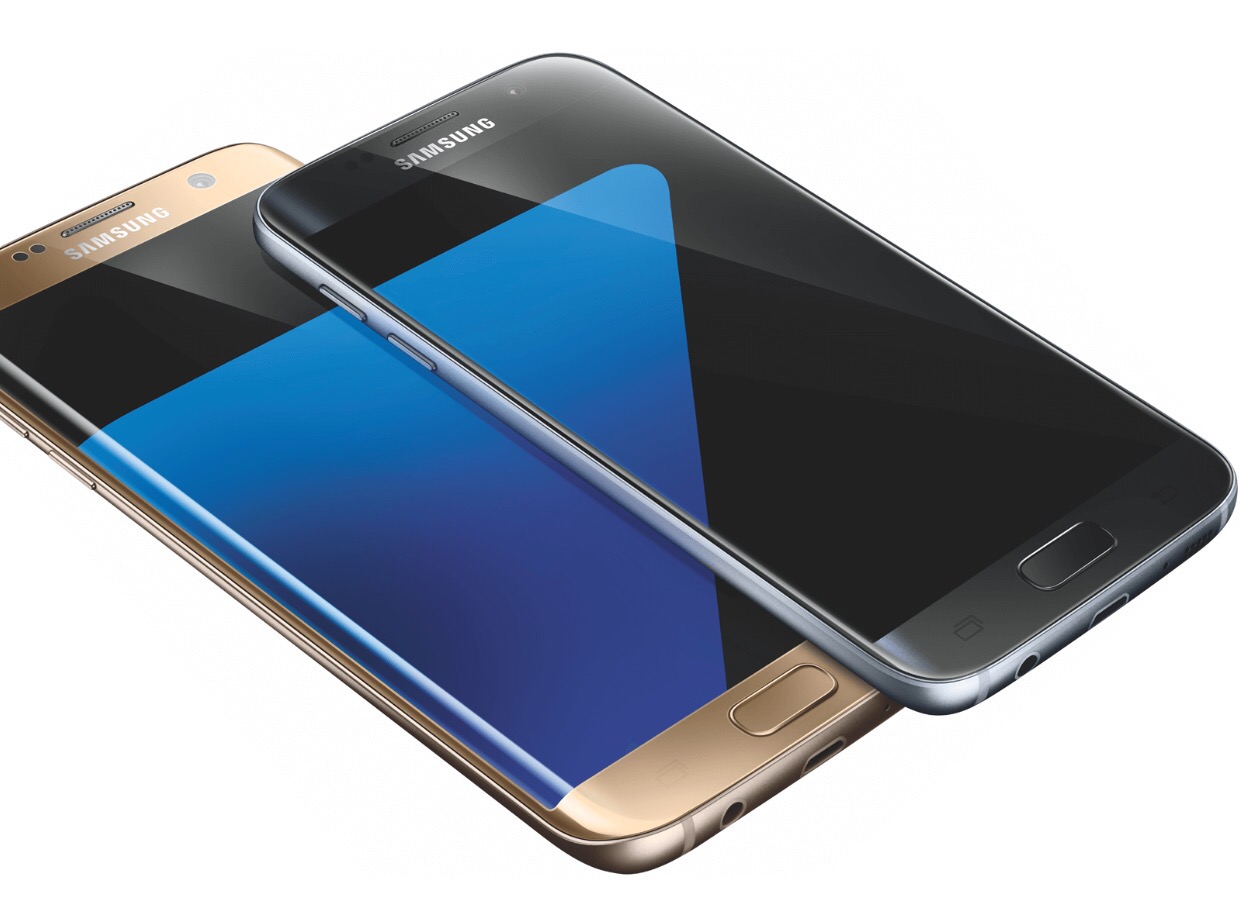
Say hello to the Samsung Galaxy S7 and S7 Edge – details and new specs 


Like all phone releases nothing is kept a surprise anymore. It also should come as no surprise that Samsung’s new Galaxy phones are similar to the S6 and S6 Edge. 

But there are going to be some important changes. 

The rear camera will drop from 16mp to 12mp. The phone battery capacity will increase to 3,000mAh and 3,600mAh for the S7 and S7 Edge respectively and take 2 hours to recharge for the S7. The S7 Edge will take 2.2 hours to recharge. 

The next change is the reintroduction of the micro SD card. 

And if you want to buy one, fear not these will go on sale 11th March 2016. 

So based on the renders are you interested ?
Source Venturebeat