Tag Archives: Review

Samsung Galaxy K Zoom – review – Sunday thoughts

I had my first extended sleep in ages, so the news is slightly later than normal 🙂

Anyone, last night I installed Samsung Kies on my mac. I know, the dreaded Kies. Well after installing from Samsung’s website, it asked to download the latest version. Sigh. That installed. And then it needed a further 2 more smaller updates.

So was it worth it. Actually, it has worked much better than previous attempts over the years. I moved my music across from iTunes to my K Zoom. I did this as I am fed up of using Google Play Music and moving music to and from the cloud. I just wanted a large amount on my micro sd card that could be moved from device to device without using the cloud which can be slow.

I also backed up the parts of the K Zoom that android does not back up.

The small surprise was music quality was marginally better via the Samsung Music app. In fact perhaps a bit more than marginally. So here I am typing away with my K Zoom playing the music over Bluetooth to my AKG K845BT headphones. Bliss.

Happy Sunday everyone.

This goes especially to my podcast co-host Dave Rich – Congratulations, now turn off the tech 🙂

Samsung Galaxy K Zoom – A Surprising Smartphone

Yesterday, my wife and I spent the day at the Royal Cornwall Show. I was armed with my Samsung Galaxy K Zoom and my wife with her trusty iPhone 5S. Both good phones for photography.

Apart from the photo taking side, the phones were used throughout the day for all the usual tasks.

Statistics – after 104 photos, the iPhone 5S battery was in a poor state, and to stop it dying completely was put in to flight mode. The Samsung Galaxy K Zoom was up to 500 photos and still had 44% battery. In fact the K Zoom took 700 photos at the show, and by my reckoning it was good for 1,000 shots on a full charge.

Of course, unlike the 5S, the K Zoom is necessary could have been placed into Ultra Power Saving mode to provide another 1.2 days worth of basic smartphone usage.

Photo quality – we were sitting in the grandstand taking photos of the show jumping and driving events. My K Zoom blew the iPhone 5S photos out of the water. I had 680 good shots, which I then narrowed down to the best 150. I have posted a few below.

All I can say, is the K Zoom is an amazing piece of kit. It has weaknesses. But if you always want a photographic or video memory of reasonable quality, this is the phone I would recommend was in your pocket.

image

image

Samsung Galaxy K Zoom – review part 3 – camera, software, solutions and more

Welcome back to part 3 of my review of the Samsung K Zoom. To recap on specs and a video highlighting the K Zoom click here https://gavinsgadgets.wordpress.com/2014/04/29/introducing-the-new-samsung-galaxy-k-zoom-video/

To recap and part 1 of the Samsung K Zoom click here https://gavinsgadgets.wordpress.com/2014/06/02/samsung-k-zoom-review-part-1/ and part 2 click here https://gavinsgadgets.wordpress.com/2014/06/03/samsung-k-zoom-review-part-2/

To see the full resolution photos shown below head over to my Flickr K Zoom album. There are other shots there too https://www.flickr.com/photos/gavinfabl100/sets/72157644532639249/

Let me start by saying this will be a longer than normal article and will be the only one today as a consequence. Well, apart from a 10 x zoom separate post.

Over the last few days I mentioned some issues with phone signal strength. I live on Dartmoor, and phone signal inside my home can be zero, one or two bars at most. The K Zoom was losing signal often and seemed to be weaker when out and about. However, after discussing with @stevelitchfield, @1pynt21gigawatt @mobilemandan and @richardcyates on twitter, we came up with a setting adjustment which seems to make a marked improvement. In other network settings, I changed the network from auto select carrier to selecting my carrier 3 UK, and then the band to just WCDMA instead of LTE, WCDMA and GSM. Simple, but effective. It is still not the strongest signal, but it now has signal more times than not!

This in turn left me investigating my universal GPS mount and realised the side arms moved up and down as well as inwards. So I have now tested the GPS and this works fine, especially as I have resolved the signal strength to an acceptable working level.

Screenshot_2014-06-03-06-31-14

Screenshot_2014-06-03-06-30-58

Screenshot_2014-06-03-06-30-44

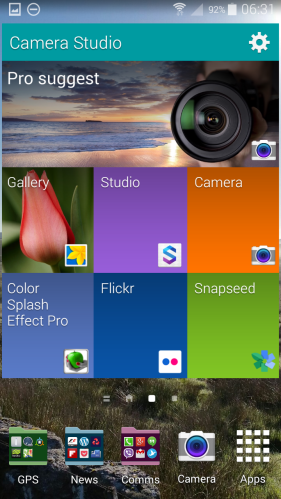
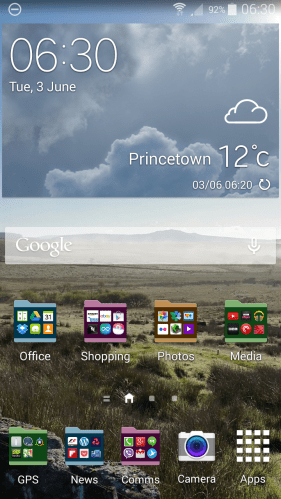
So from top to bottom, Camera widget, My Magazine which is accessed by swiping to the left on the first home screen, and finally, my main home screen with folder and widgets. The Camera widget is very useful for accessing key camera and photo apps.

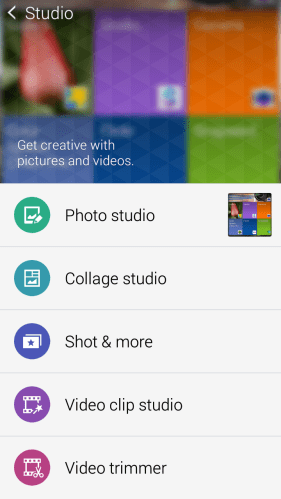
On board Samsung have included the latest version of Camera Studio.
Screenshot_2014-06-03-06-31-24

Screenshot_2014-06-03-06-31-45

Screenshot_2014-06-03-06-32-43

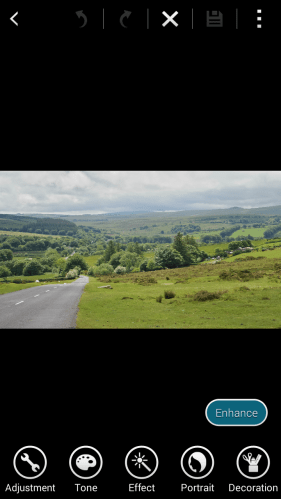
Camera studio is an excellent photo editing app with loads of options. With this app you really should not need another photo editing app. Any amendments can be saved as a high resolution 8mp or lower 5mp file.

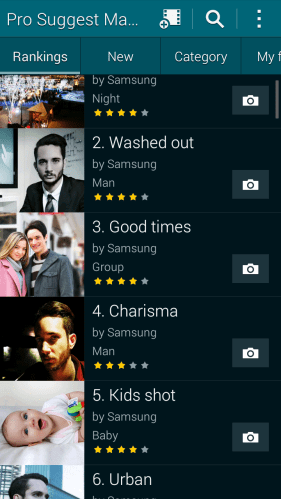
The Pro Suggest Market app is where you can download shooting mode effects based on what the camera identifies your scene to be. You can either when shooting photos let the K Zoom give you a range or options or use your own. More on that below.

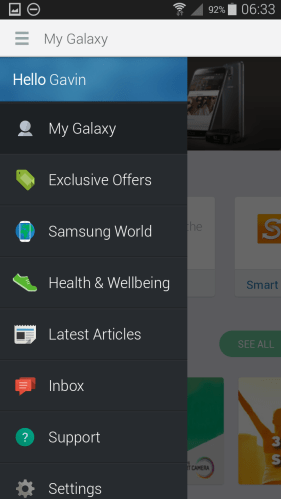
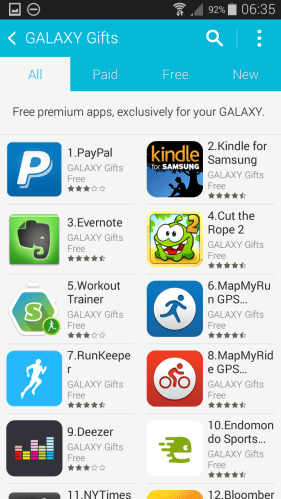
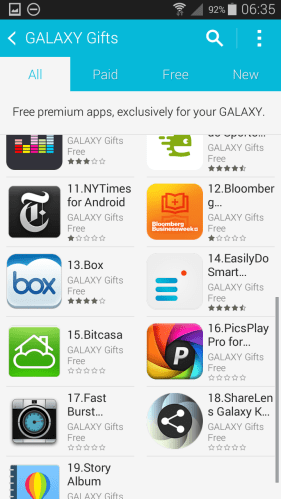
I mentioned in part 1 of my review there was nearly no Samsung bloatware. Well, there is an optional My Galaxy app to download with only Samsung Apps installed. Below is screen shot of My Galaxy and the Galaxy Gifts available for the K Zoom. Warning if you have used some of the free trials already on another Samsung device, you may not get the full trial periods on offer if they have expired. If so, use a different email for your Samsung account.

Screenshot_2014-06-03-06-33-30

Screenshot_2014-06-03-06-35-17

Screenshot_2014-06-03-06-35-30

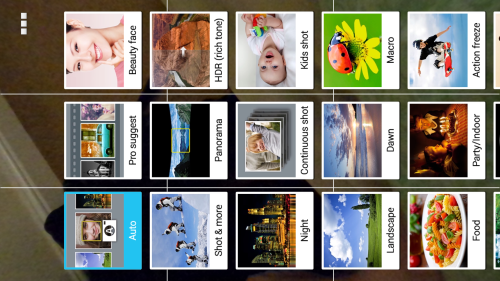
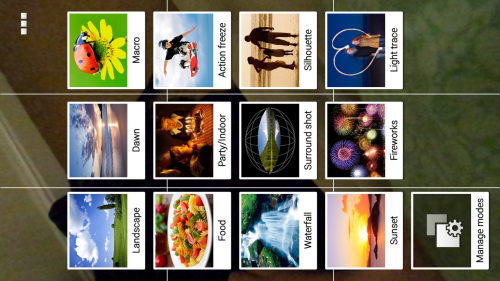
Now on to the camera options. 27 shooting modes. You can manage which ones you want displayed, and whether a grid or not.
Screenshot_2014-06-03-06-38-21

Screenshot_2014-06-03-06-38-33

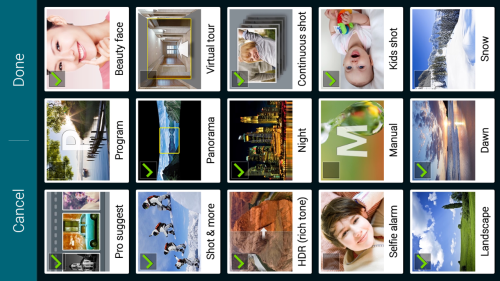
And of course you can manage the modes as mentioned above.

Screenshot_2014-06-03-06-38-41

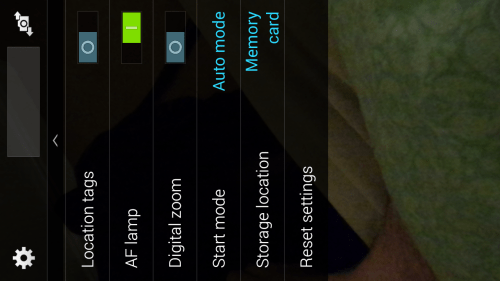
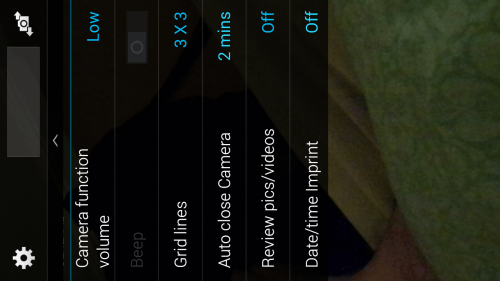
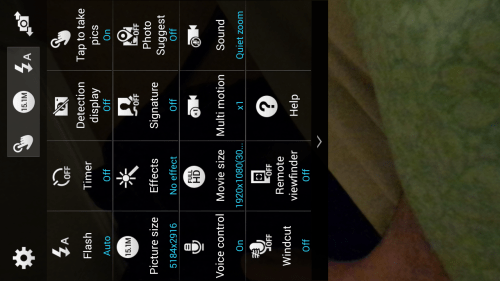
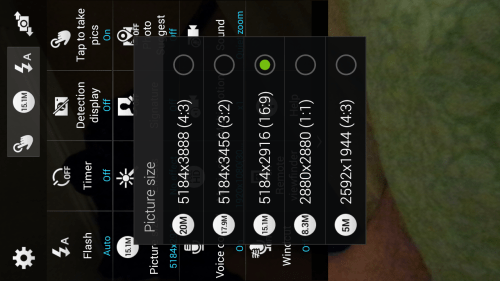
Below are screen shots of the camera settings available.

Screenshot_2014-06-03-06-39-12

Screenshot_2014-06-03-06-39-28

Screenshot_2014-06-03-06-40-06

Screenshot_2014-06-03-06-40-18

Screenshot_2014-06-03-06-40-50

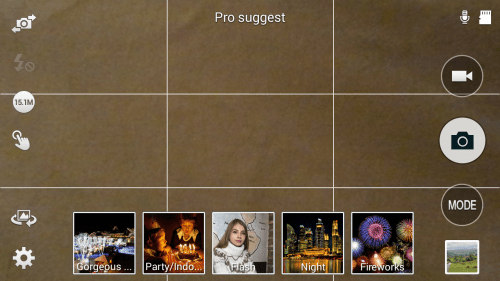
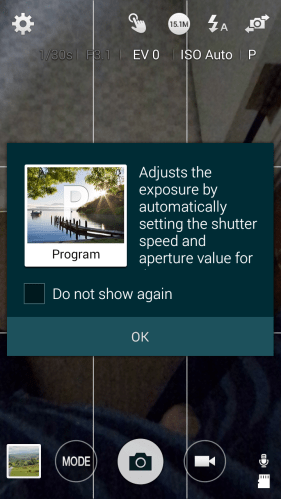
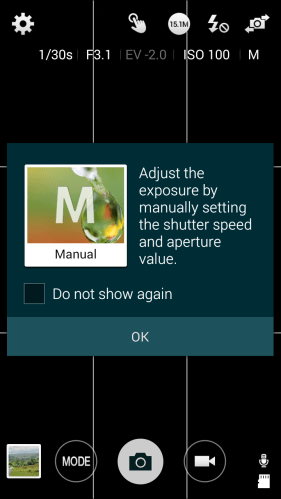
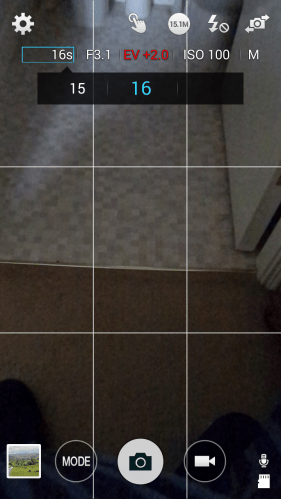
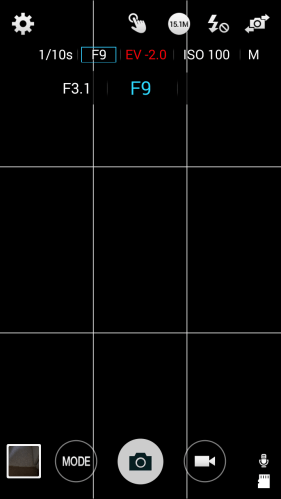
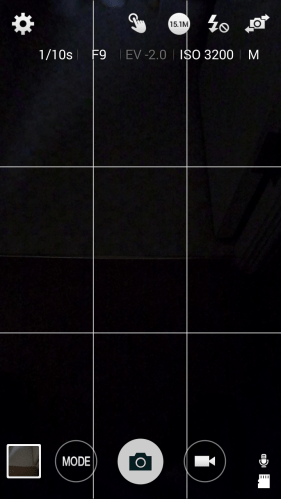
As you can see from above, selecting the Pro Suggest mode and half pressing the camera shutter button and releasing brings up some suggestions based on the shot in the view finder. Apart from the pre selected modes you can choose Program or Manual mode. The manual range of adjustments in these modes offers a finer control as shown below.
Screenshot_2014-06-03-07-00-34

Screenshot_2014-06-03-07-00-46

Screenshot_2014-06-03-07-01-08

Screenshot_2014-06-03-07-02-58

Screenshot_2014-06-03-07-03-20

So lets take a look at the impact of using the Zoom feature. Standing in the same spot I took the following 3 shots. One of the front view of Exeter Cathedral, then a close up of the front architecture and finally the top spire which I could have zoomed in even closer!

20140602_113137

20140602_113327_Richtone(HDR)

20140602_113559_Richtone(HDR)

If you want to see some more examples from the camera click here for my Flickr album https://www.flickr.com/photos/gavinfabl100/sets/72157644532639249/

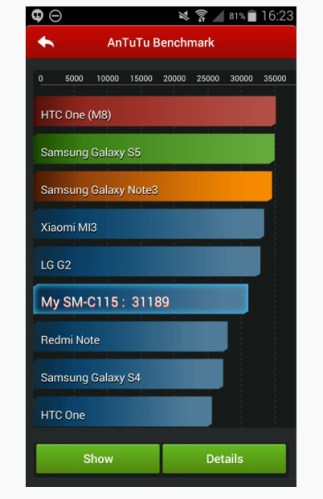
I have also taken many other photos in all conditions from darkness to daylight and all have been good shots. Without a doubt, this phone is one of the best, if not best cameras on any phone at this time. To give you an idea of its benchmarking score see screen shot below.
KZoom

Even with some of the issues or weaknesses it has, I am more than likely going to carry on using this as my main device or driver and end up selling the Samsung S5.

In a few weeks time, I will report back with my feelings to see if anything has changed.

Samsung Galaxy K Zoom – review – part 2

Welcome back to my Samsung K Zoom review. If you want to read part 1 again, click here https://gavinsgadgets.wordpress.com/2014/06/02/samsung-k-zoom-review-part-1/

Yesterday, I covered off how it felt moving from a flagship Samsung Galaxy S5 to the Samsung K Zoom, some initial setup observations and a link to a few photos.

I have now been using the phone solidly since Saturday, so that is 3.5 days solid. I have taken nearly 1000 photos on it to see what sort of results I get using different modes. I have also been using as a phone to make phone calls. In terms of in call quality this appeared fine, but what I have noticed is its phone signal strengths is not as strong as the Samsung S5. In my kitchen, the reception is dreadful. It flakes on and off. My wife’s iPhone 5S generally has no signal for 50% of the time. Well the K Zoom is the same. The S5 can hold the signal for 80% of the time, and make a call without dropping it either. Otherwise, as a phone it is ok. Just to highlight it still has options for scheduled SMS messages and Ultra Power Saving Mode first seen on the S5.

Talking about battery, the 720p screen seems to be a godsend. Taking several hundred photos and having all sorts of notifications and push email active, the battery got me through to around 10pm from a 6.30am start. I am happy with that. I was asked if I experienced any heat build up. I haven’t. However a 7 hour snooze with phone on standby, battery dropped by 18%.

With regards to the camera photo shots from the K Zoom, these seem natural in reproduction. If you compare the photos versus those taken on the S5, my S5 photos seem to pop out with great colours. Most of these are using the excellent HDR mode. The K Zoom does not go mad on the contrast and it takes getting used to the difference. Also the S5 panoramic mode is also better as it can take 20mb sized shots with ease. The K Zoom are around 5-6.5mb. The other factor with the S5, its waterproof meaning you can take great shots still in the rain. I would not want to do that with the K Zoom. But the S5 strengths are really good light HDR and macro shots. The S5 HDR mode is also capable of shooting nearly straight into the sun with no lens flare. You can’t do that on the K Zoom. Whereas the K Zoom does not care what the environment is. It takes a good shot. I have also found that after taking a photo on the K Zoom, I am able to crop in with so much better detail. And having the optical zoom is absolutely amazing.

So as a comparison to see what I mean re the S5 HDR shots have a look at my S5 flickr album https://www.flickr.com/photos/gavinfabl100/sets/72157643875623354/

And now look at my K Zoom album, which now has even more photos since yesterday. https://www.flickr.com/photos/gavinfabl100/sets/72157644532639249/

Tip – I know many of you use Macs and transferring photos from an android phone to a mac is a PITA. However, there is an android app called WiFi Explorer Pro. Open the app, type the URL address as shown on whatever web browser you use on your Mac. And voila. You can copy anything from the mac or K Zoom. You can access all the folders both on the internal storage and micro sd card. When you download an entire camera roll, you click into the download all box, and it creates a zip on the Mac download folder. It is as simple as that.

The K Zoom has a shooting mode called Pro Suggest. Basically, you half press the shutter button and release. A suggestion of Pro shooting modes/filters appear. You can then try out all sorts of effects. You can also head over to the Samsung Pro Suggest market and download you own modes. They are hundreds to choose from. This is a really smart feature, as it makes anyone be able to take creative quality photos. Of course, they are another 26 shooting modes from macro, waterfall and HDR to select. As mentioned, yesterday, I will cover these off shortly.

I mentioned I was suffering constant crashing. Since realising that exiting the camera by pressing the home button, instead of the back button, I now have not had any more crashes. And that is a relief. I also have not suffered slow downs or any general lag. I am using Touchwiz. What I have noticed is that viewing photos on the K Zoom seem a little dull whereas on the S5 they explode into vivid colours. Thats the 720p screen versus the incredible 1080p screen on the S5 for you!

Well no issues until I connected Bluetooth headphones to listen to music and then check some web pages, twitter, hangouts and more. The music stuttered occasionally and a few times actually stopped playing and disconnected my headphones. Simply ran out of memory to multitask this way. Clearly the phone in my mind is setup to maximise camera performance at the cost of other apps.

I nearly dropped the phone shooting yesterday in Exeter. I was holding the phone trying to take a vertical photo. The weight balance changes dramatically, so I recommend finding a lanyard and attaching it asap. It is a shame that Samsung felt it was not necessary to include. Otherwise, the phone is superb to hold. Also, as the phone was pre ordered, Samsung were meant to have sent a free case which has not arrived yet. That would have been handy to have had already. Also, there are no accessories available for it yet. A spare battery as it’s a camera based phone surely should be available. Maybe, these will arrive in the next month or so.

Talking of gripping the phone , my in car universal gps mount cannot be used as it touches the power and camera buttons on the side, when tightening the sides. So no turn by turn navigation for me at present.

Tomorrow, I will look at more aspects of the K Zoom. On Saturday I felt like returning the phone. I was suffering crashes. The photos I took towards the sun had lens flare that I would not have got with the S5 and overall I was feeling a little disappointed.

But 4 days later, I have a slightly different view. The K Zoom is starting to grow on me more and more but I’m not sure whether some of the sacrifices can be lived with. I thought the low user memory would be the key reason not to keep this phone. That’s ok as it turns out. The Bluetooth issue, gps mounting, poor phone reception and average audio quality are niggling me. Just for the record, I have been using this since Saturday as my main phone. My Samsung S5 is boxed up in a drawer. I hope Samsung release a software update to fix the issues.

I really would like this to be my main phone. It offers something quite unique but at a sacrifice on a few other items.


Samsung Galaxy S5 – first month update – with new firmware update

So it’s been exactly one month with the S5.

20140511-130506.jpg

So what has the first month been like? Is the S5 a laggy nightmare? Do you need an alternative launcher to make it nippy to use?

20140511-130716.jpg

Firstly, I decided to use Touchwiz instead of Apex or Nova Launcher. I tried both but I missed some of the extra neat touches that Touchwiz provide from “My Magazine” , “Ok Google” voice activation from home screen without touching widget and other touchwiz widgets eg S Planner Month view which is on my last home screen.

20140511-130930.jpg

I also like the weather widget which now has transparency control. Also the variable coloured folders.

So what about lag. My initial posts mentioned lag. I now have none. No lag ever. In fact I have a fast supercharged S5, and I could make it faster. No lag when launching the camera either. How? First turn off S Voice launching as a double tap on the home button. Google Voice is active without touch so there really is no need for S Voice. Next. Lock screen. By default Samsung have many options active on the lock screen. Turn off the weather and pedometer. The difference is remarkable. Now if you want your S5 even faster you can activate developer mode, and turn off animations or reduce them. I haven’t as the speed is fast enough. Amazing what a firmware update can do to improve matters. Let’s hope it stays this good over time.

Battery. Check location services are using power saving mode and GEO news is not active. These 2 options hurt the battery. Otherwise, I don’t use any power saving options until I get to 3% or less. I easily get a full day or day and a half from the S5.

Bloatware or value added. I would say most of the S5 is value added. The S Health app is excellent. Samsung have also provided some additional software trials as long as a year in places. But you can manage just with S Health. If you don’t want to use any of the health options, just use the hide apps options. The point is the phone is designed for different people with different interests. You just select the suite of options you require. That’s value added.

Early adopters usually have software issues. The S5 is the first phone where I wasn’t waiting for an update to majorly fix or improve something. Everything is really well thought out. Simple things like plugging in your headphones and having a choice of 5 apps you might want to use with your headphones. The toolbox option is useful. But more importantly, everything just works which is a first for a phone just released.

Hardware. It’s plastic. Get over it. The HTC One M8 and Sony Xperia Z2 look better but I would want a case with them to stop them getting damaged or scratched. The S5 looks alright. I asked my wife for her opinion and she actually thought it look quite good especially the back. I am not using a case or screen protector. It’s lightweight and lighter than the competition. But more importantly if feels the best in the hand and the easiest to grip. In other words it’s a real world phone and great to use. It also has water and dust resistance built in like the Z2. And then there is the S5 screen. It’s brilliant and the best I’ve used ever. Whether in sun or at night the display adapts perfectly to the conditions.

Other extras. So apart from a full range of software services covering media, photos, business and tools, there is the hardware extras – finger print sensor, heart rate monitor and a 16mp camera. The Ultra Power Saving mode is a gem. One day I forget to charge the S5 overnight. I headed off at the start of the day with 40% battery. At 8.30pm I went out for the evening still forgetting to charge the S5. At 3% battery I activated it. And I still had 3% the next morning.

So is the S5 a good phone. Yes it is providing you spend the time learning it’s nuances and setting it up to your preferences. Now if you prefer hardware design then head over to the HTC or Sony options. There is plenty of choice. And if you don’t need all the fancy software and hardware just buy a Motorola G or X, or even a Nexus 5.

However, ask me how I “feel” about the S5 and my answer will be “disconnected” when using it.

Motorola Moto X – audio and other quirks

So if you scroll back to the 3 posts from the weekend you will have got some idea of the camera. Whilst it’s not the best out there, it is still surprisingly punching above its price tag. I took many shots of my dogs and cats and the majority were in focus despite being indoors or in overcast conditions. The scenic and macro shots also were not too bad. Sometimes, the colours were off key, but if you were really fussy just use a photo editor.

I was looking at my home screen and this critter creature appeared and started moving around the screen. I did not know what to think. This is what it looks like .

20140511-085242.jpg

Very small, but don’t forget it’s running across and all over the screen. This is part of the “spotlight” app. It’s the craziest thing I’ve seen ever on any phone. I will discuss this more on Sunday episode of “Gav & Dave’s Podcast”.

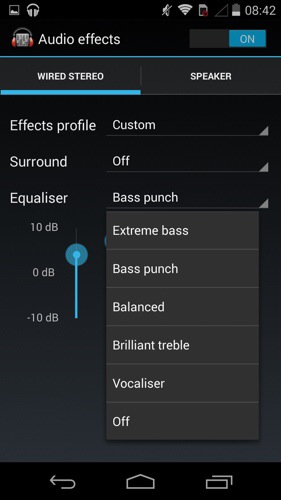
So what about the audio. Loudspeaker. It’s good. But not HTC One M8 Boomsound. You have some EQ options which don’t do too much other than reduce the treble.

20140511-085517.jpg

Listening via headphones is a different experience all together. In fact, I’m typing this whilst using the Moto X to listen to my music via headphones. The Moto X can power most headphones with a lot of guts and clarity. A decent sound in my book. Again there are a number of EQ options and they do make a difference. But even with the EQ off I loved the sound via my neutral fussy Sony MDR-1R headphones. My Sennheisers loved the Moto X too as did any other can. So it’s a thumbs up in this department from me.

20140511-085947.jpg

Battery life. Excellent. In 4 days I’ve only charged it twice. In fact at the moment I’m using it in to the third day and the battery is at 34%.

I was asked on Saturday would I choose this over the Moto G. I would. But is it worth the extra cash over the Moto G cost. That depends on what is more important to you. Do you want a better camera and audio experience a nicer feel in the hand?

Anyway, if you have any more questions, please let me know, and I will cover these off in the next episode of “Gav & Dave’s Tech Podcast ” along with my final conclusion.

Once again a big thanks to Clove Technology who are a super cool company to buy your smartphones and accessories from.

Moto X – Quick Impressions

Firstly,  thanks to Clove Technology for sending the Moto X for reviewing.

image

image

It’s quite a good sized phone which feels wonderful in the hand.  It is has always on Google Now voice activation even when the screen is off.

image

The basic specifications of the Moto X are –

Processor – Motorola X8 Mobile Computing System which includes a software optimised Qualcomm Snapdragon S4 Pro (1.7GHz Dual-Core Krait CPU, quad-core Adreno 320 GPU), a natural language processor and a contextual computing processor

Memory – 2 GB RAM, 16 GB standard. 2 years 50 GB storage free on Google Drive. Offer must be redeemed within 30 days of activation.

-Bluetooth® technology – 4.0 LE + EDR

-Wi-Fi – 802.11a/g/b/n/ac (dual band capable), mobile hotspot

-Cellular – 2G/2.5G GSM/GPRS/EDGE bands 850/900/1800/1900 GSM/GPRS/EDGE -UMTS/HSPA + up to 42 Mbps – 4G LTE
3G UMTS bands 850/900/1800/1900/2100 , 4G LTE bands 800/1800/2600MHz (B20/B3/B7)

-Display – 4.7″ AMOLED (RGB) / HD 720p

– Androidâ„¢ 4.4, KitKat®

– Size (H x W x D) Width 65.3mm; Height 129.4mm
– Weight – 130G

– Battery – 2200 mAh. Mixed usage up to 24 hours

– Camera -Front Camera 2MP 1080p HD video, Rear Camera 10MP CLEAR PIXEL (RGBC) – Quick Capture – LED flash – 1080p HD video (30 fps) – 4X digital zoom – Slow motion video – Burst mode – Auto HDR – Panorama – Control focus/exposure

So what does all the above specs mean. So far a rather smooth, really easy to hold in one hand phone, that due to the always on voice activation means less actual picking up the phone to carry out actions. Other touches included with the Moto X are Motorola Connect that links the phone to Chrome so that you can see who has texted or called you and reply via the Chrome web browser. Motorola Assist is rather neat and sets actions up when you for example sleeping or driving. So when asleep the phone does not disturb you. On the off chance you had a previous Motorola if offers a wireless migration service of all your data. Similar to the Nokia Lumia Glance screen, the Moto X provides this information too.

But another funky feature is twist and shake from standby to turn the camera on. You feel a little vibration as you do this, and voila the camera is ready to capture that first shot.

So what else? It is a pure Google android experience otherwise, running the latest version of android too. No bloatware, no lag and so far a really super quick experience. And for once a phone that is not oversized and is very comfortable to hold and use.

And the voice activation is excellent. So first up you train the phone to recognise you saying “Ok Google Now” three times. Thereafter, you can control it as you wish, using the normal Google Voice commands. My wife also tried to see if she could trick the system, but clearly as her voice was different it would not respond when she said “Ok Google Now”.

I tried the camera out quickly, but despite its claim of a super 10mp camera it takes as far as I can tell just average shots in low light. Tomorrow if it isn’t raining I will try some more shots to see how the turn out.

Clove Technology currently have the Moto X price at £225.00 plus VAT and for that price it does seem like a good deal.

More updates soon as I get to spend more time with this phone.

LG G Flex – Camera Thoughts and Samples

So the G Flex has a 13mp camera but unlike the G2 it does not have OIS. However, I found it was able to take good shots of my black and dark brown labs. The shutter response was fast at times too. The quality however is not in the same league overall as the Samsung S5 for example. However the camera did not disappoint. I did notice the photos being slightly over exposed as well.
CAM00041

Camera – modes include normal, shot and clear, HDR, panorama , VR pano, burst, beauty, dual camera, time catch shot, intelligent auto, sports and night.

And below some sample shots.
2014-05-05 13.47.48

2014-05-05 13.50.29

2014-05-05 13.51.06

2014-05-05 13.51.40

2014-05-05 13.53.33

If you want to see the full res plus exif data go to my flickr album https://www.flickr.com/photos/gavinfabl100/sets/72157644114354349/

To be honest, I was rather surprised at the camera, as I thought it would be terrible but it was quite reasonable in the end.

And this surprise is the same for all aspects of the phone so much so that I’m now looking to sell my Samsung S5 and keep the G Flex.

LG G Flex – More Impressions

2014-05-05 08.54.27

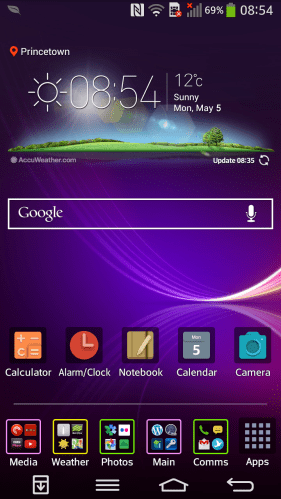
The LG G Flex comes with two homescreens types. The one above is the standard affair that everyone would be used to. With this option you can add widgets and folders and more. The folder colour can be changed, as can the whole theme. Additional themes as mentioned are available from LG Smart World. I installed a few and like the results. But what if you are novice. LG include an Easy Mode.
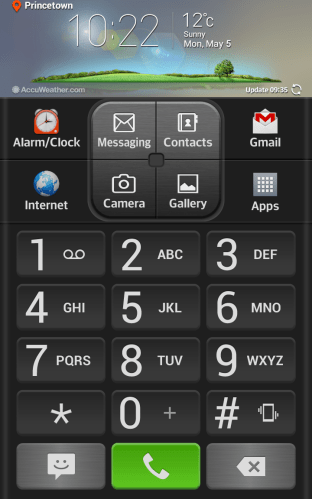
2014-05-05 10.22.26

I thought the Easy mode was one of the best I have seen with everything on one page.

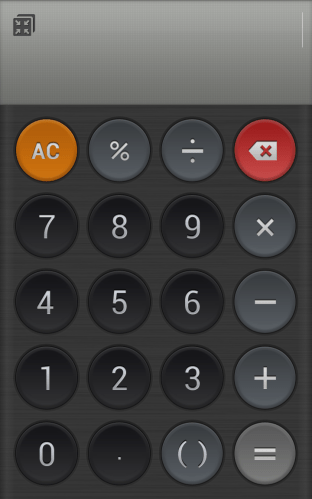
LG include a number of custom apps from a Calculator, Alarm Clock, Memo (sync to Google Drive), Calendar. Displays lots of info. Quick Theatre – shortcuts to photos, video, YouTube, video.
2014-05-05 14.56.49

The loudspeaker was of a reasonable volume and clear. The audio quality via the headphones was good too. Other software included Quick remote, FM radio, music, life square, task manager, update centre , lg backup, gallery, file manager, Polaris viewer , notebook, box, tasks, email, contacts, weather and a few more smaller apps.

I will cover off the camera tomorrow.

So the whole experience of this phone has been rather pleasurable. When it cost over £800 was it worth it. Absolutely not. At £379 it represents a very good phablet.

Samsung Galaxy S5 Wireless Official Charging Cover – Review with Samsung Charging Pad- updated

2014-05-01 17.09.44

Above is my Samsung Galaxy S5 fitted with the official Samsung Wireless Cover and charging on the new Samsung Wireless Charging Pad.

2014-05-01 17.04.43

In the box you get a manual and the cover itself. Picture below is the Wireless Cover on left next to the standard cover on right. Shown both ways.
2014-05-01 17.00.42

2014-05-01 17.01.15

Now lets have a closer look at the camera cut out on the Wireless Cover. Note the camera is now recessed slightly as well as the flash and heart rate monitor.
2014-05-01 17.02.07

So what are the differences between the Wireless and Standard Cover ?

Weight – The S5 with the Wireless Cover weighs 160g and with the default non wireless cover 142g.

Depth/Thickness – The Wireless cover is a few mm’s thicker. It actually makes the phone more comfy to hold as it has a better curve now on the rear.

Cases – none fit that I have at present with the Wireless Cover.

When the phone is placed on the pad, a message appears across the screen to say charging wirelessly. Overall I am impressed that I now have QI Wireless Charging on my S5. It also feels much better in the hand to hold.

Update – I’m having issues with the Samsung Charging Pad. It keeps flashing orange after a while so I will be returning this pad and another one I ordered as well. Once I get my refund on these I will try a Zens pad which is a brand I have used before with a Nexus phone. If that doesn’t work, then it’s the wireless cover that doesn’t work properly.

Update – I got a replacement Samsung Charging pad and it works just fine. No mad flashing orange light.