Category Archives: Windows

Nokia Lumia 830 – Camera Samples – Unedited

These camera samples were all taken yesterday on the Nokia Lumia 830. Completely unedited. All I have done is add a frame. These photos were taken from the walk across Dartmoor, that starts in Princetown and travels passed South Hessary Tor. A short distance beyond South Hessary Tor, turn right and start the journey towards Burrator Reservoir. It is about 5 miles in distance.

Golden Yellow Wild Plants on Dartmoor #Lumia830

The above shot is a close up of the wild gorse that is flowering at the moment.

The stunning landscape of Dartmoor #Lumia830

There is literally nothing around for miles and miles.

En route to Burrator Reservoir in the far distance #Dartmoor #Lumia830

In the distance you can see Burrator Reservoir.

En route to Burrator Reservoir in the far distance #Dartmoor #Lumia830

En route to Burrator Reservoir in the far distance #Dartmoor #Lumia830

The shot above is the view after turning right to start the journey towards the reservoir.

"The Cross" with views of Burrator Reservoir, Dartmoor #Lumia830

One of the common things found scattered about Dartmoor are crosses.

South Hessary Tor, Dartmoor #Lumia830

Above and below are shots of South Hessary Tor.

South Hessary Tor, Dartmoor #Lumia830

Recap of the 8 Reviews published this week

This week has been busy with a number of reviews. But before I get to the reviews, the latest episode of “Gav & Dave’s Tech Podcast” got released.

https://gavinsgadgets.com/2015/04/03/episode-34-fight-club-gav-daves-tech-podcast-is-now-live-please-rt/

Reviews included –

Oppo PM-2 Headphoneshttps://gavinsgadgets.com/2015/03/31/oppo-pm-2-headphones-review-be-prepared-to-be-blown-away-with-incredible-sound/

AKG K702 Headphoneshttps://gavinsgadgets.com/2015/04/03/akg-k702-headphone-review/

HTC Desire 820 Smartphonehttps://gavinsgadgets.com/2015/04/03/htc-desire-820-review/

Google Nexus 9 Tablethttps://gavinsgadgets.com/2015/04/01/nexus-9-tablet-review/

Samsung Note 4 Official Wireless Charging Kithttps://gavinsgadgets.com/2015/03/30/samsung-galaxy-note-4-official-s-charger-qi-wireless-kit-review/

And then 3 posts on the Nokia Lumia 830, and the camera vs Samsung Note 4 –

https://gavinsgadgets.com/2015/03/30/what-app-shortage-my-nokia-lumia-830/

https://gavinsgadgets.com/2015/04/01/nokia-lumia-830-vs-samsung-note-4-camera/

https://gavinsgadgets.com/2015/04/02/nokia-lumia-830-vs-samsung-note-4-camera-samples-part-2/

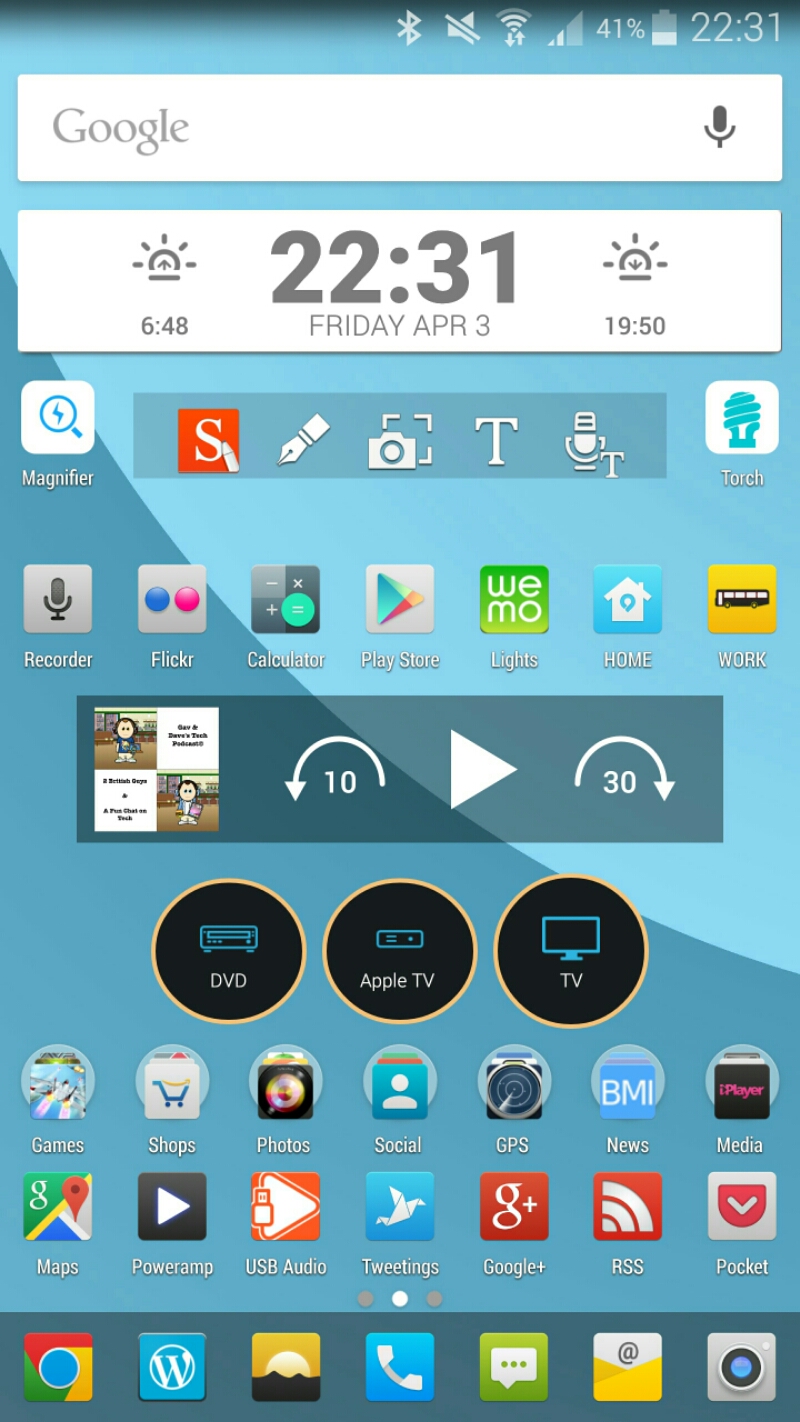
Current Home Screens on my Samsung Note 4 & Nokia Lumia 830

image

I keep tweaking my Samsung Note 4 home screen as shown above. I am still using Nova Launcher (Beta) with Tersus icons, HD Widgets, Pocket Casts and Galaxy Universal Remote widgets.

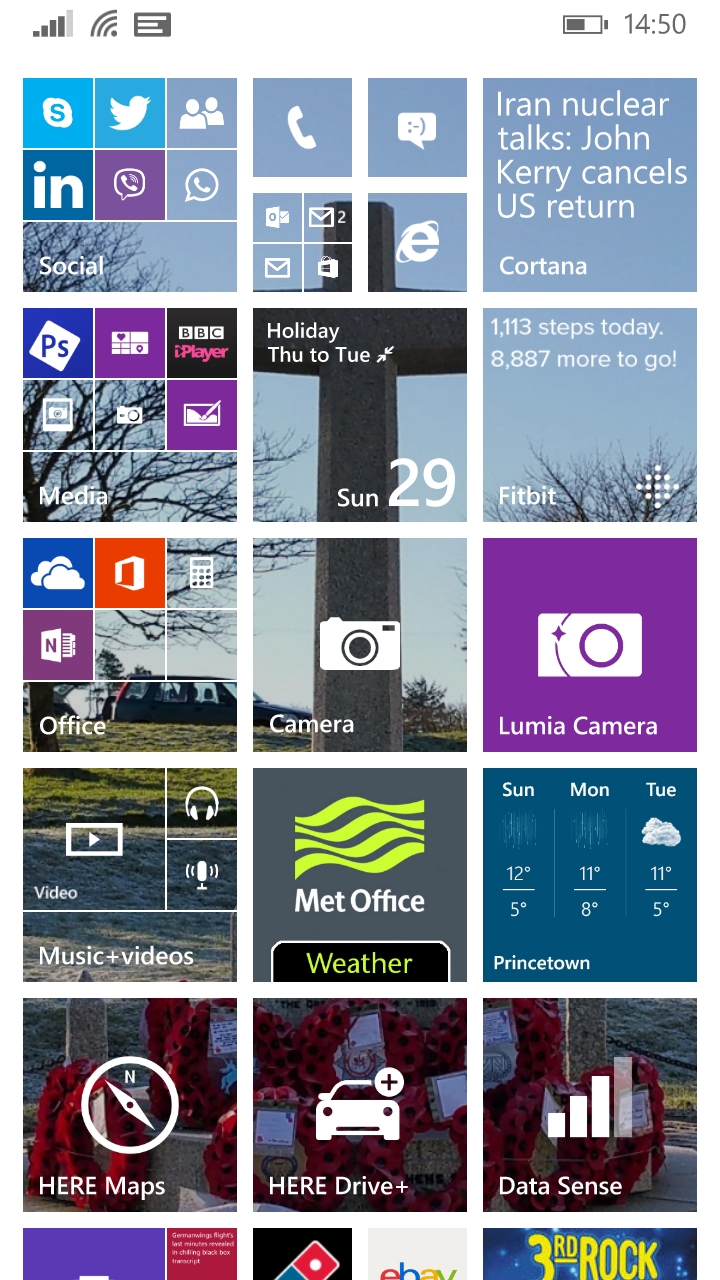
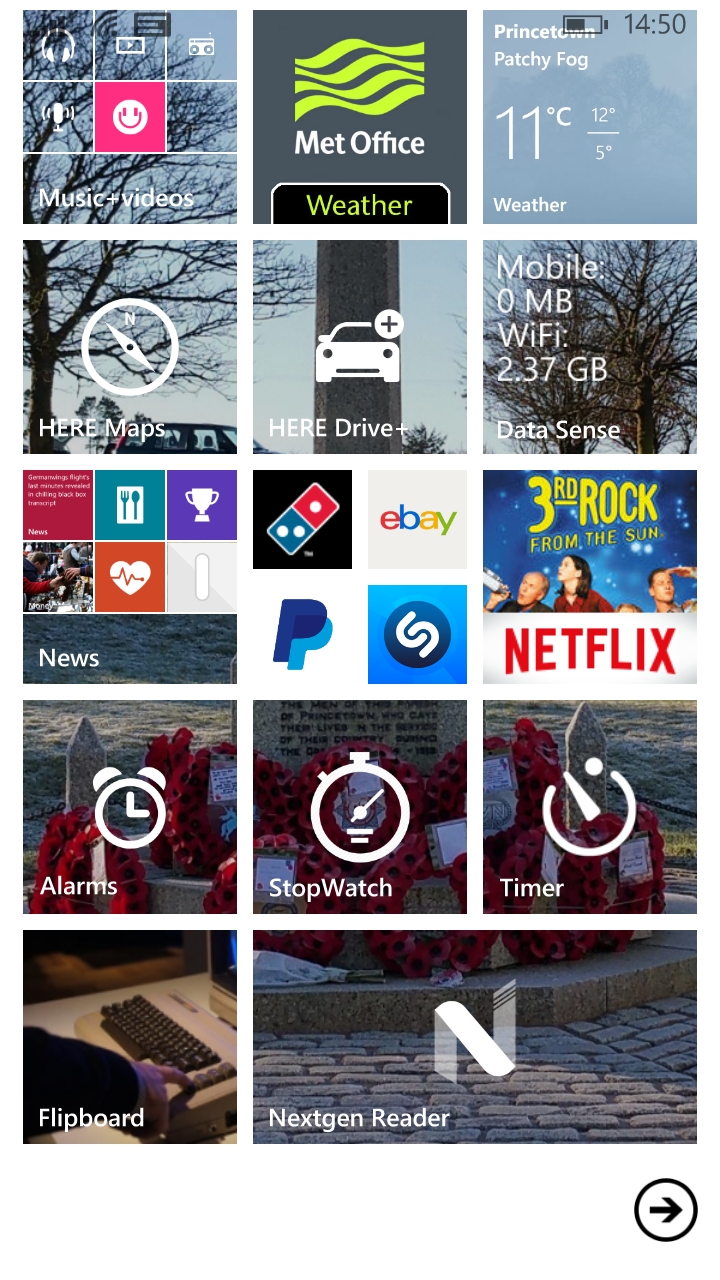
And now from my Lumia 830. A totally different look for live tiles.

image

Interestingly, I do find that I can see more of what is happening in my world with the live tiles than my current setup on my Note 4. But different devices produce different effects.

image

Nokia Lumia 830 vs Samsung Note 4 – camera samples part 2

Welcome back to Part 2 of my camera comparison between the Nokia Lumia 830 and Samsung Note 4. Yesterday, I looked at macro shots. Today it is simple shots taken whilst out and about. I have included all the shots taken to give you an idea of consistency too, plus some observations. None of these photos have been edited. This post may take a while longer to show all the photos as I uploaded full resolution in to this post. I have not scaled down any photos either. The task was for each phone to take the best possible shot. First group of shots are from the Nokia Lumia 830.

image

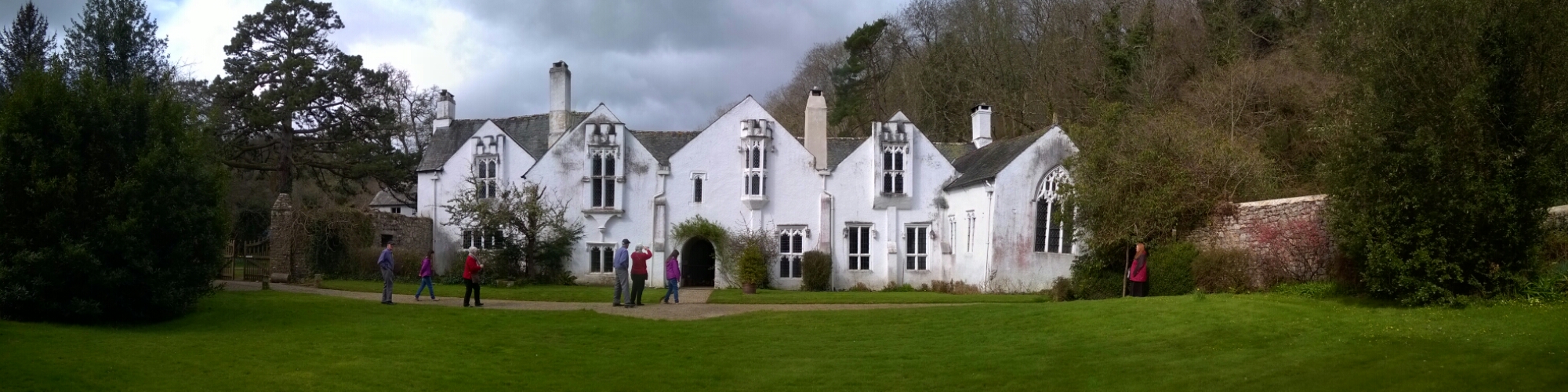
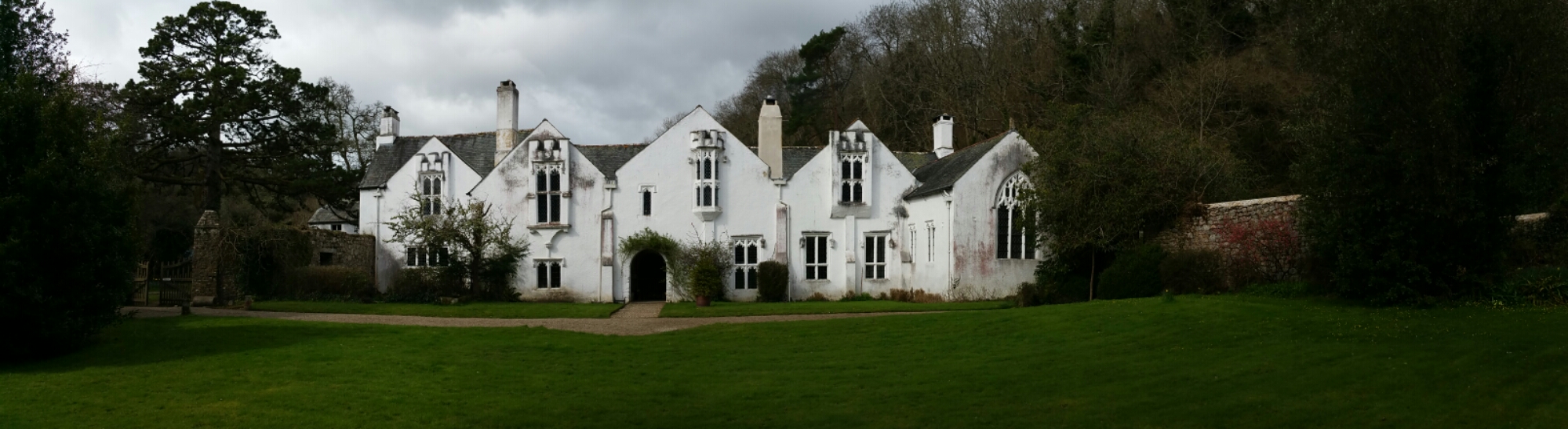
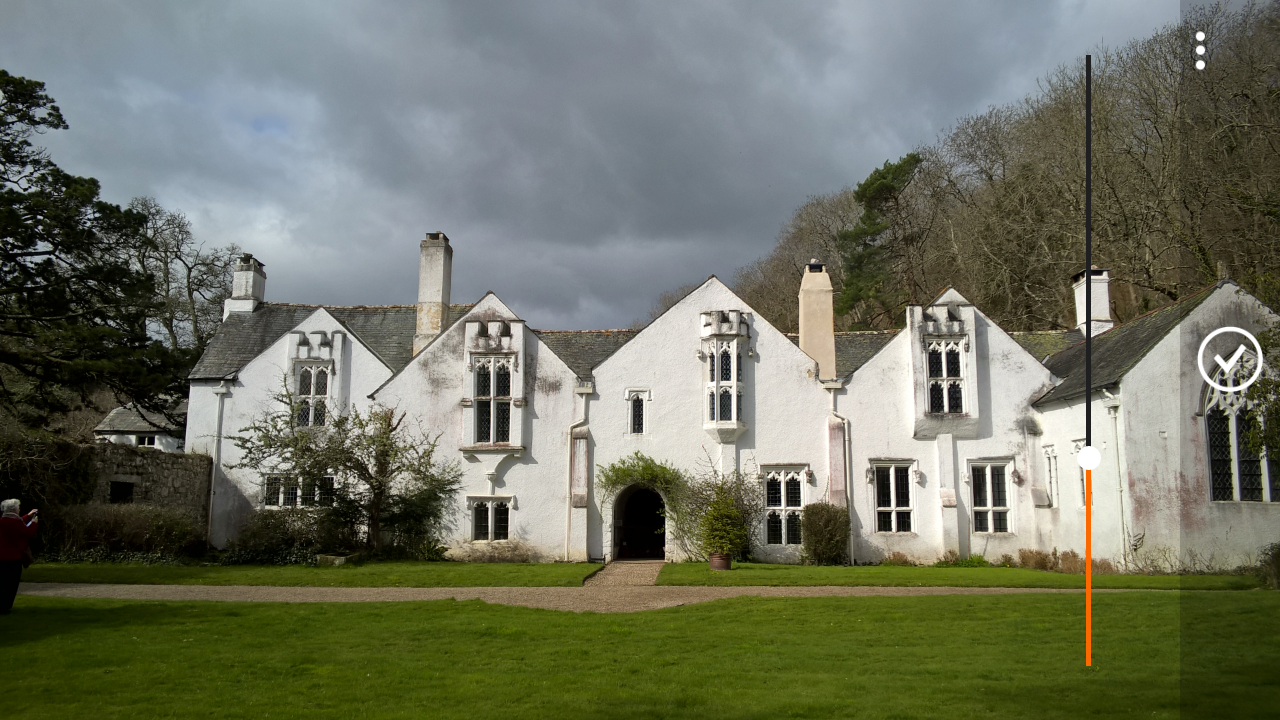
The photos were taken at Bradley, which is a National Trust site.

image

The Lumia 830 is using its Rich Capture Mode to take these. I prefer a strong effect, but you can re-edit the effect, see end of article.

image

Personally, I preferred all the shots from the 830, not that the Note 4 took poor shots. Some observations. After taken a number of Rich Capture shots on the 830, it brings up a message “saving photos”. This can take around 5 seconds and seems like an eternity. The Note 4 just keeps taking and saving at a phenomenal rate and clearly benefits from the bigger processing power.

image

The pano shot was my first attempt in this mode. I screwed it up as people emerged and I tried to rush it. The right side was not aligned properly. You live and learn. To take a pano shot on the 830 you move across and follow the line to the shaded circle. With the Note 4 you just pan across and voila. Again larger processor in the Note 4 has its advantages.

image

And now the same shots but from the Note 4, again using HDR mode.

image

image

image

The shot below is non HDR on the Note 4.

image

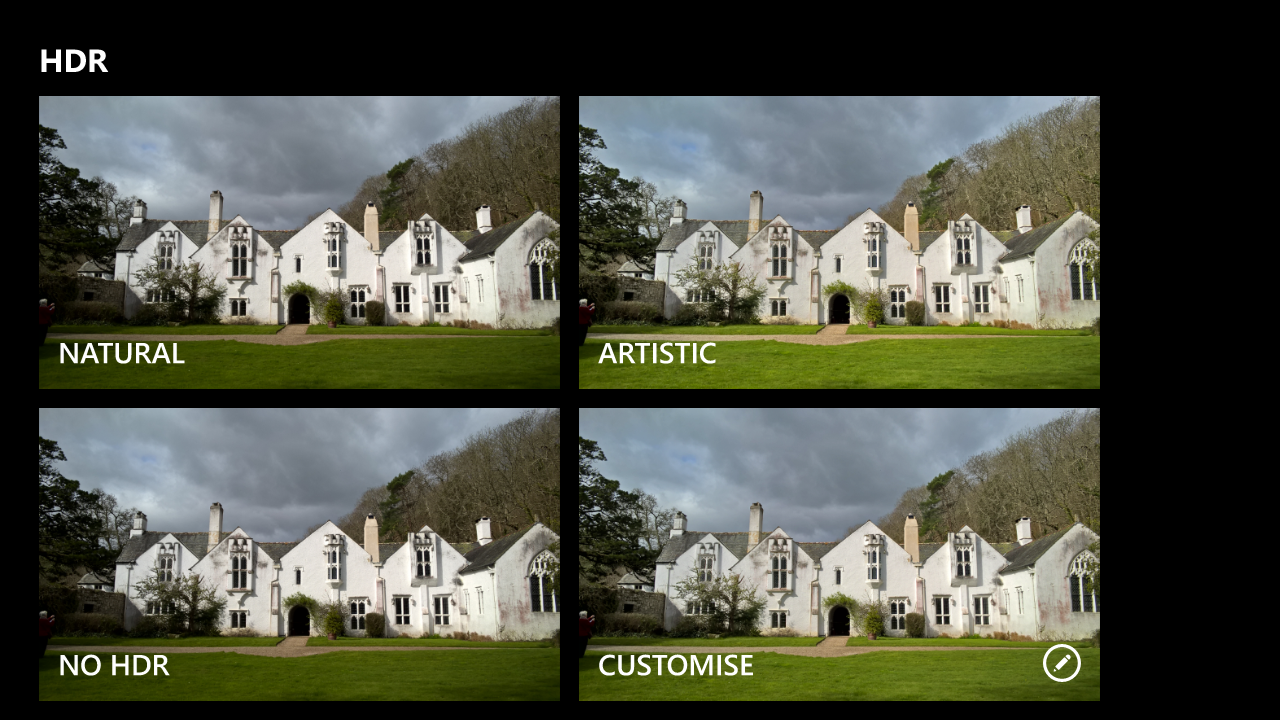
The beauty of the Lumia 830 is its Rich Capture Mode. You can fire up the Nokia Camera app, and scroll to a particular rich capture shot and change the HDR effect. There are 4 options as shown.

image

The customise options is brilliant as you can add just the required amount necessary.

image

And to give you an idea of non HDR, this is what it looks like as shown below.

image

I also wanted to see how good the 830 burst mode could perform. The daylight was poor but these are a few seagulls that flew over me.

image

image

And finally, just for a bit of fun, these are all taken on the Lumia 830 and edited on the phone to create the effect of my liking. These photos only had a light filter applied and then framed. Again, all on the Lumia 830 and using Camera360 Sight app.

image

image

Nokia Lumia 830 vs Samsung Note 4 – camera

We all know Nokia have a great reputation for their camera prowess. And the Samsung Note 4 is also known to be a superb smartphone shooter.

I have been using the Lumia 830 in several conditions and in low light it has surpassed my Note 4. But what about macro. Below is an illustration.

First is the Lumia 830 crop and next the Note 4. The Note 4 had the benefit of a starting point of 16mp vs the 8mp on the 830.

image

image

So which do you prefer?

The Hottest Reviews/Editorials – Oppo HA-2 & PM-2, Nexus 9, Samsung Galaxy A5, HTC One M9, Samsung Galaxy S6 & S6 Edge, Lumia 535, Acer Aspire 11& Iconia 8, Sony SBH80 & 50 more

If you have been busy over the last 10 days, don’t worry. Below are the reviews and special editorial pieces that have been published on Gavin’s Gadgets.

And stay tuned for more reviews over the next few weeks including HTC One M9, Samsung Galaxy S6 Edge 128gb, Official Samsung Galaxy Note 4 S Charger Kit, Oppo PM-2 Headphones, HTC Desire 820, Nokia Lumia 830 and the next episode of “Gav & Dave’s Tech Podcast”.

Tablets/Notebooks

Samsung Galaxy Tab S 10.5 Tablet review
Samsung Galaxy NotePro 12.2 – 9 Part Review
Acer V15 Nitro Windows 8.1 laptop review
Acer C720 Chromebook review
Acer Aspire Switch 11 review
Nvidia Shield Tablet – 7 Part review
Acer Iconia 8 Android Tablet review

Smartphones

Samsung Galaxy S6 and S6 Edge – Hands On
Yotaphone 2 – 4 Part review
Samsung Galaxy A5 review
Samsung Note Edge – 14 Part Review
Samsung Note 4 – 17 Part Review
BlackBerry Passport 10 Part Mammoth review
Apple iPhone 6 Plus – 24 Part Review
Amazon Fire Phone – 2 Part review
LG G3 review – 31 Part Review
HTC Desire Eye – 13 Part Review
HTC One M8 – 11 Part review
Acer S55 review – 6 Part Review
Honor Holly – 4 Part review
Honor 6 – 12 Part Review
Microsoft Lumia 535 review
Nokia Lumia 1520 – 6 Part review

Wearables/Virtual Reality Headsets/Fitness Trackers

Samsung Gear VR – Virtual Reality Headset – Review
FitBit Charge HR review
Acer Liquid Heap Smartband review
Samsung Gear S – 9 Part Review
LG G Watch R – review

Audio Reviews

Oppo PM-2 Headphones – First Impressions after 100 hours
V-Moda Crossfade M100 headphone review
Plantronics BackBeat Pro bluetooth headphones review
Fiio RC-HD1 Headphone cable review
Sennheiser HD518 Headphone review
Philips Fidelio M1BT Headphone review
AKG K845 Bluetooth Headphone review
Sony SBH80 Bluetooth headphones review
Sony XBA-H1 Headphone Review
Logitech UE Headphones – 3 part Master review
Audio Technica ATH-AD900x Headphone review

Oppo HA -2 Portable Amplifier and DAC review
Cayin C5 Portable Headphone amplifier review
Fiio E12 – master review
HiFiMeDIY Sabre Android USB DAC review
Little Dot MKIV Tube Headphone Amplifier review

The Internet of Things

Belkin WeMo Smart light Bulb starter kit review
Mipow Playbulb Rainbow review
Mipow Playbulb review

Editorials

Technology working in Harmony
HTC One M9 Camera vs Samsung Note 4
The Myths of High End Audio Blown Apart – Plus Photos of a £100,000 system

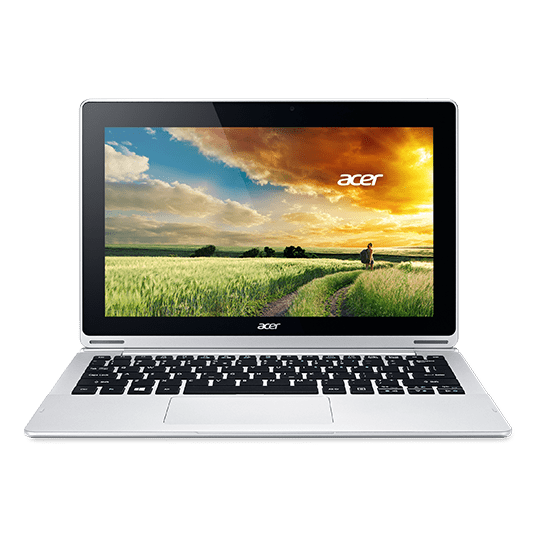
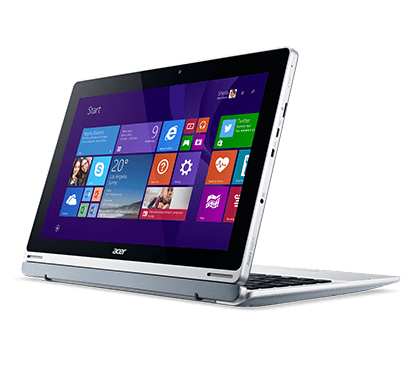
Acer Aspire Switch 11- A Hybrid Laptop/Tablet – Is this the answer?

acer 1

acer 2

I am currently experimenting with an Acer Aspire Switch 11 which is a convertible notebook pc.

The Aspire 11 is priced around the £325, and for that you get an Intel Atom Z3745 1.33GHz, 2GB RAM, WLAN, Windows 8.1 and 32gb SSD. You can pay more money and get faster processors and more storage. There is an optional pen for this notebook too. It comes with a comfortable keyboard and touchpad and the hinge allows for easy flip, rotate, or detaching in a snap; the Aspire Switch 11’s unique Acer Snap Hinge uses the invisible force of magnetism to provide a latch-less docking solution that lets you smoothly snap the tablet and keyboard apart, and back together again.
acer 3

acer 4

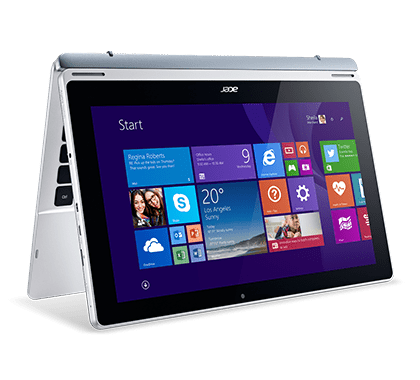
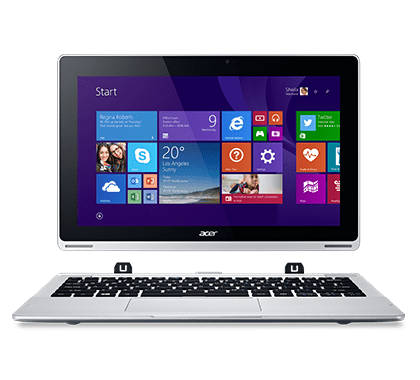
So in case you haven’t grasped what this device is all about, it is simple. It looks like a laptop. But the screen section simply pulls off, leaving the keyboard separated. You now have a tablet, albeit a full windows 8.1 PC tablet operated via touchscreen. The screen has Gorilla Glass 3. In terms of others specs it includes Bluetooth 4.0, GPS, Micro SD, Micro USB, Micro HDMI, 500gb hard drive, WiFi b/g/n, microphone, graphics is LPDDR3, 8,550mAH battery, weight 860g (tablet only or 1.5kg with keyboard), and a USB port. The screen is a 11.6″ LCD HD (1366 x 768). There is a more upmarket version with a 1080p screen, 4gb ram and 60gb SSD. Lastly, the Aspire Switch 11 has a 2mp front facing camera and mediocre stereo speakers. From what I can fathom, the optical hard drive is fitted inside the keyboard.

The screen/tablet section simply pulls off. Once off you can rotate it and push it back on the other way around as per the photos above. You can also use it in cinema/presentation mode or just in a semi raised position. The flexibility of this device is really something not to be overlooked. My usage pattern would be type a few posts including this review in laptop mode. When finished, detach the screen from the keyboard and use it as tablet. Unlike the new super expensive MacBook, this device has plenty of ports to connect up whatever you need, and not just a single USB-C port!

The Acer Switch has been excellent to type with using the physical keyboard and I really love the on screen touch keyboard. As this was a full Windows 8.1 PC, I have been able to install proper PC apps. Battery life varies but typically I am getting around 7 hours with web browsing, YouTube videos and typing. This is the first Windows 8.1 device I have actually enjoyed using. So are they any negatives. Yes predominately its heavy when you have to carry it as a laptop. 1.5kg. And it is relatively heavy at 860g as a tablet and somewhat bulky.

As I have mentioned before, my MacBook Pro is about to quit life as we know it, and end up in its final resting place. When that time finally arrives, this is the type of device I will look to buy. It offers the flexibility/power of a laptop and tablet.

My thanks to Acer for being patient and sending me a variety of laptop types to experiment/trial from their Acer V15 Nitro Black Edition (Gaming Powerhouse laptop) to their Acer C720 Chromebook. Both of these reviews can be found here – https://gavinsgadgets.com/review-links/smartphonetabletlaptop-reviews/ . Now that I have used all 3, the V15 Nitro was too big, the Acer Chromebook was crazy good as the battery never died, but this Acer Aspire Switch is perfect as it gives me a full Windows PC and tablet in one device.

For more information on the Acer Aspire Switch 11 – Click Here

Microsoft Band arrives in the UK – Cross Platform – Pre Order details

band

The Microsoft Band is now available to pre order at Amazon UK.

The Microsoft Band is the first device powered by Microsoft Health, that helps you achieve your wellness goals by tracking your heart rate, steps, calorie burn, and sleep quality. It also helps you be more productive with email previews and calendar alerts – right on your wrist.

Works with the phone you own – iPhone, Android, or Windows Phone.

Key specs –

-Achieve your wellness goals and stay more productive with:
-Daily physical activity and sleep tracking.
-24-hour heart rate tracking.
-Built-in GPS.
-Guided Workouts.
-Preview incoming calls, texts, social media updates, emails and calendar entries.
-Take notes and set reminders with Cortana.
-Comes with a ZAGG invisibleSHIELD Screen Protector

Microsoft Health has also integrates with RunKeeper, MyFitnessPal and MapMyfitnes. It will also have a partnership with health and well-being organisation Nuffield Health for the UK launch.

And yours for £169.99. This sounds like a good option especially with built in GPS.

The new MacBook – major companies respond on twitter

Apple announced the new MacBook and very quickly major PC companies were quick to remind Apple and everyone why it wasn’t so special or the fact it was twice as expensive as something similar they produced.  Of course,  the MacBook is the only computer that runs OSX that allows seamless integration with all Apple devices.

Source – Dell, Lenovo, Asus

Microsoft Lumia 535 – review

image

image

Welcome to my review of the Microsoft Lumia 535. The Lumia 535 has a 5 inch IPS 960×540 screen, 9mm thick,  140x73x8.8mm and weighs 146g. The screen has 220ppi and is covered with Gorilla Glass 3. Microsoft include a quad-core Snapdragon 200 CPU running at 1.2GHz with 1GB of RAM. 1gb of RAM on a Windows Phone is plenty for most tasks as the operating system is not resource heavy. You get 8GB of storage with just over 4GB user available, but expandable with a micro SD card by up to 128GB. Finishing off the specs,  the 535 has 802.11n Wi-Fi, Bluetooth 4, GPS,  ambient light and proximity sensors but just 3g coverage.  There is no 4g.

Windows Phone has many strengths. It has now been over 14 months since I last had a Windows Phone. Since returning to the platform I have noticed a number of improvements which now make this phone and the platform so much better to use.  The first pleasant surprise was being asked would I like to restore from my last backup some 14 months ago. I opted to go down this route and all just like that I was back in business. I have always liked the home screen tiles, that display all your information at a glance. But now there are home screen folders, a notification centre,  Cortana, Skype baked in,  and all the usual Microsoft Office,  OneDrive,  Here Drive offline navigation and more. Cortana really is a clever piece virtual assistant that so far has been marvellous. The 535 has 5mp cameras front (wide angled) and back and in good light they are able to capture some lovely shots. See samples below. 

Random photos taken with the Microsoft Lumia 535 #Lumia535 #unedited

Random photos taken with the Microsoft Lumia 535 #Lumia535 #unedited

Random photos taken with the Microsoft Lumia 535 #Lumia535 #unedited

Random photos taken with the Microsoft Lumia 535 #Lumia535 #unedited

Random photos taken with the Microsoft Lumia 535 #Lumia535 #unedited

Random photos taken with the Microsoft Lumia 535 #Lumia535 #unedited

I did find the shutter speed not to be the quickest but I was surprised by the output. The phone comes with the Lumia Camera app which squeezes everything possible out of the optics.  Manual modes are present too. Additional camera modes or lenses include Panorama, Refocus,  Selfie,  Storyteller and for editing you have Lumia Creative Studio. Other included apps are FM Radio,  Microsoft Health & Fitness,  MixRadio,  Podcasts,  Microsoft Sport,  Travel, Weather and News. A Wallet app is included for keeping track of boarding passes, tickets,  deals and more. The auto brightness did not adjust the back light enough in bright sunshine but manually adjusting brightness to max made the screen readable.

The loudspeaker is ok. It goes loud but is a little tinny. The speaker grill is located on the back of the phone. Sound via the headphone socket was above average and had a decent volume too.

We all know Windows Phone has fewer third party apps than android or iOS , but this time with the improved software and services, new apps to the platform and decent third party alternatives,  I managed just fine with day to day activities on the 535. It was great to see Fitbit had arrived,  along with BBC iPlayer, 4oD, ITV Player, Demand 5,  Domino’s Pizza, and instagram. Even more specialist apps I use like Netatmo and WordPress were available. Microsoft have a page where they highlight some of the key apps for Lumia – http://www.microsoft.com/en-gb/mobile/apps/lumia/

The Microsoft Lumia 535 is currently available for £59.95 on Pay as You Go, which for some will be ideal.