Category Archives: Windows

Flying then make sure your phone/tablet or laptop is charged – or face the consequences

Via the Telegraph – http://www.telegraph.co.uk/news/uknews/terrorism-in-the-uk/10950196/Mobiles-could-be-barred-from-flights-if-not-charged.html

“Mobile phones and laptops will be banned from planes heading for the US if they are not charged up, amid heightened fears of an imminent terrorist attack.
Travellers will have to turn on their gadgets at the security gate to prove they are real, after the American government warned electronic devices could be used to conceal bombs.
The move comes as airport security in the UK, America and other countries is ramped up amid concerns that al-Qaeda extremists based in Yemen plan to use British and other Western jihadists fighting in Syria and Iraq as suicide bombers.
Laptops, tablet computers and other electronic devices will also be banned from planes if they cannot be turned on.

US officials have singled out smartphones including iPhones made by Apple Inc and Galaxy phones made by Samsung Electronics Co Ltd for extra security checks on US-bound direct flights from Europe, the Middle East and Africa.”

Safer not to fly!

Do we need flagship phones anymore ?

Having spent just over a month with the Samsung Galaxy K Zoom, it has made me wonder if we really need flagships. Why you may ask? Well the K Zoom is a camera centric smartphone but with only 8gb storage (4.6gb free to user) and a mediocre processor versus a flagship phone which will have the latest snapdragon 801 processor or higher. A flagship will also have bells and whistles features and more storage.

But with the android operating system being designed to work with low cost hardware, you can buy phones like the Moto E for under £99 and still get a reasonable experience. The K Zoom is a mid range device and like its cheaper alternatives still performs fairly well. In fact, in many ways it outperforms it’s more expensive flagships.

The other issue with flagship phones is the huge depreciation. If you spend less you don’t lose as much.

So really, if you want the latest and greatest, the extra £200 plus premium , really is a premium charge.

Sometimes though we buy new devices without any consideration for the above – we just want the best.

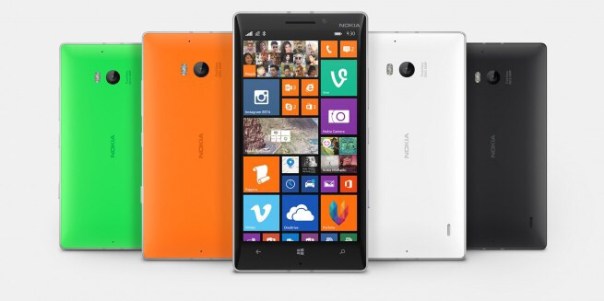
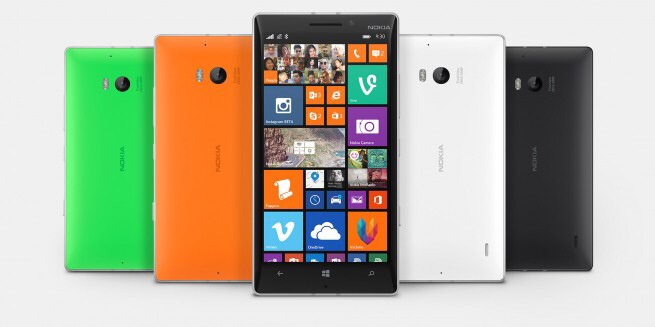
Nokia Lumia 930 arriving in 9 days – full specs and info

20140707-195358-71638279.jpg

Lumia 930 will be available in the UK from 17th July incorporating the latest Microsoft 8.1 software and Lumia services.

It has a crystal clear 5-inch OLED display and the device uses PureBlack screen technology. Equipped with a high capacity 2420 mAh battery and built-in wireless charging.

The camera has a class-leading 20MP PureView camera with optical image stabilisation and high quality ZEISS optics ensures that capturing and reliving amazing images and videos is quick and easy.

The enhanced Nokia Camera app with Living Images makes it easy to add movement and emotion to static pictures and the addition of other free imaging apps such as Nokia Storyteller, Nokia Creative Studio and Nokia Refocus lets you bring even more levels of creativity to any picture.
With four high-performance microphones and Rich Recording, the Lumia 930 captures HD video like never before, with incredible directional audio and support for 5:1 surround sound capture and playback.

A 2.2 GHz Qualcomm Snapdragon 800 quad-core processor ensures that experiences such as Xbox gaming, image capturing and video processing, are faster, smoother and richer than ever before.

SensorCore technology brings low power motion sensing, helping you track your activities all day long with minimal power use – perfect for apps such as Bing Health and Fitness and external wearable monitors.

Integrated features including single swipe notifications in the Action Centre, the new Microsoft Enterprise feature pack, Microsoft Office, OneDrive, Nokia Camera, and HERE Maps and Drive+, all work seamlessly to make the Lumia 930 a great tool for productivity, work and play.

Wireless charging functionality together with a wireless charger will come as standard in the sales pack of the Lumia 930. In addition, Microsoft will run an exciting promotional offer – from the 17th until the 31st July all Lumia 930’s purchased from participating retailers will include a free additional wireless charger, the outstanding MD-12 speaker plus a voucher for £20 of free apps from the Windows store. Altogether, this promotional offer is worth around £130 RRP.

The Lumia 930 will go on sale with UK retailers from the 17th of July and will be available from Vodafone, EE, Phones4U, O2, Carphone Warehouse, Tesco and Amazon. It will also be widely available across other UK High Street and online retailers such as Clove Technology in a range of vibrant colours including bright orange, bright green and black. Phones4U will stock the Lumia 930 exclusively in white.

Tech specs summary:-

– Lumia 930 Operating System – Windows Phone 8.1
– HERE location services -Free global HERE Maps and HERE Drive+;Free HERE Transit available in the Store
– Display – 5” Full HD OLED, 1920×1080; 441ppi; 16:9; Sculpted Gorilla Glass 3; 3 column home screen, Sunlight Readability, Super Sensitive Touch for glove and nail usage
– Battery 2420 mAh battery, integrated wireless charging
– Processor – 2.2 GHz quad-core Qualcomm Snapdragon 800 processor
– Main Camera – PureView 20 MP with Optical Image Stabilization, Resolution: 1920×1080. Includes Nokia Camera. Dual LED flash, ZEISS optics
Front Facing Camera, HD 1.2 MP wide angle
– Memory – 2 GB RAM, 32 GB internal memory; 7 GB free OneDrive cloud storage
Episode 18 – Gav & Dave’s Tech Podcast is live – Please RT

As you know, I co-host a weekly podcast with David from UKMobileTech called Gav & Dave’s Tech Podcast. It is a light hearted tech podcast broadcast bi-weekly. To subscribe click here for iTunes or copy and paste this link into your favourite podcast app.

Episode 18, is now live for your listening pleasure. Time travel included.

Microsoft drops its OneDrive Cloud storage to match Apple and others

OneDrive offers free 7GB of storage. This storage is accessible via the OneDrive apps on iOS, Android, Windows, and on the web, and much like Dropbox and the upcoming iCloud Drive,

Now, the storage space is increasing from 7GB to 15GB. Microsoft says it is making the switch to 15GB now that people store more files in the cloud and now that images and videos taken on smartphones consume much more space.

With the Office 365 storage side, its moving from 20GB of storage to 1TB of storage per user. This 1TB tier costs the same $6.99 per month for an individual user or $9.99 for a 5 person family plan (which still provides 1TB per family member).

Or if you do not want an Office 365 subscription you can now add on additional storage to a OneDrive account in increments of 100GB or 200GB. 100GB is $1.99/month and 200GB is $3.99/month. The change here is price decreases: 100GB used to cost $7.49 per month and 200GB previously was $11.49 each month.

PhotoSync app – awesome app for wireless photo transfers – read on

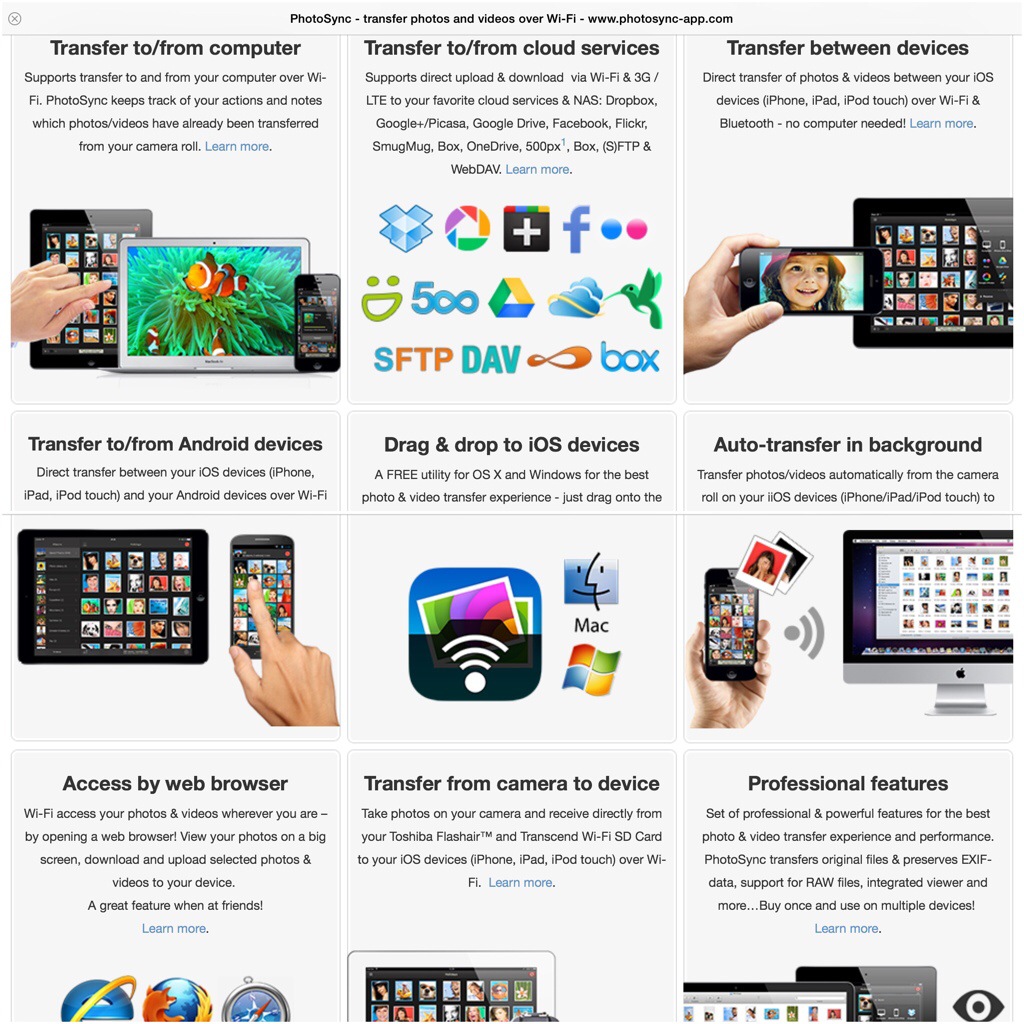
PhotoSync is an app that really everyone should own. It is so well designed with so many features and works exactly as advertised.

20140622-093049-34249887.jpg

So what does it do? Depending on what devices you have you install the respective mobile app. So if you own an android phone or tablet, head over to the Google Play store. If you own an iPhone or iPad head over to the Apple App Store. The iOS version costs £1.99. The android version is free with in app purchase of £0.99 to remove the banner ad. There is even a version for Kindle. If you own a mac there is a free companion app on the Apple Mac App Store. The same applies if you have a Windows PC. So once you have installed the software on your respective machines it now is as simple as ABC.

20140622-093610-34570080.jpg

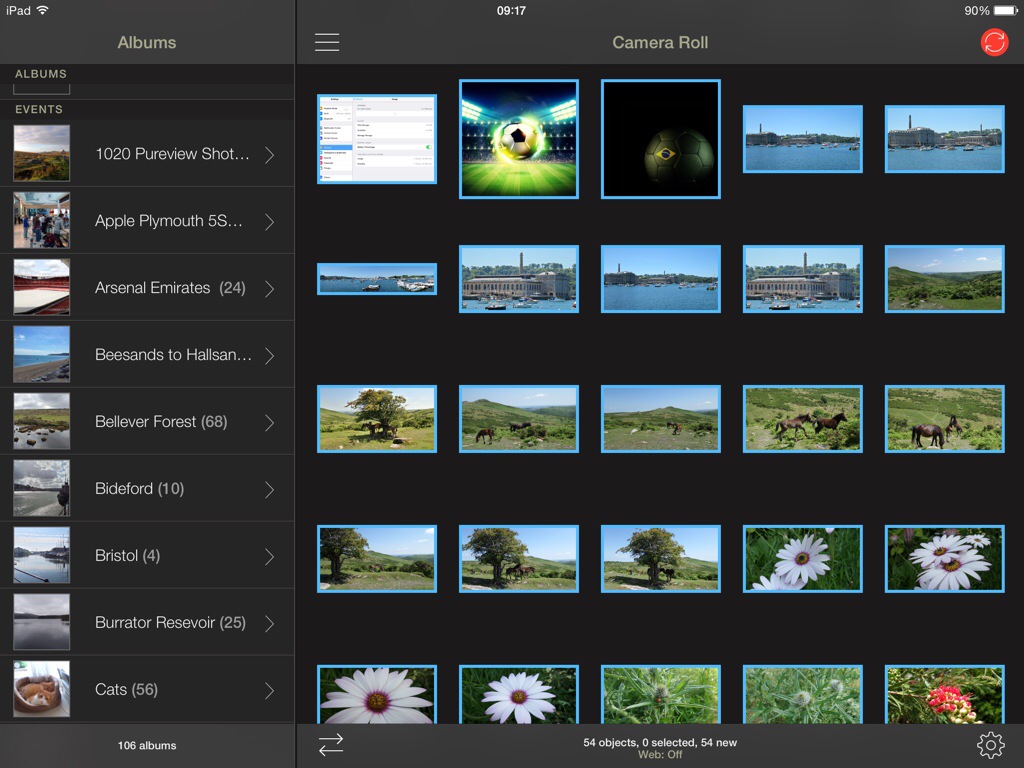
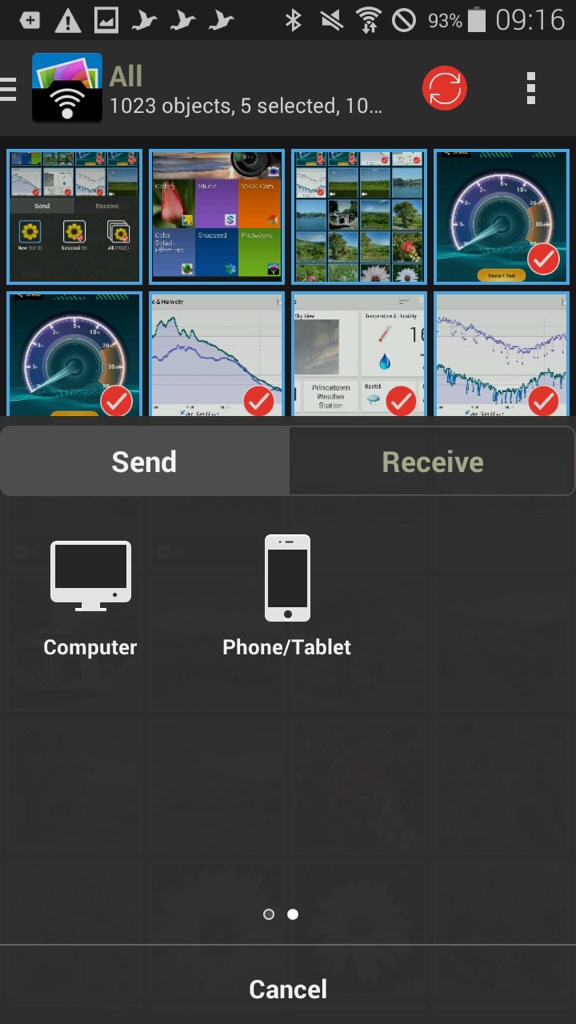
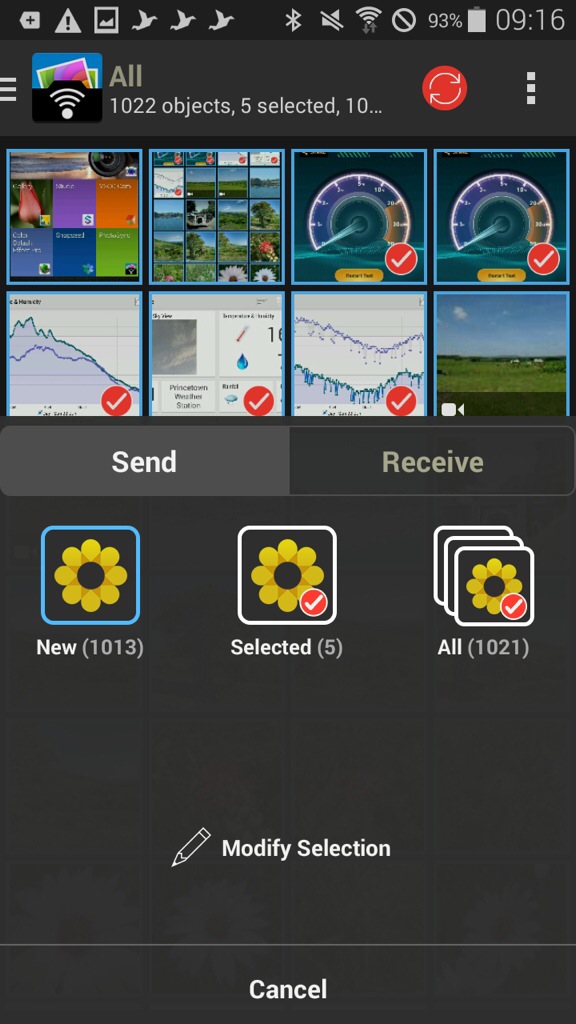
As an example, I have opened the app on my Samsung K Zoom and selected 4 photos. You can tap to select which ones you want to send, or press and hold to select a range. You can view your photos by all or albums on the K Zoom. Now open the iPad app.

20140622-093820-34700081.jpg

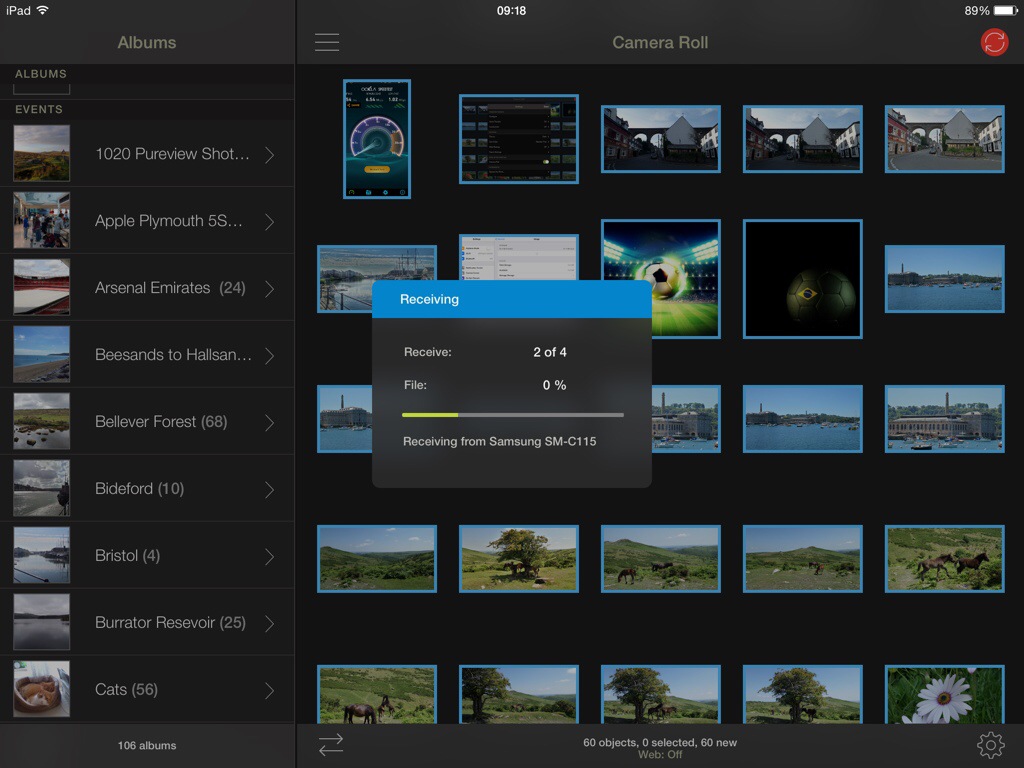
Now, tap the red sync icon top right on the K Zoom, confirm your selection and as quick as ABC the photos are sent on to the iPad.

20140622-094001-34801979.jpg

20140622-094002-34802395.jpg

20140622-094001-34801843.jpg

20140622-094002-34802125.jpg

So what the above screen shots show is the process of moving 4 photos I selected from my android phone to my iPad. The order is slightly wrong, but I’m sure you can fathom out the correct order of the screen shots 😉 But you could move the photos, or receive, between any combination. What is also clever is that you can send the photos from say my Samsung Galaxy K Zoom to my mac. The photos can either go to a folder chosen by yourself, or end up directly in iPhoto or Aperture. Neat touch. And because it’s using wifi you can be downstairs and send the photos to your mac which can be located in another room.

Within the app, the options and settings are extensive. You have the option of using a web browser, personal hotspot, drag and drop, creating new albums, the app remembers which photos have already been transferred, raw photos also supported as well as video , meta data left intact, size of photo left untouched, transfer speeds of up to 5mb/sec and much more.

The iOS app version has been around for longer so adds so extra functionality allowing transfer to and from cloud services like Dropbox, Flickr. Google+, Picasa, Facebook, SmugMug, Zenfolio, Box, 500px, OneDrive, Google Drive and Sugarsync. Backing up videos and photos over (S)FTP or WebDAV to NAS, mobile storage, or remote server. You can also use 3G or LTE. And even more features.

At the end of the day, the app just works really well and being cross platform is such a bonus. Highly recommended.

Gaming as it should be – an era without in app purchases – FSC N560 GPS/Windows

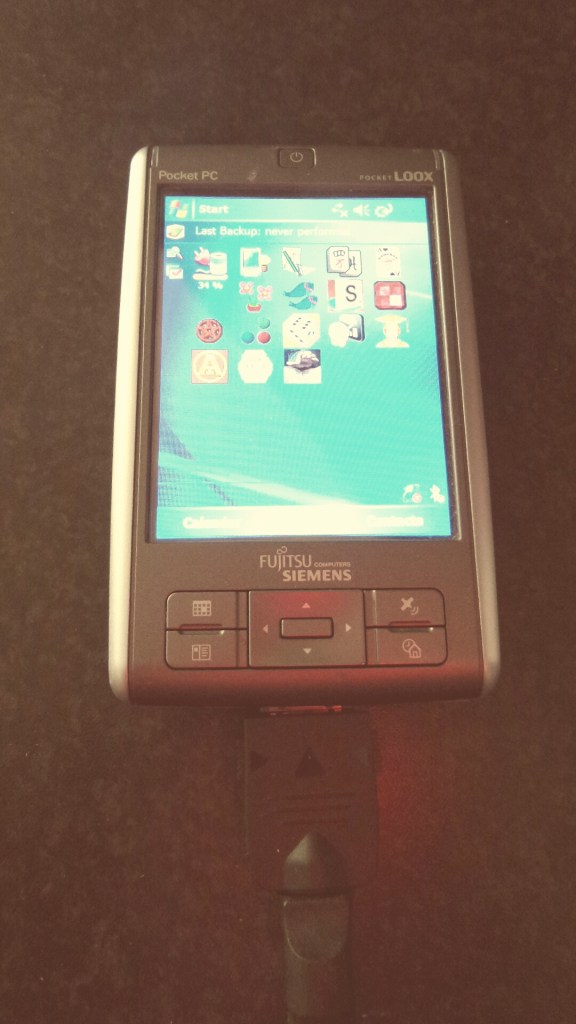
2014-06-21 09.20.43

The Fujitsu Siemens Pocket Loox N560 GPS was a PDA ahead of its years in 2006-7. It is the only old device I have ever kept, and it still works as well as it did from the day I bought it.

The only change is I have an extended battery fitted, as the standard battery only had a run time of 3 hours.

So lets recap some of the critical specs. It runs Windows Mobile 5. Its screen is 3.5 inches at 640 x 480. Weighs 160g. Has GPS. USB Host. And has a micro sd card slot. But wait, the internal memory is a whopping 128mb, not gb, but mb. How did we survive back in 2006 with such low memory! It also has an infra red blaster, great for controlling TV’s and more.

So I counted and have circa 80 apps installed, most of which are games. Now whilst the graphics have shot forward in 8 years, there is one aspect I like about playing games on this device – I am not bombarded with coins, or extras to constantly buy, or upgrades needed to continue forward in the game. In fact, some of the games that are now available on iOS or android are actually miles better on this 8 year old PDA. An example is Plant Tycoon. Also games seem to have more depth than some of the modern equivalents. (I am omitting the fact that newer games of today will have much better graphics)

Plant Tycoon mentioned above is an example of an old classic ruined when it came to iOS as a freemium app. The developers are really greedy as well. Basically you have to pay to play. Each time you start a new game you lose everything bought and you have to pay to play again. In 2006, I bought Plant Tycoon. I’ve played it constantly on and off and never had to reach for my wallet. And 8 years later, I am still playing it.

Sometimes, technology advances are fantastic. Other times they are prohibited and obstructive.

Gav & Dave’s Tech Podcast is live – Episode 17 Mid Year Special – Please RT

As you know, I co-host a weekly podcast with David from UKMobileTech called Gav & Dave’s Tech Podcast. It is a light hearted tech podcast broadcast bi-weekly. To subscribe click here for iTunes or copy and paste this link into your favourite podcast app.

Episode 17, our mid year special, is now live for your listening pleasure.