Category Archives: Wearables

Samsung Galaxy Gear – 5 Part Master Review

Below is links to all the review posts on the Samsung Galaxy Gear.
wpid-2014-01-14-13.17.16.jpg

Samsung Galaxy Gear review

Part 1 – Samsung Galaxy Gear camera samples – https://gavinsgadgets.com/2014/01/16/samsung-galaxy-gear-camera-samples/

Part 2 – https://gavinsgadgets.com/2014/01/16/samsung-galaxy-gear-review-impressions/

Part 3 – https://gavinsgadgets.com/2014/01/23/samsung-galaxy-gear-review-update/

Part 4 – https://gavinsgadgets.com/2014/02/05/samsung-galaxy-gear-if-only/

Misc Review Posts

Home Entertainment Setup with Gear – https://gavinsgadgets.com/2014/02/05/samsung-note-3-galaxy-gear-and-fiio-e18-portable-usb-dacamp-home-entertainment/

Samsung Gear S – Smartwatch that makes calls – Master 9 Part Review

IMG_1230

I have written many posts on the Samsung Gear S smart watch. Below are all the links to the review posts. With the Gear S review I also included my thoughts in a few joint posts with my daily usage with the Note 4.

Part 1. https://gavinsgadgets.wordpress.com/2014/11/07/samsung-gear-s-first-looks-at-samsungs-watch-that-makes-calls/

Part 2. https://gavinsgadgets.wordpress.com/2014/11/08/samsung-gear-s-smartwatch-first-impressions-part-2/

Part 3. https://gavinsgadgets.wordpress.com/2014/11/10/samsung-gear-s-thoughts-from-the-weekend/

Part 4. https://gavinsgadgets.wordpress.com/2014/11/11/living-the-samsung-dream-note-4-gear-s-and-samsung-notepro-12-2-tablet/

Part 5. https://gavinsgadgets.wordpress.com/2014/11/12/living-the-samsung-dream-note-4-gear-s-and-samsung-notepro-12-2-tablet-2/

Part 6. https://gavinsgadgets.wordpress.com/2014/11/13/living-the-samsung-nightmare-note-4-gear-s-and-notepro-12-2/

Part 7. https://gavinsgadgets.wordpress.com/2014/11/14/living-the-dream-samsung-note-4-gear-s-and-note-pro-12-2/

Part 8. https://gavinsgadgets.wordpress.com/2014/11/19/samsung-gear-s-review-final-conclusion/

Misc Posts on the Gear S –

Views from the Wider World – https://gavinsgadgets.wordpress.com/2014/11/17/samsung-gear-s-note-4-iphone-6-plus-views-from-the-wider-world/

The Samsung Gear S is available from Amazon <a href="Samsung SM-R7500ZKADBT Gear Smart Watch – Black
“>Samsung SM-R7500ZKADBT Gear Smart Watch – Black

Samsung Gear S – review final conclusion

image

Today I am going to advise you of my final thoughts on the Gear S, and my views versus the competition, Pebble and Android Wear.

Firstly, I know of many people who will be quick to dismiss the Gear S. It’s running a proprietary operating system, Tizen and the watch will only work if you have a Samsung smartphone to initially set it up. Well put those negatives thoughts to one side for a minute. Can any of you see Apple making its Apple Watch compatible on anything but an iPhone? No, nor can I. I can hear the next throwback question. What about apps? Pebble, Android Wear and when the Apple Watch launches all will have a vast app selection. And that’s a valid point to a point. They all have a much better (or will) app eco system. Does it really matter though. Yes and no.

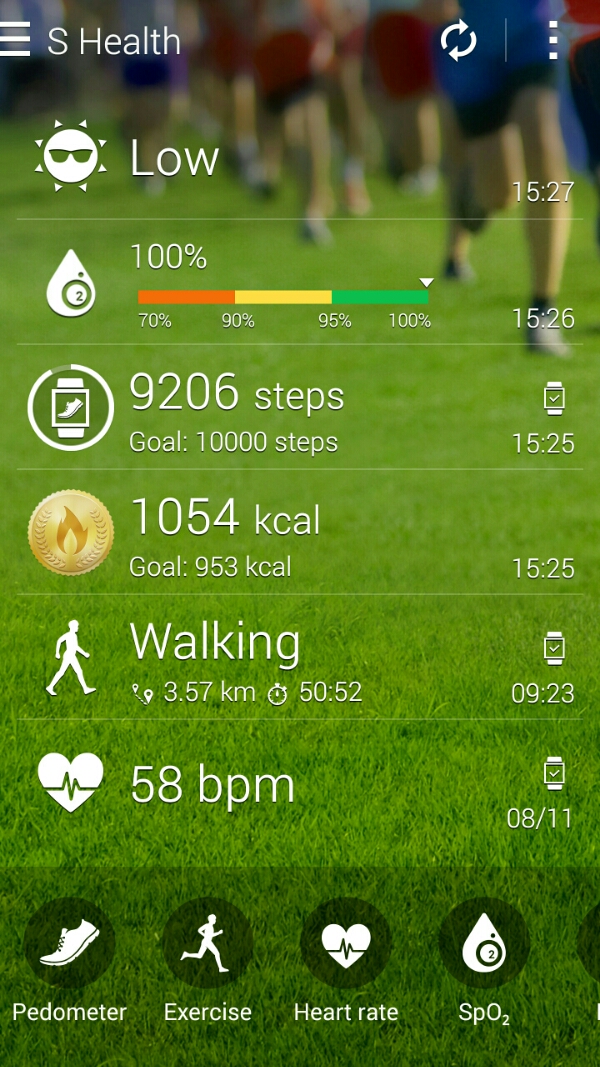
The Gear S is a finished product. It does exactly what it says on the tin. IMO it looks fantastic and futuristic. So that should count for everything surely. Maybe? Well, it is the only watch, let alone smartwatch that I can wear 24/7. It is so comfortable. It also has 2 days worth of battery life, and it’s own sim card, bluetooth, wifi and more. Yep, heart rate sensor, UV sensor, HERE Navigation with the maps pre download and saved on the phone (I have the whole of map of England stored on the Gear S), S Health data, on board music player (so at gym with bluetooth stereo headset you could use the Gear S to listen to music without the need for your Note 4) or music controller for your Phone, apps (phone, contacts, messages, email, schedule, settings, navigator , S Health, Nike+ Running, Music Player, News Briefing, Weather, S Voice, Alarm, Gallery, Find My Device, Timer , Compass, Opera Mini , Find My Car, Stopwatch, Voice Memo, Calculator ). Below is the screen shot from the Note 4 with data retrieved from the Gear S.

As an example of its polish, in sleep mode, the watch goes into do not disturb mode and the screen does not light up during the night unless you press the home button.
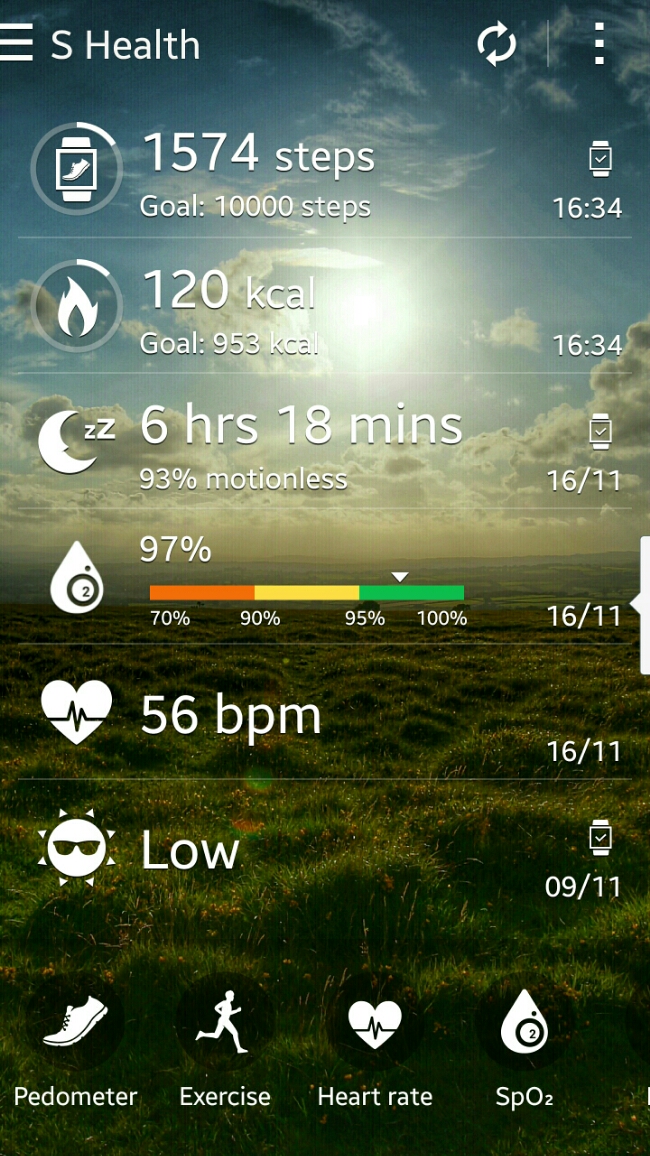
image

It is one of the few smart watches that once setup doesn’t need a companion phone to make calls, send texts or emails. You can even browse the Web using Opera Mini. Or if you have a BMW there is an app that works with the car. I’ve not tested it as I don’t drive one. I really like the way the Gear S disconnects the bluetooth if you leave your Samsung phone at home , then sends a signal to the Samsung Phone that turns on call forwarding and also forwards any notifications from your phone to the watch, all remotely. As another example of its polish, remote connection won’t get triggered if the Gear S is not on your wrist. And being able to make phone calls independently is a unique aspect of this device. As it has wifi too, you can use that for data related tasks. Lastly, the 2 inch screen is 300ppi. That makes reading all notifications simple and clear. In fact let’s not forget the iPhone 6 is only 326ppi. One last point, the on screen keyboard or S Voice both work well. I also like the fact that all the notifications are one swipe to the right, in a neat list. You can read them individually and the respective notification is cleared off the phone. All just clear all and again they are removed from the Note 4 as read. Another bonus with the Gear S is the charging cradle is a battery pack, so you could carry this with you on a longer trip and use the cradle to recharge the Gear S.

One issue with S Health is the lack of exporting the data properly out of the Samsung S Health app. It really needs a Web portal. I had setup S Health months ago on my Samsung S5 and when I entered my login details on the Note 4 my information was transferred across. If Samsung opened up S Health, created a web portal, then it would have more value. There are a number of partner apps that work with the Gear S. These include Instructor Live, Nike+ Running, Mapmyrun, Cigna Coach, Workout Trainer, Lark Activity Monitor and Your MD Sympton Checker. Apart from a range of clock faces available in the Samsung Gear App store other notable apps include Deezer, Top Driver (game), Phone Camera Remote, London Underground, Endomondo Sports Tracker, Samsung Wallet, Glympse, Engadget for Gear S, Financial Times, BMW i Remote Gear, Metro (major cities tube maps and planning). The Gear S is brand new so hopefully there will be better apps in the future but in reality you won’t be buying the Gear S to add hundreds of apps.

So welcome to the Gear S paradise. Well hold on, let’s add some reality. The Gear S does do a lot. It’s a great health and fitness device, a phone but with notifications it is not as strong as say android wear. On the Gear S you can only respond/create to emails and text messages. Android Wear apps include support for replying to WhatsApp messages, tweets or even tweeting from the watch. Also, the developer support for android wear and even Pebble is off the charts already. I cannot see the Gear S getting to that point. In fact, it could be a redundant operating system in a few years time. Does that matter? Depends what you want out of your watch. For me the comfort, S Health app, fitness, looks and communications versatility make it a win for now, but I do slightly worry about its longevity. Maybe, Samsung may switch the operating system to android wear in a future update? Wearables is a fast moving platform in terms of software and hardware. It is far from the finished article and it is moving fast, so whatever device you buy will be out of date rapidly. For me, the Gear S is just what I need. I don’t need to fill it with apps as it does nearly everything I need except for the ability to respond to WhatsApp messages and Tweet.
Touchscreen Gloves – review

It’s that time of year when winter fast approaches. In fact, some parts of the world have already had snow. And it’s also that time of the year that you might be wearing gloves. And how annoying is it with a touchscreen phone to keep having to have to take off your gloves to operate your phone. Some phones have a mode that increases the screen sensitivity like the Note 4, so you can operate the screen with your gloves on,  but in that mode battery is draining slightly faster. There is a solution. You can buy gloves that work natively with your touch screen devices.

A company called Touchscreen Gloves got in touch with me to explain about their own range of gloves. Touchscreen Gloves is a family run UK company offering a range of gloves.

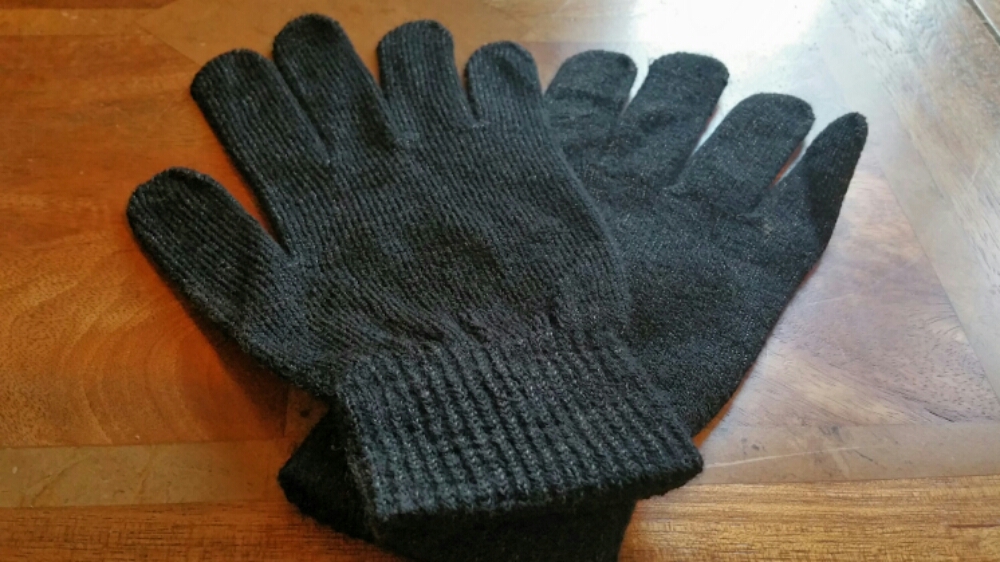
I was sent two styles of gloves, the classic version and their new grip style. Let’s look firstly at the classic.

image

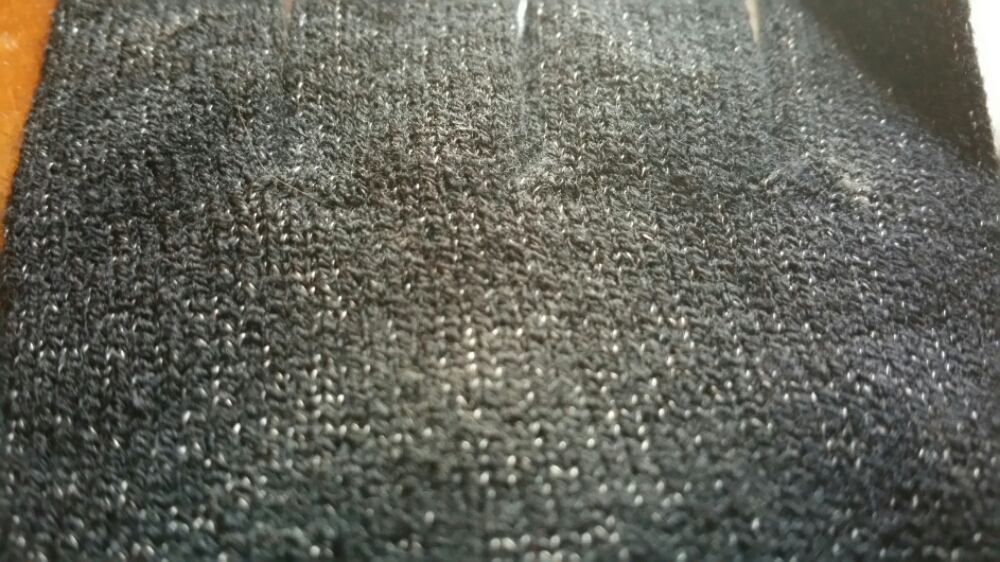
The Classic style feature special conductive thread (made from real silver) in all 10 fingers of both hands, giving you the freedom to text, pinch and swipe using any finger (or thumb) without taking your gloves off. The conductive material in these TouchAbility gloves is barely visible as it is interwoven between the regular threads. They are made of a soft and warm melange material for comfort and stretch. Available in camel, charcoal and grey colour, and 2 sizes – medium and large. The label of the gloves reveals the content as acrylic 61%, spandex 8%, pvc dots 23%, elastic 4% and conductive yarn 4%. The gloves are surprisingly thin and operated all my tablets and phones perfectly. Close up shot of the glove below.
image

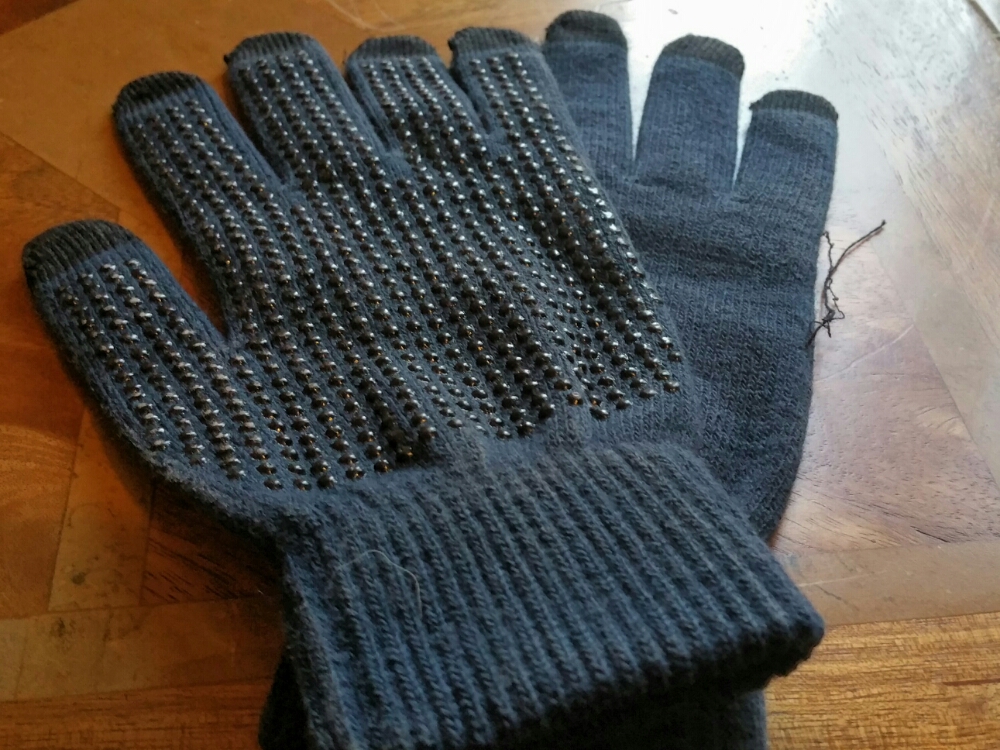
If you want a glove with more grip than the classic glove, Touchscreen Gloves have just launched their new Grip range. I got a sample from the very first batch. Unfortunately, it had a few issues with lose threads appearing.
image

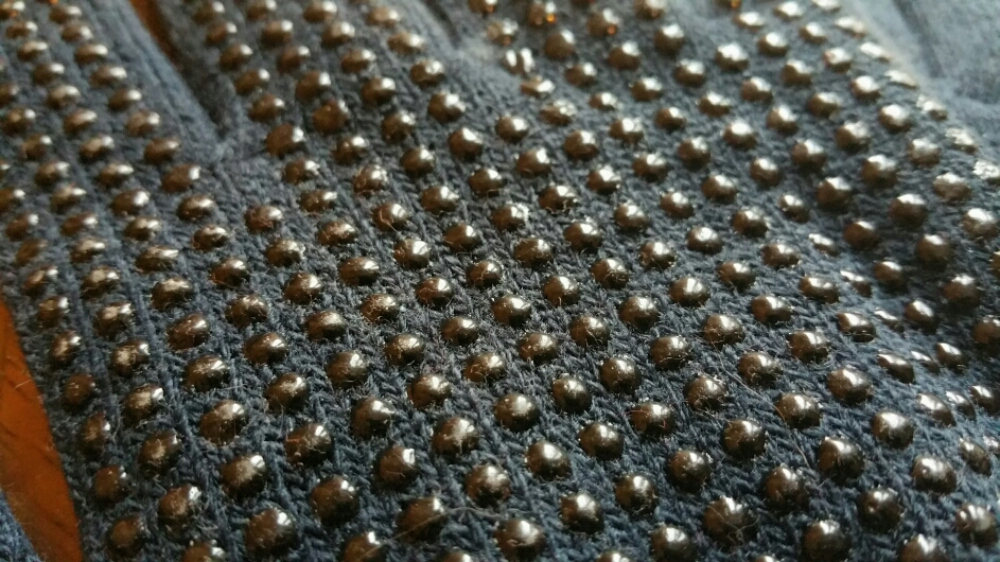
I have been informed this is being rectified. The Grip style offer integrated palm grips to help you keep hold of your mobile device without worrying about it slipping out of your gloved hands. Close up of glove.
image

The Grip gloves feature conductive tips in all 5 fingers of each hand, and are 50% thicker than most knitted gloves to provide extra warmth in even the coldest weather. They also feature non-slip PVC dots on the palms for added grip, and a soft and luxurious inner knapping for enhanced comfort. The touch sensitive tips are black, so are barely visible on the black and navy blue gloves, and provide a unique and stylish contrasting colour on the red gloves. Available in 3 colours black, red and navy blue, and 3 sizes. The label reveals that the glove is made of acrylic 75%, silver yarn 12%, spandex 10% and elastic 3%.

As the Classic and Grip gloves are Touchscreen Gloves own manufactured range of gloves, they are also priced reasonably too. The Classic are £12.99 and Grip £9.99. However, if you use the discount code “GAV10” you will get 10% off. The code expires 31st December 2014, and should be entered at checkout. Just in case you’re wondering I do not earn a penny from any sales. This is just a benefit/saving for you if you order a pair of Touchscreen Gloves.

Samsung Gear S – thoughts from the weekend plus info on how the Gear S works remotely

First up the Gear S is very comfortable to wear. Second battery life is good enough for nearly 2 days or at least one full day. As I mentioned there is the cradle that acts as a portable  battery pack to recharge the Gear S.

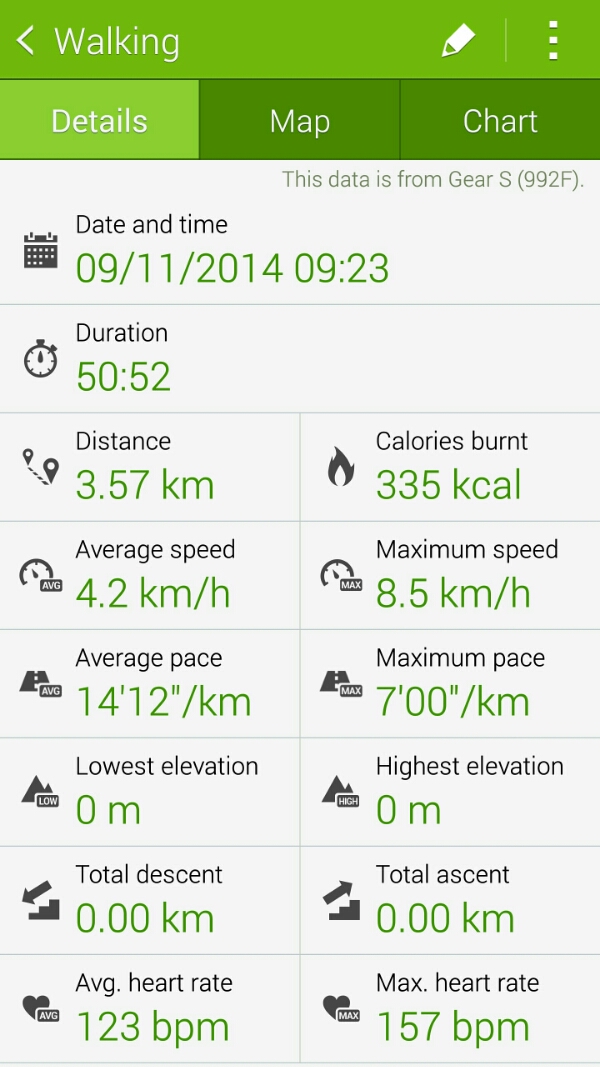
So I set off walking for nearly an hour and told the Gear S I was walking. As I walked my heart rate was visible when I checked along with other information like time taken and calories. As I haven’t got a micro sim for the Note 4 it wasn’t able to track my GPS movements. So this is what my results from the walk produced back on the Note 4. I need to establish if I need a certain setup with the Gear S.

image

This is then included in my S Health main page as below.

image

It’s 4pm on Sunday as I type this. The Gear S battery is at 75%.

I still think the cradle is a nightmare to remove versus other options but I do believe from what I’ve seen the Gear S is more accomplished than one thinks. 

Just going back to the Note 4 sim and Gear S nano sim. This is what I understand so far.

You leave your house without your Note 4. The Gear S will disconnect its bluetooth connection to the Note 4. After a few minutes the Gear S does the following –

– It connects to the mobile network using its own nano sim
– It also sends a signal back to the Note 4 which initiates call forwarding and also sends all the notifications received on the Note 4 directly to the Gear S.

All this is achieved by signing into your Samsung account to get the remote access working.

Now if this happens correctly then that is very clever.

Episode 27 – Gav & Dave’s Tech Podcast is live – Please RT – All the latest tech discussed

As you know, I co-host a bi-weekly podcast with David from UKMobileTech called Gav & Dave’s Tech Podcast. It is a light hearted tech podcast broadcast bi-weekly. To subscribe click here for iTunes or copy and paste this link into your favourite podcast app.

Episode 27 is now live for your listening pleasure. Today we discuss the new Samsung Gear S, the Note 4, Note Pro and much much more.

If you have enjoyed the podcast, please leave a 5 star review in iTunes. It helps others find our podcast. Go now and leave a review !

If you have any comments, questions or feedback, please drop a line at feedback@gdtpodcast.com .

Samsung Gear S – Smartwatch – First impressions part 2

IMG_1231

IMG_1244

These are my first day observations with the Samsung Gear S.

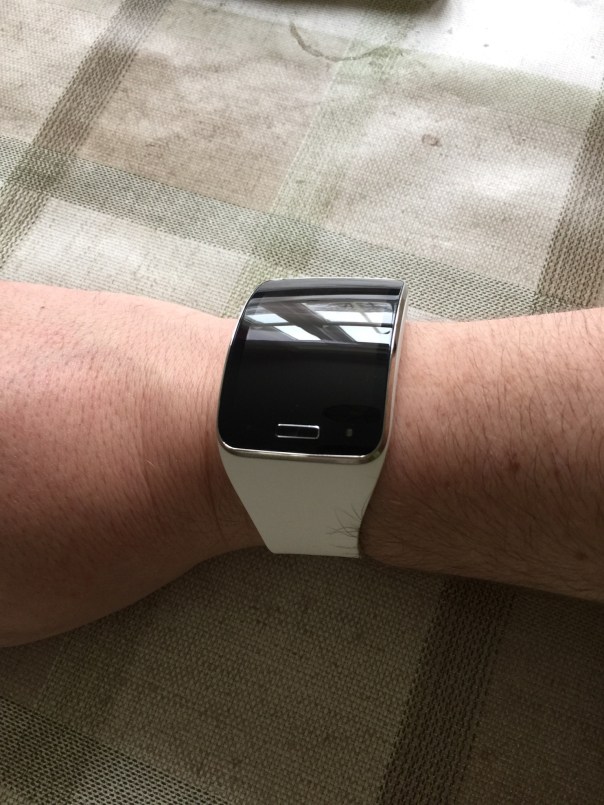
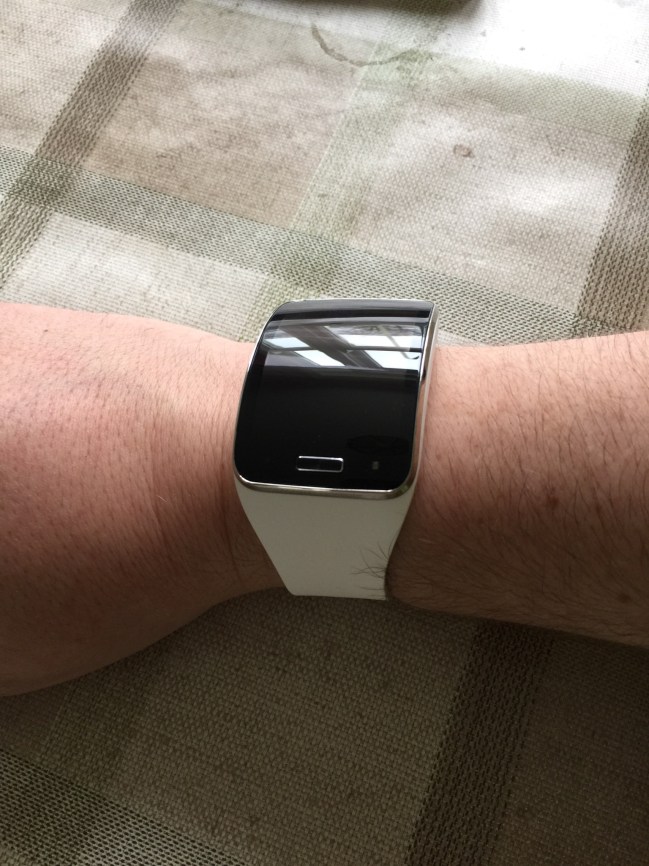
Out of the box I loved the bold and size of the Gear S. Mark my words it is massive, really massive but I personally think that is a selling point and style point alone which I really like.

I have set up the Gear S with my Note 4 and tested most of the functions. I am pleased to report the battery ended day 1 at 44%. The battery cradle also acts as a power pack so if you are away for a couple of days you can snap on the cradle and it will charge the Gear S. However, compared to the LG G Watch, the battery cradle is a PITA to attach and detach. The LG G Watch has a magnetic base that just pinged together as easy as ABC with its magnets.

The curve of the Gear S is lovely. The screen is responsive and all the functions work as advertised. I inserted a nano sim and made a few phone calls without using the Note 4. First up, the loudspeaker of the Gear S is not loud enough for my ears, so a bluetooth headset will be needed.

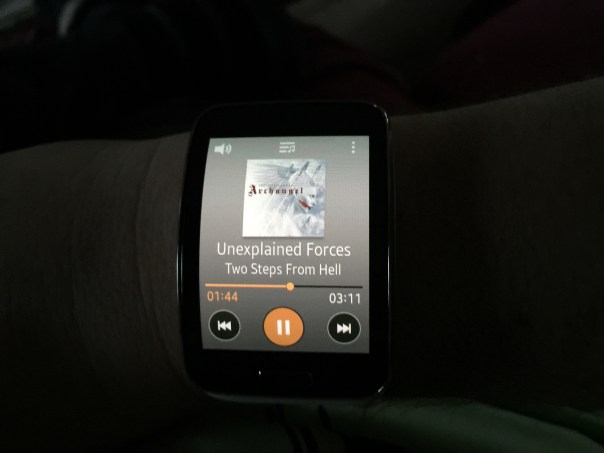
I wanted to test the in built music player so I moved my music across from the Note 4 to the watch using the Gear Manager on the Note 4. This process is done via bluetooth and take ages. Next problem is the music quality is just average via bluetooth headphones. In my mind it is not really worth the aggravation of using the Gear S as an mp3 player unless you really wanted to. S Voice worked fine. Notifications seem to work fine, but only after the second software update. Before that I don’t think I was getting any notifications.

Clock faces. There are some great clock faces, but in my mind not enough decent ones to choose from. I wish it was possible to change the background colour on some of these. I need to explore the situation of the nano sim and micro sim of the Note 4. Apparently, according to Carphone Warehouse it is possible to get a duplicate sim with your same number for the watch.

As I have owned the original Gear, Gear 2 and Gear Fit the Gear S held no surprises. It all worked as advertised.

More next week plus my thoughts on the Gear S and Note 4 combination and whether these devices are worth their mustard. Plus my views versus smart watches like Pebble and LG G Watch which I have both owned.

Samsung Gear S – First looks at Samsung’s Watch that makes calls

IMG_1230.JPG

IMG_1231.JPG

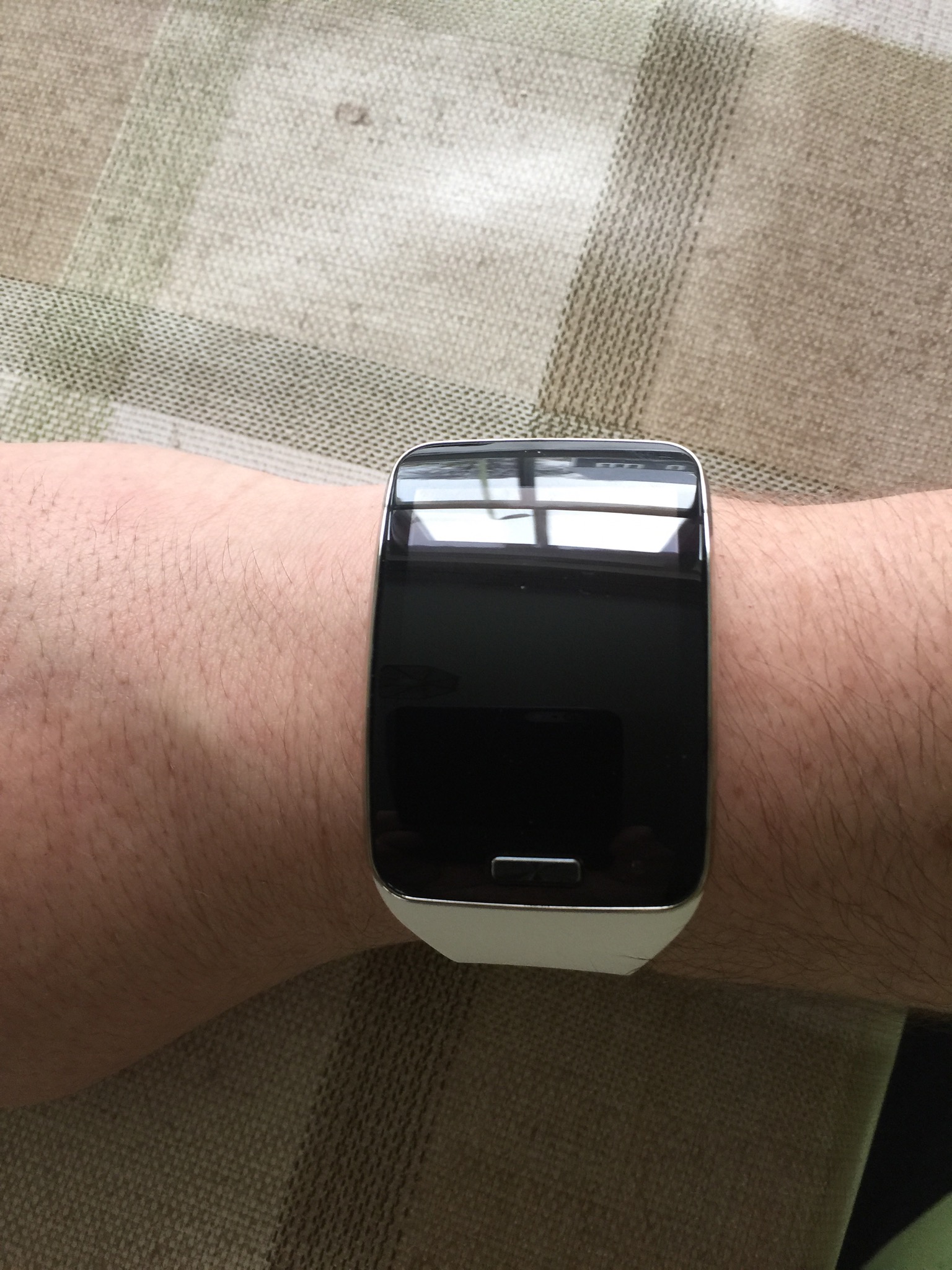
So the Gear S has arrived. It is being charged now along with the Note 4 before I have a play. My first impressions of the Gear S is wow. I love the monstrous size. My wife burst out laughing. Said it looked like a prison tag and asked when my visiting hours were up.

So what do you think?

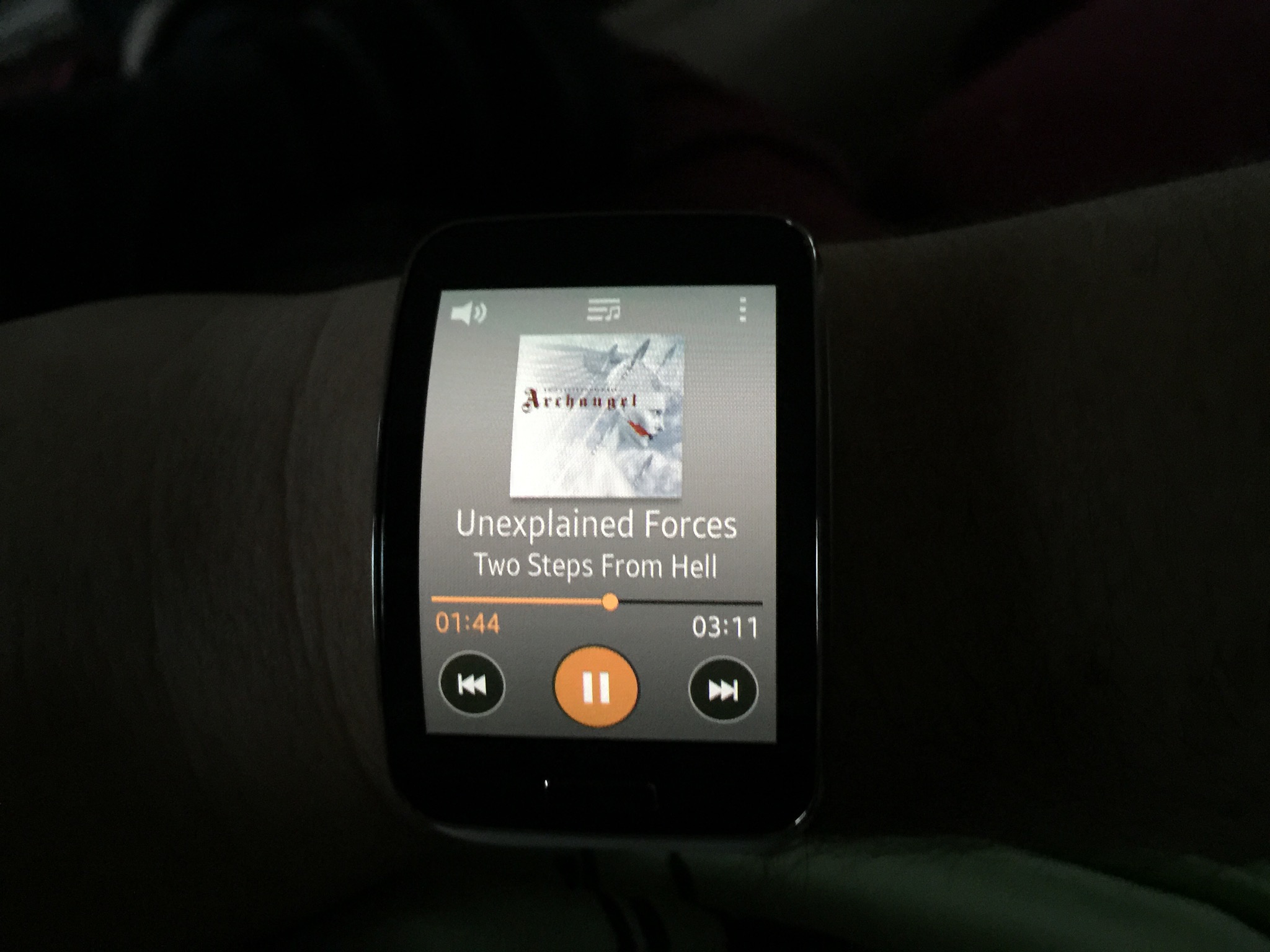
Screen showing the Gear S playing music with Bluetooth stereo headphones.

IMG_1244.JPG

Jawbone announces the UP3 – A Smart Wearable Band with loads of sensors

up3

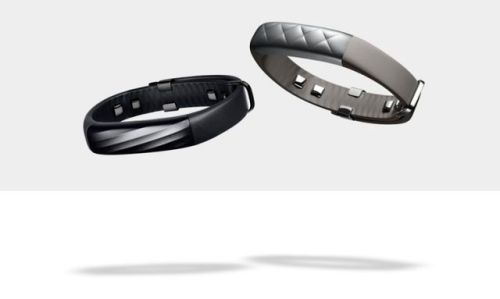
Jawbone has announced it new smart band, the UP3. It comes packed with a host of new sensors including –

1) Bioimpedance sensors which enables the UP3 can use a slight electrical current to obtain lots of data on your body from your heart rate to when you wake up. The sensors monitor Heart rate,Respiration,
Galvanic Skin Response (GSR), Skin temperature and Ambient Temperature.

2) A tri-axis accelerometer which lets the device intelligently guess and graph when you’re doing things like running, playing tennis, or hiking

3) The previous UP bands tracked sleep and noted how much of your sleep was light sleep vs deep sleep. By combining the aforementioned bio/accelerometer sensors, the UP3 can now graph how much of your night was spent not just in deep sleep but in full-blown REM.

4) The UP3 is water resistance up to 10 meters. Made from Anodized Aluminum, TiN coated Stainless Steel, and TPU.

5) Jawbone UP3 battery life is 7 days per charge. Rechargeable Lithium-Ion Polymer, 38 mAh Battery
Charge time approximately 100 minutes via magnetic USB charging cable.Bluetooth® 4.0 BTLE.

6) Price starting from $180 or £149.99 and available later this year. Black at launch and other colours in 2015.

I have to say, if this band does what it says on the tin, this is something I would love to use.

Source – http://jawbone.com/store/buy/up3