Category Archives: Tech News

Belkin WeMo Smart Light Bulb starter kit – review

image

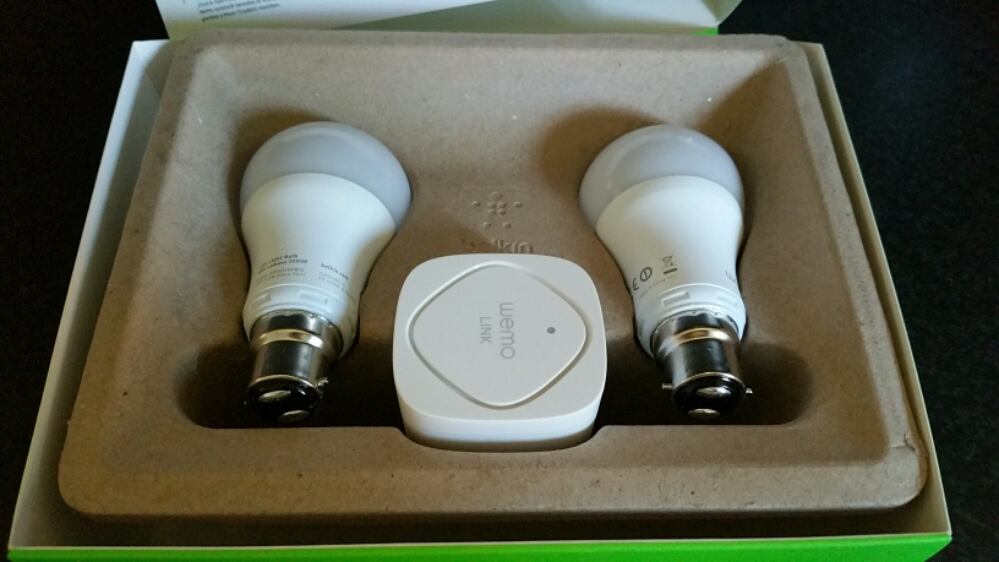
The Belkin WeMo Smart Light Bulb starter kit arrived several days ago. Opening the box reveals 2 light bulbs and a wireless module. See below.
image

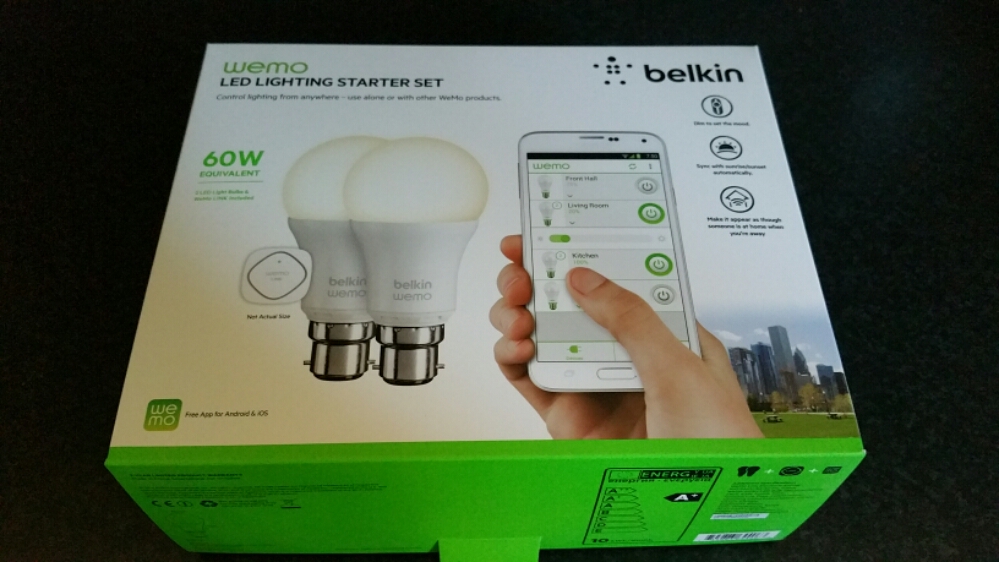
As you can see a fairly minimalistic box. Belkin promote the wireless kit as follows –

– WeMo LED Lighting Starter Set includes 2 x WeMo Smart LED Light Bulbs (B22) and 1 x WeMo Link
– Connect up to 50 WeMo Smart LED Light Bulbs and control them individually or as a group.
– The set works with the entire family of WeMo products.
– Modular system. You can add additional WeMo LED Light Bulbs easily, any time
– Turn lights on, off, dim or create custom schedules.
– Simply plug WeMo Link into a central outlet in your home, replace your old light bulb with a WeMo LED bulb, and download the free WeMo app to any smartphone or tablet
– WeMo keeps you connected to your home lighting anywhere you are over Wi-Fi, 3G, or 4G networks
– Bright, warm light similar to a 60W incandescent bulb. WeMo Smart LED Bulbs have a 23 year life expectancy

Setting up the system is a breeze. First take the WeMo Link and plug it into any electrical socket, preferably centrally situated in your home and where it can get 2 bars wifi strength from your router. Next replace your bulbs with the Belkin bulbs. I bought the Bayonet version but you can also got the screw style bulbs. Turn the light switches on. The Belkin  bulbs should turn on.  Now keep the bulbs on. Download the WeMo app. Go to your phone’s wifi settings and connect to the Belkin wifi network. A firmware update occurred. This took 5 mins. Next it asks you to select your router and enter its password. The setup completes including remote access over 3g/4G.
image

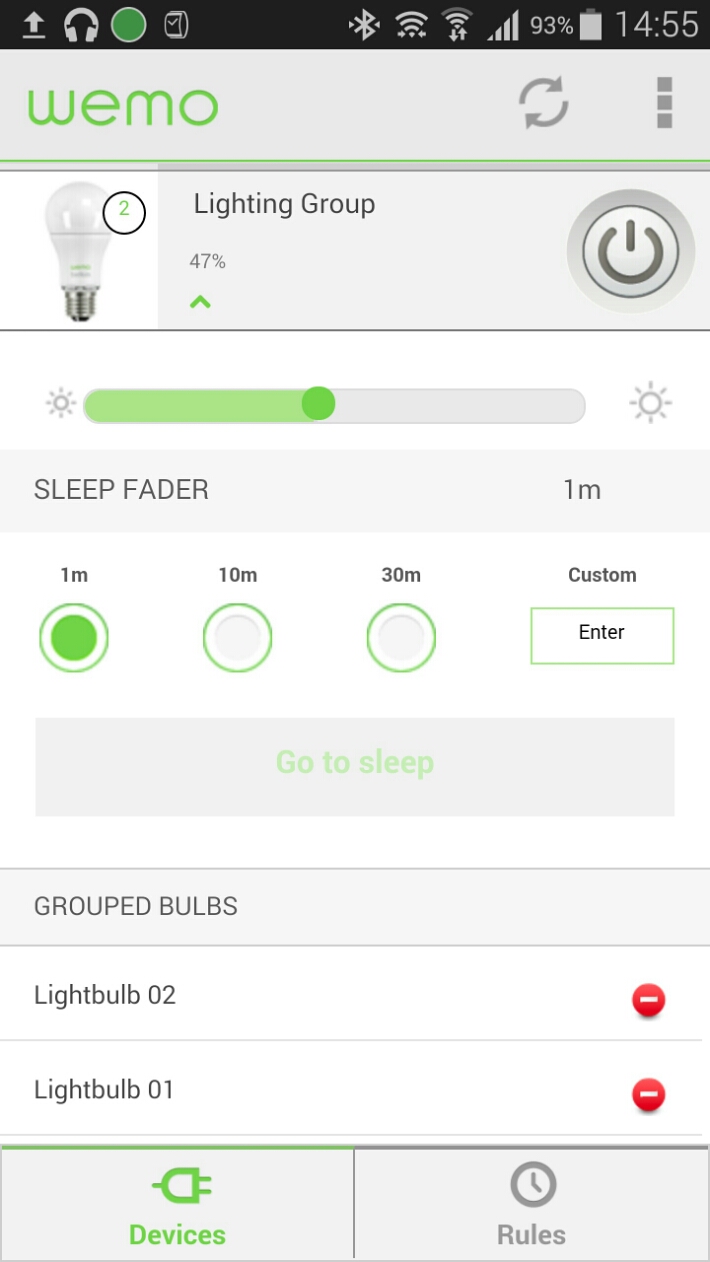
Once the setup is complete the light bulbs show separately.  In the edit device menu I just slid one over the other to join them as a group.  They are now controlled together. The basic menu gives you an on /  off button. Options include brightness and sleep timers. With the advanced settings you can creates rules as to when the lights come on and off eg sunset and sunrise.

The WeMo app also controls my other WeMo products too.

In use. I placed the WeMo Link upstairs and used both Belkin bulbs in the lounge. Now, I can’t walk in and just turn the lights on, I now have to open the app, wait a few seconds for it to register and then I have full access and control. Or so I thought. If your lights are off, if you use your normal light switches to turn them on, the Belkin bulbs will turn on at full brightness. If you turn them off with the wall light switches, you won’t be able to use the app to operate them until you turn the power back on from the wall light switch. So for ease. I find it easier to remember to turn them on from the wall light switch, sit down and then adjust the brightness or even use the app to switch them off if convenient. The great part is that you have a choice and don’t lose the convenience.

Everything works as advertised but is it worth the £80 and then £25 per bulb? If you like cutting edge, maybe, otherwise it’s expensive. It is worth noting that Belkin sell both bayonet and screw type bulbs fittings whereas Philips Hue light bulbs are screw type only. Another point, once you’ve setup the app on one device, installing the app on another one of your devices, you will find it is already setup for you.

IF you are interested in buying please use the following Amazon affiliate link. Every penny counts <a href="Belkin WeMo Smart Bayonet Fit B22 LED Light Bulb Starter Kit
“>Belkin WeMo Smart Bayonet Fit B22 LED Light Bulb Starter Kit

The 4th Emergency Service – Latest news from Three and EE

To recap on my 3 week lack of Three UK service click here. That post has been updated several times already.

So here we are days later and this is the current position. There is still no service or network or anything from Three UK. In the meantime, I have done the following –

– I spoke to Three UK in the UK. The Indian call centre transferred me immediately back to the UK to speak to someone who could help. Three have agreed to refund one month line rental on my two sim only contracts and credit my pay as you go sim with £10. Also arriving today in the post is the Three signal booster box. This was sent free on the proviso that if I do move to another network I have to return it.

-Many of you said just move to EE. Better service, better network coverage and faster Internet speeds. And from my research this should be the case. But to play it safe I ordered a pay as you go EE sim which arrived in the post today. I duly swapped sims only to find there was no service and no network showing with the EE sim. So I called EE customer services, which was easy to do, and did a proper check on the network and guess what, it was showing as out of action too.

So at the moment, it makes no difference to change networks, and if I had been with EE the problem would have been identical. If I stay now with Three, I in theory will have a good indoor signal, acceptable outdoor service and will be currently saving £10 per month in total versus the EE price plans.

If I move to EE, as mentioned above it will cost me with all 3 sims an extra £10 per month in total but I would get better coverage and faster mobile Internet speeds but a cap of Internet usage.

Update at 3pm – Three sent the signal booster box via dpd so it arrived today. It was so simple to set up. Just ethernet cable into existing router, plug in special sim card and power lead. Wait 10 minutes for it to set itself up and for the first time ever since living on Dartmoor I have more than one bar of reception indoors. In fact in the kitchen which was normally a dead zone, my Note 4 has 4 bars of signal and my wife’s iPhone 5S manages 3. We’ve tried texting and calling several people and it’s a seamless service. The network is still out of action outdoors but at least indoors is a dream now.
For the time being, I am staying with Three UK as it is cheaper and hopefully still offer me acceptable data allowances and speed.

What’s best? A 4mp, 8mp or 16mp camera on a smartphone?

Christmas has now long gone. Well it feels like it.

One aspect of this time of year is often spent with family and friends. This year my dad’s TV screen failed miserably so luckily he managed to get a replacement TV in time for the family feast. The newer TV came with miracast built in, so within a few minutes I had connected my Samsung Note 4 and started to display some of the photos I had taken earlier.

I also had some old photos sitting on my memory card, dating back several years and it was fun looking back at the memories. During that time I had the HTC One M7 and M8 which had saved many of the memories as Zoes and/or video highlights. This was using the HTC’s 4mp lens.

Now the photo and video quality of the HTC One vs say the iPhone or even the Samsung Note and its 16mp lens is poor. But the best memories by far came from the HTC shots and the biggest smiles from the video highlights. In fact, the video highlights still looked cool regardless of the quality. A decent memory is always a decent memory. I can’t remember anybody asking about the pixel quality on any of the shots displayed.

So what if you had another phone. Apple has used a 8mp lens for years and years and even the current 6 and 6 Plus have stuck with 8mp. The iPhone’s strength is reliability. It will generally take a great shot first time every time. And very quickly from starting up the camera to first shot. Again, its important to capture the moment and not miss it.

Of course, the Samsung Note 4 has a 16mp sensor and its super amazing. But the key aspect of this camera is its now fast from start up to first shot and this sometimes will be more important than the quality.

From all the different smart phones I have used over the last 3-4 years, the HTC One M7 and M8 were the quickest to capture the shot. And this included using special effects like Zoes.

So moral of the story is your smartphone just needs to be quick enough to capture that memory and a memory is better than none regardless of the quality.  From my Christmas gatherings, it highlighted that HTC were on to a good thing with their automatic creation of video highlights and Zoes from your events.

Samsung Note 4 – S View Cover in Mint Blue – review and photos

image

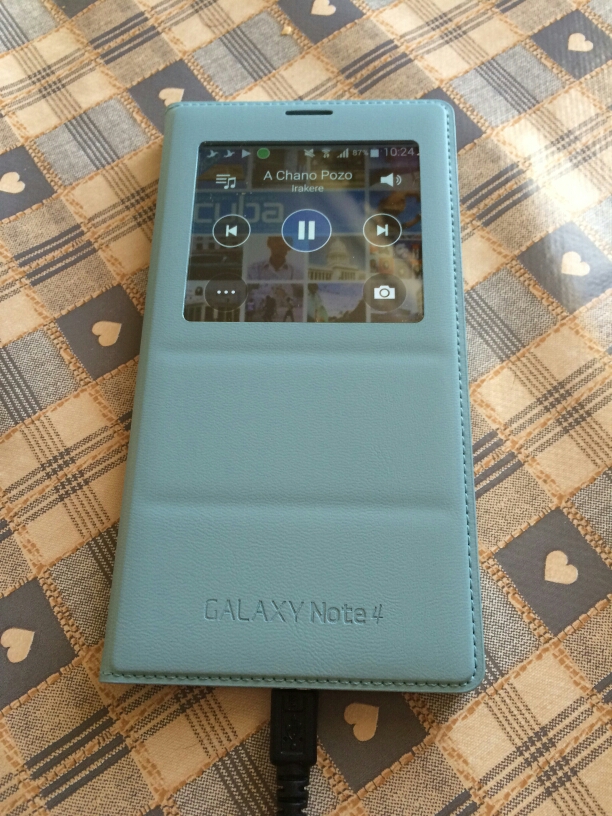
My Samsung S View Cover in Mint Blue arrived today and I have to say I love the colour and new designed cover from previous Note offerings.

image

First up is the flap is weighted so the cover closes and doesn’t stay lifted off the screen. Options on first attaching the case are to set up a default wallpaper. Within the settings you have a number of digital and a couple of fancy analogue clocks to select from.

In use you have options to show favourite contacts, settings, torch and heart rate. The digital clock can show time, date, pedometer and weather. The music player allows you to select tracks and volume , play and pause.

The camera still takes square photos but you can now record video too but that is also in a square aspect ratio.

All in all I really like this case and colour for the Samsung Note 4.

image

Gavin’s Gadgets 2014 Annual Report

This morning I had an email from WordPress which provided a link to Gavin’s Gadgets 2014 Annual Report.  Below are a few facts from that report.

– The busiest day of the year was 24th September. No surprises here. Lots of new tech and new iPhones.

– Day of the week in which more posts appear than any other day is a Thursday. No idea why Thursday is a more popular day. Do you?

– Most popular post for comments is “Alert – Free 50gb Dropbox Bonus – You’ll be lucky”. Just shows people feel cheated by the small print of the Samsung 50gb Dropbox offer.

– In 2014, Gavin’s Gadgets was viewed by 197 countries. That’s quite amazing really. Top 10 countries are UK, USA, India, Australia, Canada, Germany, Sinapore,  France, Malaysia and Sweden.

– Top 5 commenters were Jah, Mike Patterson, Richard Kelsey, Graham and Jon Love. Many thanks guys. And thanks to everyone else too who took the time to comment. My thanks goes to all the other commenters who voiced their opinions on twitter and Google Plus.

– Viewing stats are off the wall. I started the blog mid December 2012 and achieved a meagre 1,131 views by the end of the year. 2013 exploded exponentially and I honestly didn’t think it would get any better. Current stats for 2014 are just under 7 figures. And that is thanks to you all.

– Viewing stats continued. WordPress noted my posts have staying power. People are still reading posts from 2012 and more so from 2013. The reviews I’ve written covering mobile tech, wearables, Headphones and much much more are the key posts that keep getting read. And if you have missed any of my reviews just use the menu to find them all.

We are soon to reach 2015. 2015 will see more reviews, news and more podcast “recordings of Gav & Dave’s Tech Podcast”. Gavin’s Gadgets is now http://www.gavinsgadgets.com and I hope you will follow my journey throughout next year and beyond.

Enjoy the remainder of 2014!

All the best.

Gavin ☺

Mipow Playbulb Rainbow review

A while back I reviewed the original Mipow Playbulb.  This was great fun with its built in speaker too. To recap on that review review click here.

Now Mipow are back with the Playbulb Rainbow which was created via a kickstarter campagin.  Click here https://www.kickstarter.com/projects/mipowusa/playbulb-rainbow-stylish-smart-color-led-light-bul?ref=nav_search

image

Mipow quote the Rainbow as –

“PLAYBULB rainbow body shape is a trapezoid. It is much slimmer than traditional light bulbs. The design idea behind PLAYBULB rainbow is to illustrate the refraction of sunlight ray entering a raindrop and eventually forming a rainbow.

Simply Install a Rainbow for a Brighter Penetration. 
The light filter of PLAYBULB rainbow is made of a PC layer, allowing a brighter and more colorful penetration of light beams from the LED chip. Also, PLAYBULB rainbow fits into standard E26/ E27 screw base as well as E40, E14 and B22 screw sockets. By using adapter, Edison Screw base can be converted into Bayonet base too. PLAYBULB rainbow is for all of us. ”

The other good news in their app will work for the other Playbulbs. In terms of compatibility –  all iOS devices that are running iOS version 7 or above, Android devices running Android 4.3 or above and both having Bluetooth® 4.0 or above. Sorry no windows phone support. The app allows all sorts of fancy options from shake, timers, and a colour wheel. The app can also control several Playbulbs.

According to Mipow the bulb also is energy saving too. The PLAYBULB rainbow is equal to 30 regular light bulbs as each PLAYBULB rainbow is optimized to a high energy efficiency. Each PLAYBULB rainbow is 5 watts at full power performing brightness with 280 lumens and 30,000 hours life time. While regular light bulb with around 300 lumen normally uses up 40 watts power with around 1000 hours lifetime.

Specification 

LEDs: Red, Green Blue & White LED Power: 5W LED Current: 0.4A Voltage: 110-240V ~ 50-60Hz Lumen: 280LM Lamp Holder: E26/ E27 Bluetooth®: Bluetooth® 4.0 & Bluetooth® Smart Wireless Range: 10M (33ft) Other Control: PLAYBULB X App Conrol. Support Devices: iPhone 4S or above, iPad 3 or above, iPod 5th generation or above (Running iOS7) and Android 4.3 or above (with Bluetooth® 4.0)

This is my sort of gadget ☺ I received the sample Playbulb Rainbow from Mipow before Christmas and I’ve been having a blast with it. It’s different from other wireless bulbs in that it uses Bluetooth to connect to your phone. You can add many more Playbulbs even though it’s a Bluetooth connection. There are pros and cons using Bluetooth over wifi but being honest Bluetooth will still work when your broadband is down and if you’re going to a friends house you can bring your lamp and have all the fancy effects.

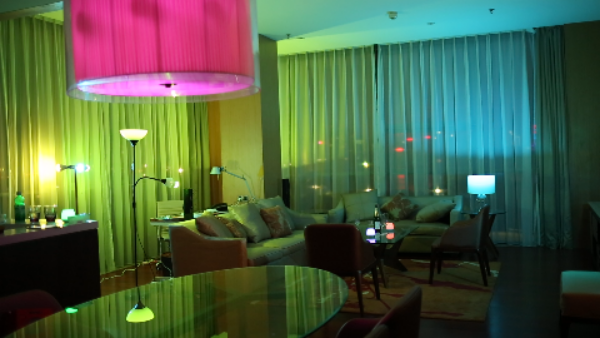
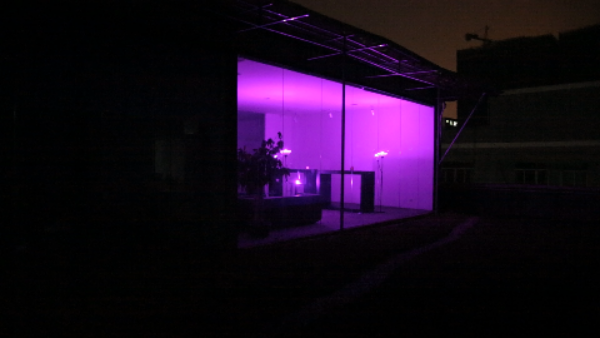
Below are a few examples of a room with the lights activated. It really is a powerful light bulb. The brightness can be adjusted too. Whilst purple looked fab in the room, red was also highly dramatic.

image

image

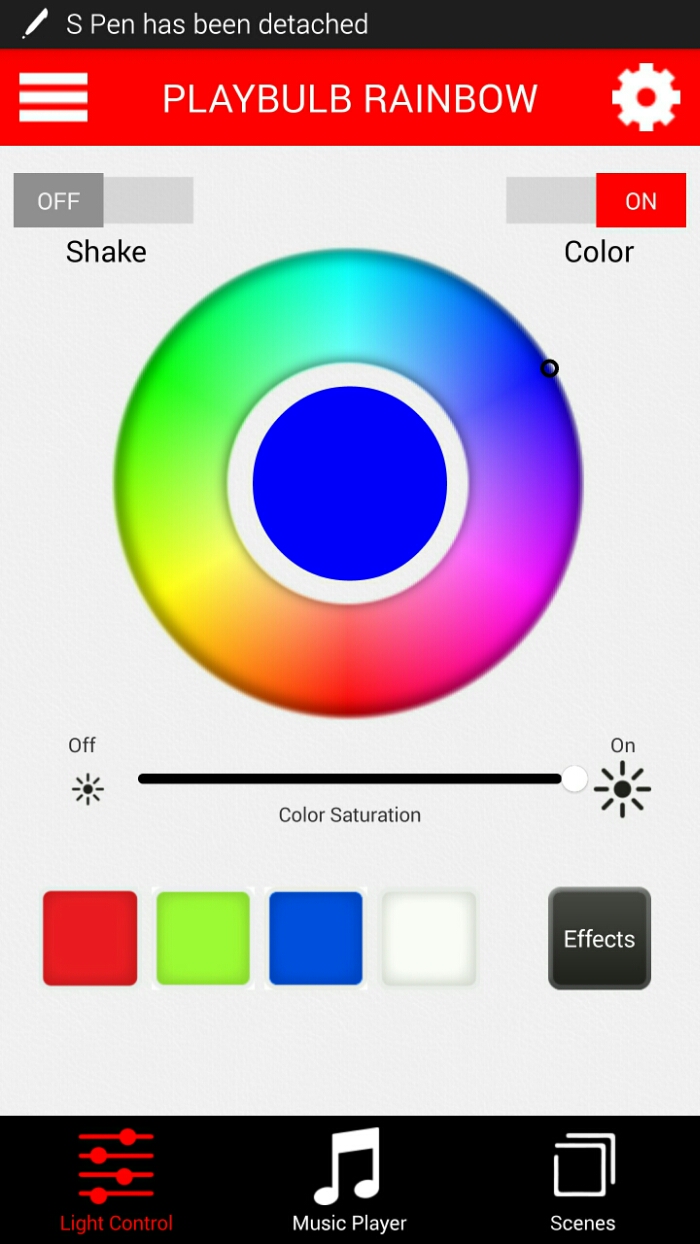
And a screen shot from the Android app. The app is also available for Apple devices too.
image

From within the app you can also choose the colour for the bulb, brightness, timers or set for a time off, enable special effects which include changing colours automatically with control of the speed, scenes for different moods or rooms or light changes to your music. I was using the new updated app which at the time of testing had one bug. On first start up the tutorial screen appeared. You just hit skip to get passed this stage but it would be better if you could stop this screen appearing again.

So over Christmas I used my clip on lamp with the Playbulb Rainbow and every evening changed the lighting mood with colours and one night let it party away in time with the Christmas music. My friends all want one now! So it’s a recommendation from me too.

For more information, head over to Amazon <a href="MIPOW PLAYBULB Bluetooth System with Rainbow LED Light
“>MIPOW PLAYBULB Bluetooth System with Rainbow LED Light

Gmail vs Samsung Email app

I decided to try both email apps on my Note 4 to see which one I preferred. It didn’t take long to decide to deactivate the Gmail app. But why?

There’s this rumour that stock android and it’s apps are the best way to go. Well in some circumstances that is the case. Google recently added the option to add non Google email accounts within its Gmail app and this works as advertised.  The pros of using the Gmail app is email can be deleted in the notification area and with an android wear watch and your Gmail email gets sorted into different folders eg. social, primary,  promotions and updates. But that’s as far as the pros go.

So now let’s see why you will be using Samsung’s email app.

1) Signatures – these can have active links, editable with a number of styles, fonts and with the Note 4 you can use the S-Pen to add your signature.

2) Email layout – simple inbox style with choice of standard or conversation views making managing email easier especially if you get lots. Combined inbox for all your emails. You also get a priority inbox which shows only priority contacts email regardless of which email account they used.

3) Email sync options are more advanced with much Samsung’s email app offering more sync timing options. The Gmail app only has a max sync time of 1 hour. Samsung email has every 4 hours and once a day and for each email account you can setup a different peak time sync schedule, even selecting which days of the week thst are to be used.

4) In Gmail not all url’s are show as a tapable link. Samsung’s email app doesn’t have this issue.

5) New emails have a word formatting option. See screen shot.
image

6) If you use a Samsung smart watch like the Gear S which has an email app of its own, the wearable uses the Samsung email app data/settings from the phone.

Overall the Samsung email app provides a more consistent, comprehensive and complete experience and in turn highlights the weaknesses of Google’s own Gmail app. However, if you only have one Gmail email account then the Gmail app maybe all your ever need.

Updated – The 4th Emergency Service is your Mobile Network – clearly Three UK think differently

Update – it’s now the 29th December and the promised fix and service restoration has not happened. It is 6.25pm UK time. So here am I with my wife and I both on Three UK with mobile phones that have had no service from Three for 3 weeks. I also have a pay as you go sim, which Three added a £10 credit to for my inconvenience. The irony is I’ve had no service to use it .

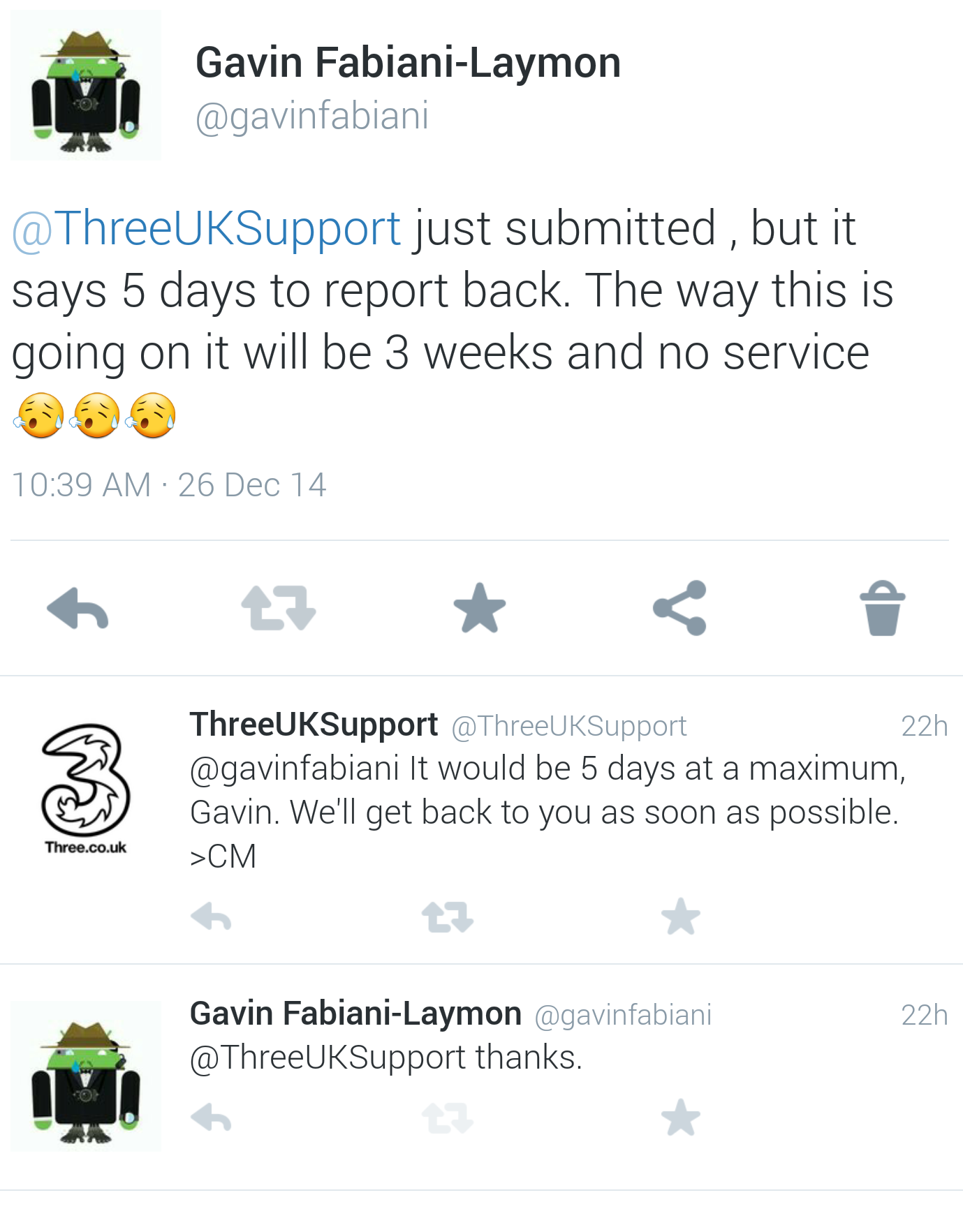
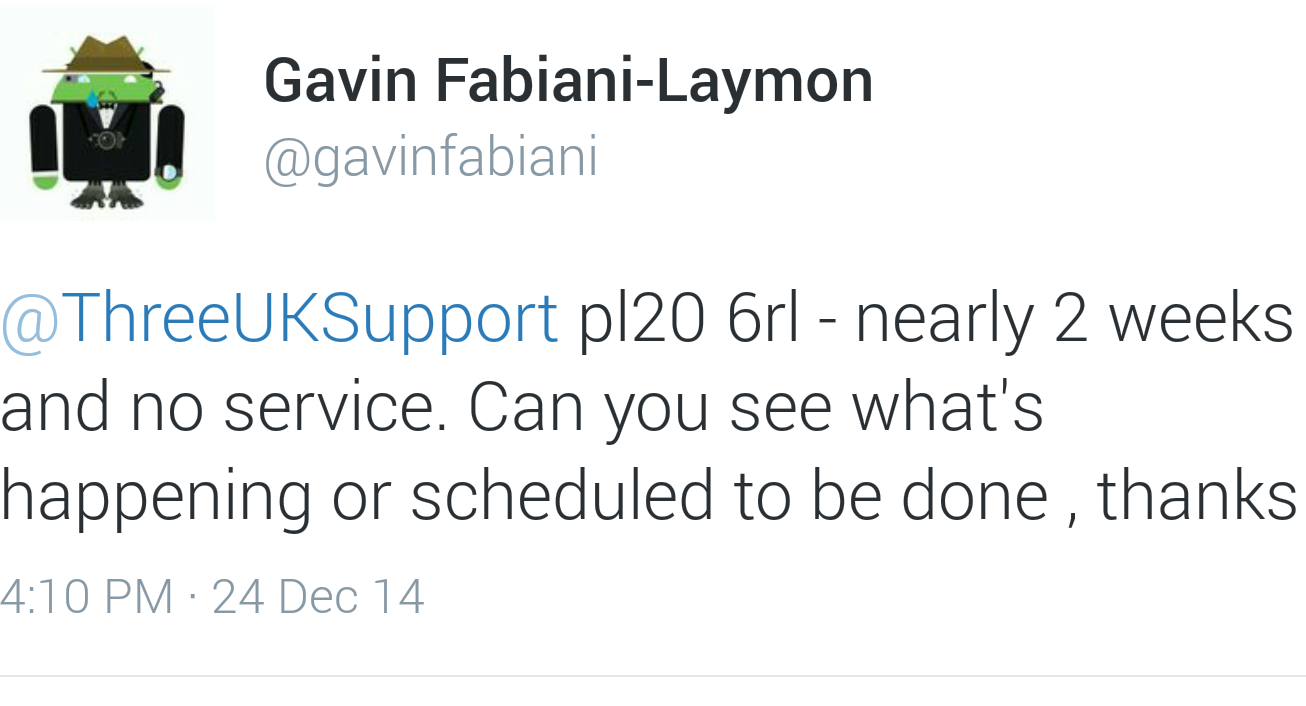
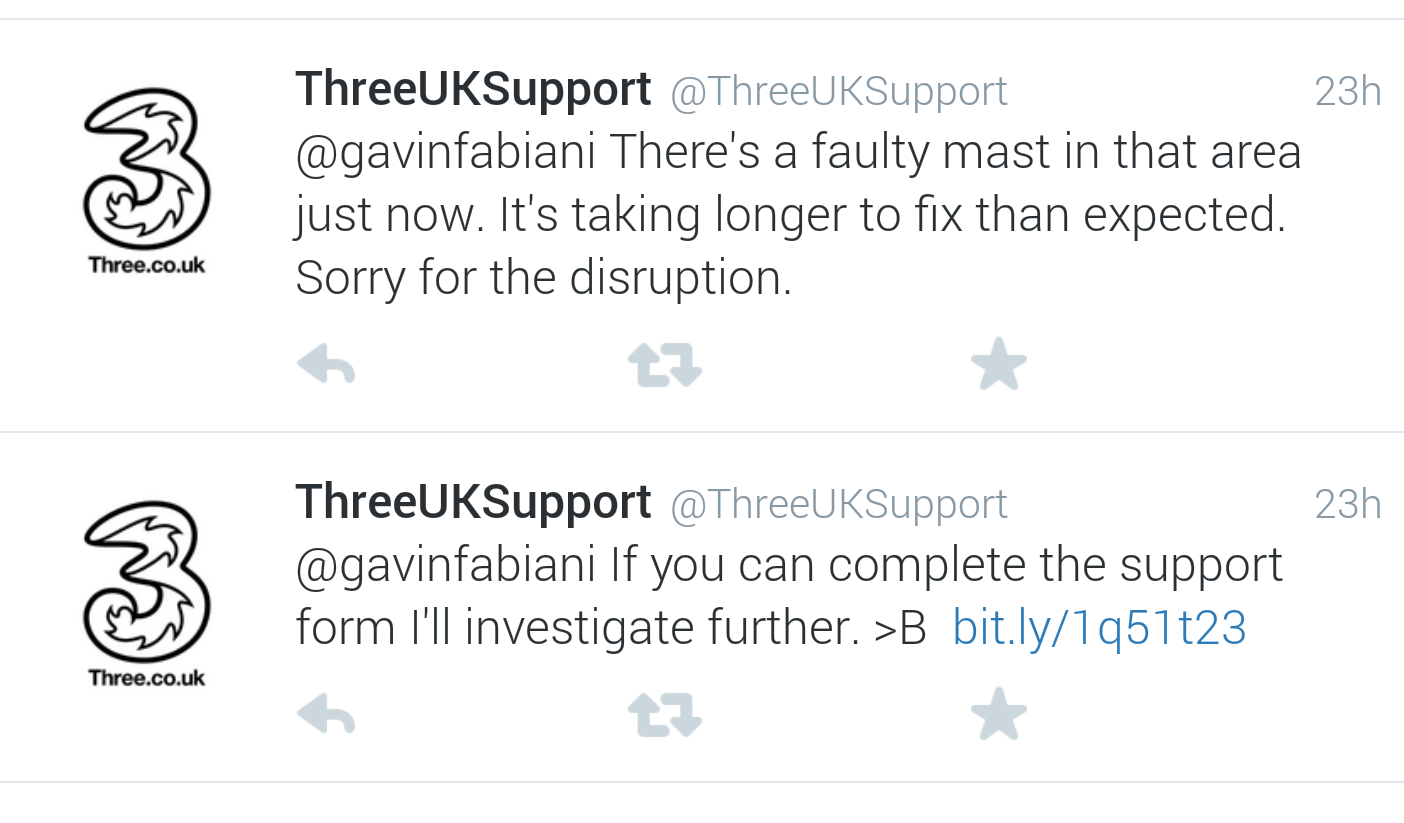
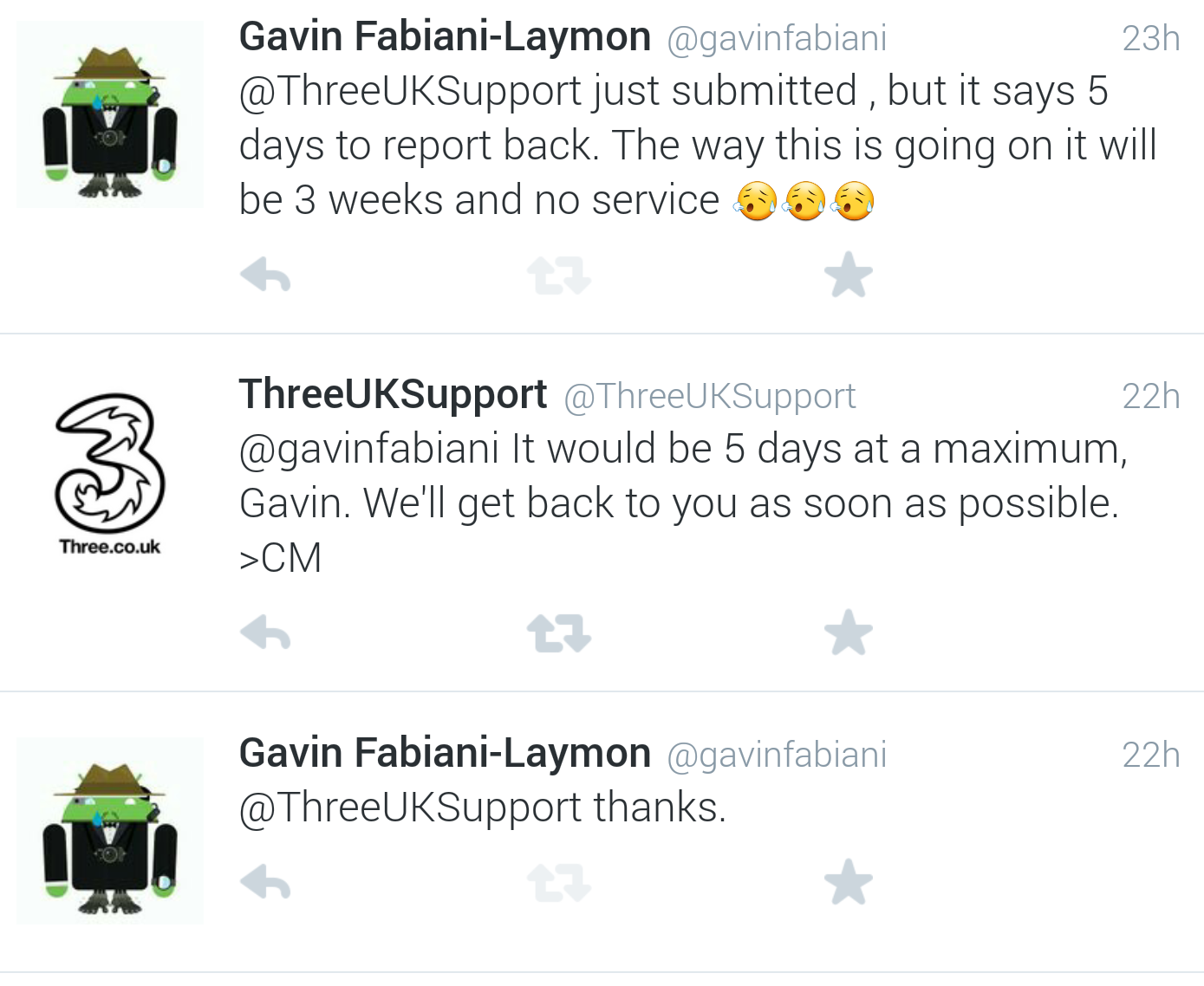
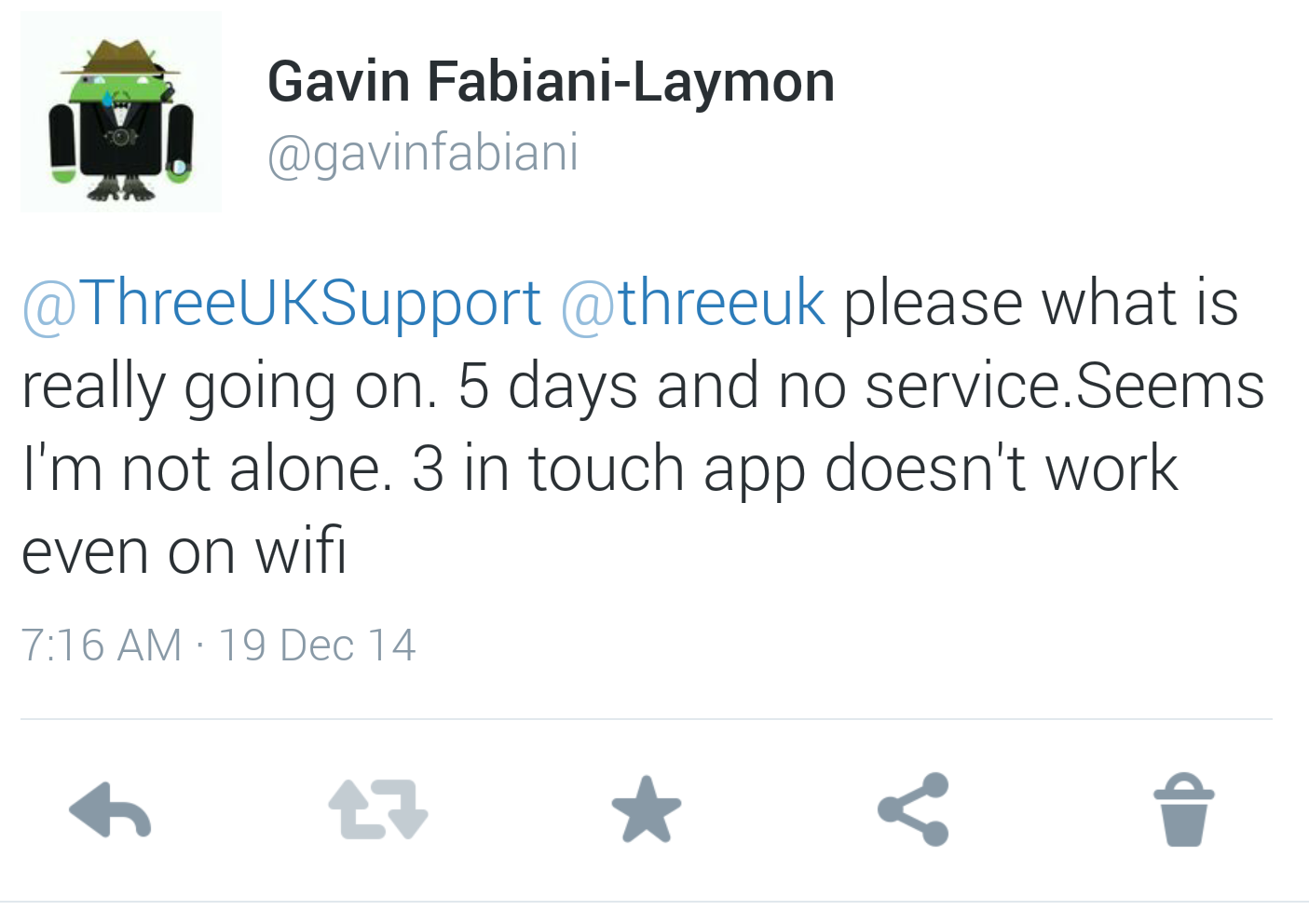
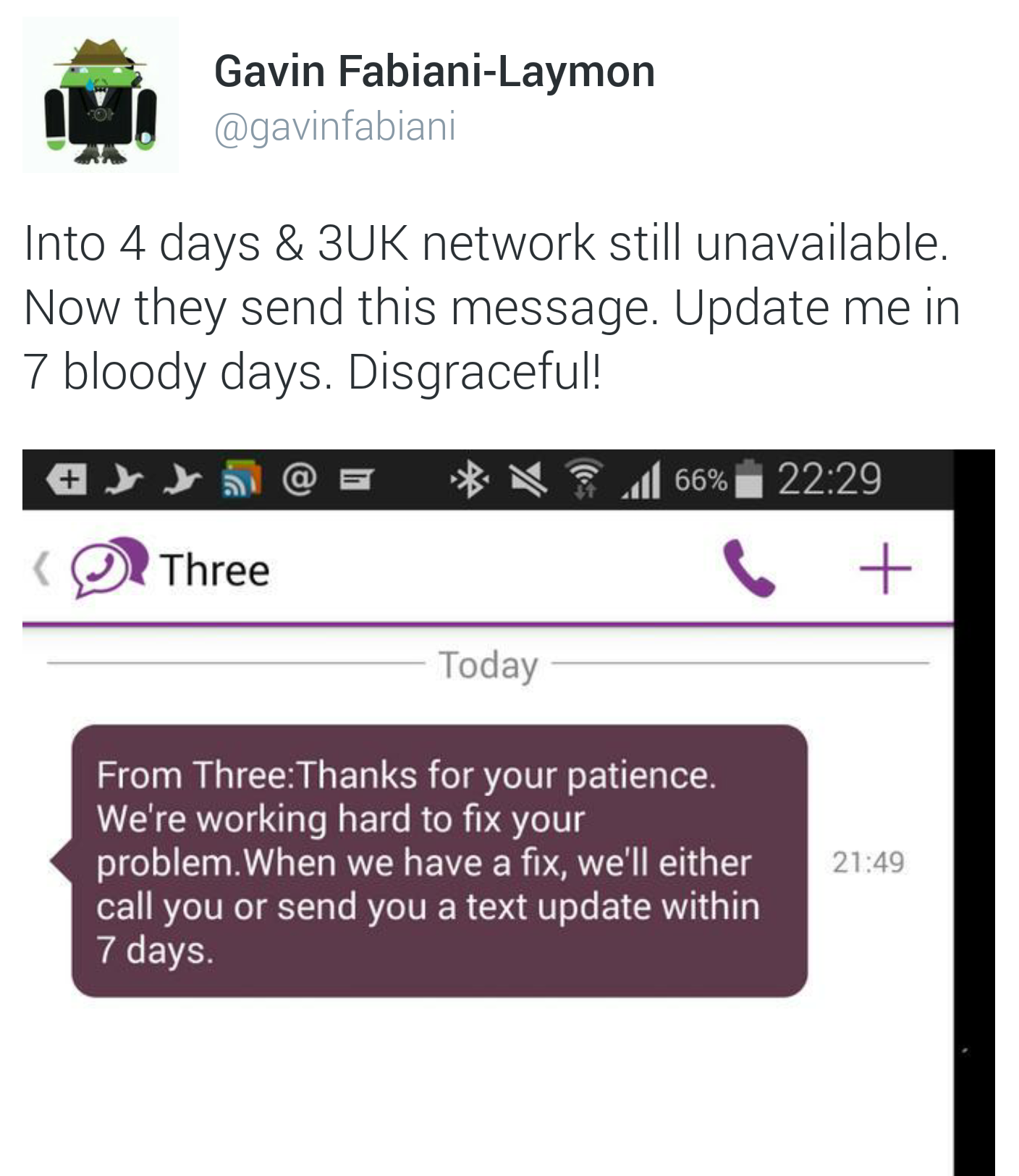
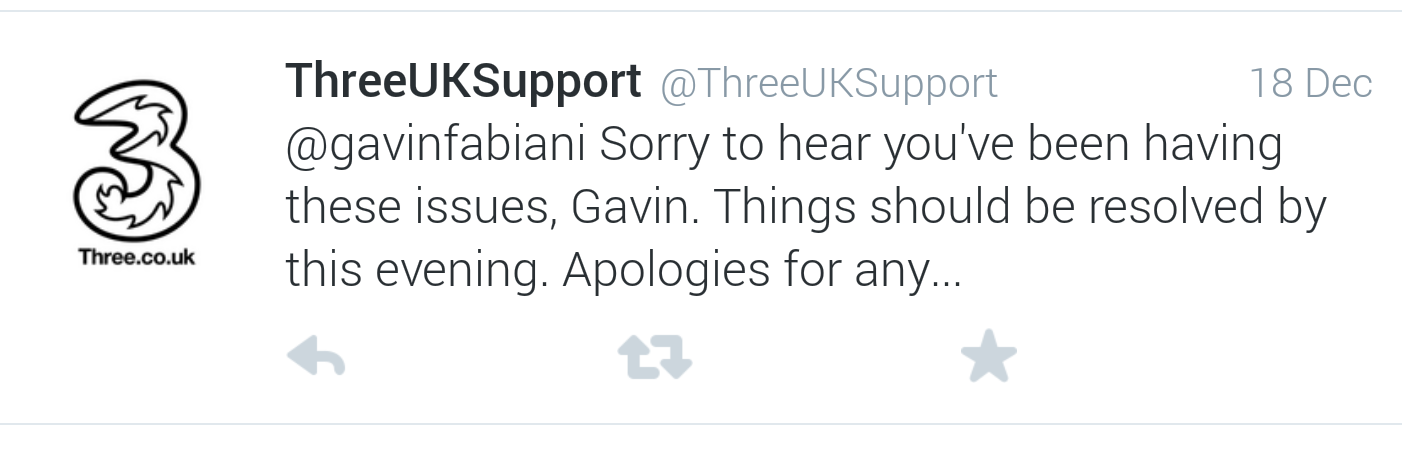
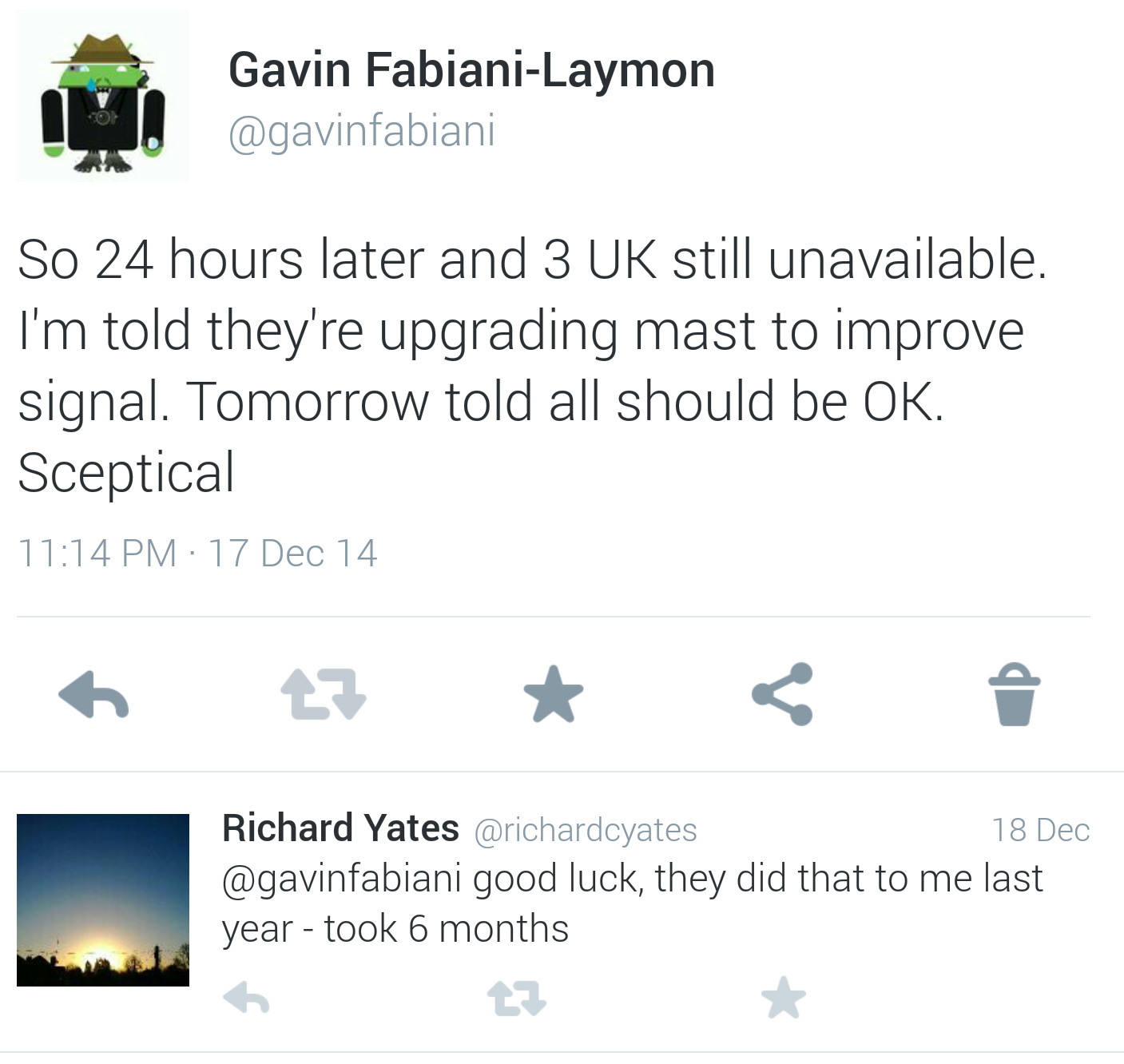
So below are some of the text and twitter tweets regarding this total loss of Three UK network. It’s approaching 2.5 weeks. The latest update follows the screen shots.

image

image

image

image

image

image

image

image

image

image

So I could have added earlier comments and more text messages from 3 but really it just shows how poor their service is at present.

So today I phoned to get the latest and pushed for more information. I have had my issue raised internally and spoken both to the awful Indian call centre, who try hard but often make matters worse and the UK head office team.

I have been given PAC codes for all 3 lines I have with 3 but haven’t used them as during this process I was told the mast was being upgraded and so I should have a better signal. So I thought worth the wait but being honest never expected this.

During the calls with the call centre I was told they have addressed my problem as they had “told” me they will update me in 7 days time. Well at that point I politely disagreed!

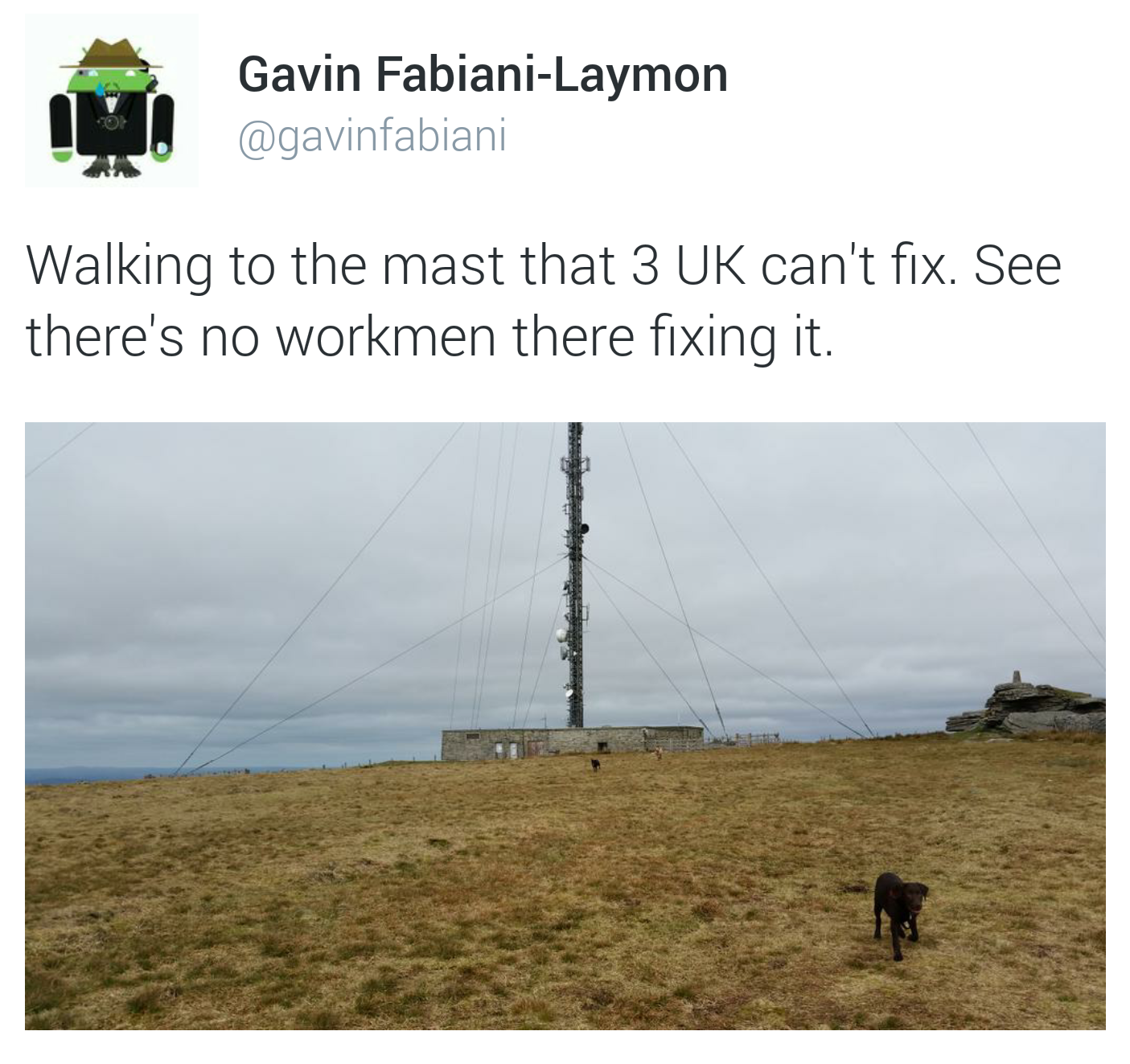
So this is what I got told today. Despite the issue arising from around the 12th Dec, no work actually started to move forward until 17th. Well by work I mean Three thought about the next steps and decided they needed a health and safety certificate. So the fact Three uses masts everywhere this should be a non issue. Then parts were ordered. Ordered? How unique can these parts be? AND surely they keep parts for their equipment. Next the wrong parts arrived. You’re kidding. Nope not at all. So on 22nd the workmen arrived but it was a little windy so they didn’t carry out any work. Again masts and wind are common so they should be accustomed to this. Then as no workmen available until after Xmas no work undertaken. Apparently, I should understand that it is unreasonable to expect any work to be fixed during this time. What a bloody pathetic excuse. Sounds like a total lack of resource. The next attempt is 29th Dec. I won’t hold my breath as it might be windy again!

And the final sting, the mast is not even being improved as I was told over a week ago.

I rarely say what I think but today I will describe as politely as possible what I think of Three UK. ***** and ******* and full of ********.

We all accept there will be odd service issues but whatever or however Three UK resolve larger problems is beyond dreadful.

One last point. The Indian call centre clearly has service levels of an agreed 7 day response time. This is not acceptable! And so does the UK. In an emergency this could be a matter of life or death. 7 days is simply too long as a service level standard.