Category Archives: Reviews

Sony Xperia Z Tablet review – part 6

In part six I am going to take a look at the Album app. If you want to read the earlier parts of the review click here.

When I first started using the Album app, I thought it was quirky and poorly designed.

image

When you open the app you are faced with your photos sorted by date. So I thought, maybe my photos I copied across on to the micro SD card would be saved and displayed in the My Albums tab. Well at first they didn’t display. I realised that the photos need to be in the root directory of the micro sd card to display correctly as shown below. I still might be doing something wrong, but i haven’t figured it out yet.

image

Of course, if you want Facebook etc photos showing you need to login to your service. I wish there was a way of hiding the service icons like Facebook as I don’t use it at all, and it looks naff sitting in the gallery. Anyway if you click on a folder you are presented with all the photos as below.

image

Using two fingers you can zoom out and make the thumbnails bigger and bigger and smaller again. Below are some of the different sizes.

image

image

You can go larger and larger and larger again. Photos look great on the screen. From within the app you have many sharing options as well as editing.

image

Clicking the menu provides basic editing, but then you can invoke the photo editor and bring up more options and filters.

image

image

image

With all the photo options available, the pinch to zoom or shrink the thumbnaiks , Sony really do provide a complete gallery app.

Samsung Galaxy S4 First Impressions

So the S4 has landed. Below are my first impressions of the new phone. I’ve used it in white and black and without a doubt the black mist looked in my opinion a lot better. It also looks very professional and business like. Even though the changes between the S3 may appear minimal the end result is different. The use of plastic has been argued already. It doesn’t matter being honest, since the fit and finish is top class.  However if neither offends or pleases. But it doesn’t look like cheap plastic in the black.  

The screen is crisp and clear and looks lovely.  Who cares whether it’s amoled or something else. It just works. The phone comes with loads of features which I have yet to explore. The camera is excellent but the different modes need to be selected before you take the shot unlike the HTC One which allows you to take the shot first and edit after. The video highlights on the HTC One are not present on the S4. This is a feature I would miss if I had the S4.

The S4 doesn’t have an fm radio despite all the other stuff it includes. 

I also managed to crash the Samsung email app just trying to set it up. That wasn’t clever. 

It’s early days but so far the plastic finish hasn’t offended me. The screen is superb and then there’s is the manual of features to learn. 

HTC One – The Final Verdict

Over the last few weeks I have reviewed, blogged and written everything and anything on the HTC One. To recap what I have written, look above at the Review tab, and then click on HTC One.

So this will be my last post on the HTC One, as I have murdered it to death. Not literally.

So what are my final views.

Style – its stunning. It’s the first phone I just can’t bear to put a case or screen protector on. I have 4 cases, but none last more than 1 hour on the phone. Normally, I have a collection of 20 plus cases per phone. It’s so beautifully made, that it makes you want to pick it up, hold it and admire it. It also makes every other phone seem inferior.

Sound – the stereo front speakers do make a difference and provide an enjoyable experience with all media, games and even sat nav instructions are loud but also very clear. The output via the headphones sounds good using the beats audio option.

Sense 5 – if you get this phone , don’t delete Sense 5 or remove Blinkfeed. Leave everything in its default state for at least a week to experience the setup HTC have provided. The fonts and graphics are grown up and don’t look cartoonish. The phone is not overloaded with excessive software or bloatware. Blinkfeed grows on you, and is IMO quite useful.

Camera – with this camera you will capture wonderful shots of people and your pets. Scenic shots are average, due to the lack of detail from the 4mp camera. The Zoe feature, and all the camera software works brilliantly. Video highlights, and sharing is a breeze. Also as the camera is 4mp the file sizes are small and don’t take a lot of space up. The camera has a knack of taking a photo first time perfectly every time. Capturing motion is phenomenal. It should be as it can take 8 photos a second at full quality. I also like the menu setup on the One, and find it quick and easy to jump between the options as required.

Experience – HTC have tried really hard to make the hardware and software work in unity. Once you spend time with the phone, it becomes a joy to use. Nothing is over complicated. It just works. Even the setup out of the box is simple. It’s an iPhone experience but better. An an example to its simplicity, you can listen to your music with beats on or off. No graphic equaliser complicating matters. Just beats on or off. You will leave beats on though.

Screen – awesome. Reading text is fantastic. And is everything else.

Battery life – after a few weeks it varies from reasonable to average dependent on how hard I push it. But I always make it from 6am to midnight. Just.

Memory – the HTC One includes an a decent set of apps as standard. Therefore despite my best efforts I only have added 64 apps, and 20 of those are games. That means less space is needed to achieve your probable setup. I have installed music, videos, feature films, photos and more and have 14gb still left. That has really surprised me. And as the camera photos are small file sizes, you can snap away happily.

Software – HTC have included some decent software, covering most aspects from business to pleasure. Even a flashlight app. But nothing bloatware. The phone includes a FM radio which many top devices now exclude. In fact the software, visuals and Sense 5 all work seamlessly together.

Conclusion – its a cracker of a phone. In a league of its own. And provides a very enjoyable user experience. At times, you forget its android! I could go on and on and on, but it truly just sells itself.

HTC One – Daily Blog – Car Mode review

The HTC One comes with an app called car mode. This is more than an app, it is a simple launcher to use whilst driving. Everything is big, big words and icons. Bluetooth is switched on automatically, in fact even music can if you desire. Screen brightness is at max too. You also get a number of voice options, but the choice is nowhere near as extensive as Siri or S Voice, but what you get does work really well. I have set up my car mode home screens as follows.

20130409-104744.jpg

20130409-104751.jpg

20130409-104759.jpg

If you need access to another app you will have to either exit car mode or add it to the launcher. Navigation is one of the options. Tap on this icon and you are presented with a number of options. All work well using either Google Navigation or Maps. The only option that is rather odd is the Previous option.

20130409-105228.jpg

20130409-105237.jpg

20130409-105246.jpg

This seems to find random places, or towns. I found it was really only useful for finding towns or cities, but in all honesty it was best to avoid altogether and go straight to Google Navigation for searching. The other navigation option icons use google maps and work correctly. So if you want a restaurant, it pulls up all restaurants nearby in google maps. From maps you can navigate accordingly.

The music player options are also enlarged. See screen shots below.

20130409-105703.jpg

20130409-105711.jpg

20130409-105721.jpg

The enlarged icons and text make it easy to select the music you would like. And when you have selected an album etc the music player controls are super sized on the screen. Next up is the People icon. This reveals three larger icons , favourites , frequent, and all people as shown below.

20130409-110004.jpg

Remember that whilst in car mode tapping the home button brings you back to the first car mode home screen. To exit car mode from here, you have to either press the back key twice, or use the exit icon. Car mode has a number of settings and options, selected from within the app from auto launch with car dock, auto play music, auto connect to Bluetooth devices, options for voice call accessories and Audio out, beats on/off, read out notification , notification preview on or off.

20130409-110333.jpg

20130409-110345.jpg

So if you have read out and preview notifications turned on if a text message arrives, it will display new message from your contact, and ask it you want it read out or call contact. If you say read out, the text message is displayed on the screen large and clear and the phone reads the message out. You can now call or dismiss but not use voice to type reply. The other voice options using the voice icons are call contact, play music, radio on or off or listen to. And that’s it. It is certainly no Siri match or even S Voice, but it does work very well.

20130409-110809.jpg

A little point to remember that with car mode activated, GPS running, Bluetooth on and more, the phone charges extremely slowly.

Tomorrow I will describe how it works with the HTC Car stereo clip A100.

HTC One – Review Part 7

Welcome back to my last part of my HTC One review along with my conclusion. To read my other parts on the HTC One click here.

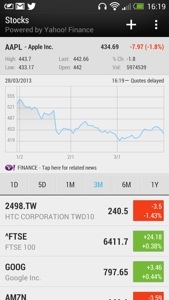
Today, I’m going to cover off the other stuff included by HTC. Firstly you get a full copy of Polaris Office and a PDF Reader. You then get a lovely stocks app, which can also link in to Blinkfeed. See screen shot.

20130401-162914.jpg

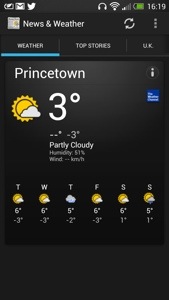
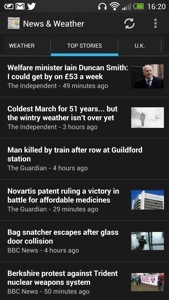
There is also a news and weather app, that can be set up to sync automatically. See below.

20130401-163004.jpg

20130401-163013.jpg

Next up is the Notes app which can be setup to sync with Evernote. You can hand scribble a note in several colours, audio record a note, or add a photo. You can share the note, add it to a calendar event and more. A very good app.

20130401-163518.jpg
Also installed is a Task app which syncs if required to Google Tasks. Again, functionally with the ability to have task categories too.

A rather unusual app is Best Deals. It is like Groupon and can link in to Blinkfeed. It can find local deals and you can setup the parameters to your liking.

20130401-163847.jpg

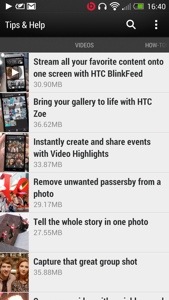
The last app I am going to mention is Tips & Tricks. This gets updated automatically too. It also can be included in to Blinkfeed. It features useful how to videos, guides on using all the phone and has a search option. Such a great app, and it gets updated.

20130401-164212.jpg

20130401-164222.jpg

So in summary the HTC One is unlike any android phone I have ever had. It feels like a totally refreshing user experience. All the software links into each other, syncs with something, interacts with Blinkfeed, and it is the first phone whereby I have only installed 45 apps/games. That’s because it includes so much out of the box. It doesn’t have bloatware just fully functional and useful features and benefits. Everything has a benefit to you the user. The camera is excellent with its various modes, super easy editing, Zoe mode and loads more. The sound and audio are first class. The setup procedure and manual is the best I have ever seen. And the phone is the best looking device available. HTC really have thought about every menu, user interaction and kept it easy to use but still a powerful capable device. Plus the battery will last a day even if you use it a lot. It is also the first android phone that won’t have a new launcher added. All in all, it just works out of the box, like an iPhone but better.

This was going to be the end, but I know you guys and girls are all too addicted to reading about the HTC One, so part 8 is tomorrow.

HTC One vs iPhone 5 vs Samsung Galaxy S3 vs S4 vs Note 2 vs Nokia Lumia 620

Now if you are expecting a blow by blow specification review, go read any other review out there that states the obvious. Apart from the Samsung Galaxy S4 I have owned personally all the above phones. I currently use the HTC One as my main driver, with the Nokia Lumia 620 as my backup now. So what am I going to write about. Well my personal view and strengths of each phone from a real user experience. Having a phone with a heap loads of features and specifications are useless if they provide no real benefits or simply never get used.

Hopefully from my comparisons of each you can decide which phone is for you. This is more of a birds eye view looking down. So lets start with my current phone.

HTC One – key benefits is its design and looks. You will feel proud to have this in your possession. Whatever it cost you, you will always feel it was worth it. It makes other phones including the iPhone 5 look inferior. The lengths HTC have gone to make setting this up simple and transferring your stuff from any phone or even an iPhone is commendable. Also the manual is one of the best written and easiest to understand. The camera will always capture that moment first time. And the sound quality is superb, probably the best I have heard on any phone through the speakers or headphones. It also comes with a modest software suite that means you will actually find time to use most things provided. It’s focus is on its solid build, media, photo, sound and vision. As it has a slight curve on the back, it is fairly comfortable to hold. The screen is the best in class at present too. Truly fabulous screen. I think somebody at HTC thought what features does a phone really need to provide the best benefits to its customers. And that’s why the user experience is so satisfying. It is the first android phone I have used that doesn’t need tweaking, doesn’t need changing the launcher away from Sense and just works out of the box.

iPhone 5 – a compact phone but its aluminium is susceptible to being scratched. It’s angular edges also make it not that comfortable to hold but with a case that becomes not so much a problem. It is also the lightest of all the phones, and feels if I’m honest too light. It runs iOS which looks tired, as it appears not to have changed from a visual point of view that much since 2007, is actually in fact, very capable. iOS advantage is on the gaming apps. I don’t think the advantage is there anymore on the apps as android has caught up, and in several cases exceeds iOS. This is mainly due to the fact android has better sharing and multitasking. However, despite the iPhone 5 feeling tired, it is anything but that. It is a very competent phone, great call clarity, a camera so basic yet still very good even despite the competition. And if you don’t have a clue about phones you can’t go wrong with the iPhone 5. If you have other Apple products, then the iPhone 5 comes into its own sharing photos and apps between devices. However, I do feel the new HTC One steals the crown away as it is just as easy to use, and looks and feels like the new iPhone should have. However a new iPhone can’t be too far away, so maybe it might steal the thunder back. Another point to remember is if you have a problem with your phone, you can visit your local Apple store and walk out 10 mins later with the problem normally resolved. No other company offers such a brilliant after sales service.

Samsung S3 and S4 – I’m going to lump these two together as they are similar and based on each other. What you get is a slim powerhouse of Samsung software and hardware with more features than your kitchen sink. And that’s the downside as well as the upside. If you want to show off features like pop up video player, multiview screens or any of the gestures, the crazy amount of software, S Voice (Apple Siri clone ) and so much more, than this phone is for you. The camera and audio are good too, with loads of options. But remember in reality you won’t use a fraction of the stuff let alone remember how to use it all. I’ve seen many friends with an S3 and only using it to make phone calls and take photos or videos. Sacrilege I know but that’s reality. It’s also made of plastic, so unlike the iPhone and HTC One it looks cheap. However, that does mean you get removable batteries and memory card expansion. The memory card can only be used for photos, music and documents and not storing apps. Personally with the move towards more stylish phones I think Samsung should have upped their game and not used plastic. Some might say that with the functions of the S4 including software like S Health it really is a game changer. I doubt it. And remember it is bad enough company’s knowing a lot about you, but with S Health you are potentially providing information about your fitness and more. Too much data provided in my opinion.

Samsung Note 2 – it’s too big for most people due to its massive size. The HTC One is a better compromise in screen size and overall phone size. However its monster size does lend for ease of viewing anything. Multiview is a good feature too. As its big, so is the battery that will give you 2 days use with relative ease. It also features the kitchen sink like the S3 and a decent camera again. But Samsung realise the phone is a bit complicated so they feature another launcher option called easy mode. Goes back to my original comment that most people won’t use half the features. The features are mainly there to help sell the phone. However despite it size it’s a popular device. It also has a stylus just to slow you down even more. Well it does look cool. So if you want big, 2 days battery life and something that does everything the Note 2 is ideal.

Nokia Lumia 620 – this was my main phone for a week until I got the HTC One. However, I really loved this phone. It’s runs windows phone 8 so works on the concept the home screen is live tiles of your life, updating accordingly. And you know it really works well. Nokia provide a good suite of software from turn by turn Satnav , maps, music streaming and more and all free that make the 620 a bargain. It costs nearly 4 times less than any of the above phones. However windows phone 8 lacks apps and games, especially games, so it no good if you need a specific app that’s not available on the windows platform. But if that is not an issue, its the best option vs cost than all the others. It also features removable and changeable coloured backs, and a water proof back is available soon. The screen and battery life are good too, plus it comes with a reasonable camera. It’s the only phone I wouldn’t fit with a screen protector or use a case with. It’s feels the best in the hand over all the above phones, and the sort of phone you could mistreat more than the others and not feel worried.

Being totally biased if I had to chose one phone it would be the HTC One. Stunning looks and screen. Great software and hardware too. And it’s the first phone I feel I could keep longer than normal.

HTC One – Review Part 5

Welcome to my fifth part of the HTC One review. It has been an interesting 5 days with the phone and an experience that keeps on improving. As mentioned before I’ve started to embrace the phone the way HTC envisioned. Blinkfeed is my only home screen. It provides information on everything I need.

Blinkfeed has options to incorporate Facebook, Flickr, LinkedIn, twitter, your calendar, Zoe share, kid mode, best deals, and TV guide. The categories for fetching news include trending topics, business, design, entertainment, environment, gaming, lifestyle, music, politics, sports, Tecnhology and science, travel, and world. That’s a lot of stuff. But what’s good is it will show your latest calendar entry, a TV programme coming up that you want to watch, your social media updates and any other topic you have selected. Part of the Blinkfeed includes the clock, weather, date, the ability to search, respond, and select the category or social service only to be displayed. See screen shots below.

20130401-085034.jpg

20130401-085041.jpg

20130401-085047.jpg

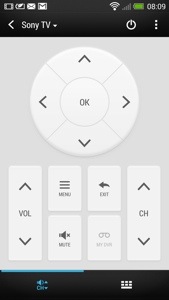
A feature I haven’t touched upon is the infra red sensor built into the power button. Combined with the TV app, you can set it up to control your TV and other devices. You also on first opening chose a few selections of preferred TV and then each time you open it, the app shows either your favourite programmes, recommended and what’s up now and next , next week and what programme you have scheduled. The time sensitive information can be added to Blinkfeed. Once setup the screens will look li

20130401-085441.jpg

20130401-085503.jpg

You also get basic controls in the notification menu and if app is active and the phone turns off, lifting the phone up turns the phone back on automatica

20130401-085616.jpg

20130401-085623.jpg

All once again very impressive and cross integrated into the features and functions of the HTC One.

Tomorrow I will have a look at the setting options and gesture support.

HTC One – Review Part 4

Following my previous parts of the HTC One review here I am again with my next instalment.

So what’s changed. I only now have the Blinkfeed as my home screen. All my applications are in neat folders. I have spent time getting to understand the camera and now I am producing great photos and videos from the photos. The editing is a breeze and fun to use. The sound quality is awesome. Battery life from 6am to 12pm and its at 15%. It has been used all day.

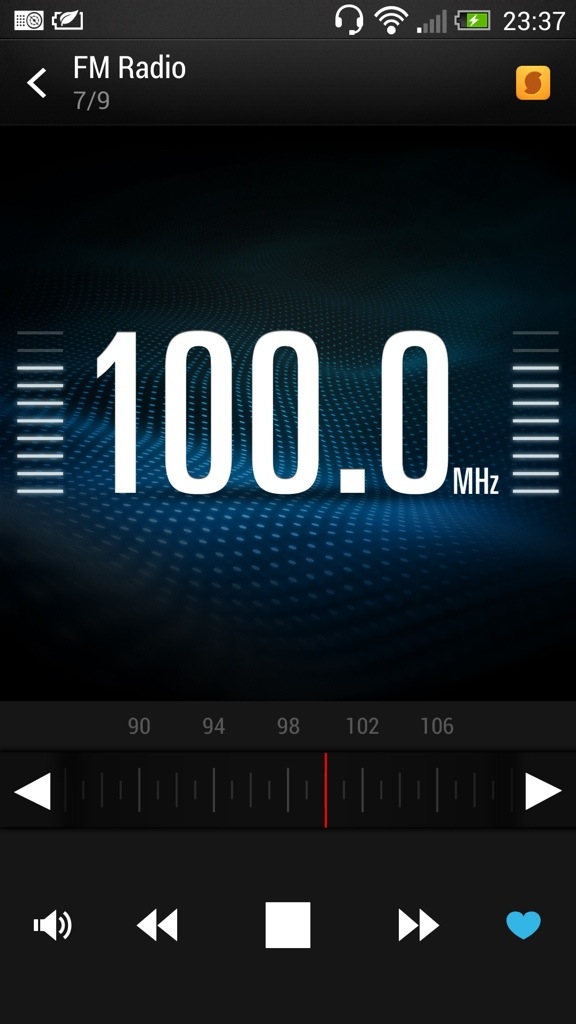
The HTC One has a FM radio. And it’s very good. It does everything you would expect, including displaying the station names. If you look at the screen shot below, there is a yellow icon top right. This is Soundhound and pressing this allows Soundhound to identity your song. Neat.

20130331-235230.jpg

The HTC music player comes with the ability to start visualisations once the music has started and even obtain the lyrics and highlight them as the song is being song. Album art can be fetched automatically and the media player can access media servers. See screen shots.

20130331-235425.jpg

20130331-235439.jpg

The visualisations constantly change too. Certainly looks cool to view. HTC also include a world clock, which has alarms, timers, and stopwatch. See below. Again a functional app that does what you would expect.

20130331-235604.jpg

The HTC One also comes with a full copy of Polaris Office. The default note app can be setup to sync with Evernote and the Task app to sync with Google. There is also a PDF reader. So from a business perspective HTC have covered all angles.

Today has been an even more enjoyable day, simply because I started to perfect the usage of the phone even more. The way I would describe the One, is the technology hides itself to allow you to feel the benefits with as little fuss as possible. HTC Sense 5 is the first default launcher that I wouldn’t not change. It’s fantastic.

Tomorrow I will look at the settings and some other apps too.

HTC One – Camera Pre Filter Effects

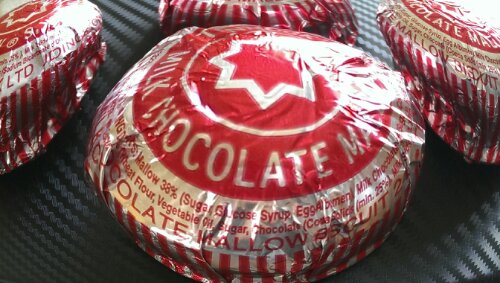
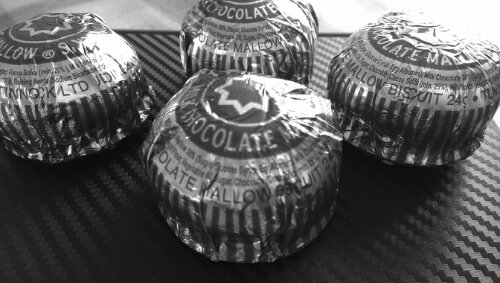
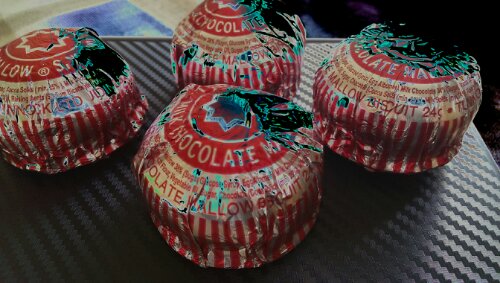
I have been experimenting with the HTC One camera and tried the filters or effects you can switch on before you take a photo. Of course the editing options after you take a photo are numerous including removing people out of your photo who appeared .

Rather than describe each effect in detail just look at the same item with different effects applied. Some really interesting differences.

image

The above distorts the tea cake.

image

The above creates a darker edge. Ideal for focusing central subject.

image

image

The above is rather unusual.
image

image

image

image

The last one looks a bit creepy but all in all some amazing results.