Category Archives: Reviews

Brando Shopping – iPhone Armband review

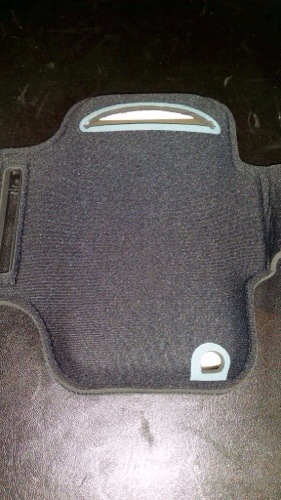
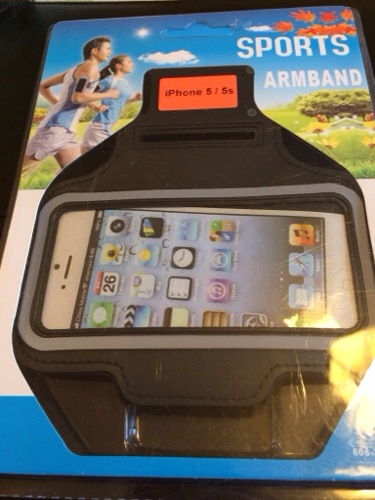
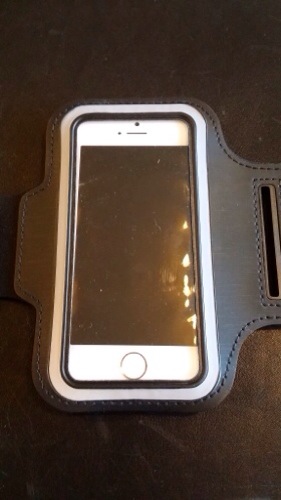
Brando Shopping sell a great case for the fitness types or those that like having a case strapped to their arm. Whilst this case is stated as being waterproof I would be careful as rain could come thru from underneath via the flaps as shown on the photos. Showerproof more likely I would have thought.

The official specs are –

Features
Lightweight, breathable neoprene material
With earphone port opening
Ultra comfortable
Keep your device secure while running or workout
Easy adjust to fit your arm
Waterproof transparent plastic cover
Length: 43.7cm

Colours
Black
Pink
Blue
Red

Compatible Models
iPhone 5
iPhone 5c
iPhone 5s

I’ve used this quite a bit whilst walking my dogs and have found it really handy.

Available from Brando Shopping.

20140119-092531.jpg

20140119-092537.jpg

20140119-092543.jpg

Brando Shopping – Momax 3,200 Universal Power Pack Plus Battery Charging Kit – review

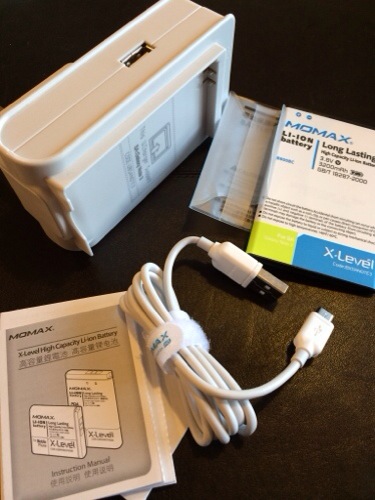
Brando Shopping sent me the Momax Universal Power Plus kit for the Samsung Note 3. I have to say this is absolutely brilliant. Not only can you charge the spare battery and your phone at the same time, but when you need to carry the spare battery with you it comes with it’s own little protective plastic case as shown in the photos. A neat touch. When you order this you can select which plug adapter you need or buy the whole set if you travel a lot. The presentation and parts that come with this are excellent. Charging the battery couldn’t be simpler. Just insert, and wait for the charging light to change green. The charger then switches to low energy mode. The battery doesn’t have the NFC chip.

Key Features
U.PACK Universal Power Pack PLUS 3200mAh Battery Power – Samsung Galaxy Note 3
One AC Adapter comes with USB Charging Output PLUS Battery Charging Slot
Special Package with Battery Power
Travel, Outdoor and Camping Package
3200mAh Battery Included

Adapter Options:
USA Adapter
EUR Adapter
AUS Adapter
UK Adapter

Package Includes
1 set U.PACK Universal Power Pack PLUS 3200mAh Battery Power – Samsung Galaxy Note 3

Available from Brando Shopping

20140119-091907.jpg

20140119-091914.jpg

Samsung Galaxy Gear – review update

I have had the Gear a bit longer and thought I would just provide some additional feedback.

Initially, as much as l loved using the Gear with my Note 3, I just couldn’t stand wearing a watch on my wrist and consequently I was going to sell it. But the functionality of it in the end won and therefore have kept it. And here’s why.

Battery – normally a days use will drop the battery anywhere by 30-55% but never any further. I don’t charge it overnight simply because it only takes 30-40mins to recharge. So I recharge just before I go to bed, unplug and switch off ready for my 5am start.

Convenient. I can have the Note 3 in a different room or even upstairs. If somebody calls me I can accept the call on my Gear. The same for a text message. I just use S Voice to dictate a reply and send it. Obviously the Note 3 doesn’t need to be upstairs. It could just be nearby.

Notifications. I have selected which notifications I want to receive on my Gear. It means it becomes very discreet checking them and deciding which ones are worth responding or even reading.

Pocket for Gear app – in the car I select my clipped news items from my Gear and they are read aloud via my Note 3. Really love the text to speech aspect of this Gear app.

Apps – there are a number of apps on the Gear which just make life a little easier. Like the timer when cooking.

Camera – even the camera works rather well. It’s fine for sharing on social media.

So all in all it’s proving a heady accessory for the Note 3.

And the other day I was trying to send wireless a photo from my Note 3 to my TV but it wasn’t working. I tried many different things even switching off Bluetooth which disconnected my Gear. I realised the fault was with my TV. I hadn’t changed the wireless settings for my new router. Anyway, I forgot to switch Bluetooth back on, and for the next hour I thought my Gear was not functioning properly until I realised my error. But in that hour it felt unnatural not to be monitoring my notifications via the Gear.

Talk about a turnaround. And here’s the next part. Normally I get withdrawal symptoms and need to move to the latest piece of tech. And for some reason the Note 3/Gear combo leaves me very content.

Brando Shopping – 2,600maH Portable Power supply – review

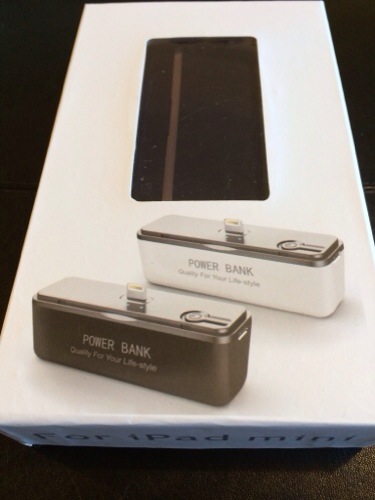
How many times have you been left worried about your phone battery running out? Well Brando Shopping sell a portable power pack that works on many Apple models except the 5S. Unfortunately Apple’s rigid lightning connector is a pain unless approved under their MFI program.

With all the recent discussions on twitter about the small iPhone batteries this pocketable block is ideal.

Features
Portable Design
Ideal for travel
Easy to carry
Lightweight
Power Indicator 4 LEDs

Specification
High Capacity: 2600mAh
Input: DC5V/800mA
Output: DC5V/800mA
Charging time: 4-5hr
Weight: 70g
Size: 73mm x 40mm x 22mm

Compatible Models
iPad Mini
iPad mini with Retina display
iPad Air
iPhone 5
iPod Nano 7G
iPod Touch 5G
The New iPad with Retina display
* Supports iOS7 on compatible models
* Does NOT Support iPhone 5s and iPhone 5c

Package Contents
One piece Portable Power Bank
One piece Charging Cable

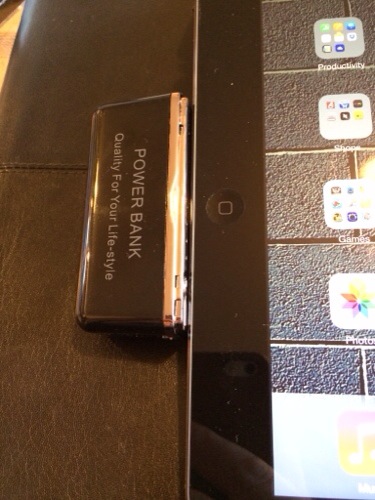
It’s a very simple piece that you charge up, and when needed just connect to the lightning connector . I found with the iPad Air I could still use the Smart Cover and type with it connected. If you try and use it with the 5S it starts charging but then stops and a message appears saying not an approved accessory.

Available from Brando Shopping

20140119-091539.jpg

20140119-091548.jpg

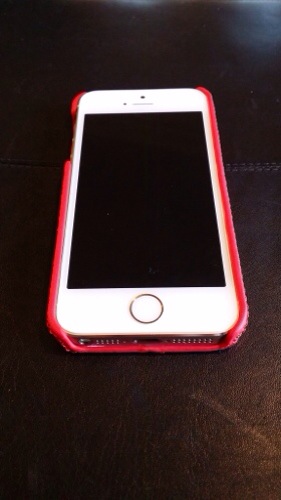
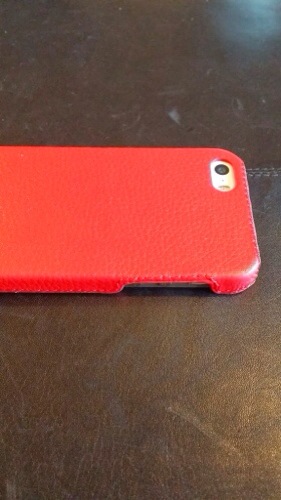
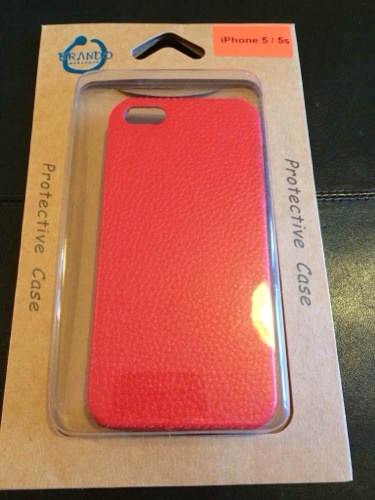
Brando Shopping iPhone 5/5S Leather Back case review

The Leather Back case from Brando Shopping cost $10 which is a fraction of the official Apple Leather case.

Unlike the Apple Leather case it’s a one piece plastic with leather effect. IMO it looks great in the red finish and will look not discolour like the Apple case does.

It is available in the following colours –

Black
White
Red
Pink
Lime
Cyan
Coffee

Model:
iPhone 5
iPhone 5s

Package Content:
One piece Plastic Back Case

Both my wife and I liked this case and it only adds 10mm to the depth of the iPhone.

Available from Brando Shopping.

20140119-090823.jpg

20140119-090830.jpg

20140119-091130.jpg

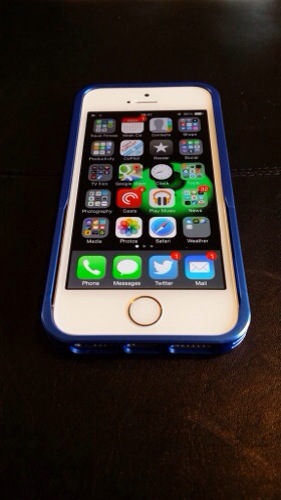
Brando Shopping – Simplism Aluminism Bumper Style for iPhone 5s – review

When I ordered these accessories my iPhone 5S was the best thing since sliced bread, but now I have the Samsung Note 3 and some fantastic iPhone accessories. Oh the irony.

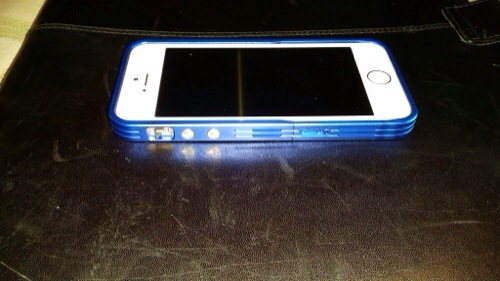
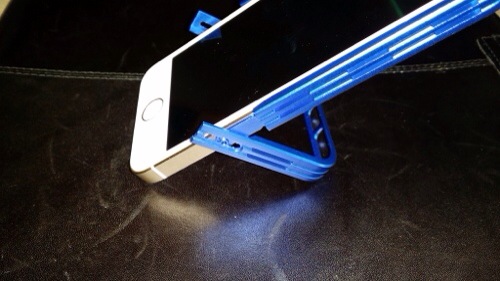
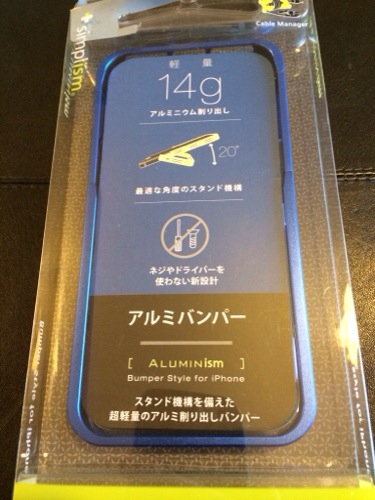
Anyway, I ordered this bumper case from Brando Shopping and as cases go I really like this one. It’s a aluminium bumper with a difference as it offers a 20% stand viewing angle. And all without removing the case from the iPhone. You have to be careful when sliding the iPhone into position but it didn’t harm my phone at all. However, I would not want to be constantly moving the iPhone in and out. But it sure does look lovely.

Key Features
Aluminum bumper offers protection and solid grip
High precision machined aluminum construction
No screws or tools needed
Access all functions without removing bumper
iPhone slides in for easy installation
20 degree angle, self-standing feature
Can connect lightning connector with stand deployed
Quality anodized aluminum in 5 different colors
Eco-friendly Cable Manager
5 Colours Available

Available Colours
Silver
Black
Green
Red
Blue

Compatibility
iPhone 5s
iPhone 5

Available from Brando Shopping

20140119-090625.jpg

20140119-090630.jpg

20140119-090635.jpg

20140119-091351.jpg

Brando Shopping – Momax Samsung Galaxy Note 3 Smart Coat Replacement Back Case – review

Brando Shopping are selling the Momax Samsung Galaxy Note 3 Smart Coat Replacement Back Case for the Samsung Note 3.

This case doesn’t have the smart view window setup of the official Samsung case but it does display enough info to be useful. It is also a much nicer design and finish. It also acts as a stand for watching films or just for sitting on your desk at a viewable angle. It also feels lighter. This is my favourite case for my Note 3 out of the official S View Premium, cheap silicone and Spigen SGP Armour.

At $23 it is a lot cheaper than the official Samsung case.

Available from Brando Shopping

20140119-085027.jpg

20140119-085038.jpg

20140119-085045.jpg

20140119-085051.jpg

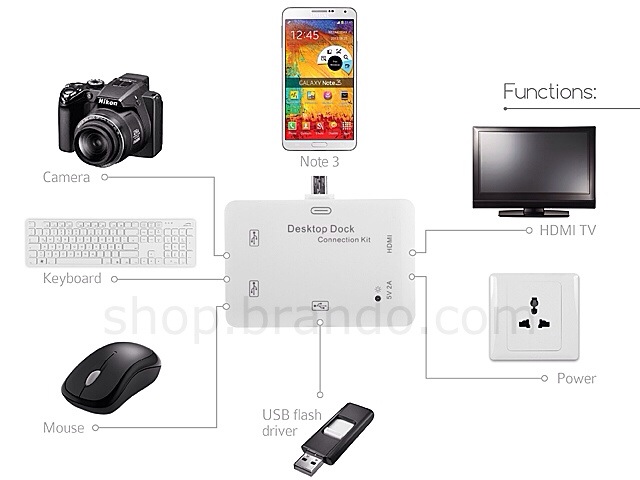
Brando Shopping – Desktop Connection Kit for Samsung Galaxy S4, S4, Note 2 and Note 3

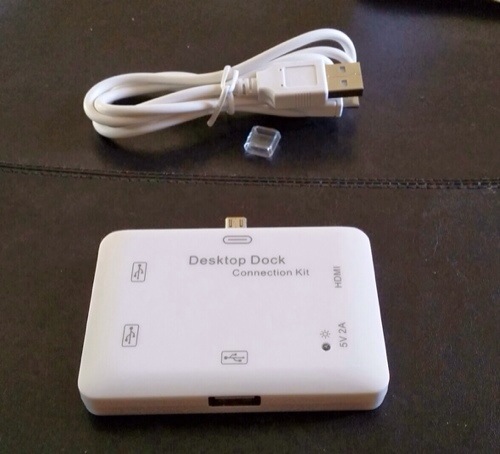
Brando Shopping sent me a desktop connection kit which I have been using for my Note 3. The item is now discontinued as there is a newer version in the pipeline which will output 1080p instead of a lower resolution of this item.

20140119-100215.jpg

20140119-100327.jpg

20140119-100335.jpg

So what this kit allowed me to do with my Note 3 was add a keyboard and mouse, connect to my TV and bolt on a flash drive. Who needs a PC.

Thanks to Brando Shopping for sending this item even though it’s now discontinued. As soon as I get details of the new version I will let everyone know.

Samsung Galaxy Gear – review impressions

image

The Galaxy Gear in mocha grey arrived a few days ago and I have been trying to get a sense of its usefulness.

It certainly splits opinions as to its looks. Some say it’s too big and bulky and looks butt ugly. Others are amazed by it. It’s fairly light despite its bulk. Other comments were over attention to detail. The screws on the Gear and not tightened into the same position. Other watches at this price point would not be like this!

Also there was an ongoing debate on twitter as to whether it’s really a watch as the time is not displayed permanently. When you lift your arm the accelerometer triggers the display to show you the time or chosen clock face.

Putting all that aside it comes in a typical Samsung box with the watch, charger, watch cradle with NFC, quick start guide and warranty leaflets.

I completely missed the fact that to NFC pair the Gear to the Note 3 that the watch cradle needed to be attached so I ended up manually downloading the Galaxy Gear Manager app and using bluetooth to pair the devices.

From the Gear Manager you can completely configure the watch complete with whatever face clocks required and the types of notifications you would like it to receive.
image

image

Some of the clock faces include shortcuts to apps and other functions. I like a plain face with the day of the month enabled in the clock options. They are a few more clock faces to download in the Samsung App store along with actual apps you can run on the Gear.

image

There are many settings that greet you when you open the Gear Manager.
image

And then there is a whole section just for notifications.
image

And then third party notifications. So for example I have twitter and Google Now selected.
image

Each of the included apps on the Gear has settings.

image

So it all seems very complicated at first. And it is. I didn’t grasp what was happening where and why but as day 1 progressed everything started to fit into place. Day 1 involved involved taking a number of photos with the Gear, asking S Voice to call a contact and then have a conversation using the Gear, all very James Bond 007 style. If the Gear and the Note 3 become separated the Note 3 locks. You can also double press the power key for S Voice which is marginally better than on the Note 3. For whatever Siri faults are on the iPhone, it is better than S Voice. However S Voice on the Gear is much better than on the Note 3 itself. I also had tons of notifications arriving. I had the Gear on vibrate but there are tones to select and different volumes. There is also a brightness and screen off delay settings. You can wake up the Gear display just by looking at the Gear. The accelerometer activates screen with the correct motion. I was dubious as to whether this function would work as well as described but it does. The other neat motion based function that works really well, is say I get a new tweet notification and pick my Note 3 up, the Gear will open the Note 3 twitter app at the notification. Rather neat.

I am still working out how notifications work between the Gear and the Note 3. For example, if I delete an email notification on the Gear it only removes the Note 3 notification and the email app shows a number badge of 1 email still. Opening the app shows the email as read. It is understanding the chemistry between notifications and the respective apps that will improve the operation. However, you still need to remove the notifications off the Gear and there’s no global delete yet.

So how easy is the interface? Actually very straight forward. With the clock showing, swipe down from edge to edge for camera, swipe up edge to edge for phone dialler. Two finger tap beings up Bluetooth and battery level status, volume and brightness adjustment. Swiping across to the left brings up the notifications, and contacts if you go the other way. Keep swiping to scroll through all the other apps. The menu does loop so you don’t have to go all the way backwards again. For every app that has a notification you can delete individual notifications or select all within that app. But you can’t at the moment do a global delete all app notifications as mentioned above. I have used S Voice to find a contact, dictate a text message and send it perfectly. To go backwards, just swipe down. Two finger holding on the display beings up recent apps and you can swipe away any you wish to close. The Gear will take a max of 50 photos after which you will need to delete them off the phone. After each photo , the Gear will transfer them to your phone. You can record 3 video clips in a row, after which the camera app closes to maintain optimal performance. The camera has a macro mode option. You can alter the order of apps and move apps in to the app folder or just have one app per whole screen. In the app folder 4 apps are shown per page.

Talking of apps some companies have released Galaxy Gear specific apps. I have installed the following.

Ebay for Galaxy Gear – works same as main app but only able to browse your activity.

Pocket – flick thru your articles. Hit play and the articles are read aloud through the Note 3. I really like this operation.

Zite – flick through headlines. Tap on article and it opens on phone. Not sure of usefulness of this but it’s different.

Camera 360 – adds some effects and frames for the Gear camera. A worthy extra.

Sample low light shot. I have created another post with some additional camera samples. You can remove the Galaxy Gear watermark as well.
image

So with all this activity what’s the battery like. Well from 8am to 7pm it knocked the battery to 50% meaning I would need to charge to overnight. With lighter usage maybe a second day is possible, but one full day is not unreasonable.

Is it worth £299. No. But who else sells a smart watch that can make calls, has a camera and speaker built into the strap? Will I keep it. Yes.
Samsung Galaxy Gear – camera samples

Below are some further camera samples from the Galaxy Gear.  Don’t forget the watermark can be removed in the camera settings. As a comparison I have included a shot from the Note 3 of the same area.

image

image

Note 3 shot 

image

The Note 3 was able to reproduce the lighting conditions much better but I was quite happy with the Gear photos if sharing to just social networks like twitter.