Category Archives: Android

LG G4 – Working with RAW images and ND Filter Kit

Despite all my photos snapped over the years, I have never used RAW. Sure I tried it once or twice over the last 5 years, but just failed to see the logic when working with JPEGs seem so much easier and meant handling smaller file sizes.

Well, the G4 allows photos to be snapped in RAW. Also one of my favourite apps Camera FV-5 just received an update to support the LG G4. In addition, I have kept my eye on 2 pieces of desktop software. Adobe Lightroom 5 (I would like to use Adobe Lightroom 6, but my MacBook is too old and doesn’t have the necessary grunt) and Photomatix by HDRSoft.

Last night, I took 3 bracketed shots using Camera FV-5 with an exposure variation of -2, 0 and +2. This created 6 files. 3 jpegs and 3 raw DNG files. I copied the files across to my MacBook. I examined all 3 jpeg’s and then I imported the raw files into Photomatix and created a new HDR jpeg. The difference is unbelievable. Off the charts better. I would love to share the photo I captured, but it was just inside my living room and not very exciting. So what I will promise to do, is capture some more interesting photos and share with you the difference of RAW vs JPEG.

The next piece of the puzzle is exploring taking photos using a ND Filter kit. I bought a low cost set comprising of full and graduated colour/ND filter kit along with a pack of rubber bands. The rubber bands are going to be used to hold the filters more securely to the G4. Thanks to Paul Garner for the rubber band tip.

I am also going to have to invest is some desktop software and will be exploring the trials versions of these over the next few weeks or so. The G4 really does open up the photography options and I for one am looking for to the journey.
LG Watch Urbane – my watch faces shown photographed – gallery

image

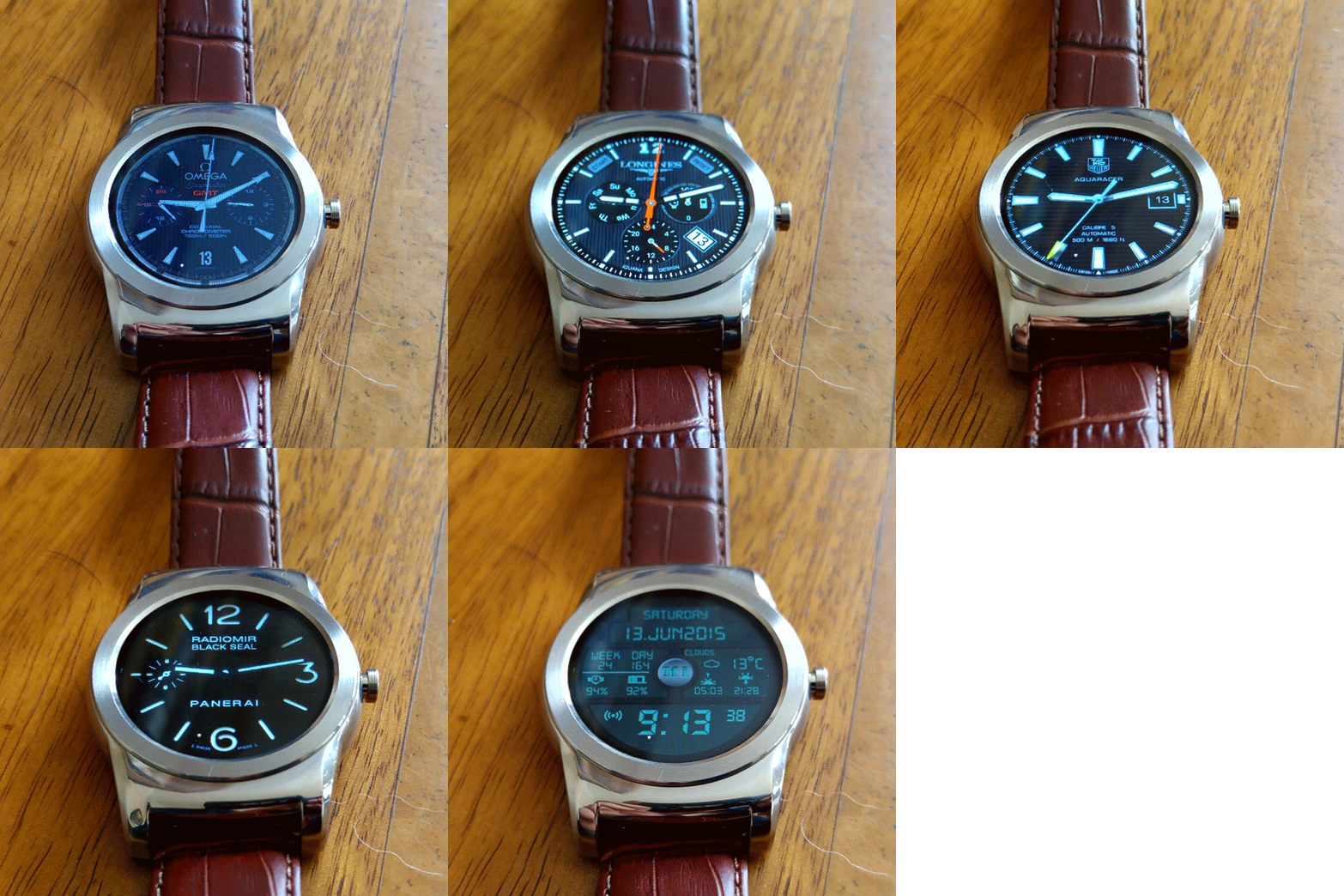
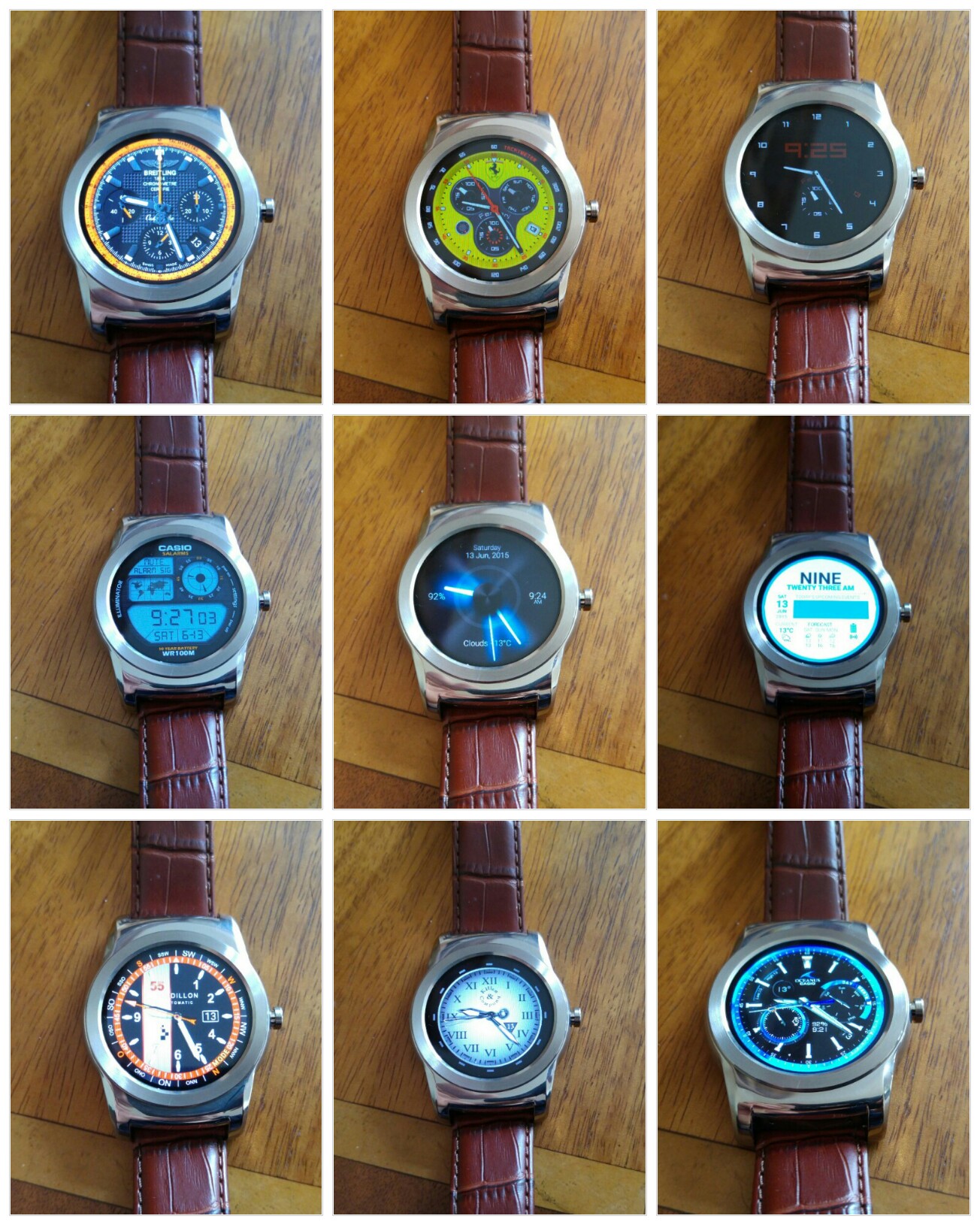
Above and below are all the watch faces I have installed using an app called Watchmaker Premium. The app comes in a free and premium offering. For the value and benefits it provides I spent the price of a coffee on the app. Apart from importing watch faces, you can edit and design your own watch faces using the app.

Looking at the first collage shot, and going from left to right, these are the names of each watch faces – Breitling Chronomat 44 Raven, Ferrari Watch, Dimmed Mode sample (after a few seconds all these watch faces offer an always on watch face, but one that uses slightly less battery, sometimes the dimmed mode option is better than the actual watch face) , next row left to right – Casio Illuminator, Hansglo 2, Material, Raidillon igu, Reapur, Casio Blue. With all these watch faces there are normally extra functions too accessed by tapping the watch faces in certain spots.

image

The next collage, left to right – Core Sport 4 Function Modded, Sicura no bezel, IWC Aquatimer, river watch o&b, Longines OH V2 igu, Paneraix, Omega Chrono GMT, Military Digital V3.2 pro and Breitling Emergency.

The below gif was produced courtesy of Google Photos:)

image

I have other watch faces installed, but these are my favourites.

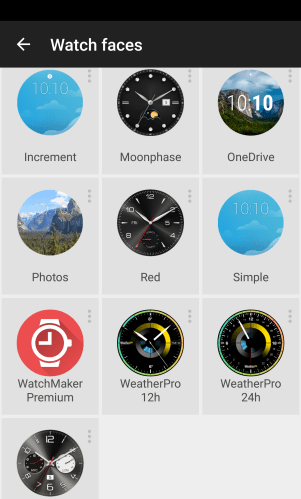
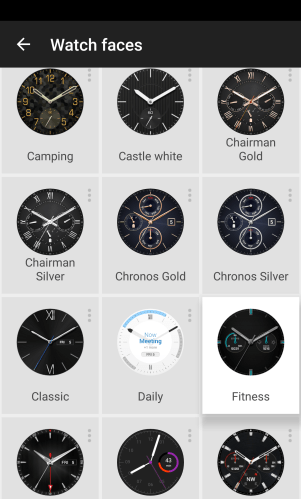
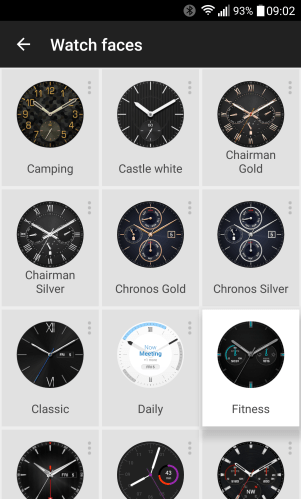
In addition, LG provide a wealth of watch faces as shown below –

wpid-quickmemo-_2015-06-13-09-03-42.png.png

wpid-quickmemo-_2015-06-13-09-03-15.png.png

wpid-quickmemo-_2015-06-13-09-02-44.png.png

Not a bad selection on offer!

LG G4 – 30 second photo exposure

image

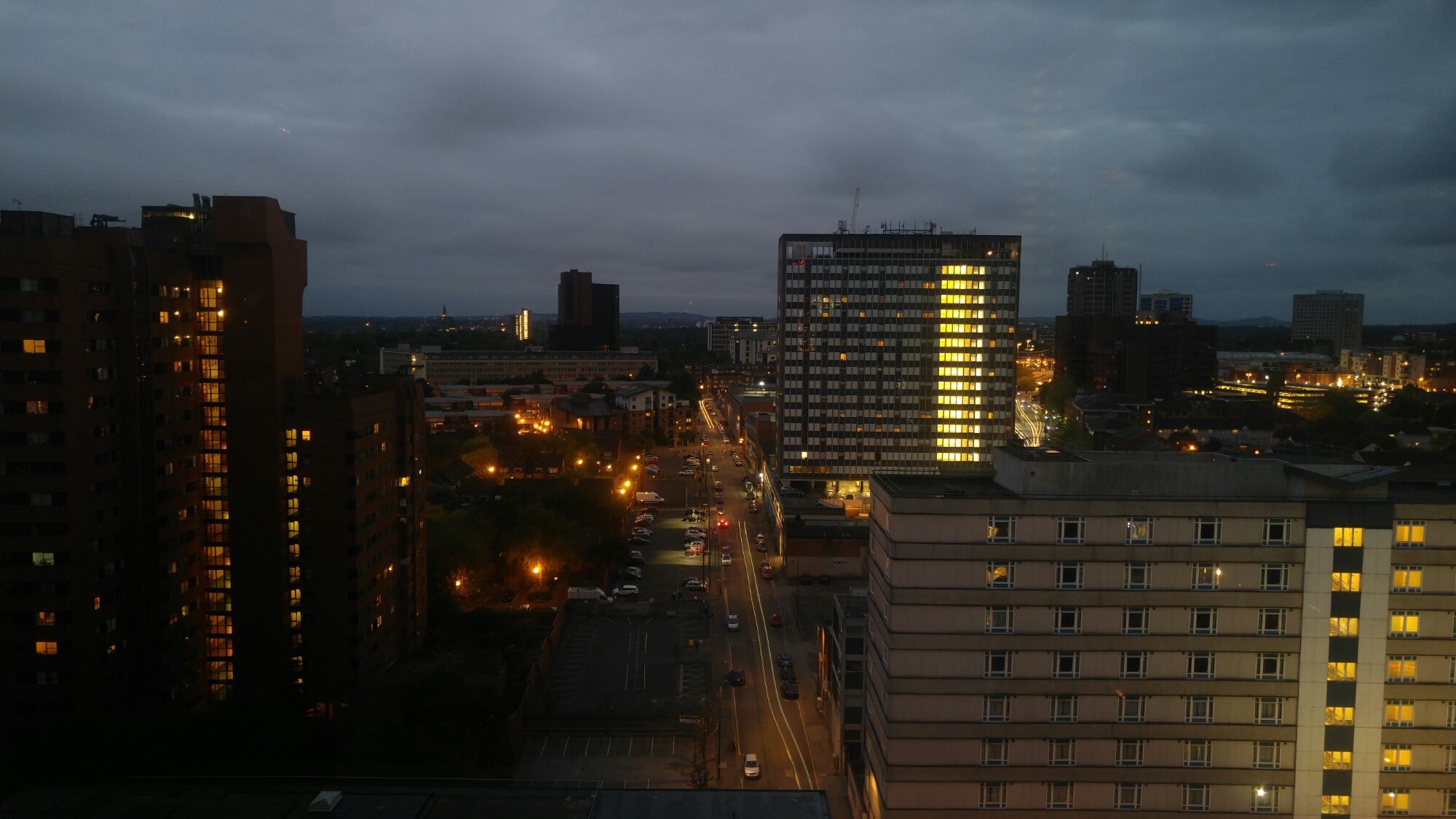
The above and below photos were taken with my LG G4. To manage a 30 second shutter time at ISO 50, I used a ND filter which I had adjusted in strength. Without the filter only 8 seconds would be possible without making the shot too bright.

image

I just need to establish a secure method of attaching the ND filter to the G4. For information the G4 was up against double glazed windows. The ND filter was one used for a DSLR and was a variable ND filter.

If you tap on photo to enlarge you will see the light trails more clearly.

LG G4 – My screen protection

orzly

Ever since I received my black leather LG G4, I had kept the original screen protective plastic on the screen.

I had been looking at buying a tempered glass screen protector and in the end settled for the Orzly Premium Tempered Glass Protector. It is normally £24.99 but Amazon were selling it for £9.99. To be honest the price was irrelevant as I was more concerned at fitting it without bubbles and wanting the best quality protection.

Well yesterday, I removed the original piece of plastic covering my LG G4, used the included alcohol wipe and cloth to clean my G4 screen, and placed the Orzly Premium Tempered Glass on the G4, followed the instructions by pressing my finger from the centre first and voila. No bubbles, no dust, just beautifully fitted.

The Orzly Premium Tempered Glass Protector is 0.24mm thin and has an oleophobic coating to help prevent fingerprints. This coating also makes it easier to clean the screen. It also fits the curved screen of the G4 really well and looks so clear and fingerprint free. The Glass Protector is so much better than the plastic before which was full of smudges and more. The screen looks so much clearer, the difference is night and day. I wish I had fitted this earlier!

Orzly also have an offer found inside the packaging to be able to claim a free case and stand, £5 voucher, even a second case , in car holder and either a free powerbank or bluetooth headset. The amount of free stuff is based on facebook likes (40, 80, 160 or 320 likes) which is part of making the brand more visible using social media. I don’t use FaceBook myself, but if you do for 40 likes you could get a free case and stand worth £7.99.

I bought my Orzly Premium Tempered Glass Protector at Amazon. Click link below if you want to learn more.

Orzly® – LG G4 Premium Tempered Glass 0.24mm Protective Screen Guard – Oleophopbic Screen Protector For LG G4 SmartPhone (2015 Model)

LG Watch Urbane – Be careful on strap choice

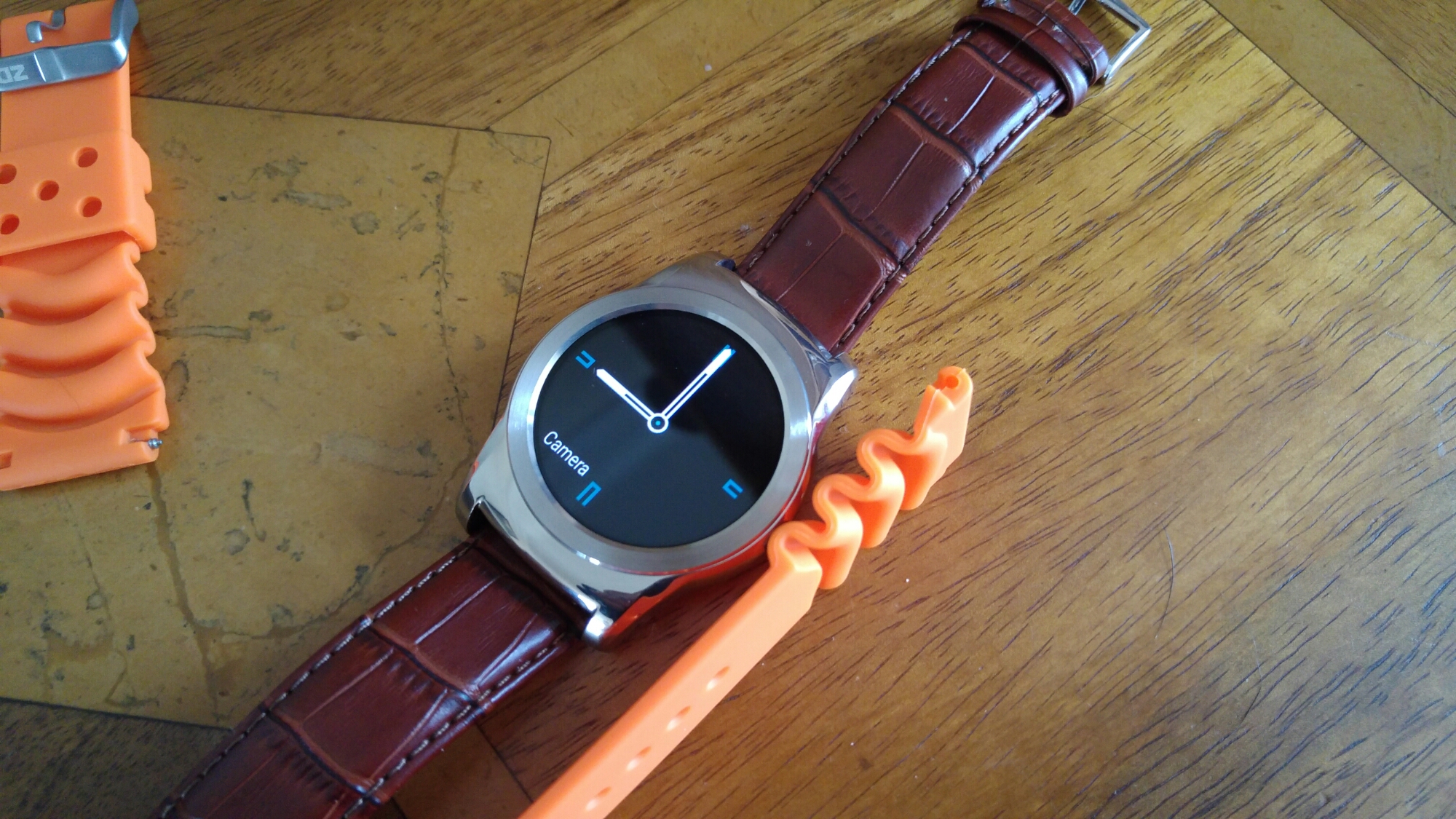
I ordered 2 new straps for my Urbane. A brown leather strap which is fabulous and a sports orange dive style strap.

image

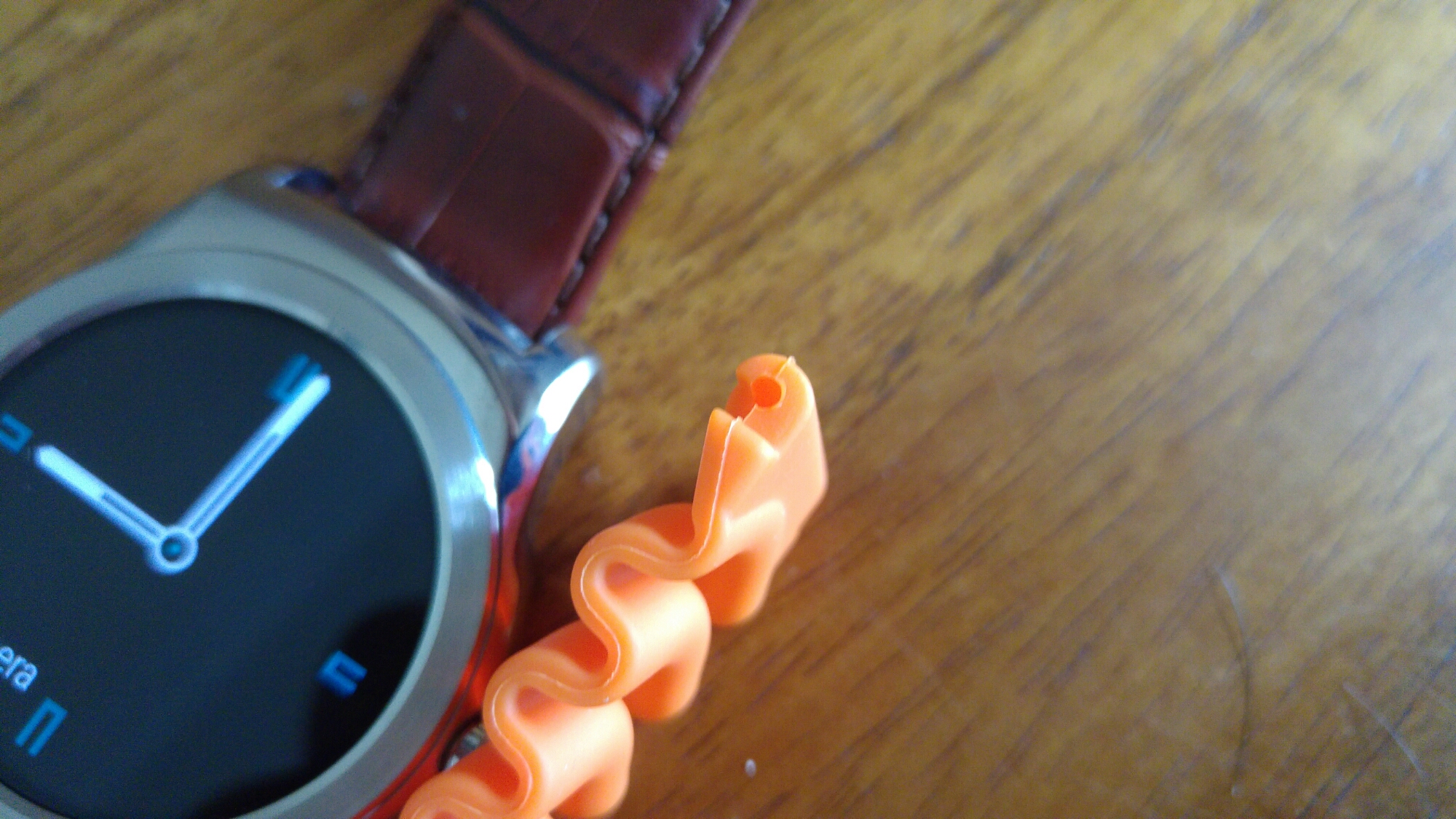
The orange strap doesn’t connect to the Urbane.

image

image

If you look at the part of the strap that connects to the Urbane its too thick for the spacing provided by the watch. I even tried different pins to see if that helped but it didn’t. I have ordered another orange strap which I am hoping is thinner.

More soon (hopefully).

LG Watch Urbane – Part 3

image

So day 3 has arrived using the LG Watch Urbane.  It is starting to feel like the best watch I’ve owned, that also happens to be a smart watch. 

Last night, I attended our work summer party and a number of people commented on the watch, wanting to know more about it. I had a Breitling watch face showing and I was asked if it was made by Breitling. I do believe that the brown crocodile strap makes the watch look a lot smarter too.

The orange sports strap I ordered has arrived, but at the moment I’m not sure I want to fit it to the Urbane as I really like the brown crocodile strap. I will post some photos of the strap soon.

Battery life has settled down with about 40% used in the past 24 hours. So I reckon a 2 day battery life is possible, but I would still top it up daily. Dictating using OK Google works fine. I have replied to emails, hangout messages and dictated and sent new text messages.  I have also searched through about 20 watch faces and settled for about 10 new ones from many famous brands. This adds to the charm of the watch. One of the simplest and best features of the Urbane is the clock always been visible. 

I am still waiting for LG or Google to update their apps and or firmware so I can get heart rate data transferred off the watch. Once this happens, the watch will be near perfect. 

LG Watch Urbane – replacing the strap

image

As you can see above and below, I have replaced the black strap with a brown crocodile strap which in my honest opinion looks a lot smarter. Some of you may prefer metal or even a sports rubber finish.

image

I have an orange sports strap (£10) arriving soon which I intend to wear at some point, but at the moment, brown crocodile leather rocks my boat. I have provided links to all the straps and tool I used to remove the strap and refit.

The key point to note is buying a strap removal tool. Mine costs £2.99 Don’t try and cheat with a thin flat screwdriver. You will probably take much longer and end up scratching the casing. First, turn over the watch to access the rear. Make sure you place the watch face down on a super soft cloth so as not to scratch the watch face. Then use the tool to grip the spring bar ridge, pull back and release spring. Reverse to connect strap. This is a 5 mins job. Make sure the shorter end goes up against the 12 o’clock.

Simple but effective.

Links – remember orange strap not yet received, but I will edit this post once obtained UPDATE – orange strap is too thick at to connect to Urbane.

Orange Dive Watch Strap Orange 22mm

PROFESSIONAL WATCH BAND STRAP LINK PIN SPRING BAR REMOVER REMOVAL REPAIR TOOL

Selection of 22mm Brown Leather Watch Straps

HTC One M9 – Just received a Monstrous Update – details

The HTC One M9 in Europe is receiving 1.40.401.5 firmware update. This brings huge improvements to the camera and phone operation. If you have a HTC One M9, it is worth updating to this asap.

The camera receives 3 improvements – improved auto-exposure so images look less washed-out in brighter conditions. better image processing in low light to reduce noise and blur, for greater clarity and improved detail and a reduction in green and yellow hue effects appearing in extreme lighting conditions so colours should appear more realistic.

The update also reduces power consumption with Facebook and YouTube, and tweaks quick charging capabilities to reduce heat output while charging. I personally thought the phone got too hot to hold whilst charging and using it for even basics tasks.

If you have updated your One M9, please let everyone know if you are seeing all the above improvements.

Sources – HTC/Androidcentral.com

Honor 6+ – Unbelievable

image

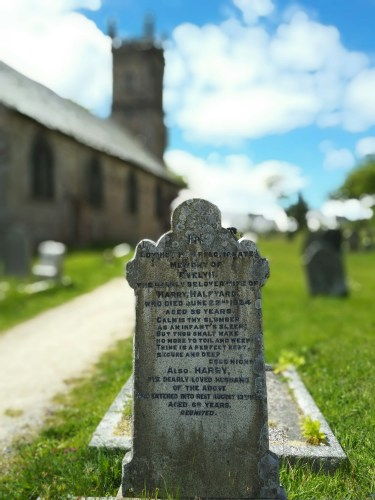
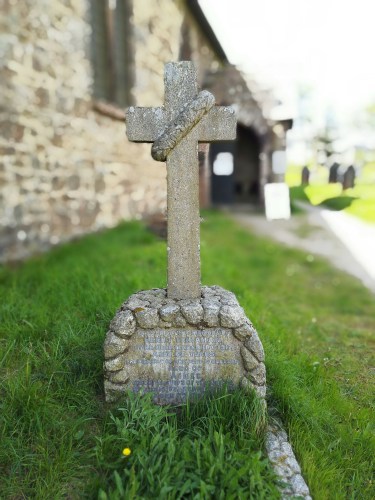
The above photo was snapped by the Honor 6+ yesterday. It is not post processed, it is the exact image taken by the camera using its wide aperture mode. This uses both rear 8mp cameras to allow a photo to have a f stop between f/0.95 to f/16. Whilst taking the photo, you can adjust the focus point and the f/stop on the fly. Afterwards, you can re-edit the focus point and the f stop as many times as you like. Each new creation is saved as a new photo.

My subject yesterday was a post box. It could be a cross or two as shown below. It could be people, or whatever you fancy.

wpid-img_20150606_120104_1.jpg

wpid-img_20150606_120153_1.jpg

This surely will be part of the future of mobile photography. The twin rear 8mp cameras also work together to create a decent 13mp photo. Together the twin rear 8mp allow more light into the image to create a better final photo. At night, using its super night mode, it can keep the shutter open for 60 seconds. This time one of the rear cameras assists with focus/depth to help plot the image that is hidden in darkness. The end result always looks good.

Th camera is one good reason that makes the Honor 6+ stand out above the crowd.The fact it has 32gb storage as standard, a 3,600maH battery, a superb 1080p screen, dual sims or one sim plus a micro sd card slot, and whats not to love. Plus it only costs £299.

Click Here as Amazon UK is one of the official UK sellers.