Category Archives: Android

Preparing to ditch Google for Siri – Editorial

A lot can happen in the world of technology in a space of 6 months.

In the world of Gavin’s Gadgets the change in direction can be even faster. Back in February 2015, I wrote this piece https://gavinsgadgets.com/2015/02/02/i-have-sold-my-soul-to-google/ on how I had sold my soul to Google.

On Saturday 12th September, I was a guest again on the Phones Show Chat Podcast – http://stevelitchfield.com/sshow/chat.html . Steve Litchfield asked me how I could simply switch operating systems at the blink of an eye. What Steve was referring too is my change from my current phone, the LG G4 and LG Watch Urbane to the iPhone 6S Plus and Apple Watch on 25th September. The LG G4 plus all my accessories will be sold within a week after receiving the iPhone 6S Plus. For the record, the LG G4 has been by far the best smartphone I have ever used. So why the change?

Well those that know me well, will also know that I enjoy using all operating systems. However, this time Apple has made a few changes that make the jump somewhat more attractive. Firstly, the iCloud storage pricing plans have been lowered to a far more reasonable and competitive level, meaning I can totally use the Apple eco system to its fullest, without paying over the top for cloud storage. I updated my iCloud contacts and calendar data to mirror that held on Google, so now I don’t need to even sync my contacts and calendar from Google. As a backup, I still have all my photos, media, docs and music sitting on Google Drive along with a further backup of photos and docs in Dropbox, but now going forward I intend just to use Apple iCloud for everything. Before, I sync my photo library to iCloud along with my music, I will have to tidy up my photo library on my mac.

I held off starting my 3 month Apple Music trial, but will activate this with my new iPhone 6S Plus. Now with regards to the iPhone 6S Plus, I already have received the official leather Apple case from Apple, along with some Spigen screen protectors.

So what am I looking forward to with the new iPhone? Well the new 12mp camera and all the software trickery that goes with it. iOS apps, iOS 9, 3D Touch, Apple Pay, using the phone with the Apple Watch and with everything tightly integrated. I really missed iMovie on the phone. This piece of software is so powerful and slick and even as of today’s date there isn’t really an alternative on android. And now with the lower iCloud storage plans, I can use Apple for everything.

As time moves on, it really seems that to get the most from your phone, it is best to ensure you use the respective cloud and apps that are part of your phones operating system. So if ever I moved back to Google, I still have a copy of my data on Google Drive and if a miracle occurs and Microsoft takes over the world with its new Windows 10 phones, I have a partial copy of my data sitting on One Drive.

Now, let’s see if I can keep this phone for a few years πŸ™‚

How well does 4K Photo Capture work? This is a new feature on the iPhone 6S and 6S Plus

George, Tiggy & Fury having a blast on Dartmoor today #4KPhotoFrameCaptures #LGG4

The new Apple iPhone 6s and iPhone 6S Plus all come with 4K video and the ability to capture 8mp photos from the 4K video.

George, Tiggy & Fury having a blast on Dartmoor today #4KPhotoFrameCaptures #LGG4

There is nothing new in this trick, so I am hoping Apple make this feature even simpler. When I receive my iPhone 6S Plus I will be certain to test this out. The 3 photos from this post are embedded from my Flickr account and show Tiggy,Fury and George. If you want to examine the full resolution, just click on each shot. In total, I managed to extract 11 great motion shots from 4K video footage shot from my LG G4. I will add I did film this into the sun. Not ideal, but dogs and dogs and they have a mind of their own!

George, Tiggy & Fury having a blast on Dartmoor today #4KPhotoFrameCaptures #LGG4

Samsung and Sony take revenge at Apple – details

After Apple finished its announcements of new products, Samsung and Sony wasted no time and took aim at Apple over twitter.( Allow a few seconds for the tweets to appear properly) Of course, it is all very well Samsung making fun of Apple, but at least Apple are selling their products in the UK. The Samsung Note 5 is not being sold by Samsung in the UK still.

https://twitter.com/sonyxperia/status/641712869105627136/photo/1?ref_src=twsrc%5Etfw

I do think this tweet from Sony was funnier though.

Samsung then had a field day.

https://twitter.com/SamsungMobileUK/status/642042292539367424

https://twitter.com/SamsungMobileUK/status/641732815411879936

https://twitter.com/SamsungMobileUK/status/641684348727459840

https://twitter.com/SamsungMobileUK/status/641666337840996352

At IFA 2015 many Apple competitors happily displayed their brand of phone, yet behind closed doors many then used an iPhone to chat to their colleagues

Google launches Android Pay to take on Apple – details

“Google has made its mobile payments system, Android Pay, available at more than one million locations in the United States. The tap-to-pay system will compete with Apple Pay in the burgeoning mobile payments market. Android Pay can be used with smartphones that have near-field communication (NFC) capability and Google’s KitKat 4.4+ operating system.

It will allow users to store their credit card details on their phones, as well as loyalty cards and other data.
Existing users of the Google Wallet app can access Android Pay through an update, while new users can download it from the Google Play app store in the coming days. Retailers including Macy’s, Bloomingdale’s and Subway are among the first to participate in Android Pay, with more to come. It will be extended to mobile checkouts in some apps later this year.

The Google system will support credit and debit cards from providers including MasterCard, Visa and American Express, as well as banks including Bank of America, with Citigroup and Wells Fargo to follow. Rather than passing users’ credit card details to a retailer, both the Google and Apple systems generate a “token” so the actual data is not revealed during a transaction, reducing the risk of data theft. Last month, Samsung launched its own mobile wallet service, called Samsung Pay, in South Korea. It will be available in the US from 28 September, with countries including the UK, Spain and China to follow.

Google is yet to reveal when Android Pay will be available outside the US.”

Only US at the moment, just shows how well Apple has done to get so far ahead.

Source – http://www.bbc.co.uk/news/business-34216475

ZTE Axon Elite – IFA 2015 – Show Report – Part 3

image

image

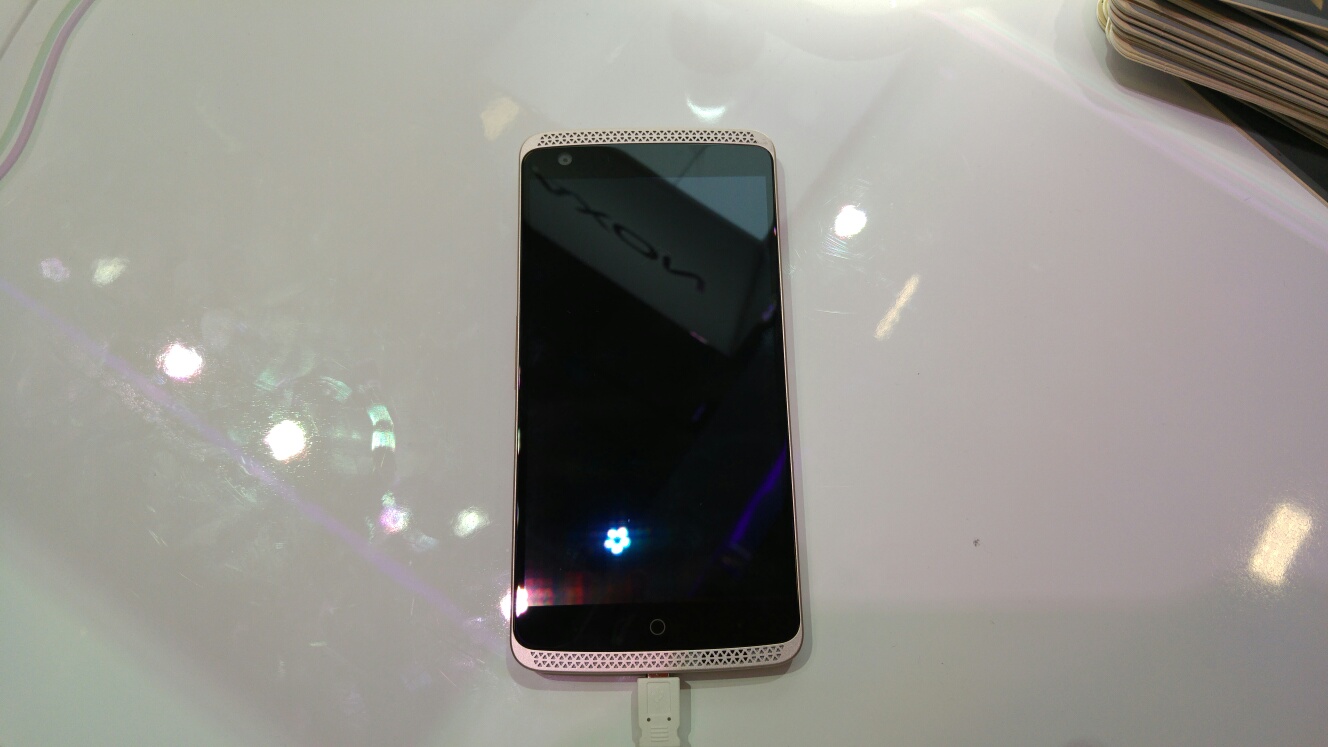
At IFA 2015, ZTE were displaying the ZTE Axon Elite. I have created a separate post for this phone as I felt it deserved more attention. This is the ZTE Axon but without the 2K screen, named the Elite as this is the international model going on sale on 24th September for a mere 419 euros. The international model has all the LTE bands required. ZTE manufactures the Vodafone Smart Ultra 6 that I recently reviewed. The VSU6 is probably the best value budget phone currently.

So what do you get for 419 euros? An awful lot. For a start the rear features leather strips top and bottom, concealing the antennas. The phone is made from aluminium otherwise. The 5.5 inch display is 1080p, 3gb ram, 32gb storage with micro SD card support, a rear camera of 13mp plus a 2mp camera like the HTC One M8 duo camera setup for refocus affects, a 8mp front camera, fingerprint sensor, eye unlock scanner, voice recognition unlock , snapdragon 810, quick charge 2, 3,000mah battery, front facing speakers. The phone features HiFi audio chips for an enhanced playback too.

I had a good play with the ZTE Axon Elite and it seemed a fairly reasonable offering. The duo camera setup was fun to use but as to the overall quality that will be tested at a later date when I receive the phone in a few weeks times approximately.

It does seem to me that manufacturers are struggling what to add to their phones to make them more interesting. ZTE seem to have thrown the kitchen sink in with the Axon Elite. The Eye Scanner unlock takes a 3D image of your eye, and the software is like something from a Star Trek movie. If you wear glasses it wont work. The manual suggests that you should get eye laser treatment if you wear glasses (joke).

However, despite any specs overload, in the 30 minutes or so that I used the phone it all worked well and the camera seemed to take some nifty shots with the duo rear camera. I can’t wait to get my hands on this full time now!

Samsung Gear S2 – my views as a Smartphone guru

image

image

The Samsung Gear S2 is Samsung’s latest smartwatch and they think it’s amazing.

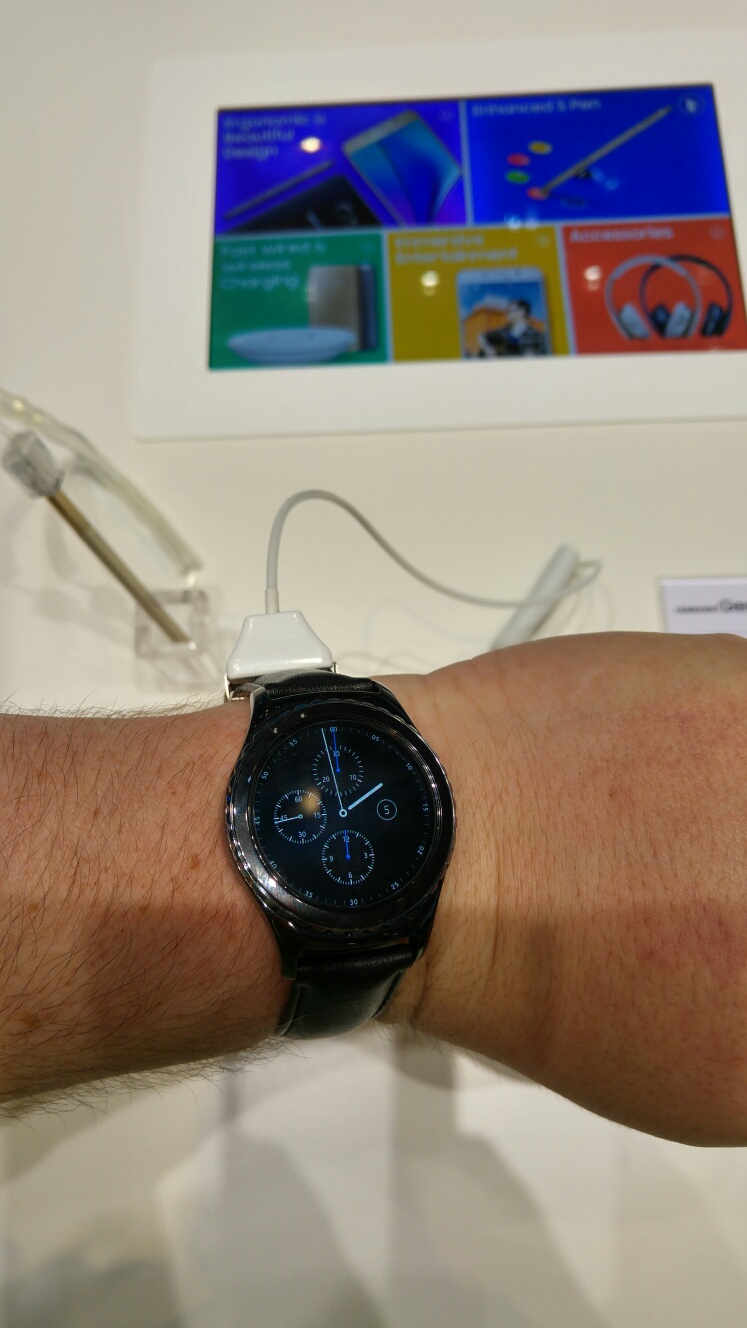
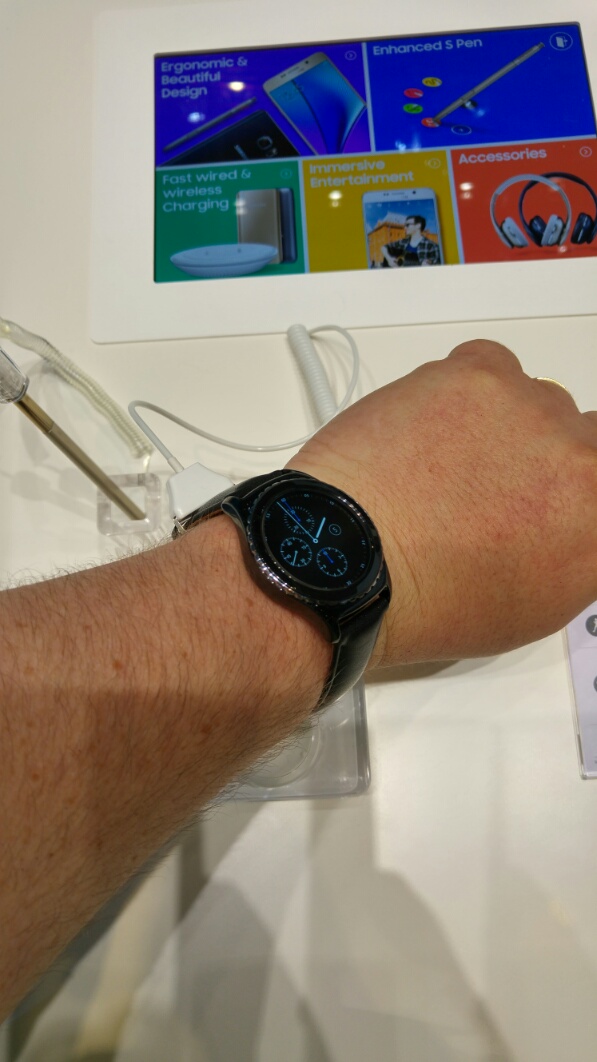
The above photos show the classic model on my wrist. There is also a sport model which looks dull on photos but in real life is rather good to admire.

I have owned a wide selection of smart watches. See here for my reviews https://gavinsgadgets.com/review-links/wearablesfitness-trackerssmartwatch-reviews/ .

So what did I think of the new watch from Samsung. Actually, it is rather smaller in person, and consequently looks and feels consider a smaller than the LG Watch Urbane.

So what you have is a watch that looks good on wrist and not overbearing.

Then you have the news that Samsung is allowing other Android phones to connect to this watch. There is a rumour coming out IFA that Samsung will allow this watch to connect to iPhones. The only issue of using another brand of Android phone or an iPhone is the watch will lose some of its functionality.

So what is the Gear S2 like to use in real life? Actually it is the smoothest and slickest out of any watch including my own LG Watch Urbane. It scrolls really quickly between screens and with the rotating bezels makes light work of everything. I was impressed.

So what are the drawbacks? Maybe it will be the lack of third party developers developing for the platform!

However even if the number of apps out of the box are minimal, it still provides an awful lot out of the box and should be ideal for many people!

Huawei Mate S – Luxury model – hands on with Force Touch and my views

image

The Huawei Mate S comes in various options including the 128gb storage “luxury” model. This version also includes the Force Touch screen.

The video below shows me using the Force Touch screen.

So what do I think? At the moment the uses are limited. Using the Force Touch was easy to use and zoom in on a section of a photo.

However, I do wonder if Huawei is waiting to see what Apple offers with force touch on its new iphone before launching the luxury version.

At the press conference Huawei did mention it was hoping developers would create good apps for the technology. Huawei showed the Mate S weighing an orange on this screen which was really cool. Zooming in on photos doesn’t offer anything you can’t do already on a standard screen, so I do hope extra options are created that add true benefits.

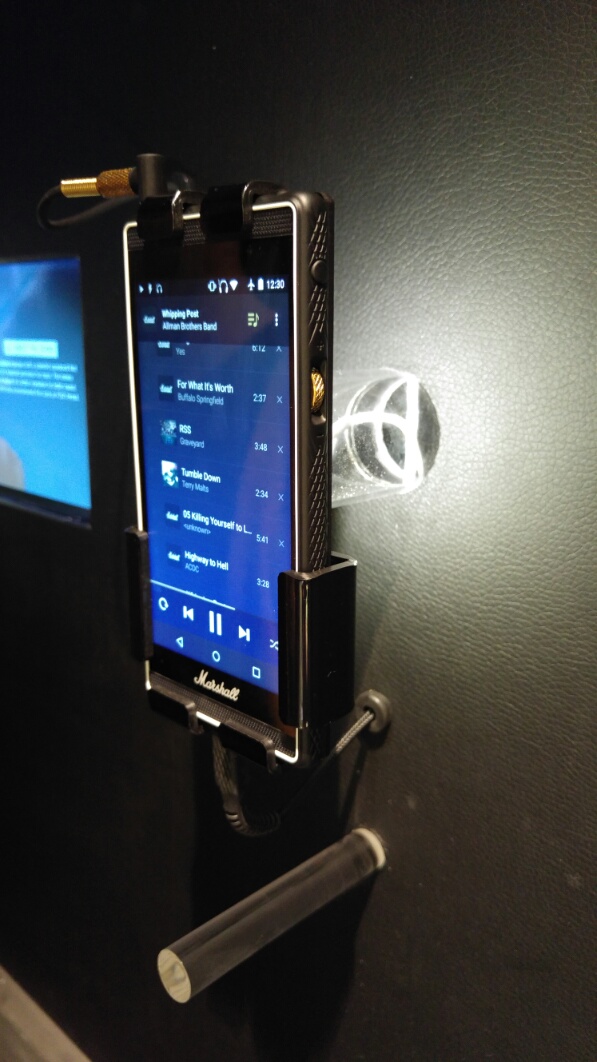
Marshall London Smartphone – my hands on plus views

image

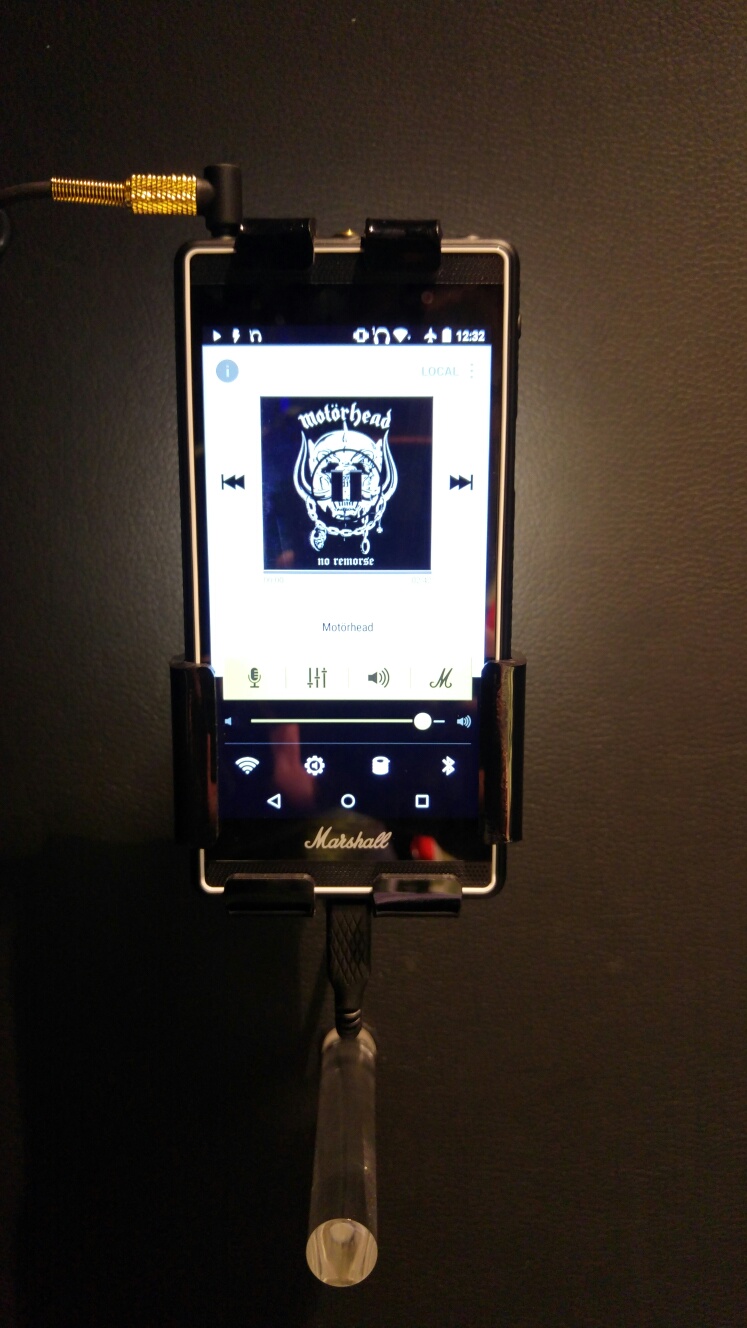
The Marshall London is a rare beast. It also appears expensive on paper if you view it just from the mediocre phone specs.

image

I got a chance to spend 30 mins with the phone and listen to the audio quality. From a operational point of view the phone part seemed to work really smoothly. Sound from the headphones was excellent too as well as the loudspeakers.

And then there is the unique design and brand. You guessed it. You’re paying for the Marshall logo and cool rotary volume control and other unique aspects.

Overall it was enjoyable to use and likeable hardware. I am hoping to spend more time with this phone and will hopefully write my full review shortly.

Below is a short video.

Huawei Mate S – Camera showdown plus time lapse

I now have been using the Huawei Mate S camera for several days.

I have posted several photos but also now uploaded the original shots plus a whole load more to a dedicated Flickr album. Click here https://flic.kr/s/aHskj289sE

None of the photos have been post processed.

Here a few posted before and some new ones. Don’t forget to click on the Flickr link to see all the photos.

image

image

image

image

image

Supernightmode is a treat to use. As is the light painting modes eg silky water. These special modes on the camera app make taking fancy shots a breeze. The quality is equally good too.

The time lapse mode is fantastic too. The below video took 20 mins.